Shield - Precision Pestcontrol Landing Page Template
Shield is a split-screen landing page template built for Bangalore pest control services. It pairs a bold, objection-driven FAQ layout with a three-step inspection booking form, a floating call-to-action button, and a Corporate Precision visual identity. The template is designed to convert hesitant residents, facility managers, and restaurant operators into confirmed bookings.
by Rocket studio
Quick summary
Shield is a single-page, split-screen landing page template for a Bangalore-based pest control service. It leads with a giant headline, walks visitors through a structured FAQ sequence that mirrors real buyer objections, and closes with a streamlined three-step booking form. The design is precise, confident, and built entirely around earning the inspection appointment.
Who this template is for
This template is built for pest control businesses operating in Bangalore that serve a mix of residential and commercial clients. It works especially well when the service needs to communicate credentials, safety data, and pricing transparency before asking for a booking.
- Apartment association representatives managing recurring monsoon-season infestations
- Information technology park facility managers protecting server rooms from rodent damage
- Restaurant owners preparing for Food Safety and Standards Authority of India audit compliance
What problem this template solves
Most pest control landing pages either list services without building trust or bury the booking form before handling a visitor's real concerns. Shield solves this by sequencing objections first and the form last.
- Visitors arrive with safety, pricing, and warranty questions that go unanswered on generic service pages
- Facility managers and restaurant operators need credential proof before they will consider a booking
- Without a clear mobile path to call or book, high-intent visitors leave without converting
What you get with this template
You get a fully structured, single-page layout that guides every visitor type from first impression to confirmed appointment. Every section is purposeful and nothing is decorative for its own sake.
- A giant centred headline section with a pin code lookup field for same-day availability
- A scrollable FAQ-driven split-screen body with before-and-after photo pair breaks every third section
- A floating "Book a Free Inspection" button and a visible "Call Now" direct dial path for facility managers
Feature list
This template includes a focused set of built-in components designed specifically for a pest control booking flow in a competitive local market.
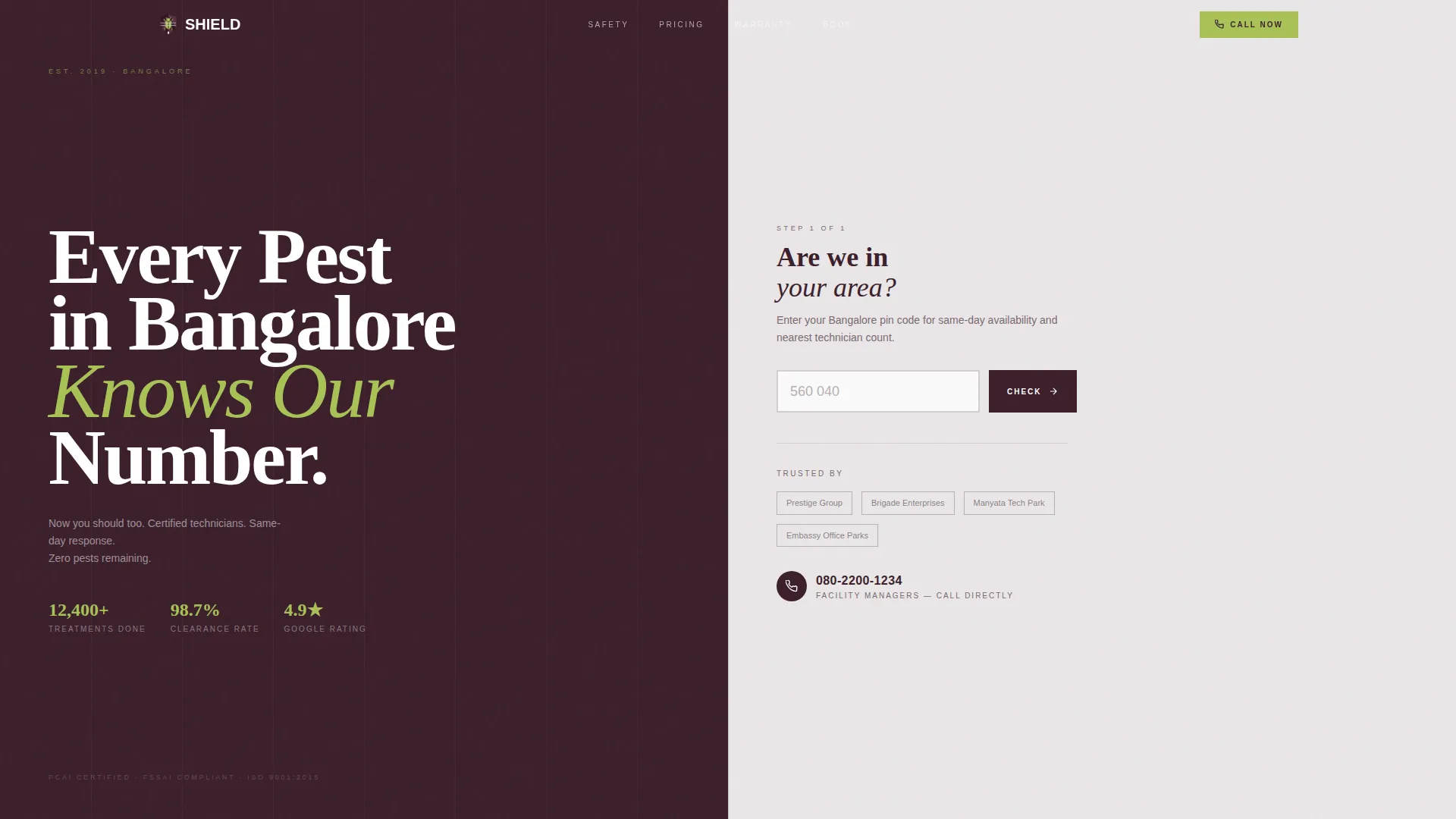
Giant Headline Hero Section
The header fills eighty percent of the viewport width with white heavy condensed sans-serif type on deep aubergine. The right panel holds a single-field pin code lookup labelled for same-day availability. No imagery, no illustration. Confidence comes from the deliberate emptiness.
FAQ-Driven Split-Screen Scroll
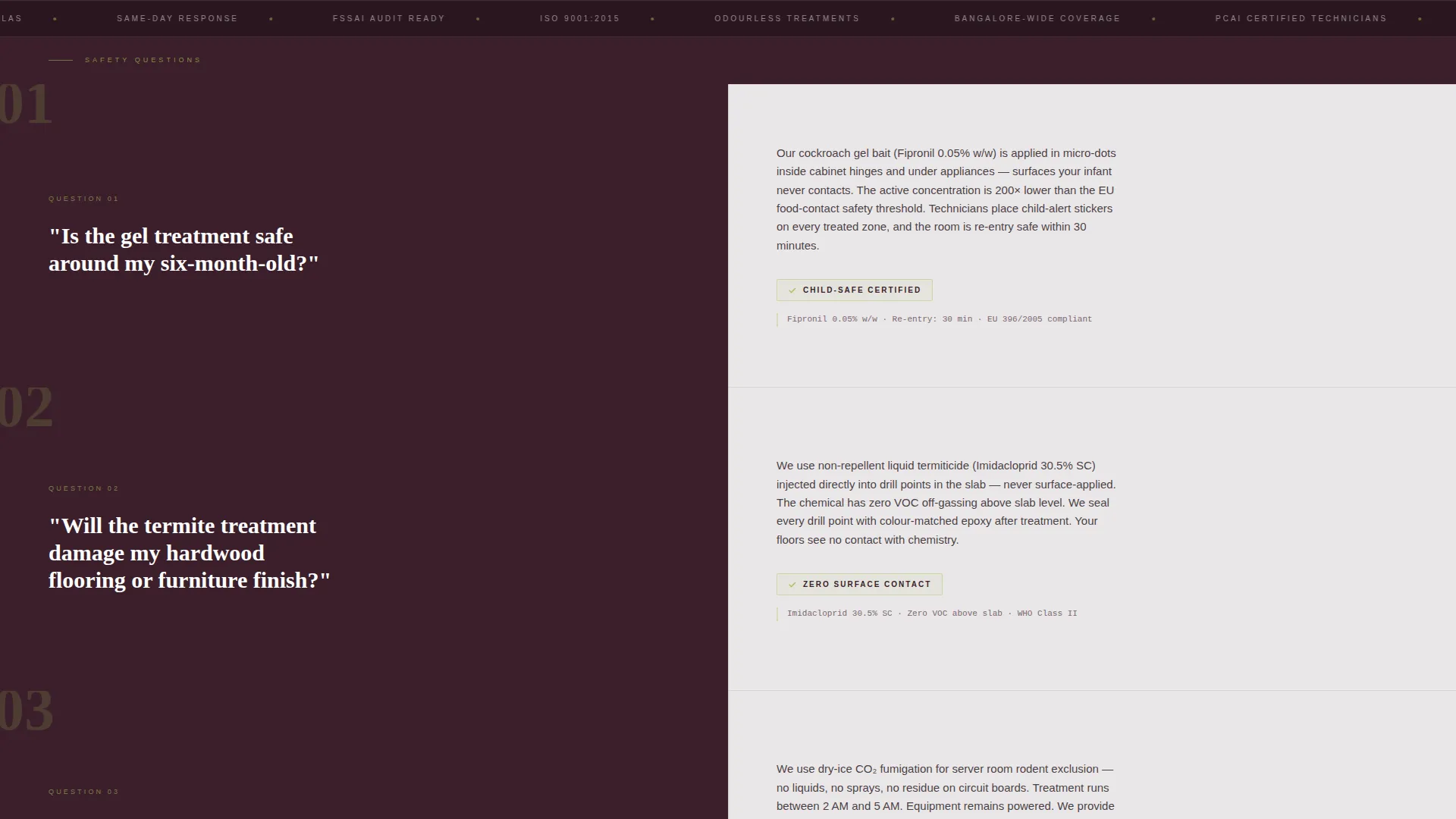
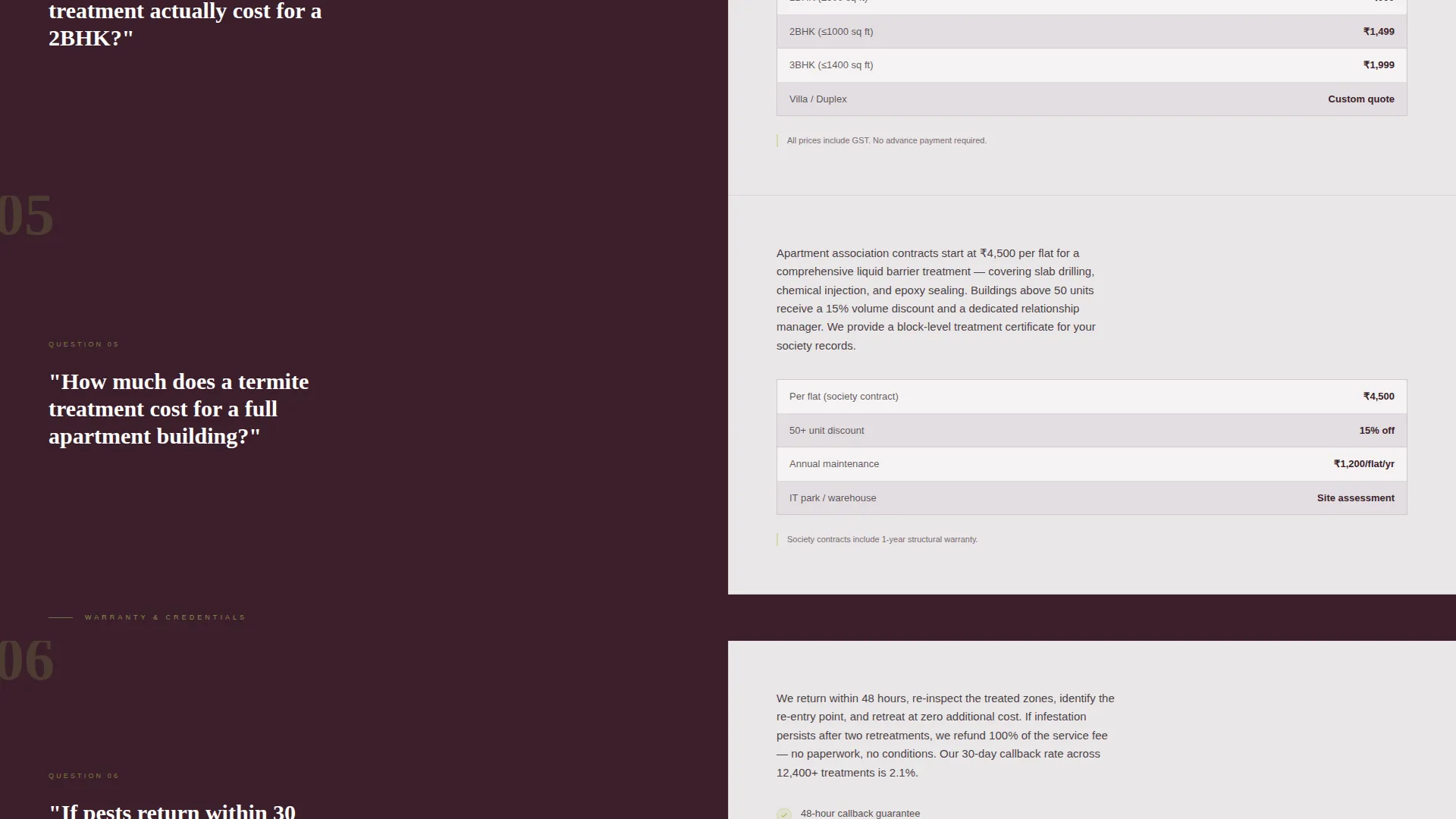
Each scrollable section poses a real Bangalore homeowner or facility manager question on the left panel and answers it on the right with a short paragraph, a credential badge, and a specific chemical safety data point. The questions escalate from safety concerns to pricing transparency to warranty terms, mirroring the mental objection sequence a hesitant buyer runs through before booking.
Before-and-After Photo Breaks
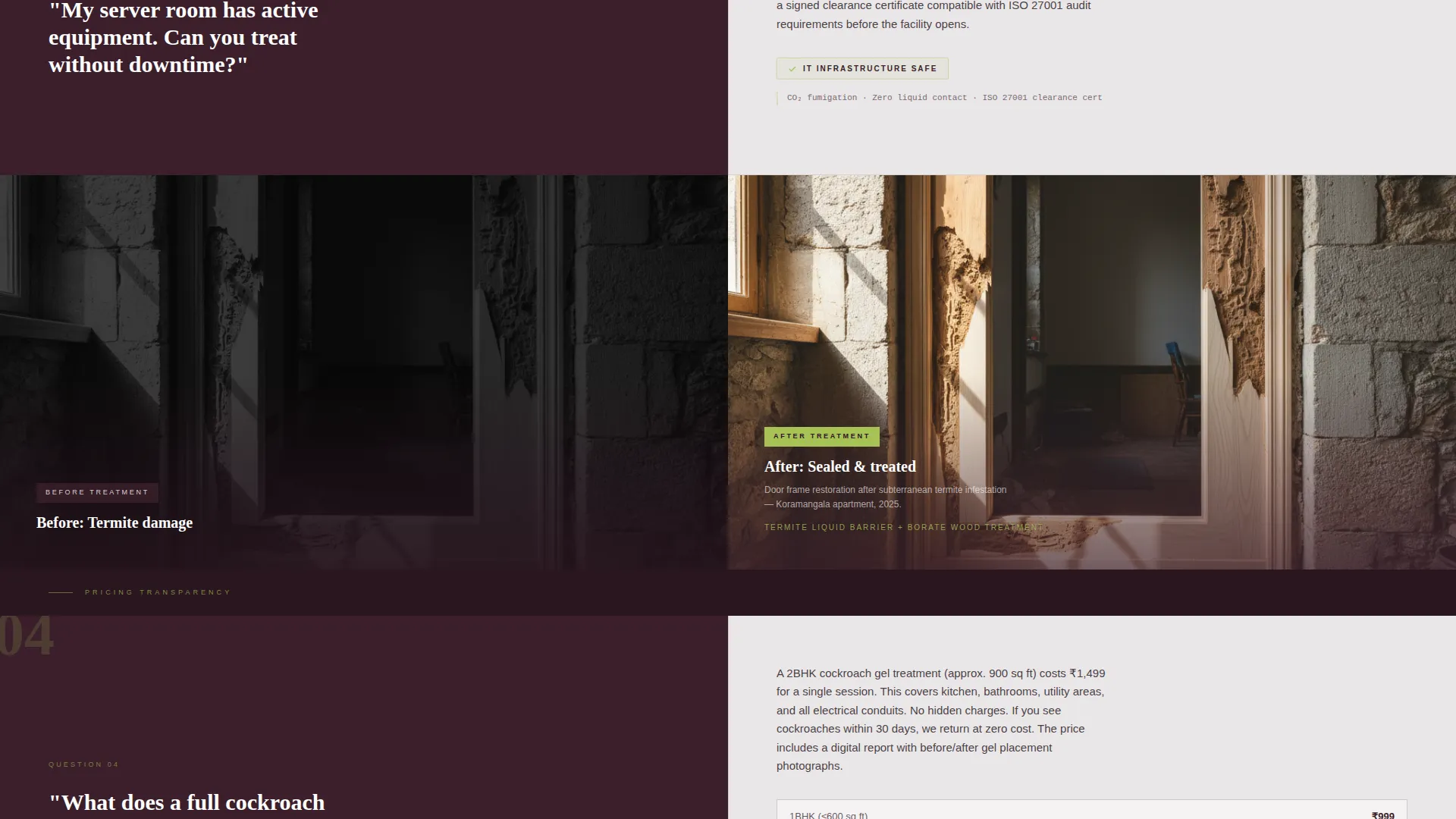
Every third FAQ section is replaced by a before-and-after photo pair. A termite-hollowed door frame appears on the left; the treated and sealed frame appears on the right. These visual breaks keep the scroll visceral between the rational FAQ blocks.
Three-Step Inspection Booking Form
Tapping the floating button opens a three-step form. Step one selects pest type using icon tiles covering termites, cockroaches, rodents, bed bugs, and general treatment. Step two picks a preferred date and a morning or afternoon slot from a calendar widget. Step three captures the visitor's name, phone number, and apartment or building name.
Floating Chartreuse Call-to-Action Button
A "Book a Free Inspection" button in chartreuse is pinned as a floating element that follows the scroll across the entire page. It remains visible at every section without interrupting the reading flow, so a visitor can act the moment they feel ready.
Direct Dial Secondary Path
A "Call Now" button triggers a direct dial to a Bangalore local number displayed prominently on the page. This secondary conversion path is designed for facility managers and commercial clients who will not fill out a form under time pressure.
Page sections overview
| Section | Purpose |
|---|---|
| Giant Headline Hero | Establishes authority and captures pin code for same-day availability |
| Safety FAQ Block | Addresses chemical safety concerns with credential badges and data points |
| Before-and-After Break | Provides visual proof of treatment results between FAQ sections |
| Pricing FAQ Block | Answers cost and transparency objections before the visitor reaches the form |
| Warranty FAQ Block | Covers post-treatment guarantee terms to remove final hesitation |
| Floating Booking Button | Keeps the primary call to action accessible throughout the entire scroll |
| Three-Step Booking Form | Converts ready visitors into confirmed inspection appointments |
| Direct Dial Call Path | Offers a fast conversion route for commercial and facility manager clients |
Design & branding system
The visual identity follows a Corporate Precision theme built around the Plum Executive colour palette. The overall feel is a boardroom after hours: dark, deliberate, and completely in control.
- Deep aubergine (#3B1F2B) anchors all left panels; muted silver-gray (#D5CED0) washes the right panels; crisp white (#FAFAFA) is used for form backgrounds
- Decisive chartreuse (#A8C256) is applied exclusively to buttons and confirmation states, making every call-to-action unmissable against the dark palette
- Typography uses a heavy condensed sans-serif for headlines to fill the viewport with authority, while body copy stays clean and readable at all scroll depths
Mobile & speed optimization
The split-screen layout is structured to adapt cleanly to smaller screens without losing the objection-and-answer rhythm that drives conversions. The floating button and direct dial path are both prominent on mobile, where high-intent users often prefer to call rather than complete a form.
- The three-step booking form is broken into discrete steps so mobile users are never overwhelmed by a long form on a small screen
- Before-and-after photo pairs are presented clearly on mobile to maintain the visceral scroll experience between FAQ blocks
- The pin code lookup in the hero section remains a single focused input on mobile, keeping the entry point frictionless
How this template helps you convert
Shield is built around a single conversion principle: answer every objection before the form appears. By the time a visitor reaches the sticky call-to-action, the only decision left is which morning slot to choose.
- The FAQ sequence escalates from safety to pricing to warranty, matching the exact mental order a hesitant Bangalore resident or facility manager uses when evaluating a pest control service
- The floating "Book a Free Inspection" button stays visible throughout the scroll, so a visitor who becomes confident mid-page can act immediately without scrolling back to the top
- The direct dial "Call Now" path gives commercial clients a zero-friction route that requires no form completion, capturing the segment most likely to abandon a multi-step booking flow
Other information about this template
Shield is part of a template category designed for professional services businesses that operate in competitive local markets and need to build trust quickly with multiple distinct client types. The template style, creative direction, and colour system were selected specifically to serve the Bangalore pest control niche.
- The template theme is Corporate Precision, the style is Split Screen (50/50), and the creative direction is FAQ-Driven, all matched to the Booking and Scheduling landing page direction
- The Plum Executive colour system is unique to this template and is not a generic service palette; it is chosen to signal a premium, certified operation rather than a budget provider
- This template is suited for pest control operators targeting apartment associations, information technology parks, warehouses, and food service businesses across Bangalore
Theme
Corporate Precision
Creative direction
FAQ-Driven
Color system
Plum Executive
Style
Split Screen (50/50)
Direction
Booking/Scheduling
Page Sections
Giant Headline Hero with Pin Code Lookup
Faq-driven Split-screen Layout
Before-and-after Visual Breaks
Three-step Inspection Booking Form
Floating Chartreuse Booking Button
Direct Dial Call-now Path
Related questions
Can I update the FAQ questions to match my own service area and pest types?
Does the three-step booking form connect to an external booking system?
Can the pin code lookup field in the hero section be changed to something else?
Does the template include both a form path and a phone call conversion path?
Is the floating booking button label and colour editable?



