Premium Travel Insurance Landing Page Template
Shield is a premium mid-career travel insurance landing page built around a seven-question quiz that exposes coverage gaps in seconds. Designed for professionals aged 35 to 55, it uses a split-screen Comparison Journey to contrast generic policies with a personalized coverage profile. The result renders instantly, leading into a custom quote capture with no email gate required upfront.
by Rocket studio
Quick summary
Shield is a single-page InsurTech landing page built for mid-career travel insurance. It guides professional travelers through a seven-step quiz that reveals their specific coverage gaps. Each question appears on its own split-screen card. After completion, a personalized comparison panel renders instantly. The primary conversion action is a custom quote request captured with name, email, and trip date.
Who this template is for
This template is built for premium travel insurance providers targeting professionals who have outgrown basic travel plans. It speaks directly to frequent international travelers who understand the risks but haven't found a policy that matches their reality.
- Consulting partners and corporate travelers flying international routes four to twelve times per year
- Dual-income couples and remote workers on long-stay visas who need coverage for pre-existing conditions, medical evacuation, and business-class rebooking
- Insurance brands and InsurTech teams who want a quiz-driven landing page that qualifies leads before asking for contact details
What problem this template solves
Generic travel policies leave mid-career professionals underinsured in exactly the situations that matter most. This template makes that gap visible and personal, building trust before asking for anything in return.
- Visitors don't realize how much their current policy excludes until each quiz question surfaces a specific blind spot
- Standard insurance landing pages lead with forms, creating friction before value; this template delivers a personalized result first
- Mid-career travelers need coverage for nuanced scenarios such as pre-existing conditions, medical evacuation from remote destinations, and business-class trip interruption, none of which are obvious without a guided assessment
What you get with this template
The template delivers a fully structured, high-interactivity landing page ready for a travel insurance product launch or redesign. Every section flows from the editorial hero through the quiz into a quote capture, without a single unnecessary detour.
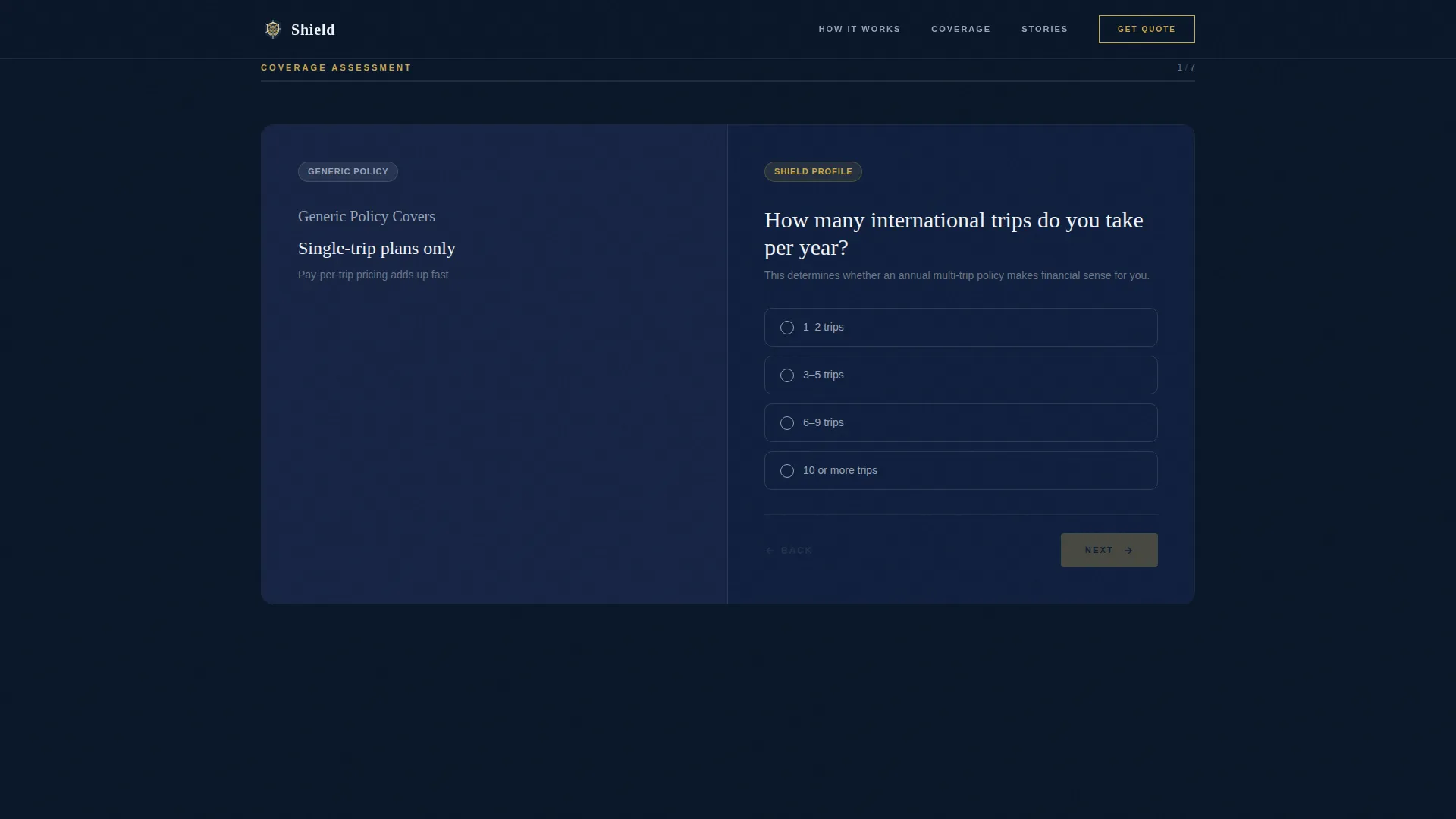
- A seven-step progressive quiz with split-screen cards, dynamic right-panel population, and a completion-triggered personalized comparison result
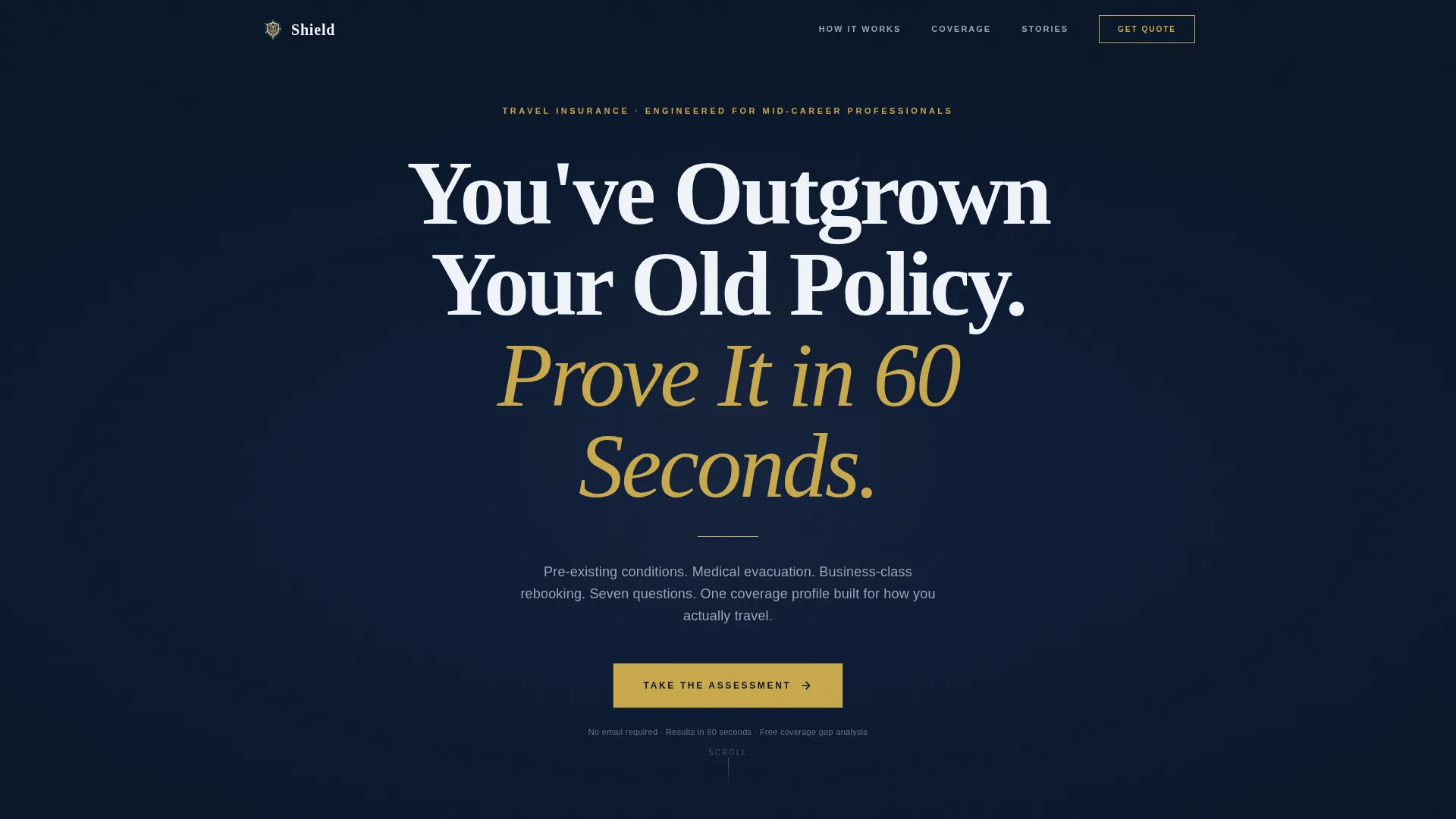
- An editorial hero section with oversized Fraunces serif typography, a thin gold rule, and a pulsing call-to-action button on a deep navy field
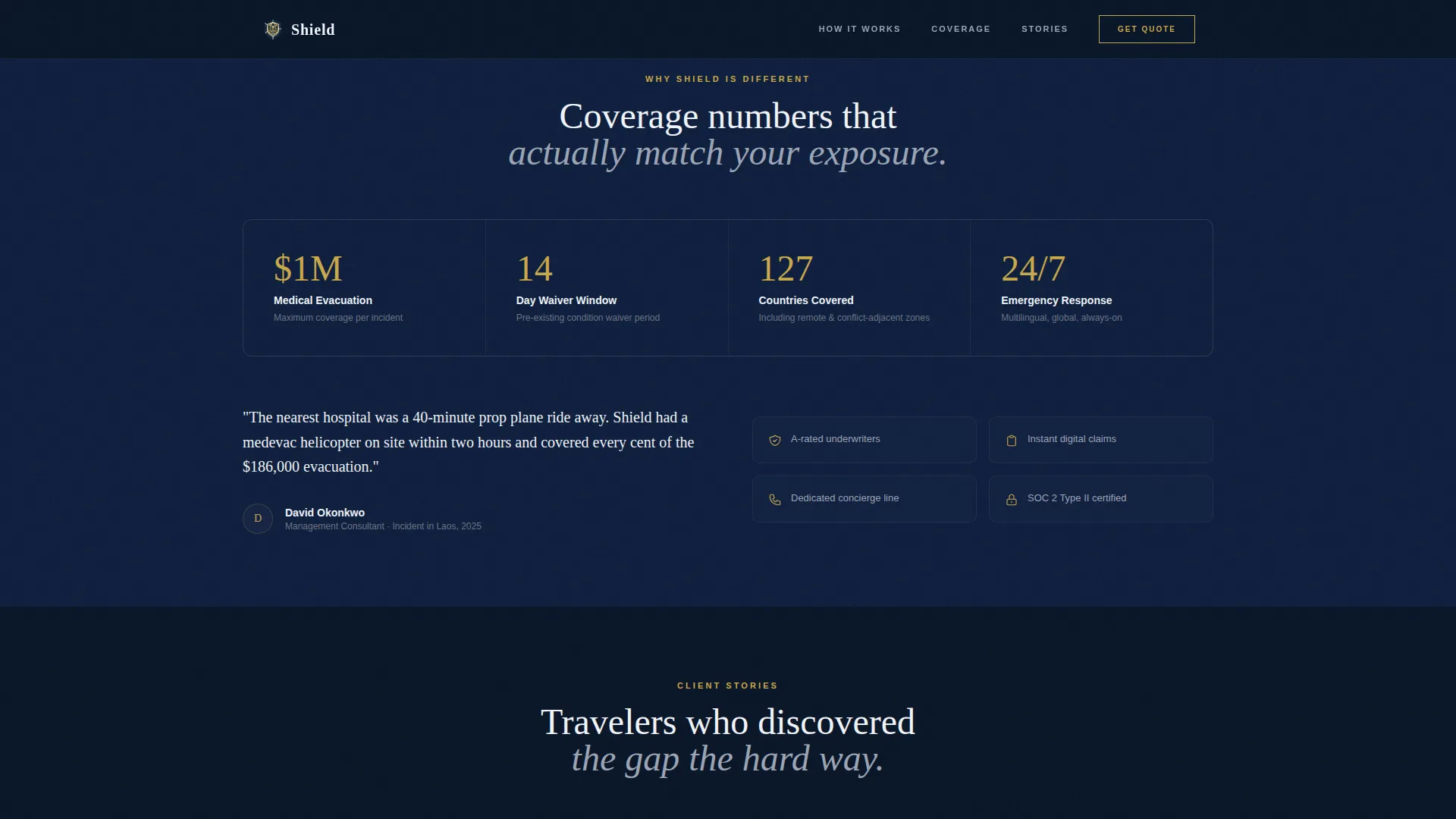
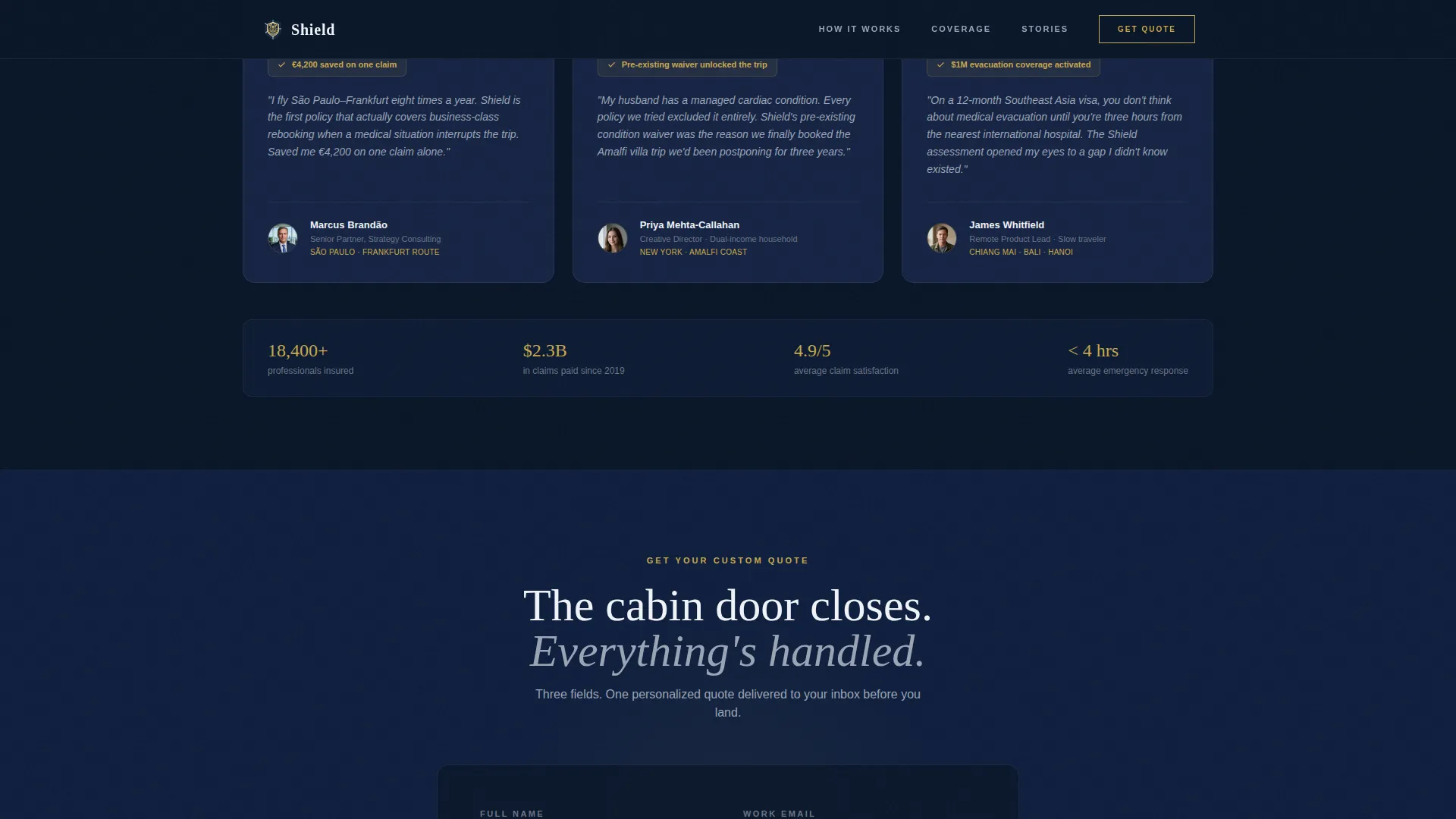
- A trust and credibility section with a stats bar, three realistic mid-career traveler testimonials, and trust badges, plus a final quote capture form collecting name, email, and trip date
Feature list
This template is built around interactivity, visual contrast, and a conversion sequence that earns trust before asking for commitment. Each feature below is directly specified in the source brief.
Seven-Step Progressive Quiz
The quiz runs across seven individual split-screen cards. Questions begin with low-friction inputs such as trip frequency and destination type, then earn the right to ask about medical history and budget. State management tracks answers across all seven steps.
Split-Screen Comparison Layout
Each quiz card divides the viewport 50/50. The left panel shows what a generic policy covers. The right panel dynamically builds the visitor's personal coverage profile as they answer. The left panel gradually grays out, making the gap between the two visible in real time.
Instant Coverage Gap Result
After the seventh question, a personalized comparison panel renders immediately. No email gate stands between the visitor and their result. This positions the quiz itself as the value, and the quote request as the natural next step.
Editorial Hero Section
The hero uses a giant centered headline in Fraunces serif on a deep cockpit navy background. A thin first-class gold rule sits beneath the headline. A single pulsing call-to-action button invites visitors to start the assessment. No image or illustration competes for attention.
Custom Quote Capture Form
A dedicated section after the coverage result collects name, email, and trip date. The call-to-action reads "Get My Custom Quote" and uses the gold accent color to draw the eye. This is the primary lead-capture moment in the conversion sequence.
Trust and Credibility Section
A stats bar anchors specific coverage metrics such as medical evacuation amounts. Three testimonials feature realistic mid-career traveler profiles. Trust badges reinforce credibility without interrupting the page flow.
Page sections overview
| Section | Purpose |
|---|---|
| Hero headline | Opens with editorial impact and a single pulsing call-to-action |
| Quiz assessment cards | Seven split-screen questions that build a personal coverage profile |
| Coverage gap result | Instant personalized comparison panel rendered after quiz completion |
| Trust and credibility | Stats bar, three traveler testimonials, and trust badges |
| Custom quote capture | Name, email, and trip-date form with a gold call-to-action button |
| Dark navy footer | Horizontal flow footer closing the page with brand continuity |
Design & branding system
The visual identity follows an Executive Suite theme. The palette is inspired by the inside of a premium passport wallet: dark leather, a metallic clasp, and a crisp boarding pass tucked inside.
- Color system: deep cockpit navy (#0A1628) dominates backgrounds and section divides; brushed-steel gray (#9BA4B5) carries body text; cloud-white (#F0F3F8) opens breathing room in comparison panels; first-class gold (#C9A84C) appears only on calls-to-action and interactive highlights
- Typography: Fraunces serif is used for all editorial headlines with generous letter-spacing; DM Sans handles body text and interface elements throughout the quiz and form sections
Mobile & speed optimization
The template is designed desktop-first, reflecting the browsing habits of business travelers working on laptops. Full mobile responsiveness ensures the experience holds across all screen sizes.
- The split-screen quiz layout adapts to a stacked single-column flow on smaller screens, preserving the comparison logic without requiring horizontal space
- Static page sections use Server Components for lighter rendering, while the interactive quiz runs as a Client Component to manage seven-step state without affecting the rest of the page
How this template helps you convert
The conversion architecture is built around a principle: deliver value before asking for anything. Every section moves the visitor one step closer to the quote request by making the quiz result feel genuinely useful.
- The frictionless quiz lowers the barrier to engagement because early questions are easy to answer, drawing visitors into a sequence that naturally deepens their investment with each step
- The instant coverage gap result creates a moment of personal relevance with no email gate, making the "Get My Custom Quote" call-to-action feel like a logical continuation rather than an interruption
Other information about this template
This template sits at the intersection of Finance and Insurance product design and mid-career travel insurance marketing. It is built as a B2C InsurTech landing page with high animation and interactivity specifications.
- Animation spec includes staggered fade-up transitions on section entry, quiz split-screen transitions between cards, left-panel grayscale fade as the right panel builds, and a gold pulse effect on the primary call-to-action button
- Localization is set for USD pricing and US date formats, with international destination references including São Paulo, Frankfurt, Crete, and Southeast Asia built into the quiz and result content
- The footer follows a horizontal flow pattern in dark navy, consistent with the overall Executive Suite visual identity
Theme
Executive Suite
Creative direction
Comparison Journey
Color system
Midnight Blue
Style
Split Screen (50/50)
Direction
Quiz/Assessment
Page Sections
Seven-step Progressive Quiz
Split-screen Comparison Layout
Instant Coverage Gap Result
Editorial Hero Section
Custom Quote Capture Form
Trust and Credibility Section
Related questions
Does the quiz render a personalized result without requiring an email address first?
Can the seven quiz questions be customized for a different insurance product?
How does the split-screen layout behave on mobile devices?
What does the quote capture form collect from the visitor?
Is the Executive Suite design system fully pre-configured in the template?



