Military Savings Landing Page Template | SCRA-Protected
Shield is a single-column military savings landing page template built for service members, military spouses, and veterans. It combines a deep plum and polished brass visual identity with a frequently asked question-driven scroll flow, SCRA statute references, animated stat cards, and a free account signup form to convert trust into action from the very first section.
by Rocket studio
Quick summary
Shield is a focused, single-column military savings landing page template. It uses a Legal Shield theme to guide service members through federal protections, real statute references, and a clear free account signup. Every scroll section builds statutory credibility before asking for a single click.
Who this template is for
This template is built for financial services businesses and FinTech teams who serve the active-duty military community. It speaks directly to three real audiences who need a page that earns trust fast.
- Active-duty service members at pay grades E-1 through O-10 who are making savings decisions between deployments
- Military spouses managing household finances solo and veterans converting retirement balances into civilian wealth strategies
- Financial businesses and organizations creating targeted savings products for the military community
What problem this template solves
Military families are 76% more likely than other adults to be victims of banking fraud. Service members deployed to remote locations often cannot view their accounts, dispute charges, or reach a banker in time. This template solves the credibility gap between a savings product and the people who need it most.
- No landing page structure that leads with federal statute authority, preventing visitor confusion before it starts
- No clear path for veterans to understand eligibility, benefits, and the free signup process in one scroll
- No design that blends legal authority with financial trust signals to suit a military-grade audience
What you get with this template
You get a complete, prompt-ready single-page layout that any team can use without traditional programming knowledge. No-code tools and AI-powered platforms make it easy to customize and deploy this template quickly.
- A full single-column page with five core sections: hero, three frequently asked question scroll sections, and a call-to-action section with form and PDF gate
- Plum Executive color system, Fraunces display serif typography, and brass interactive states throughout
- Animated stat cards, scroll-reveal sections, a breathing brass shield glow, and a form with branch and pay grade dropdowns
Feature list
This template includes six carefully scoped features that ensure every section serves a conversion purpose.
Breathing Shield Hero Section
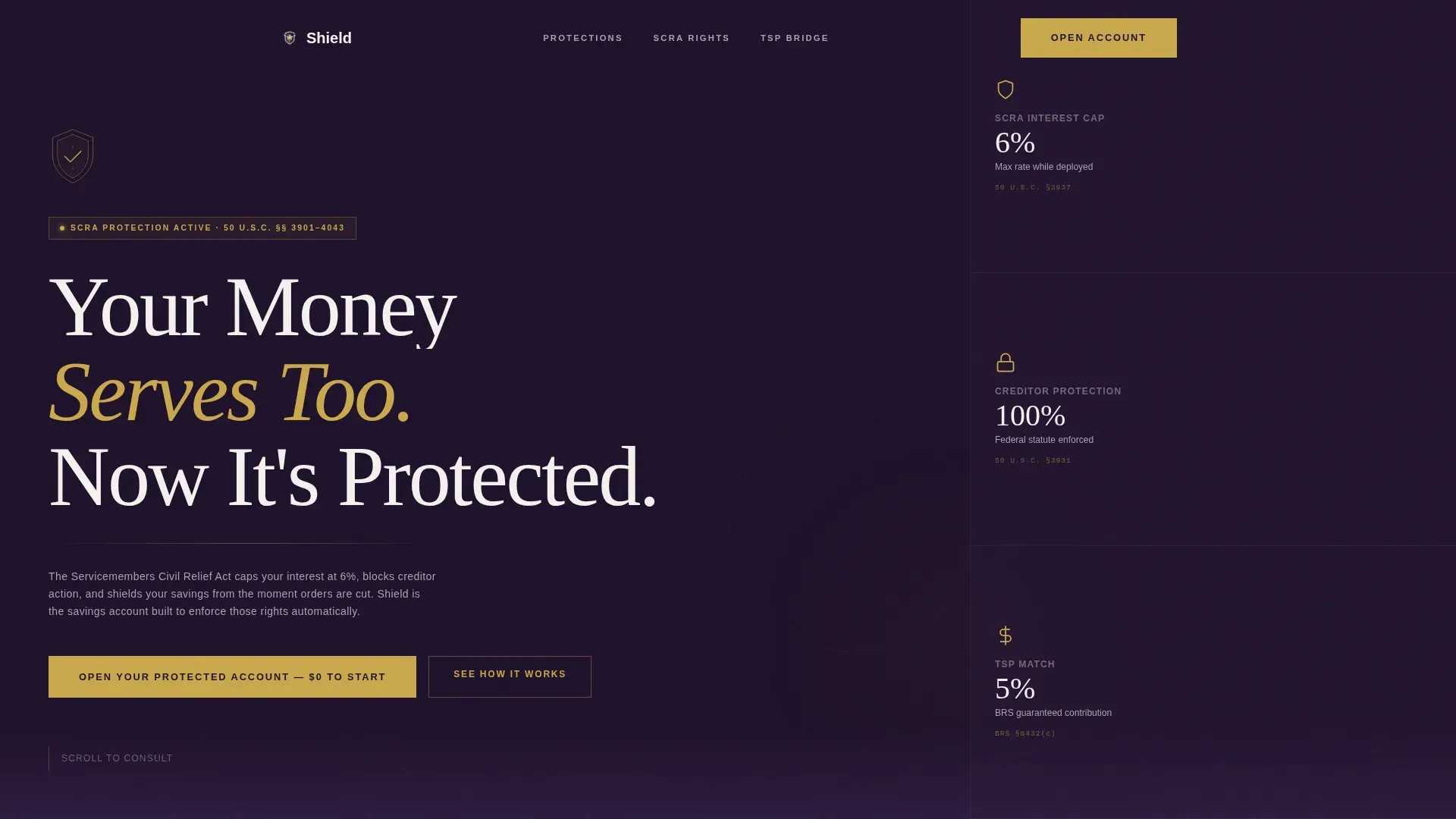
The hero section fills the full viewport in deep command plum with a slow radial brass glow pulsing behind a centered shield icon. A bold Fraunces headline and three spotlight stat cards are visible immediately, so the value proposition and primary call to action require no scrolling to view.
frequently asked question-Driven Scroll Flow
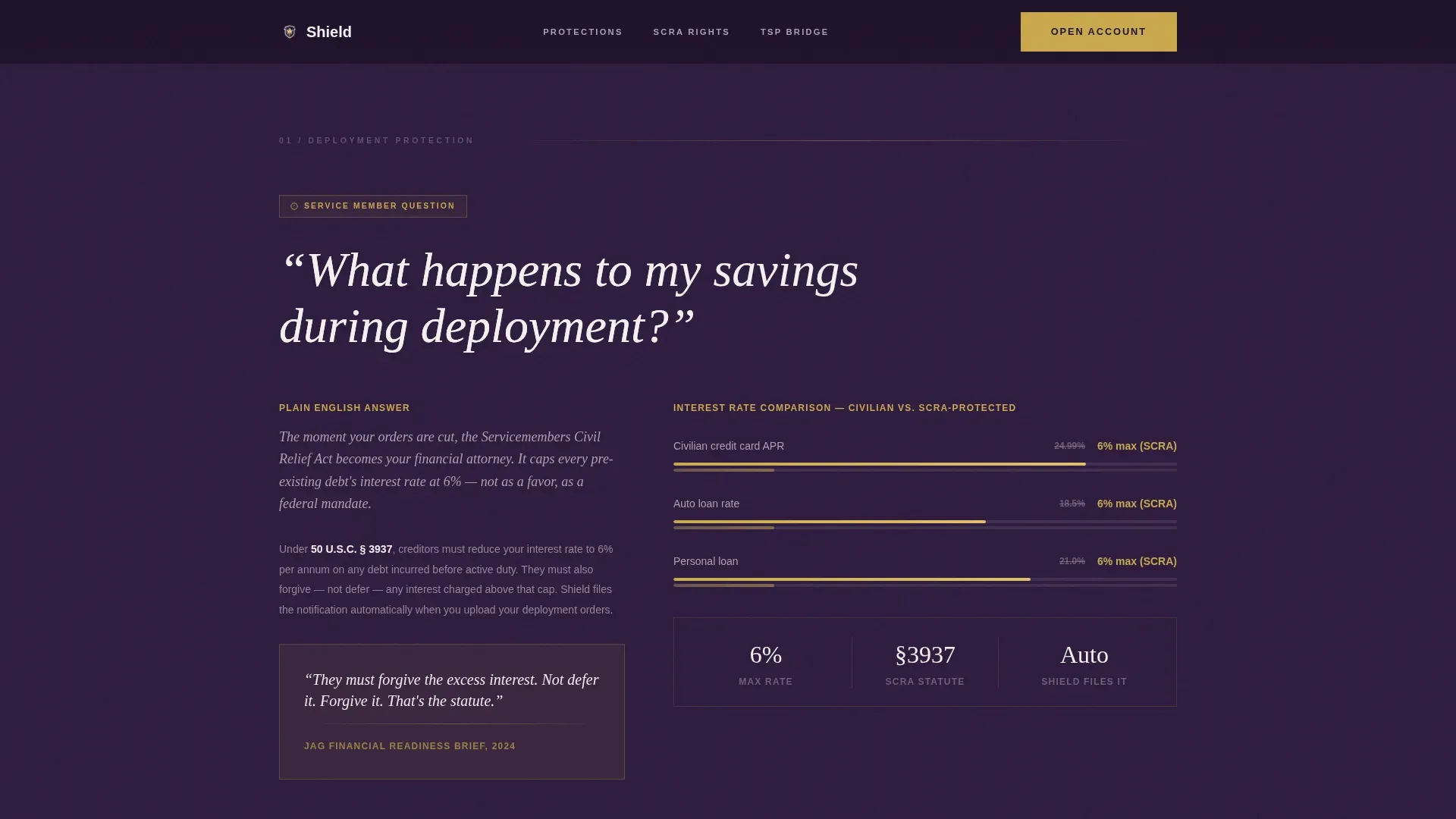
Three dedicated frequently asked question sections each pose a real question a service member would ask a financial readiness counselor. Answers reference specific SCRA statutes, include plain-English breakdowns, and use animated numbers or charts to make the process tangible and credible.
SCRA Statute Reference Blocks
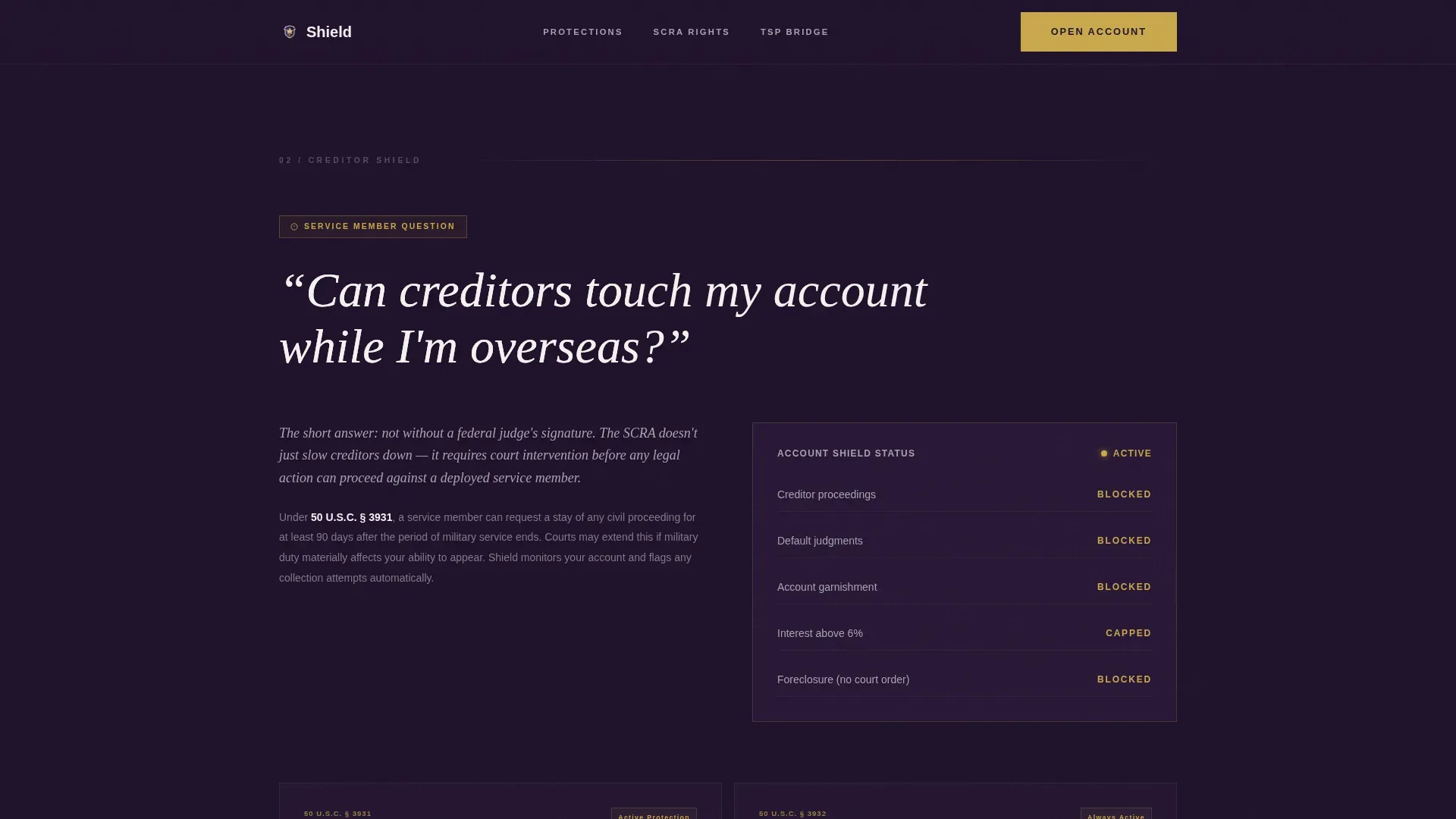
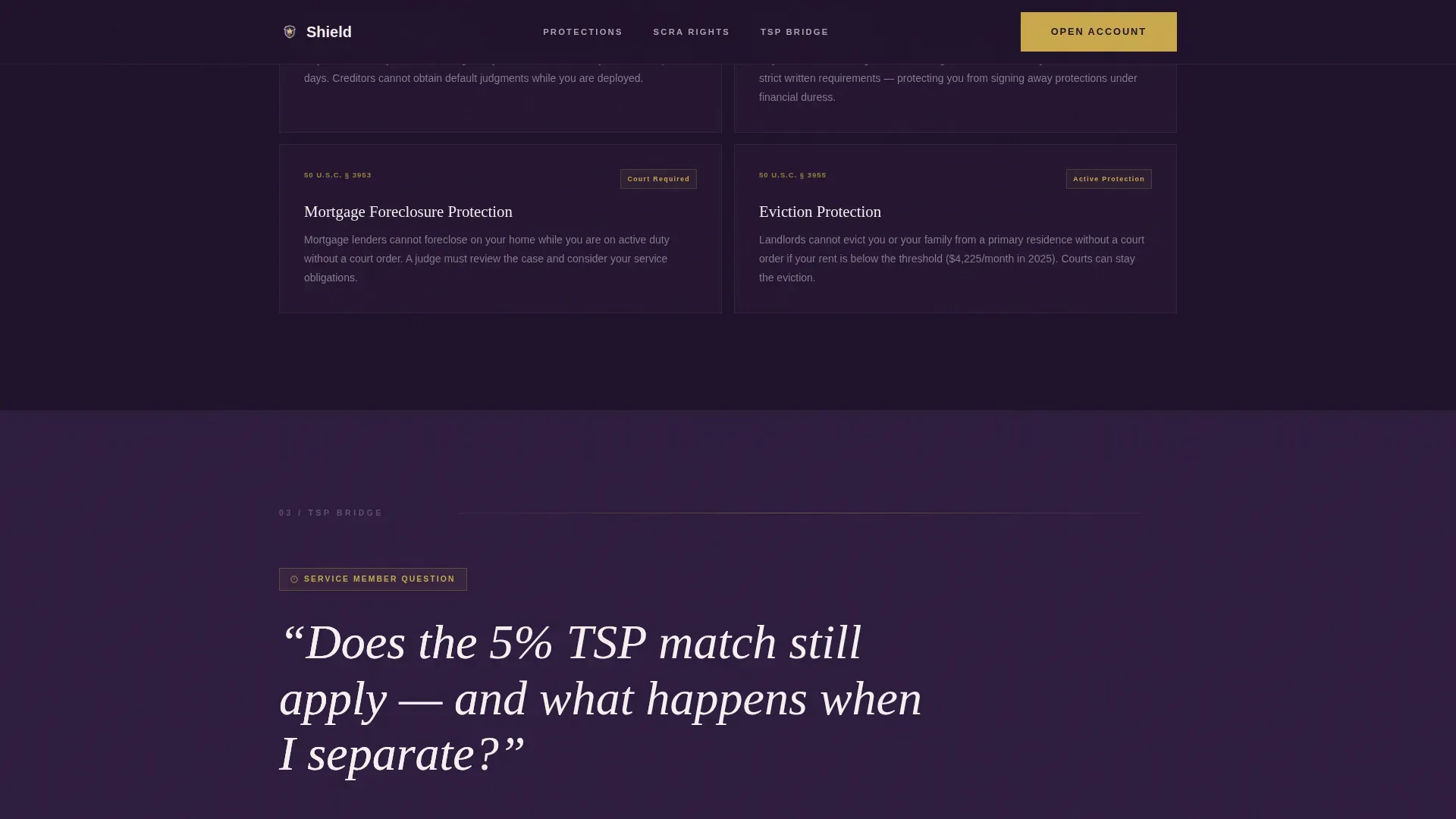
Each frequently asked question section cites specific federal statutes by section number. These legal shield reference blocks help veterans and active-duty members understand exactly which protections apply, creating transparency and reducing doubt before the call to action appears.
Freemium Call-to-Action Section
The primary call-to-action section uses a single prominent button reading "Open Your Protected Account, $0 to Start." A multi-step form collects branch of service, pay grade, and email only, reducing friction. A secondary path offers a free SCRA Savings Guide PDF download for visitors not yet ready to commit.
Plum Executive Design System
The full color system uses deep command plum for backgrounds, polished brass for interactive states and call-to-action glow, silver oak for body text and dividers, and classified-white for card surfaces and form fields. These colors suit a legal-authority aesthetic that resonates with veterans and service members.
Mobile-First Single Column Layout
The single-column flow is structured for mobile devices first, since service members frequently view pages on phones at bases, ships, and forward operating bases. Scroll reveals and native CSS animations keep the experience fast and smooth across all screen sizes.
Page sections overview
| Section | Purpose |
|---|---|
| Hero Full-Bleed | Establish shield identity, display stat cards, and show primary call to action above the fold |
| frequently asked question Section One | Answer savings-during-deployment question with SCRA §527 interest cap and animated rate comparison |
| frequently asked question Section Two | Explain creditor protection using legal shield breakdown and statute references §521 and §522 |
| frequently asked question Section Three | Address TSP guarantee question with civilian projection chart for veterans |
| call to action + Form | Collect branch, pay grade, and email for free account; offer SCRA Guide PDF as secondary path |
| Footer | Linear single-row footer with navigation menu and supporting links |
Design & branding system
The design draws from a JAG office aesthetic, blending legal authority with quiet luxury. The result is a visual identity that businesses and veterans both view as credible and trustworthy.
- Colors: deep command plum (#2D1B3D), polished brass (#C9A84C), silver oak (#A8A2B0), and classified-white (#F4F1F0) form the complete palette
- Typography: Fraunces display serif for headlines and DM Sans for body text ensure legibility and authority at every scroll depth
Mobile & speed optimization
Service members access financial pages on mobile devices from locations with limited connectivity. This template is structured to load quickly and perform reliably in those conditions.
- Single-column flow, native CSS scroll animations, and Intersection Observer logic keep the page lean without heavy third-party libraries
- Mobile-first layout ensures the headline, unique value proposition, and free account call to action are all visible on small screens without scrolling
How this template helps you convert
Shield earns the conversion by building legal credibility first and removing financial friction second. The scroll sequence is designed so visitors feel informed and protected before they ever see a form.
- The frequently asked question scroll process moves visitors from broad federal protections to personal savings projections, answering every objection before the call-to-action section appears
- The dual-path form design captures both ready signups and research-stage visitors by offering a free PDF guide as a low-commitment secondary option, ensuring no lead is lost
Other information about this template
This template is part of a growing library of military finance and legal shield resources available to businesses building for the veteran and active-duty community. It is ideal for teams using no-code platforms and AI-powered tools to create production-ready pages from natural-language prompts without extensive coding skills.
- Customize the logo, menu items, and footer links to suit your brand or organization
- The template supports vectors, graphics, and videos in designated content blocks, so teams can explore richer visual storytelling as needed
- AI-powered tools can streamline the entire process, from making edits to deploying finished apps and pages
- The shield protected military savings landing page template is a strong starting point for businesses serving the veteran community across bases, veteran organizations, and community centers
- Logo placement, color variables, and typography are easy to update so the page can suit any military finance brand
Theme
Legal Shield
Creative direction
FAQ-Driven
Color system
Plum Executive
Style
Single Column Flow
Direction
Freemium/Trial
Page Sections
Breathing Shield Hero with Stat Cards
Faq-driven Scroll Sections
SCRA Statute Reference Blocks
Dual-path Freemium Call to Action Section
Plum Executive Color System
Mobile-first Single Column Flow
Related questions
Who can use this template?
Does this template include SCRA statute reference blocks?
Can I update the logo, colors, and menu?
Is the free PDF guide gate already built into the template?
What information does the signup form collect?



