Executive Protection Landing Page Template
Shield is a tactical executive protection landing page template built for close-protection firms. It uses a command-dashboard visual layout, a dark navy and amber color system, and a problem-to-solution scroll arc. The design communicates operational capability through data cards, threat indicators, and a progressive lead-capture form, no stock photography, no generic claims.
by Rocket studio
Quick summary
Shield is a single-page landing page template designed for executive protection and close-protection firms. It presents a command-dashboard aesthetic that immediately signals operational credibility. The scroll flow moves through threat scenarios and countermeasures in paired data cards, building tension and then resolving it. The primary goal is qualified lead generation through a low-friction, multi-step form.
Who this template is for
This template is built for security professionals who protect high-value individuals and need a client-facing page that communicates precision and discretion. It suits firms that work with demanding, risk-aware clients who evaluate vendors on demonstrated capability rather than marketing language.
- Close-protection firms serving C-suite executives, family offices, and public figures
- Security consultancies managing advance reconnaissance and travel corridor threat modeling
- Event and touring security teams that conduct route surveys and venue assessments
What problem this template solves
Generic security firm websites rely on stock photos and vague reassurances. That approach fails with clients who face credible threats. This template replaces surface-level marketing with a structured, data-forward narrative that mirrors how real threat management actually works.
- Visitors land on a page that presents real threat categories, not abstract promises
- The problem-to-solution pairing answers each specific fear before it becomes a reason to leave
- The progressive disclosure form reduces drop-off by asking only one question at a time
What you get with this template
The template delivers a complete, structured landing page layout ready to customize for your firm. Every section has a defined purpose within the conversion arc, and the visual system reinforces authority without relying on heavy imagery.
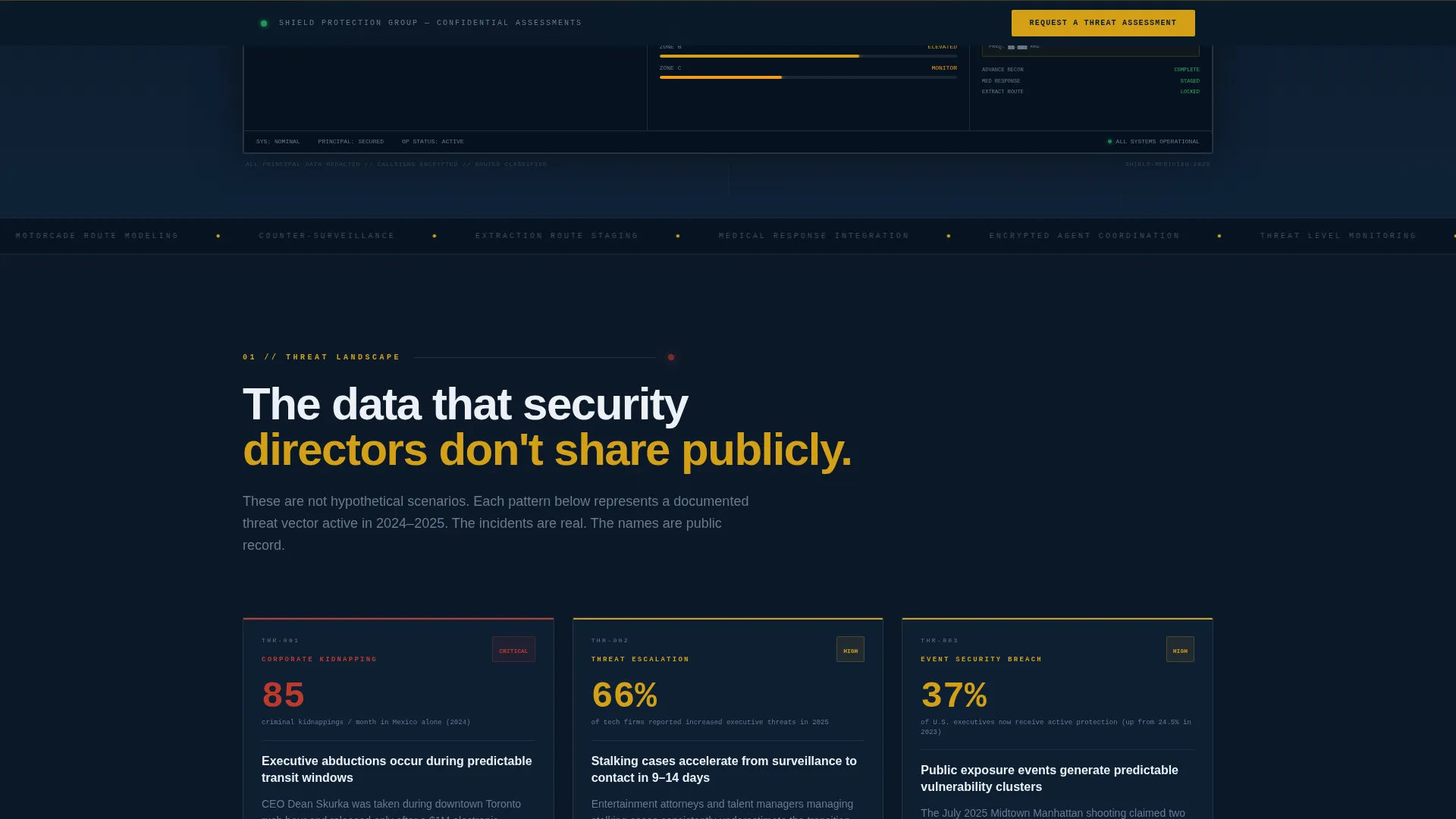
- A stylized command-dashboard header showing a live protection detail: mapped motorcade route, itinerary timeline, threat-level zone indicators, and an agent-deployment grid with redacted callsigns
- Problem data cards presenting corporate kidnapping statistics, stalking case escalation timelines, and event-security breach patterns
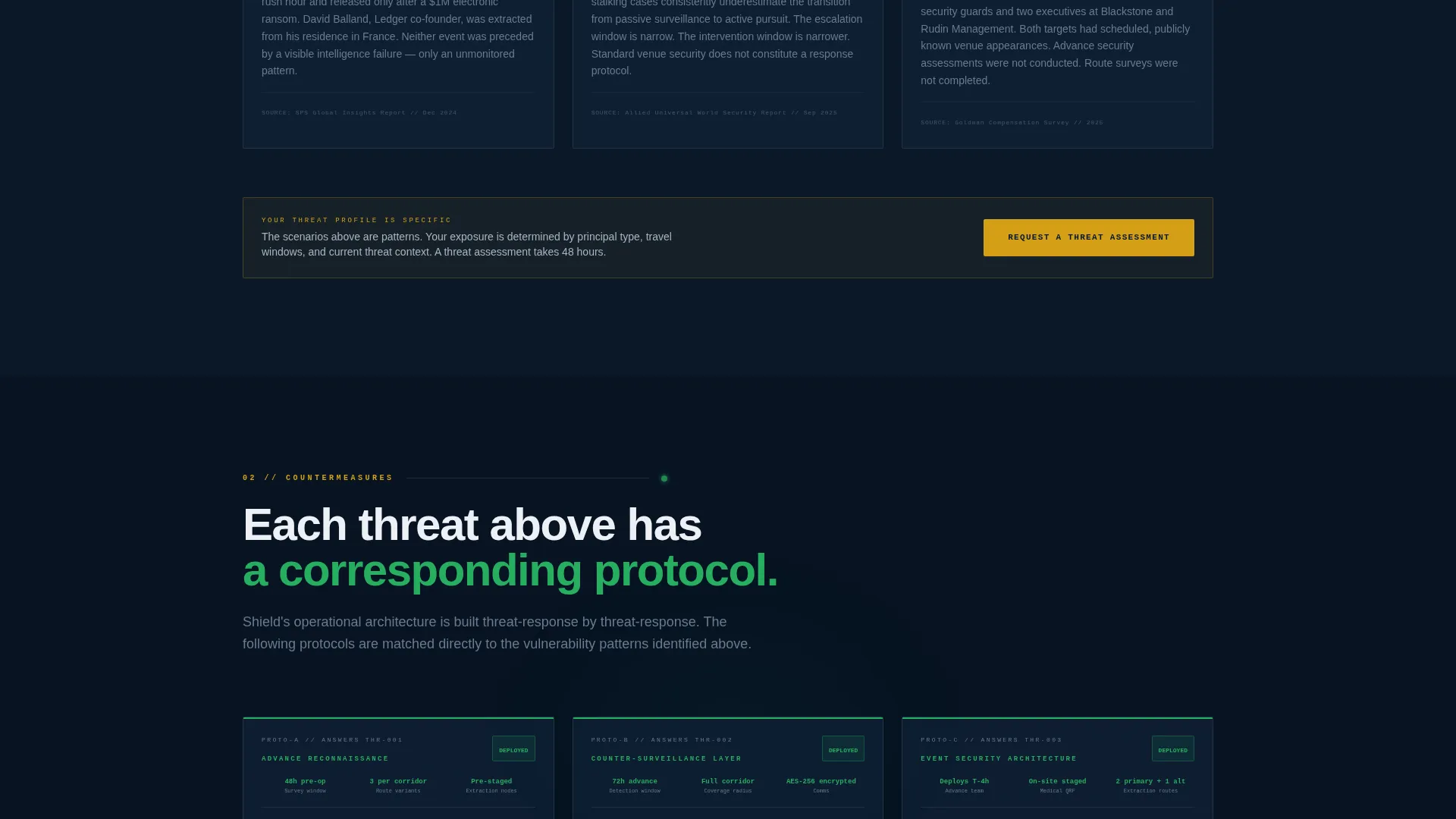
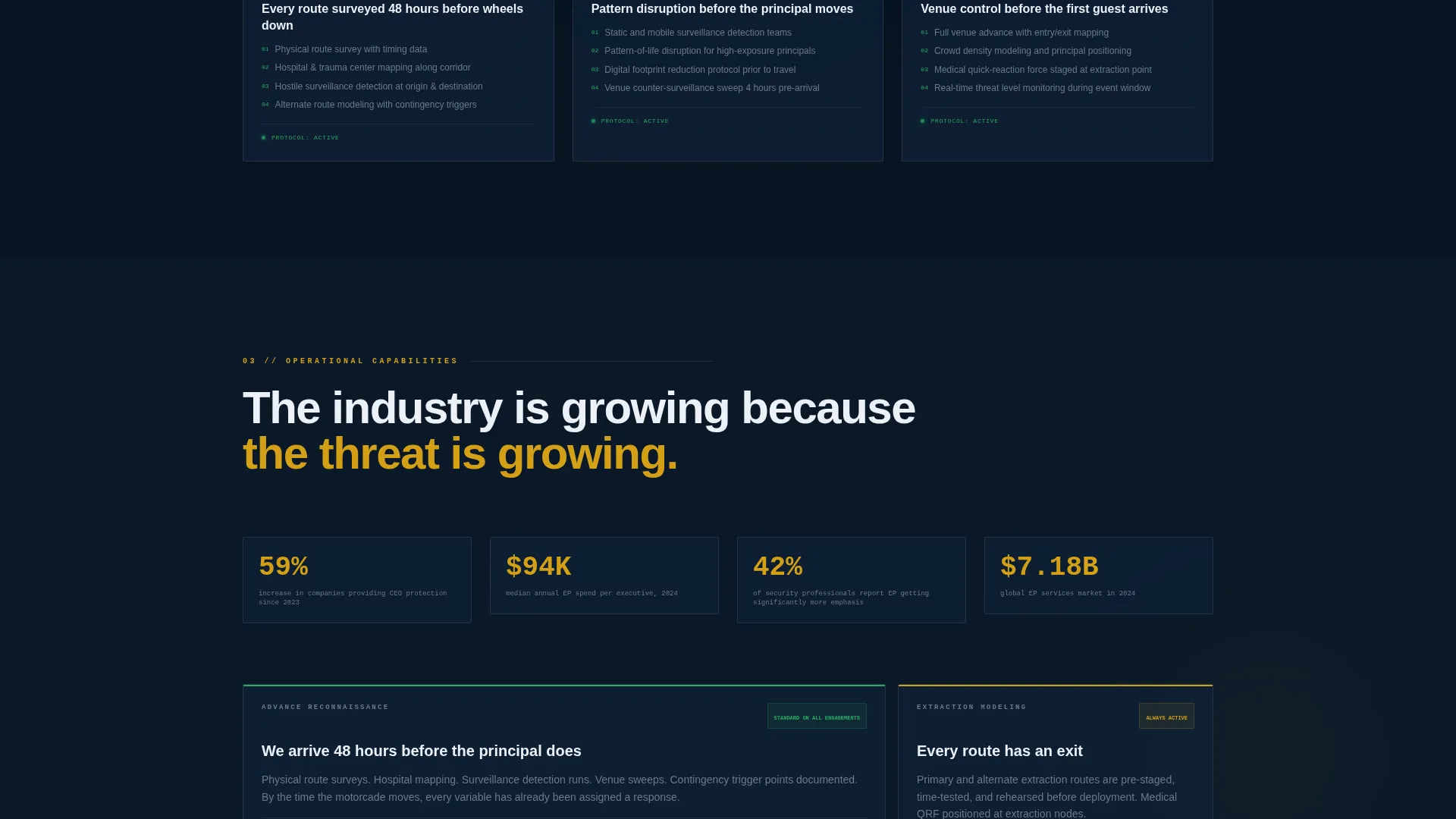
- Countermeasure solution sections covering advance reconnaissance protocols, extraction route modeling, counter-surveillance layers, and medical response integration
- A multi-step lead generation form with progressive disclosure and a secondary email-gated checklist download
Feature list
This section describes the core functional and design components built into the Shield template.
Command-Dashboard Header
The header displays a stylized dashboard interface rather than photography. It shows a mapped motorcade route with waypoints, a principal itinerary timeline with status confirmations, threat-level indicators across three zones, and an encrypted agent-deployment grid. The data reads as real but is redacted enough to feel classified.
Problem-to-Solution Data Card Arc
The scroll opens with threat scenario data cards presenting clinical statistics and escalation timelines. Each card is then answered by a corresponding countermeasure section using the same grid aesthetic. The visitor watches their specific risk get addressed in sequence, which builds trust systematically.
Progressive Disclosure Lead Form
The primary lead form uses a multi-step structure. The first field asks only for principal type (executive, family, public figure, or travel party). Subsequent steps reveal threat context, travel window, and a secure message field. No phone number is required on the first step, which lowers friction and improves qualified lead volume.
Persistent call to action Bottom Bar
The amber-on-navy "Request a Threat Assessment" call to action appears after the first problem-solution pair and again as a persistent bottom bar throughout the scroll. This keeps the conversion path visible without interrupting the content flow.
Secondary Gated Checklist Download
A second conversion path offers a downloadable advance-survey checklist behind an email capture form. This catches prospects who are still in the research phase and brings them into the lead funnel without requiring full form completion.
Threat-Level Amber Alert System
The amber accent color (#D4A017) is used exclusively for calls to action, alert indicators, and hover states. This creates a visual hierarchy where action items stand out instantly against the deep navy background, guiding attention without cluttering the layout.
Page sections overview
| Section | Purpose |
|---|---|
| Dashboard Header | Establishes operational credibility through a stylized command-interface visual |
| Threat Data Cards | Presents real-world risk scenarios with clinical, data-forward framing |
| Countermeasure Grid | Mirrors each threat card with a specific protection protocol response |
| Primary call to action Block | Drives qualified leads to the "Request a Threat Assessment" form |
| Lead Capture Form | Collects principal type, threat context, travel window, and secure message |
| Checklist Download | Captures research-phase prospects via email-gated advance-survey checklist |
| Persistent call to action Bar | Keeps the primary conversion action visible throughout the scroll |
Design & branding system
The visual identity uses a Data Command theme built around a tight four-color palette that evokes a tactical operations center environment. Every color choice has a functional role, and nothing decorative competes with the content hierarchy.
- Deep operational navy (#0B1929) as the dominant background, gunmetal grid-line gray (#3A4553) for structural dividers, and secure-channel white (#EDF0F5) for primary body text
- Threat-level amber (#D4A017) reserved strictly for calls to action, alert indicators, and interactive hover states to preserve visual hierarchy
- Grid-line overlays and data-grid aesthetics throughout, creating a command-room atmosphere without relying on photography or illustration
Mobile & speed optimization
The template is structured for clean rendering across screen sizes, with a layout that translates the data-grid aesthetic to narrower viewports without losing the command-room tone.
- Single-column flow on mobile ensures the problem-to-solution arc reads in the correct sequence without horizontal scrolling or broken grid elements
- The progressive disclosure form collapses naturally on smaller screens, keeping each step focused and the friction low for mobile visitors
How this template helps you convert
The Shield template is engineered around a single conversion goal: generating qualified leads from clients who already understand they have a security problem. Every structural decision serves that goal.
- The problem-to-solution scroll arc builds specific credibility by addressing real threat categories before asking for anything, so the visitor arrives at the form already trusting the firm's expertise.
- The two-path lead funnel captures both ready buyers through the "Request a Threat Assessment" form and early-stage researchers through the gated checklist download, so no qualified visitor leaves without entering the pipeline.
Other information about this template
Shield is categorized under Safety and Emergency, with a specific focus on the Security Guard and Protection subcategory and commercial security service applications. The template style follows a single-column flow, which keeps the narrative arc intact and prevents visitors from skipping critical context sections.
- The template is a strong fit for firms operating in the commercial security service space, including corporate travel security, personal protection detail management, and high-risk venue advance work
- The Corporate Precision theme and Transparent Process creative direction mean the layout presents operational methodology openly, which is a deliberate trust signal for clients who vet vendors rigorously
- The landing page direction is built for click-through and lead capture rather than informational browsing, keeping every section oriented toward a next action
- The header concept uses a product screenshot approach (the dashboard itself) rather than a logo bar, which immediately differentiates the firm from competitors using generic imagery

Theme
Corporate Precision
Creative direction
Transparent Process
Color system
Monochrome Steel
Style
Single Column Flow
Direction
Click-Through
Page Sections
Command-dashboard Header Visual
Problem-to-solution Scroll Arc
Progressive Disclosure Lead Form
Persistent Amber Call to Action Bar
Gated Checklist Download Path
Related questions
Can I edit the dashboard header to reflect my firm's actual service areas?
Does the lead form support multi-step logic out of the box?
Is the advance-survey checklist document included in the template?
Who is the secondary checklist download path designed for?
Can this template work for firms serving both corporate and personal protection clients?