Emergency Babysitting Service Landing Page Template
Shield is an editorial-style landing page template built for emergency babysitting services. It opens with glowing data stats against a dark full-bleed header, then walks parents through a five-layer vetting process, review proof, and a three-step lead capture form. The design moves from deep charcoal to open-sky blue as trust builds with every scroll.
by Rocket studio
Quick summary
Shield is a single-page, stats-first landing page template designed for 24/7 emergency babysitting dispatch services. It combines an editorial magazine layout with a Legal Shield visual theme. The page guides panicked parents from raw urgency to confident action using a progressive trust arc, real response-time data, and a three-step lead capture form.
Who this template is for
This template is built for babysitting service operators who respond to last-minute, high-stakes childcare requests. It speaks directly to the service providers who need to earn trust fast and convert anxious parents into booked clients.
- Emergency childcare businesses serving dual-income metro families with no nearby support network
- Babysitting dispatch services that use verified vetting processes and want to lead with proof
- Operators targeting single parents, corporate relocation families, or swing-shift workers who need same-day coverage
What problem this template solves
Most childcare service pages bury their safety credentials deep in the copy. Parents in a genuine emergency do not have time to search for reassurance. This template flips that structure entirely.
- It leads with response time data and background check methodology before asking for any contact details
- It removes hesitation by presenting liability coverage, real review scores, and certification proof early in the page flow
- It stages the lead form progressively so entering a zip code feels like the smallest possible first step
What you get with this template
You get a fully structured, single-page layout that handles the entire emotional journey from crisis to calm. Every section is purpose-built for high-stakes, late-night conversions.
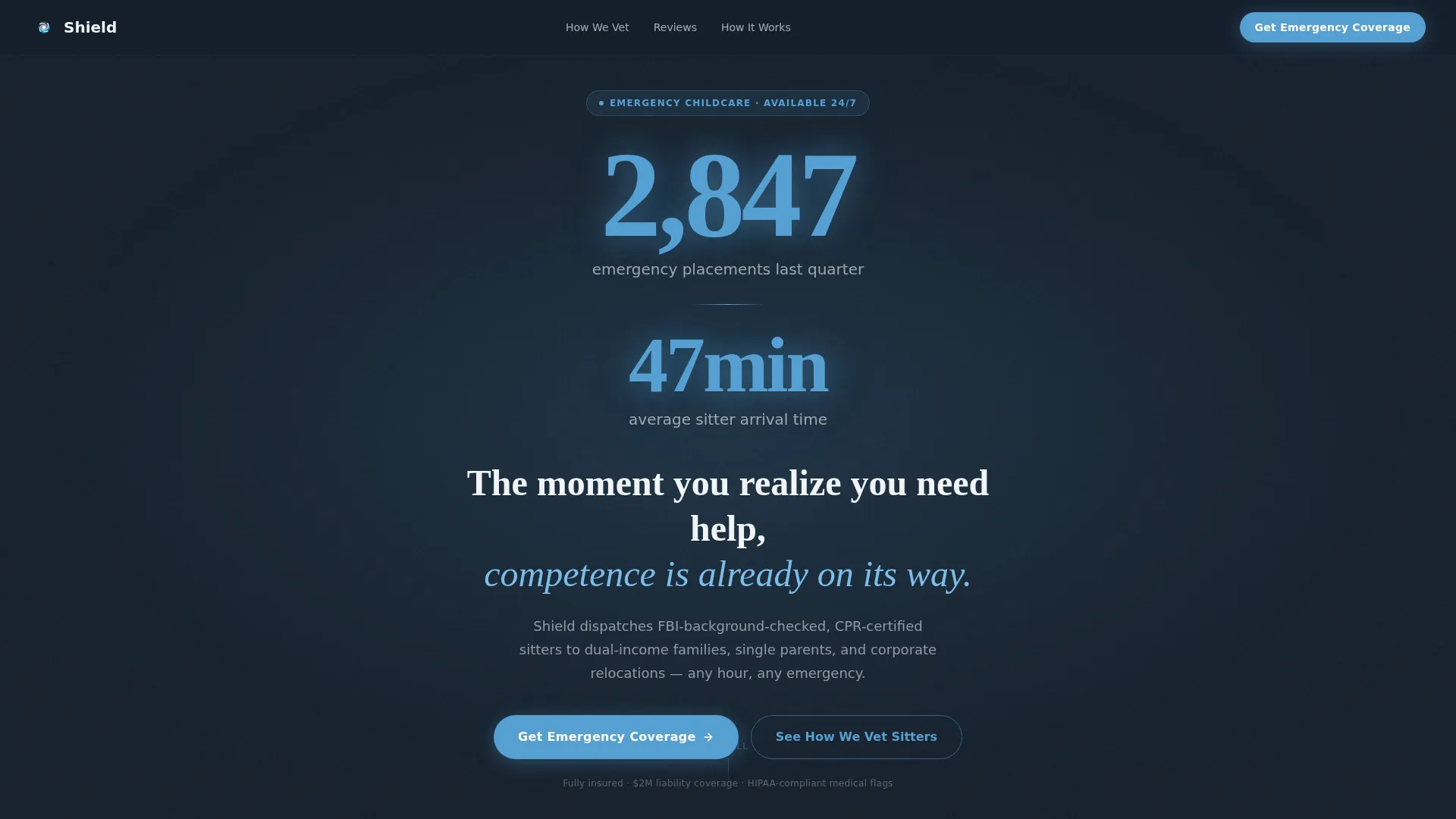
- A dark full-bleed header with a radial glow effect and luminous stat display, no stock photography required
- Six editable content sections covering response time proof, vetting methodology, parent reviews, and liability coverage
- A three-step progressive disclosure lead form plus a secondary gated PDF download path for forward-planning parents
Feature list
This template packs a focused set of conversion-oriented components into one editorial layout.
Stats-First Header Block
The header opens with enormous sky-blue numerals on a near-black charcoal background. A single radial glow draws the eye to the key figures first. This design choice signals competence before a single word of body copy is read.
Five-Layer Vetting Section
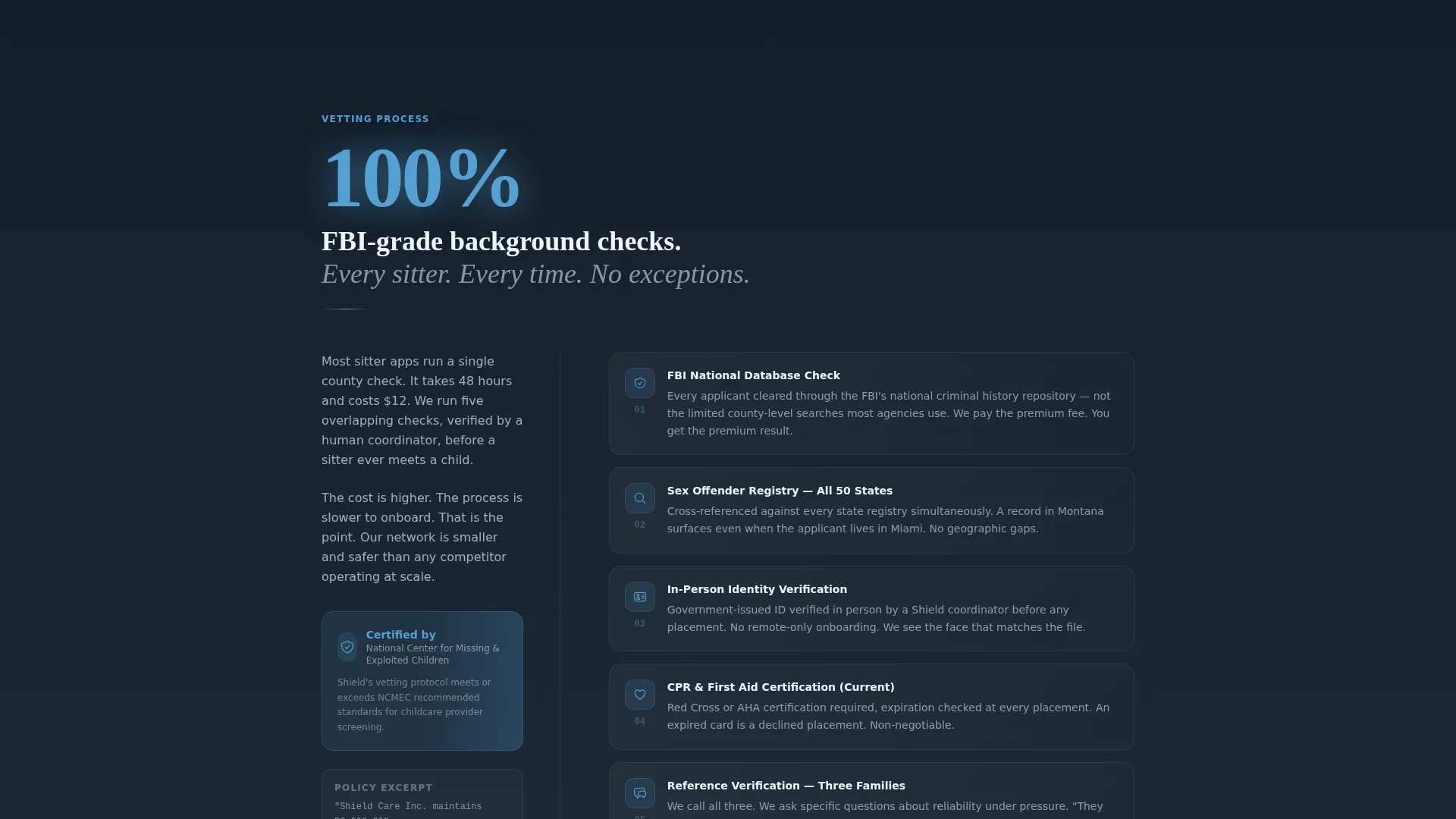
Section two presents background check methodology in a magazine-style column format. The layout supports a headline stat above explanatory paragraphs, with space for a certification badge or insurance policy excerpt as a trust anchor.
Editorial Review Display
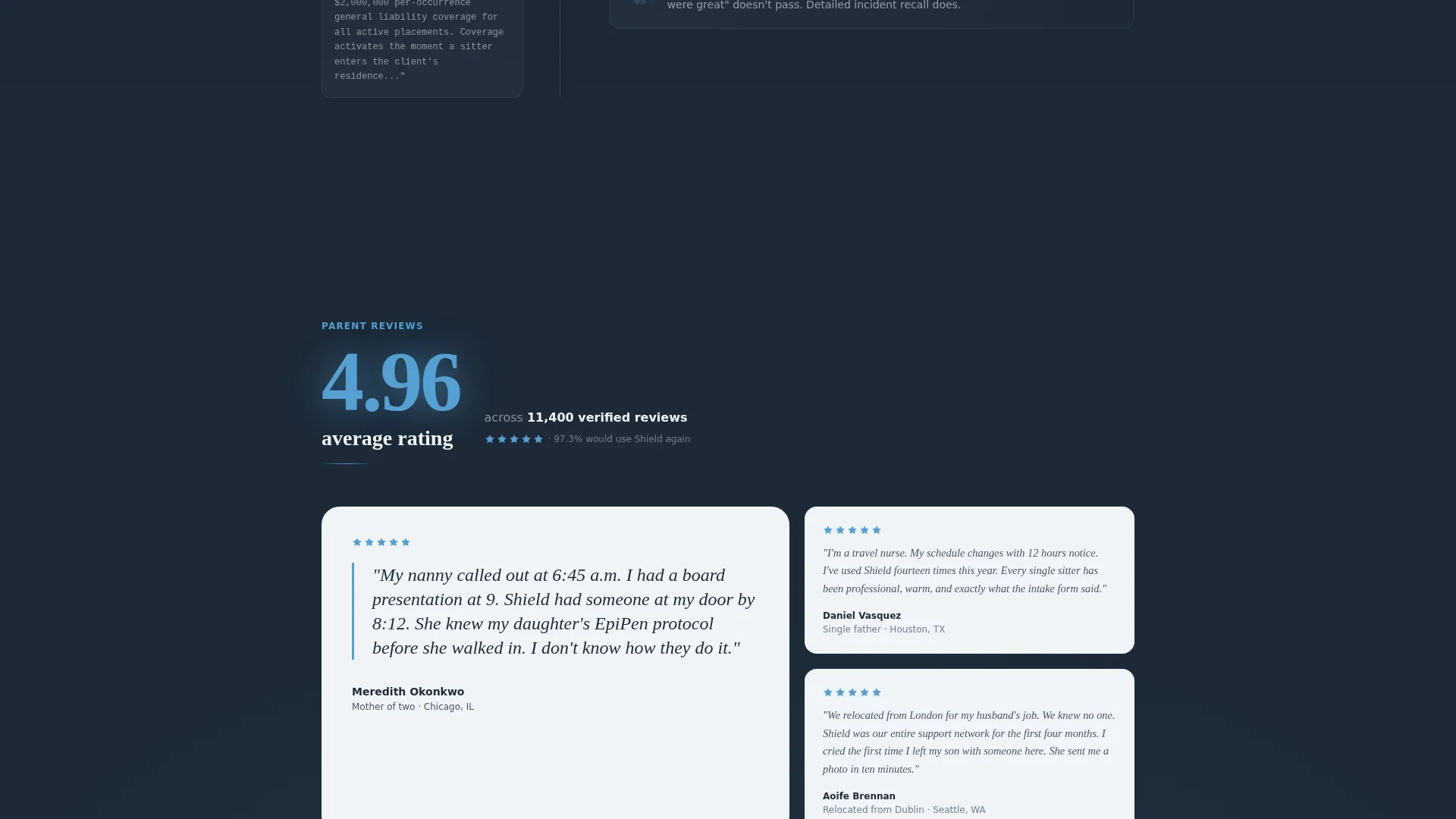
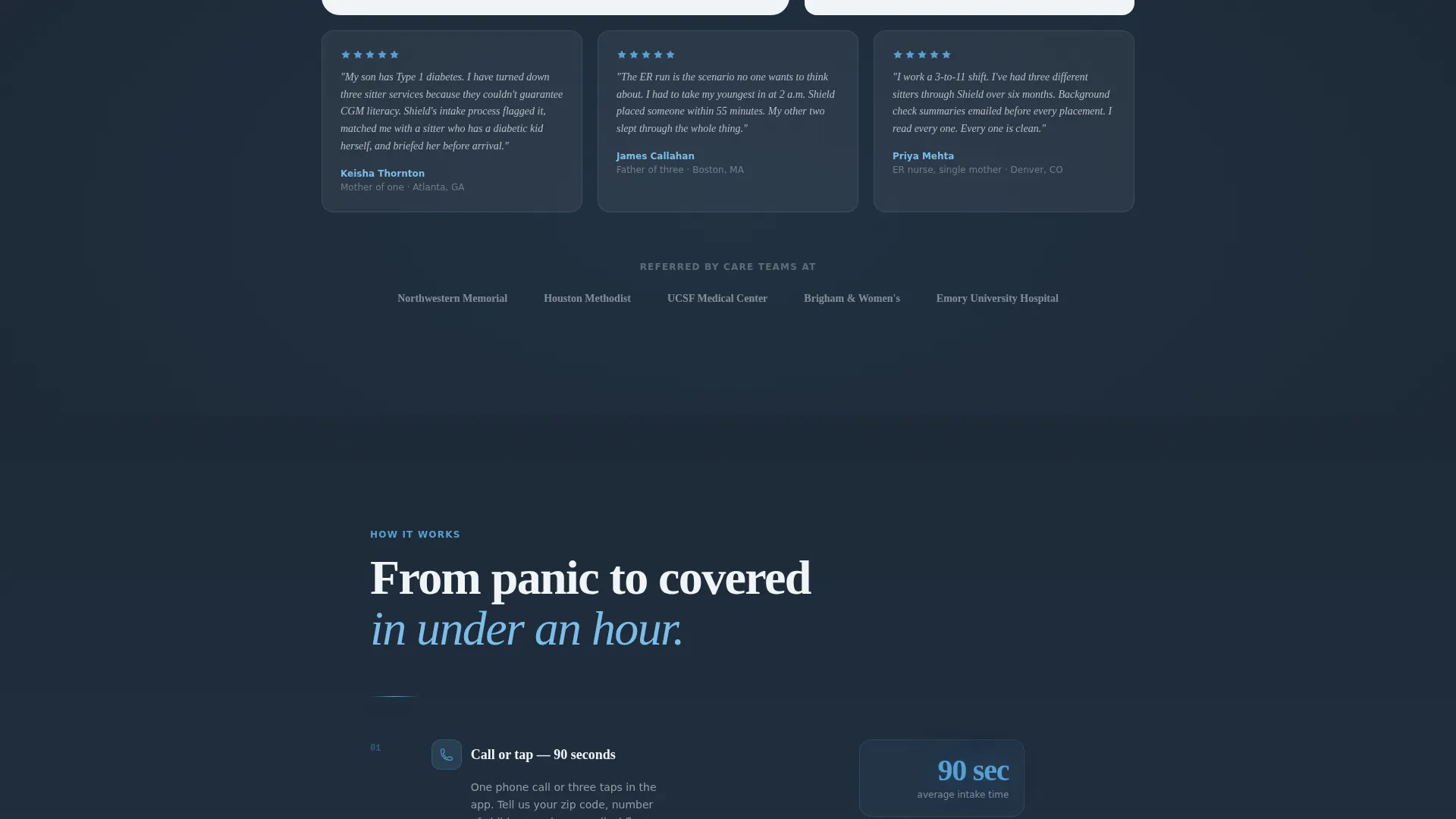
Star rating averages and parent pull-quotes are formatted as editorial callouts. The review section is designed to feel like a magazine spread, not a generic testimonials widget.
Three-Step Progressive Lead Form
The lead capture form breaks intake into three clear steps. Step one collects zip code and child count. Step two gathers ages and any special needs flags. Step three asks for name, phone, and preferred contact method. Each step reduces perceived commitment.
Pinned call to action Bar
A slim top bar with the primary call to action pins to the viewport after the first scroll. The same call to action repeats at each section break so the conversion path is always one click away.
Gated PDF Secondary Path
A secondary conversion option offers a downloadable vetting report for parents who are planning ahead rather than in active crisis. This path captures leads who are not yet ready to book but are building trust.
Page sections overview
| Section | Purpose |
|---|---|
| Dark Header Frame | Display response time stats inside a full-bleed radial glow to open with immediate proof |
| Background Check Column | Present the five-layer vetting process with a supporting certification trust element |
| Review Score Display | Show the average parent rating and editorial-style pull-quotes for social proof |
| Liability Coverage Block | Escalate trust to legal and insurance coverage to address parental liability concerns |
| Progressive Lead Form | Capture parent contact details across three low-friction, staged disclosure steps |
| Gated PDF Download | Offer a secondary path for planning-ahead parents via a downloadable vetting report |
Design & branding system
The color system is named Slate and Sky, and it mirrors the emotional arc of the page. Deep charcoal dominates the top half to create gravity and seriousness. Sky blue intensifies as the parent scrolls deeper, reflecting a shift from crisis to calm.
- Deep charcoal slate (#1E2A38) anchors the header and full-bleed background sections
- Storm-cloud gray (#4A5568) handles body text and secondary panel backgrounds, while soft dawn white (#F0F4F8) fills content cards
- Open-sky blue (#56A0D3) drives all primary buttons, stat highlights, and interactive accents
Mobile & speed optimization
The layout is designed to present critical trust information quickly and without clutter on smaller screens. The pinned call to action bar and stat-first structure are particularly effective on mobile, where distressed parents are most likely browsing.
- Section-by-section scroll structure keeps mobile users oriented without horizontal overflow or cramped columns
- The three-step form breaks intake into bite-sized screens so the process feels fast on a phone at midnight
- Heavy visual elements like the radial glow header are scoped to maintain a clean render across screen sizes
How this template helps you convert
The conversion strategy is built around front-loading proof so that by the time a parent sees the form, the decision is already made.
- Response time data and background check credentials appear above the fold, removing the two biggest objections before a parent can articulate them
- The progressive three-step form lowers perceived commitment at each stage, making the initial zip code entry feel nearly effortless
- The pinned call to action bar and repeated section-break calls to action ensure the conversion path is always visible, regardless of where a parent stops scrolling
Other information about this template
Shield is built on an editorial magazine template style and follows a Legal Shield visual theme. These design choices position the service as a credible, authority-grade provider rather than a casual marketplace listing.
- The template style is classified as Editorial and Magazine, suitable for professional services marketing in the babysitting and childcare category
- The creative direction is Stats-First Impact, meaning every scroll-stop section opens with a number before narrative text
- The header concept is Dark Full-Bleed with Glow, creating a porch-light focal point that draws attention to key proof figures
- The landing page direction is Lead Generation, with dual conversion paths covering both immediate booking and future planning
Theme
Legal Shield
Creative direction
Stats-First Impact
Color system
Slate & Sky
Style
Editorial/Magazine
Direction
Lead Generation
Page Sections
Stats-first Dark Header
Five-layer Vetting Layout
Editorial Review Section
Three-step Progressive Form
Pinned Conversion Bar
Gated PDF Download Path
Related questions
Can I edit the stat figures in the header to match my own service data?
Does the template include both a booking form and a secondary lead path?
Can I swap in my own certification badges or partner logos?
Is this template designed for a single city or multiple service areas?
Why does this template lead with data instead of photography?



