Kids Online Safety & Tech Specialist Education Website Template
Shield is a scroll-reveal landing page template built for kid-safe browser products. It combines a hand-drawn hero illustration, a progressive community gallery, and a five-question interactive safety quiz to build emotional trust and drive downloads. The warm Citrus Burst color system and Educational Guide visual style make it ideal for parents, homeschool educators, and school technology administrators.
by Rocket studio
Quick summary
Shield is a single-page, scroll-reveal landing page template for a child-safe browser product. It guides visitors from an illustrated hero moment through community proof and an animated how-it-works explainer, then closes with a personalized safety quiz. Every section earns trust progressively before asking for the download click.
Who this template is for
This template is built for anyone launching or promoting a kid-safe browser, parental control tool, or child-focused digital safety product. The design speaks equally to emotional parent buyers and analytical school technology buyers.
- Parents handing a tablet to a young child for the first time and needing clear, reassuring guidance
- Homeschool educators building structured digital learning environments for their children
- School IT administrators deploying child-safe browsing tools across classrooms or entire districts
What problem this template solves
Parents and school administrators do not buy safety software on features alone. They buy it on trust. Most landing pages for parental control or kid-safe browser products lead with technical specs and lose the emotional buyer immediately.
- Visitors feel unseen and unconvinced because pages treat them like IT purchasers rather than caring adults
- No clear path connects a parent's specific worry to a personalized product recommendation
- Schools need evidence of real-world deployment, not just marketing copy
What you get with this template
Shield delivers a fully structured, single-page layout designed for high interactivity and progressive emotional engagement. Every scroll step reveals new content intentionally.
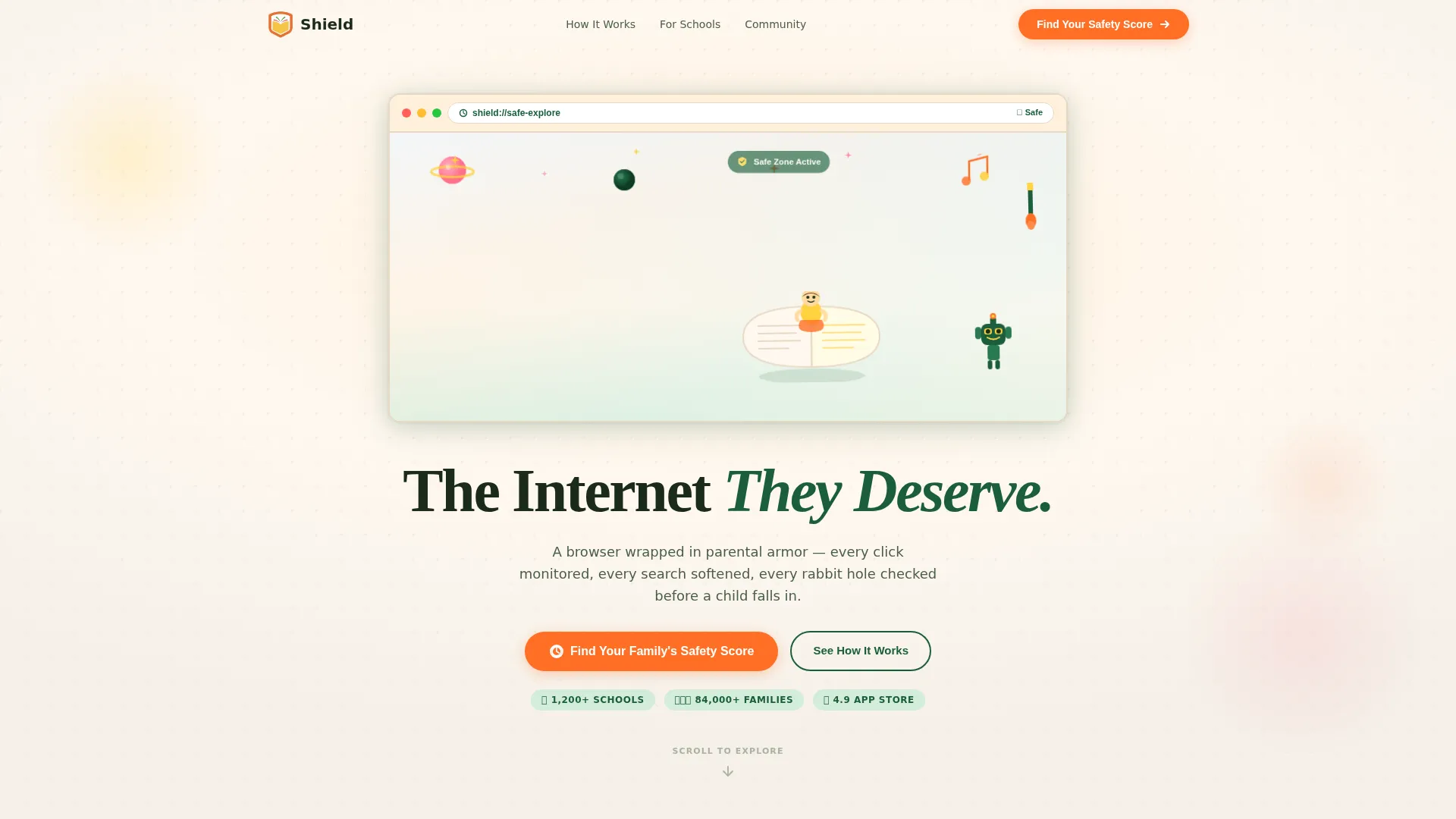
- A hand-drawn custom illustration hero with a fade-in headline and a quiz call to action
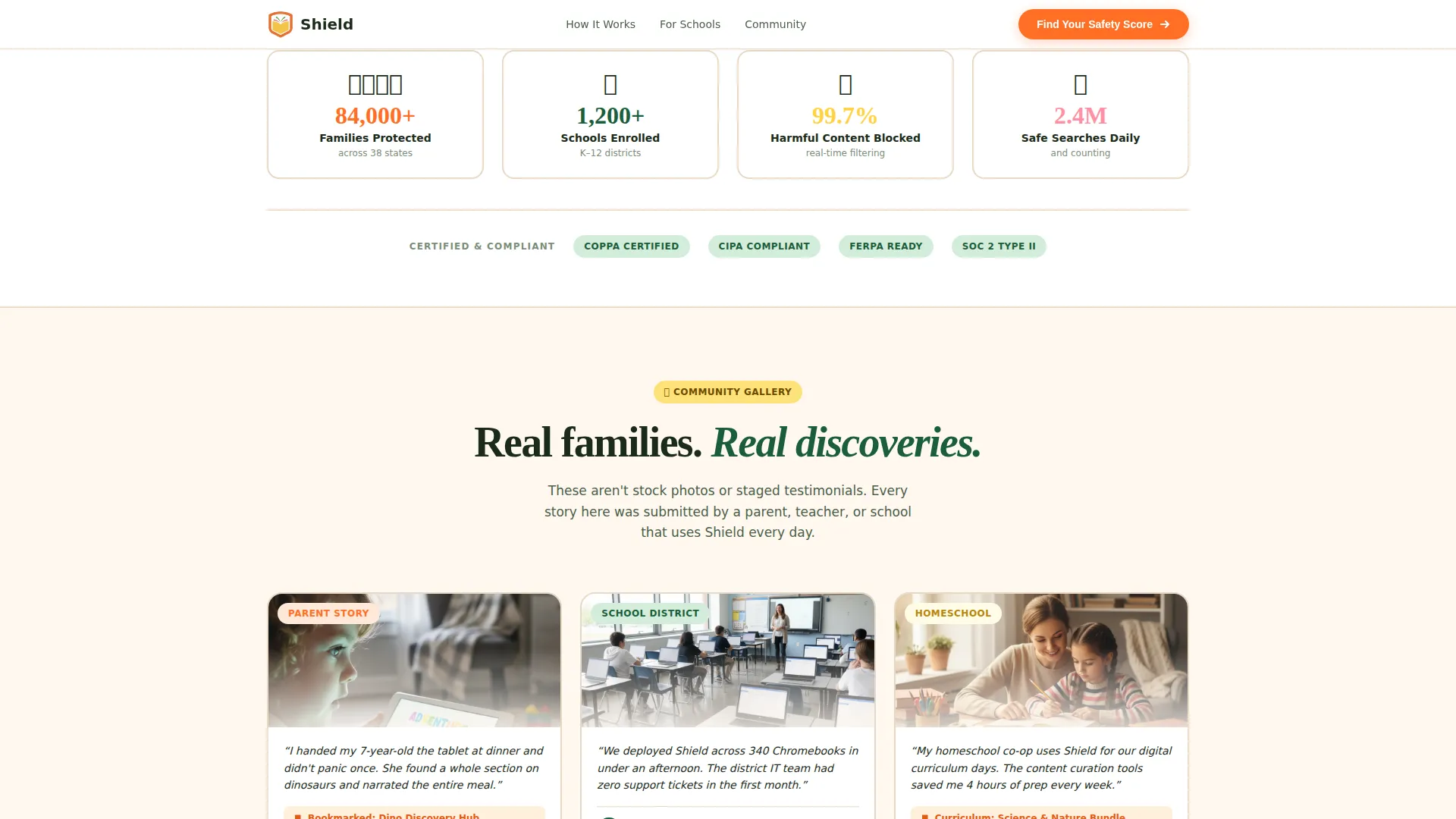
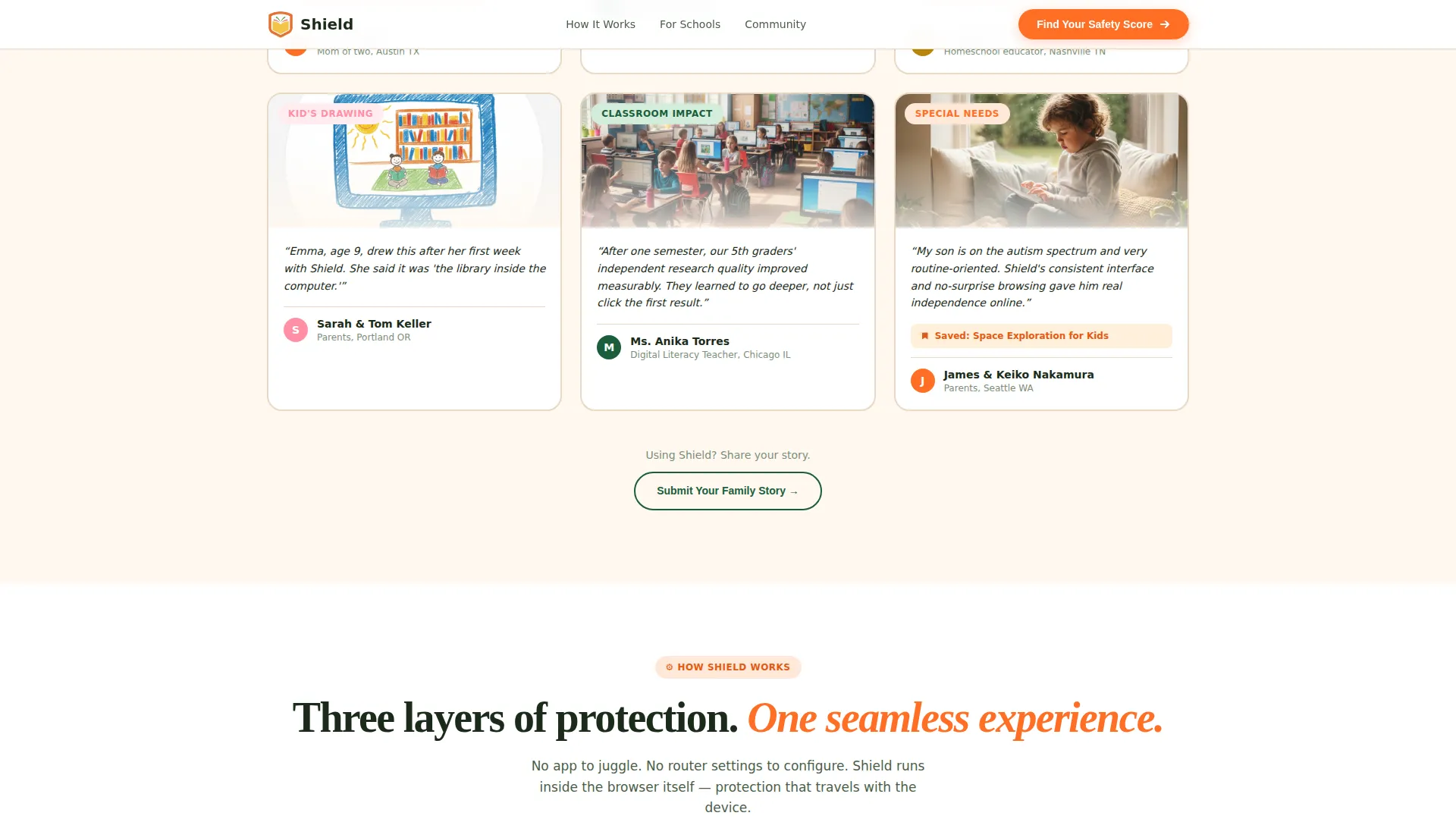
- A community gallery that progressively reveals parent quotes, teacher setups, and child-inspired artwork as the visitor scrolls
- A five-question interactive safety assessment with an animated visual meter and a personalized protection plan result
Feature list
This template includes a carefully sequenced set of interactive and visual components. Each one serves a specific purpose in moving a visitor from curiosity to confident action.
Scroll-Reveal Progressive Layout
The entire page uses IntersectionObserver-based scroll triggers. New content fades and slides into view as visitors scroll, creating a guided discovery experience rather than a wall of information.
Custom Browser-Window Illustration Hero
The header features a wide, hand-drawn panorama of a child on a floating book, surrounded by planets, robots, musical notes, and paintbrushes. All contained inside a soft browser-window outline. The illustration uses crayon-on-cartridge-paper texturing with digital polish and no real faces or stock photography.
Community Gallery with Story Cards
As visitors scroll, staggered cards appear in clusters. Each card pairs a parent quote with a child's bookmarked page, a teacher's classroom photo, or a child's drawing. The gallery acts as living social proof between animated explainer segments.
Five-Step Safety Score Quiz
The primary conversion element is an interactive five-question assessment. Questions cover child age range, device type, biggest online concern, number of children, and school or home use. Each answer visually updates an animated safety meter on screen. On completion, the visitor receives a personalized browser configuration recommendation.
Animated How-It-Works Explainer
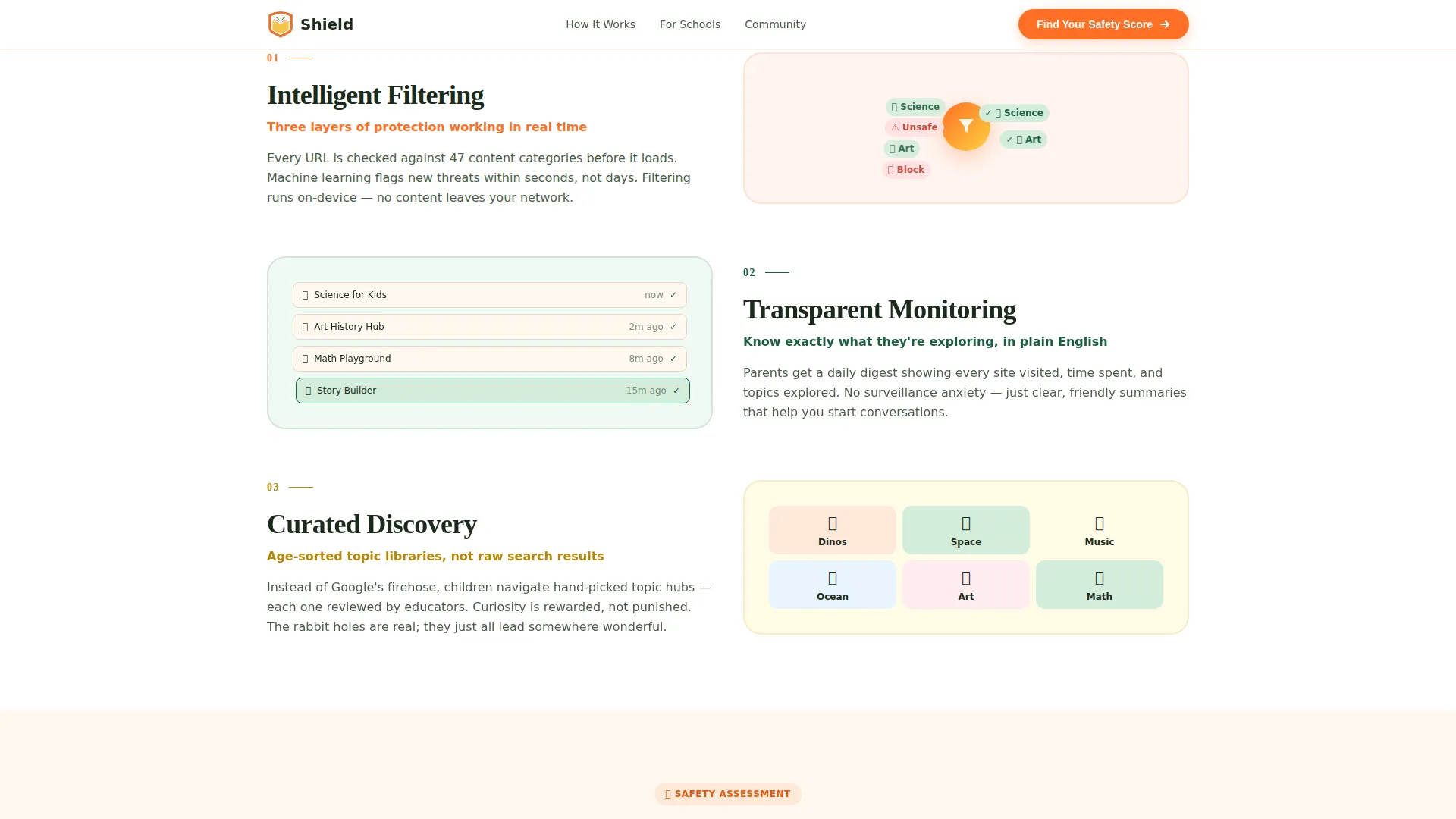
Between gallery clusters, short animated segments explain how content filtering, usage monitoring, and content curation actually work. These segments alternate with community stories, building mechanical trust alongside emotional proof.
Trust Stats Bar
A dedicated section displays aggregate social proof metrics including families protected, schools enrolled, and content filtered. This bar grounds the emotional storytelling in concrete scale.
Page sections overview
| Section | Purpose |
|---|---|
| Hero Illustration | Fade-in headline, illustrated browser panorama, quiz call to action |
| Trust Stats Bar | Aggregate metrics for families, schools, and filtered content |
| Community Gallery | Scroll-revealed story cards from real families and schools |
| How It Works | Animated explainer for filtering, monitoring, and curation |
| Safety Score Quiz | Five-step interactive assessment with animated meter and personalized result |
| Footer | Linear single-row footer with links and secondary call to action |
Design & branding system
The template uses an Educational Guide visual style: warm, tactile, illustrated, and immediately trustworthy. The Citrus Burst color system gives the page a bright identity without becoming overwhelming.
- Tangerine (#FF6F26) drives all buttons, progress indicators, and primary calls to action; lemon zest (#FFD23F) highlights hover states and badge elements; soft grapefruit pink (#FF8FA4) warms illustration accents
- Deep orchard green (#1B5E3B) anchors navigation and typography, acting as the calm contrast to the brighter citrus tones; backgrounds alternate between warm cream (#FFF8F0) and white
- Display headlines use Fraunces for expressive warmth; body text uses DM Sans for clean readability across all screen sizes
Mobile & speed optimization
The template is built desktop-first with strong mobile consideration. Parents browsing on phones and administrators reviewing on desktops both receive a well-adapted experience.
- Server Components handle all static sections, keeping initial load light while Client Components manage the interactive quiz and gallery reveals
- Scroll-reveal animations use IntersectionObserver for smooth, performant triggering without blocking the main thread
- The quiz meter animation and staggered gallery card reveals are structured to work cleanly on smaller touch screens
How this template helps you convert
Shield is built around a conversion model that earns trust before it asks for action. The page does not lead with a download button. It leads with curiosity, then proof, then a personalized recommendation.
- The hero quiz call to action invites visitors to find their family's safety score, turning the first click into a diagnostic experience rather than a sales step
- The community gallery provides layered emotional and institutional proof before the visitor reaches the quiz, so they arrive already warmed and informed
- The quiz completion delivers a personalized protection plan with a "Start Their Safe Internet" download link, making the final conversion feel like a natural next step rather than a hard sell
Other information about this template
Shield is localized for English-language markets with United States formatting conventions, including USD pricing, MM/DD/YYYY date format, and English copy. The template is categorized under Kids and Family, specifically within the Kids Online Safety and Tech subcategory.
- The template style is Scroll Reveal (Progressive), meaning each section is designed to appear as the visitor reaches it rather than loading all at once
- The landing page direction is Quiz and Assessment, a conversion pattern well-suited to parental control and child safety products where personalization increases purchase confidence
- The header concept is a Custom Illustration, specifically avoiding stock photography to keep the visual identity universal and brand-controlled
- The creative direction is Community Gallery, positioning real family and school stories as the primary trust mechanism throughout the scroll journey
Theme
Educational Guide
Creative direction
Community Gallery
Color system
Citrus Burst
Style
Scroll Reveal (Progressive)
Direction
Quiz/Assessment
Page Sections
Scroll-reveal Progressive Layout
Custom Illustration Hero
Community Gallery Story Cards
Five-step Safety Score Quiz
Animated How-it-works Explainer
Trust Stats Bar
Related questions
Who is this landing page template designed for?
Can I customize the quiz questions and safety meter?
Does this template include real community content or placeholder content?
Is this template suitable for a school IT deployment page?
What animation technology does this template use?



