Kids Online Safety & Tech Education Website Template
Shield is a single-page online safety education landing page built for parents, educators, and teens. It combines a community-curated card grid, an animated isometric hero, and an inline scenario-based quiz that generates a personal safety score. The calm Lavender Dream color system and modular layout make a complex topic feel approachable and actionable from the very first scroll.
by Rocket studio
Quick summary
Shield is a landing page template designed for online safety education platforms. It features an animated isometric hero, a community card grid of safety topics, and a no-friction inline quiz that produces a personal safety score. The Lavender Dream palette keeps the tone warm and trustworthy, while the modular card layout guides visitors from beginner lessons to advanced scenarios at their own pace.
Who this template is for
This template is built for anyone delivering internet safety education to families, schools, or young people. It works equally well for solo educators and organized programs.
- Parents who recently discovered their child has unknown social media accounts and want a reliable starting point.
- Middle-school counselors building cyber-safety curricula who need a structured, credible platform presence.
- Teens and youth-focused organizations looking for content that speaks directly to a younger audience without talking down to them.
What problem this template solves
Most online safety resources feel either too clinical or too generic. Parents panic, teens tune out, and educators struggle to find materials that fit all three audiences at once. Shield solves that by organizing everything into a single, scrollable, audience-aware page.
- The audience selector routes each visitor to content matched to their role, so no one has to wade through irrelevant material.
- The community card grid replaces a wall of text with scannable, rated topic cards that feel earned and trustworthy.
- The inline quiz turns passive reading into an active assessment, giving visitors a concrete score and a reason to engage further.
What you get with this template
Shield delivers a fully structured landing page with every major section pre-built and ready to customize. The layout is modular, so you can adjust card content, quiz questions, and copy without rebuilding the page from scratch.
- An animated SVG isometric hero section, an audience selector, a community card grid, an inline five-question quiz, a results and email-gate section, and a horizontal-flow footer.
- A Lavender Dream visual system including deep plum headings, soft violet cards, mint call-to-action elements, and cloud lilac background panels.
- Plus Jakarta Sans headings paired with DM Sans body text for a clean, readable typographic hierarchy.
Feature list
This section describes the core functional components included in the Shield template.
Animated Isometric Hero
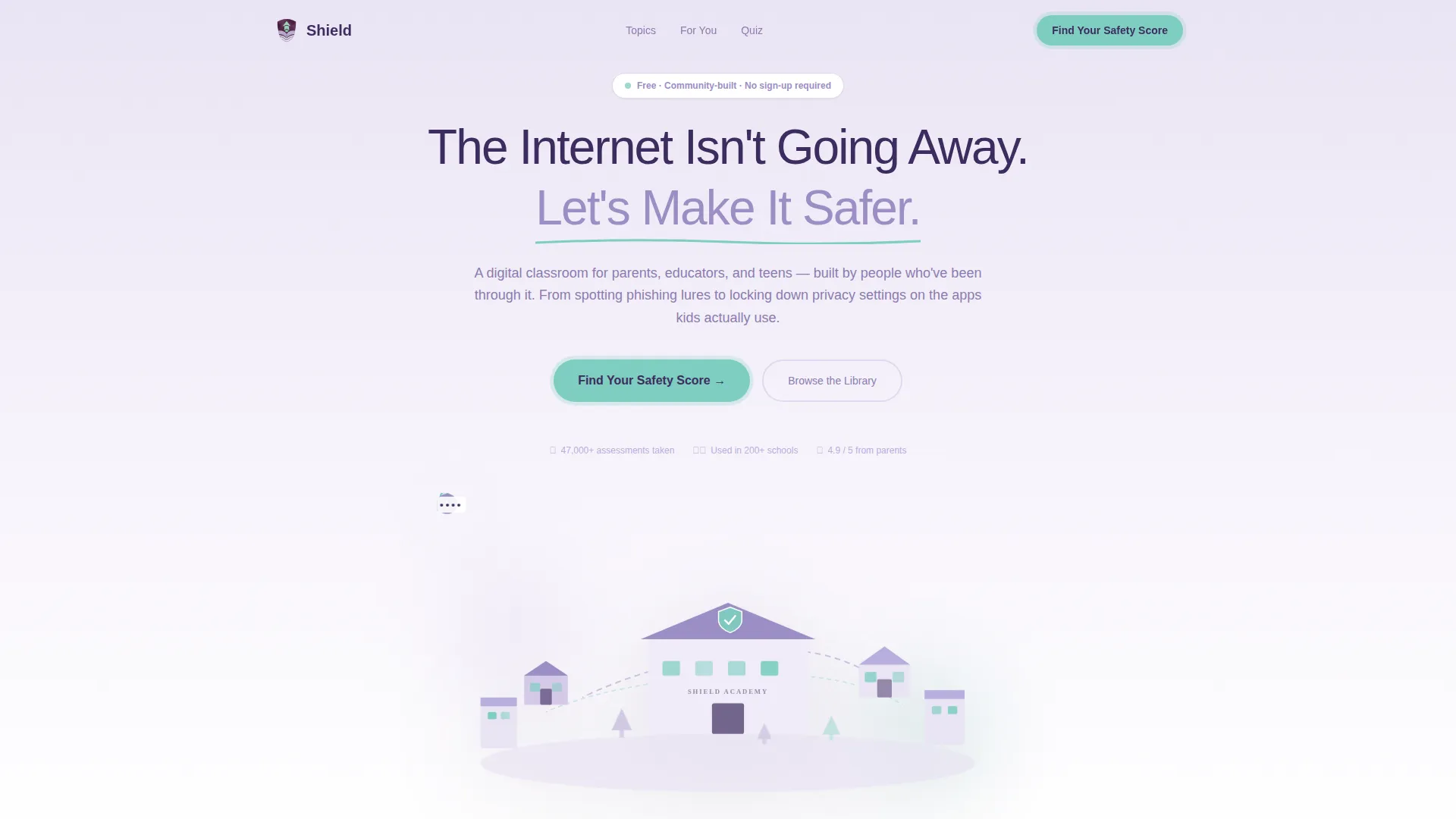
The hero renders a soft three-dimensional digital neighborhood from a bird's-eye angle. Small animated details include a lock clicking shut, a notification bubble dissolving, and a password asterisk replacing a visible character. The headline "The Internet Isn't Going Away. Let's Make It Safer." is set in deep plum against the illustrated scene.
Audience Selector Cards
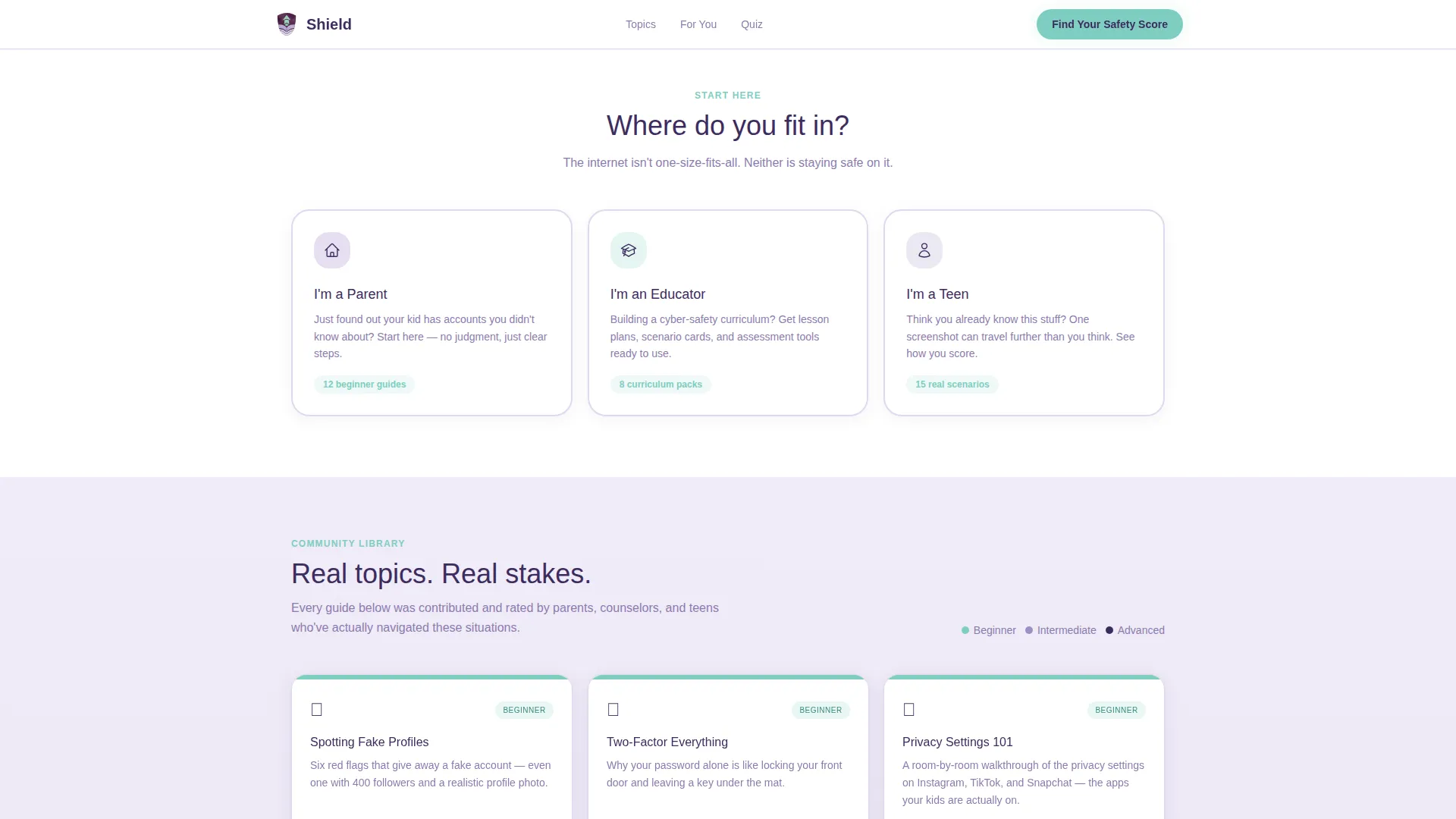
Three clearly labeled paths sit below the hero: Parents, Educators, and Teens. Each card routes the visitor toward content relevant to their role. This reduces friction immediately and signals that the platform was built with each audience in mind.
Community Card Grid
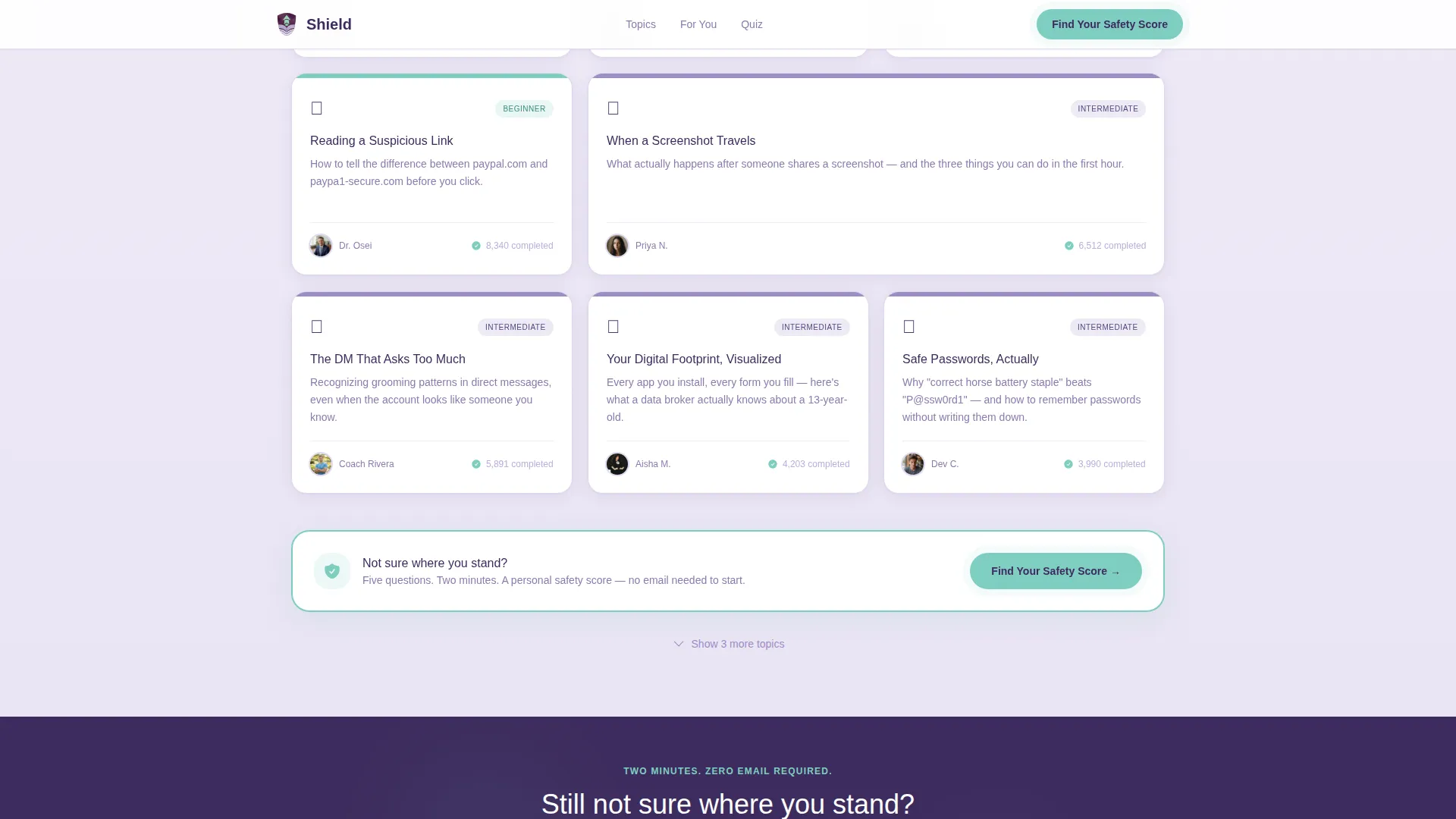
Safety topics are displayed as modular cards in a tiling grid. Each card carries a contributor avatar, a difficulty badge, and a completion count. Topics range from beginner fundamentals like spotting fake profiles to advanced scenarios, and the grid narrows subtly as visitors scroll deeper, funneling attention toward the assessment.
Inline Scenario-Based Quiz
The "Find Your Safety Score" quiz opens directly on the page without redirecting the visitor. Five scenario-based questions use illustrated multiple-choice answers. No email address is required to start, which keeps the barrier to entry as low as possible.
Score Reveal and Email Gate
After the quiz, the page reveals the visitor's personal safety score. An email prompt appears only at this point, offering to "Save Your Score and Get a Personal Safety Plan." This sequence qualifies engaged learners before asking for contact information.
Persistent Mint Call-to-Action Button
A mint-colored "Find Your Safety Score" button appears persistently after the second card row. It stays visible as visitors scroll, providing a clear next step without interrupting the browsing experience.
Page sections overview
| Section | Purpose |
|---|---|
| Isometric Hero | Introduces the platform and sets the emotional tone |
| Audience Selector | Routes visitors to role-relevant content |
| Community Card Grid | Displays curated safety topics with social proof |
| Inline Quiz | Delivers a scenario-based personal safety assessment |
| Score and Call to Action | Reveals results and captures email for follow-up |
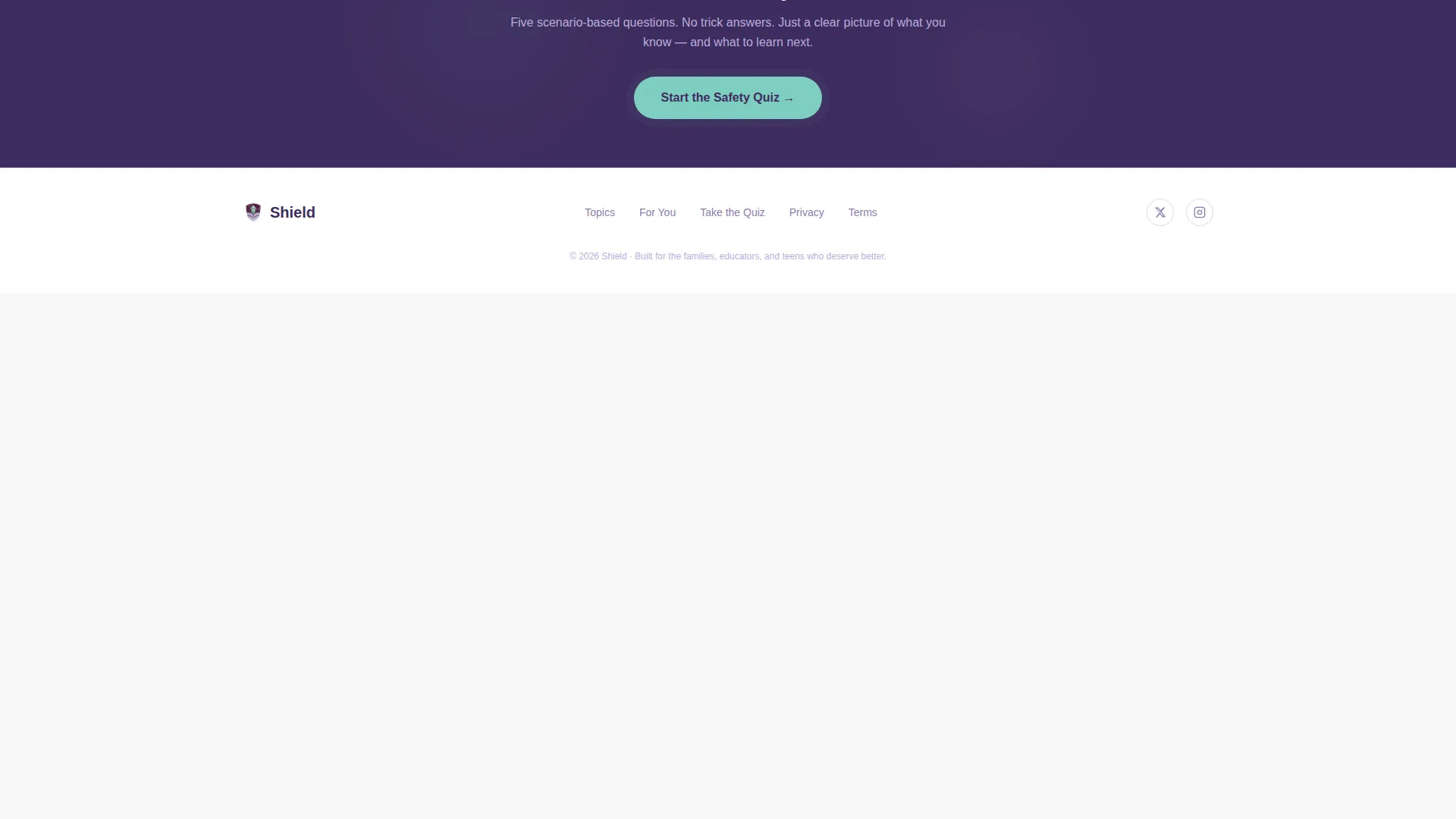
| Horizontal Flow Footer | Provides navigation links and closing context |
Design & branding system
Shield uses the Lavender Dream color system, a palette designed to feel gentle enough to reduce anxiety while remaining structured enough to feel authoritative. The visual style is described as gentle editorial with watercolor-soft warmth.
- Colors: deep plum (#3D2C5E) for headings and anchoring text, soft violet (#9B8EC4) for card backgrounds, protective mint (#7ECEC1) for interactive elements and progress indicators, and cloud lilac (#D5CAE8) for alternating background panels.
- Typography: Plus Jakarta Sans is used for all headings, and DM Sans is used for body text, creating a clean and readable editorial hierarchy.
- Card hover lifts, quiz transition animations, and scroll reveals add medium-level interactivity that keeps the page feeling alive without overwhelming the content.
Mobile & speed optimization
Shield is built with a mobile-first approach. Parents and teens are most likely to encounter this page on a phone, so the layout and interactions are designed for smaller screens first.
- The card grid, audience selector, and inline quiz all adapt to mobile viewports without loss of functionality.
- The template uses a static-first architecture, with client-side components reserved only for the quiz state machine and animations, keeping initial load light.
How this template helps you convert
The conversion path in Shield is carefully staged to reduce friction at every step. Visitors are never asked for personal information before they have experienced real value.
- The no-email-required quiz entry removes the most common barrier to engagement. Visitors start the assessment immediately, which builds investment in the outcome before any commitment is requested.
- The score reveal creates a natural moment of personal relevance. At that point, the email prompt feels like a helpful next step rather than a gate, improving the quality and intent of sign-ups.
Other information about this template
Shield is categorized under Kids and Family, specifically within the Kids Online Safety and Tech subcategory. It is designed for the Online Safety Education niche and suits both business-to-consumer (B2C) platforms targeting families and business-to-business (B2B) programs serving schools and counseling departments.
- The template style is Card Grid (Modular), following a Community Gallery creative direction that makes curated content feel peer-validated and trustworthy.
- The header concept is Isometric, which is a relatively uncommon and visually distinctive choice that helps the page stand out in a crowded education market.
- Animation level is set to medium, balancing visual engagement with page performance priorities.
- The template is localized for English (United States) and follows standard United States date formatting.
Theme
Educational Guide
Creative direction
Community Gallery
Color system
Lavender Dream
Style
Card Grid (Modular)
Direction
Quiz/Assessment
Page Sections
Animated Isometric Hero Section
Audience Selector with Card Routing
Community-curated Card Grid
Inline Scenario-based Quiz
Score Reveal and Email Gate
Persistent Mint Call-to-action Button
Related questions
Can I change the quiz questions to fit my specific curriculum?
Do visitors need to create an account to take the quiz?
Is this template suitable for a school or nonprofit organization?
Can I add more topic cards to the community grid?
What typography does this template use?



