Licensed Plumber Trust-Building Website Template
Shield is a single-page plumber landing page template built for trust, clarity, and lead generation. It combines a testimonial-led header, licensed team profiles, and comparison tables that turn common plumbing FAQs into conversion touchpoints. A structured lead form and a secondary checklist download capture both urgent and non-urgent visitors.
by Rocket studio
Quick summary
Shield is a plumber landing page template designed as a resource hub for homeowners facing plumbing emergencies and permit questions. It opens with a verified testimonial card, moves through licensed team profiles, and stacks comparison tables that answer real questions. Every section builds credibility and guides visitors toward a lead form or a checklist download.
Who this template is for
This template suits plumbing businesses that serve homeowners, landlords, and property managers. It works best for licensed plumbers who want to convert panicked visitors into booked jobs rather than just display a phone number.
- Solo master plumbers and small plumbing companies seeking more inbound leads
- Plumbing businesses serving residential clients with emergency and non-emergency needs
- Property managers or service coordinators who need a credible, inspection-ready online presence
What problem this template solves
Most plumber landing pages fail the visitor at the worst possible moment. Someone finds the page during a 2 AM pipe burst and sees nothing but a logo and a phone number. They leave. Shield fixes that by making the page itself the answer source, so the visitor feels helped before they even fill out a form.
- Homeowners arrive in crisis and leave without contacting anyone because the page offers no context
- Visitors with non-urgent questions have no reason to stay or share their contact details
- Plumbers lose credibility when their online presence looks no different from a directory listing
What you get with this template
Shield delivers a complete, single-page layout built for plumbing lead generation. Every section serves a specific role in moving the visitor from panic to inquiry.
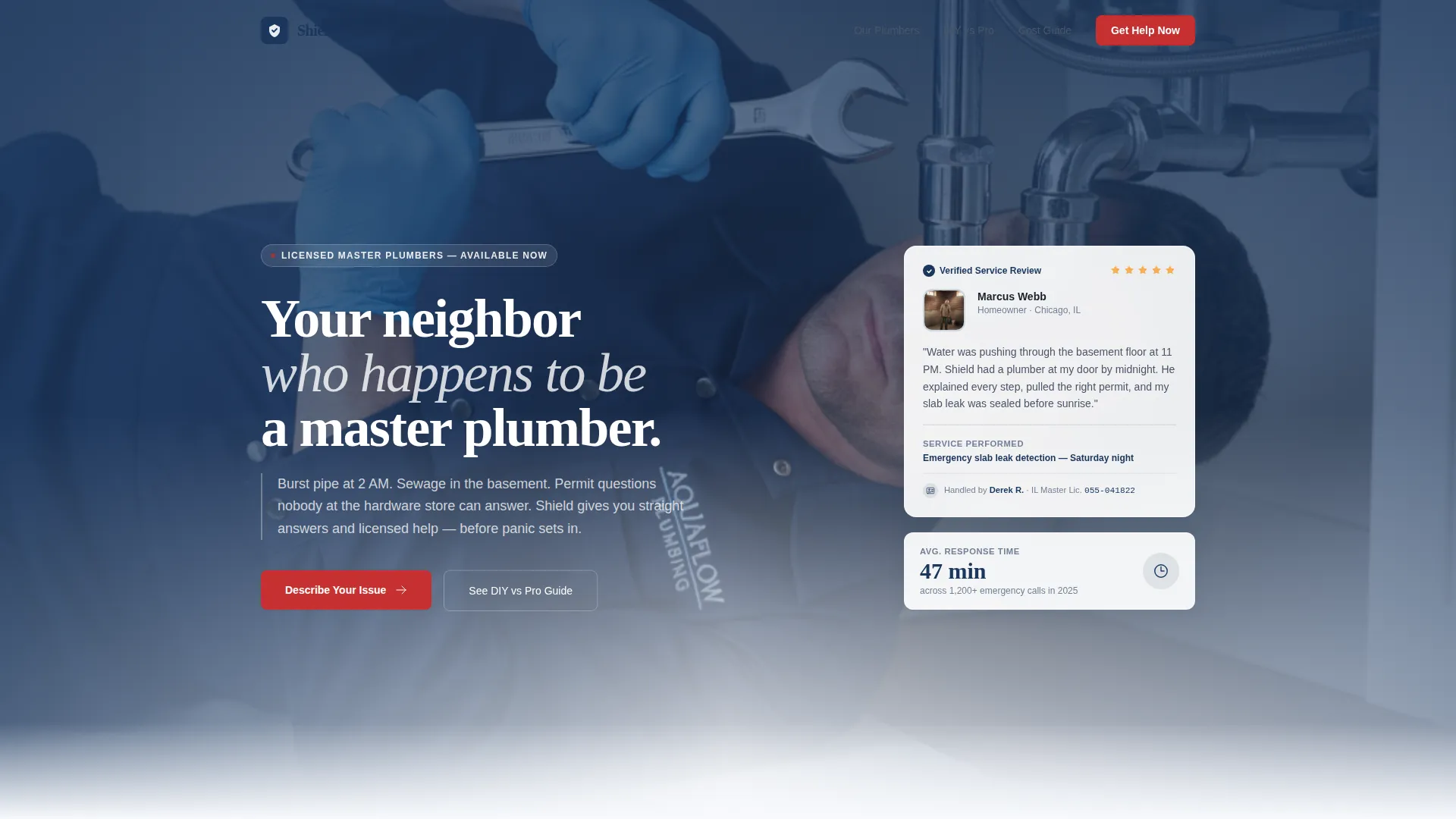
- A testimonial header card with service detail, star rating, plumber name, and license number
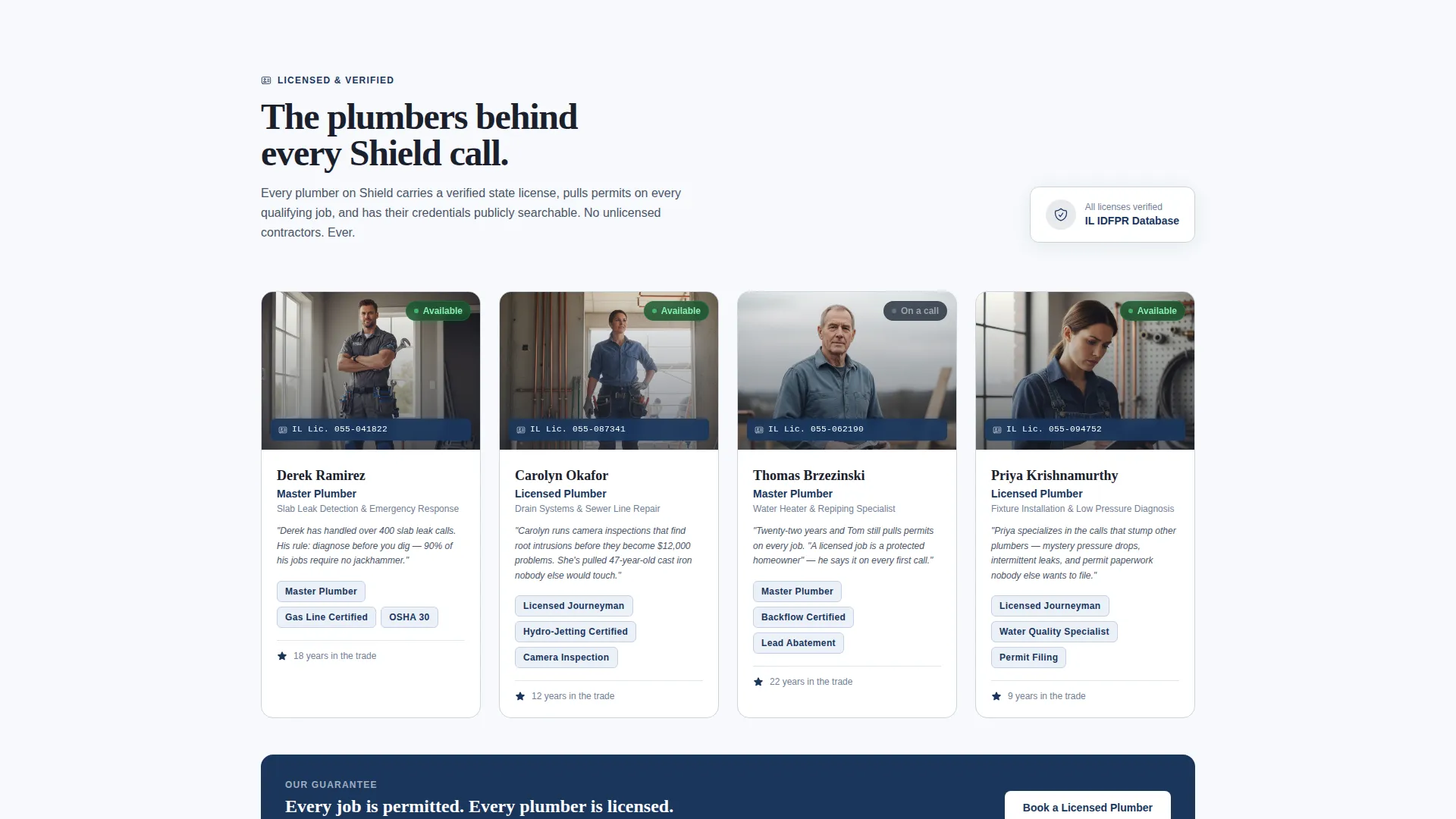
- Licensed team profiles paired with specialty descriptions and credential display
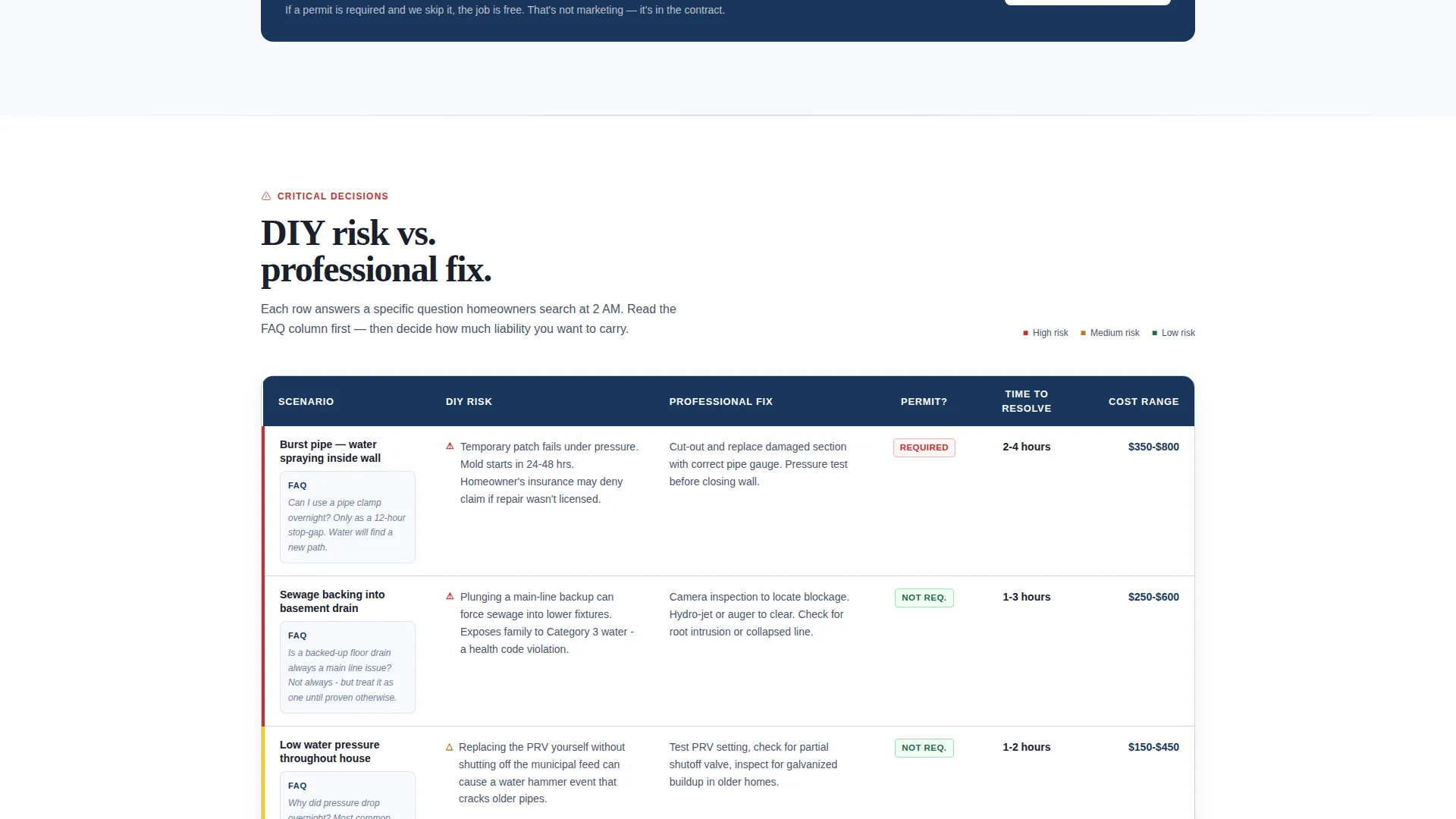
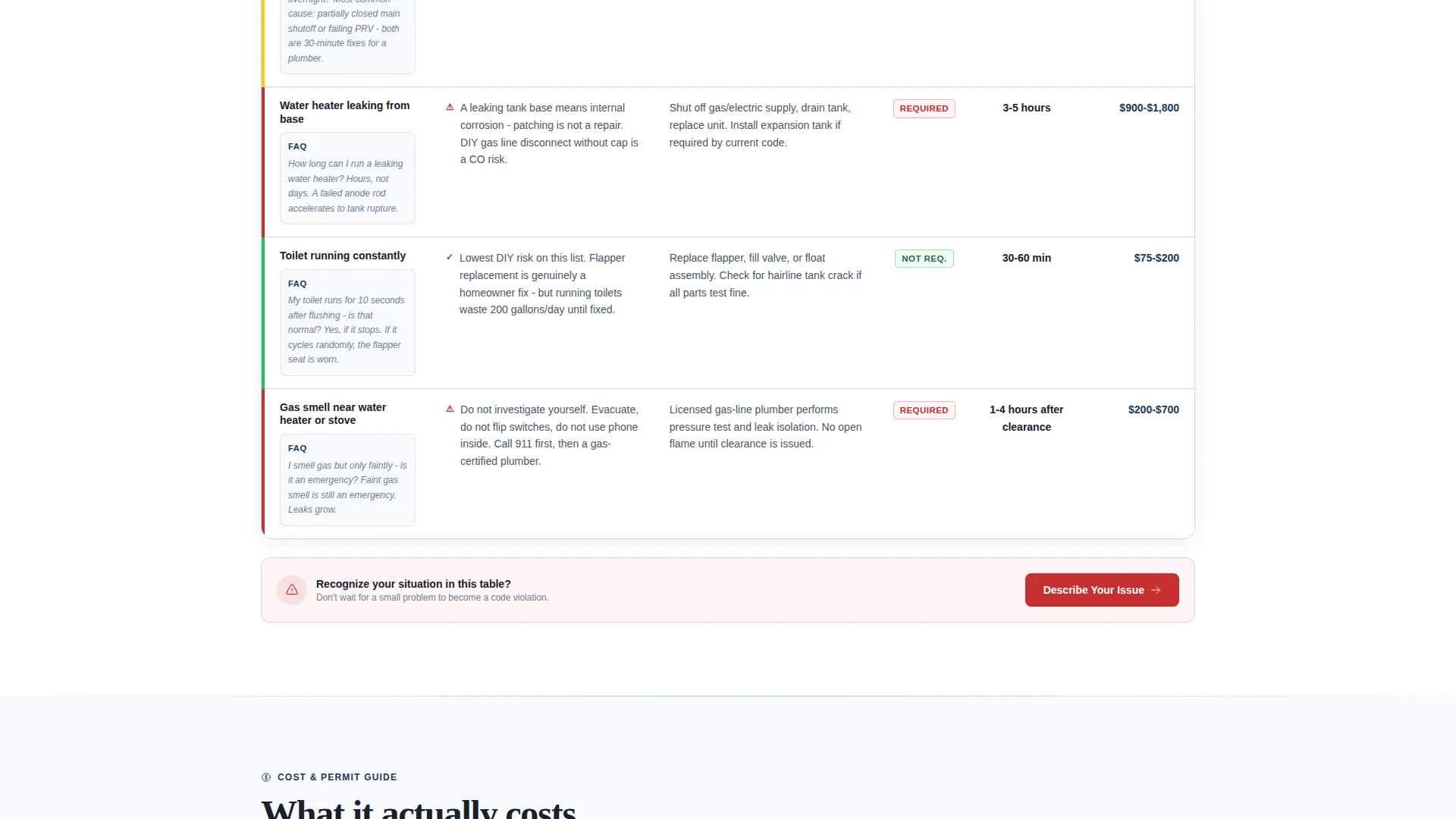
- Comparison tables covering DIY risk, professional fix, permit requirements, cost ranges, and time to resolution
- A primary lead form with a plain-language issue dropdown, zip code field, and phone number field
- A secondary email capture path offering a downloadable Home Plumbing Inspection Checklist
Feature list
This template is built around components that establish trust and collect qualified leads.
Verified Testimonial Header Card
The page opens with an oversized testimonial card floating against the frost-white background. It includes a real homeowner photo, a two-sentence story, a five-star rating, the specific service performed, and the plumber's first name and license number in small type. The result reads like a verified record, not a marketing blurb.
Licensed Team Profiles
Each plumber is introduced by name, specialty, and license credentials displayed in a certification-style layout. Visitors see exactly who will show up and what they are qualified to do. This section turns anonymous service into a named, accountable relationship.
FAQ-Driven Comparison Tables
Comparison tables sit between team sections, stacking plumbing issues side by side across columns covering DIY risk, professional fix, permit requirements, average cost ranges, and estimated time to resolution. Each table row answers a specific FAQ, so the resource content itself functions as the conversion architecture.
Plain-Language Lead Form
The primary call to action reads "Describe Your Issue" and stays locked to the bottom of every comparison table. The form opens with a dropdown offering plain-language options such as "Water where it shouldn't be" and "Drain won't drain." Two additional fields collect zip code and phone number for scheduling.
Secondary Checklist Download Path
Visitors who are not yet in crisis see a soft secondary call to action: "Not urgent? Download our Home Plumbing Inspection Checklist." This path captures email leads from homeowners in the research phase, building a list that converts when an emergency eventually arrives.
Arctic White Visual System
The layout uses a restrained color system built around clinical frost white, pipe-steel gray for body text and borders, and trust-badge navy for headers and dividers. Emergency valve red appears only on urgent calls to action and warning callouts, so every red element carries immediate visual weight.
Page sections overview
| Section | Purpose |
|---|---|
| Testimonial Header Card | Opens with verified social proof to establish trust immediately |
| Team and Credentials | Introduces licensed plumbers by name, specialty, and certification |
| Comparison Table One | Answers common plumbing FAQs with DIY versus. professional breakdown |
| Lead Form Block | Captures urgent inquiries via plain-language issue dropdown and contact fields |
| Comparison Table Two | Covers permit requirements, cost ranges, and time-to-resolution data |
| Checklist Download call to action | Captures email leads from non-urgent visitors with a free resource offer |
Design & branding system
The visual identity follows a Legal Shield theme that prioritizes clinical precision over decorative flair. Every color choice is intentional and functional, making the page feel as credible as a freshly inspected mechanical room.
- Arctic White base (#F7F9FC) keeps backgrounds open and readable, with pipe-steel gray (#4A5568) used for body text and table borders
- Trust-badge navy (#1A365D) anchors all headers and section dividers, giving the layout a structured, authoritative frame
- Emergency valve red (#C53030) appears only on urgent calls to action and warning callouts, so it reads as a priority signal every time it appears
Mobile & speed optimization
The layout is structured for clean rendering on smaller screens where most emergency plumbing searches happen. Comparison tables, forms, and card components are all sized and stacked with mobile visitors in mind.
- Comparison tables are designed to remain readable when viewed on a phone screen during an urgent situation
- The lead form fields are ordered for fast mobile input: issue type first, then zip code, then phone number
- The checklist download path remains visible and accessible at all scroll depths on smaller screens
How this template helps you convert
Shield treats every scroll depth as a conversion opportunity. Visitors who arrive in crisis get a fast path to contact. Visitors who are browsing get a reason to leave their email. Both types of visitor leave the page with a relationship started.
- The testimonial header establishes immediate credibility so visitors stay on the page long enough to engage with the content below
- Comparison tables answer real questions and reveal how much risk an unresolved plumbing issue carries, building urgency without pressure tactics
- The dual call-to-action structure captures both urgent leads through the "Describe Your Issue" form and future leads through the checklist download
Other information about this template
Shield is a professionally designed plumber landing page template suited for use by individual master plumbers, small plumbing firms, and service businesses in the residential trades. It fits naturally within plumber online presence packages and plumber booking page setups. The template style follows a zigzag and alternating section layout, which keeps the scroll experience dynamic without sacrificing the clean, inspected feel of the visual system. The editorial magazine theme influences how information is sequenced: trust first, credentials second, evidence third, action last. The transparent process creative direction means every section shows its reasoning, so visitors understand why they are being asked to act rather than just being told to call.
- Designed for the Professional Services category, specifically the Plumber Online Presence subcategory
- Template style uses a zigzag and alternating layout to keep long-scroll pages visually engaging
- The editorial magazine theme and transparent process creative direction are reflected in the information hierarchy
- No prior design experience is needed to customize the color system, team profiles, or comparison table content
Theme
Editorial Magazine
Creative direction
Transparent Process
Color system
Ink & Paper
Style
Zigzag/Alternating
Direction
Partnership/B2B
Page Sections
Verified Testimonial Header Card
Licensed Team Profile Section
Faq-driven Comparison Tables
Plain-language Lead Capture Form
Secondary Checklist Download Path
Arctic White and Emergency Red Color System
Related questions
Can I customize the comparison table rows to match my actual service area?
Does the lead form support multiple issue types out of the box?
How does the checklist download capture non-urgent leads?
Is the testimonial card section easy to update with real client information?
Who should use this template instead of a standard plumber directory listing?



