Retiree Insurance Appointment Booking Website Template
Shield is a single-column retiree home insurance landing page built for UK homeowners over sixty. It opens with a friendly multi-step form, answers real policy concerns through FAQ-driven scroll sections, and closes with a free cover check offer and adviser callback booking. The Midnight Blue and warm parchment palette feels calm, serious, and easy to trust.
by Rocket studio
Quick summary
Shield is a single-column flow landing page designed for UK retiree home insurance. It greets visitors mid-task with a five-step form, then earns their confidence by answering genuine policy questions before ever asking for an email address. The result is a page that feels like a patient broker conversation rather than a standard insurance funnel.
Who this template is for
This template is built for insurance brokers, independent advisers, and comparison services targeting homeowners over sixty in the UK. It suits teams that want to convert cautious, detail-oriented visitors through trust rather than pressure.
- Retiree home insurance providers and specialist brokers
- Independent financial advisers serving older UK homeowners
- Adult children helping elderly parents review existing cover
What problem this template solves
Many older homeowners feel penalised by insurers for staying loyal, and they arrive at insurance pages full of unanswered questions. Standard templates rush straight to a quote form without addressing the real worries that cause drop-off.
- Visitors leave when their specific concerns go unaddressed before the form appears
- Jargon-heavy layouts erode trust with an audience that values clarity and patience
- Generic templates ignore UK-specific property types, rebuild costs, and loyalty discount concerns
What you get with this template
You get a complete, ready-to-customise landing page structured around the actual questions retiree homeowners ask. Every section is purposefully sequenced to build confidence before requesting contact details.
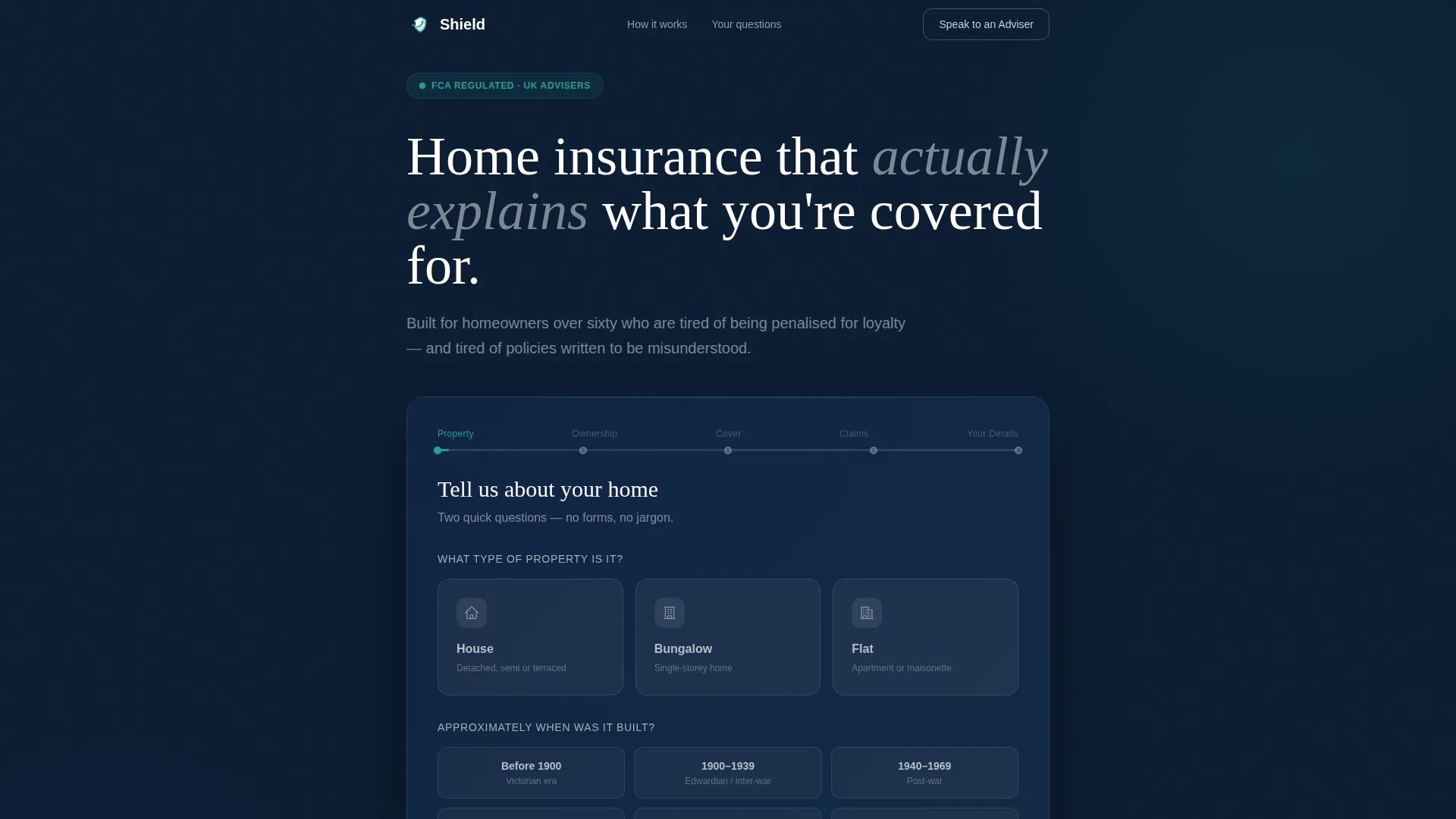
- A five-step multi-step header form with property type card selectors and year-built input
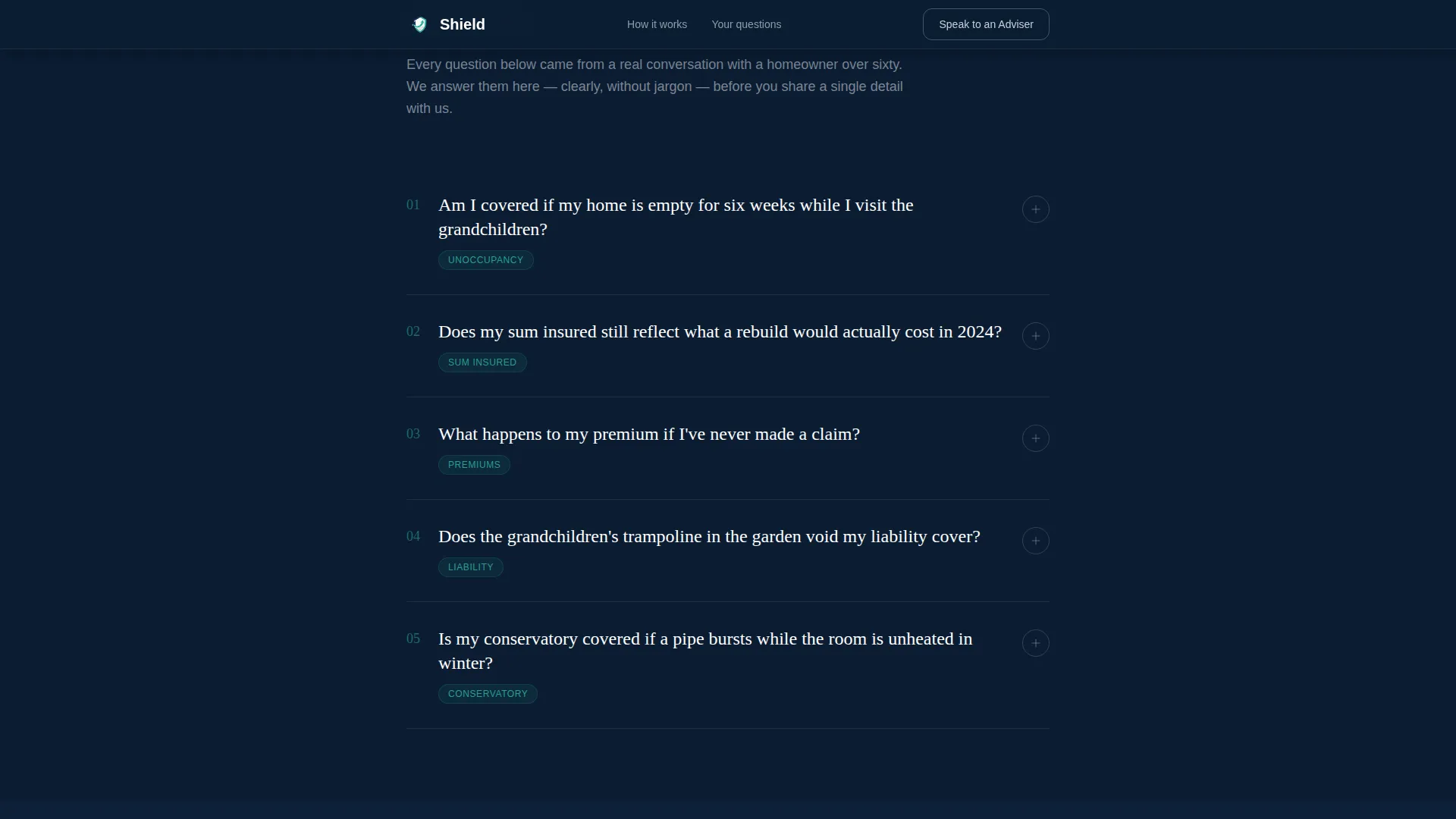
- Three FAQ-driven scroll sections covering empty home cover, rebuild costs, and no-claims discounts
- A social proof section with three retiree testimonials including names, UK locations, and specific policy situations
- A dual call-to-action section offering a free cover check and an adviser callback with a time-slot picker
- A linear single-row footer closing the page cleanly
Feature list
Multi-Step Header Form with Card Selectors
Step 1 is already visible on page load, asking for property type and approximate year built. Visitors choose from large, friendly selection cards rather than dropdowns. A teal progress bar above the form shows five steps total, with the first node glowing to signal momentum without pressure.
FAQ Accordion Sections
Three dedicated scroll sections each open with a real question in large parchment type against the midnight background. A jargon-free answer panel follows, opening with a one-sentence summary before expanding into plain detail. Each accordion is designed to resolve a specific concern before the next form step appears.
Coverage Gap Report Flow
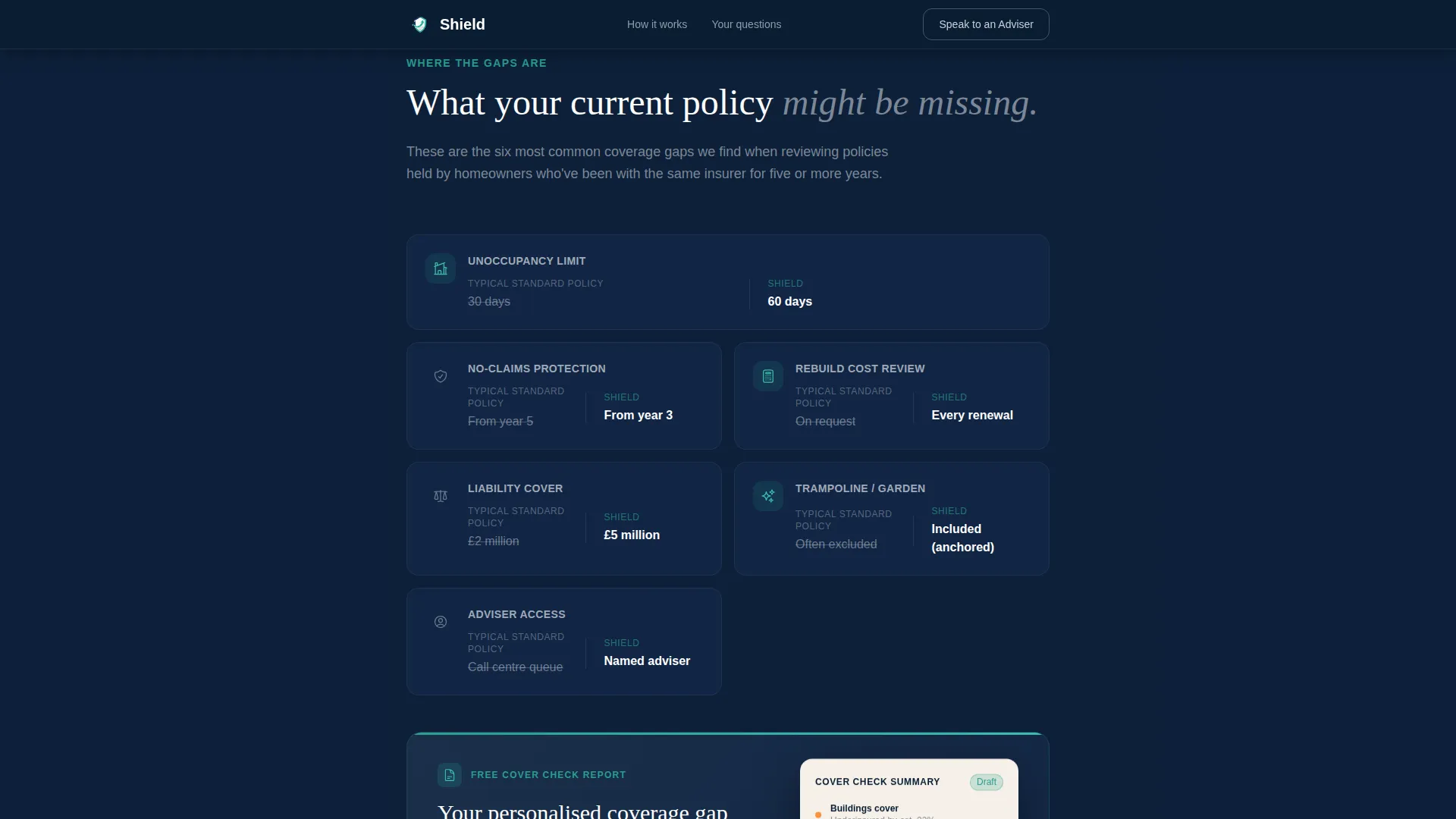
Completing the multi-step form delivers an instant, personalised coverage gap report. The report compares the visitor's current policy type against recommended cover levels in a PDF-style dashboard view. No credit card or binding quote is required at any point.
Retiree Testimonial Block
A social proof section presents three testimonials with names, ages, UK locations, and policy-specific details. Real scenario context makes the endorsements feel grounded rather than generic.
Adviser Callback with Time-Slot Picker
A secondary call-to-action path lets visitors book a callback at a time that suits them. The time-slot picker sits alongside the primary free cover check button, giving cautious visitors a human alternative without disrupting the main conversion flow.
Scroll-Reveal Animations and Form Transitions
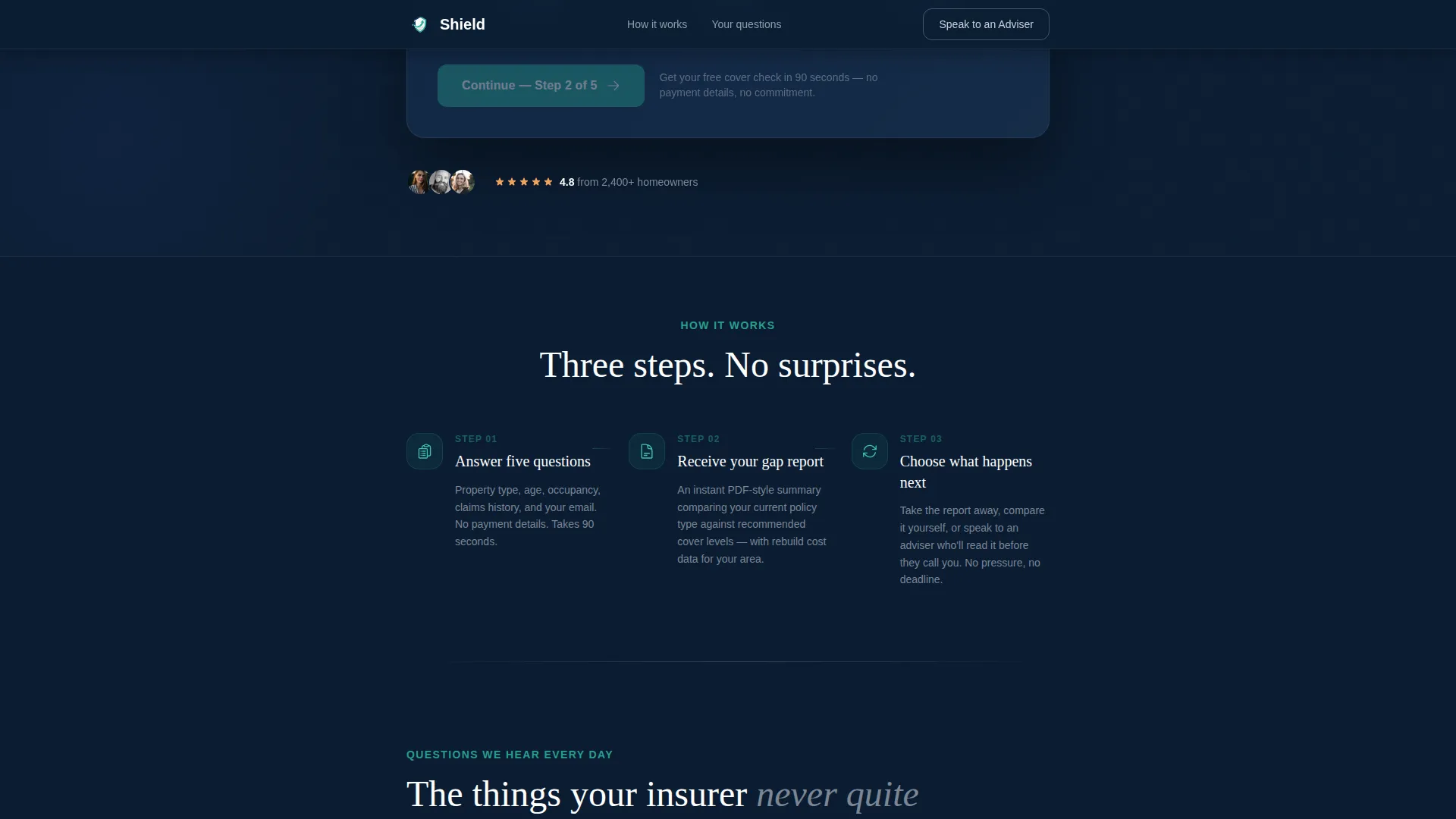
Sections animate into view on scroll using medium-weight reveal effects. The multi-step form uses smooth step transitions that keep the experience feeling conversational rather than clinical.
Page sections overview
| Section | Purpose |
|---|---|
| Hero Form Header | Start five-step cover check |
| Empty Home FAQ | Address extended absence cover |
| Rebuild Cost FAQ | Clarify current sum insured |
| No-Claims FAQ | Explain loyalty discount detail |
| Retiree Testimonials | Build trust with real situations |
| Dual Call to Action | Prompt free check or callback |
| Linear Footer | Close page with key links |
Design & branding system
The visual identity follows a Dashboard Pro theme using a Midnight Blue colour system. The palette is deliberately warm and serious without feeling clinical, evoking a well-lit study at dusk with paperwork organised and a mug of tea still warm.
- Deep navy (#0B1D33) as the primary background, soft silver (#C8CED6) for body text and dividers, warm parchment (#F5F0E8) for card surfaces and form fields
- Steady teal (#2A9D8F) reserved for buttons, progress indicators, and active form states
- Fraunces serif for headings to carry authoritative warmth, DM Sans for body copy to keep everything clear and readable
Mobile & speed optimization
The template is built desktop-first with a strong tablet experience, reflecting the browsing habits of the primary audience. Layout and interaction patterns are adapted to work comfortably on larger touchscreens.
- Card selectors in the multi-step form are sized generously for touch targets on tablets and mobile devices
- Static content is handled with Server Components to keep JavaScript load minimal while preserving interactive form and accordion behaviour
- Scroll reveal animations and form step transitions are set to medium weight to avoid burdening slower connections
How this template helps you convert
The page is structured on a freemium model. It delivers genuine value before asking for any commitment, which lowers resistance from an audience that is naturally cautious about sharing personal details online.
- Every FAQ section resolves a real concern before the next form step appears, so visitors feel informed rather than funnelled toward a quote they did not request.
- The free cover check completes the form journey with an instant, personalised result, giving visitors a tangible reason to submit their details without requiring payment information.
- The adviser callback path provides a human fallback for visitors who prefer a voice conversation, capturing leads that a form-only page would lose.
Other information about this template
Shield is categorised under Finance and Insurance, specifically within the Retiree Insurance subcategory and Retiree Home Insurance niche. It is localised for UK English throughout, using GBP, DD/MM/YYYY date formatting, and UK property types including bungalow, flat, and terraced house.
- The page references common UK homeowner concerns such as subsidence in pre-1970 properties, conservatory damage, and trampoline liability clauses
- Animation weight is set to medium, meaning scroll reveals and accordion expansions are present but not performance-heavy
- The template is styled on the Dashboard Pro theme, making it straightforward to restyle within that design system
- Intersection Match Score for the Finance and Insurance, Retiree Insurance, Retiree Home Insurance combination is rated at 13, indicating strong niche alignment
Theme
Dashboard Pro
Creative direction
FAQ-Driven
Color system
Midnight Blue
Style
Single Column Flow
Direction
Freemium/Trial
Page Sections
Multi-step Header Form with Card Selectors
FAQ Accordion Scroll Sections
Personalised Coverage Gap Report
Retiree Testimonial Block
Adviser Callback with Time-slot Picker
Scroll-reveal Animations and Form Transitions
Related questions
What kind of insurance business is this template designed for?
Does the multi-step form collect payment details?
Can I customise the FAQ questions for my own policy areas?
Is there a way for visitors to speak to a person instead of filling in the form?
What typography and colour variables does this template use?



