Senior Pet Insurance Landing Page Template
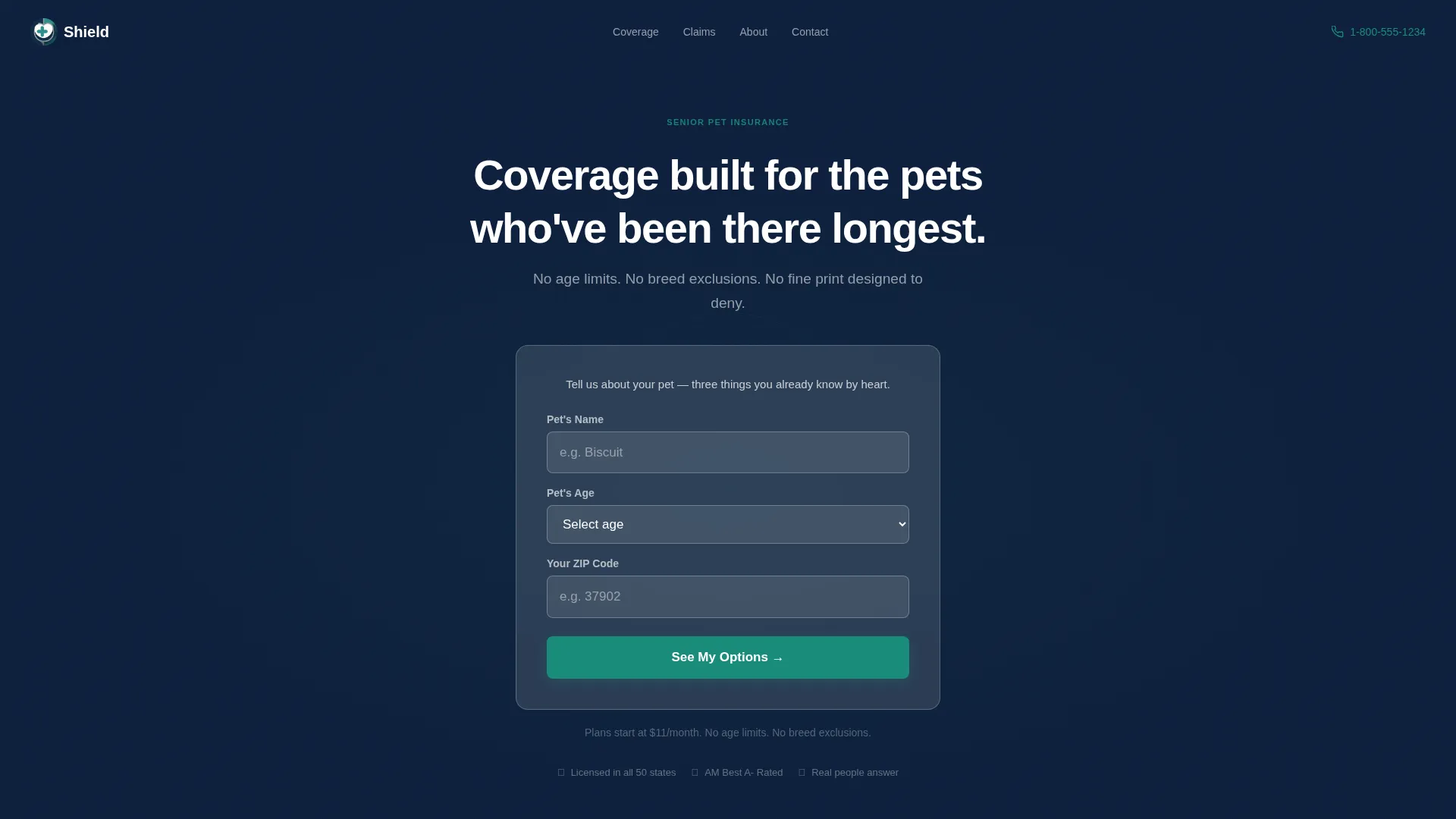
Shield is a single-column senior pet insurance landing page built for seniors and their adult children. It opens with a three-field quote form, then guides visitors through FAQ-driven scroll sections that answer real worries clearly and calmly. Deep navy, readable type, and a teal call to action create a warm, trustworthy feel from the first scroll to the final quote click.
by Rocket studio
Quick summary
Shield is a senior pet insurance landing page template designed for fixed-income seniors and the adult children who research on their behalf. A centered three-field form starts the quote journey instantly. FAQ-driven scroll blocks dissolve worry one honest question at a time, leading every visitor toward a full quote engine with zero friction.
Who this template is for
This template is built for senior pet insurance providers who serve an older, trust-first audience. It suits businesses whose clients range from tablet-using seniors to adult children doing research on a parent's behalf.
- Senior pet insurance providers targeting the 65 to 85 age group
- Insurance marketers whose audience includes adult children and estate planners
- Providers offering coverage for older pets with pre-existing conditions
What problem this template solves
Older pet owners face a specific kind of doubt when shopping for insurance online. Pages built for younger audiences feel rushed, jargon-heavy, and cold. Shield solves that by replacing urgency tactics with calm, plain-language answers.
- Removes the anxiety of confusing policy language through jargon-free FAQ blocks
- Eliminates friction at entry with a simple three-field form that needs no account creation
- Gives adult children a clear, shareable page they can confidently review with a parent
What you get with this template
You get a complete single-column landing page flow built around four FAQ scroll sections and a click-through path into a quote engine. Every section is purposeful and prompt-grounded.
- A hero section with a centered multi-step form card on a deep navy field
- Four FAQ blocks, each anchored by a real question a senior or adult caregiver would search for
- A trust section with named testimonials, stats, a pricing area, and a repeated phone number call to action
Feature list
This template includes the following built-in capabilities, all drawn directly from the project brief.
Three-Field Quote Entry Form
The header card collects only pet name, pet age, and owner zip code. No email, no account creation. A teal "See My Options" button carries those three answers forward into the full quote engine on click-through.
FAQ-Driven Scroll Sections
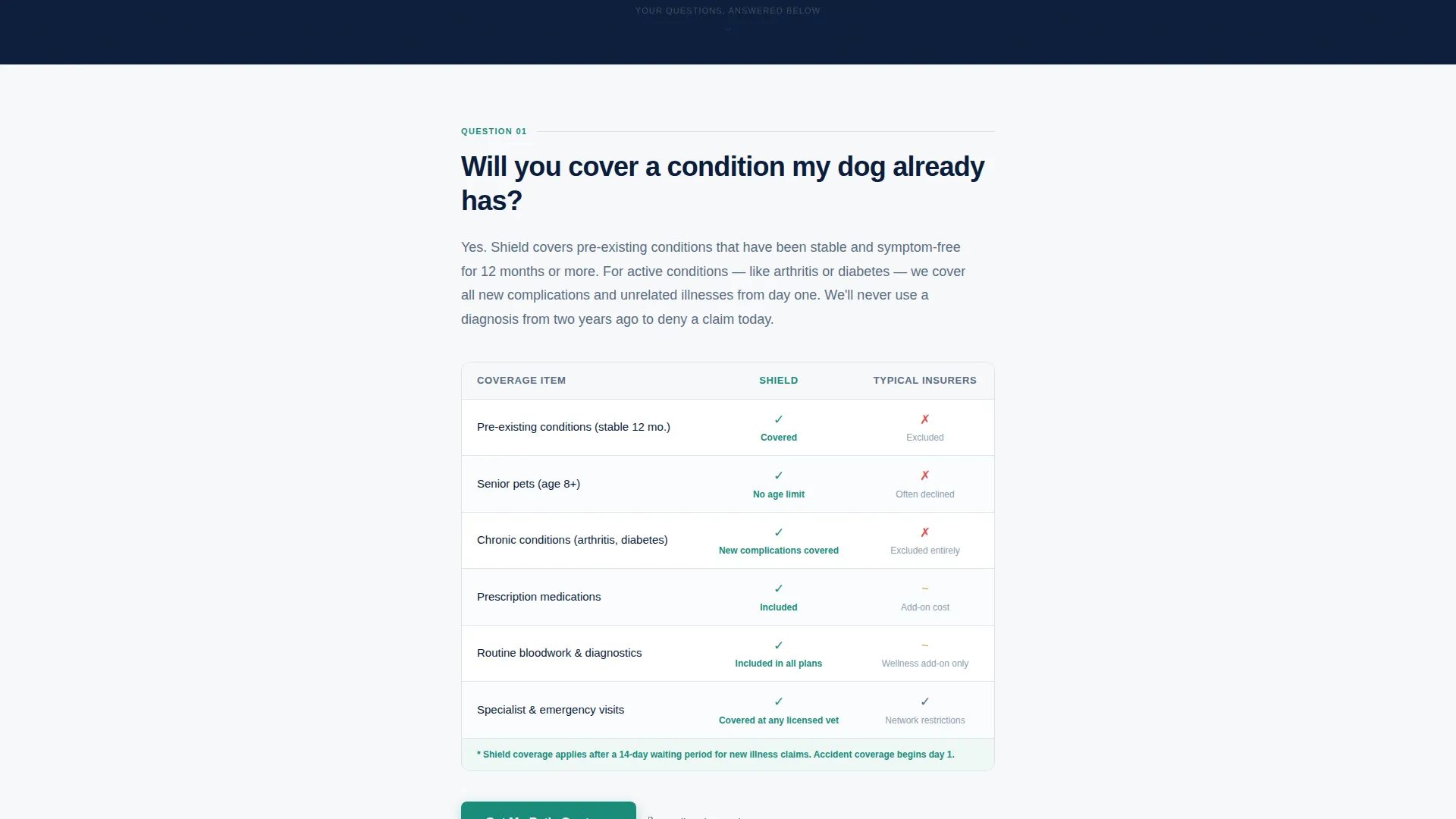
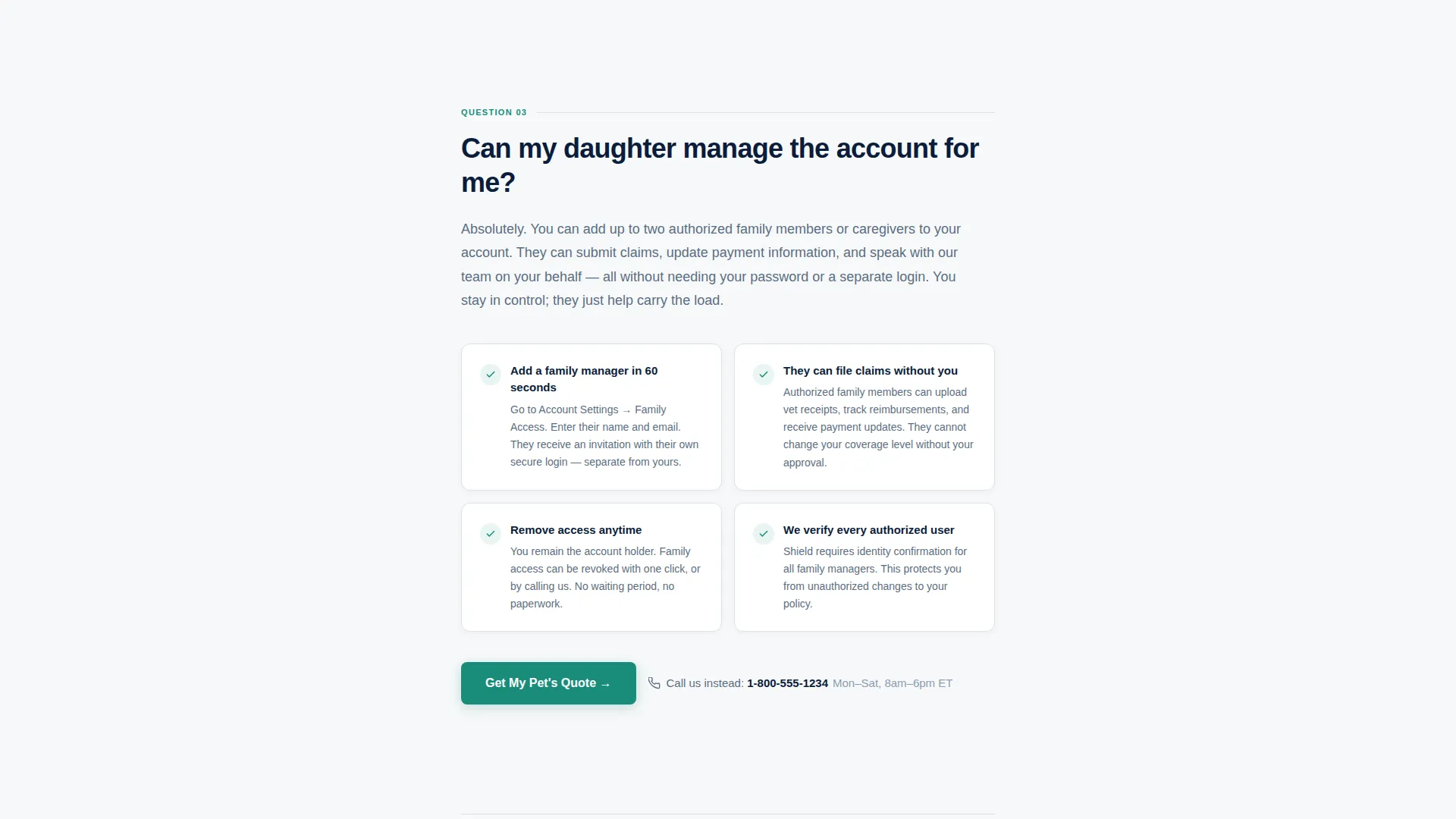
Four scroll sections each open with a large, high-contrast question in navy type. Each answer is four lines or fewer, written in plain language. Supporting details follow: a comparison table, a testimonial, feature cards, or a pricing display.
Repeated Click-Through Call to Action
A teal "Get My Pet's Quote" button appears after every third FAQ block. On mobile it stays pinned gently to the bottom of the viewport so the primary path is always within reach.
Secondary Phone Path
Below every call-to-action block, a steel-gray "Call Us Instead" line displays a real phone number and posted hours. This gives voice-preference visitors a direct alternative without leaving the page.
Named Social Proof Blocks
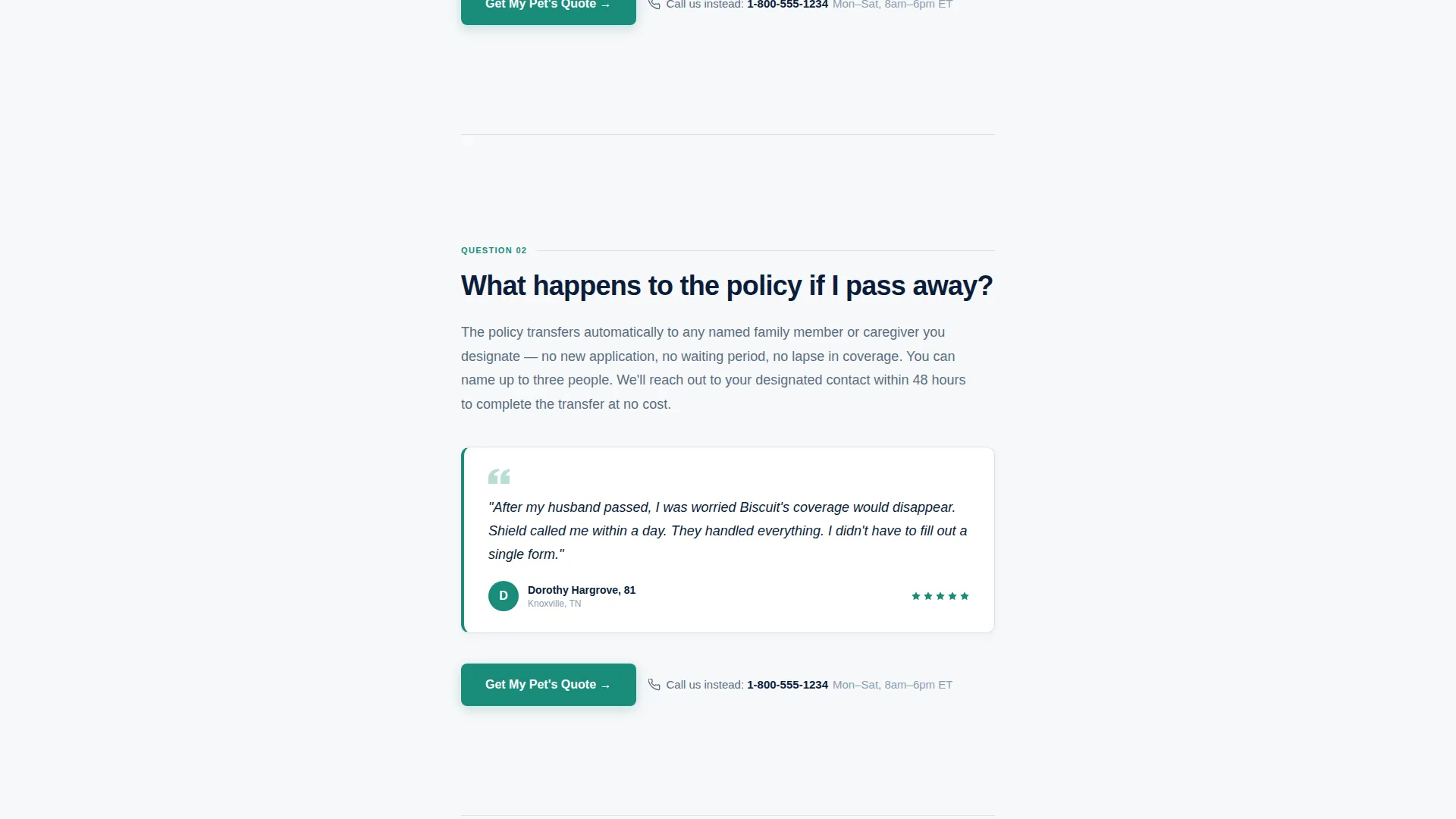
Testimonials from named individuals appear at two points in the scroll flow. A trust stats section reinforces credibility with concrete figures before the final call to action.
Plan Comparison and Pricing Cards
A comparison table sits inside the first FAQ block to address pre-existing condition coverage. Pricing cards appear in the fourth FAQ block to answer affordability questions for visitors on a fixed income.
Page sections overview
| Section | Purpose |
|---|---|
| Hero Form Card | Starts quote journey with three fields on a navy field |
| FAQ Block One | Addresses pre-existing condition coverage with a comparison table |
| FAQ Block Two | Answers policy continuity questions with a named testimonial |
| FAQ Block Three | Explains account sharing with feature cards |
| FAQ Block Four | Shows affordability with pricing cards and a call to action |
| Trust and Stats | Builds final confidence with stats and a second named testimonial |
| Footer Row | Closes with a linear single-row footer pattern |
Design & branding system
The visual identity follows a warm, authoritative aesthetic that feels like the inside cover of a hardbound policy document. Every color and type choice reinforces calm clarity for an older, trust-first audience.
- Deep command navy (#0B1D3A) anchors the header, footer, and all primary heading type
- Policy-paper white (#F7F8FA) fills the scrolling body for clean, high-contrast readability
- Trusted steel (#5A6E82) styles secondary text, divider rules, and the phone call alternative line
- Affirmation teal (#1A8C7B) appears on every clickable element, the quote button, and confirmation states
- DM Sans typography is set large throughout for comfortable reading on tablets and desktop screens
Mobile & speed optimization
The template is designed mobile-first, with seniors on tablets and adult children on phones treated as equal priority to desktop visitors. Layout and interactive choices reflect this directly.
- Single-column flow stacks cleanly on all screen sizes without layout shifts
- The teal quote button pins to the bottom of the mobile viewport so the call to action is always visible
- Server components handle all static content; client rendering is scoped only to the form and scroll animations
How this template helps you convert
Shield moves visitors from hesitation to quote-engine entry by dissolving worry rather than creating urgency. Every design and content decision supports that goal.
- The three-field header form removes the most common early drop-off point by asking only what a visitor already knows, and the click carries those answers forward with no re-entry required.
- Each FAQ block answers one real objection completely before the next call to action appears, so by the time a visitor sees "Get My Pet's Quote," the doubt that would have stopped them has already been addressed.
- The persistent phone number and hours beneath every call to action capture the visitors who will always prefer a voice, keeping conversion options open for every visitor type.
Other information about this template
Shield is built on the Dashboard Pro theme and uses the Navy Authority color system throughout. The template style is a single-column flow and the landing page direction is click-through, meaning the page educates and then passes the visitor into a separate quote engine rather than completing a transaction on the page itself.
- Template theme: Dashboard Pro with a Navy Authority color system
- Creative direction: FAQ-driven scroll with scroll-triggered fade and clip-in reveal animations
- Header concept: multi-step form with three gentle fields and a single teal call-to-action button
- Interaction features include FAQ toggle states, spotlight hover effects, and a sticky mobile call to action
- Category: Finance and Insurance, within the senior pet insurance niche
Theme
Dashboard Pro
Creative direction
FAQ-Driven
Color system
Navy Authority
Style
Single Column Flow
Direction
Click-Through
Page Sections
Three-field Quote Entry Form
Faq-driven Scroll Sections
Sticky Mobile Call to Action
Secondary Phone Contact Path
Named Social Proof Blocks
Plan Comparison and Pricing Cards
Related questions
What audience is this landing page template designed for?
Does the template include a form or just a button?
How many sections does this landing page include?
Can the page support providers who cover senior pets with pre-existing conditions?
Is this a click-through landing page or a checkout page?



