Stats-First Roofing Inspection Booking Landing Page
Shingle is a stats-first roofing inspection booking landing page template built for roofing contractors who need to earn trust fast and convert visitors into scheduled inspections. It leads with hard data, a persistent sidebar booking form, and a legal-editorial visual identity that makes every roofing inspection feel urgent, credible, and easy to act on.
by Rocket studio
Quick summary
Shingle is a sidebar companion landing page template designed for roofing contractors who win clients by showing evidence before making a pitch. The layout opens with a bold, data-driven headline on deep navy, stacks proof-first content sections as visitors scroll, and keeps a persistent booking form in the sidebar so the next roofing inspection is always one click away.
Who this template is for
This template is built for roofing businesses that serve suburban homeowners, commercial property managers, and real estate agents. If your crew climbs ladders and hands clients a roof inspection report the same day, this page was made for you.
- Residential roofing contractors handling storm damage, aging roofs, and full replacements
- Property managers overseeing commercial roofs across multiple units who need documented inspection reports
- Real estate agents and real estate professionals who need a certified roof report before closing
What problem this template solves
Most roofing landing pages lead with a smiling contractor photo and a vague headline. Visitors bounce before they ever trust the business. Shingle flips that structure. It leads with the numbers that matter, builds the case section by section, and puts the booking form exactly where the visitor is ready to use it.
- Water stains on interior ceilings often signal a repair delay that already cost thousands, yet most homeowners never book a roofing inspection until the damage is visible
- Roofing contractors lose leads because their pages bury credentials and never show proof of a completed roof inspection report or a detailed roof inspection checklist
- Property owners and real estate agents need a clear path forward from the first interaction, not a wall of service descriptions
What you get with this template
You get a fully structured, single-page layout that guides visitors from headline to booking without detours. Every section is built around a specific conversion job: establish authority, surface proof, list services, collect client details, and close. The sidebar companion stays visible throughout, holding all the details a visitor needs to commit.
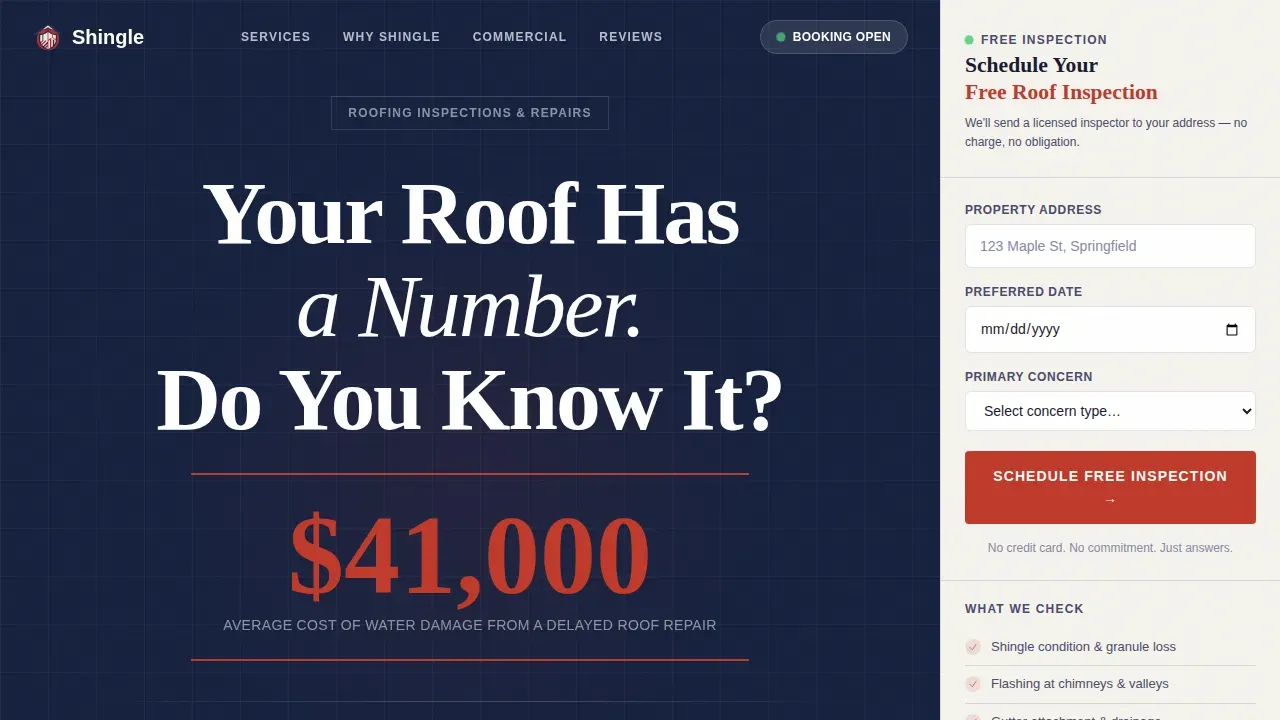
- A stats-first hero section with an oversized headline, a redline red data callout, and a licensed, bonded, insured trust rule
- A persistent sidebar with a three-field booking form covering address, preferred inspection date, and concern type dropdown
- Asymmetric bento service grid, a testimonial block, and a dedicated commercial call-to-action card for property managers
Feature list
This section describes the key features built into the Shingle landing page template, directly grounded in the source brief.
Stats-First Hero with Data Callout
The hero section opens with a giant centered headline on a deep navy background and a single oversized stat rendered in redline red. No stock photography. No filler. Just the weight of the number and the question doing the work. This approach makes every roofing inspection feel urgent from the first scroll position and signals to visitors that this roofing business backs every claim with evidence.
Persistent Sidebar Booking Form
The sidebar companion stays fixed as the visitor scrolls. It holds a compact roof inspection form with three fields: property address, a date picker limited to the next two weeks, and a dropdown for concern type covering storm damage, aging roof, buying or selling, and routine checkup. Keeping the booking form visible at all times removes friction and ensures the call to action is never more than a glance away.
Proof-First Content Sections
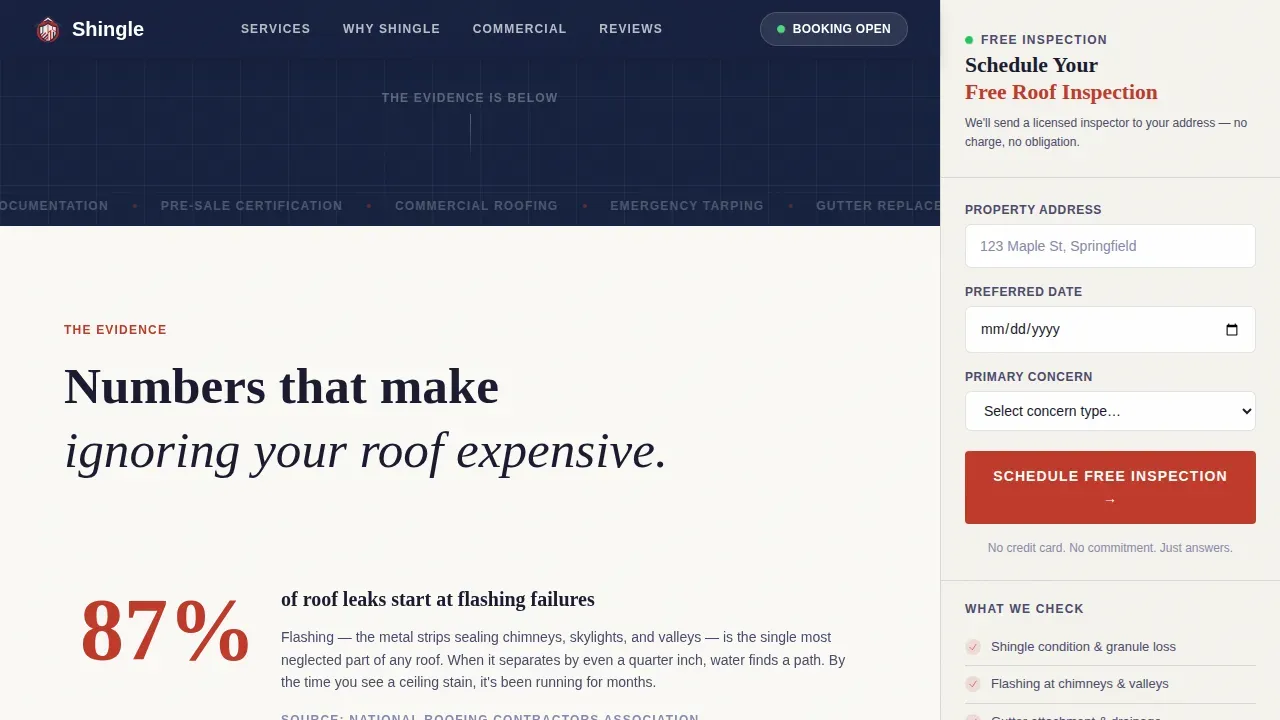
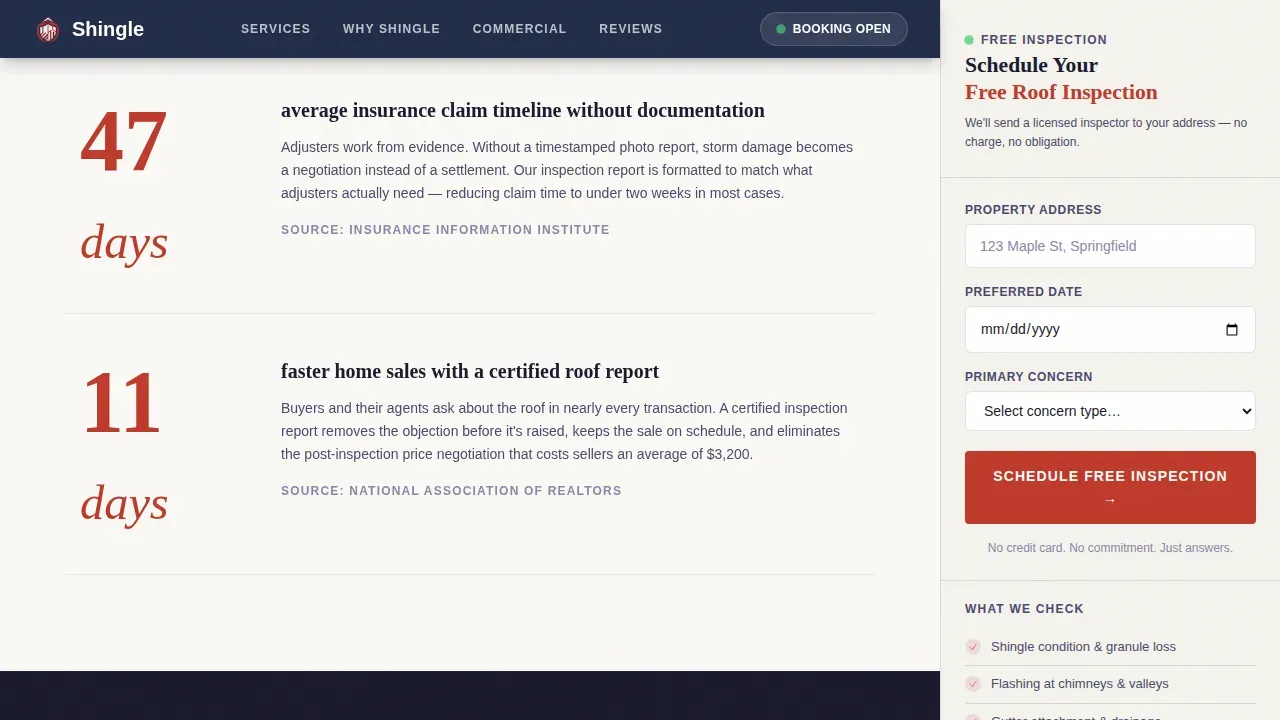
Each section opens with a data point before any explanation follows. Stats like flashing failure rates and the speed advantage of a certified roof report appear as section headlines, then a short paragraph contextualizes the finding. This approach builds the page like a legal brief: evidence first, argument second, verdict last. Visitors arrive at the booking form already convinced rather than still skeptical.
Asymmetric Bento Service Grid
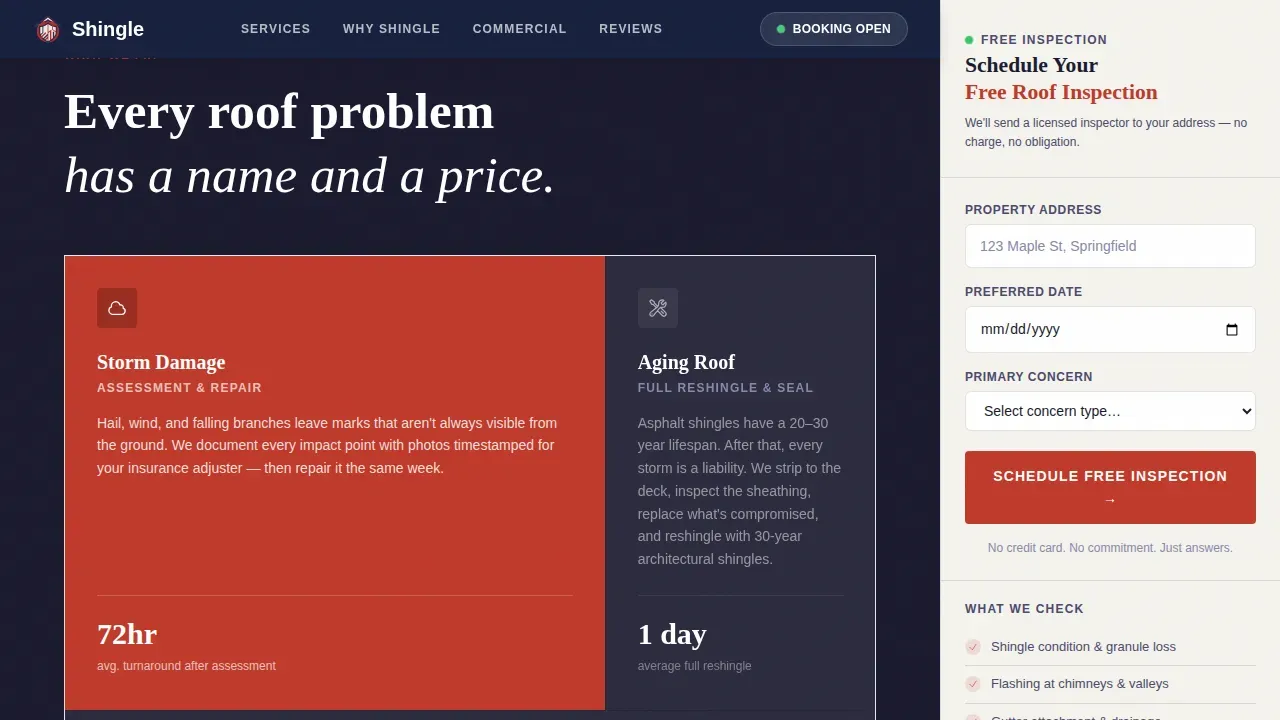
The services section uses an asymmetric bento grid layout to display four distinct service types: storm damage response, aging roof assessment, buy or sell roof certification, and commercial roofing. Each tile is scannable at a glance. Roofing contractors can swap copy per tile to reflect their specific service area without restructuring the layout.
Commercial Property Manager call to action Card
A dedicated dark card at the bottom of the page speaks directly to property managers handling commercial roofs across multiple units. The secondary call to action reads "Managing Multiple Properties? Call Direct." This gives commercial leads a direct conversion path that does not compete with the primary residential booking flow.
Trust and Credentials Block
A social proof section displays homeowner testimonials with specific outcomes alongside a credential and inspection checklist display. Roof inspectors can show their licensing status, bonding, and insurance in a dedicated visual strip. The inspection checklist component reinforces what a full roofing inspection covers, helping visitors understand the scope before they book.
Page sections overview
| Section | Purpose |
|---|---|
| Hero Headline | Opens with navy background, giant centered headline, and oversized red data stat |
| Trust Rule Strip | Displays licensed, bonded, insured below the headline as a horizontal rule |
| Stats Proof Cards | Three data-point cards front-loading flashing failure rates, insurance claim timelines, and certification value |
| Services Bento Grid | Asymmetric grid covering four service types for residential and commercial roof work |
| Testimonials Block | Homeowner testimonials with specific outcomes and credential badge display |
| Inspection Checklist | Running checklist of what a full roof inspection covers, shown inside sidebar |
| Commercial call to action Card | Dark card targeting property managers with a direct-call secondary conversion path |
| Persistent Sidebar | Fixed booking form with address, date picker, and concern type dropdown |
| Page Footer | Linear single-row footer with contact and credential summary |
Design & branding system
Shingle uses a Legal Shield visual identity built on the Ink and Paper color system. The palette reads like a freshly printed inspection report placed on a kitchen table: authoritative, no-nonsense, and impossible to scroll past without reading. Fraunces serif handles all display headings while DM Sans carries body copy, creating a clear editorial hierarchy.
- Deep contract black (#1A1A2E) as the primary text color, notarized navy (#16213E) for section backgrounds, and clean linen white (#FAF9F6) for alternating content areas and the persistent sidebar
- Redline markup red (#C0392B) reserved exclusively for urgent data callouts and call-to-action buttons, ensuring the eye lands on the most important number on every scroll position
- GSAP ScrollTrigger reveal animations, a float animation on the sidebar, and hover micro-interactions throughout for medium-level motion that adds depth without distraction
Mobile & speed optimization
The template is desktop-first by design because the sidebar companion layout requires horizontal space to display the booking form alongside the main content column. On smaller screens, the sidebar collapses into an inline section so the roof inspection form remains accessible without breaking the reading flow.
- Desktop-first layout with a mobile fallback that stacks the sidebar booking form inline after the hero section
- Static content sections built as server components for fast initial load, with the interactive sidebar booking form handled as a client component
- Lightweight three-field roof inspection form designed to minimize load time while keeping all the details needed to schedule a crew visit
How this template helps you convert
Shingle is engineered around a single conversion goal: turning a hesitant visitor into a booked roofing inspection. Every design decision, from the opening stat to the final footer line, serves that objective.
- The stats-first structure means visitors see hard proof before they see a service list. Over 22% of residential roof replacements in 2024 were caused by hail, wind, or storm damage. Leading with that fact earns attention that a generic headline never could. Visitors who read the data feel informed, not sold to.
- The persistent sidebar booking form keeps the call to action visible at every scroll depth. The roof inspection form requires only three fields: address, date, and concern type. Simple forms reduce hesitation and improve completion rates, which is why the design deliberately avoids adding unnecessary fields.
- The commercial call-to-action card at the page bottom gives property managers a direct conversion path. Rather than forcing commercial leads through a residential booking flow, the template surfaces a second option that matches their workflow and signals that this roofing business understands their needs.
Other information about this template
Shingle is the shingle stats first roofing inspection booking landing page template built specifically for roofing businesses that want to lead with proof. The template is suited to the full range of roofing work: residential asphalt shingle repairs, commercial roofs with metal panels, flat roofing systems, and multi-unit properties where property managers need completed checklists and documented inspection reports.
- The roof inspection report template structure built into the page mirrors what professional roof inspection reports require: client details, inspection date, roof age, roof type, roof surface condition, photo evidence, and a summary of necessary repairs. Roofing contractors can use this as a visual reference to show visitors exactly what a detailed report from their crew looks like.
- The inspection checklist template displayed in the sidebar covers critical points including structural components, drainage systems, proper ventilation, roofing materials condition, missing shingles, water stains, flashing integrity, and securely attached fixtures. This same report template format can be adapted for both residential and commercial building assessments.
- Digital workflow support means inspectors can replace paper forms and static pdf documents with a digital form that allows them to capture photos, record inspection data, and store completed checklists in the customer's file. Replacing a static pdf or pdf forms with a digital template improves quality control and makes digital sign offs easy to collect and archive.
- Inspection software referenced in the roofing industry often highlights offline capability as a key requirement for job site use. The design of this template supports a digital workflow where inspection reports and roof report summaries can be generated quickly, shared with a property owner or insurance provider, and stored as a professional record without relying on paper forms or a static pdf.
- For real estate transactions, the roof inspection report template supports real estate professionals and real estate agents who need a professional document that satisfies a national roof certification standard or satisfies lender requirements before closing. A clear roof report with maintenance history and photo evidence helps every party move forward with confidence.
- Roofing companies in the roofing industry increasingly rely on documented inspection reports and a standardized inspection checklist template to meet quality control requirements and satisfy inspection association guidelines. The template layout supports that professional standard from the very first interaction a potential client has with the roofing business.
- Construction workers and certified inspectors benefit from having a consistent inspection report template that covers all the details across every job site, ensuring that job details and client details are captured uniformly. Roofing contractors who use the same report template across every inspection build a professional record that protects both the business and the property owner.
Theme
Legal Shield
Creative direction
Stats-First Impact
Color system
Ink & Paper
Style
Sidebar Companion
Direction
Booking/Scheduling
Page Sections
Stats-first Hero Section
Persistent Sidebar Booking Form
Proof-first Scrolling Structure
Asymmetric Bento Service Grid
Commercial Property Manager Call to Action Card
Trust, Credentials, and Inspection Checklist Block
Related questions
Who is the Shingle landing page template best suited for?
What does the sidebar booking form include?
Can this template support both residential and commercial roofing?
Does the page include a roof inspection checklist for visitors to review?
Why does this template use statistics instead of a hero image?



