Residential Roof Repair Trust-Building Website Template
Shingle is a split-screen residential roofing landing page built for contractors who earn trust before asking for a call. It combines a stats-driven header, scrollable before-and-after project reveals, and a five-step roof assessment quiz to guide homeowners, property managers, and realtors from first concern to booked inspection, all inside a warm, fieldstone-inspired visual system.
by Rocket studio
Quick summary
Shingle is a single-page roofing template designed around one idea: give homeowners something useful before asking for their number. The split-screen layout, scrollable damage reveals, and interactive roof assessment quiz work together to build confidence and move visitors toward booking a free inspection.
Who this template is for
This template is built for residential roofing contractors who need more than a contact form. It serves businesses whose clients arrive anxious, skeptical, or mid-insurance claim and need to be educated before they commit.
- Roofing companies targeting homeowners after storm events or seasonal wear
- Property managers who handle maintenance decisions across multiple rental units
- Real estate professionals who need a roofing inspection letter before a closing date
What problem this template solves
Most roofing websites ask visitors to trust them before giving them any reason to. A homeowner staring at a ceiling stain after a Tuesday night downpour does not want a generic contact form. They want to know if their roof is actually in trouble and who can fix it quickly.
- Visitors have no easy way to self-diagnose their roof damage before reaching out
- Roofing contractors struggle to stand out when every competitor offers a "free quote"
- Property managers and realtors need fast, credible proof of quality work before acting
What you get with this template
This template delivers a complete, single-page roofing landing page with purpose-built sections that move visitors through education, evidence, and action. Every layout decision maps to a real moment in the customer decision journey.
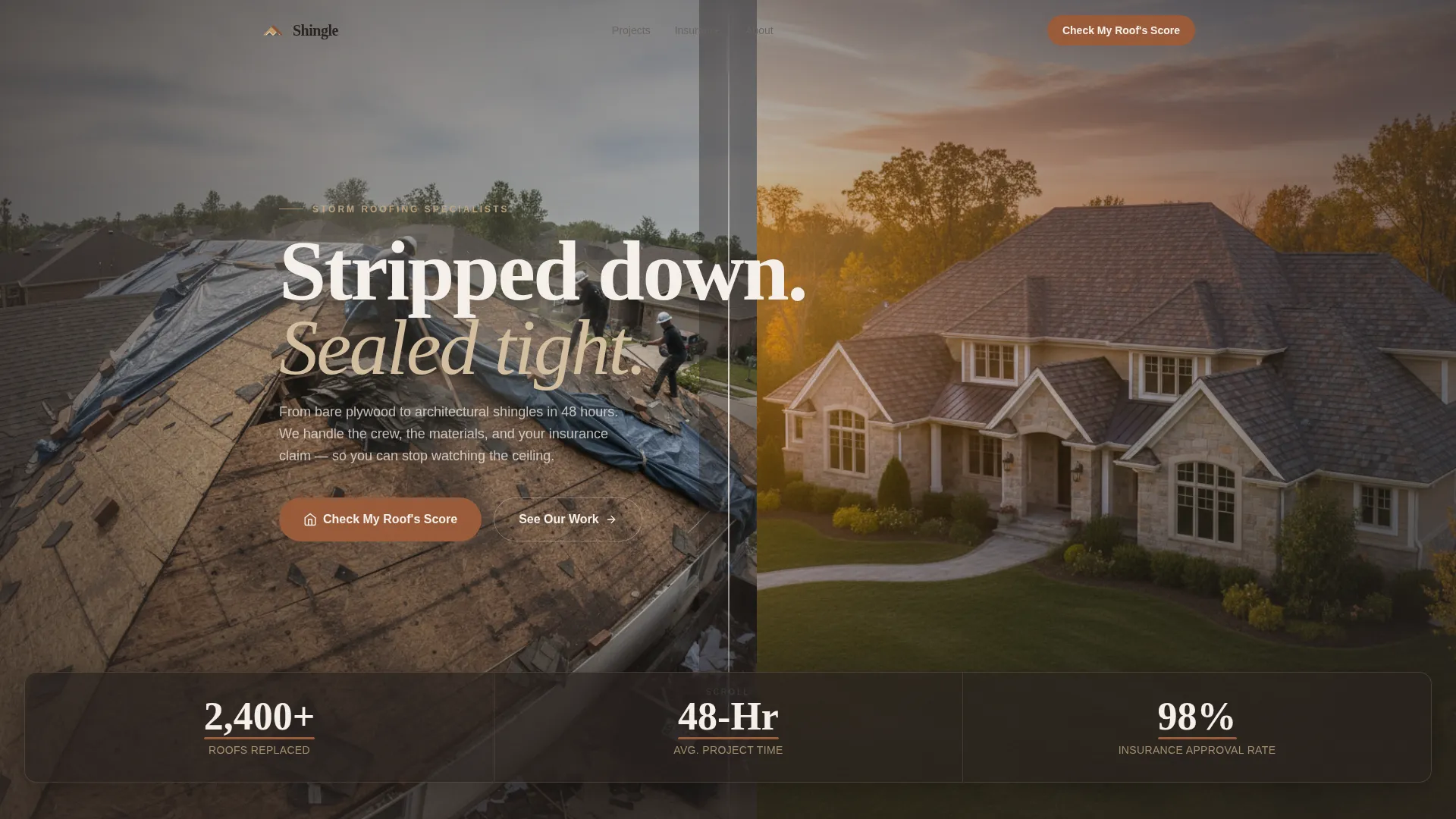
- A split-screen header with live counter animations showing completed roofs, project speed, and insurance claim approval rates
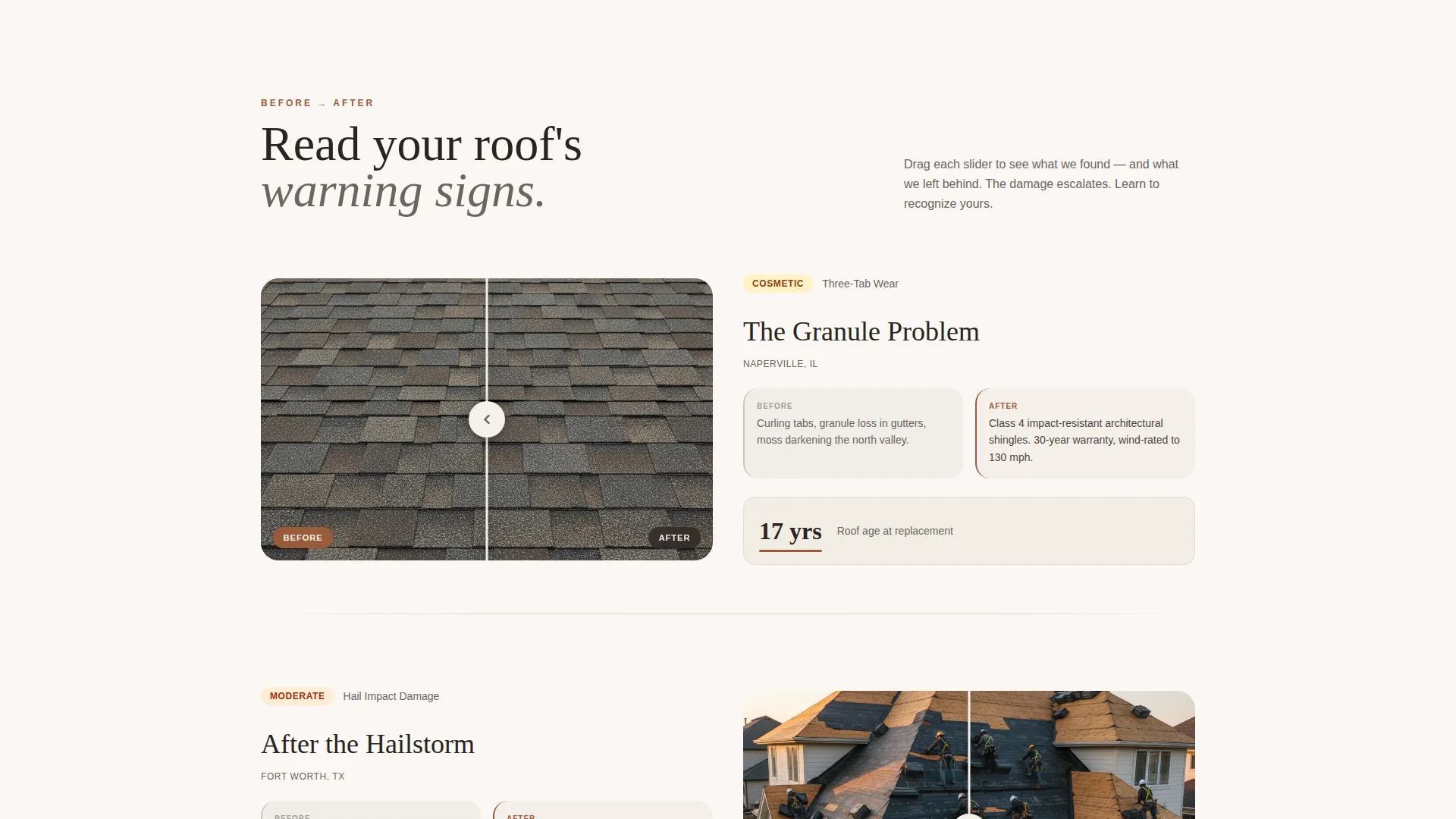
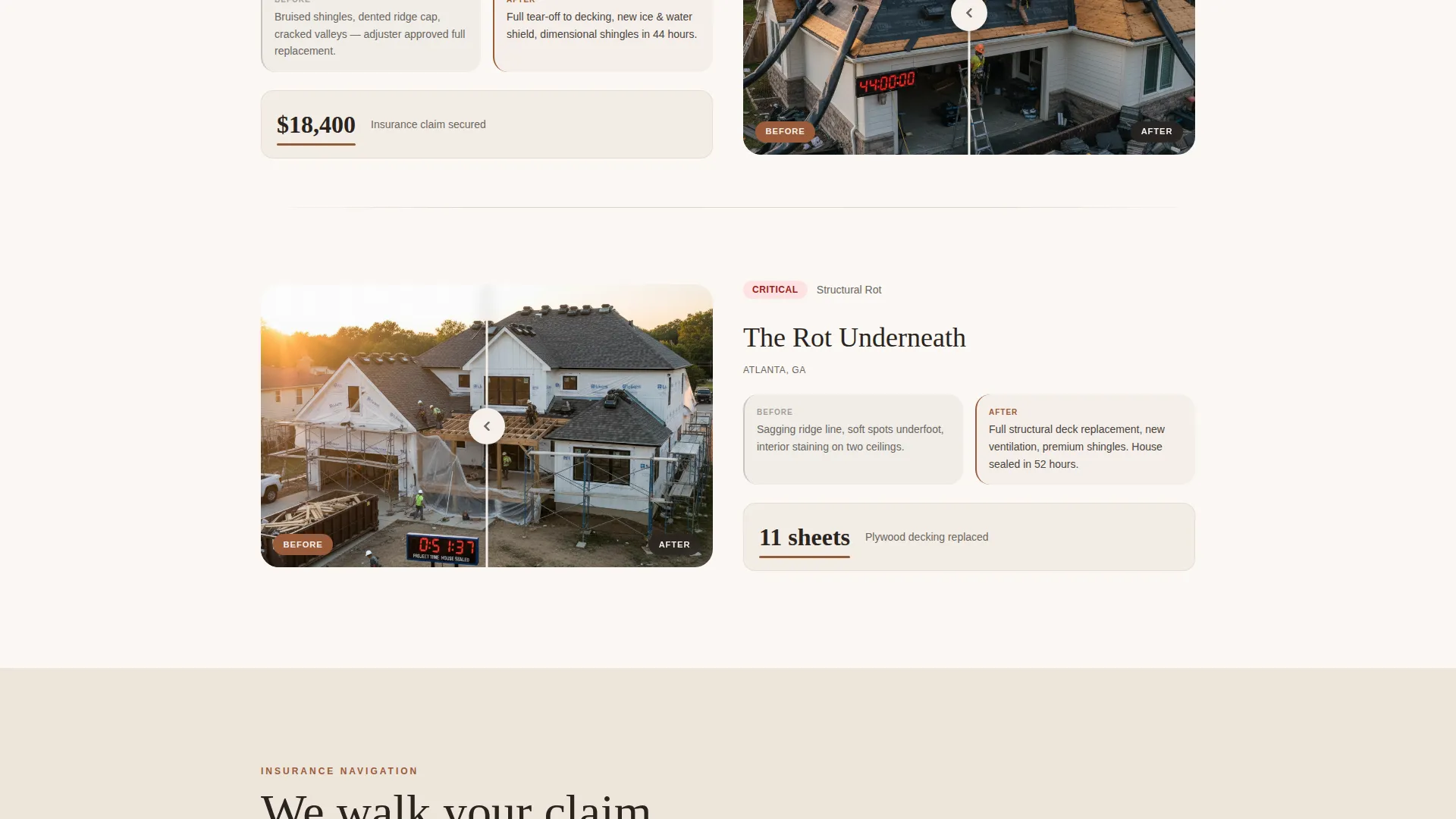
- A scrollable before-and-after slider sequence that escalates from cosmetic wear to structural damage, teaching visitors to read warning signs
- A five-step interactive quiz that delivers a personalized Roof Health Grade and closes with a free inspection scheduler
Feature list
This template packages several interactive and visual components that work together as a cohesive conversion flow. Each feature below reflects a specific design decision from the source brief.
Split-Screen Stats Header
The header divides the viewport equally. The left frame shows a drone shot of a mid-tear-off roof under tarp. The right frame reveals the same home finished with architectural shingles in golden-hour light. Three oversized counters overlay the center seam: "2,400+ Roofs Replaced," "48-Hour Average Project Time," and "98% Insurance Claim Approval Rate." Each figure is typeset in mortar gray with clay ridge cap underlines.
Scrollable Before-and-After Reveal
Each scroll section splits the viewport with a draggable slider. The left side shows the damage: curled three-tab shingles, moss-darkened valleys, lifted flashing. The right side shows the finished result: fresh underlayment lines visible beneath dimensional shingles. The sequence escalates across three projects, moving from cosmetic wear to storm damage to structural rot, so visitors learn to read their own roof's condition as they scroll.
Five-Step Roof Assessment Quiz
The primary call to action reads "Check My Roof's Score" and opens a guided five-step assessment. Steps cover roof age range, last inspection date, visible damage type via a photo-select grid, home square footage via a slider, and insurance provider via a dropdown. Results return a personalized Roof Health Grade from A through F, with a recommended action step and a final screen offering "Schedule My Free Inspection."
Inspection Booking Screen
The quiz closes with a clean booking form collecting name, address, and a preferred-day picker. This keeps the friction low. Visitors have already received a diagnostic result, so the request for contact information feels earned rather than premature.
Single-Stat Callout Pulses
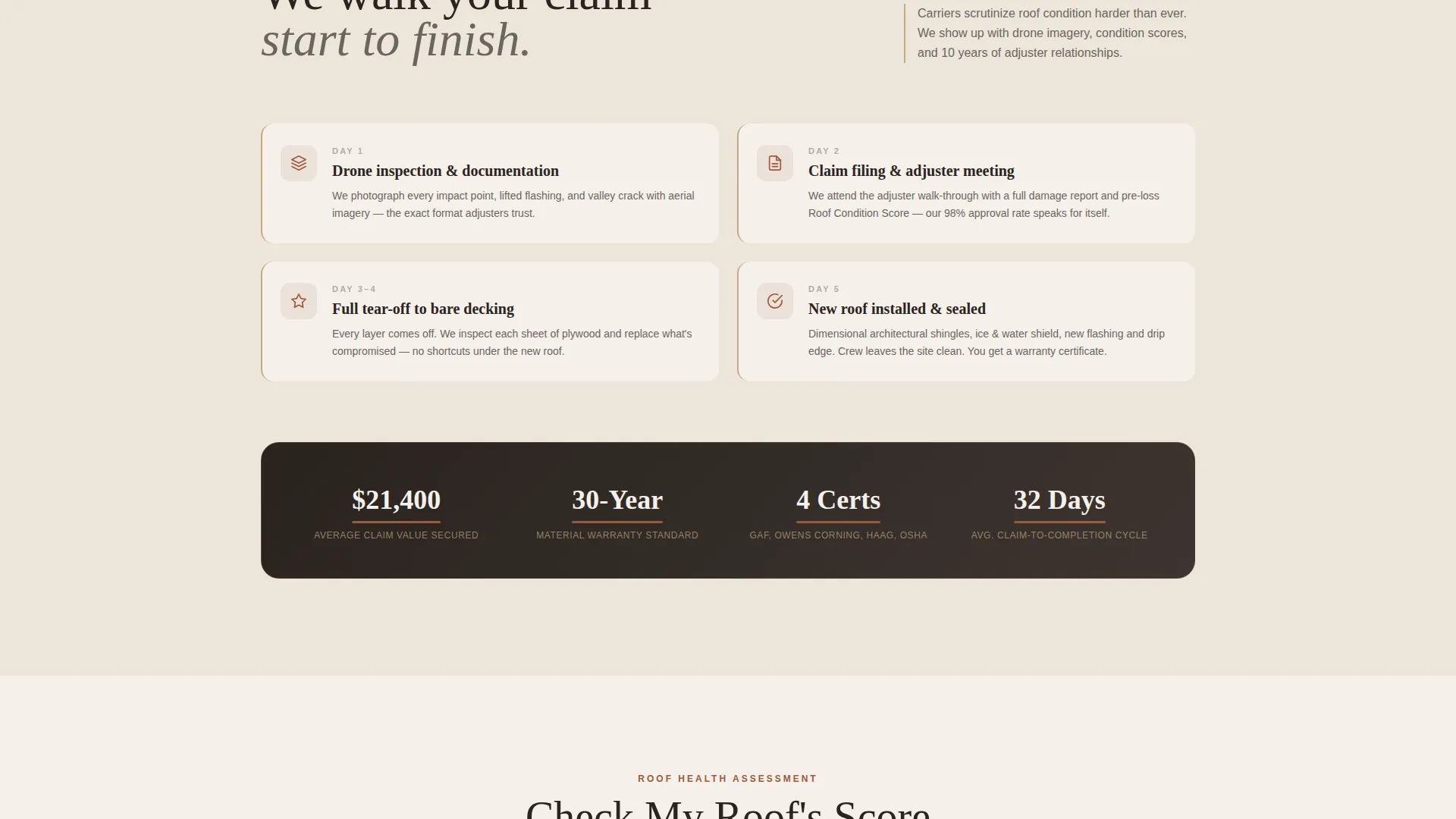
Between project reveals, individual data points appear as full-width callouts. These include figures such as average insurance claim value, years of material warranty, and crew certifications. Each callout compounds the credibility case built by the stats header, reinforcing trust at every scroll point.
Page sections overview
| Section | Purpose |
|---|---|
| Split-Screen Header | Display project metrics and drone-to-finished visual contrast |
| Stats Counter Wall | Anchor three key performance figures with animated counters |
| Before/After Reveal 1 | Show cosmetic wear damage versus completed repair |
| Single-Stat Callout | Reinforce credibility with one focused data point |
| Before/After Reveal 2 | Escalate to storm damage severity and completed result |
| Single-Stat Callout | Add warranty or certification figure between scroll sections |
| Before/After Reveal 3 | Present structural rot case as the most urgent scenario |
| Roof Quiz Entry | Introduce the "Check My Roof's Score" call to action |
| Five-Step Assessment | Guide visitors through roof age, damage type, and home details |
| Health Grade Results | Deliver personalized Roof Health Grade with action recommendation |
| Inspection Booking Form | Collect name, address, and preferred inspection day |
Design & branding system
The visual identity follows a Service Utility theme built on the Warm Stone color system. The palette is drawn from natural building materials: weathered sandstone, chimney mortar, clay ridge cap, and chalk white. Every color decision reinforces the feeling of honest, load-bearing craft rather than corporate gloss.
- Weathered sandstone (#C4A882) anchors section backgrounds with a grounded, natural warmth
- Mortar gray (#6B6560) carries all body text and counter figures for clean readability
- Clay ridge cap (#9B5B3A) fires on buttons, progress indicators, and counter underlines to draw the eye toward action
- Chalk white (#F5F0EB) opens breathing room between content blocks and prevents visual fatigue across longer scroll sessions
Mobile & speed optimization
The split-screen layout and draggable slider components are designed to translate cleanly across screen sizes. The photo-select grid in the quiz step and the square footage slider are both structured for touch interaction.
- The 50/50 split-screen reframes gracefully on smaller viewports so neither side loses critical visual context
- The five-step quiz uses step-by-step pacing, which keeps mobile users focused without overwhelming a single screen with too many inputs
- The preferred-day picker on the booking screen is structured for thumb-friendly selection on mobile devices
How this template helps you convert
This template is built around a principle that most roofing pages ignore: earn the click before you ask for the call. Every layout decision is sequenced to reduce doubt and increase readiness.
- The stats header establishes instant credibility with specific numbers before the visitor scrolls an inch, anchoring trust at first glance with figures like "2,400+ Roofs Replaced" and "98% Insurance Claim Approval Rate."
- The escalating before-and-after sequence keeps visitors engaged across multiple scroll sections while teaching them to recognize damage on their own roof, making the quiz feel like a natural and helpful next step.
- The quiz delivers a personal Roof Health Grade before asking for any contact information, so by the time the booking screen appears, the visitor already feels the conversation has started on their terms.
Other information about this template
This template is category-matched to Construction and Home, subcategory Roofing and Waterproofing, with a niche focus on residential roofing. It carries an intersection match score of 13, indicating strong alignment between its design direction and its intended service category.
- The creative direction is Before/After Reveal, meaning the visual storytelling engine is the scrollable damage-to-completion slider sequence
- The header concept is Stats/Metrics, so the first impression is always numerical proof rather than a brand statement
- The landing page direction is Quiz/Assessment, making the five-step roof evaluator the structural center of the conversion flow
- The template style is Split Screen at a 50/50 ratio, applied consistently from the header through the assessment entry section
- The theme classification is Service Utility, which prioritizes functional clarity and material honesty over decorative styling
Theme
Service Utility
Creative direction
Before/After Reveal
Color system
Warm Stone
Style
Split Screen (50/50)
Direction
Quiz/Assessment
Page Sections
Split-screen Stats Header
Scrollable Before-and-after Slider
Five-step Roof Assessment Quiz
Personalized Health Grade Results
Inspection Booking Form
Single-stat Callout Pulses
Related questions
Can I edit the quiz steps to match my own inspection process?
Does this template include the before-and-after slider as a built-in component?
Who is this landing page best suited for?
Can I use this template without the quiz as the main conversion tool?
Does the booking screen connect to a live scheduling tool?



