Roofer Marketing Appointment Booking Website Template
Shingle is a single-column roofing landing page built for Facebook ad traffic. It leads with a drone-shot hero, flows through a testimonial mosaic with real customer scenarios, and ends every scroll segment with a low-friction inspection booking form. The Ink and Paper color system keeps every element authoritative and instantly readable.
by Rocket studio
Quick summary
Shingle is a focused roofing landing page designed to turn Facebook ad clicks into booked free inspections. The page flows top to bottom through a drone-image hero, stacked homeowner testimonials, stat counters, and a three-field booking form. Safety-orange calls to action appear only where the eye must land, keeping the experience fast to read and easy to act on.
Who this template is for
This template is built for roofing contractors who run paid social campaigns and need every click to produce a scheduled inspection. It fits businesses that close jobs through proof and urgency rather than long feature lists.
- Residential roofers targeting homeowners after hailstorms or failed inspections
- Roofing companies serving property managers and real estate professionals
- Contractors running Facebook or paid social campaigns who need a dedicated conversion page
What problem this template solves
Most roofing websites ask visitors to browse a menu, read a company history, and then eventually find a contact form. That flow kills momentum for someone who just had a storm roll through their neighborhood. This template removes every detour.
- Visitors land on proof first, not a pitch, so trust builds before the ask
- The booking form asks only three questions, cutting the friction that kills lead forms
- A tap-to-call footer path captures the homeowner who is mid-panic and needs a number right now
What you get with this template
You get a complete single-column landing page laid out as a continuous scroll. Every section has a defined purpose, and nothing is included that does not directly move a visitor toward booking.
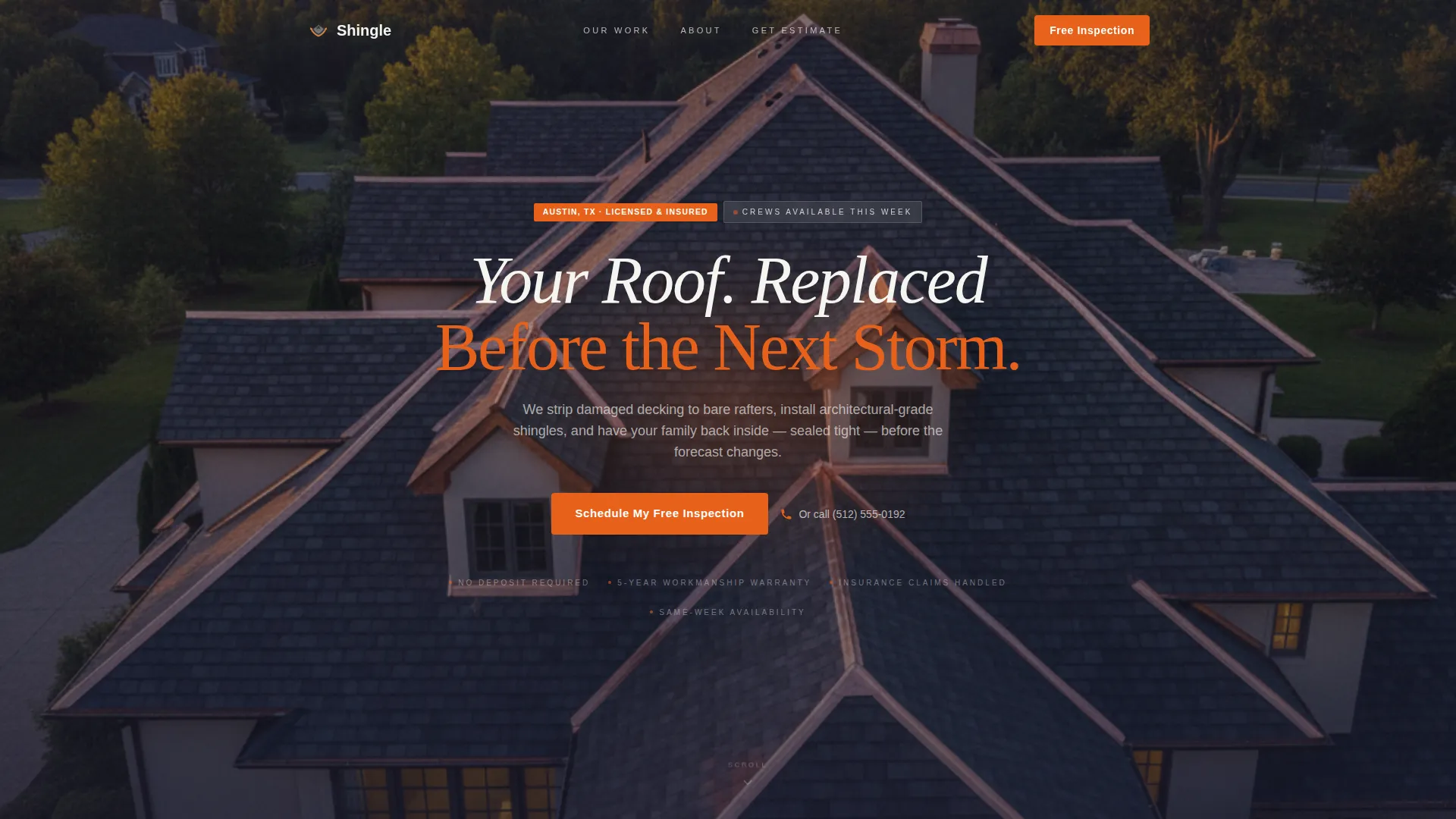
- A full-bleed drone-shot hero section with centered headline and inline call-to-action placement
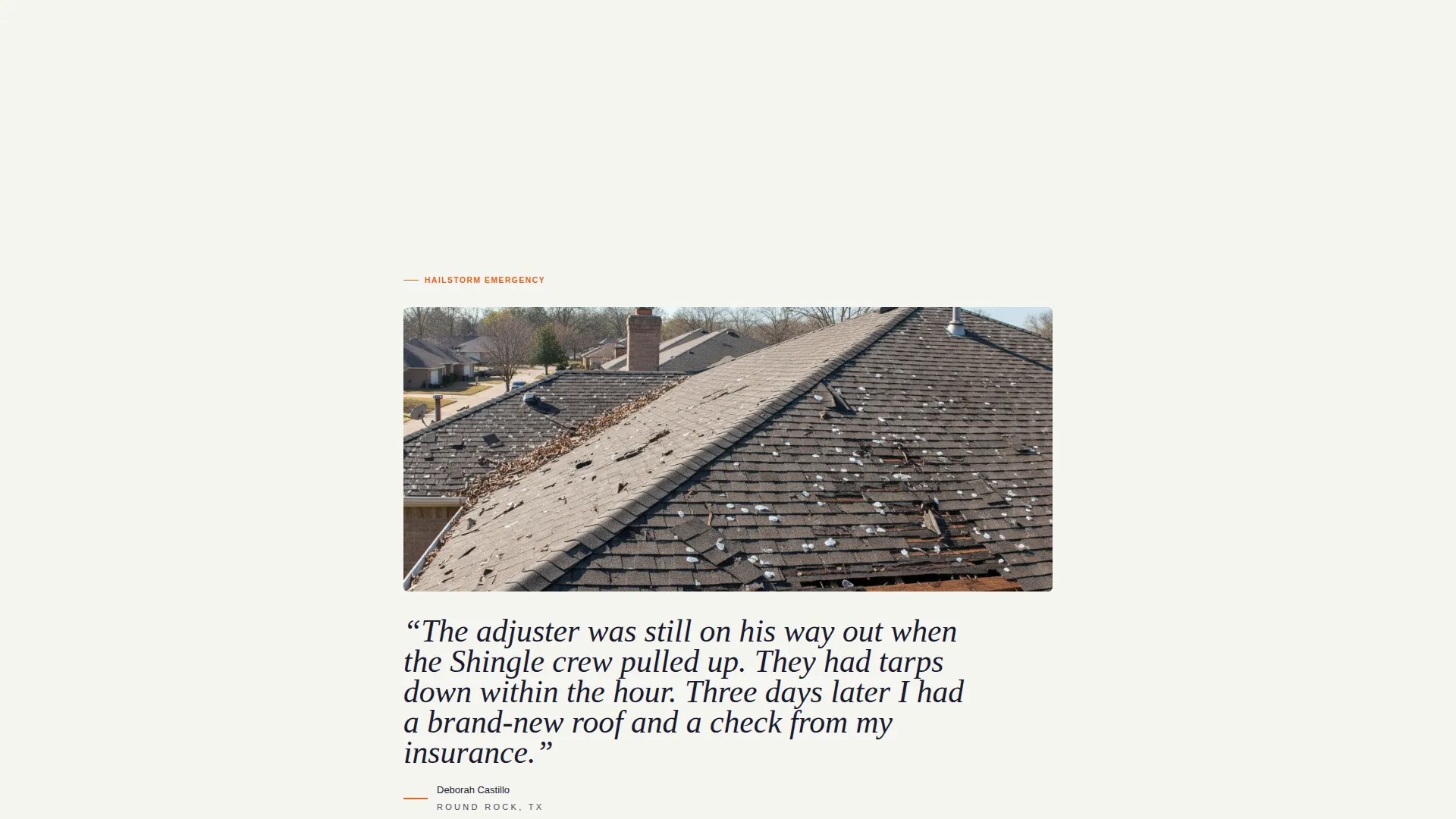
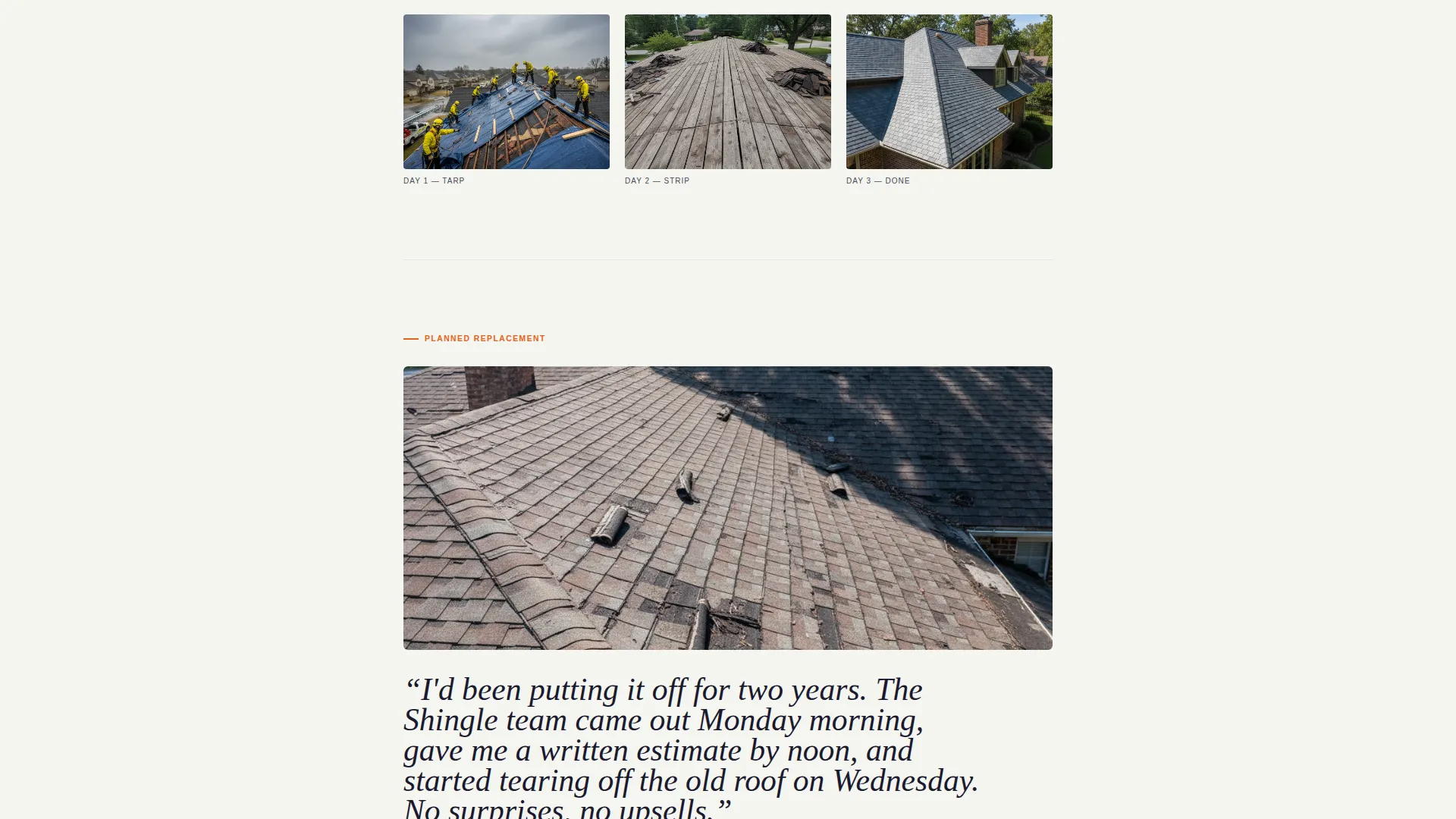
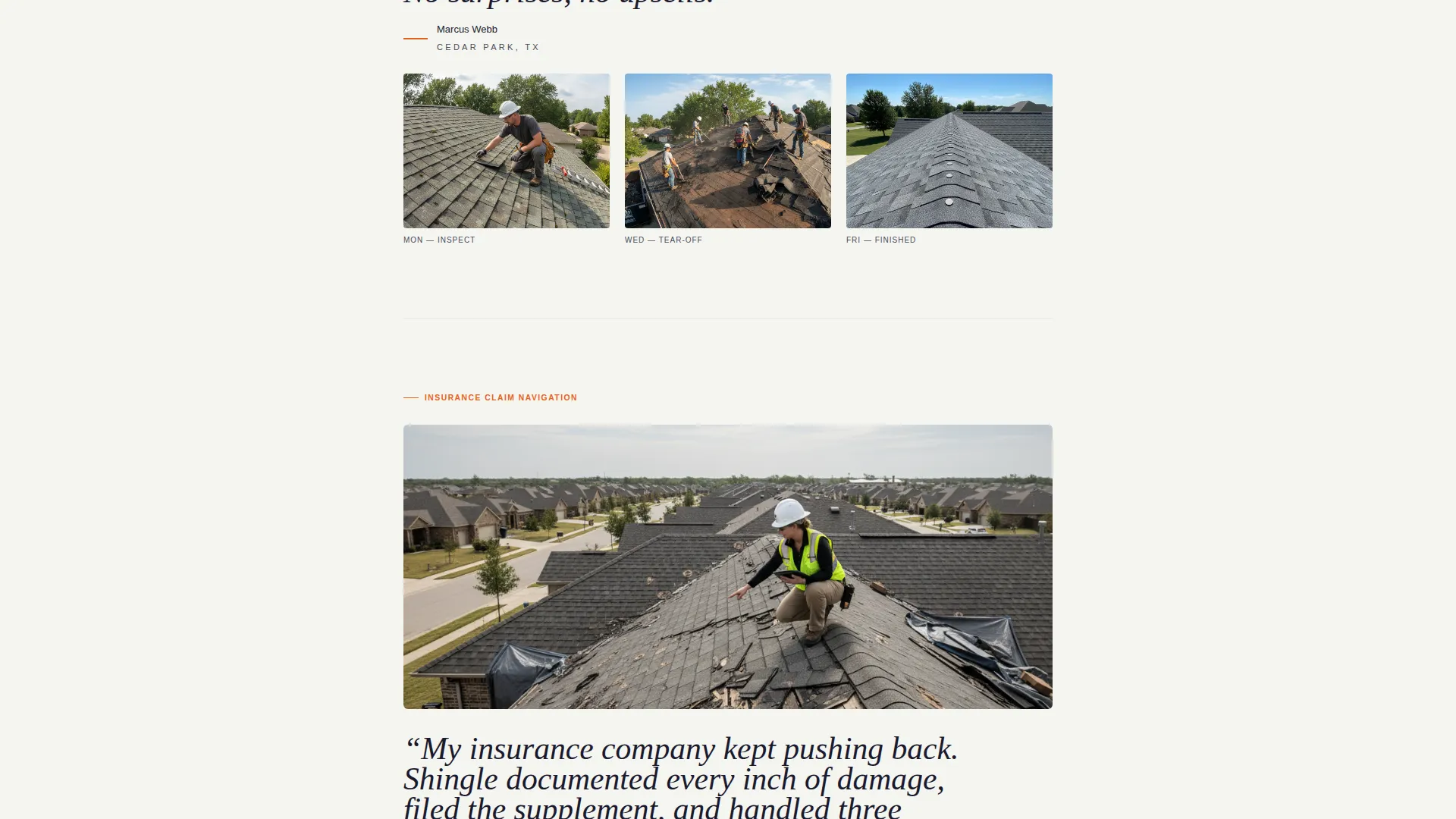
- A testimonial mosaic with scenario-specific customer stories, pull-quotes, and repair-timeline thumbnail grids
- A low-friction three-field inspection booking form and a sticky mobile call-to-action bar
Feature list
This template ships with purpose-built sections and visual components drawn directly from the brief. Each one earns its place in the page flow.
Drone-Shot Hero with Urgency Headline
The header uses a dark full-bleed aerial image of a completed roof at dusk. Charcoal shingles and copper flashing fill the frame. A radial light bloom behind the headline makes white text read cleanly against the image, and the copy sets operational urgency from the first second on the page.
Testimonial Mosaic Layout
After the hero, the page shifts immediately into homeowner stories. Each scroll segment pairs a damaged-roof photo with a large serif pull-quote and a thumbnail grid showing the repair timeline. Scenarios rotate across hailstorm emergencies, planned replacements, and insurance-claim jobs so every visitor finds their own situation within two swipes.
Cumulative Proof Stat Counters
Between testimonial clusters, single-stat counters display roofs completed, five-star reviews earned, and average days to finish a job. These counters build credibility without turning the page into a data slide. They feel earned because they appear after the homeowner stories, not before.
Three-Field Inspection Booking Form
The primary form asks for a street address, a preferred inspection window using a morning-or-afternoon toggle, and a phone number. A single reassurance line beneath the phone field reads "We call once to confirm. That's it." This keeps the ask specific and removes the fear of being spammed.
Sticky Mobile Call-to-Action Bar
On mobile, the "Schedule My Free Inspection" button appears as a persistent bar anchored to the bottom of the screen. Visitors never have to scroll back up to find the action. On desktop, the same call to action appears inline directly after the hero section.
Tap-to-Call Footer Path
The footer holds a secondary conversion path for homeowners who are not ready to fill out a form. A tap-to-call button sits next to the line "Leaking right now? Call us." This gives mid-panic visitors an immediate exit to a live person.
Page sections overview
| Section | Purpose |
|---|---|
| Full-Bleed Hero | Establish trust and urgency with a drone rooftop image and headline |
| Inline call to action Block | Place the primary inspection booking action immediately after the hero |
| Testimonial Mosaic | Build proof through scenario-matched homeowner stories and repair timelines |
| Stat Counter Strip | Reinforce credibility with completed roofs, reviews, and turnaround figures |
| Second Mosaic Cluster | Cover a second set of customer scenarios for broader visitor recognition |
| Booking Form Section | Capture leads with a three-field, low-friction inspection request form |
| Tap-to-Call Footer | Provide an immediate phone path for urgent or undecided visitors |
Design & branding system
The template uses an Ink and Paper color system built around four values. Deep contractor black dominates the header and footer. Clean estimate-white breathes through the body content. Graphite pencil gray carries secondary text and section dividers. Safety-orange appears only on calls to action, badges, and urgent callouts.
- Typography pairs a bold display weight for headlines with a readable body face; pull-quotes use a large serif style to anchor the testimonial mosaic
- The palette reads like a printed scope-of-work document: authoritative, high-contrast, and impossible to misread on any screen
- Visual hierarchy is controlled through color discipline, not decorative elements, so nothing competes with the orange calls to action
Mobile & speed optimization
The page is built as a single-column flow, which maps naturally onto a mobile screen without layout shifts or collapsed navigation. The sticky bottom bar keeps the primary call to action reachable at every scroll depth on a phone.
- The morning-or-afternoon toggle replaces a calendar widget, reducing load complexity and tap friction on small screens
- Section order on mobile mirrors the desktop flow exactly, so the testimonial proof appears before the form on every device
How this template helps you convert
This template is structured around one outcome: a homeowner schedules a free inspection before they leave the page. Every design and copy decision supports that path.
- The hero section opens with urgency-first copy and places the primary call to action at the top of the page, so motivated visitors can book without scrolling at all.
- The testimonial mosaic covers three distinct customer scenarios, which means a hailstorm victim, a property manager, and a pre-sale homeowner each find a story that mirrors their situation, building the trust needed to submit a form.
- The three-field form and the tap-to-call footer give two distinct conversion paths, capturing both the planner and the homeowner in active distress.
Other information about this template
This template was designed to serve the roofer marketing category within professional services. The intersection context aligns with lead generation, a service utility theme, and a single-column layout direction well suited to paid social traffic from Facebook campaigns.
- The template style draws on comparison-oriented layout logic, placing social proof side by side with urgency signals so visitors can weigh credibility quickly
- The creative direction follows an FAQ-aware structure, meaning the page anticipates common objections and addresses them through testimonial scenarios and the form reassurance line rather than a separate FAQ section
- The header concept is anchored by a premium jobsite image rather than award badge graphics, which fits the operational, crew-first brand voice throughout the page
- This template is suitable for roofing businesses that want a dedicated post-click experience separate from their main company website
Theme
Service Utility
Creative direction
FAQ-Driven
Color system
Ink & Paper
Style
Comparison Table
Direction
Lead Generation
Page Sections
Drone-shot Hero Section
Testimonial Mosaic with Repair Timelines
Cumulative Stat Counters
Low-friction Three-field Booking Form
Sticky Mobile Call-to-action Bar
Tap-to-call Footer Path
Related questions
Can I use this template if I run ads on Facebook?
How many fields does the inspection booking form include?
Does the template include a phone contact option for urgent visitors?
Can I update the testimonial sections with my own customer stories?
Is this template suitable for property managers and real estate professionals?



