Showroom - Cinematic Multibrand Landing Page Template
Showroom is a cinematic, single-page landing page built for multi-brand car dealerships. It combines a full-screen video header, a filterable vehicle gallery, and expandable spec-card detail panels to move serious buyers from browsing to reserving. Every section is designed around technical detail, dark-palette authority, and a clear path to booking a test drive.
by Rocket studio
Quick summary
Showroom is a gallery-and-detail landing page built for multi-brand dealerships. It opens with a slow cinematic tracking shot, drops visitors into a filterable vehicle grid, and expands each car into a full blueprint-style spec panel. The goal is simple: give every buyer the technical detail they need before they ever speak to a salesperson.
Who this template is for
This template is designed for dealerships that carry more than one brand and need a single, authoritative page to present them all. It works equally well for independent showrooms, certified pre-owned operators, and multi-franchise groups.
- Mid-career professionals comparing models across manufacturers before trading up
- Weekend enthusiasts who arrive knowing the trim package and just need confirmation
- Fleet managers evaluating warranty terms and total cost across several brands
What problem this template solves
Most dealership pages force buyers to click through ten separate brand microsites before they can compare anything. The result is drop-off, unanswered questions, and a sales call that repeats information the buyer already wanted in writing. This template solves that by front-loading every specification on one continuous page.
- Buyers leave before they get answers because the page buries specs behind inquiry forms
- Multi-brand showrooms struggle to present different manufacturers with consistent visual authority
- No clear path from browsing to booking means high intent gets lost at the last step
What you get with this template
You get a complete, single-page showroom experience with a structured flow from cinematic first impression to reservation form. Every component is purpose-built for automotive context and high-intent buyers.
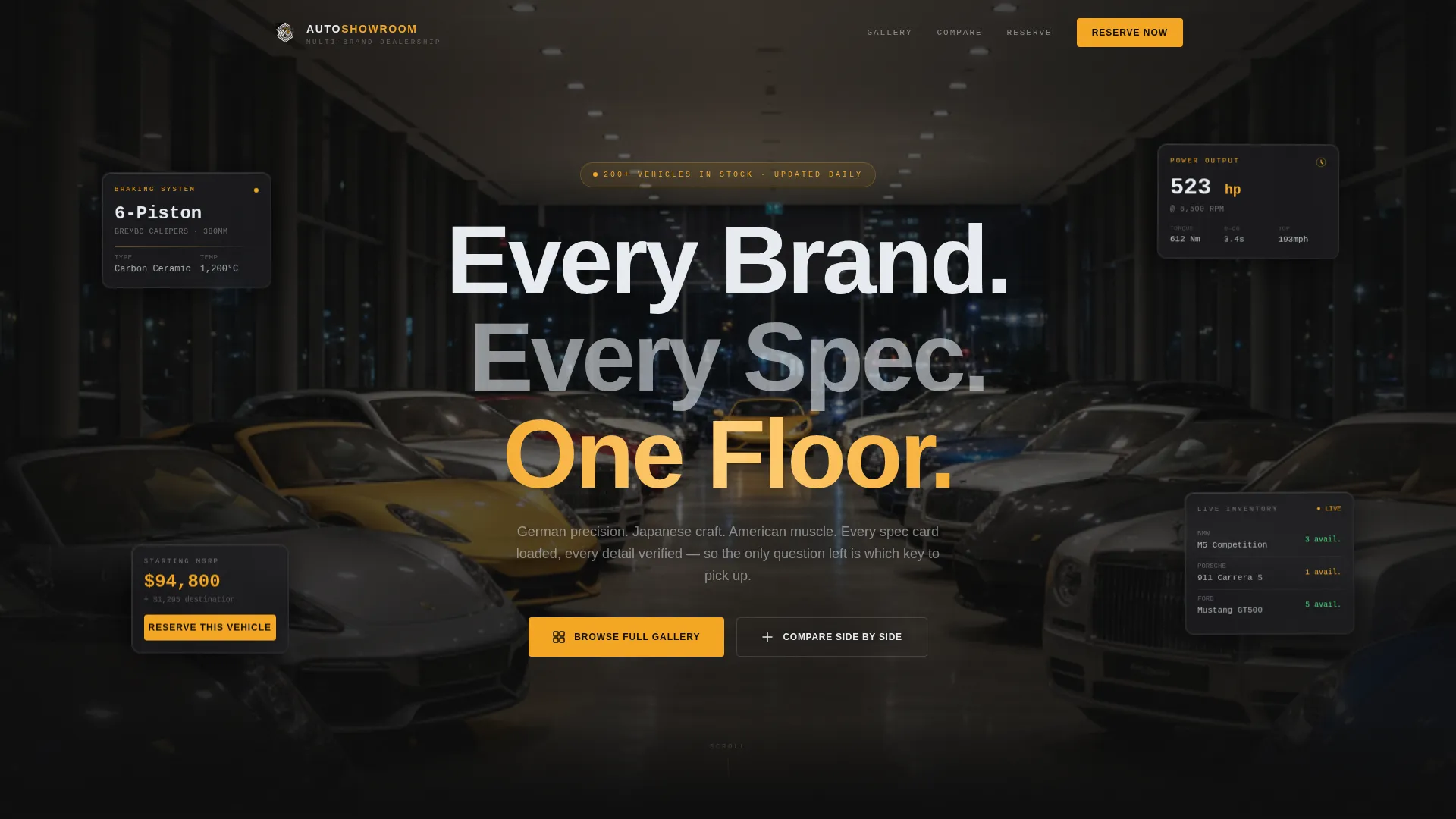
- A full-screen video header with a dealership name and tagline overlay
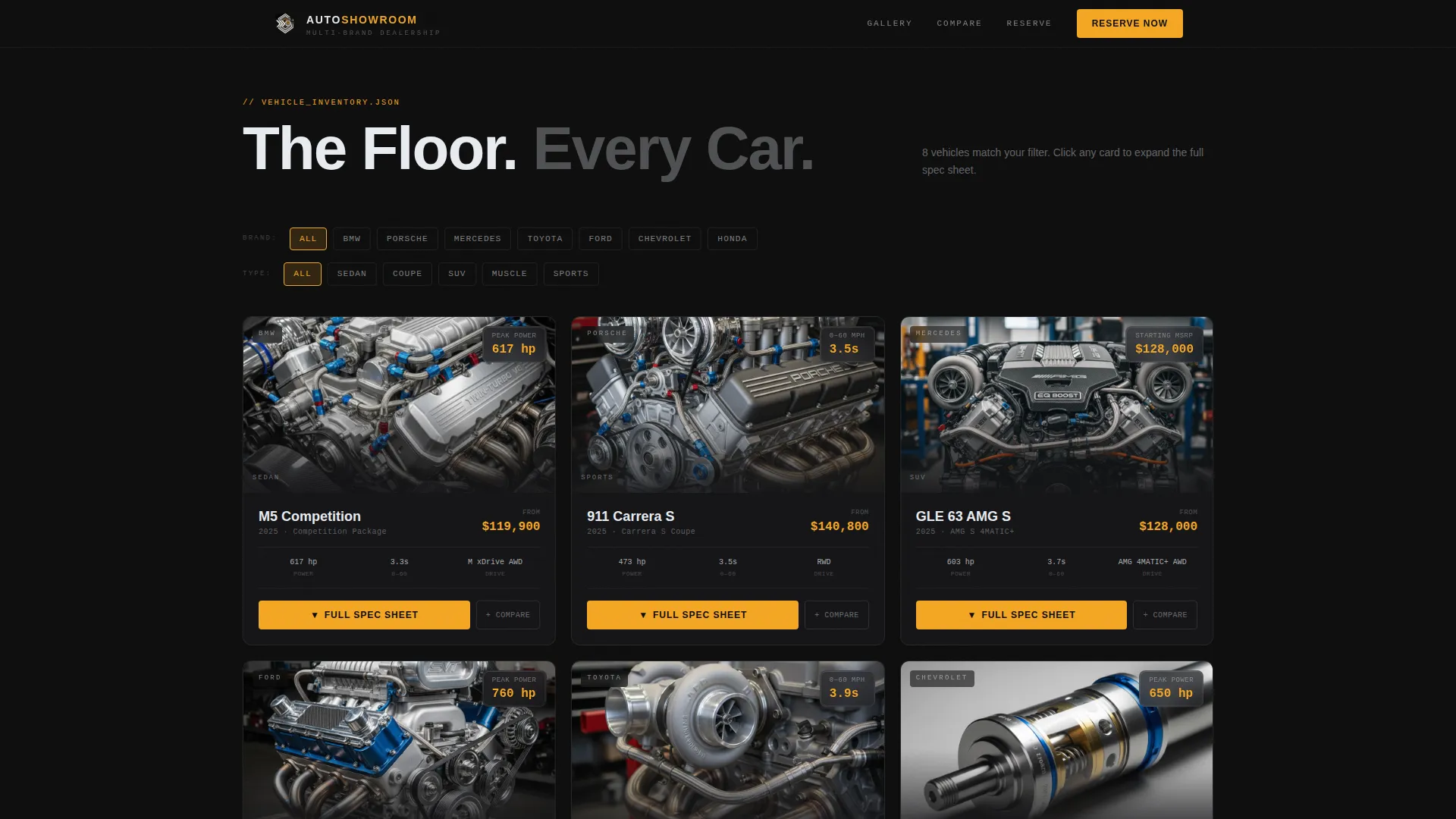
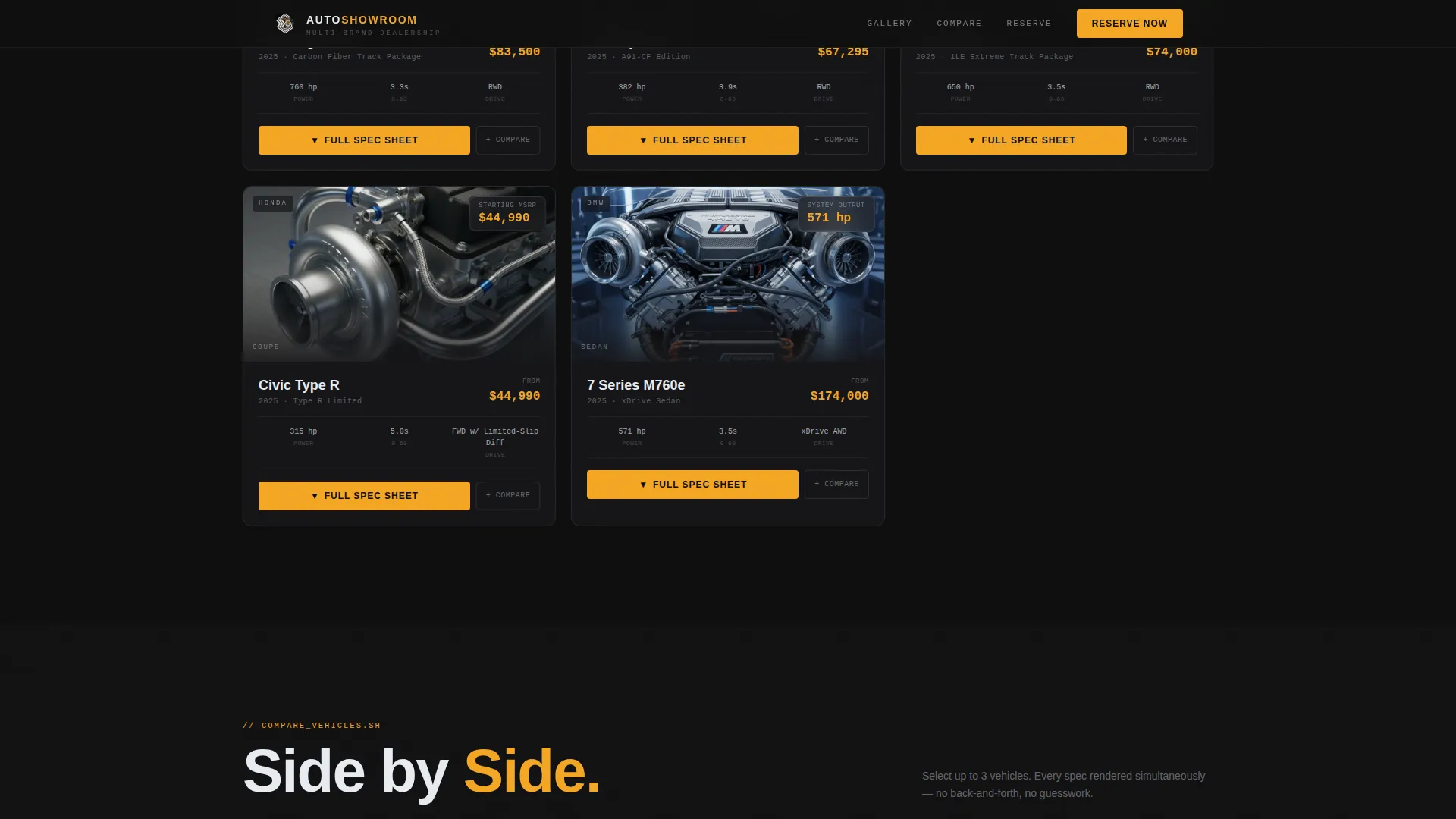
- A filterable vehicle gallery grid with studio photography and a single key stat per card
- Expandable blueprint-style detail panels with a pinned reservation form and a side-by-side comparison tool
Feature list
This template delivers six distinct functional layers, each designed around a specific moment in the buyer's decision process.
Full-Screen Cinematic Video Header
The header plays a slow tracking shot that opens on a brake caliper, pulls back along a fender line, and widens to reveal the full showroom floor. The dealership name and the line "Every Brand. Every Spec. One Floor." appear in thin, wide-tracked sans-serif at the widest frame. A barely audible engine-idle hum runs in the audio bed.
Filterable Vehicle Gallery Grid
The gallery presents each vehicle as a dark-background studio photograph with one key stat visible at a glance: horsepower, starting price, or zero-to-sixty time. Visitors can filter across brands, body styles, or other criteria without leaving the page. The grid keeps all options visible and comparable without any navigation away.
Expandable Blueprint Spec Panel
Clicking any vehicle card expands a full-width detail panel that unfolds like a technical drawing. The panel covers engine displacement, torque curve, drivetrain layout, interior material grade, and warranty length. Thin amber annotation lines connect each label to a ghosted side-profile illustration of the vehicle.
Pinned Reservation Form
Every expanded spec panel anchors a "Reserve This Vehicle" call-to-action button at its base. The form collects three fields: name, phone number, and preferred contact window (morning, afternoon, or evening). This keeps the conversion step one scroll away from the moment a buyer makes their decision.
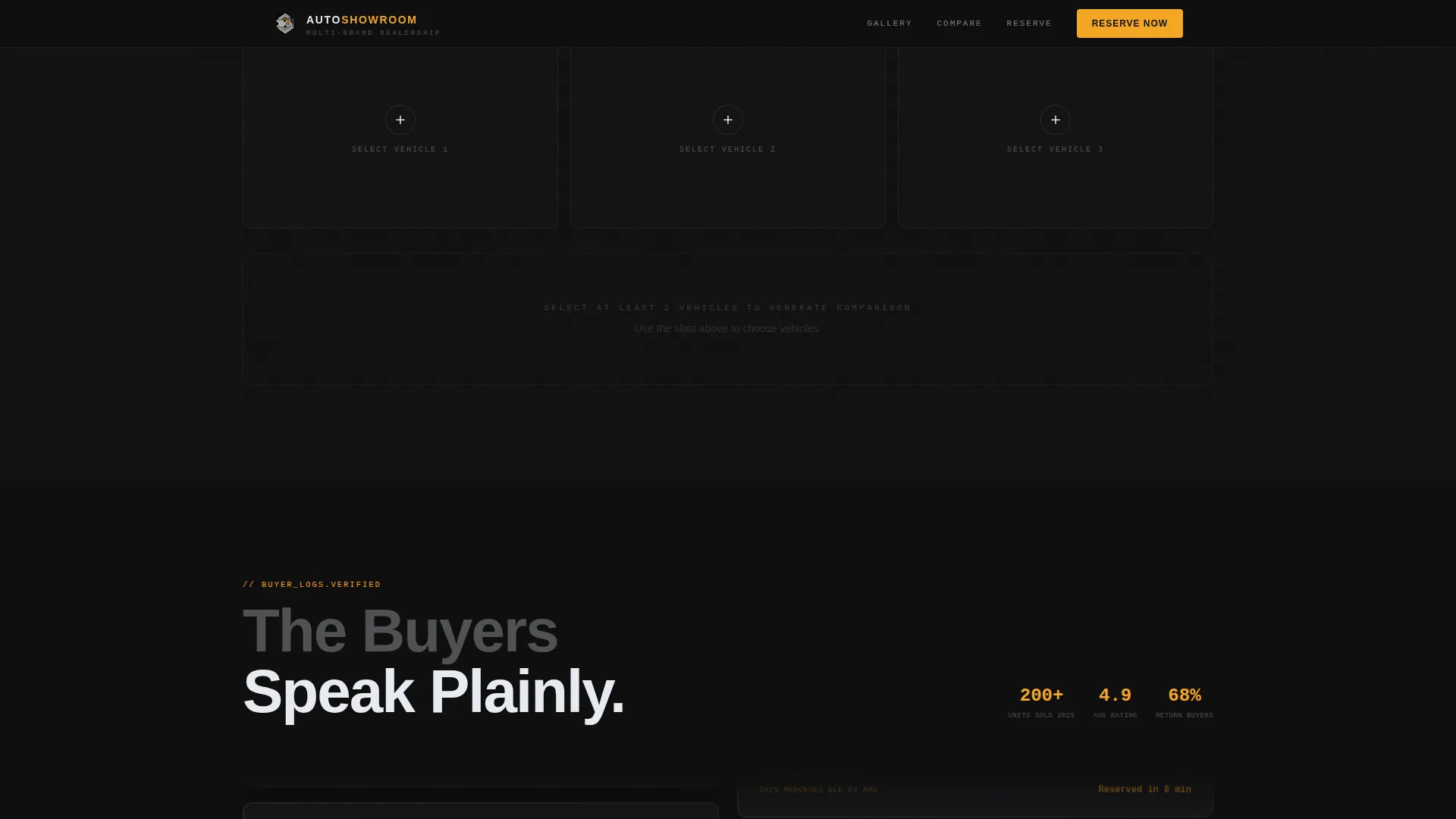
Side-by-Side Comparison Tool
Visitors can select up to three vehicles and generate a live spec comparison table. The table presents each vehicle's technical details in aligned columns for direct comparison. An amber "Schedule a Test Drive" button anchors the footer of the comparison table.
Blueprint Annotation Design System
The spec panels use a blueprint-style diagram layout with thin amber annotation lines connecting specification labels to vehicle illustrations. This engineering-drawing approach presents every detail with the same visual weight as a manufacturer's own documentation, reinforcing trust without requiring a single adjective unsupported by a number.
Page sections overview
| Section | Purpose |
|---|---|
| Video Hero Header | Cinematic brand entry and tagline reveal |
| Filterable Gallery Grid | Browse and filter all available vehicles |
| Expanded Spec Panel | Full technical detail per vehicle |
| Reservation Form | Capture buyer intent with three fields |
| Comparison Table | Side-by-side spec view for up to three vehicles |
| Test Drive call to action | Anchor action at comparison table footer |
Design & branding system
The visual identity follows an Engineering Blueprint theme expressed through a Cinematic Dark color palette. Every color decision reinforces the feeling of a flagship instrument cluster at midnight: dark enough for authority, warm enough in its accents to feel alive.
- Deep carbon fiber black (#0D0D0D) for the primary background, brushed titanium (#3A3D42) for card surfaces and dividers, and xenon headlamp white (#E8ECF1) for all body and heading typography
- Electric ignition amber (#F5A623) is reserved strictly for call-to-action buttons, price callouts, and hover states
- Typography uses thin, wide-tracked sans-serif at display sizes, reinforcing the engineering-drawing aesthetic throughout every panel
Mobile & speed optimization
The layout is built to translate the cinematic desktop experience into a clean, scrollable flow on smaller screens. Every interaction that works via hover on desktop is accessible via tap on mobile.
- The filterable gallery grid reflows into a single column with stat overlays preserved on each card
- Expanded spec panels stack vertically on mobile so annotation diagrams and form fields remain readable without horizontal scrolling
How this template helps you convert
The page is structured so that every buyer concern is resolved before they reach a call-to-action button. There is nothing left to ask a salesperson that the page has not already answered in writing.
- Front-loading technical specifications in blueprint-style panels eliminates the most common reason buyers delay: not having enough information to decide with confidence.
- Pinning the "Reserve This Vehicle" form to the base of every expanded spec card means the conversion step appears at the exact moment the buyer has finished reading the spec they came to find.
- The side-by-side comparison table with a "Schedule a Test Drive" anchor resolves the final comparison stage, so buyers who were still weighing options have one clear next step waiting for them.
Other information about this template
This template is categorized under Automotive and Transport, specifically within the Car Dealership and Multi-Brand Dealership niche. It is suited for any showroom that needs a single authoritative page to present vehicles from multiple manufacturers.
- The template style is Gallery and Detail, meaning each vehicle has both a browsable card and a deep-dive spec panel on the same page
- The creative direction is Spec Sheet, which means every section escalates from exterior to powertrain to interior to ownership cost, following the logic of an engineering specification document
- The header concept is a Full-Screen Video Background, and the landing-page direction is Direct Sales, designed to move high-intent buyers toward a reservation or test-drive booking
Theme
Engineering Blueprint
Creative direction
Spec Sheet
Color system
Cinematic Dark
Style
Gallery + Detail
Direction
Direct Sales
Page Sections
Cinematic Full-screen Video Header
Filterable Vehicle Gallery Grid
Expandable Blueprint Spec Panel
Pinned Vehicle Reservation Form
Side-by-side Comparison Table
Related questions
Can this template show vehicles from multiple car brands on the same page?
Does the template include a way for visitors to compare vehicles?
What information does the reservation form collect?
Who is this landing page best suited for?
Is the video header required, or can it be swapped out?



