Fashion E-Commerce Specialist Pricing Website Template
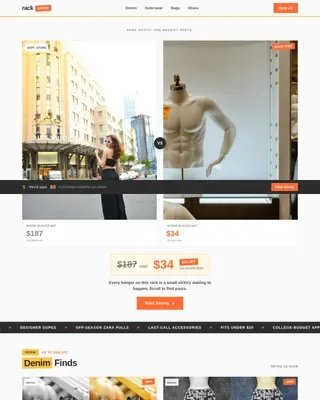
Showroom is a curated wholesale landing page built for fashion buyers who need to move fast. It opens with a price-anchored hero grid, then guides visitors through an interactive discovery flow, including a personalized style quiz, a Blind Rack carousel, a live buyer activity ticker, and a Margin Calculator widget, all styled in a sharp editorial palette that makes every scroll feel worth taking.
by Rocket studio
Quick summary
Showroom is a single-page wholesale fashion template designed to turn late-night browsing into committed buying decisions. It leads with wholesale-to-retail price comparisons, then layers in interactive discovery tools that reward every scroll. The layout speaks directly to boutique buyers, chain merchandisers, and first-time shop owners who need to source inventory quickly and confidently.
Who this template is for
This template is built for anyone operating in the fashion wholesale and business-to-business (B2B) sourcing space. It suits sellers and platform operators who want buyers to engage deeply before placing an order.
- Independent boutique buyers sourcing seasonal inventory without a buying agent
- Regional chain merchandisers comparing minimums across multiple vendor lines
- First-time shop owners who need to stock a full range of stock-keeping units (SKUs) before launch day
What problem this template solves
Wholesale sourcing pages typically feel cold and utilitarian. Buyers arrive, see a flat catalog, and leave without a clear reason to commit. Showroom solves the engagement and trust gap that sits between browsing and buying.
- It removes the chaos of vendor overload by routing buyers through a personalized five-step quiz
- It makes the margin story visible immediately, so buyers understand the opportunity before they scroll
- It replaces passive catalog browsing with interactive discovery moments that build desire and urgency
What you get with this template
You get a fully structured single-page layout that combines gallery browsing with focused product desire moments. Every section is designed to either show more or sell harder, and the two modes alternate deliberately throughout the scroll.
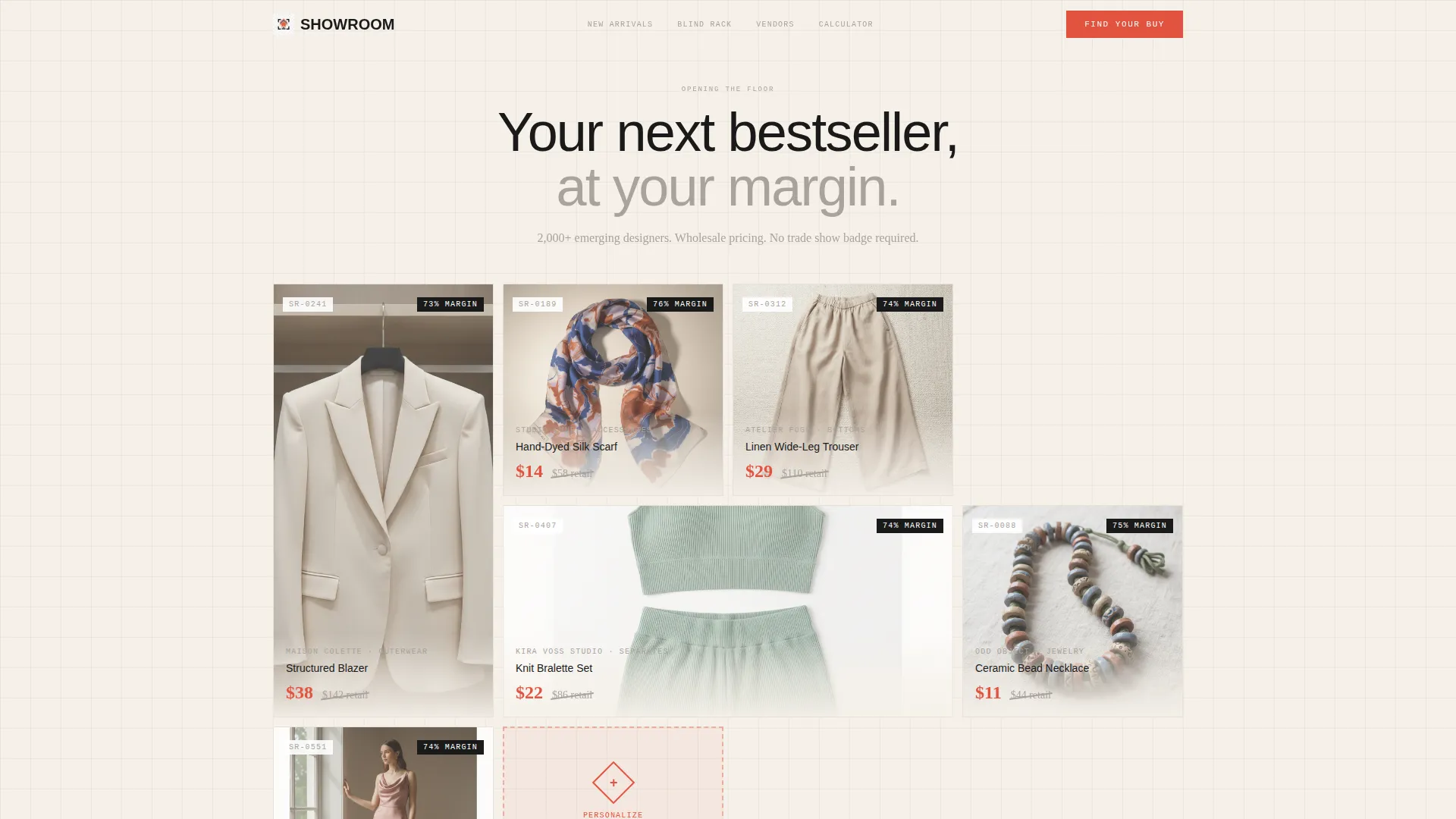
- A price-anchored hero grid with wholesale and suggested retail price callouts side by side
- A Blind Rack carousel, a Margin Calculator widget, and a live buyer activity ticker built into the page flow
- A five-step "Find Your Buy" quiz that rebuilds the page into a personalized wholesale showroom on completion
Feature list
This template ships with a set of purpose-built interactive components. Each one addresses a specific friction point in the wholesale buying journey.
Price-Anchored Hero Grid
Six hero garments open the page at wholesale cost, with suggested retail prices shown beside each one. Prices appear in tailor's-chalk vermillion, making the margin story impossible to miss on first load.
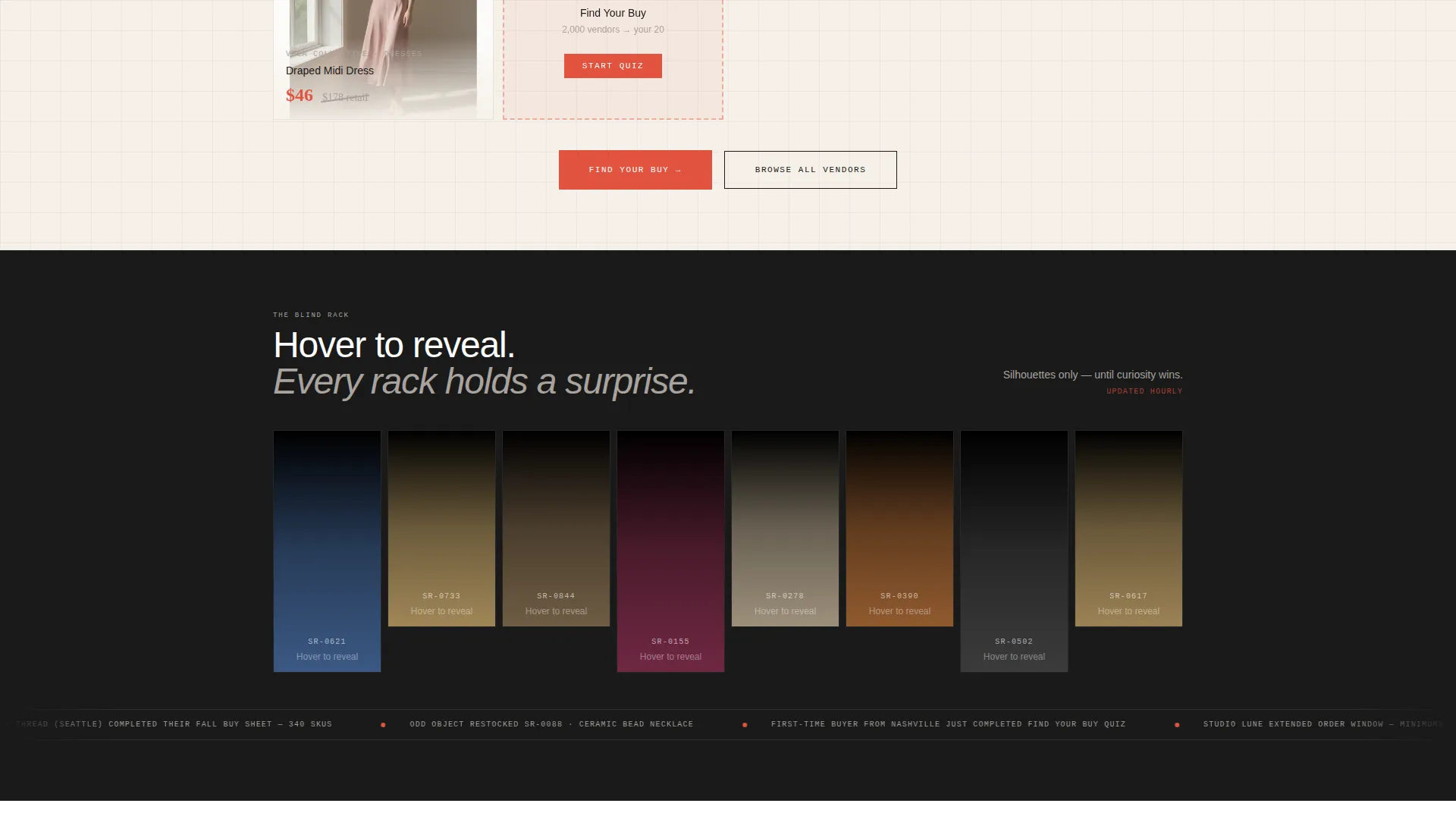
Blind Rack Discovery Carousel
Garments appear as silhouettes and reveal themselves on hover. This interaction teases the discovery instinct and trains buyers to keep engaging with the page rather than scanning and leaving.
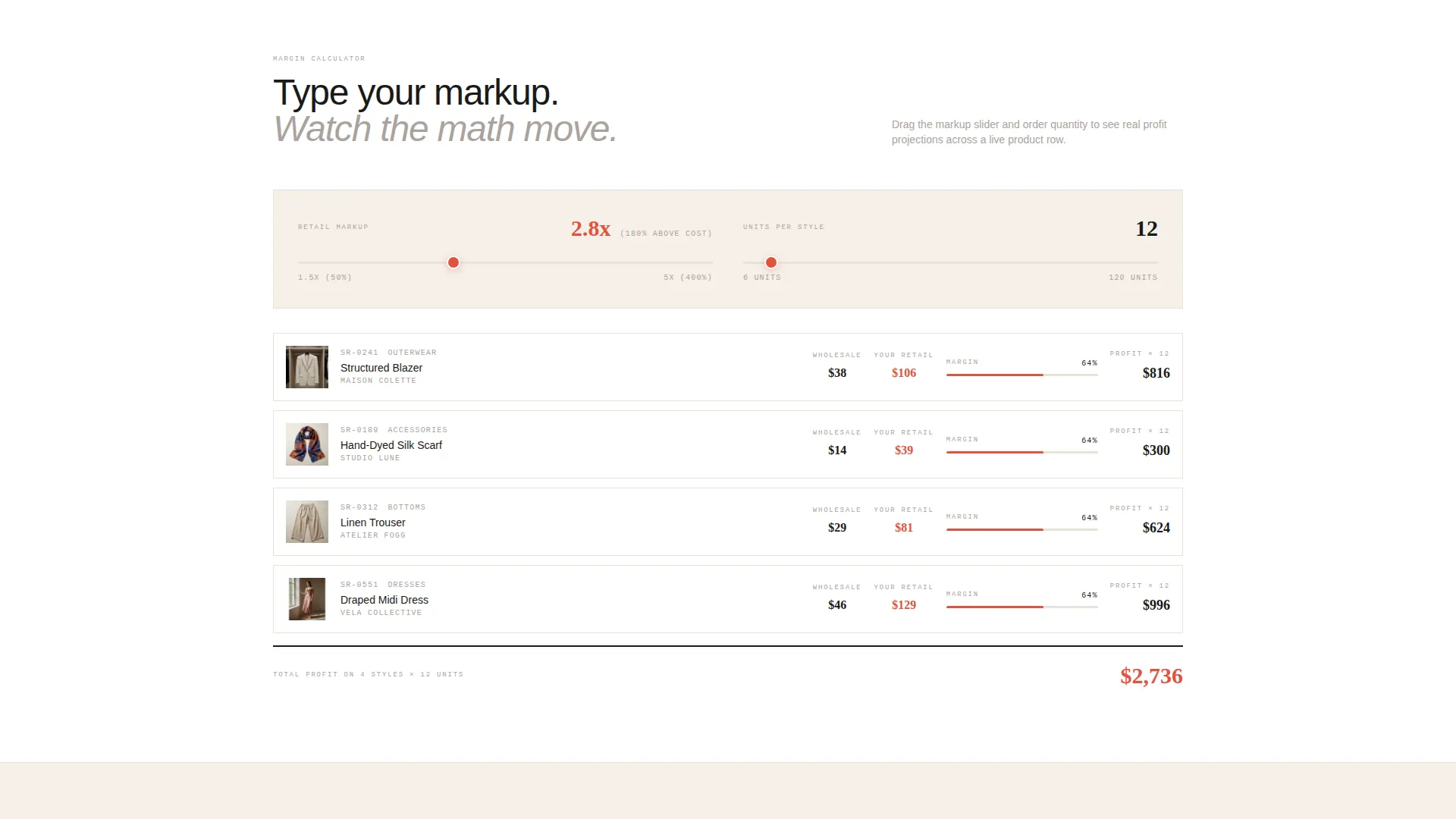
Margin Calculator Widget
Visitors type in their target retail markup and watch profit figures animate live across a row of products. It turns an abstract pricing conversation into a concrete, personalized numbers moment.
Live Buyer Activity Ticker
A real-time-style ticker shows what other buyers have added to their carts in the past hour. It creates social proof and urgency without requiring editorial copy to do the heavy lifting.
Five-Step Style Quiz Flow
The primary call-to-action (call to action) opens a guided quiz covering store aesthetic, price point, order quantity, top categories, and a free-text vendor description. On completion, the page rebuilds into a filtered showroom matched to the buyer's answers.
Alternating Gallery and Detail Panels
The layout cycles between dense browsable grids and single-product detail panels. This rhythm keeps buyers in two distinct modes: wide exploration and focused desire, both within the same continuous scroll.
Page sections overview
| Section | Purpose |
|---|---|
| Price-Anchored Hero | Opens with wholesale and retail prices side by side to show margin instantly |
| Blind Rack Carousel | Reveals silhouetted garments on hover to trigger discovery curiosity |
| Live Buyer Ticker | Displays recent cart activity to signal demand and build urgency |
| Margin Calculator Widget | Lets buyers input their markup and see animated profit figures per product |
| Gallery Grid Blocks | Provide dense browsable inventory views in scrollable card grid format |
| Single-Product Panels | Shift focus to individual pieces for deeper desire and purchase intent |
| Find Your Buy Quiz | Five-step assessment that filters the full vendor catalog to a personalized buy sheet |
| Personalized Showroom Results | Rebuilds the page layout around the buyer's quiz answers with a matched vendor count |
| Sticky call to action Bar | Persists after the third scroll section to keep the quiz prompt always accessible |
Design & branding system
The visual identity follows a Directory and Discovery theme built on an Ink and Paper color system. The palette feels like a buyer's working notebook: graphite annotations on cream pages, fabric swatches pinned to the margins, a red circle around the must-have style number.
- Core colors: editorial black (#1A1A1A), warm unbleached stock (#F5F0E8), pencil-sketch gray (#A9A29D), and tailor's-chalk vermillion (#E2533F) reserved for price callouts, active states, and call to action buttons
- Typography stays tight and sans-serif throughout, referencing the clean line-sheet setting of traditional wholesale documents
- Backgrounds alternate between warm stock and pure white to visually separate browsable gallery grids from focused single-product detail panels
Mobile & speed optimization
The template is structured for buyers who browse on whatever device is in front of them at 2 AM. The card grid layout adapts naturally to smaller screens without losing the density that makes wholesale browsing feel productive.
- The alternating grid and detail panel rhythm remains clear and navigable on mobile viewports
- The sticky call to action bar and quiz prompt stay accessible throughout the scroll on all screen sizes
- Interactive elements such as the hover-reveal carousel and the Margin Calculator are designed to function within a fluid, responsive layout
How this template helps you convert
The conversion architecture works on two parallel tracks: an active path through the quiz and a passive path through free browsing. Both paths keep returning visitors toward a single committed action.
- The price-anchored hero communicates immediate margin opportunity, giving buyers a concrete financial reason to stay on the page from the first second of load
- The "Find Your Buy" quiz earns the click by promising curation over chaos, and the personalized results page delivers a filtered vendor shortlist that feels genuinely useful rather than salesy
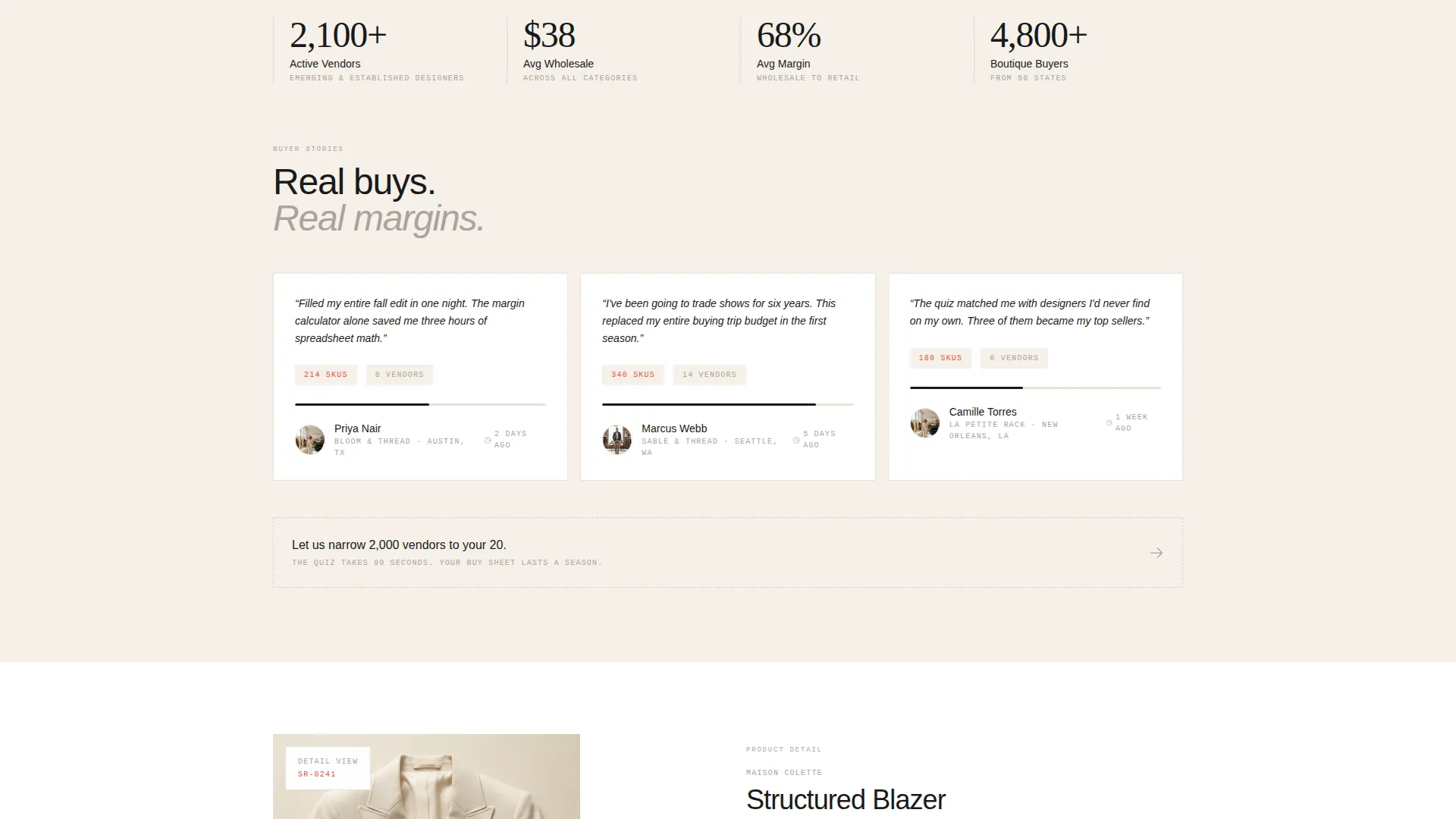
- The persistent soft prompt "Let us narrow 2,000 vendors to your 20" keeps quiz completion visible throughout free browsing, converting hesitant visitors without interrupting their discovery flow
Other information about this template
This template sits at the intersection of fashion wholesale and B2B retail discovery. It is built for operators who want their sourcing platform to feel editorial rather than transactional, and for buyers who expect a curated experience rather than a raw vendor database.
- The template style is a Card Grid (Modular) layout, making it straightforward to swap in or reorder product cards without restructuring the full page
- The theme follows a Directory and Discovery framework, positioning the page as an authoritative sourcing destination rather than a simple product list
- The page is suited to fashion auction platform contexts, wholesale marketplaces, and curated trade buying portals where curation and discovery are the primary value proposition
Theme
Directory & Discovery
Creative direction
Comparison Journey
Color system
Citrus Burst
Style
Card Grid (Modular)
Direction
Direct Sales
Page Sections
Price-anchored Hero Grid
Blind Rack Discovery Carousel
Margin Calculator Widget
Five-step Find Your Buy Quiz
Live Buyer Activity Ticker
Alternating Gallery and Detail Layout
Related questions
Can buyers skip the quiz and browse freely?
How does the personalized showroom work after the quiz?
What interactive elements are included in the template?
Is this template suitable for a first-time wholesale platform launch?
Where does the primary call-to-action appear on the page?