Kids Skateboarding FAQ Website Template
Shred is a playful geometric landing page template built for a kids skateboarding instructor directory. It guides parents through every worry, from safety to gear, before presenting a filterable instructor card grid. With chalk-style animations, flippable FAQ tiles, and a zip code plus age filter, it turns parental hesitation into confident action.
by Rocket studio
Quick summary
Shred is a single-page instructor directory template for kids skateboarding. It follows a Hero's Journey scroll structure, answering parental fears first and revealing coaches second. The pastel Soft Mist color system and hand-drawn geometric illustration give the page warmth and energy. Parents can filter instructors by zip code and child age in real time.
Who this template is for
This template is built for anyone running a directory or marketplace of children's activity instructors. It speaks directly to parents who are curious but cautious, and it works equally well for local skatepark programs and national coaching networks.
- Parents of children ages 4 to 14 who want to find a vetted, patient skateboarding coach
- Directory owners and marketplace operators listing kids skateboarding instructors
- Skatepark programs and youth sports organizations promoting coached sessions
What problem this template solves
Most parents searching for a kids skating coach hit a wall of generic listings with no context. They have safety questions, gear questions, and age-readiness questions that nobody answers before asking for their email. Shred flips that order entirely.
- Parents leave without converting because their fears are never addressed before the search bar appears
- Instructor listings feel cold and untrustworthy without ratings, teaching styles, and certification details
- No clear path exists between a worried parent browsing on a phone and an actual booked session
What you get with this template
You get a fully structured, modular card grid landing page with five distinct content stages, rich interactivity, and a cohesive visual identity baked in from the first section to the footer.
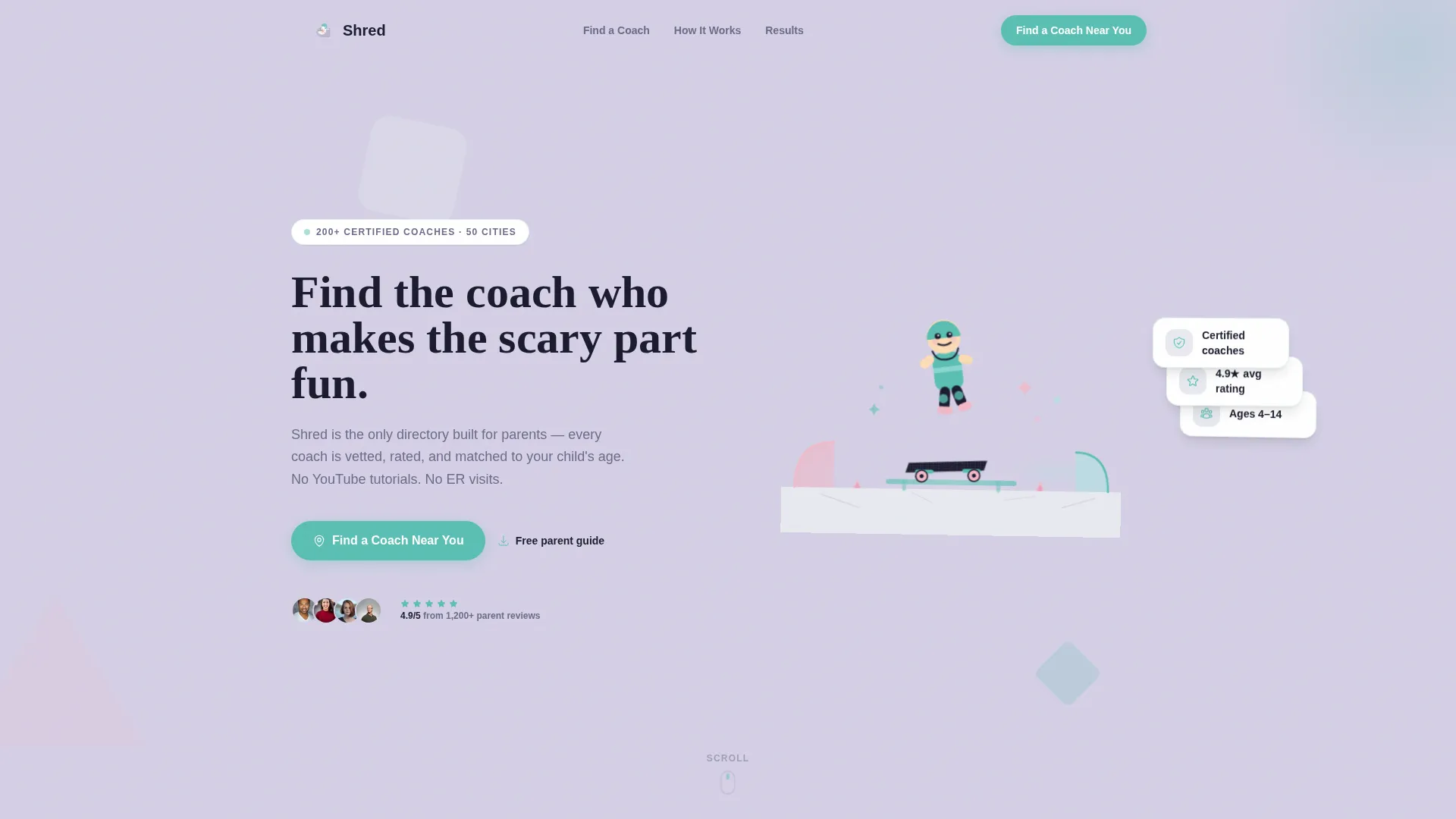
- A Hero section with a custom geometric SVG illustration, chalk typewriter headline animation, and floating worry-answer cards
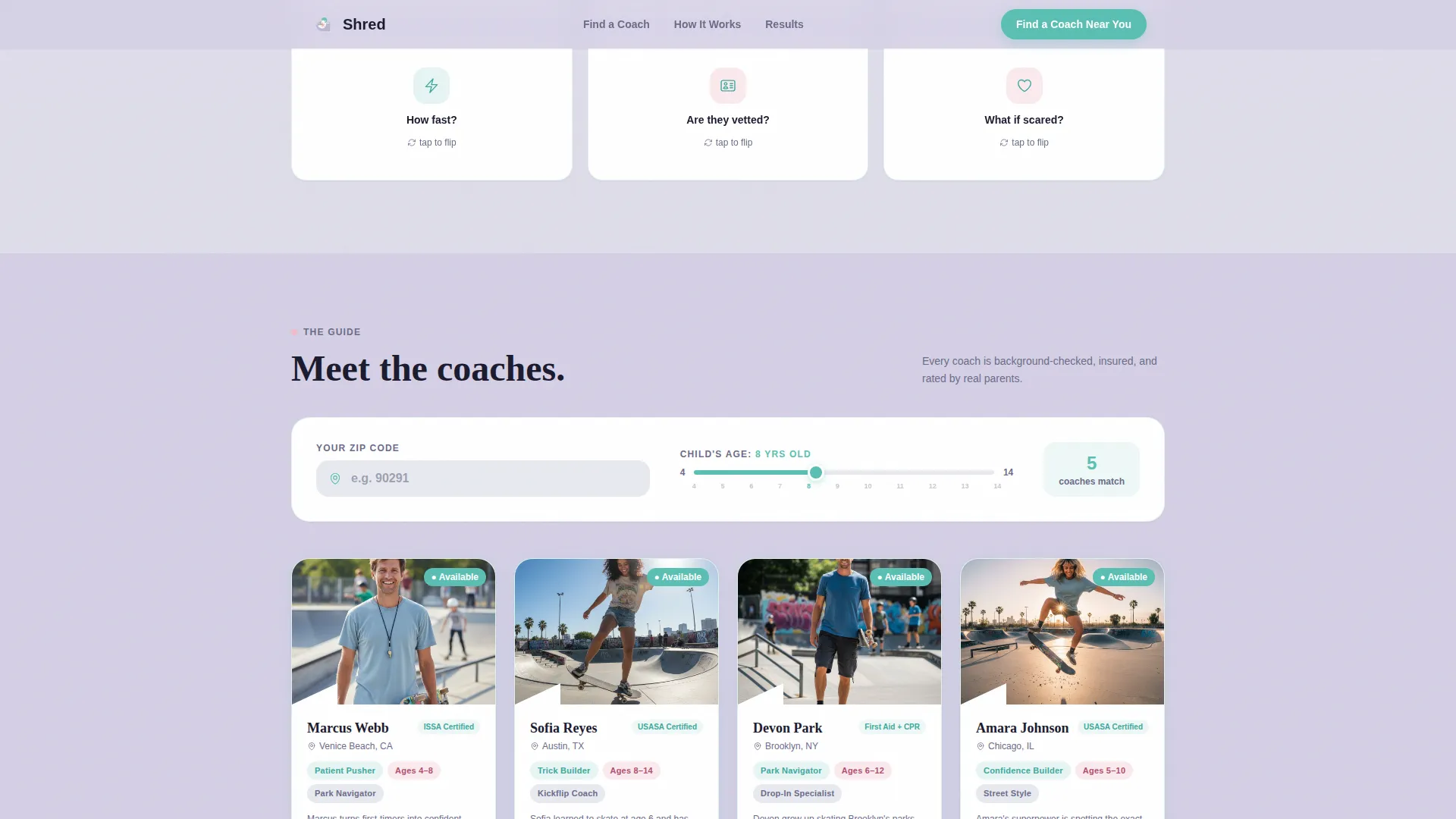
- A filterable instructor card grid with zip code search, child age slider (ages 4 to 14), teaching style tags, age range indicators, and five-star parent ratings
- A before-and-after video thumbnail section and a gated PDF download section for a parent survival guide
Feature list
This template is packed with purposeful interactive components. Each one is designed to reduce friction for a parent browsing on a mobile device.
Chalk Typewriter Headline Animation
The hero headline types itself out letter by letter, as if written in chalk on pavement. It creates an immediate sense of playfulness and draws the eye before any other element competes for attention.
Flippable Parent FAQ Tiles
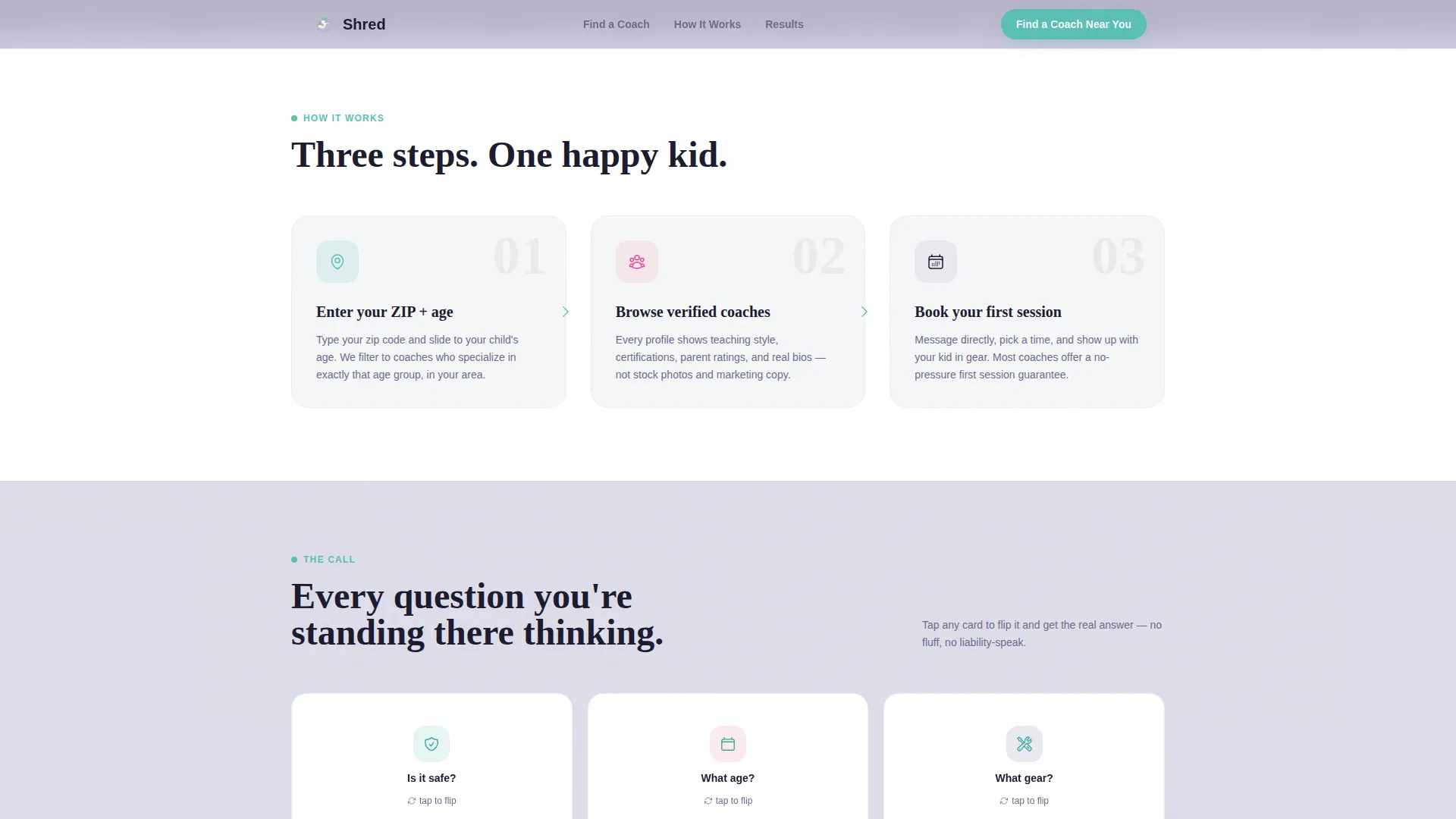
The "The Call" section uses illustrated flip tiles to answer the three questions every parent asks first: Is it safe? What age should we start? What gear do we need? Each tile flips on tap or hover to reveal a reassuring answer.
Filterable Instructor Card Grid
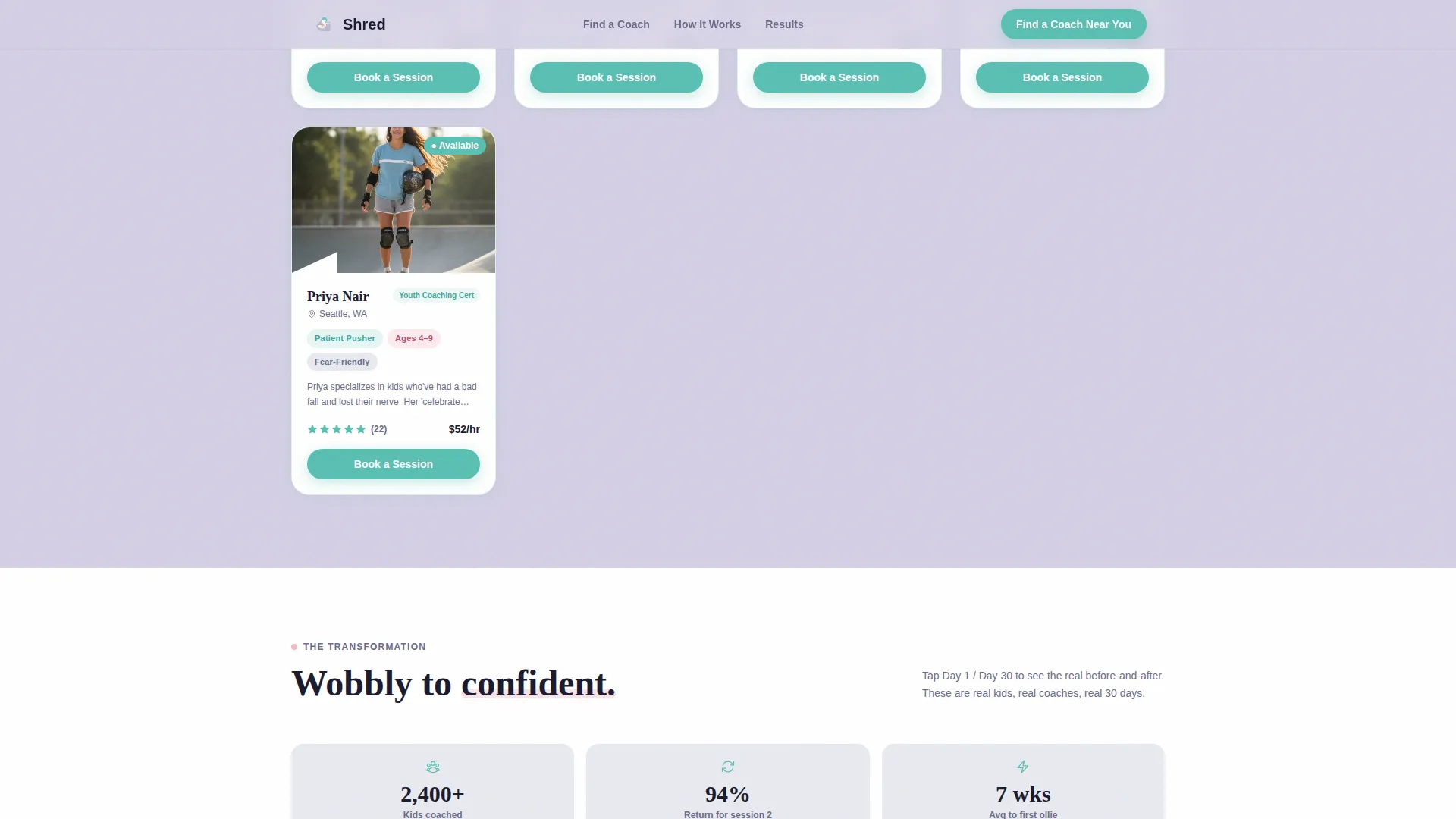
The core directory component lets parents enter a zip code and drag an age slider to narrow results in real time. Each card shows a geometric portrait, teaching style tags such as "patient pusher" or "trick builder", an age range, and a five-star parent rating.
Before and After Video Thumbnails
The "The Transformation" section pairs day-one and day-thirty video thumbnails side by side. This visual proof of progress builds emotional trust without requiring a parent to read a single testimonial.
Gated PDF Survival Guide Download
A secondary conversion path offers "The Parent's First Skatepark Survival Guide" as a free downloadable PDF. An email field gates the download, giving directory owners a low-commitment lead capture option.
Geometric Wipe Scroll Transitions
Each scroll stage uses a triangle-fold wipe animation to reveal the next section. The page itself feels like it is learning new tricks as the visitor moves through it, reinforcing the Hero's Journey theme visually.
Page sections overview
| Section | Purpose |
|---|---|
| Hero Illustration | Opens with geometric kid-mid-ollie SVG, chalk headline, floating worry cards |
| The Call | Flippable FAQ tiles addressing safety, age, and gear questions |
| The Guide | Filterable instructor card grid with zip and age controls |
| The Transformation | Before and after video thumbnails showing day-one versus day-thirty progress |
| Survival Guide call to action | Email-gated PDF download, secondary lead capture path |
| Footer | Linear single-row footer with navigation and branding |
Design & branding system
The Soft Mist color system was chosen to feel like a skatepark at 9 a.m. before the crowds arrive. Every color has an intentional role, and the Playful Geometric theme keeps shapes bold without feeling childish.
- Page backgrounds use morning fog lavender (#D5D0E5) and overcast sky gray (#E8EAF0); card surfaces float on white for clean contrast
- Sidewalk chalk pink (#F2B8C6) carries secondary highlights, while helmet-strap teal (#5ABFB3) activates on buttons, tags, rating stars, and hover states
- Typography pairs Plus Jakarta Sans for body and interface text with Fraunces, a serif display font, for headlines that feel warm and editorial
Mobile & speed optimization
This template is built mobile-first because its primary audience, parents at a skatepark, is almost always on a phone. Every interactive component is designed to work cleanly on small screens without sacrificing the rich visual experience.
- CSS animations power the chalk typewriter effect, card flips, and geometric wipe transitions to keep JavaScript payload minimal
- The instructor card grid reflows into a single column on small screens, and the age slider and zip field stack naturally for thumb-friendly input
- Floating elements and gradient layers use lightweight CSS so visual depth does not come at the cost of load speed
How this template helps you convert
Shred earns conversions by answering every parental objection before it surfaces. The page architecture is a deliberate funnel that builds trust section by section.
- Safety stats, gear checklists, and instructor certification details all appear above the search bar, so a parent feels informed and confident before typing a single character into the zip code field.
- The instructor cards show real social proof through five-star ratings, teaching style tags, and certification badges, making it easy for a parent to choose a coach rather than scroll away.
- A second conversion path, the gated PDF download, captures email addresses from parents who are not ready to search yet, giving the directory a way to follow up.
Other information about this template
This template is part of the Shred project series, designed for the Kids and Family category with a specific focus on the Kids Skateboarding Instructor Directory niche. It is a strong fit for any parent-facing activity marketplace that needs to earn trust before asking for a search input.
- The template style is Card Grid (Modular), making it straightforward to add or remove instructor cards as the directory scales
- The Hero's Journey creative direction and Content/Resource landing-page direction mean the page educates first and converts second, which suits high-anxiety, high-care purchase decisions
- The Custom Illustration header concept is included as a geometric SVG scene, giving the page a distinctive visual identity without requiring custom photography
- Localization defaults are set for the United States market, using USD currency format and MM/DD/YYYY date formatting
Theme
Playful Geometric
Creative direction
Hero's Journey
Color system
Soft Mist
Style
Card Grid (Modular)
Direction
Content/Resource
Page Sections
Chalk Typewriter Headline Effect
Flippable Parent FAQ Tiles
Real-time Instructor Card Filter
Before and After Progress Section
Gated PDF Lead Capture
Geometric Wipe Scroll Transitions
Related questions
Can I add or remove instructor cards from the grid?
Does the age slider actually filter the instructor cards on the page?
How does the gated PDF download section work?
Is this template suited for a local skatepark or a large national directory?
Can I change the colors and fonts to match a different brand?



