School Photography Landing Page Template
Shutter is a horizontal scroll landing page built for school and yearbook photography services. It opens with a short-form video reel, guides visitors through a season-by-season timeline, and closes with a full-width app download section. The Stage and Spotlight visual identity uses an Electric Indigo color system to make every school memory feel as dramatic as prom night.
by Rocket studio
Quick summary
Shutter is a single-page, horizontal scroll landing page designed for school and yearbook photography services. It moves through the school year like a visual timeline, from September picture day to May senior portraits. The page is built to drive app downloads, showing parents a preview of their child's photos and giving them one clear path to unlock, share, and order.
Who this template is for
This template is built for photography businesses that work inside schools, not general portrait studios. If your calendar is tied to bell schedules and your clients are the people running the school, this is the page for you.
- School photographers managing picture day, prom, senior portraits, and spirit week events
- Yearbook advisors and PTA coordinators who need a fast, credible vendor page to share with school staff
- Photography studios pitching principals and school boards on seasonal photo packages
What problem this template solves
Most photography service pages are built for walk-in clients browsing at their own pace. School photography is different. Your clients are time-pressed, decision-fatigued, and juggling dozens of vendor relationships at once. A generic studio page does not speak to that reality.
- Parents cannot easily find and download their child's photos without a clear, guided flow
- School administrators need to trust a vendor quickly, without reading dense paragraphs of text
- Photographers lose app downloads because their page never makes the value of the app obvious before asking for the install
What you get with this template
You get a fully structured, visually rich landing page that mirrors the rhythm of a school year. Every section is purposeful, from the opening reel to the final app download prompt.
- A short-form video header that auto-plays muted and types a headline over the final frame
- A horizontal scroll timeline moving through seasonal school events with shifting gradient backgrounds
- A sticky floating app download button, paired App Store and Google Play badges, a phone mockup, and a QR code option for desktop visitors
Feature list
This template is built around six core design and structural features, each grounded in the brief.
Short-Form Reel Header
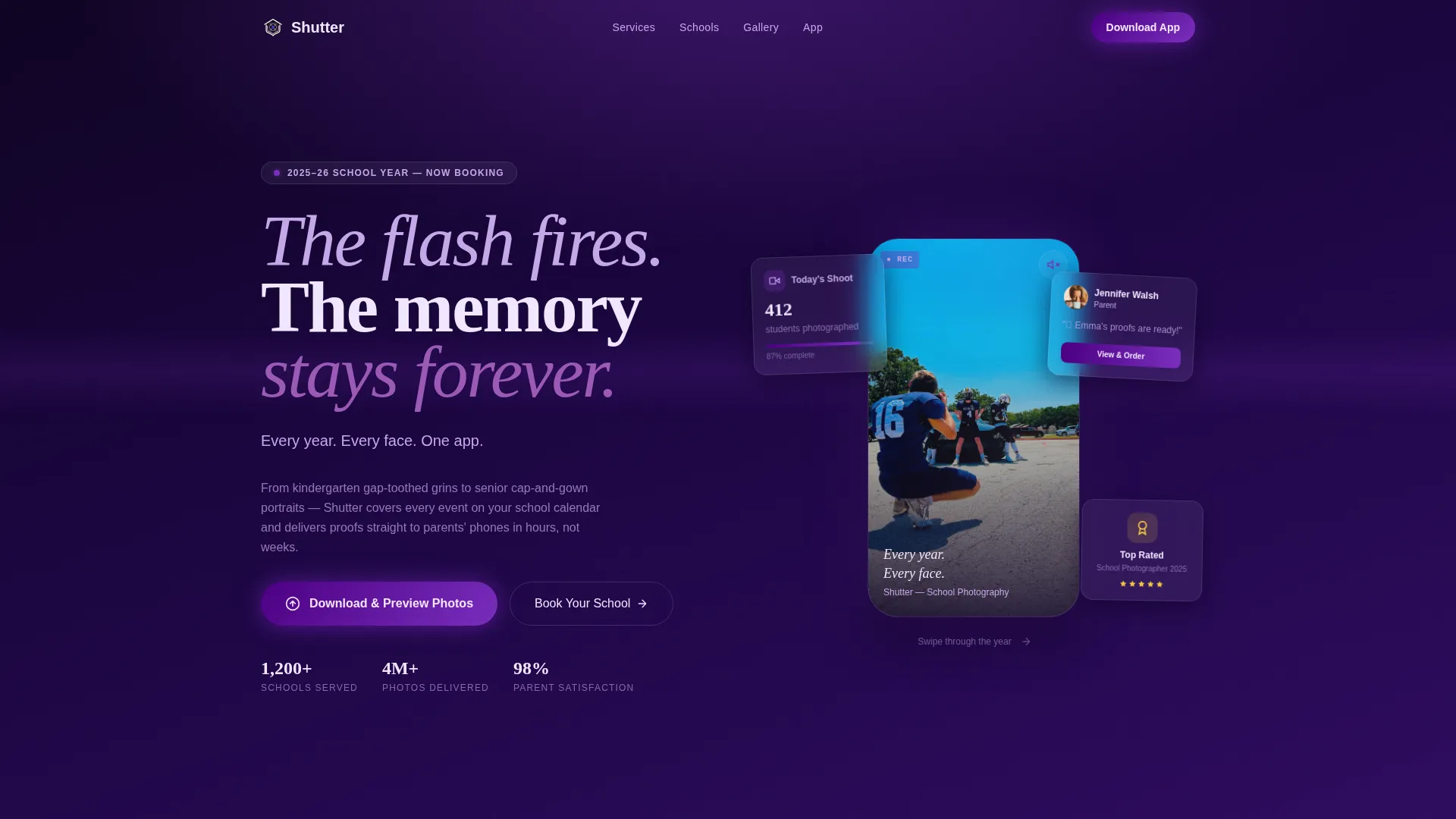
The page opens with a vertical-format, phone-native video montage cut to a trending audio beat. It auto-plays muted with a pulsing sound-on icon in indigo. A headline types itself over the final frame: Every year. Every face. One app. Six cuts, five seconds, zero dialogue.
Horizontal Scroll Timeline
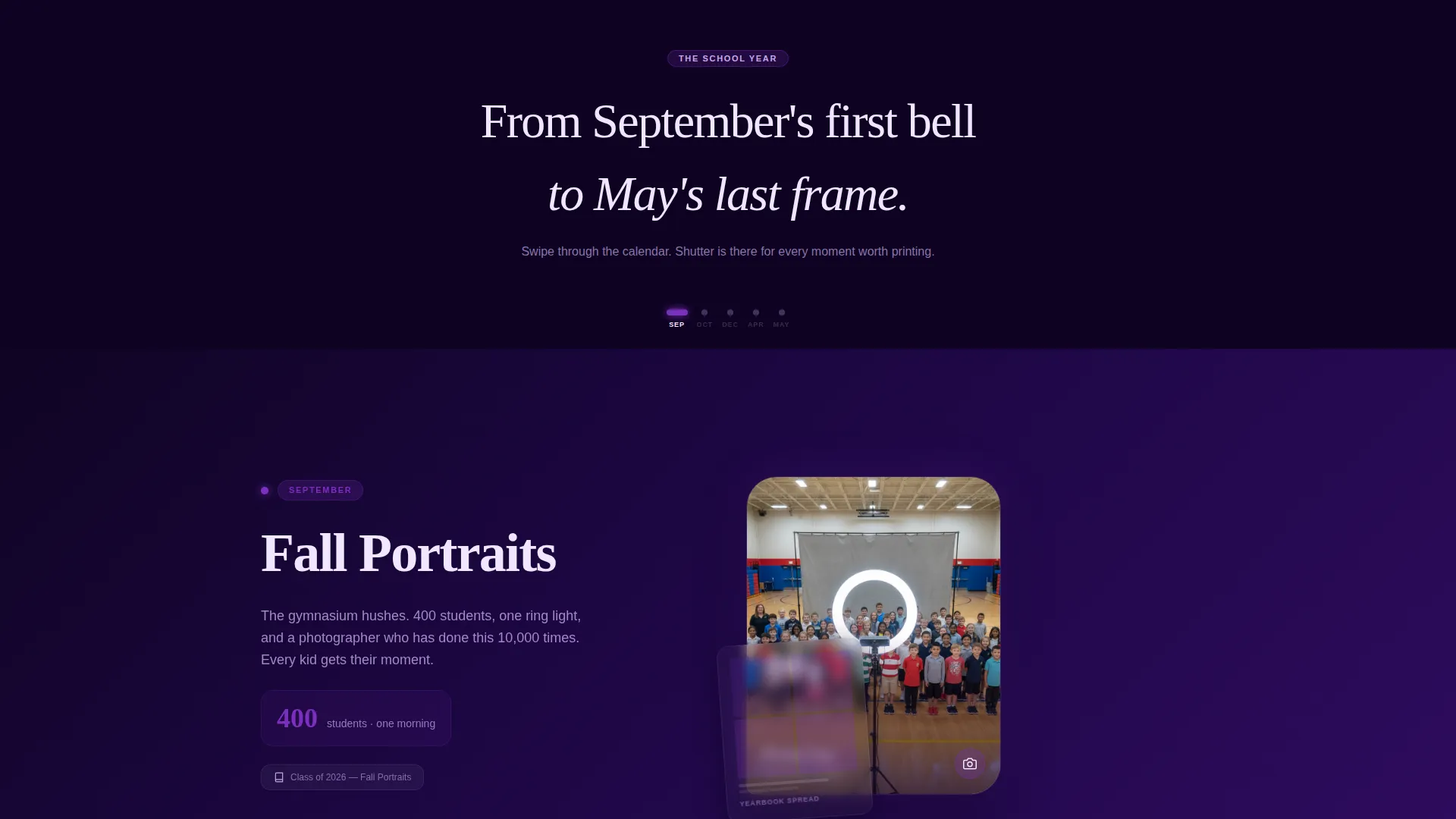
Visitors swipe right through the school year. September picture day transitions into October homecoming, then winter formal, spring sports composites, and finally May senior portraits. The background gradient shifts gradually warmer as the scroll progresses, so the movement itself feels like time passing.
Parallax Yearbook Spread Layers
Behind each seasonal moment, parallax-layered yearbook spreads float in the background. They show how each shoot translates into a finished printed page, connecting the live event to the tangible product parents and advisors actually hold.
Sticky App Download Button
After the second horizontal panel, a sticky floating button appears with the primary call to action: "Download and Preview Your Photos." It stays visible as the visitor scrolls, keeping the conversion path always within reach.
Proof Photo Preview with Blur Overlay
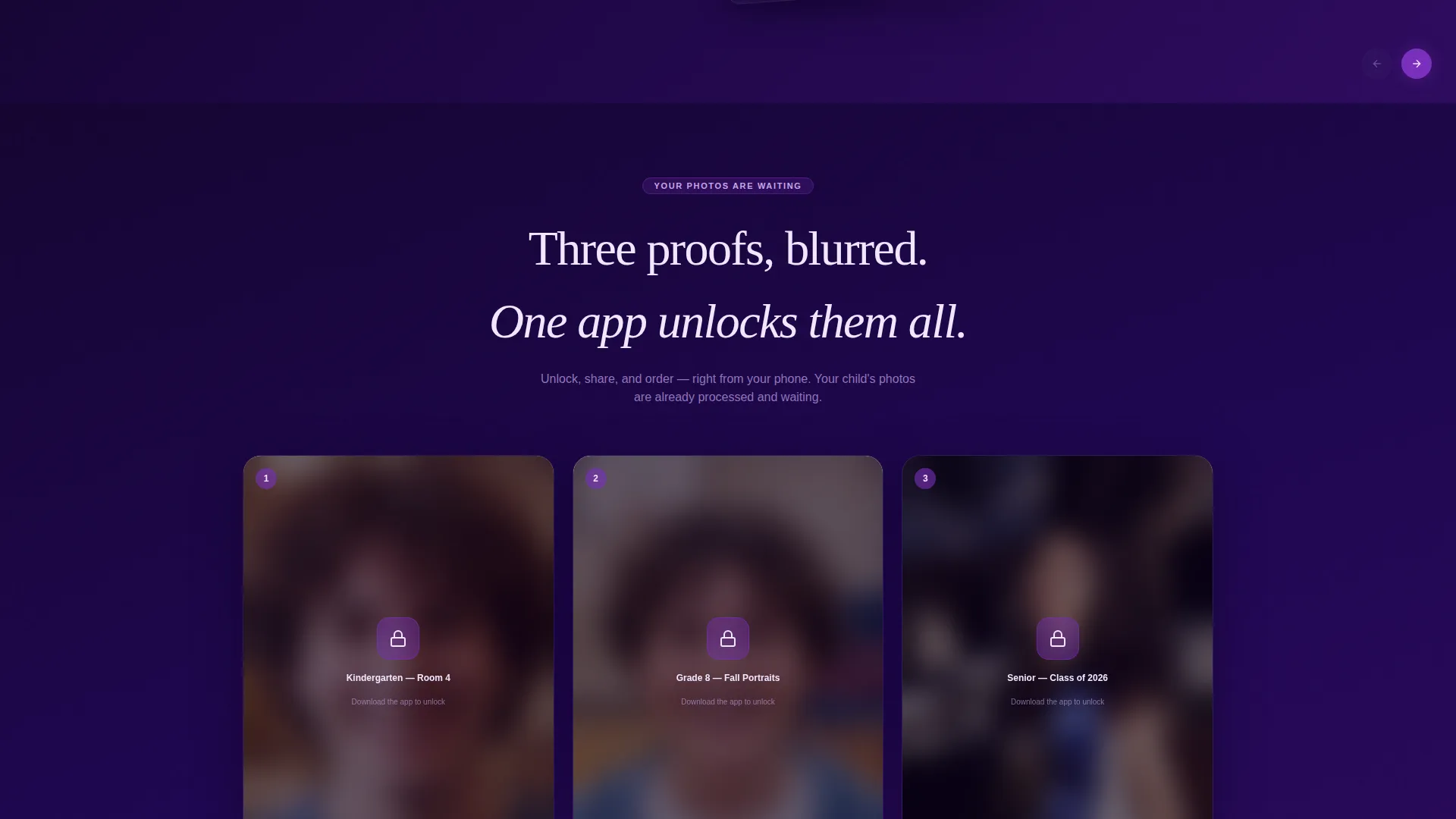
Three proof photos appear with a frosted blur overlay and the line: Unlock, share, and order, right from your phone. This section turns the app into the only key to photos the visitor already wants to see, making the download feel earned rather than asked for.
Full-Width App Download Section
The final section anchors the download with a phone mockup showing the app's gallery interface with a student's proofs on screen. Paired App Store and Google Play badges sit beneath the call to action. A secondary QR code option serves parents scanning from a desktop during back-to-school night.
Page sections overview
| Section | Purpose |
|---|---|
| Reel Header | Opens with auto-playing video montage and typed headline |
| September Panel | Launches horizontal scroll with picture-day assembly visuals |
| October Panel | Transitions to homecoming court photography moments |
| Winter Formal Panel | Continues seasonal timeline with December event coverage |
| Spring Sports Panel | Displays composite photography and warm gradient shift |
| Senior Portraits Panel | Closes timeline with golden-hour senior walk visuals |
| Sticky call to action Button | Floats after second panel to keep download action visible |
| Proof Photo Preview | Shows blurred proofs to motivate app download |
| App Download Section | Full-width close with phone mockup, badges, and QR code |
Design & branding system
The visual identity follows a Stage and Spotlight theme. It is theatrical enough to feel special without losing the warmth a parent expects when looking at their child's photos.
- Electric Indigo color system using deep auditorium black (#0D0221), vivid indigo (#4B0082), hot stage-gel violet (#7B2FBE), and flash-burst white (#F0E6FF) for text and interactive pulses
- Gradient backgrounds shift from cool indigo in September through violet in winter to soft lavender by May, making the scroll feel like a journey through the school year
- Pulsing indigo interactive elements and spotlight-style visual framing give the page a runway feel without losing readability
Mobile & speed optimization
The horizontal scroll and vertical reel header are built natively for phone viewing. The template is designed to feel as natural on a parent's phone as it does on a school coordinator's laptop.
- Vertical-format reel header is phone-native, optimized for the way most parents first encounter the page
- Auto-muted video autoplay respects mobile browser standards while keeping the visual impact of the reel intact
- QR code option ensures desktop visitors at back-to-school night can move to mobile instantly without retyping a URL
How this template helps you convert
The page is structured to move a hesitant visitor toward one action: downloading the app. Every section earns that ask before it is made.
- The reel header creates emotional resonance in five seconds, so visitors feel connected before they read a single word of copy.
- The horizontal timeline builds anticipation and shows the full scope of your service, giving school administrators the breadth they need to justify a vendor decision.
- The blurred proof photos create genuine urgency. Parents can see their child's photos are waiting, and the only step between them and those images is the app download.
Other information about this template
This template sits inside the Media and Entertainment category, under the Photography Studio and Service subcategory, with a niche focus on school and yearbook photography. It is built at the intersection of those three layers, so the design choices, content structure, and conversion flow all reflect how school photography clients actually behave and decide.
- The Seasonal and Moment creative direction means every visual and copy element is tied to a real point in the school calendar, not generic studio messaging
- The template style is Horizontal Scroll, a layout that suits event-rich businesses with multiple distinct moments to showcase across a single page
- The landing page direction is App Download, meaning the entire page is structured as a funnel toward one primary action rather than a general brand awareness page
- The header concept is Short-Form Reel, reflecting current social media viewing habits and the way parents and school staff consume content on their phones
Theme
Stage & Spotlight
Creative direction
Seasonal/Moment
Color system
Electric Indigo
Style
Horizontal Scroll
Direction
App Download
Page Sections
Short-form Reel Video Header
Horizontal Scroll Year Timeline
Parallax Yearbook Spread Background
Sticky Floating Download Button
Blurred Proof Photo Preview
Full-width App Download Close
Related questions
Who is the primary audience for this landing page?
Can I adapt this template for a single school event instead of a full year?
How does the app download flow work within the page?
Is there an option for parents browsing on a desktop computer?
Why is horizontal scroll a good fit for school photography services?