Photographer Portfolio Pre-Launch Website Template
Shutter is a cinematic photographer video portfolio landing page built for visual storytellers who work between the raw frame and the final grade. It uses a dramatic Void & Violet color system, a Before/After Slider header, and an inline Case Study Narrative masonry grid to turn every project tile into a three-act story. A behavior-triggered waitlist bar captures serious leads.
by Rocket studio
Quick summary
Shutter is a single-page portfolio landing page designed for cinematographers and photographer-directors. It opens with a viewport-splitting Before/After Slider, moves into a masonry grid of expanding case studies, and closes with a behavior-triggered waitlist bar. The Void & Violet palette keeps the work front and center while the layout guides visitors from curiosity to conversion.
Who this template is for
This template is built for visual creatives who need their portfolio to do real selling work. It speaks directly to the kind of talent that attracts demanding, high-value clients.
- Cinematographers and photographer-directors building a portfolio that targets creative directors and campaign producers
- Dual-discipline creatives who shoot editorial stills and motion work and need one page to hold both
- Photographers pivoting toward branded content who want to move beyond a standard gallery grid
What problem this template solves
Most photographer portfolio pages present work passively. They display images without context, give visitors no reason to stay, and offer no clear path to reaching out. Shutter treats that gap as the core design problem.
- Visitors leave without understanding the thinking behind the work, so the inline case study format adds the brief, the approach, and the result for every project
- Generic gallery layouts flatten the difference between a quick editorial shot and a six-week campaign, so the escalating masonry grid communicates scale as visitors scroll
- Standard contact forms appear too early and feel cold, so the waitlist bar only appears after a visitor has already engaged with the slider or a case study
What you get with this template
The template is a fully structured single-page layout with every section defined and ready to populate with your own work and copy.
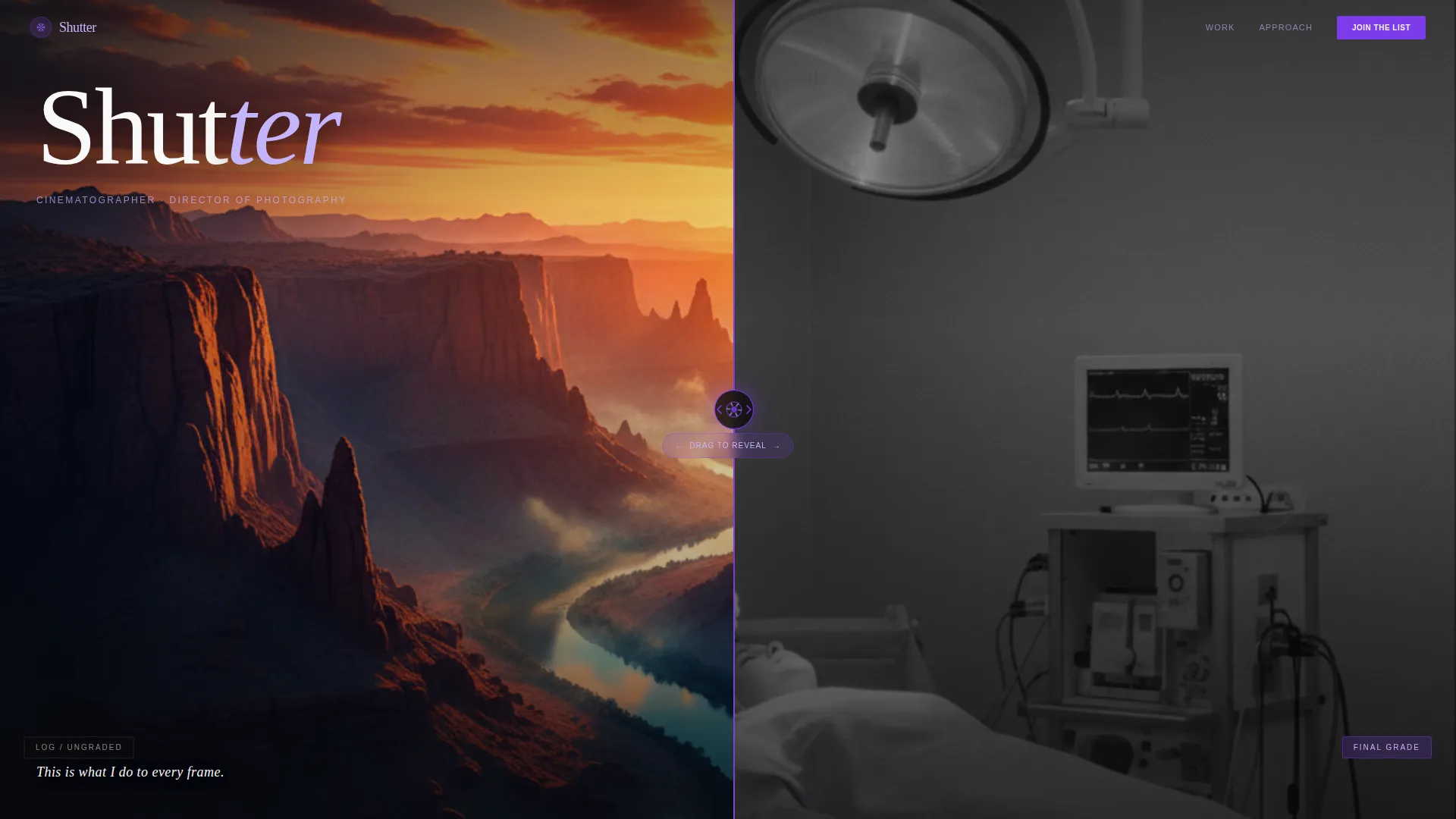
- A viewport-wide Before/After Slider header with a violet drag handle and aperture icon, plus supporting headline copy beneath
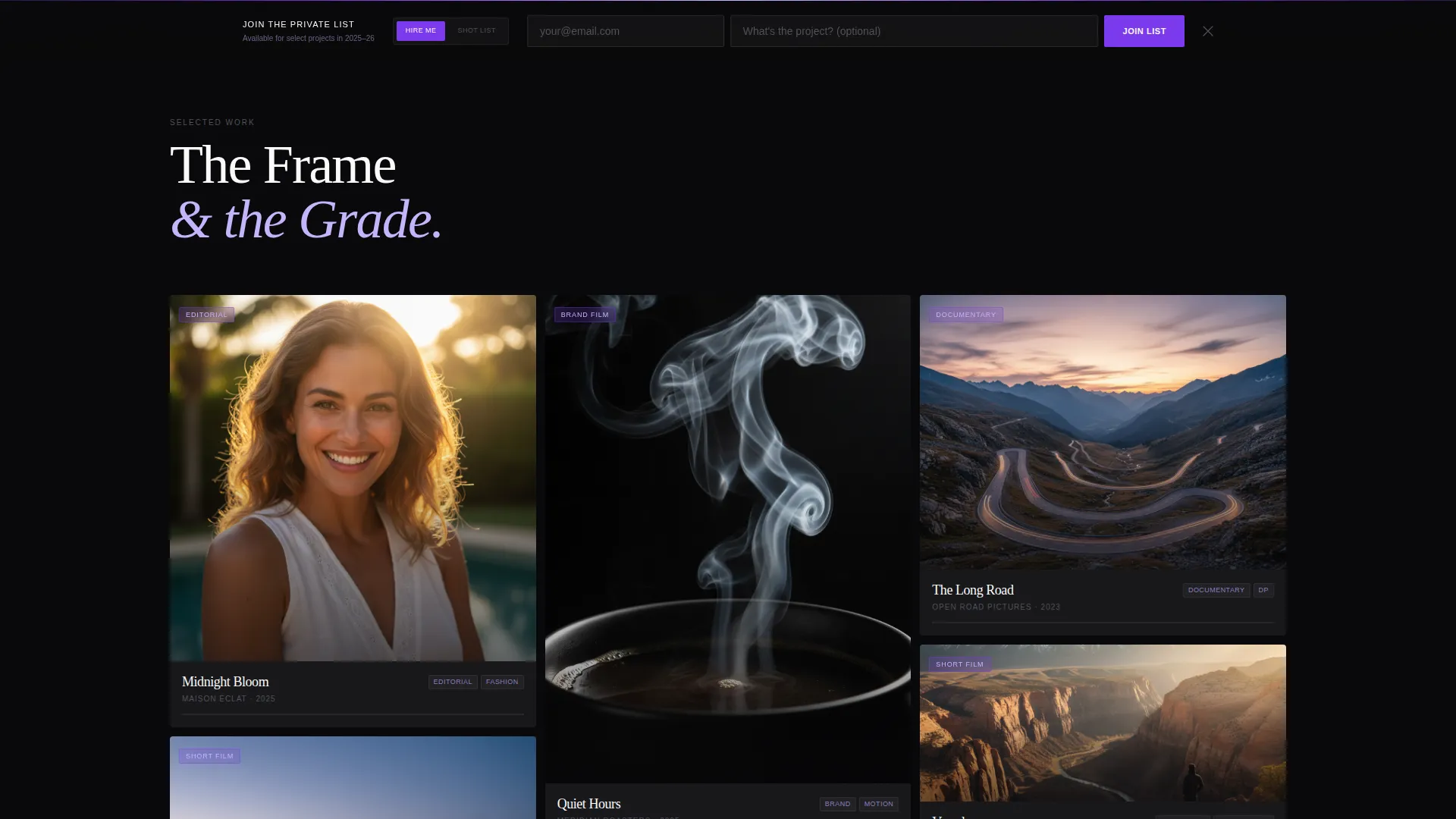
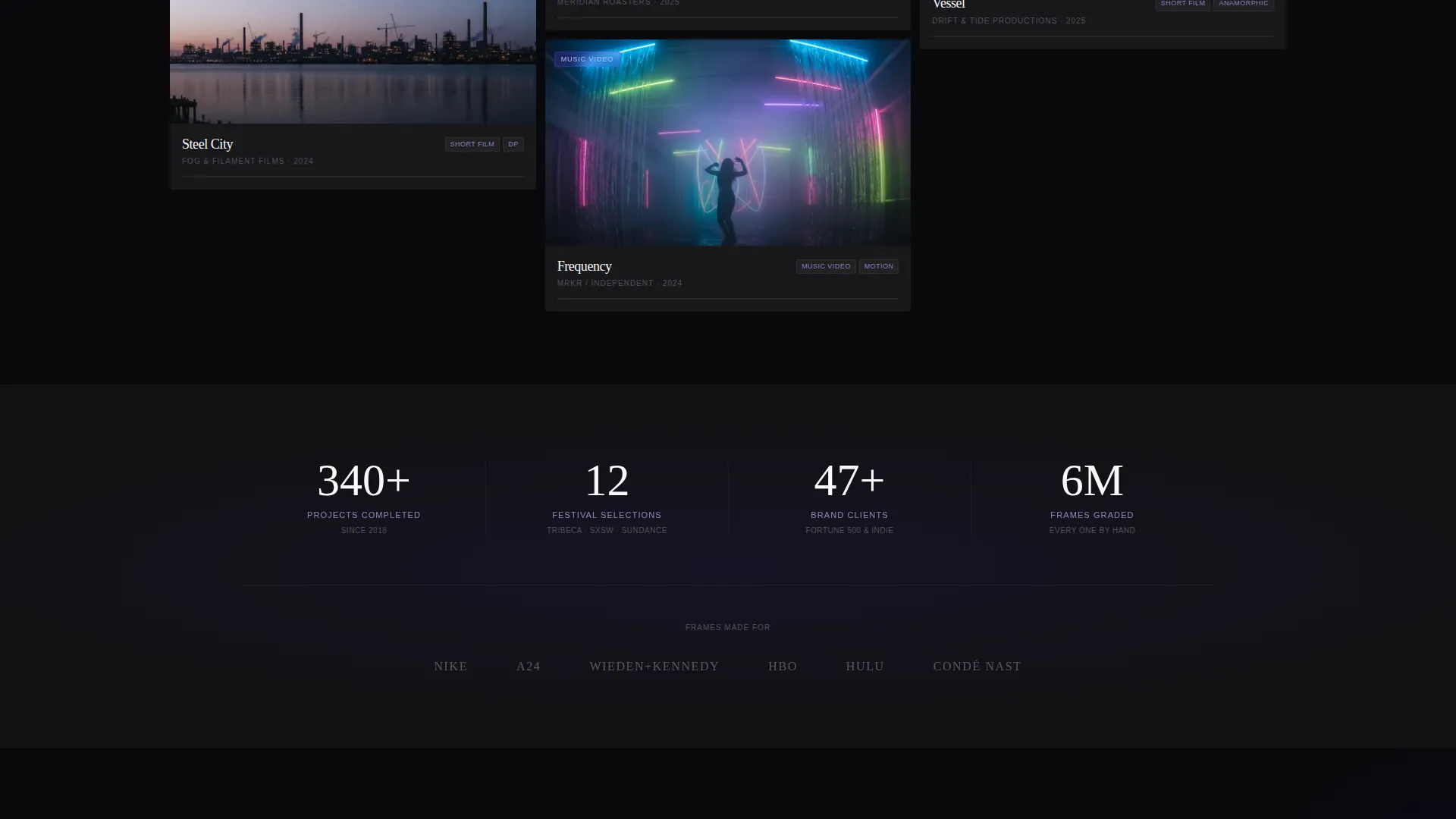
- A masonry grid with inline case study expansion, three-act project storytelling, and aspect ratios that shift from square to cinematic widescreen as visitors scroll deeper
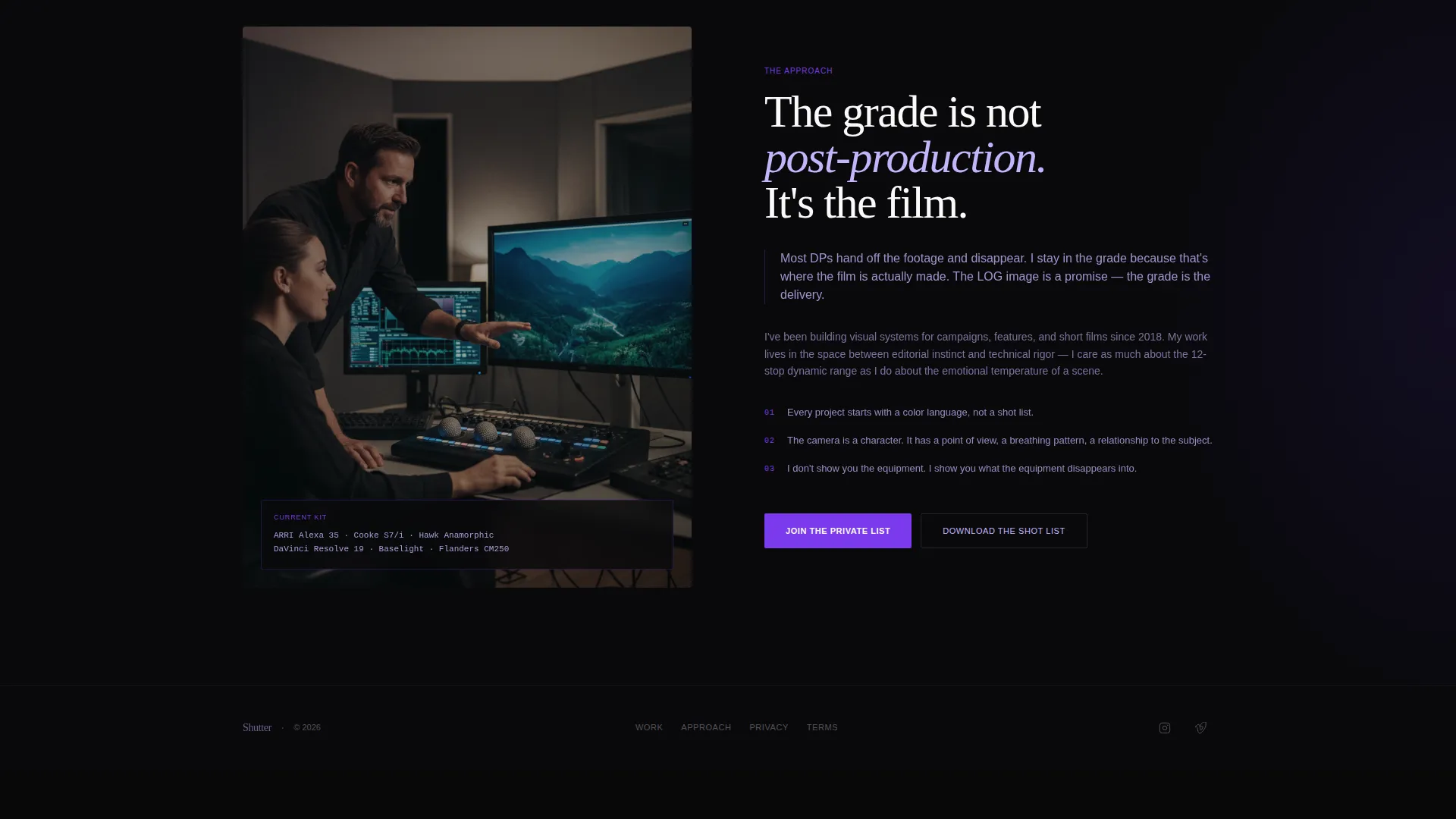
- A behavior-triggered sticky bottom bar carrying the "Join the Private List" waitlist form and a secondary "Download the Shot List" PDF lead magnet path
Feature list
This section covers the core built-in components that make Shutter function as a complete portfolio landing page.
Before/After Viewport Slider
The header splits the full viewport into two states: a flat, desaturated LOG footage frame on the left and the finished color-graded image on the right. A thin violet drag handle styled with a lens-aperture icon lets visitors pull the reveal themselves. A single line of copy beneath the slider reads "This is what I do to every frame."
Inline Case Study Expansion
Clicking any masonry tile does not open a lightbox. Instead, the tile expands inline to show a three-act narrative: the brief, the approach with a behind-the-scenes still or gear note, and the result displayed in a horizontal scroll of final selects.
Escalating Masonry Grid
The grid opens with square editorial tiles and progressively shifts to wider, cinematic aspect ratios as visitors move deeper into the page. Project scale escalates from editorial stills to motion work to full short films, creating a natural sense of momentum.
Behavior-Triggered Waitlist Bar
The sticky bottom bar stays hidden until a visitor has interacted with the Before/After Slider or expanded at least one case study. Once triggered, it presents the "Join the Private List" email form with a single optional "What's the project?" text field.
Dual Lead Capture Paths
Alongside the waitlist form, a secondary call to action offers "Download the Shot List," a curated PDF lookbook, in exchange for the same email address. This gives browsers a conversion path before they are ready to hire directly.
Void & Violet Color System
The full page runs on true void black (#09090B) as the base, deep darkroom violet (#2D1B69) as a mid-tone layer, electric iris (#7C3AED) on hover states and progress bars, and soft exposure lilac (#C4B5FD) for typography and divider lines. Every color decision is calibrated to keep the visual work luminous against a receding dark background.
Page sections overview
| Section | Purpose |
|---|---|
| Before/After Slider | Opens the page with a visceral color-grade reveal |
| Slider Headline Copy | Anchors the transformation with a single defining line |
| Masonry Project Grid | Displays portfolio work in an escalating visual layout |
| Inline Case Study Panel | Expands each tile into a three-act project narrative |
| Horizontal Result Scroll | Shows final selects inside each expanded case study |
| Sticky Waitlist Bar | Captures leads after confirmed visitor engagement |
| Shot List Download call to action | Offers a PDF lead magnet as a secondary conversion path |
Design & branding system
The Lens & Frame visual identity is built entirely around the idea that darkness is a design tool. When the page background recedes to near-black, the photography and video work becomes the only source of light the eye needs to follow.
- Color palette: void black (#09090B) base, darkroom violet (#2D1B69) for depth layers, electric iris (#7C3AED) for interactive states, and exposure lilac (#C4B5FD) for text and dividers
- Typography uses the exposure lilac tone to stay readable against dark backgrounds without competing with the imagery
- The aperture-icon drag handle on the Before/After Slider reinforces the Lens & Frame theme as an interactive detail
Mobile & speed optimization
The layout is designed with a mobile-first mindset, ensuring the cinematic feel translates to smaller screens without losing the editorial weight of the full desktop experience.
- The masonry grid reflows cleanly for portrait viewports, keeping tile proportions intentional rather than stretched or cropped arbitrarily
- The Before/After Slider is touch-enabled, allowing mobile visitors to drag the reveal with the same tactile immediacy as desktop users
- The behavior-triggered sticky bar respects mobile scroll patterns and does not interrupt the browsing experience before engagement is established
How this template helps you convert
Every structural decision in Shutter is designed to move a visitor from passive browsing to active interest without feeling pushy or transactional.
- The Before/After Slider creates an immediate proof-of-craft moment at the very top of the page, establishing credibility before a single word of copy is read
- The inline case study format builds trust by showing the thinking behind the work, not just the output, which is exactly what a creative director or brand producer needs before making contact
- The dual lead capture paths mean both ready-to-hire visitors and early-stage browsers have a reason to leave their email, widening the top of the funnel without adding friction
Other information about this template
Shutter is categorized under Portfolio & Agency and sits within the Photographer Portfolio subcategory, making it a purpose-built choice for the photographer video portfolio niche.
- The template style is Masonry/Pinterest, which is well-suited to portfolios that mix aspect ratios and project scales across a single continuous scroll
- The landing page direction is Waitlist/Coming Soon, making it equally effective for photographers launching a new service offering or restricting availability to create demand
- The header concept, creative direction, and color system are all defined in the matched intersection row, meaning every visual and structural choice is internally consistent and ready to deploy as a unified whole
Theme
Lens & Frame
Creative direction
Case Study Narrative
Color system
Void & Violet
Style
Masonry/Pinterest
Direction
Waitlist/Coming Soon
Page Sections
Before/after Viewport Slider
Inline Case Study Expansion
Escalating Masonry Grid
Behavior-triggered Sticky Bar
Dual Lead Capture Paths
Void & Violet Color System
Related questions
Can I use this template with only photography work and no video projects?
Does the waitlist bar show up for every visitor right away?
Do I need to create my own Shot List PDF for the download offer?
Who is this landing page designed to impress?



