Kids Photography Parent Resource Landing Page
Shutter is a warm, masonry-style photography landing page built for parents who want better childhood photos. It combines an illustrated hero, an interactive tip grid with hover-reveal cards, a free-workshop registration form, and a cheat-card download. Everything is designed around the Citrus Burst palette, a hand-crafted editorial feel, and a mobile-first layout built for naptime scrolling.
by Rocket studio
Quick summary
Shutter is a photography resource guide landing page for parents. It uses a masonry grid of interactive tip cards, a hand-drawn hero illustration, and two clear conversion paths: a live workshop seat and a free downloadable camera settings cheat card. The Citrus Burst color system and hand-lettered typography give it a warm, kitchen-fridge energy that feels personal and approachable.
Who this template is for
This template is built for creators who want to run a parent-facing photography education resource or workshop. It fits naturally whether you are launching a standalone guide or building a community around kids photography.
- Parents turned educators who want to share what they have learned about capturing childhood moments
- Photography instructors offering beginner-friendly workshops aimed at phone photographers and first-time camera owners
- Content creators building a resource hub for families, grandparents, and anyone wanting better photos of the small people in their lives
What problem this template solves
Most parents have hundreds of blurry, overlit, or badly timed photos of their kids. They know something is off, but they do not know where to start fixing it. A generic blog page does not hold their attention long enough to help them act.
- Parents need a guide that feels personal and warm, not clinical or overwhelming
- Workshop hosts need a page that captures both committed leads and curious browsers in one flow
- Resource creators need a layout that rewards exploration and guides visitors naturally toward registration
What you get with this template
You get a fully designed, single-page layout that handles education, lead capture, and event registration in one cohesive flow. Every section is built around the specific needs of a kids photography parent audience.
- A hand-drawn SVG hero illustration with a hand-lettered headline and a primary call-to-action button
- An interactive masonry grid with hover-reveal category tags, difficulty badges, and expandable tip panels
- A three-field workshop registration form, a sticky bottom bar triggered after grid interaction, and an email-only cheat-card download section
Feature list
This template is built around interactive discovery and warm visual storytelling. Each feature below is present in the template as described in the source brief.
Hand-Drawn Hero Illustration
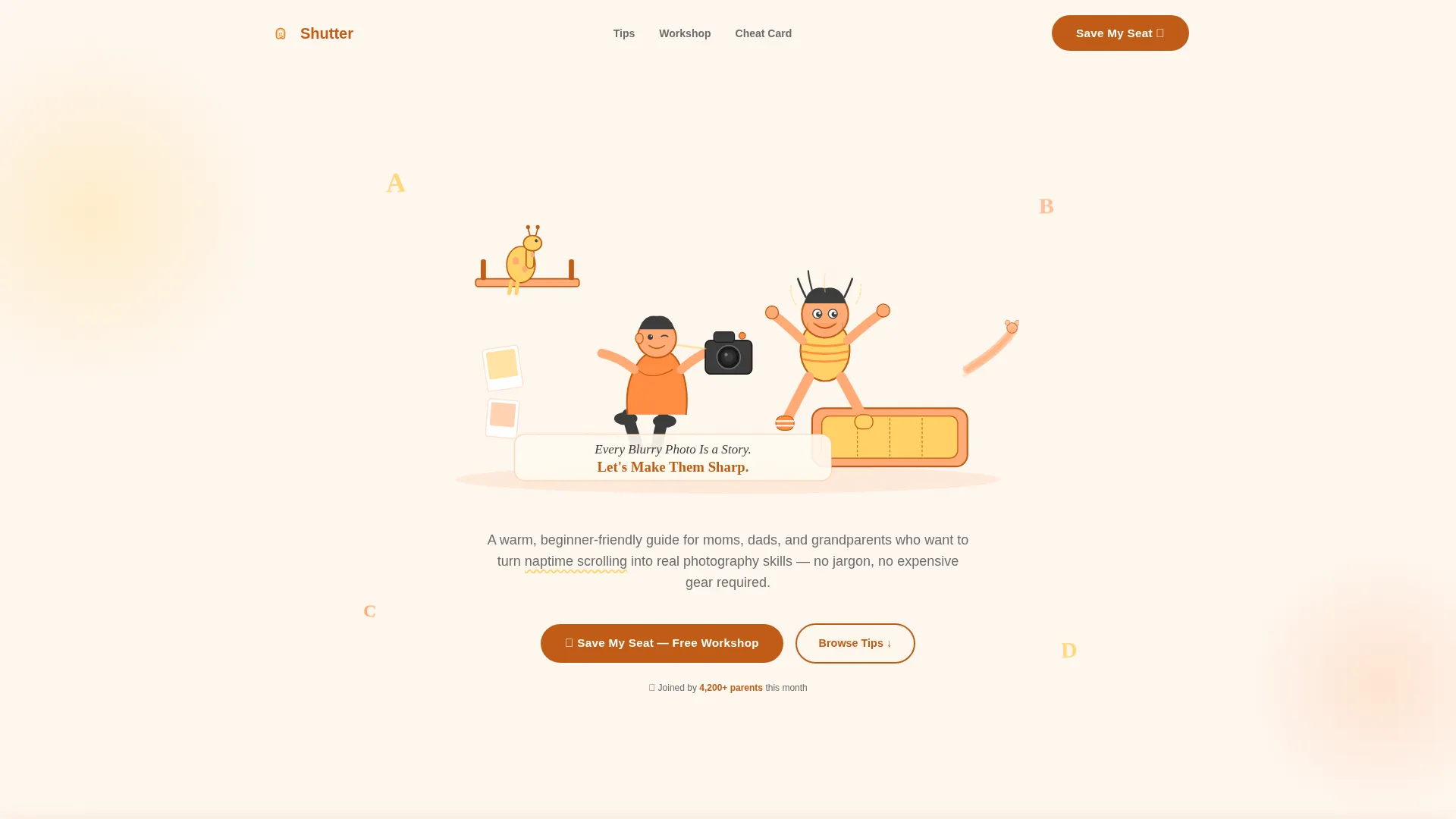
The hero opens with a custom SVG scene of a parent crouching on the living room floor, camera raised, while a child in mismatched socks leaps from a couch cushion. Crayon-textured lines, citrus color fills, and hidden details like a dog's tail at the frame edge reward visitors who look closely. The hand-lettered headline reads "Every Blurry Photo Is a Story. Let's Make Them Sharp."
Interactive Masonry Grid
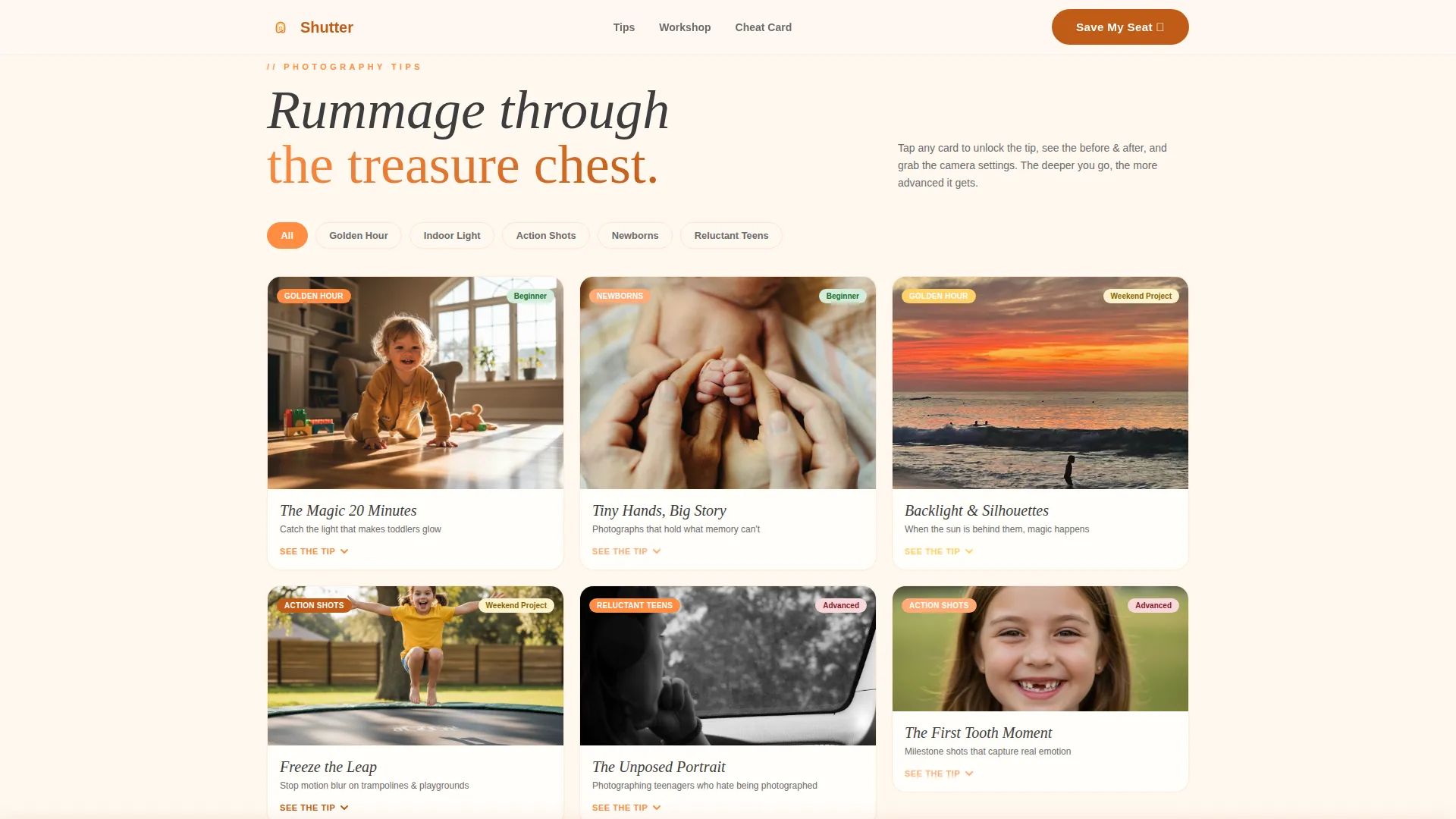
The card grid is the heart of the page. Each tile is a different height, creating a Pinterest-style layout that feels like rummaging through a treasure chest. Hovering over a card reveals a category tag such as Golden Hour, Indoor Light, Action Shots, Newborns, or Reluctant Teens, along with a difficulty badge. Clicking opens an inline expandable panel showing a practical tip, a before-and-after photo pair, and a camera settings cheat sheet.
Category Filter Bar
A sticky filter bar sits above the grid, letting parents tap buttons to reshuffle the cards by category. The content depth increases as visitors explore, pulling them from beginner questions like turning off the flash toward more advanced topics like composition and visual storytelling.
Workshop Registration Form
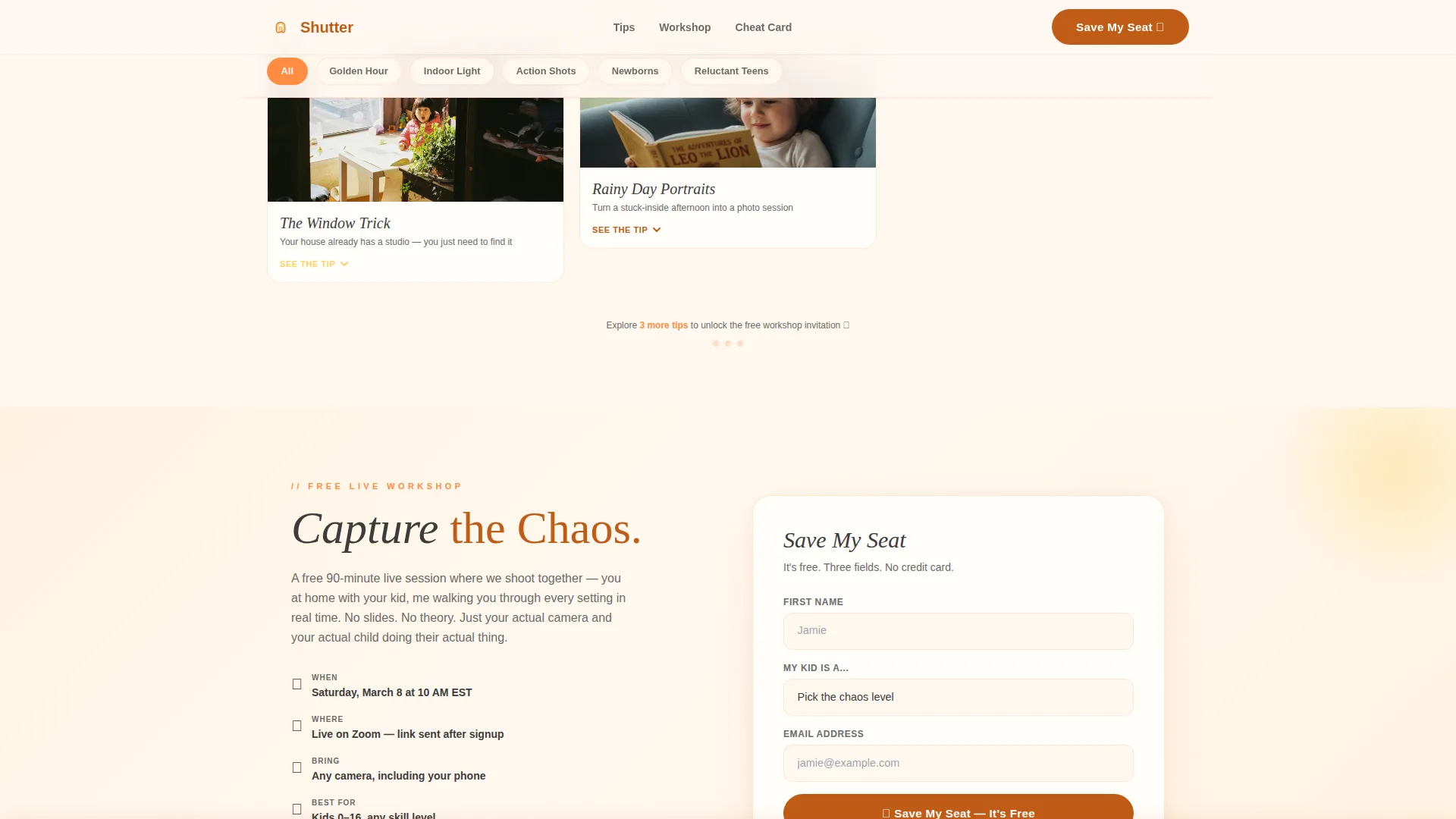
The "Capture the Chaos" workshop section includes a clean three-field form: first name, child's age range via a dropdown with options for baby, toddler, school-age, and teen, and email address. A sticky bottom bar appears after three card interactions to prompt registration without interrupting early browsing.
Cheat-Card Download Capture
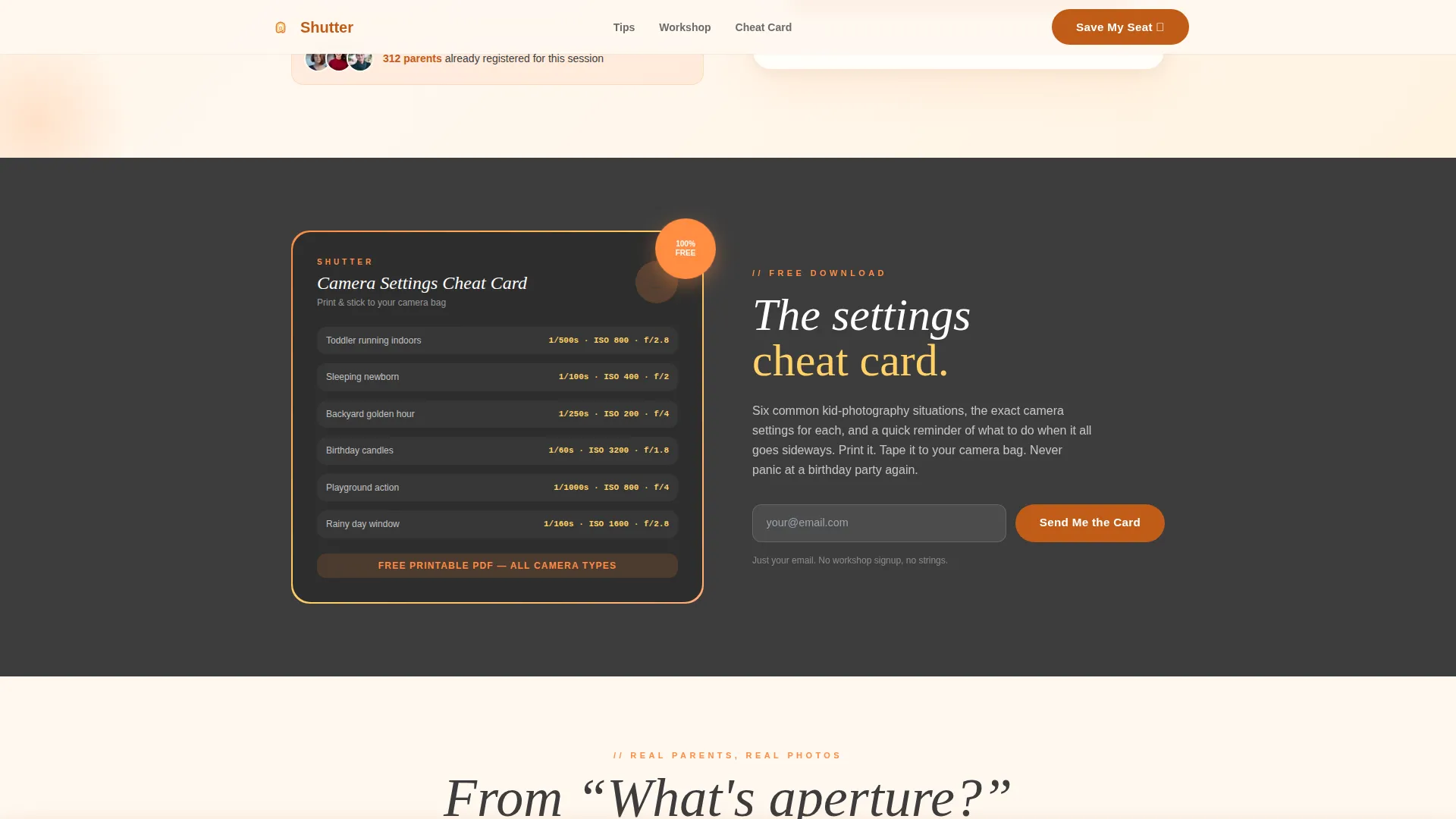
A secondary conversion section lets visitors download a printable camera settings cheat card by entering only their email address. This captures leads who are curious and engaged but not yet ready to commit to a live workshop seat.
Community Proof Section
The template includes a social proof section built around parent testimonials paired with before-and-after photo transformation examples. Each testimonial references specific child ages and scenarios, making the proof feel concrete and relatable rather than generic.
Page sections overview
| Section | Purpose |
|---|---|
| Hero Illustration | Warm opening scene with hand-lettered headline and primary call to action |
| Category Filter Bar | Sticky bar for reshuffling the masonry grid by photography topic |
| Interactive Masonry Grid | Tip cards with hover reveals, difficulty badges, and expandable panels |
| Workshop Registration | "Capture the Chaos" event form with three fields and sticky trigger bar |
| Cheat-Card Download | Email-only lead capture for the printable camera settings cheat card |
| Community Proof | Before-and-after pairs with parent testimonials and specific scenarios |
| Footer | Horizontal flow footer pattern with supporting links |
Design & branding system
The visual identity follows a Community Hearth theme built on the Citrus Burst color system. It feels like a Saturday morning kitchen with sunlight hitting a bowl of fresh oranges, bright, sticky, and full of life.
- Colors: sun-warmed tangerine (#FF8C42) as the primary, squeezed lemon (#FFD166) as the accent, soft clementine peel (#FFAB76) for supporting tones, deep marmalade (#C05C18) for buttons and active states, and creamy vanilla (#FFF8F0) as the background with charcoal (#3D3D3D) body text
- Typography: DM Serif Display in italic for headlines to deliver a hand-crafted editorial warmth, and Plus Jakarta Sans for body text to keep reading comfortable and clear
- Visual style: warm editorial with hand-crafted illustration details, a "kitchen fridge covered in photos" feeling, and crayon-textured line work in the hero SVG
Mobile & speed optimization
The template is built mobile-first, reflecting the primary audience of parents scrolling during naptime on their phones. The layout and interactions are designed to feel natural on a small screen.
- The masonry grid, filter bar, and expandable panels are all designed for touch interaction on mobile devices
- Static page sections use server components while the interactive grid runs as a client component, keeping the page load practical for mobile visitors
- The sticky bottom bar and the cheat-card download form are both accessible without requiring heavy scrolling on a phone screen
How this template helps you convert
The page is built around two layered conversion paths that meet visitors at different levels of commitment. The design rewards exploration before asking for anything.
- The sticky bottom bar appears after three card interactions, meaning visitors have already shown real engagement before they see the workshop registration prompt, making the ask feel natural rather than pushy.
- The email-only cheat-card download gives curious, lower-commitment visitors a clear reason to share their contact details, capturing leads who will warm up to the live workshop offer over time.
Other information about this template
This template is part of the Kids and Family category and fits the Kids Photography Parent Resource Guide niche. It is built on the Masonry and Pinterest layout style and uses the Interactive Explorer creative direction alongside the Event Registration landing-page direction.
- The template uses a Vercel Horizontal Flow footer pattern (Pattern 3) as specified in the design brief
- Animation level is set to high, covering card hover reveals, inline panel expansions, masonry filter reshuffles, and the sticky bar trigger
- Localization defaults are set for English (United States), with date formatting in the MM/DD/YYYY format
- The Intersection Match Score for this template in the Kids Photography niche is 13, reflecting strong alignment between the template style, creative direction, and audience intent
Theme
Community Hearth
Creative direction
Interactive Explorer
Color system
Citrus Burst
Style
Masonry/Pinterest
Direction
Event Registration
Page Sections
Hand-drawn SVG Hero Illustration
Interactive Masonry Tip Grid
Sticky Category Filter Bar
Three-field Workshop Registration
Email-only Cheat-card Download
Community Proof with Before-and-after Pairs
Related questions
Can I edit the workshop name and form fields in this template?
Do I need to be a photographer to use this template?
Can I use the cheat-card download section without the live workshop form?
Is the masonry grid content fully editable?
What triggers the sticky registration bar at the bottom of the page?



