Kids Photography Instructor Directory Landing Page
Shutter is a warm, artisan-styled landing page template for a kids photography instructor directory. It pairs a mosaic photo wall hero with a zigzag gallery layout, a five-step instructor-matching quiz, and parent testimonials. Built for parents of creative children aged 7 to 14, it guides every visitor from curiosity to a personalized instructor match in under sixty seconds.
by Rocket studio
Quick summary
Shutter is a single-page kids photography instructor directory template. It opens with a corkboard-style mosaic of student photographs, moves through alternating instructor profiles and student gallery blocks, and closes the loop with a personalized quiz that surfaces three matched instructors. The warm citrus palette and hand-lettered typography give it the feel of a sun-drenched community darkroom.
Who this template is for
This template is built for anyone running or launching a directory of children's photography instructors. It speaks directly to the parents and educators most likely to book a spot.
- Parents of creative children aged 7 to 14 who want a local mentor beyond smartphone filters
- Homeschool co-ops searching for semester-long visual arts modules
- Directory owners and marketplace builders connecting families with photography educators
What problem this template solves
Parents searching for a kids photography instructor face a cluttered landscape. Generic listing pages offer no context, no personality, and no way to know if an instructor actually connects with children. Shutter fixes that.
- Replaces cold directory listings with real student work and warm instructor profiles
- Removes guesswork by routing parents through a five-step quiz that matches their child's age, interests, and learning style
- Gives homeschool co-ops a clear path to browse or book visual arts modules at a semester level
What you get with this template
Shutter delivers a complete, single-page directory experience. Every section is pre-built and ready to populate with real instructor profiles, student galleries, and parent quotes.
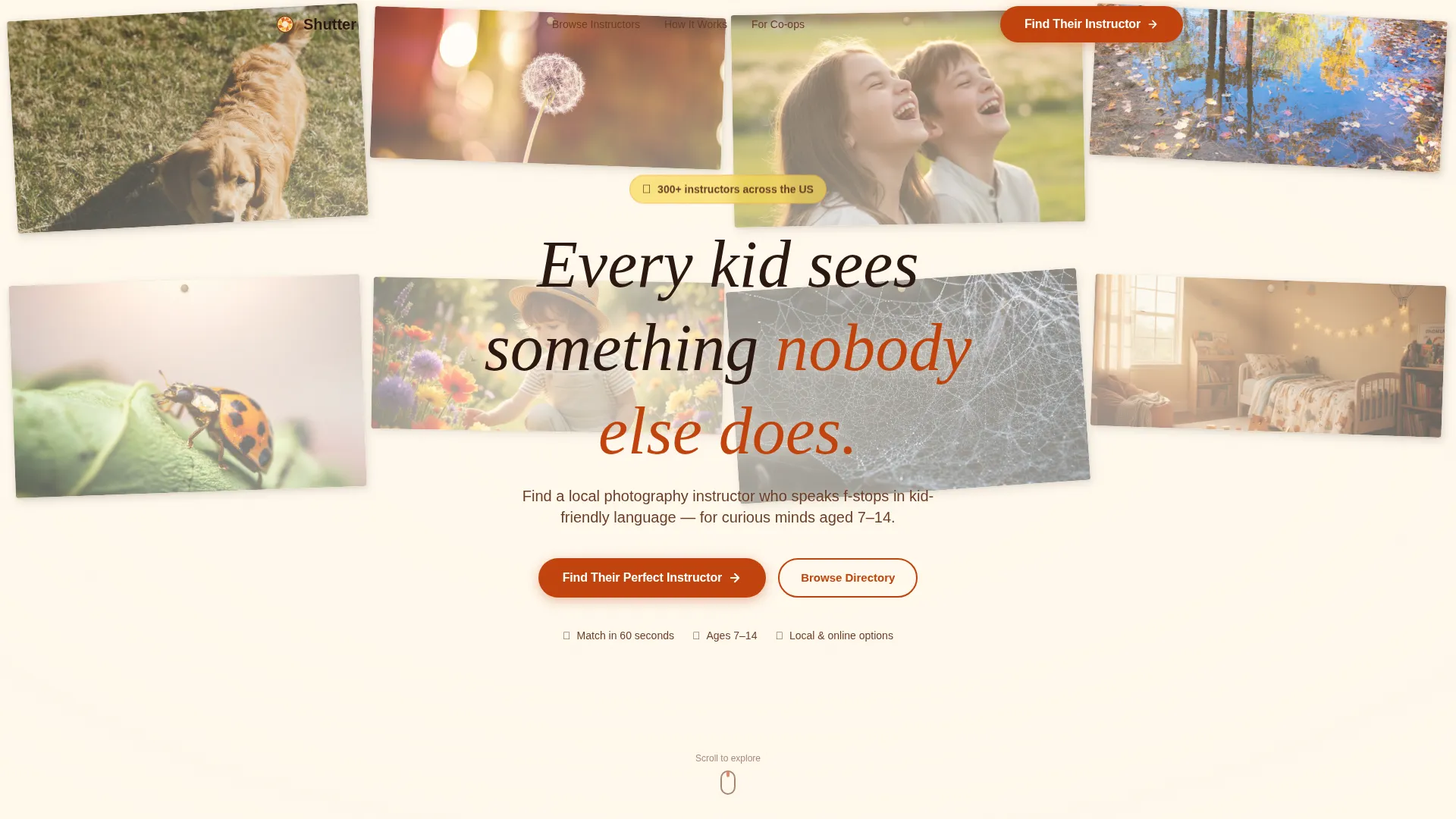
- A parallax UGC photo wall hero with a floating headline and quiz call to action
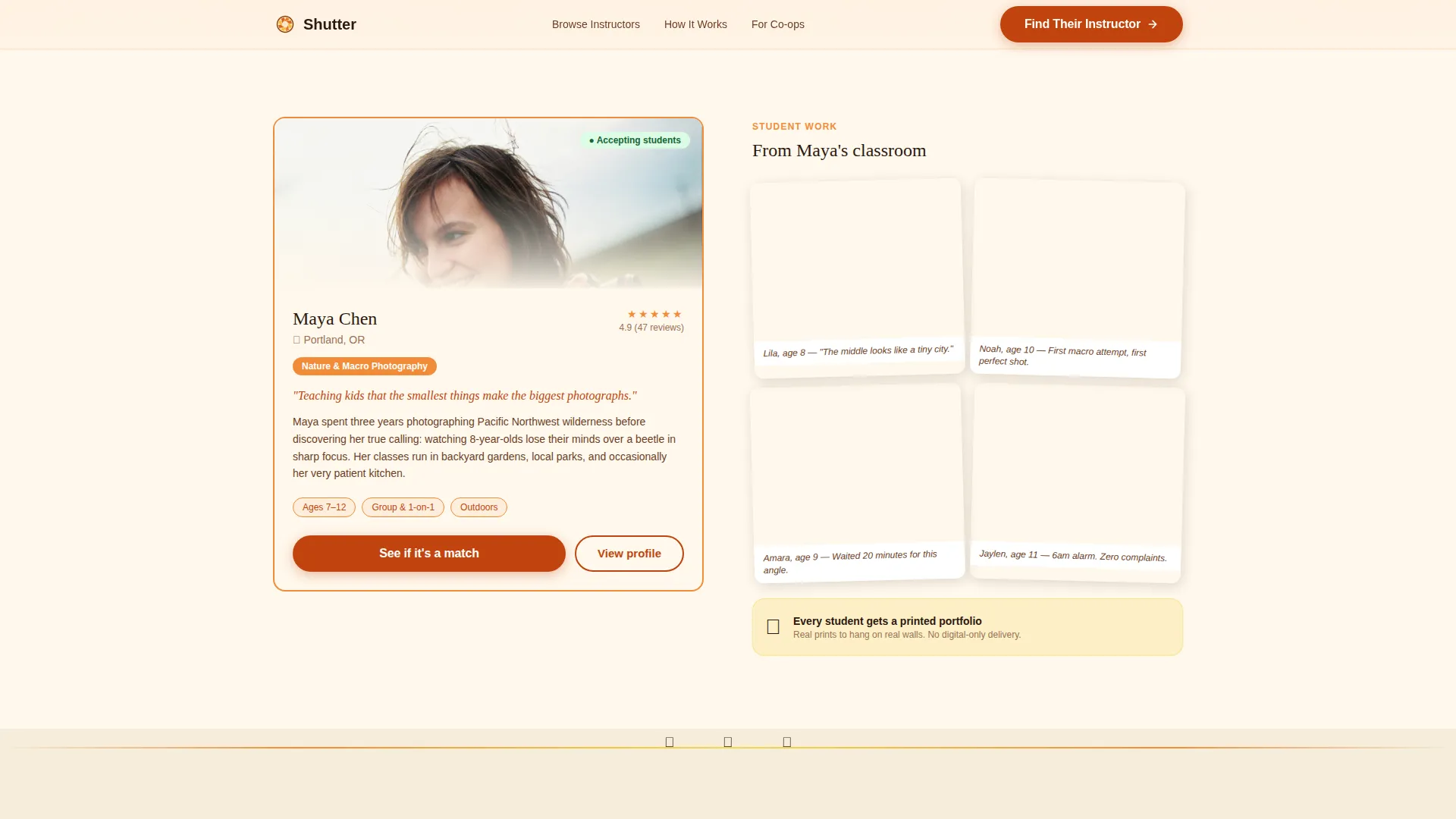
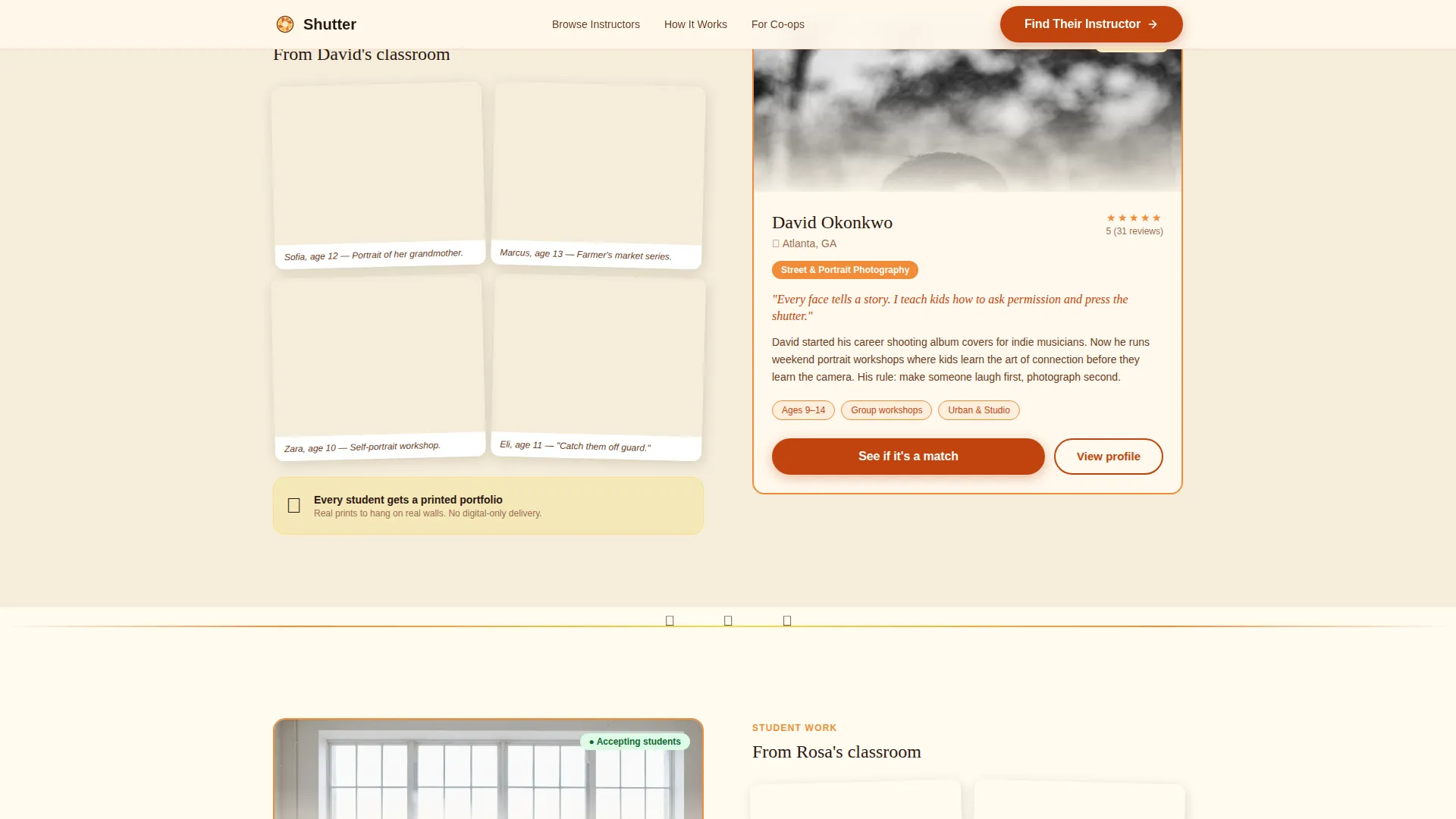
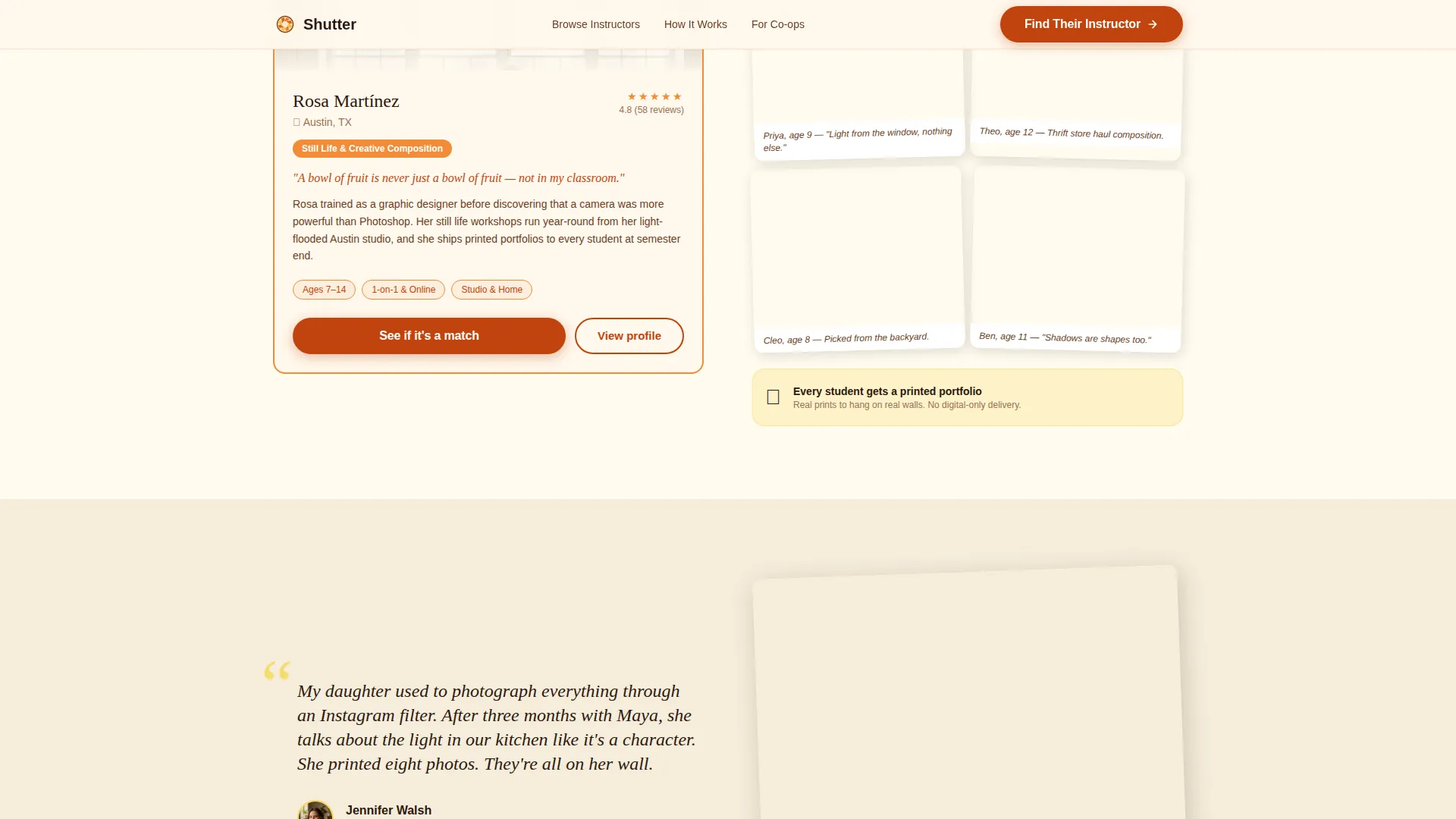
- Three zigzag instructor-profile and student-gallery pairs that alternate down the page
- A five-step illustrated quiz modal, parent testimonial blocks, and a browsable featured instructor directory with tangerine-framed cards
Feature list
This section covers the core built-in capabilities that make Shutter ready to launch.
Parallax UGC Photo Wall Hero
The hero section fills the viewport edge to edge with slightly tilted student snapshots on a mosaic grid. The grid drifts gently on scroll, creating depth without distraction. A hand-lettered headline floats at center over the imagery.
Five-Step Instructor-Matching Quiz
The primary call to action launches an illustrated quiz modal. It walks parents through five steps: child's age, photography interests, preferred learning style (group, one-on-one, or online), distance willing to travel, and experience level. Results surface three matched instructors with availability and sample student galleries.
Zigzag Community Gallery Layout
Three instructor-profile and student-gallery pairs alternate left and right down the page. Each pair shifts tone from nature photography to street portraits to still life, keeping visual curiosity alive as parents scroll.
Parent Testimonial Blocks
Short parent quotes appear between zigzag blocks as visual palette cleansers. Each testimonial is paired with a single standout student image, grounding the social proof in real work rather than text alone.
Featured Instructor Directory Cards
A dedicated section displays browsable instructor cards framed in tangerine. Parents who prefer to skip the quiz can explore the full directory directly from this section.
Intersection-Reveal Animations and Hover Interactions
Cards tilt and reveal on scroll using CSS transforms and intersection observer triggers. Instructor cards respond to spotlight hover, and image blocks include hover reveals, keeping the page lively without heavy scripting.
Page sections overview
| Section | Purpose |
|---|---|
| Hero Photo Wall | Opens with student mosaic and floating quiz call to action |
| Zigzag Gallery Pair 1 | Instructor profile beside nature photography student work |
| Zigzag Gallery Pair 2 | Instructor profile beside street portrait student work |
| Zigzag Gallery Pair 3 | Instructor profile beside still life student work |
| Parent Testimonials | Pull-quote blocks with standout student images |
| Quiz call to action Block | Full-width launcher for the five-step matching quiz |
| Featured Instructors | Browsable directory cards with tangerine frames |
| Footer | Linear single-row footer with navigation and links |
Design & branding system
Shutter uses a Warm Artisan visual identity built on a Citrus Burst color system. The palette feels like peeling a clementine in afternoon light, bright and immediately inviting.
- Colors: tangerine pulp (#F28C38) for instructor card frames, lemon curd (#F7D854) for testimonial highlights, soft cream (#FFF8EC) as the dominant canvas background, and deep marmalade (#C1440E) for buttons and active states
- Typography: Fraunces serif for headlines to give a hand-crafted editorial feel, paired with DM Sans for body copy to keep readability clean and approachable
- Visual style: corkboard aesthetic with slightly tilted image cards, clothesline-inspired gallery spacing, and student photographs that pop against the cream background without visual competition
Mobile & speed optimization
Shutter is designed mobile-first, reflecting how most parents browse on their phones. Desktop polish is layered on top of a solid responsive foundation.
- All animations use CSS transforms only, avoiding JavaScript-heavy approaches that slow down mobile rendering
- Images across the mosaic hero, zigzag galleries, and instructor cards are lazy-loaded so the page does not request all assets upfront
- Touch-friendly quiz modal flow and card interactions are sized and spaced for thumb navigation on smaller screens
How this template helps you convert
Shutter is built around two conversion paths that work together without competing.
- The quiz path moves parents from curiosity to a personalized instructor match in under sixty seconds, reducing the friction that causes drop-off on generic directory pages.
- The browse path gives confident parents direct access to the featured instructor directory, letting them self-select without being forced through the quiz flow.
Other information about this template
Shutter is a single landing page template, not a multi-page website build. It is designed for the Kids and Family category with a specific focus on the kids photography instructor directory niche.
- The template style is Zigzag/Alternating, following a Community Gallery creative direction
- The header concept is a UGC Photo Wall, and the primary landing page direction is Quiz/Assessment
- Animation intensity is set to high, with parallax scroll on the hero, intersection-triggered card reveals, and spotlight hover effects throughout
- The footer follows a Linear Single-Row pattern, keeping the bottom of the page clean and uncluttered
- The template is localized for English-language, United States-centric audiences using USD pricing references where applicable
Theme
Warm Artisan
Creative direction
Community Gallery
Color system
Citrus Burst
Style
Zigzag/Alternating
Direction
Quiz/Assessment
Page Sections
Parallax UGC Photo Wall Hero
Five-step Instructor-matching Quiz
Zigzag Community Gallery Layout
Parent Testimonial Blocks
Tangerine-framed Instructor Directory
Css-driven Animations and Hover Reveals
Related questions
Can parents browse instructors without taking the quiz?
How many instructor profiles does the zigzag section support?
Is the quiz a separate page or an in-page modal?
What photography subjects are shown in the gallery sections?
Is this template suitable for homeschool co-ops?



