Back-to-School Photo & Video Studio Landing Page
Shutter is a warm, scroll-driven landing page built for back-to-school photo and video studios. It guides families from a basic portrait sitting toward premium cinematic packages using modular card clusters, a tier-comparison toggle, and sample galleries at every level. The sunset gradient palette and device mockup header make finished work feel tangible before parents ever click "Upgrade My Package."
by Rocket studio
Quick summary
Shutter is a single-page template designed for studios offering back-to-school photo and video packages. It opens with a device mockup showing live gallery previews, then walks visitors through four service tiers using scrollable card clusters. Every section ends with a clear upgrade prompt, so families see exactly what they gain before they decide.
Who this template is for
This template suits studios and photographers who offer school portrait sessions and want to move families up from basic sittings to richer, multi-deliverable packages. It also works well for school event coordinators who need a clear, shareable page to present package options before picture day.
- Back-to-school portrait and video studios managing multiple service tiers
- School photographers coordinating large picture-day logistics for administrators
- Creative studios offering cinematic first-day mini-films alongside traditional portraits
What problem this template solves
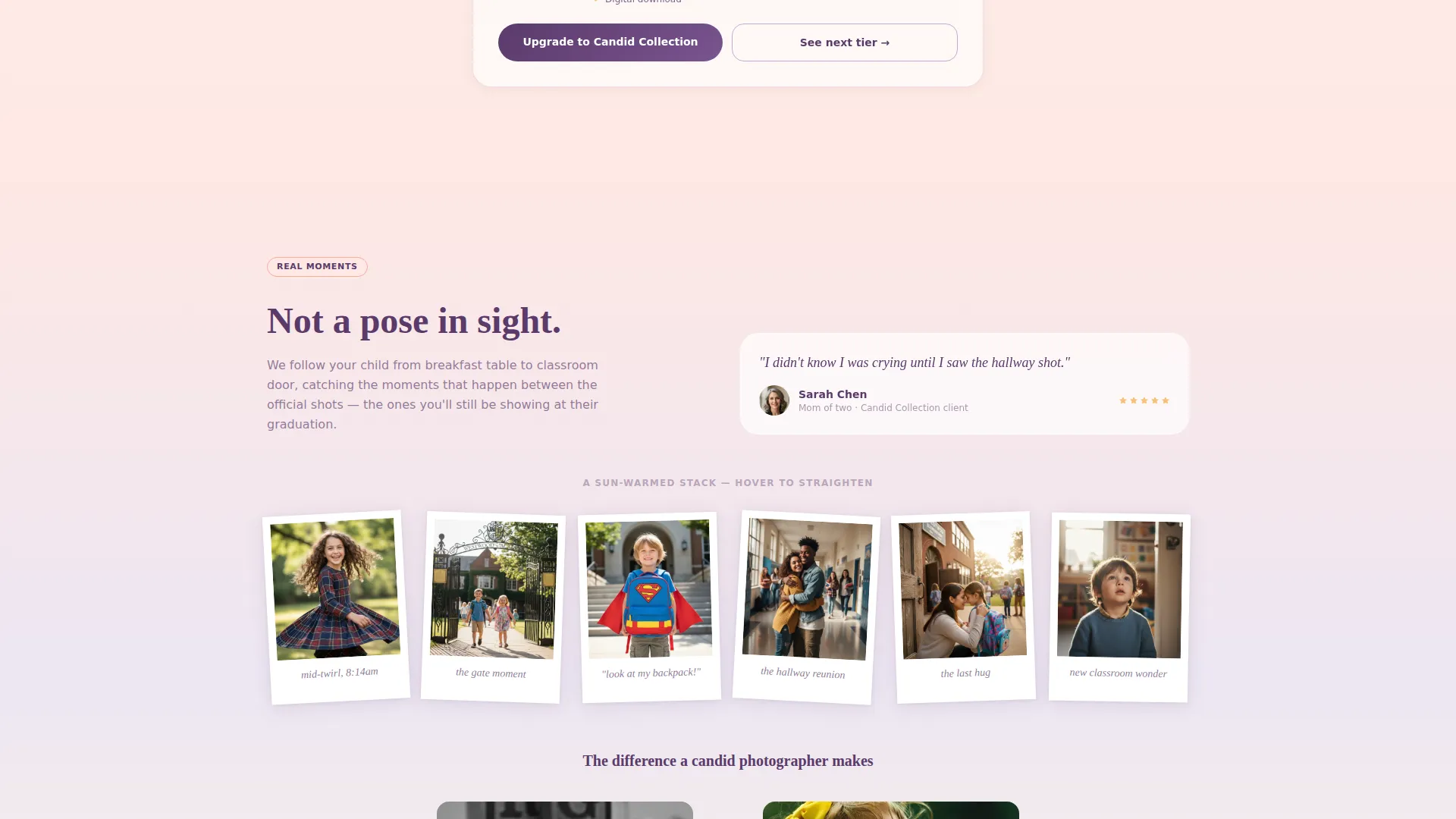
Most school photography pages list packages in a plain table and hope parents read carefully. Families skim, pick the cheapest option, and never discover what a candid lifestyle set or a cinematic mini-film actually looks like. Shutter fixes this by letting parents see finished samples at every tier before they reach a decision point.
- Parents default to the basic package without understanding what they are missing
- Studios struggle to communicate the emotional value of premium video deliverables
- Administrators need a clear, fast overview of what picture day will actually produce
What you get with this template
You get a fully structured landing page built around a modular card grid that reveals each service tier as visitors scroll. The layout is designed to feel like browsing a curated photo album, with each section making the previous tier feel slightly incomplete.
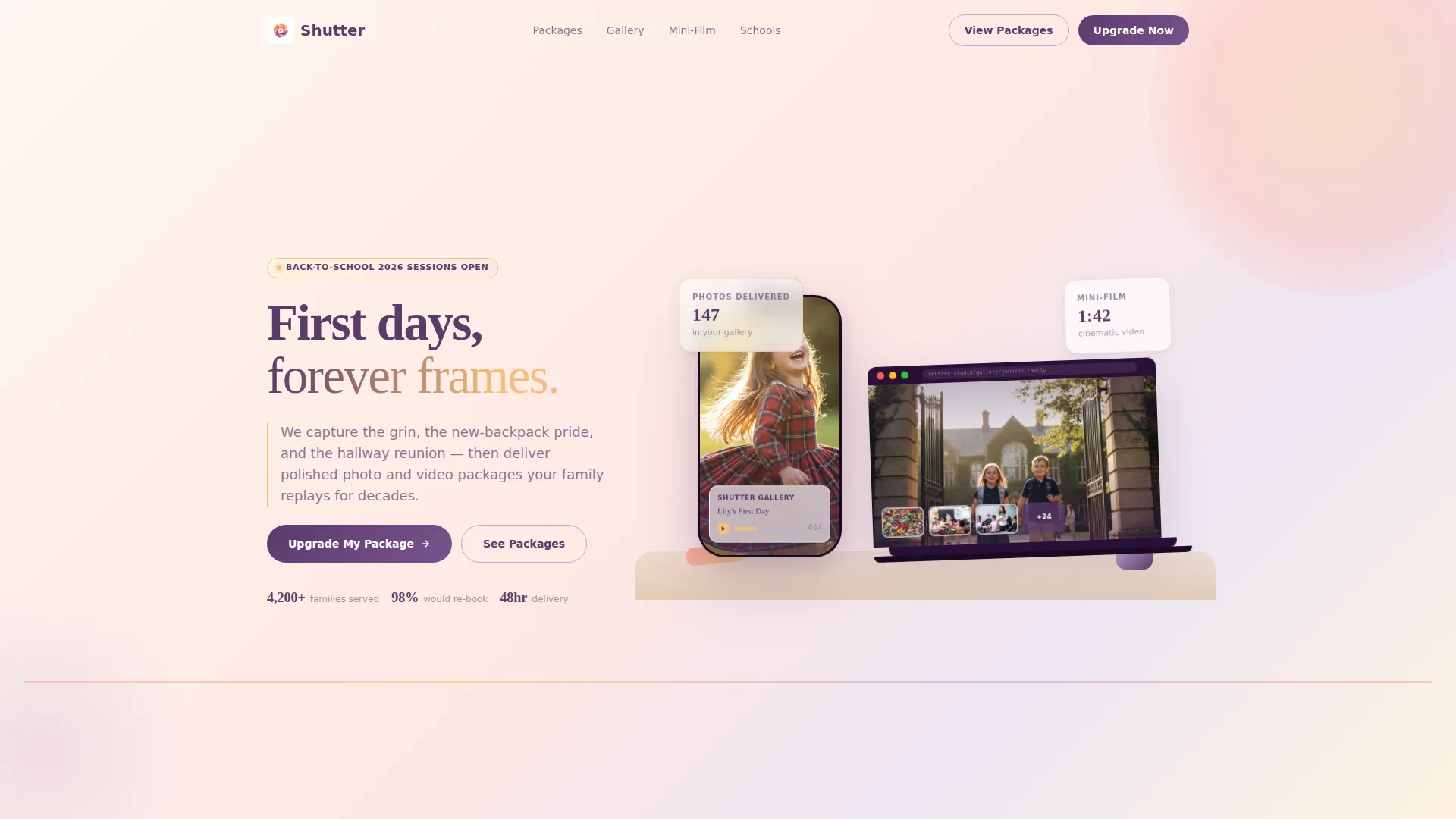
- A device mockup header showing live gallery and video previews on a laptop and iPhone
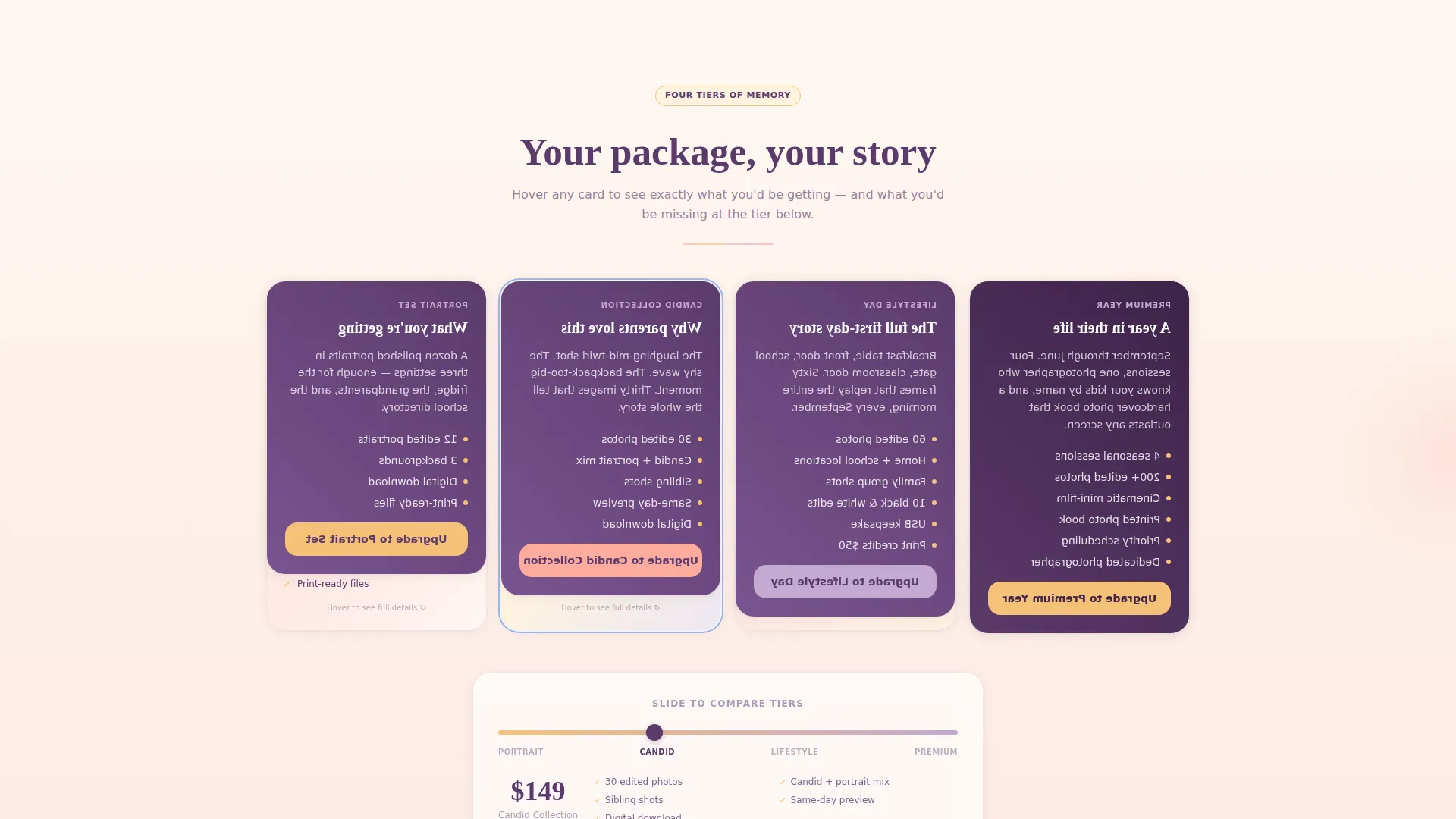
- Scrollable card clusters for four service tiers, from basic portraits to a yearlong seasonal package
- A comparison toggle that lets parents slide between tiers and watch deliverables multiply in real time
Feature list
This section describes the core built-in components that define how Shutter works as a selling tool.
Device Mockup Hero Header
An iPhone and a laptop sit casually on a maple desk beside a pencil case and a half-zipped backpack. Their screens display a laughing child mid-twirl and a cinematic slow-motion sibling walk, making the studio's finished work feel already delivered.
Modular Card Grid Layout
Each scroll section reveals a new service tier as a cluster of cards. Cards flip, stack, and rearrange as the visitor scrolls, mimicking the feeling of browsing a curated album where every next card quietly makes the starter option feel incomplete.
Tier Comparison Toggle
A slide toggle lets parents compare two tiers side by side and watch deliverables multiply as they move up. This interactive component sits at the bottom of each card cluster, giving families a concrete reason to upgrade before they scroll further.
Persistent "Add the Mini-Film" Banner
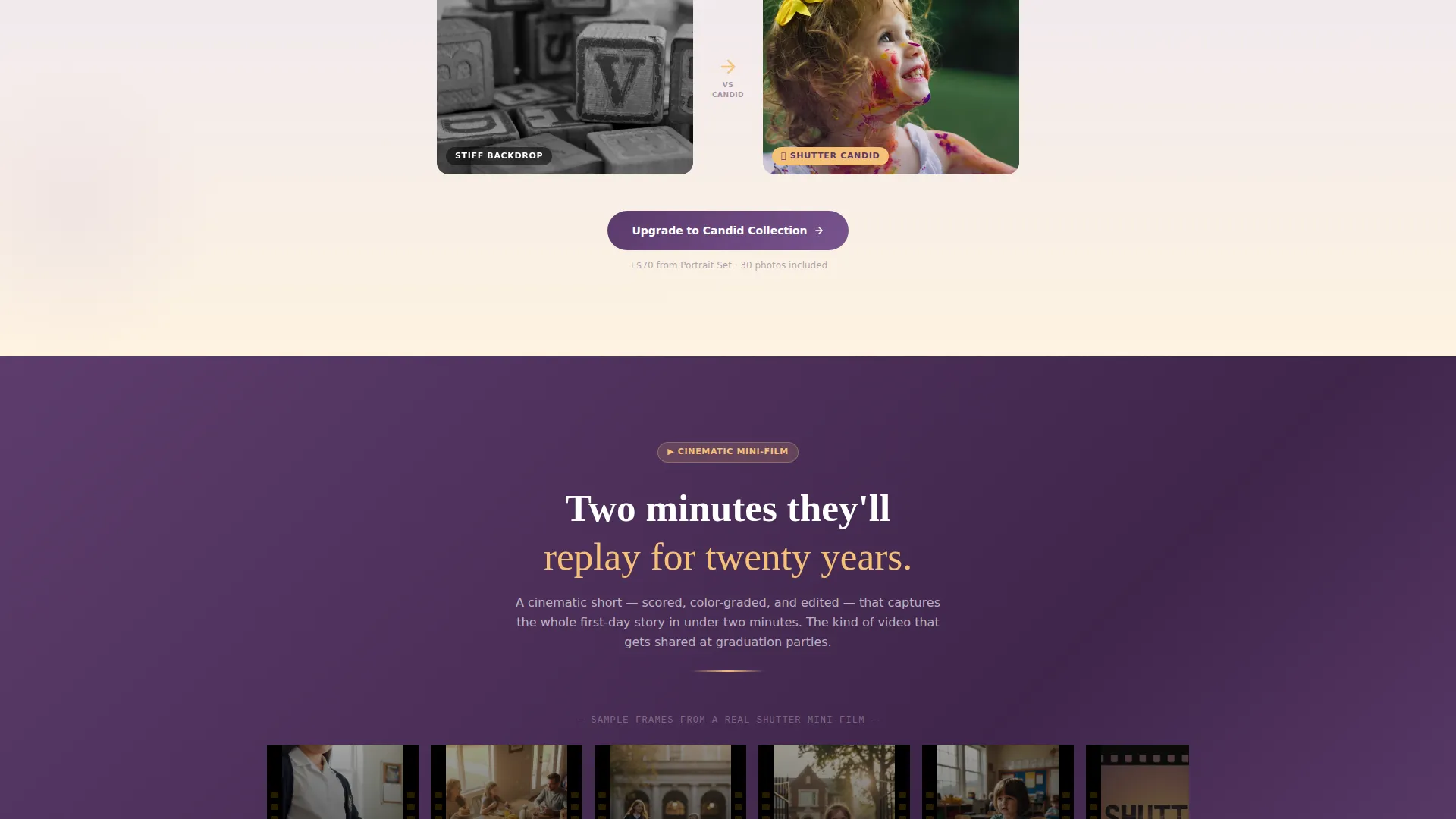
After the video section, a floating banner stays visible as parents continue scrolling. It offers a single secondary action without interrupting the main upgrade path, keeping the cinematic mini-film option in view without competing with the primary call to action.
Pinned Upgrade Call to Action
"Upgrade My Package" is pinned to the bottom of every card cluster. Parents never need to hunt for the next step. The button stays contextual, appearing right after they have seen the sample gallery for each tier.
Sunset Gradient Visual System
The warm peach, golden amber, soft lavender, and deep twilight plum palette is applied as a continuous bleeding gradient across cards. Hover states lift into lavender, headlines anchor in plum, and amber warms the card backgrounds, creating a cohesive visual mood without requiring custom design work.
Page sections overview
| Section | Purpose |
|---|---|
| Device Mockup Header | Shows finished gallery and video previews on real device screens |
| Basic Portrait Cluster | Introduces the entry-level sitting package with sample images |
| Candid Lifestyle Cards | Expands the offer with natural, on-location candid shots |
| Cinematic Mini-Film | Presents the first-day film deliverable with video sample |
| Yearlong Premium Package | Showcases the seasonal reshoot tier with full deliverable list |
| Tier Comparison Toggle | Lets parents slide between packages and compare deliverables |
| Mini-Film Floating Banner | Keeps the secondary video add-on visible after the video section |
| Upgrade call to action Strip | Pins the primary upgrade action to each card cluster footer |
Design & branding system
The Shutter palette is built around a Sunset Gradient color system that feels like the last fifteen minutes of a late-August evening. Warm tones bleed across card borders like watercolor on wet paper, creating a mood that is both nostalgic and polished.
- Warm peach (#FDAB9E) and golden amber (#F6C177) provide the primary background warmth across card surfaces
- Soft lavender dusk (#C4A8D1) activates on hover states, giving the interface a gentle, responsive feel
- Deep twilight plum (#5B3A6B) anchors every headline and key text element, ensuring strong readability against warm backgrounds
Mobile & speed optimization
The modular card grid is built to reflow cleanly on smaller screens, so parents browsing on a phone during carpool pickup get the same clear tier progression as desktop visitors. The layout prioritizes visual hierarchy over decorative complexity.
- Card clusters stack vertically on mobile, preserving the tier-by-tier scroll experience without horizontal overflow
- The pinned "Upgrade My Package" button remains accessible at the bottom of each card section on all screen sizes
- The device mockup header scales proportionally so gallery previews remain legible on compact displays
How this template helps you convert
Shutter is built around one insight: families upgrade when they can see what they are missing, not just read about it. Every layout decision moves visitors from curiosity to a confident package choice.
- Finished sample galleries appear at every tier, so parents make an informed decision rather than guessing what a premium package delivers.
- The tier comparison toggle makes deliverable differences tangible and immediate, removing the friction of comparing bullet lists across separate pages.
- The persistent mini-film banner and pinned upgrade button keep both conversion paths visible without forcing a choice, letting parents move at their own pace.
Other information about this template
Shutter sits within the Retail and E-Commerce category under the Back to School Business subcategory, making it relevant for seasonal studio promotions timed to the school calendar. The template style follows a Gallery and Detail approach, combining visual sample grids with clear package breakdowns. The creative direction leans into a curated collection reveal rather than a static menu, which suits studios that sell on emotion and experience as much as price. The landing page direction is built around direct sales, meaning every section exists to move a visitor toward a specific package decision.
- The template is a single landing page with a section-led scroll flow, not a multi-page website
- It is designed for studios managing back-to-school picture day at scale, including sessions for hundreds of students in a single day
- The Soft Gradient theme and Sunset Gradient color system are baked into the template structure, reducing the visual customization work needed before launch
Theme
Soft Gradient
Creative direction
Before/After Reveal
Color system
Obsidian & Gold
Style
Gallery + Detail
Direction
Direct Sales
Page Sections
Device Mockup Hero Header
Modular Card Grid with Scroll Reveal
Tier Comparison Toggle
Pinned Upgrade Call to Action
Persistent Mini-film Banner
Sunset Gradient Color System
Related questions
Who is this landing page template designed for?
Can I use this template to display multiple service tiers?
Does the template include a dedicated video package section?
Is this template suitable for high-volume school picture day events?
How much design work is needed before this template is ready to launch?



