Shutter - Reliable Repair Landing Page Template
Shutter is a zigzag landing page template built for Tokyo garage door and shutter repair services. It guides visitors through a transparent, step-by-step repair process, builds trust with press credentials, and drives bookings through a three-step scheduling form and a persistent tap-to-call button. The layout suits emergency and routine service providers operating across Tokyo's 23 wards.
by Rocket studio
Quick summary
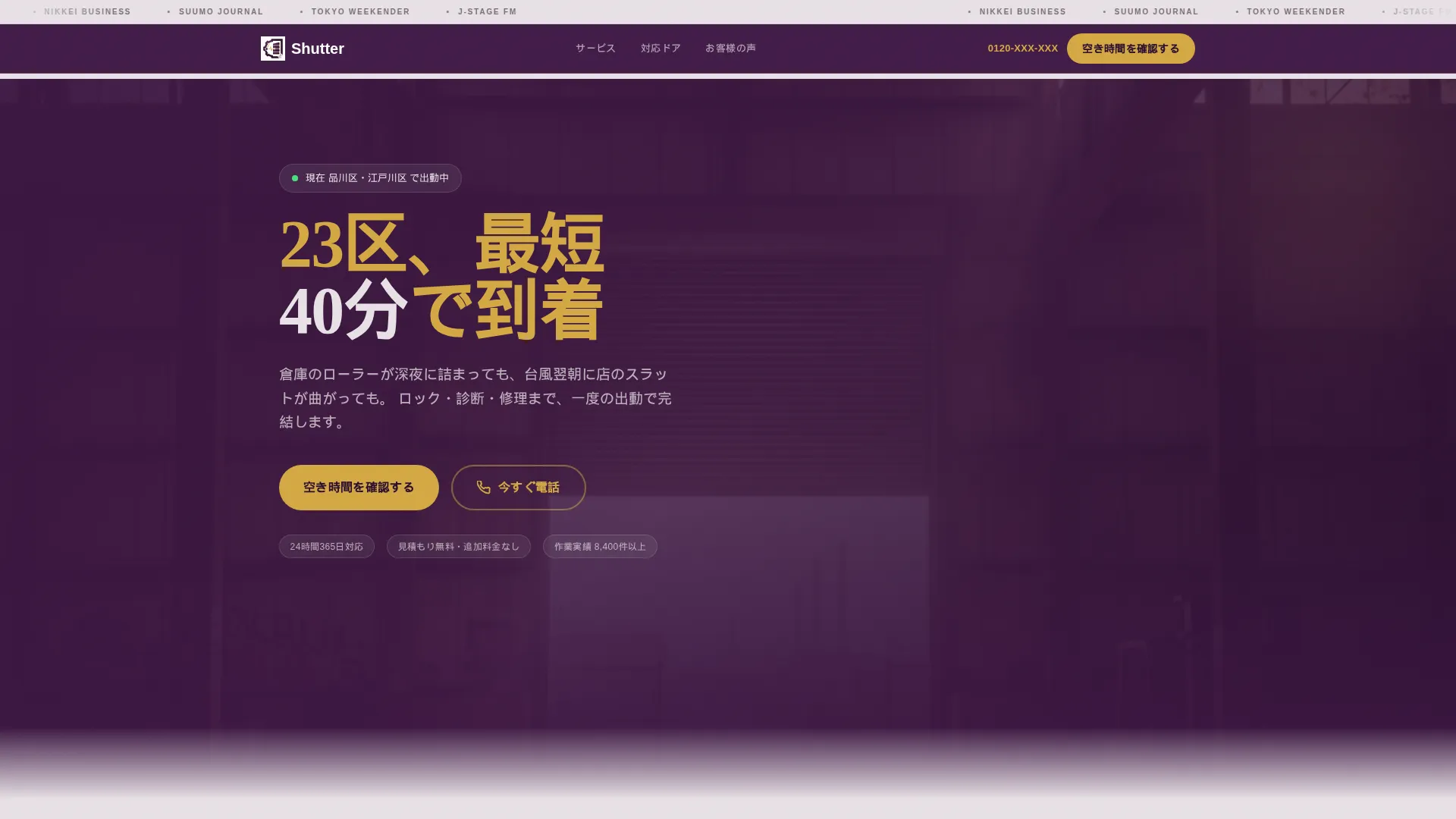
Shutter is a single-page repair service template designed for urgent, high-stakes situations. It opens with a press ticker and a bold availability headline, then walks visitors through a transparent four-stage repair journey. Every section is built to earn trust quickly and move visitors toward booking a slot or calling directly.
Who this template is for
This template fits small to mid-sized shutter and garage door repair businesses that serve commercial and industrial clients in Tokyo. It is especially suited to operators who handle emergency callouts alongside routine maintenance work.
- Building managers and facilities teams who oversee aging shutter stock in industrial wards
- Restaurant owners and logistics supervisors facing door failures that stop operations
- Two-van or small-fleet repair businesses that need a credible, bookable web presence fast
What problem this template solves
Finding a reliable shutter repair service at 2 a.m. is stressful. Clients need to trust quickly, act immediately, and know that someone will actually show up. Most repair service pages fail at all three.
- Visitors leave when they cannot see a phone number or booking option within seconds
- Vague service pages offer no proof of process, so doubt replaces confidence
- Generic layouts do not reflect the urgency or professionalism the job demands
What you get with this template
You get a complete, ready-to-customize landing page structured around the full repair service journey. Every section has a clear job to do, from credibility building at the top to booking confirmation at the bottom.
- A press mention ticker, goldenrod headline, and real-time availability indicator in the header
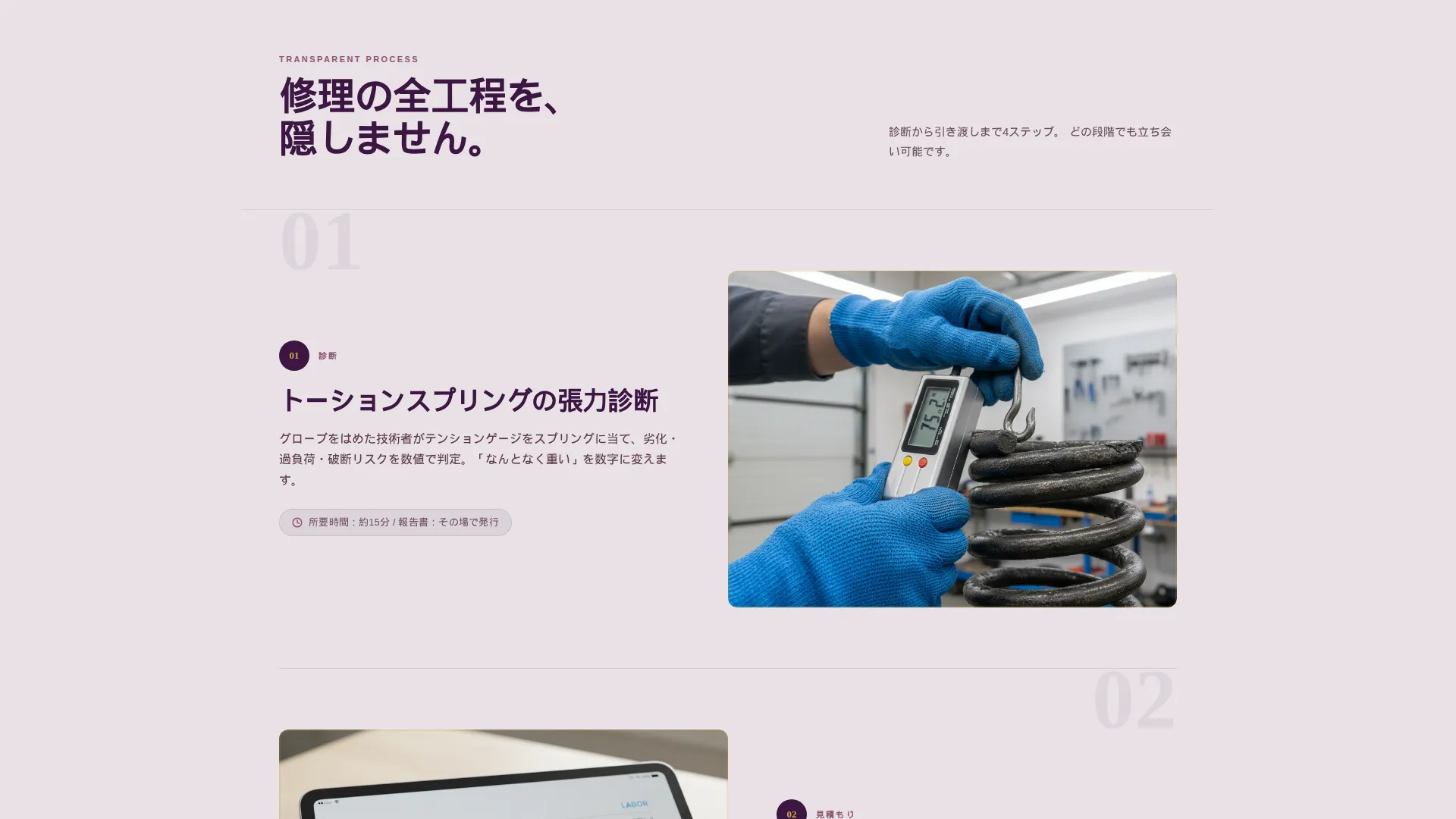
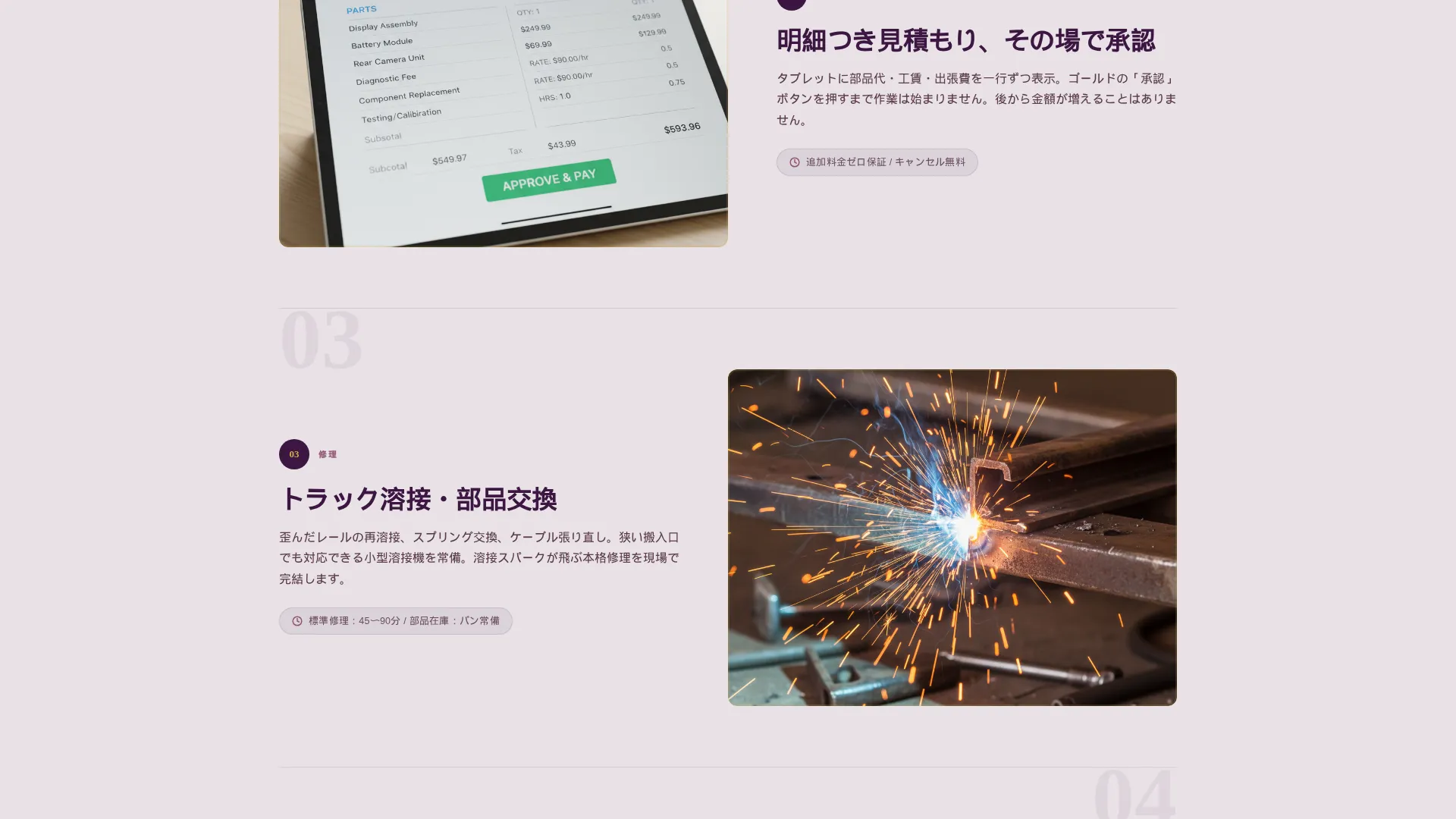
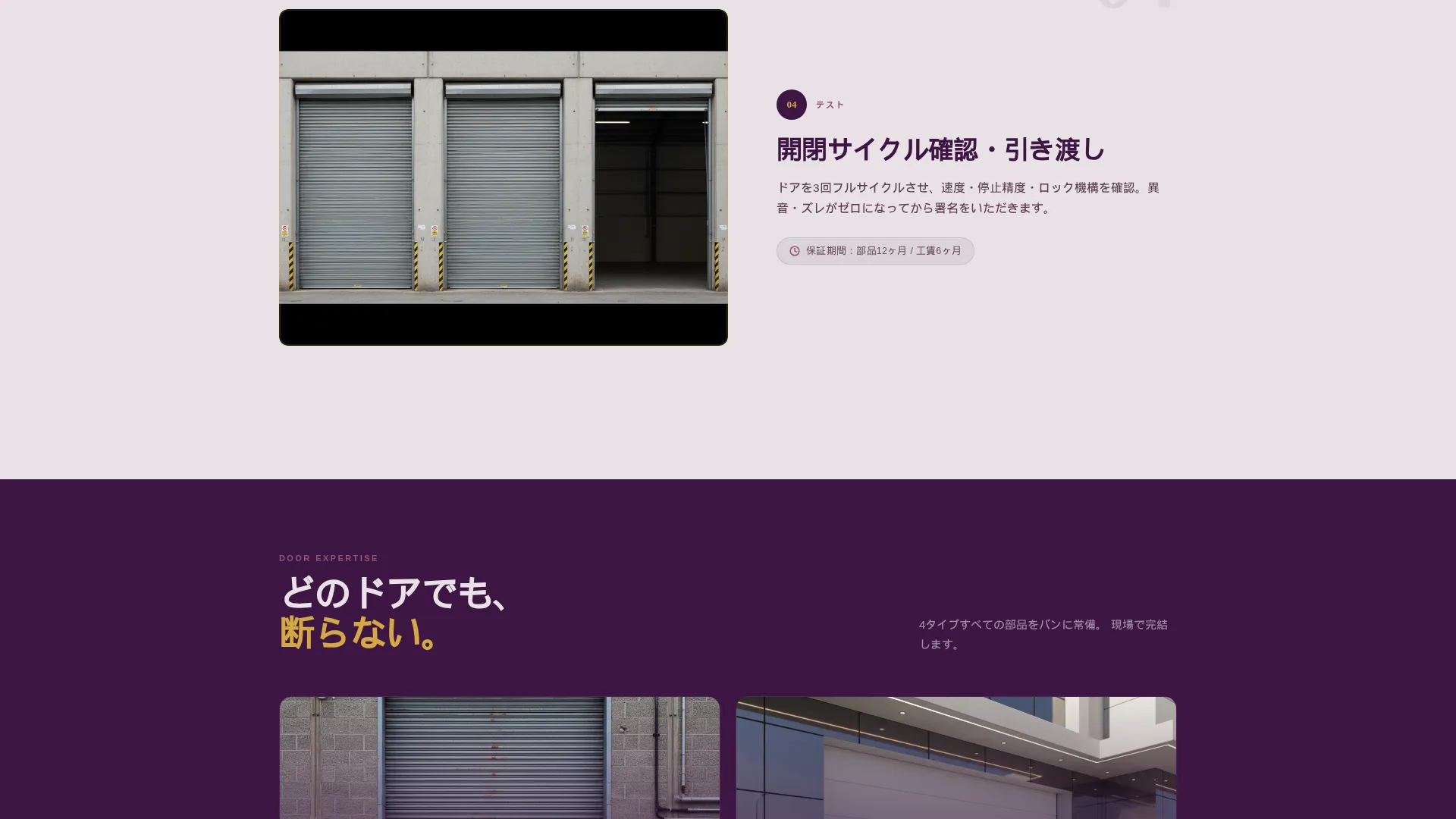
- A four-stage zigzag layout showing diagnosis, quotation, repair, and testing with photo and text alternating
- A three-step scheduling form, a persistent mobile booking bar, and a floating tap-to-call button
Feature list
A short paragraph introducing the feature set sits here. This template packs purpose-built components into a compact, high-trust layout that is ready for a local Tokyo repair brand.
Press Credibility Ticker
A horizontal scrolling bar at the top of the page displays press mention logos in monochrome plum against a platinum background. It scrolls at reading pace, letting publication names land before the visitor reaches the headline.
Real-Time Availability Indicator
A small animated green dot beside location-specific dispatch text tells visitors that service is currently active. This detail works harder than a generic "open now" badge because it names specific wards.
Zigzag Repair Journey Layout
Four alternating sections pair a close-up photograph with a numbered explanation. Each stage, from diagnosis to testing, is revealed in order so the visitor feels like they are watching a real job unfold rather than reading a brochure.
Three-Step Booking Form
Step one lets visitors select door type using icon tiles. Step two picks urgency level, which dynamically adjusts available time slots. Step three captures address via postal code auto-fill and a phone number field.
Persistent Mobile Booking Bar
On mobile screens, a sticky bottom bar keeps the primary call to action visible at all times. Visitors never have to scroll back up to find a way to book.
Floating Tap-to-Call Button
A "Call Now" button floats persistently across the page, giving after-hours visitors an immediate path that does not require filling out a form.
Page sections overview
| Section | Purpose |
|---|---|
| Press Mention Ticker | Establishes credibility before the headline lands |
| Hero Header Block | Delivers urgency with headline and availability indicator |
| Diagnosis Stage | Shows the technician's inspection process with a photo |
| Quotation Stage | Displays a transparent itemized estimate visual |
| Repair Stage | Captures the physical repair work with a close-up shot |
| Testing Stage | Shows the door cycling through a three-frame sequence |
| Booking Form Panel | Guides visitors through a three-step scheduling flow |
| Mobile Sticky Bar | Keeps the booking call to action fixed on small screens |
| Floating Call Button | Provides a persistent after-hours direct contact option |
Design & branding system
The color system follows a Service Utility theme built around deep plum, dusty mauve, brushed platinum, and goldenrod. The palette communicates precision and reliability without feeling cold or corporate.
- Deep plum (#3C1642) anchors headers and section dividers; dusty mauve (#8E5572) warms secondary panels; brushed platinum (#E8E1E6) fills the dominant background
- Goldenrod (#D4A843) is used exclusively for call-to-action buttons, phone numbers, and urgent-service badges to create an immediate visual priority signal
Mobile & speed optimization
The template is structured for mobile visitors who may be dealing with a door emergency on-site. The layout prioritizes the most urgent actions at every scroll depth.
- The sticky booking bar and floating call button keep primary actions reachable without scrolling on any screen size
- Postal code auto-fill in the booking form reduces typing effort on mobile keyboards, keeping the path to conversion short
How this template helps you convert
Every layout decision in this template is aimed at reducing hesitation and removing friction. Visitors arrive in stress, so the page is built to calm, inform, and direct them in a single scroll.
- The press ticker and real-time dispatch indicator build enough trust in the first three seconds that visitors stay to read the headline instead of bouncing
- The zigzag repair journey removes doubt by showing exactly what happens during a job, making the service feel known and safe before any money changes hands
- The two-path conversion system, a form for planners and a call button for emergencies, captures visitors regardless of how urgently they need help
Other information about this template
This template is designed to serve the Tokyo local services market, particularly the garage door repair and shutter maintenance niche. It fits the Professional Services category and is well matched to lead generation goals in dense urban service areas.
- The template uses a Service Utility theme with a Plum Executive color system, suited to trades businesses that want to project both competence and composure
- Page sections are built for a zigzag alternating visual flow, making it easy to swap in real photography from actual job sites
- The three-step form supports door type selection across roller, sectional, swing, and sliding categories, covering the main repair segments
- This template works well for any repair operator serving Tokyo's 23 wards who needs a web presence that converts both emergency callouts and scheduled inspections
Theme
Service Utility
Creative direction
Testimonial Mosaic
Color system
Arctic White
Style
Single Column Flow
Direction
Lead Generation
Page Sections
Press Credibility Ticker
Real-time Availability Indicator
Zigzag Repair Journey Sections
Three-step Scheduling Form
Persistent Mobile Booking Bar
Floating Tap-to-call Button
Related questions
Can I customize the press ticker logos and headline text?
Does the booking form connect to a calendar or scheduling system?
Is this template suitable for a repair business outside Tokyo?
Can I adapt this template for services beyond shutter repair?



