Waiter & Server Privacy Policy Website Template
Sidework is a sidebar companion landing page built for labor attorneys, hospitality unions, and workforce compliance platforms. It presents a co-brandable wage-and-hour resource for tipped employees and positions your organization as the trusted authority behind it. The layout pairs a fixed slate sidebar with a scrolling content column, built to convert partnership prospects through layered proof and a clear embed-focused call to action.
by Rocket studio
Quick summary
Sidework is a single-page sidebar companion template designed for B2B partnership conversion. It leads with institutional credibility signals, walks prospects through real-world deployment case studies, and closes with a low-friction embed inquiry form. The target user is not an individual server but an organization ready to distribute a trusted wage-and-hour resource under their own brand.
Who this template is for
This template is built for organizations that serve tipped employees and want to extend their reach through a credible, embeddable content resource. It speaks directly to decision-makers who evaluate distribution partnerships, not individual workers.
- Labor attorneys and legal practices looking to add a plain-language wage reference tool to their client-facing platforms
- Hospitality unions and worker advocacy groups seeking a co-brandable trust signal for their member portals
- Workforce compliance platforms and hospitality software providers looking to embed authoritative content via an integration pathway
What problem this template solves
Most compliance resources for tipped workers are either buried in government PDFs or locked behind legal paywalls. Organizations that want to offer real value to servers and bartenders have no polished, embed-ready asset to point to. This template solves the distribution and credibility gap in one structured layout.
- No clear starting point for organizations that want to co-brand and deploy a wage-and-hour FAQ resource
- Prospect pages that list partnership options without walking buyers through the trust-building journey first
- Generic contact forms that ask for commitment before demonstrating value
What you get with this template
You get a fully structured sidebar companion landing page that layers credibility signals, case studies, and conversion prompts in a deliberate sequence. Every section is designed to move a skeptical B2B prospect from awareness to inquiry without pressure.
- A fixed-position sidebar with a persistent call-to-action button and scrollable anchor navigation
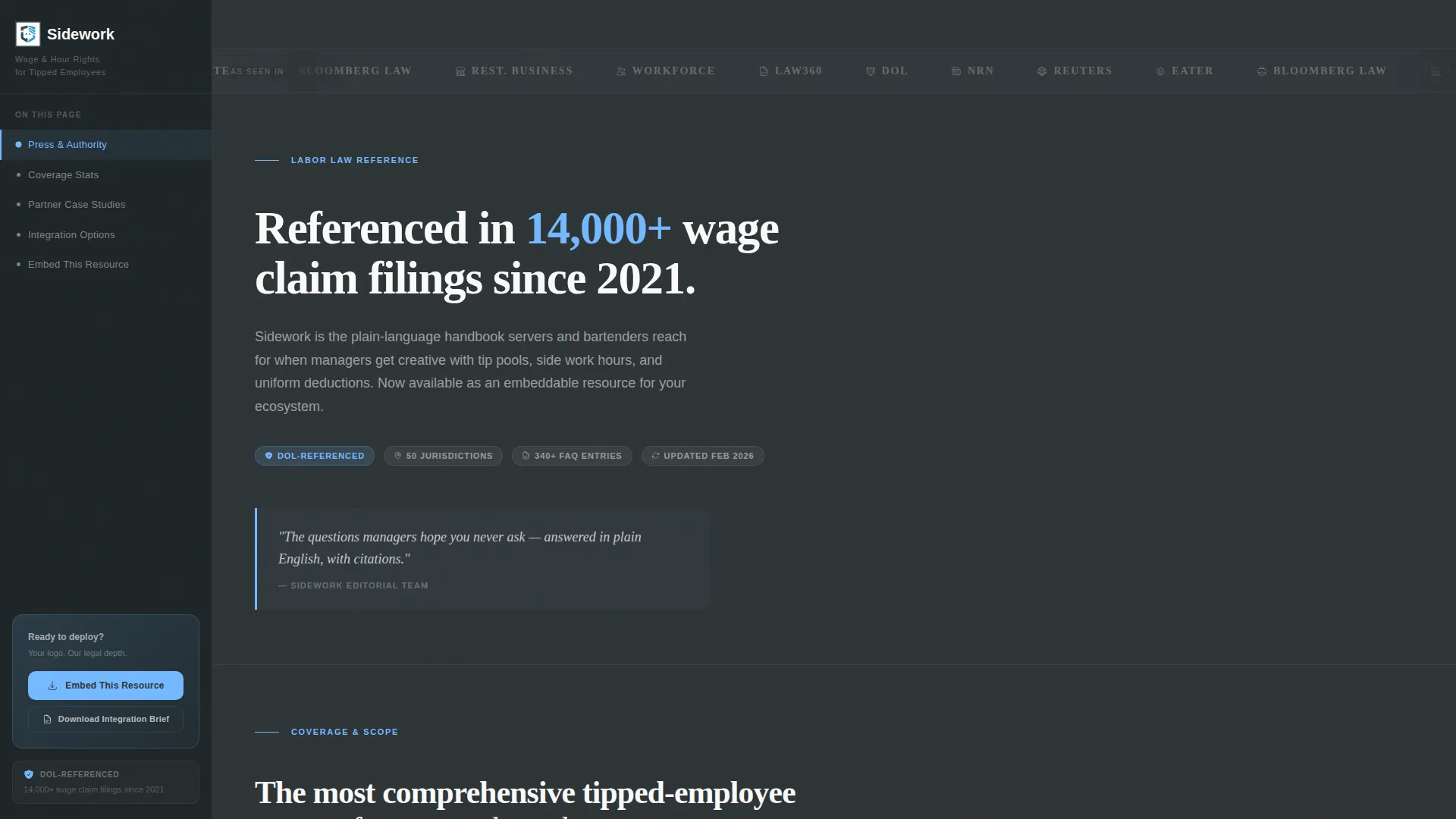
- A press mentions banner featuring monochrome media and publication logos that animate on hover
- Partnership inquiry and gated PDF download forms with field sets matched to the conversion goal
Feature list
A brief description of what makes each built-in component worth noting for prospective partners.
Press Mentions Banner
A horizontal scrolling strip of media logos and legal publication mastheads renders in monochrome against the charcoal slate header. Each logo desaturates until hover, when full color returns. The effect communicates third-party validation without any explanatory copy.
Live-Updating Coverage Counter
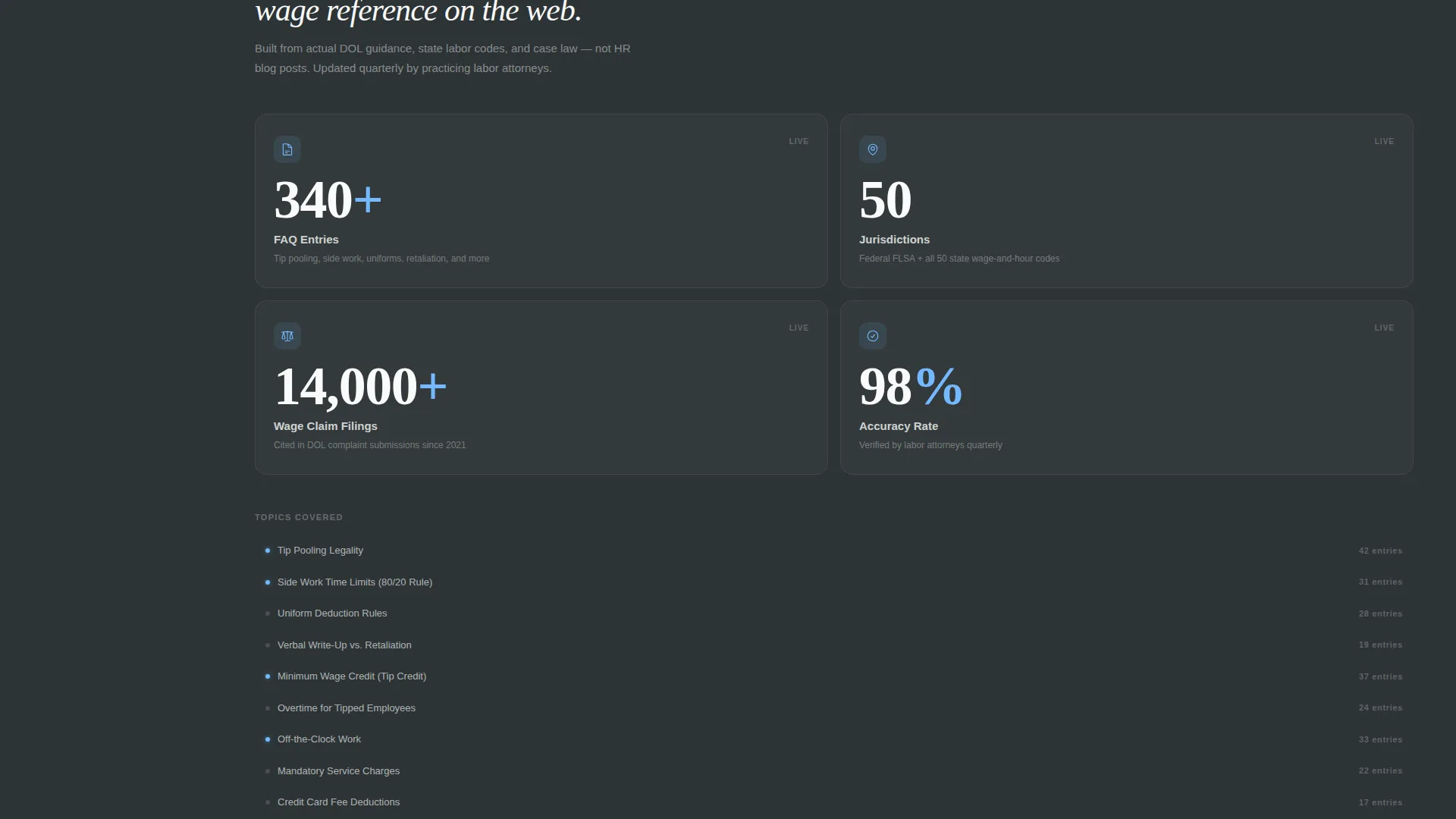
Below the logo wall, a live counter displays the current number of FAQ entries and jurisdictions covered. It gives skeptical visitors a concrete sense of scale before they read a single case study.
Partnership Case Study Cards
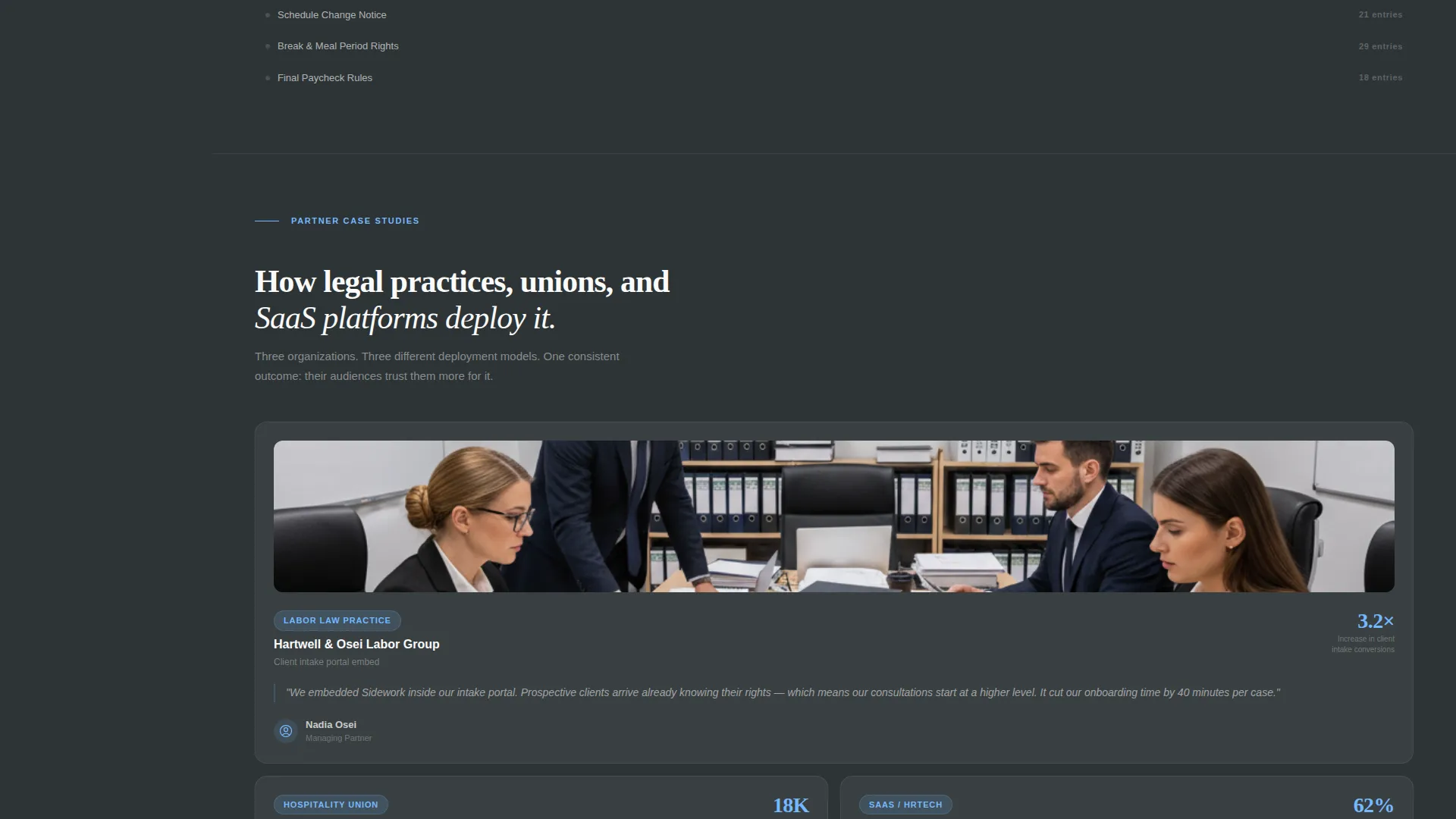
Case study blocks appear as sidebar-anchored cards while the main content column walks through integration options. Each card represents a real deployment scenario, making it easy for prospects to recognize their own use case.
Integration Options Showcase
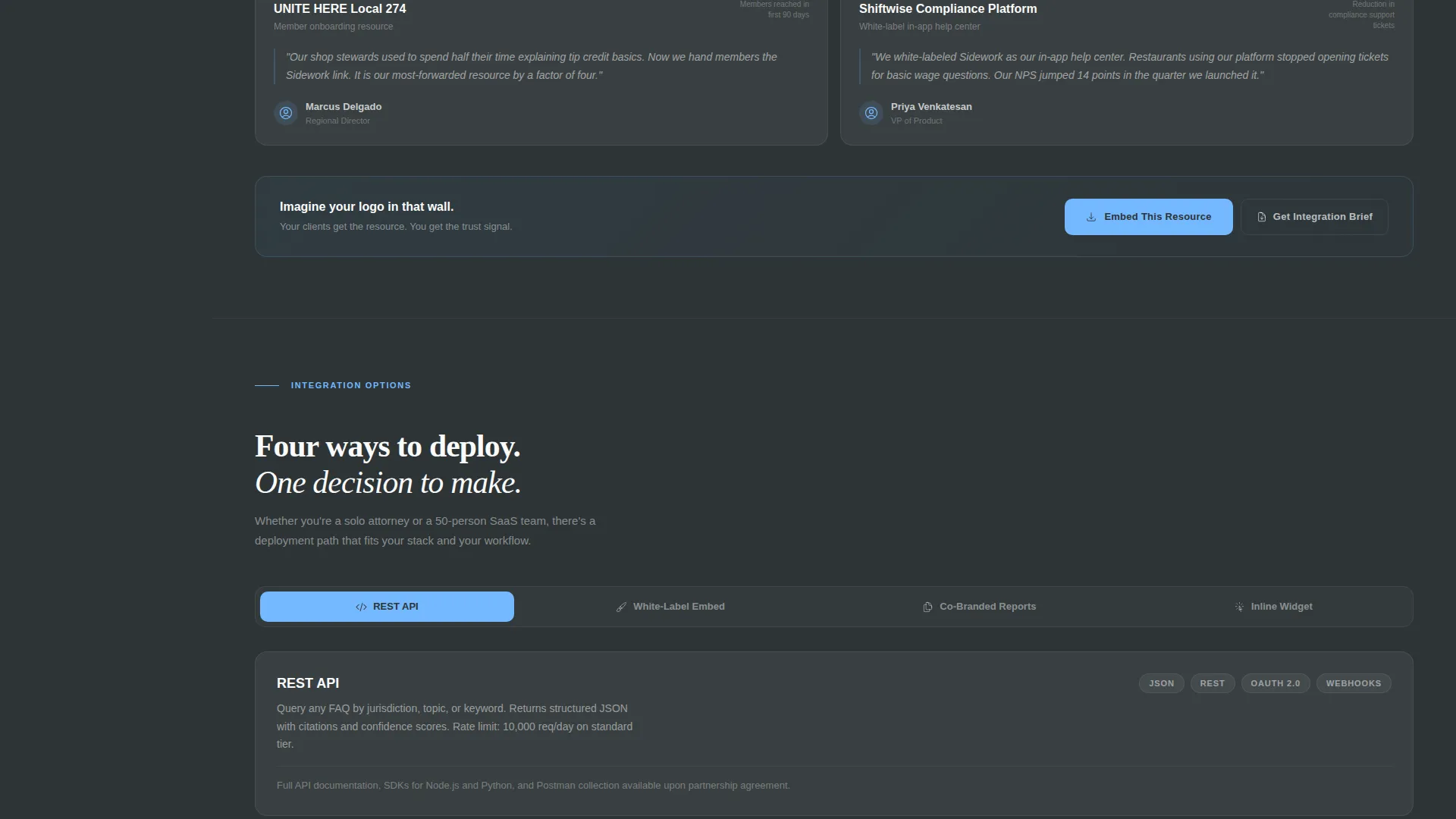
The main content column previews application programming interface (API) documentation, white-label screenshots, and co-branded report samples in sequence. Prospects see exactly how the resource would look inside their own platform before they ever fill out a form.
Dual-Path Conversion Forms
The primary form collects organization name, partnership type, estimated audience size, and work email in that order. A secondary gated download path captures only email and organization name, offering a lower-commitment entry point for early-stage prospects.
Fixed Sidebar with Persistent Call to Action
The sidebar stays fixed in slate while the main content scrolls. It holds a persistent "Embed This Resource" button alongside anchor links, so a prospect can jump between sections or act at any point in the page without scrolling back to the top.
Page sections overview
| Section | Purpose |
|---|---|
| Press Mentions Banner | Establishes institutional credibility with recognizable media and legal publication logos |
| Stat Headline Block | Anchors authority with a single large referenced-filing count figure |
| Coverage Counter | Shows live FAQ entry and jurisdiction counts to signal scale |
| Partnership Case Studies | Walks prospects through real deployment examples using sidebar-anchored cards |
| Integration Options | Previews API docs, white-label screenshots, and co-branded report samples |
| Primary Inquiry Form | Collects org name, partnership type, audience size, and work email |
| Gated PDF Download | Captures email and org name for prospects not ready to commit |
Design & branding system
The visual identity follows a Legal Shield theme built on a Slate and Sky color system. The palette feels sharp and institutional without being cold or bureaucratic. It reads like a labor reference document that means business.
- Deep charcoal slate (#2D3436) for primary backgrounds and the fixed sidebar, cool steel gray (#636E72) for body text and secondary panels, open-sky blue (#74B9FF) for links and interactive highlights, and clean apron white (#FAFAFA) for content wells and card surfaces
- The sidebar-and-scroll layout creates the sensation of a persistent legal table of contents anchored alongside a scrolling reference document
- No hero image is used; authority is communicated entirely through typography, data, and logo presentation
Mobile & speed optimization
The sidebar companion layout is built with responsive behavior in mind so that the fixed sidebar collapses gracefully on smaller screens. The page structure keeps the reading experience clean whether a prospect is reviewing it on a desktop at the office or a phone between meetings.
- The fixed sidebar converts to a collapsible top navigation on narrow viewports so anchor links remain accessible
- Content wells and card surfaces use generous white space to keep the page readable and uncluttered at any screen size
How this template helps you convert
The page is engineered for B2B partnership conversion by building trust incrementally before asking for anything. The sequence of proof elements is intentional and escalating.
- Logos and the filing-count stat headline establish credibility in the first viewport, so a prospect decides to keep reading before they encounter any pitch.
- Live counters and case study cards show how other organizations already deploy the resource, helping the prospect visualize their own integration.
- The dual-path form system captures both ready-to-commit partners through the primary inquiry form and earlier-stage leads through the gated PDF download, so no qualified prospect leaves empty-handed.
Other information about this template
This template is categorized under Professional Services with a focus on the waiter and server online presence niche. It reflects a Service Utility theme paired with a Data Storytelling header concept, which means the opening visual is built around numbers and institutional logos rather than photography or illustration.
- The template style follows a Zigzag and Alternating layout pattern, meaning case study blocks and integration previews alternate sides as the page scrolls, keeping the reading experience dynamic
- The Click-Through landing-page direction means every section nudges the prospect one step further rather than presenting all information at once
- The Testimonial Mosaic creative direction is expressed through the arrangement of case study cards, which together form a mosaic of social proof across different partner types
- The Cloud Canvas color system referenced in the intersection context complements the Legal Shield visual identity with lighter content well surfaces and airy card backgrounds
- This template is well suited for teams building a waiter and server resource hub who want a polished co-branding pitch page ready to present to prospective distribution partners
Theme
Service Utility
Creative direction
Testimonial Mosaic
Color system
Cloud Canvas
Style
Zigzag/Alternating
Direction
Click-Through
Page Sections
Press Mentions Logo Banner
Live Coverage Counter Display
Sidebar-anchored Case Study Cards
Integration Options Preview Column
Dual-path Conversion Form System
Fixed Sidebar with Persistent Call to Action
Related questions
Who is the intended user of this template?
Can the partnership inquiry form fields be customized?
What does the gated PDF download path do?
Does this template include actual FAQ content for tipped employees?
Is this template suitable for a hospitality union member portal?



