LegalTech & Compliance Software Portfolio Website Template
Sign is a sidebar companion landing page template built for e-signature platforms targeting legal, education, and enterprise procurement teams. It opens with live performance counters, guides visitors through sector-specific logo walls and case studies, and closes with a five-question workflow quiz that delivers a personalized signing plan. The result feels earned, not pitched.
by Rocket studio
Quick summary
Sign is a single-page template designed for e-signature platforms that need to convert skeptical professionals fast. It pairs a real-time stats header with accumulating social proof across three industry verticals, then drives toward a personalized quiz that makes the final call to action feel like the visitor's own conclusion.
Who this template is for
This template speaks directly to the people who live inside document queues. It is built for B2B SaaS teams selling e-signature tools to professionals who measure time in deal cycles and consent deadlines.
- Paralegals and legal operations teams closing agreements on tight Friday schedules
- Procurement managers chasing vendor renewals across multiple time zones
- School district administrators collecting high-volume parent consent forms before deadlines
What problem this template solves
Paper-based and courier-dependent signature workflows create avoidable delays at the most critical moment of every agreement. Professionals in legal, education, and enterprise procurement need a way to see, quickly, that an e-signature platform is proven in their specific context before they commit to a pilot.
- Generic SaaS landing pages fail to address sector-specific compliance and volume concerns
- Visitors leave before reaching the call to action because trust is built too slowly or too broadly
- Decision-makers need a personalized recommendation, not a one-size pricing table
What you get with this template
You get a complete, structured landing page that earns trust through accumulation and closes with a diagnostic tool. Every section has a clear job, and each one hands off cleanly to the next.
- A live-counter stats header, three sector-specific logo wall and case study blocks, a five-question quiz with a personalized result page, and a linear single-row footer
- A fixed sidebar companion styled as document tabs that tracks the visitor's scroll position across four named sections
- A Civic Service visual identity built on the Ink and Paper color system with defined roles for every color in the palette
Feature list
This template is built around five functional systems that work together from first impression to final conversion.
Live Stats Counter Header
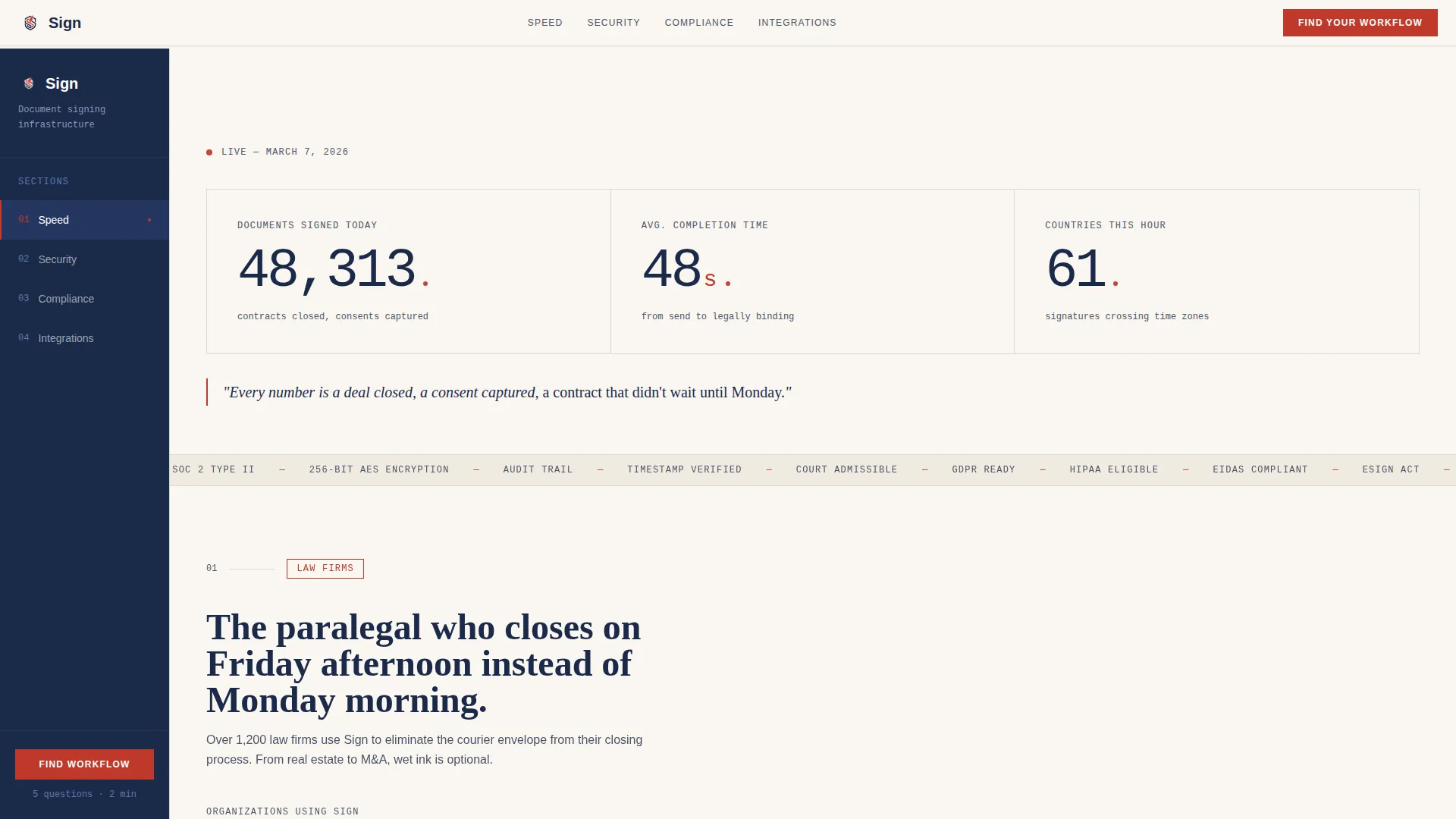
Three oversized counters display documents signed today, average completion time, and countries active this hour. They are set in DM Mono for a typewritten legal-text feel, and the vermillion accent pulses subtly to give the static page a living rhythm.
Fixed Sidebar Progress Indicator
A persistent left-side companion stays in place as the visitor scrolls. It displays four document-tab labels: Speed, Security, Compliance, and Integrations. The active tab highlights automatically based on scroll position, giving visitors a quiet sense of orientation throughout the page.
Sector Logo Wall Sequence
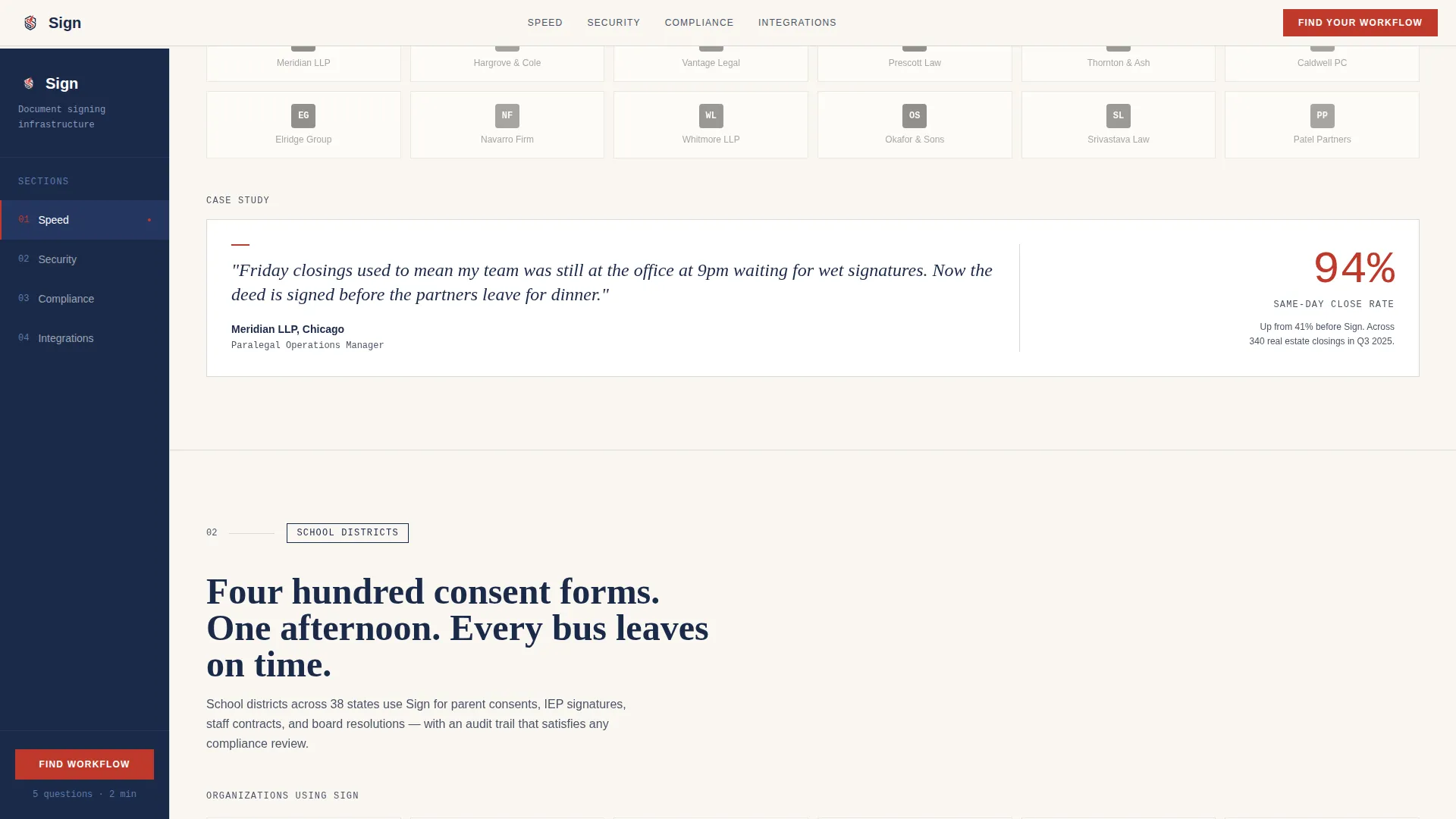
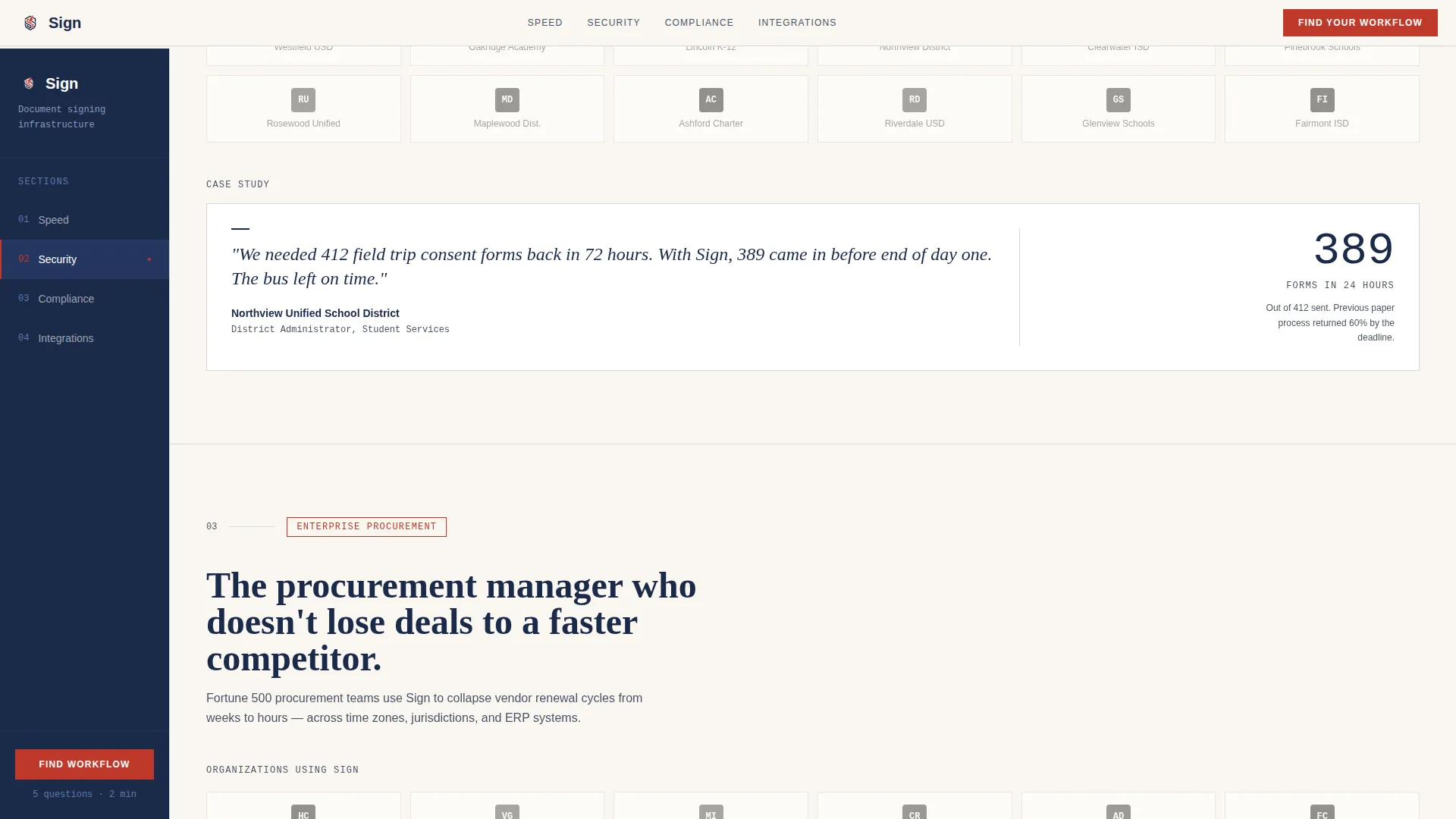
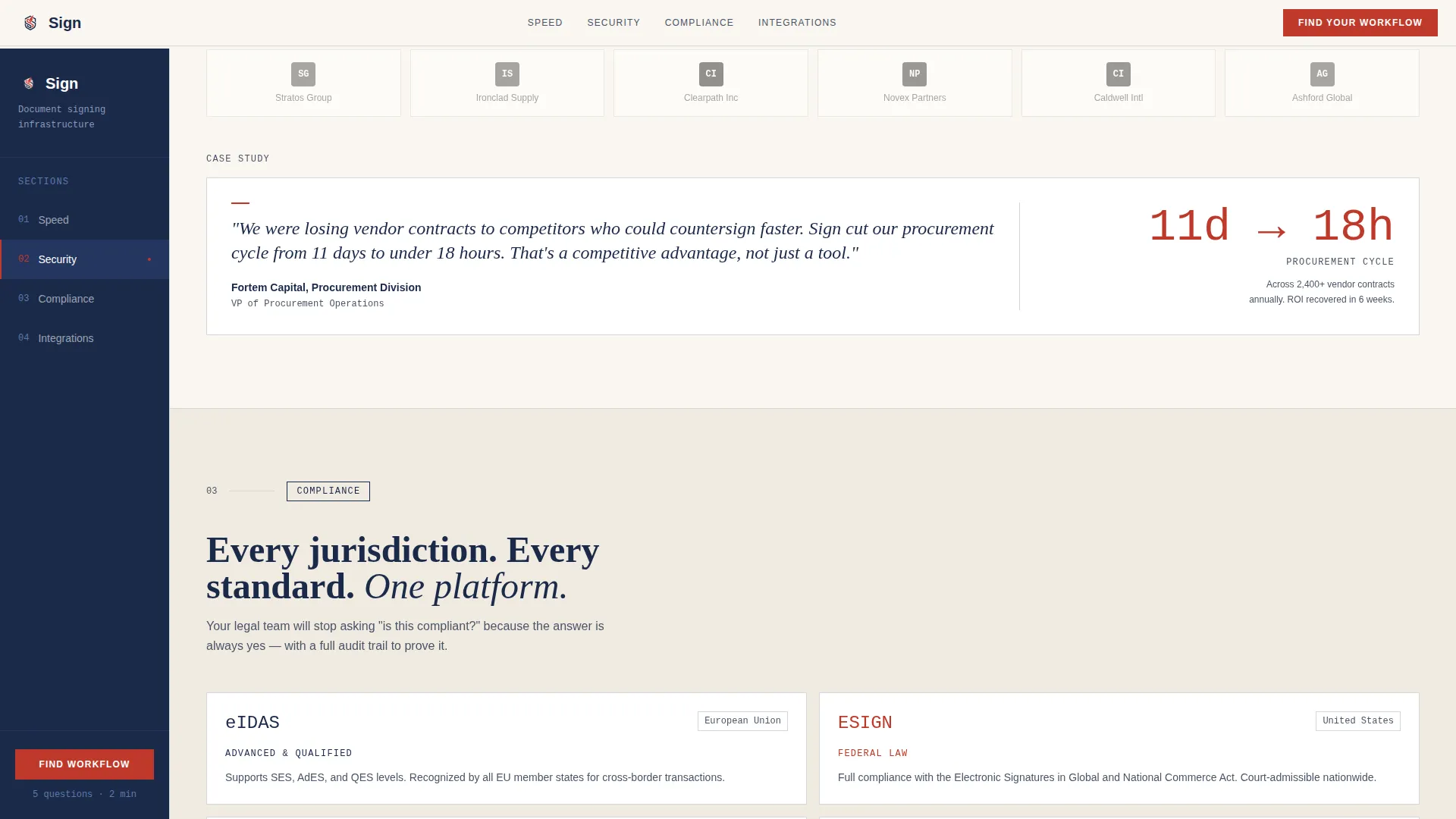
Three sequential logo wall sections cover law firms, school districts, and Fortune 500 procurement departments. Each wall opens a section and is immediately followed by one concrete case study from that sector, so trust builds through specific proof rather than generic endorsements.
Five-Question Workflow Quiz
The primary call to action launches a multi-step diagnostic. It asks about document volume, signer type, compliance requirements (eIDAS, ESIGN, and UETA), current turnaround time, and existing tool stack. The result page delivers a personalized plan tier with an estimated time-saved-per-month figure.
Scroll-Reveal Section Transitions
Each content section enters the viewport with a reveal animation. The progression mirrors a document being read from top to bottom, reinforcing the template's leather-portfolio, wet-ink design language without relying on a hero image.
Page sections overview
| Section | Purpose |
|---|---|
| Stats Counter Header | Opens with live metrics to establish immediate platform credibility |
| Law Firms Wall | Builds legal-sector trust with logos and a focused case study |
| Education Logo Wall | Demonstrates school district scale and consent-form use case |
| Enterprise Procurement Wall | Proves Fortune 500 fit with procurement-specific social proof |
| Quiz Assessment call to action | Converts visitors with a personalized five-question diagnostic |
| Linear Footer | Closes the page with a clean single-row navigation anchor |
Design & branding system
The visual identity follows a Civic Service theme built entirely on the Ink and Paper color system. Every color in the palette carries an assigned structural role, so the page reads like a living document rather than a generic SaaS layout.
- Document cream (#FAF6F0) fills the content well, fountain-pen navy (#1B2A4A) anchors the sidebar and all body text, notary-stamp vermillion (#C0392B) marks calls to action and status indicators, and ruled-line gray (#D5D8DC) structures dividers and form borders
- Typography uses DM Mono for the counter header, Fraunces serif for section headings, and DM Sans for body copy, creating a clear typographic hierarchy that feels formal without being cold
- The overall aesthetic evokes a leather portfolio opened on a mahogany desk: warm cotton bond paper, wet ink drying on a signature line, and the quiet authority of a notary stamp
Mobile & speed optimization
The template is built desktop-first to support its sidebar companion layout, with a responsive mobile fallback that preserves the full content sequence. Static server-side rendering handles the core sections while interactive components run as isolated client elements.
- The live counters, sidebar tab tracker, and multi-step quiz run as client-side components, keeping the rest of the page lightweight and fast to load
- On smaller screens, the fixed sidebar collapses gracefully so the scroll experience remains clean without losing section orientation cues
How this template helps you convert
Every structural decision in this template is designed to move a cautious professional toward a confident next step.
- The stats header answers the first silent question: "Does this platform actually work?" Three live numbers replace paragraphs of marketing copy with direct, real-time evidence of activity.
- The three-sector logo wall sequence builds trust through accumulation. By the third wall, the visitor is no longer auditing the platform; they are imagining their own organization in that grid.
- The quiz reframes the final call to action as a conclusion the visitor reached independently. The personalized result page, complete with an estimated time-saved figure, makes "Start Your Free Pilot" feel like a logical next step rather than a sales prompt.
Other information about this template
This template is part of a broader library of professionally designed landing page templates for B2B SaaS products in the legal and compliance space. It is pre-structured for teams that need to move from customization to deployment without rebuilding the conversion logic from scratch.
- The template is categorized under Legal and Compliance, with a subcategory of LegalTech and Compliance Software, making it directly relevant to e-signature platform marketing
- Quiz answer logic is designed to reference common tool ecosystems such as Salesforce and Google Workspace, helping the result page feel relevant to a wide range of enterprise buyers
- The page is localized for English (United States), using USD currency format and MM/DD/YYYY date notation throughout
Theme
Civic Service
Creative direction
Logo Wall Authority
Color system
Ink & Paper
Style
Sidebar Companion
Direction
Quiz/Assessment
Page Sections
Live Performance Counter Header
Fixed Sidebar Navigation Tabs
Three-sector Logo Wall Sequence
Five-question Workflow Diagnostic
Civic Service Visual Identity
Scroll-reveal Section Animations
Related questions
Who is this template designed for?
Can I customize the quiz questions and result tiers?
Does the sidebar navigation work on mobile devices?
What compliance frameworks does the quiz reference?
How does the three-sector logo wall build more trust than a standard testimonials section?