Local Brick & Mortar Business Professional Website Template
The Signage - Find Your Perfect Sign Shop Landing Page Template is built for full-service sign and banner shops ready to convert browsers into buyers. It combines a device mockup hero, a tabbed gallery with expanding detail panels, urgency mechanics, and a five-step visual quiz that delivers curated sign recommendations. Everything is set in a tactile Ink and Paper style that feels like authority from the print counter.
by Rocket studio
Quick summary
This landing page template gives a sign and banner shop a high-impact, gallery-driven website that works around the clock. A device mockup hero, urgency ribbon, category gallery, before-and-after section, and a guided five-step quiz all work together to help visitors find the right sign fast and place an order with confidence.
Who this template is for
Sign shops need a website that speaks to a wide range of clients without losing any of them. This template is designed to center that range clearly and convert each type of visitor.
- Franchise owners managing signage refreshes across multiple store locations at once
- Event coordinators who need booth graphics, banners, and window displays on a tight timeline
- Small business owners trying to determine whether new exterior signage will attract more foot traffic
What problem this template solves
Most sign shop websites bury their best work and make visitors search too hard for answers. A fading storefront costs a business walk-ins every single day, and a slow or confusing website compounds that cost online.
- Visitors leave without knowing what sign type, material, or size fits their need
- There is no easy way to compare products, turnaround times, or pricing at a glance
- Generic store pages fail to show the full range of exterior, interior, event, and vehicle signage the shop can actually deliver
What you get with this template
This template is a complete, ready-to-use landing page built around visual discovery and guided conversion. Every section is designed to provide information quickly and move visitors toward booking.
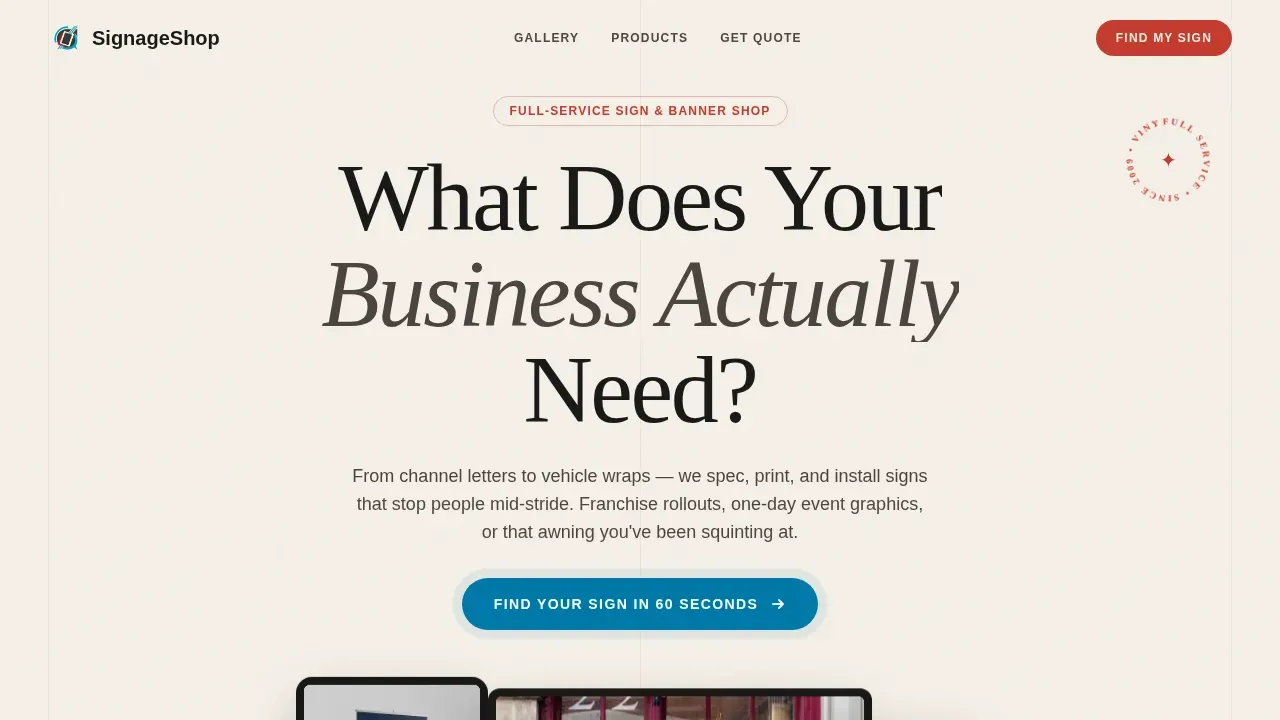
- A hero section with a staggered device mockup showing the shop's sign configurator on laptop, tablet, and phone
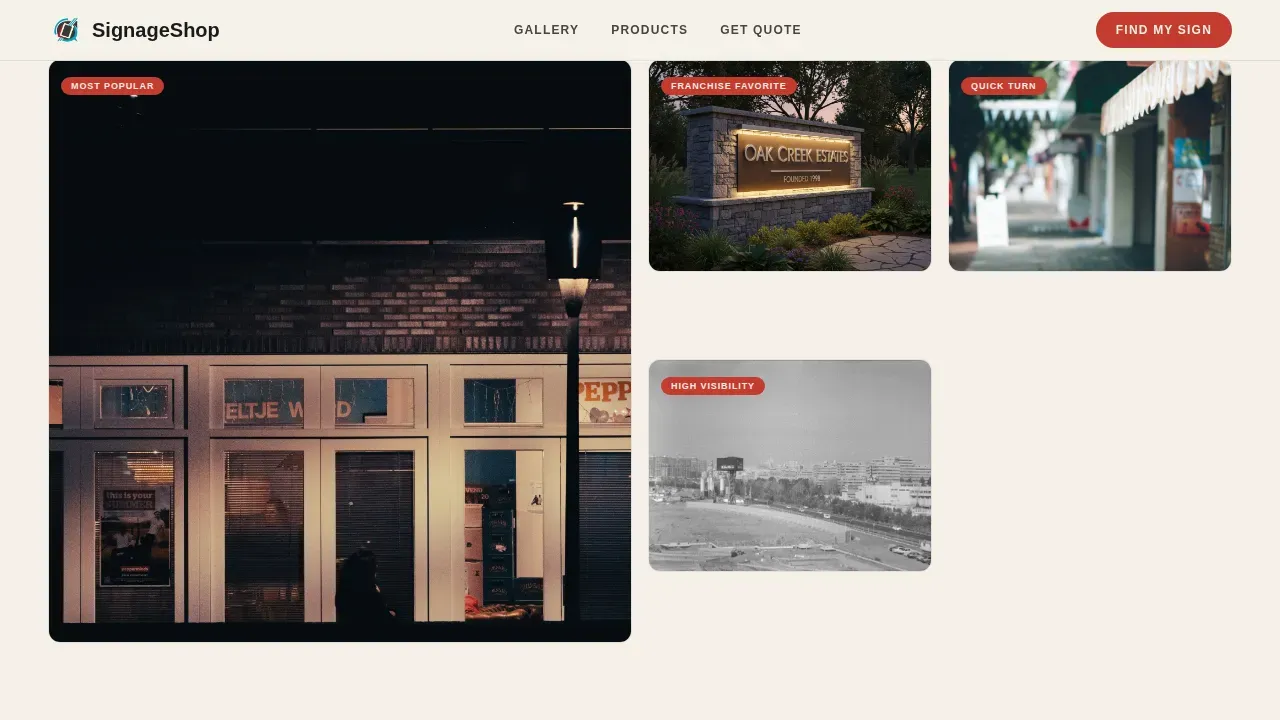
- A tabbed gallery with expanding detail panels that display material specs, turnaround times, and installation photos for each signage category
- A five-step visual quiz that helps each visitor find their ideal sign and see a curated recommendation with a budgetary estimate
Feature list
This template includes a focused set of interactive and visual features. Each one is grounded in the design brief and serves a specific conversion purpose.
Five-Step Sign Finder Quiz
The quiz walks visitors through business type, sign placement, material preference shown as swipeable texture swatches, size range via a drag slider, and timeline urgency. The result page delivers a curated sign recommendation, a budgetary estimate range, and a gallery of similar completed projects. A contact form with minimal fields closes the flow.
Tabbed Category Gallery with Expanding Panels
Four category tabs organize the full range of signage: Exterior, Interior, Event, and Vehicle. Each thumbnail grid expands into a detail panel showing material specs, turnaround times, and real installation photos. Capacity meters show remaining production slots for the current month, adding honest urgency to the browsing experience.
Urgency Ribbon and Countdown Timer
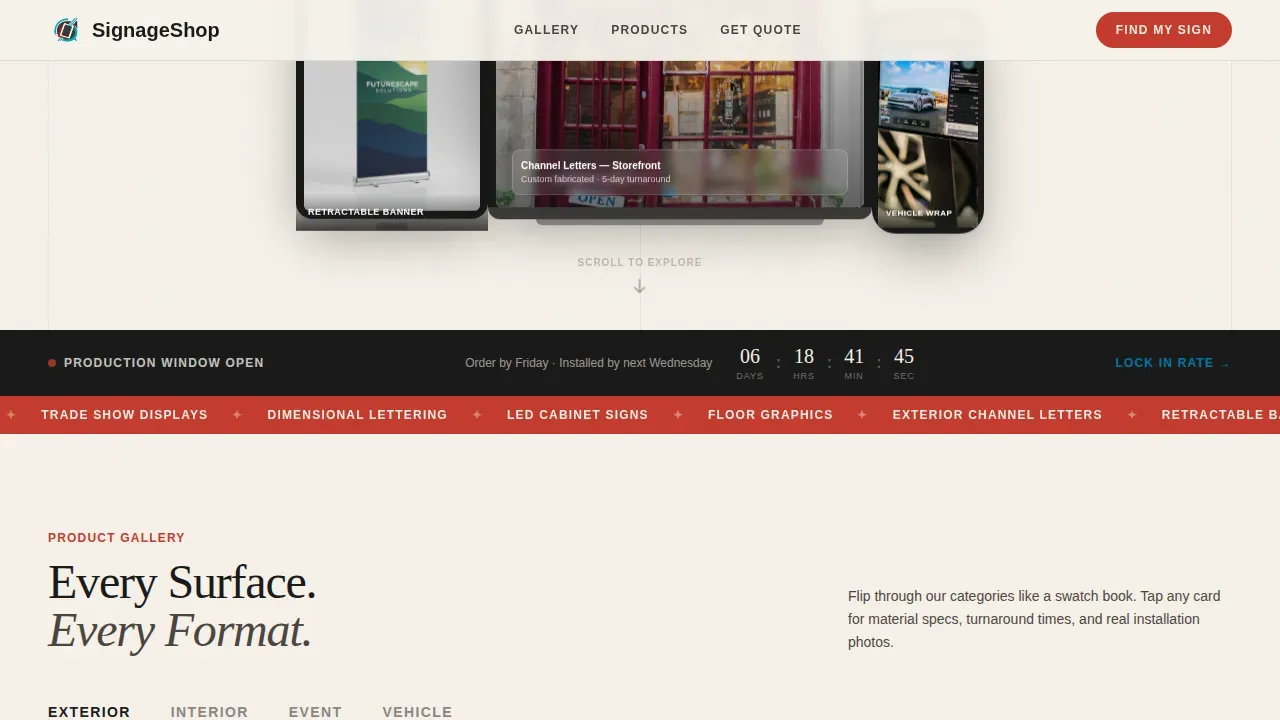
A persistent ribbon below the hero announces the active production window with a live countdown timer and a scrolling marquee. Seasonal pricing callouts and before-and-after storefront transformations appear as the visitor scrolls, making the cost of waiting feel concrete and easy to understand.
Device Mockup Hero Section
The header presents a laptop, tablet, and phone arranged at staggered angles. Each screen shows a different product: a channel letter storefront sign, a retractable banner stand, and a vehicle wrap preview. A floating headline and a pulsing call-to-action button set the tone immediately above the fold.
Before-and-After Storefront Comparisons
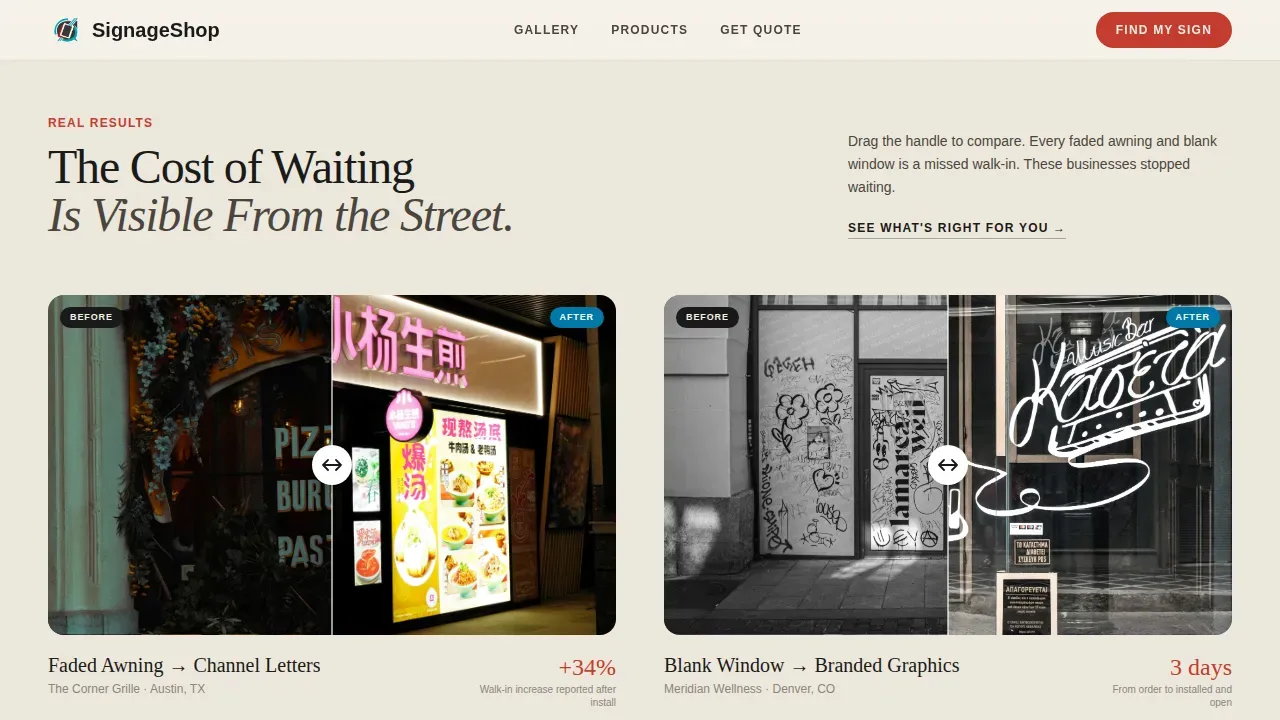
A dedicated section pairs real before photos with completed project photos, framed around the cost of delay. These visual comparisons work as social proof, showing the tangible difference professional signage makes for a store front without relying on text-heavy descriptions.
Arc Browser Split Footer
The footer follows a split layout with the shop logo and tagline on the left and organized navigation links on the right. This clean structure makes it easy to find contact information, service pages, and other key links without adding visual clutter to the end of the page.
Page sections overview
| Section | Purpose |
|---|---|
| Hero Device Mockup | Displays sign configurator on three devices with headline and pulsing call-to-action |
| Urgency Countdown Ribbon | Announces active production window with countdown timer and scrolling marquee |
| Tabbed Category Gallery | Organizes exterior, interior, event, and vehicle signage into expanding detail panels |
| Before and After | Shows storefront transformation comparisons framed around the cost of waiting |
| Five-Step Quiz | Guides visitors to a curated sign recommendation and estimate through a visual assessment |
| Arc Split Footer | Presents logo, tagline, and navigation links in a clean two-column layout |
Design & branding system
The visual style follows a Directory and Discovery theme using an Ink and Paper color system. The palette feels like a freshly printed spec sheet: authoritative, tactile, and built to make brand decisions feel considered.
- Color set: deep registration black (#1A1A1A) as primary, uncoated stock cream (#F5F0E8) as background, printer's red (#C43B2E) as accent, and process cyan (#0078A7) reserved for interactive highlights and quiz progress indicators
- Typography: Fraunces serif for display headlines, DM Sans for body text and user interface elements, keeping the design easy to read at every size
- Illustrations, logos, and text elements are set against the cream background so every sign image and brand mark reads clearly without distraction
Mobile & speed optimization
The template prioritizes a desktop-first experience for the device mockup hero while staying fully responsive across all screen sizes. Approximately 57 percent of web traffic is mobile, so every section is built to work on smaller screens without sacrificing the visual richness of the gallery.
- Server components handle static sections to keep the website fast; client components power the quiz flow, countdown timer, and animations
- Masked text reveals, scroll observers, parallax effects, and quiz transitions are built in, allowing the page to feel alive without slowing the core load
- The sticky call-to-action button remains visible as visitors scroll, making it easy to start the quiz or contact the team at any point
How this template helps you convert
A high-converting sign shop landing page acts as a 24/7 sales representative. This template is designed to guide every type of visitor from first scroll to form submission.
- The quiz earns the click by diagnosing needs rather than pushing a hard sell. Visitors who complete all five steps receive a personalized recommendation, a budget estimate, and a low-friction contact form asking only for name, location, and preferred callback time.
- Urgency mechanics compound across the page. The countdown ribbon, capacity meters, and seasonal pricing callouts give visitors a real reason to order now rather than wait, protecting the shop's production schedule and the visitor's project timeline.
Other information about this template
This template is part of a broader set of sign templates built for local and regional print shops. Here is additional context that may help you decide whether it fits your needs.
- The design accepts custom logos, brand colors, fonts, and illustrations so shops can personalize the page to match their existing identity without starting from scratch
- Visitors can upload their own artwork files during the quiz flow, and the contact form is set up to accept name, location, and callback time with no unnecessary fields
- The page is built to help a shop's website appear in local search results by making it easy to display a name, address, and service area clearly; strong local search visibility can drive more qualified traffic to the site
- Business hours signage is one of the most effective ways to provide information to customers at a store front; this template includes space to feature that type of sign alongside exterior, interior, and vehicle signage categories
- Directional and wayfinding signs should be easy to read and attention-grabbing; the gallery section is designed to display that category clearly with real installation photos
- Tools like free online sign makers allow users to design and save custom signs in formats such as PDF, JPEG, or PNG before sending files to print; this template can support a workflow where visitors start online and convert to a full order through the quiz
- The template does not include freight shipping logistics or order fulfillment systems, but it is designed to set clear expectations around production timelines and turnaround windows
- Contiguous production slots are shown via capacity meters so visitors understand quantity limits for the current week
- The website's performance relies on the server and client component split described in the design brief; static sections load quickly while interactive elements like the quiz and countdown are handled separately
- Rights to template edits are standard to the platform license; check the platform's rights and usage terms before publishing
Theme
Directory & Discovery
Creative direction
Limited Time
Color system
Ink & Paper
Style
Gallery + Detail
Direction
Quiz/Assessment
Page Sections
Five-step Visual Sign Finder Quiz
Tabbed Gallery with Expanding Detail Panels
Urgency Ribbon and Countdown Timer
Staggered Device Mockup Hero
Before-and-after Storefront Section
Arc Browser Split Footer
Related questions
What types of signage does this template cover?
Can I personalize the template with my own logos, colors, and fonts?
How does the five-step quiz work for visitors?
Is this template suitable for franchise-scale sign orders?
Does the template work on mobile devices?



