Engineering Consulting Booking Website Template
Signal is a split-screen landing page template built for traffic and transportation engineering consultancies. It uses a stats-first scroll flow, a Legal Shield visual identity, and a triage-ready booking form to convert attorneys, municipal risk managers, and insurance defense teams into scheduled case reviews. Every section leads with a number, then reveals the methodology behind it.
by Rocket studio
Quick summary
Signal is a single-page landing page template designed for traffic and transportation engineering firms that serve the legal industry. It opens with a credential ticker, builds credibility through scroll-triggered statistics, and closes with a booking form that triages cases by type, jurisdiction, and trial date proximity. The layout is authoritative, precise, and built to earn trust fast.
Who this template is for
This template is built for engineering consultancies whose work ends up in a courtroom. If your firm reconstructs crashes, audits intersections, or signs off on signal timing reports, Signal was designed around your client list.
- Personal injury attorneys preparing depositions and expert witness disclosures
- Municipal risk managers responding to tort claims involving roadway design
- Insurance defense teams that need stamped engineering reports and sight-distance calculations
What problem this template solves
Legal professionals vetting an engineering expert need to feel confident before they pick up the phone. A generic consulting website does not communicate the precision, credibility, or courtroom readiness that attorneys require. Signal solves the trust gap before the first call happens.
- Attorneys cannot quickly verify a firm's Daubert track record or jurisdictional reach from a standard portfolio page
- Case-urgency triage is impossible without a structured intake form that captures trial dates and case types upfront
- Earlier-stage leads who are still vetting experts have no low-commitment path to request credentials
What you get with this template
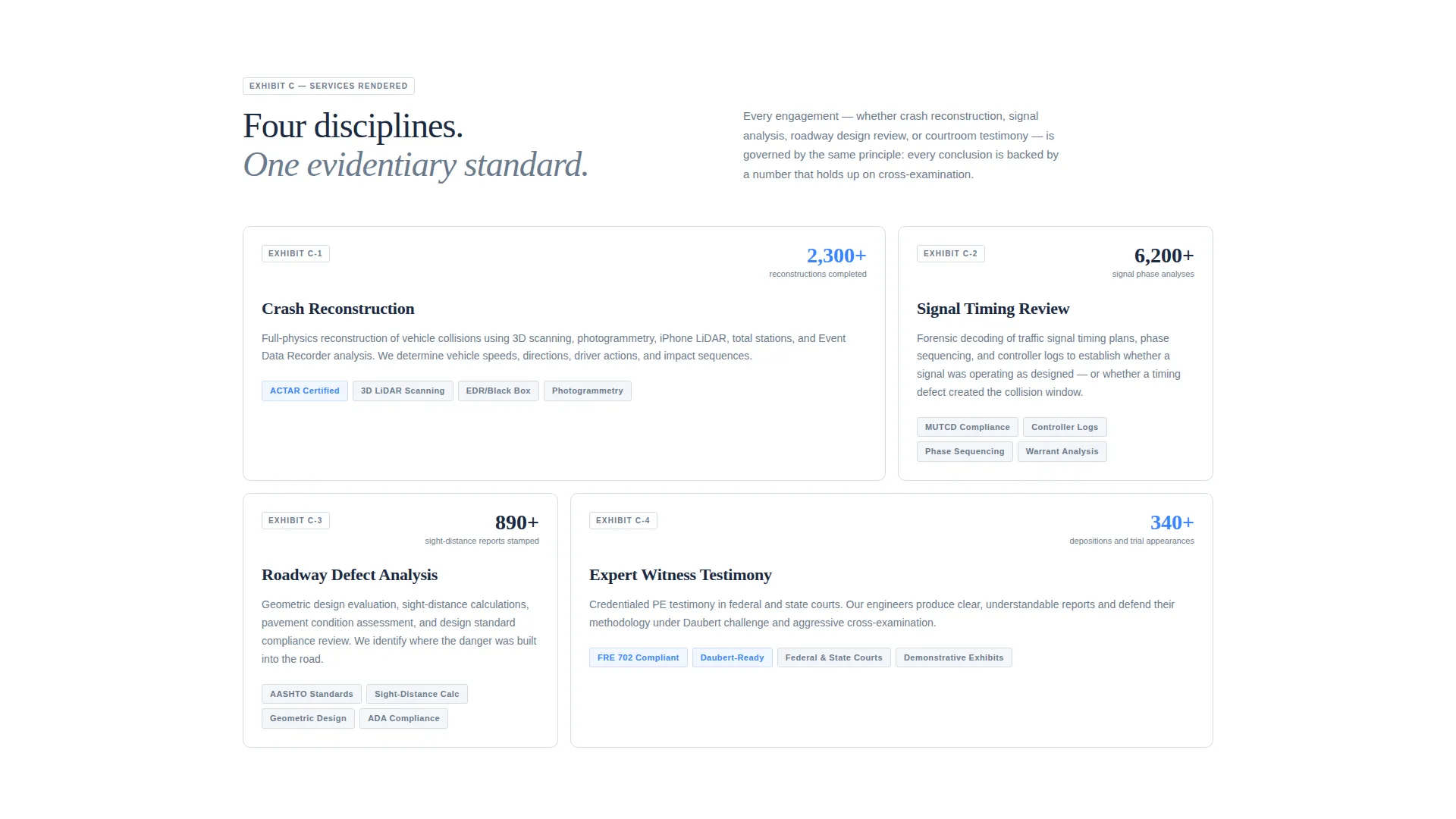
Signal delivers a fully structured, single-page layout built around evidence-style presentation. Every visual choice reinforces the firm's authority, and every interactive element moves visitors toward a booked consultation.
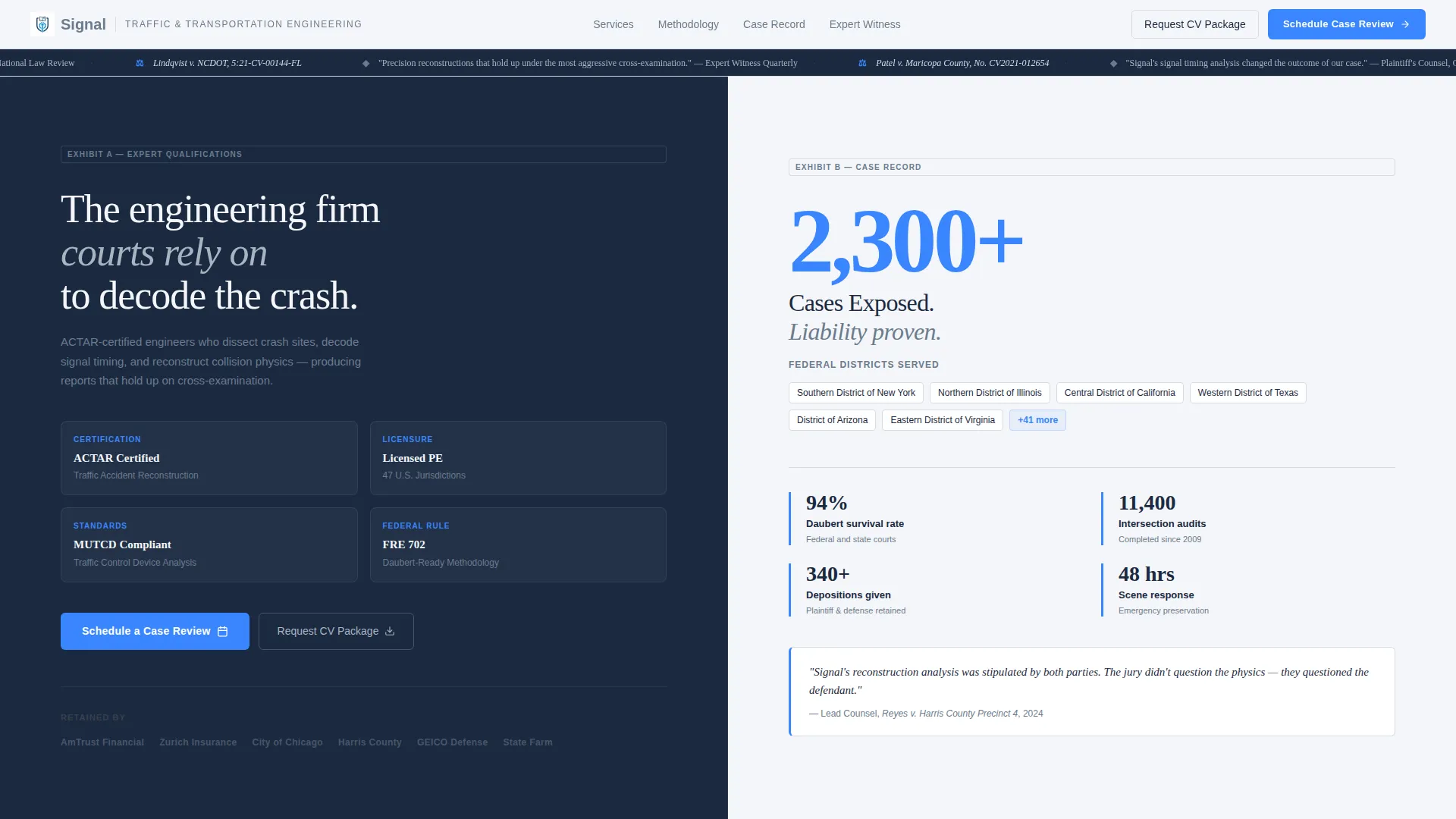
- A horizontal credential ticker in the header displaying press logos, court case citations, and pull quotes from published articles
- A stats-first scroll experience where each section leads with a standalone number before the supporting methodology appears
- A dual-path conversion system: a primary "Schedule a Case Review" booking form and a secondary "Request a CV Package" lead capture for attorneys still vetting experts
Feature list
This template ships with purpose-built components that reflect how legal clients evaluate engineering expertise. Each feature serves a specific role in the conversion flow.
Stats-First Scroll Architecture
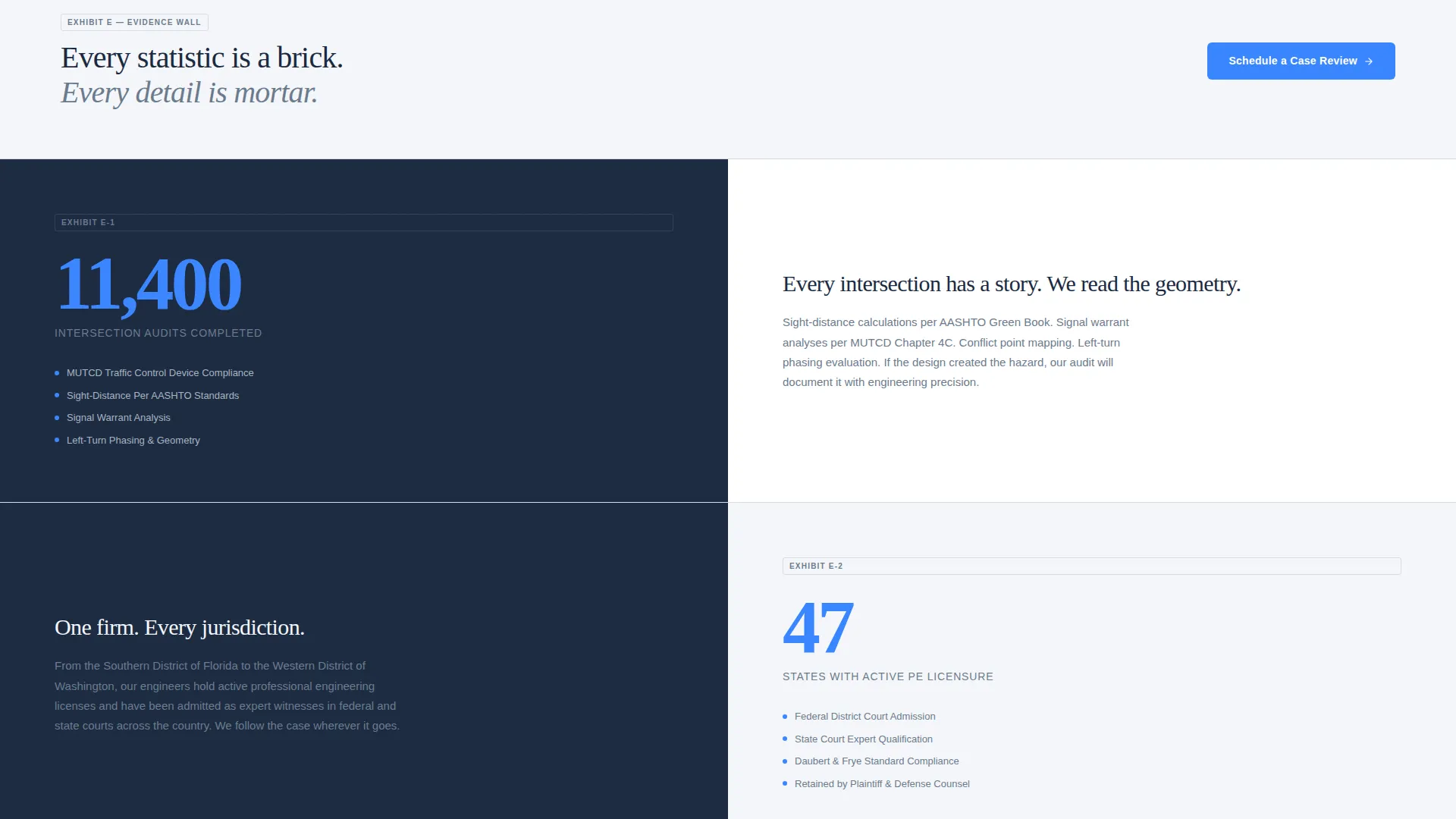
Each scroll transition reveals a single oversized statistic before its supporting narrative appears. This mirrors the structure of a well-prepared brief and keeps visitors moving through the evidence wall section by section.
Split-Screen Panel Layout
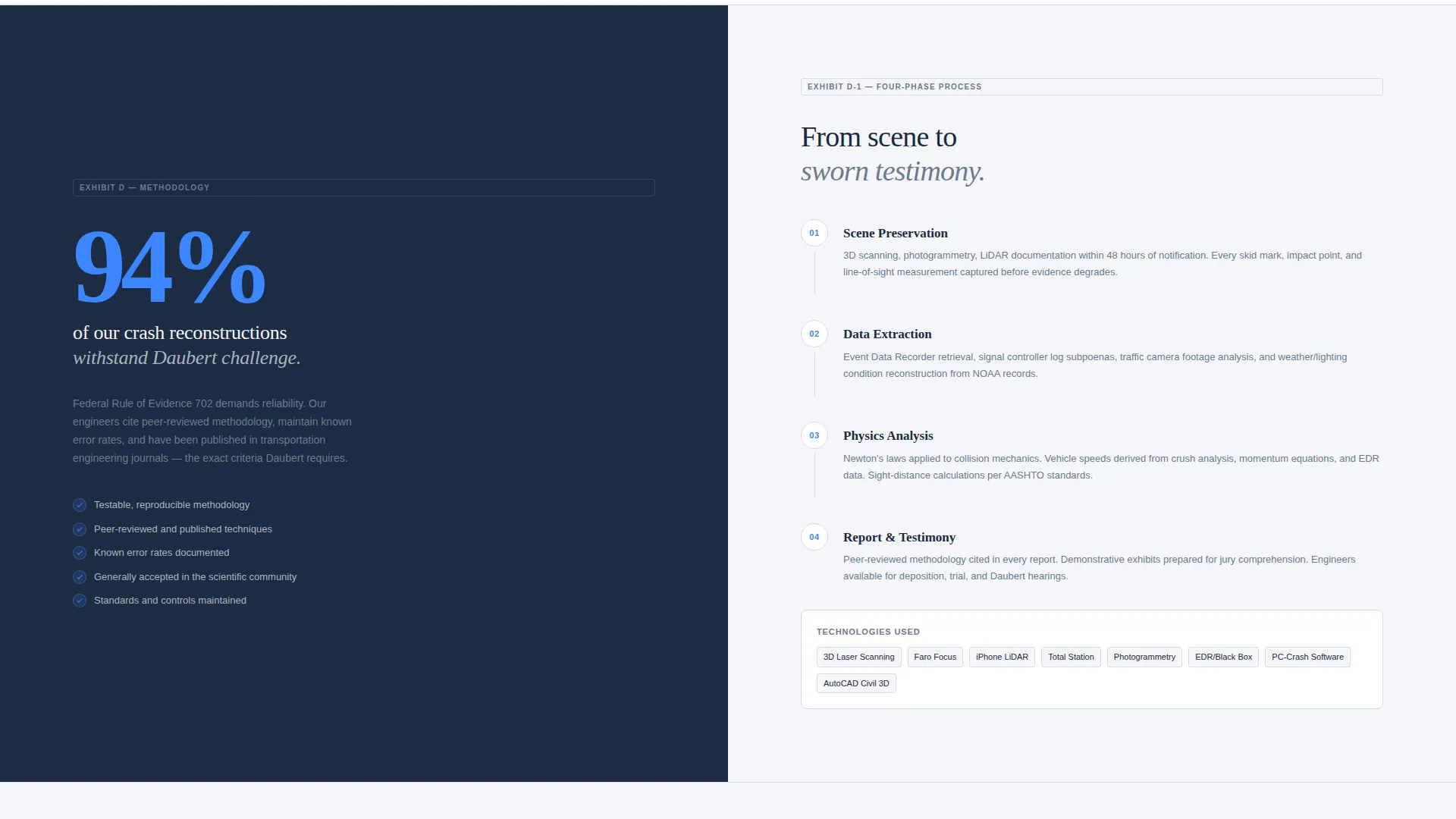
The page uses a 50/50 split-screen format throughout. Panels alternate which side carries the data and which carries the narrative, so the eye moves naturally and no single column dominates the reading experience.
Credential Ticker Header
The header runs a horizontal ticker displaying press mention logos, italicized court case names, and pull quotes from articles where the firm's engineers were cited as experts. Credibility is the first thing a visitor sees, not a hero image.
Triage-Ready Booking Form
The primary conversion form captures case type first, then jurisdiction, then trial date proximity. Four urgency tiers are offered: no date yet, six or more months out, under six months, and under ninety days. This lets the firm prioritize incoming inquiries immediately.
CV Package Lead Capture
A secondary call to action lets attorneys download the lead engineer's expert witness curriculum vitae in exchange for a firm name and email address. This path captures leads who are still in the expert-vetting phase and not yet ready to schedule a call.
Sticky Mobile Booking Bar
On mobile, the primary call to action is pinned in a sticky bottom bar so the "Schedule a Case Review" prompt stays visible throughout the entire scroll without interrupting content.
Page sections overview
| Section | Purpose |
|---|---|
| Credential Ticker Header | Displays press logos, court citations, and pull quotes to establish authority immediately |
| Oversized Stat Hero | Leads with "2,300+ Cases Exposed" and a jurisdictions subhead in place of a hero image |
| Reconstruction Methodology Split | Pairs a Daubert challenge statistic with the methodology narrative behind it |
| Intersection Audit Split | Anchors the section with an audit count, then populates case thumbnails on the opposite panel |
| Schedule a Case Review | Triage booking form capturing case type, jurisdiction, and trial date proximity |
| CV Package Capture | Secondary lead form offering the expert witness curriculum vitae download |
| Mobile Sticky Bar | Pins the primary call to action at the bottom of the screen on mobile devices |
Design & branding system
The visual identity follows a Legal Shield theme built on a Cloud Canvas color palette. Every color choice has a specific role, and nothing is decorative without purpose. The overall feel resembles a clean expert report printed on heavy bond paper.
- Soft cumulus white (#F4F6F9) serves as the primary background; deposition-gray (#6B7B8D) handles body text and secondary surfaces; deep briefcase navy (#1B2A41) anchors headlines and section markers
- Verdict blue (#3A86FF) is reserved exclusively for calls to action, data highlights, and interactive hover states, making every actionable element instantly recognizable
- Typography pairs italicized serif type for court case citations in the ticker with clean, structured type elsewhere, keeping the layout authoritative without feeling aggressive
Mobile & speed optimization
The template is structured to deliver the same authority on a phone screen as it does on a desktop monitor. The split-screen panels stack cleanly on narrow viewports, and the booking form remains fully usable without horizontal scrolling.
- Split-screen panels reflow to single-column stacks on mobile so no content is cropped or hidden
- The sticky bottom bar keeps the primary call to action pinned and visible throughout the mobile scroll experience
- The triage form fields are sized and spaced for touch input, reducing friction for attorneys reviewing the page between hearings
How this template helps you convert
Signal is designed around two conversion paths that match where a legal professional is in their decision process. The layout builds evidence of expertise before either path appears, so visitors arrive at the form already persuaded.
- The triage booking form captures high-intent leads by asking about case type and trial urgency first, letting the firm respond with the right engineer and the right timeline before the first email is sent.
- The CV package download path converts earlier-stage visitors who are still comparing experts, turning a passive browse into a named lead with a firm affiliation attached.
Other information about this template
Signal fits naturally into the broader category of professional services landing pages for engineering consulting firms. A few additional details are worth knowing before you customize it.
- The template is built as a single-page layout, so all content lives in one scrollable flow rather than across multiple pages
- The stats-first scroll structure means placeholder statistics must be replaced with your firm's actual case data before publishing
- The form urgency tiers (no date yet, six or more months, under six months, under ninety days) are pre-labeled and ready to edit if your intake process uses different categories
- The credential ticker is designed to hold logos, case names, and short pull quotes; all three content types should be populated to maintain the intended visual weight
Theme
Editorial Magazine
Creative direction
FAQ-Driven
Color system
Monochrome Steel
Style
Single Column Flow
Direction
Booking/Scheduling
Page Sections
Stats-first Scroll Architecture
Split-screen Panel Layout
Credential Ticker Header
Triage-ready Booking Form
CV Package Lead Capture
Sticky Mobile Booking Bar
Related questions
Who is this landing page template designed for?
Can I replace the placeholder statistics with my firm's own numbers?
What information does the booking form collect?
Is there a conversion path for attorneys not ready to schedule a call?
Does the split-screen layout adapt to mobile screens?



