Specialty Construction Appointment Booking Website Template
Cinema is a gallery-plus-detail landing page template built for home theater construction companies. It combines a cinematic dark aesthetic with a neighborhood-rooted gallery, neighbor testimonials, and a five-step illustrated design quiz. Visitors explore real basement builds, read local social proof, and book a free walkthrough, all within one immersive single-page flow.
by Rocket studio
Quick summary
Cinema is a single-page template designed for specialty home theater construction businesses. It opens with a wide-angle lifestyle hero, moves through a neighborhood gallery of real basement builds, and closes with a five-step design quiz that ends in a calendar booking. Every section is built to feel dark, warm, and trustworthy.
Who this template is for
This template is made for contractors and specialty builders who install home theater rooms in residential basements. It works especially well for businesses targeting suburban homeowners who want a showpiece room and are ready to book a consultation.
- Home theater construction companies serving suburban neighborhoods
- Basement remodel specialists who want to showcase before-and-after project galleries
- Real estate-focused builders adding premium entertainment spaces to listings
What problem this template solves
Most construction service pages look identical. They list services, show a few stock photos, and ask visitors to call a number. That approach does not build the emotional pull that a luxury home improvement decision requires. This template solves that gap by combining visual storytelling with a structured conversion path.
- Visitors do not connect emotionally with generic service pages, so they leave without booking
- There is no easy way for a prospect to self-qualify before a consultation, wasting both parties' time
- Local trust signals like neighborhood names and real neighbor testimonials are missing from most construction sites
What you get with this template
You get a fully structured, single-page landing page that handles both inspiration and conversion. The layout moves visitors from emotional engagement to a personalized recommendation without a single hard-sell moment.
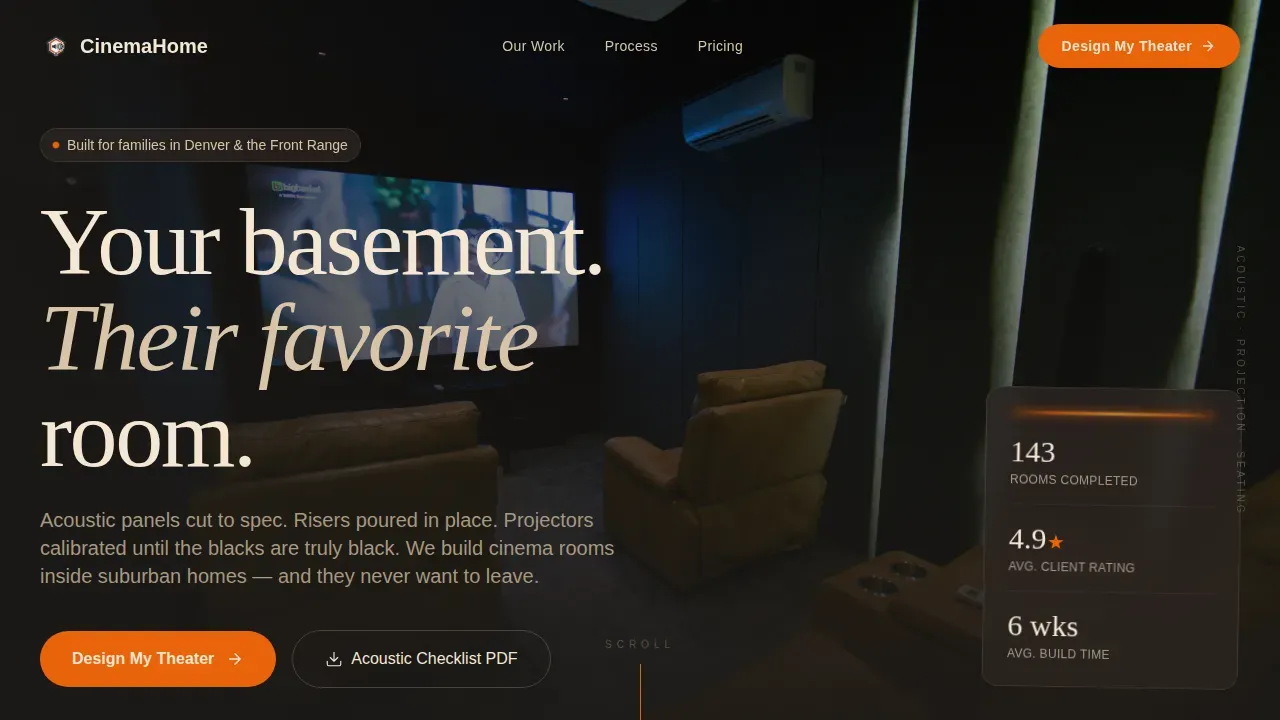
- A cinematic hero section with a lifestyle photograph, floating geo-tag badge, and a primary call-to-action button
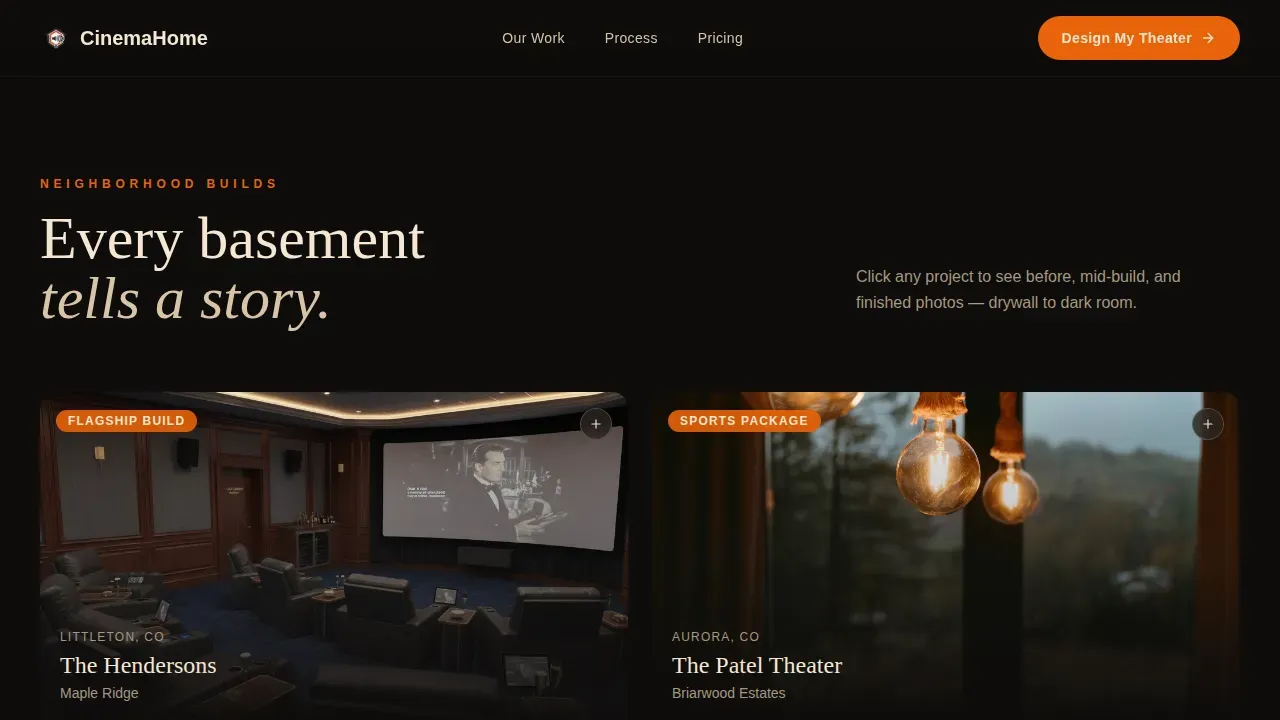
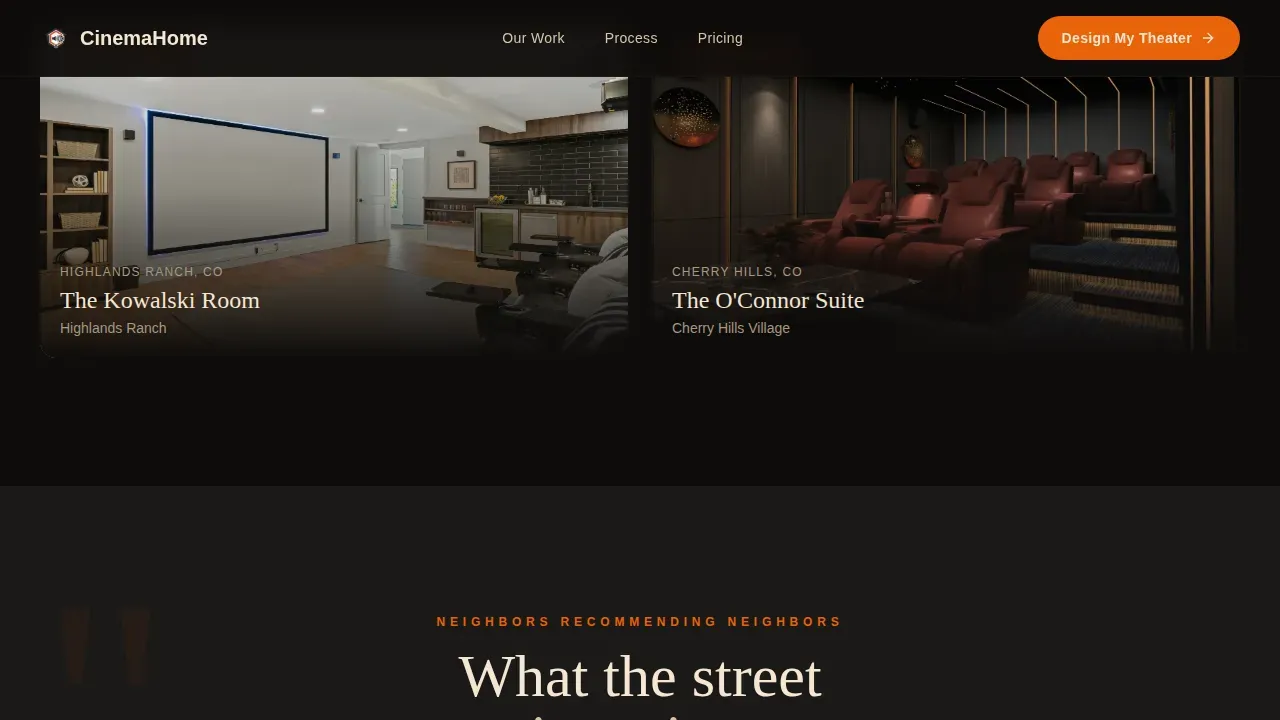
- An expandable neighborhood gallery grid showing before, during, and after photography panels per project
- A five-step illustrated design quiz with a personalized recommendation tier and calendar booking embed
Feature list
A single paragraph introduces this section. The features below are drawn directly from the template brief and represent the core interactive and visual components built into this layout.
Cinematic Lifestyle Hero
The hero opens with a wide-angle photograph taken from the back row of a finished basement theater. Two silhouettes, tiered recliners, and screen-cast light create an immediate emotional anchor. A floating geo-tag badge reads "Built for families in [City/Region]" to establish local relevance on arrival.
Neighborhood Gallery Grid
Project thumbnails are organized by neighborhood, such as "The Hendersons, Maple Ridge." Each thumbnail expands into a detail panel showing bare-drywall before shots, mid-build wiring photography, and the finished room lit only by the screen. The format feels like a guided tour through real local builds.
Five-Step Illustrated Design Quiz
The quiz walks visitors through room shape, square footage, seating capacity, primary use, and budget range. Each step uses illustrated options rather than text dropdowns. The quiz closes with a Good, Better, or Best recommendation tier and a calendar embed to schedule a free basement walkthrough.
Neighbor Testimonial Blocks
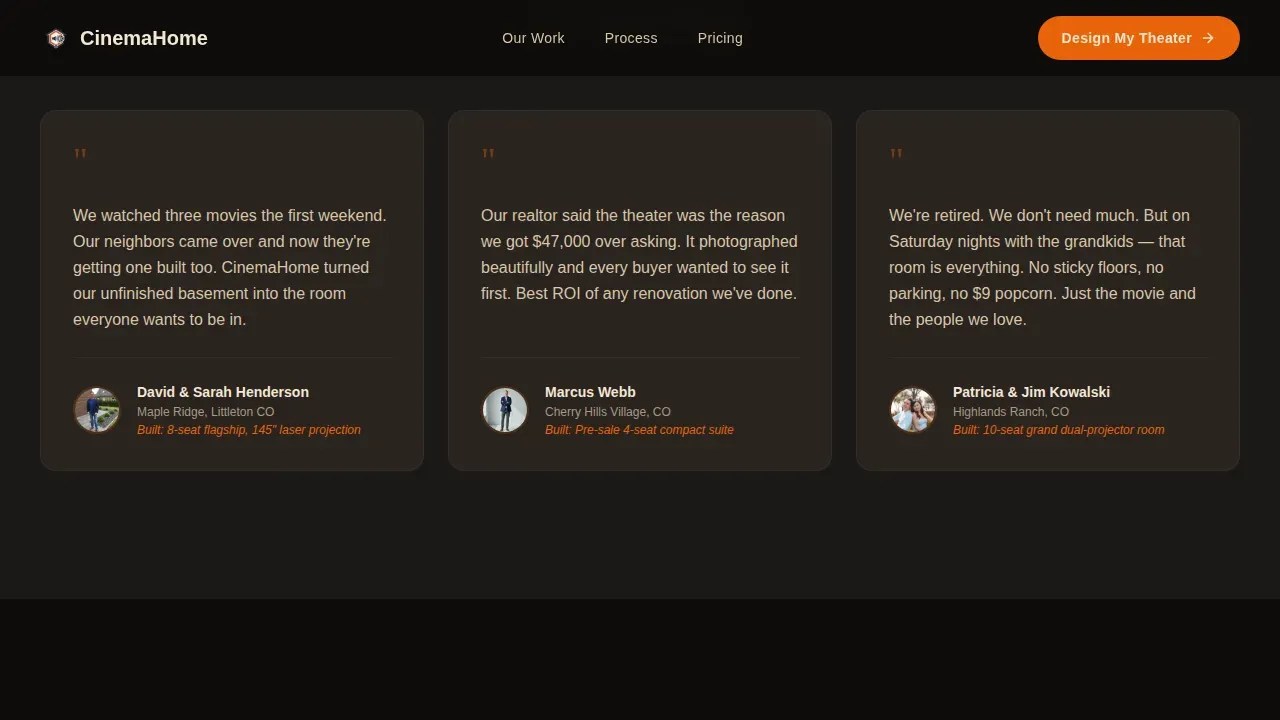
Short quote blocks are placed between project galleries. Each block includes a real name and neighborhood, creating a neighbor-recommending-neighbor social proof loop that reinforces local trust without feeling manufactured.
Visual Build Process Section
The build stages are presented as a visual sequence rather than a numbered timeline. This section communicates the construction journey, from acoustic panel cutting to projector calibration, without turning the page into a technical manual.
Downloadable Acoustic Checklist
A secondary conversion point offers visitors a downloadable PDF titled "The Homeowner's Acoustic Checklist." This gives fence-sitting prospects something tangible to take away before they are ready to book.
Page sections overview
| Section | Purpose |
|---|---|
| Cinematic Hero | Open with lifestyle shot, geo-tag badge, and primary call-to-action |
| Neighborhood Gallery Grid | Showcase named local builds with expandable before, during, and after panels |
| Neighbor Testimonials | Build local trust with real names and neighborhood references |
| Visual Build Process | Show construction stages without a rigid numbered timeline |
| Five-Step Design Quiz | Guide visitors to a personalized tier recommendation and calendar booking |
| Footer | Single-row linear footer with secondary links and contact reference |
Design & branding system
The visual identity follows a Corporate Precision theme built on a Fire and Earth color system. Volcanic charcoal dominates backgrounds to simulate the darkened theater experience. Warm terracotta and ember glow add enough warmth to feel inviting without softening the luxury tone.
- Background and primary surfaces use volcanic charcoal (#1C1917), with terracotta (#A0522D) anchoring section dividers and icon containers
- Ember glow (#E8630A) pulses on buttons and hover states, while fired clay cream (#F5E6D3) carries body text for comfortable readability
- Typography pairs Fraunces display serif for headings with DM Sans for body text, balancing cinematic presence with clean legibility
Mobile & speed optimization
The template is designed desktop-first because basement remodel decisions typically happen at home on a laptop. The layout remains fully responsive for mobile visitors. Static sections use server components while the quiz and gallery run as client components to keep interactive elements smooth.
- Desktop layout is the primary design target, optimized for the research and decision context of home improvement buyers
- Gallery panels and quiz step transitions use GSAP scroll reveals and animated overlays for high-interactivity feel
- Mobile breakpoints maintain the dark cinematic aesthetic and keep the quiz usable on smaller screens
How this template helps you convert
The conversion strategy is layered. Visitors are not asked to book immediately. Instead, they move through emotional engagement, local proof, and a self-qualification quiz before a booking invitation appears. This reduces friction and improves the quality of leads who reach the calendar.
- The "Design My Theater" quiz lets visitors self-qualify by room shape, size, use case, and budget before any human contact occurs, so consultations start informed
- The downloadable acoustic checklist captures interested visitors who are not yet ready to book, giving the business a secondary lead touchpoint
Other information about this template
This template is part of the Cinema series and is categorized under Construction and Home, specifically within the Specialty Construction and Home Theater Construction niche. The layout is built for United States markets, using imperial measurements and USD pricing references where applicable.
- The template uses GSAP animations for scroll reveals, image overlays, and quiz step transitions at a high interactivity level
- The footer follows a Pattern 1 linear single-row layout, keeping the page exit clean and uncluttered
- The Local and Neighborhood creative direction is a deliberate structural choice, embedding project names and neighborhood references throughout to make geographic trust a visual element, not just a text claim
Theme
Corporate Precision
Creative direction
Local & Neighborhood
Color system
Fire & Earth
Style
Gallery + Detail
Direction
Quiz/Assessment
Page Sections
Cinematic Lifestyle Hero with Geo-tag
Expandable Neighborhood Gallery
Five-step Illustrated Design Quiz
Neighbor Testimonial Blocks
Visual Build Process Section
Secondary PDF Lead Capture
Related questions
Can I replace the placeholder neighborhood names and geo-tag with my own city and project names?
Does the design quiz actually send data somewhere automatically?
Is this template suitable if I build home theaters outside of basements?
Can I add more project gallery entries beyond the included examples?
What is included in the acoustic checklist section?



