Kids Cooking Show Booking Landing Page Template
Simmer is a scroll-reveal landing page template built for a weekly kids cooking show and class experience. It uses a warm pastel palette, playful geometric shapes, and a Gallery Walk layout to guide parents from inspiration to booking. The inline scheduling module, sticky mobile call to action, and episode card gallery work together to turn browsers into confirmed attendees.
by Rocket studio
Quick summary
Simmer is a single-page booking template designed for a kids cooking show that serves weekly classes, birthday parties, and private group sessions. The scroll-reveal layout walks parents through episode highlights before presenting a clear booking form, so the page earns the conversion through storytelling first and a call to action second.
Who this template is for
This template is built for anyone running or promoting a kids cooking program that needs to turn curious parents into confirmed bookings. It works equally well for intimate studio shows and larger enrichment programs.
- Parents of children aged six to twelve looking for quality enrichment activities
- After-school program coordinators filling enrichment slots
- Birthday party planners seeking a hands-on, memorable experience alternative
What problem this template solves
Parents browsing enrichment activities on their phones rarely convert from a plain sign-up form alone. They need to feel the energy of the experience before they commit. This template solves the trust gap between curiosity and commitment.
- There is no visual proof that the experience is worth booking
- Generic booking pages fail to communicate what makes a kids cooking class special
- Mobile visitors abandon slow or cluttered forms before they reach the call to action
What you get with this template
You get a complete, ready-to-customize landing page that guides visitors from a sun-drenched hero moment all the way to a confirmed booking, without ever feeling pushy or transactional.
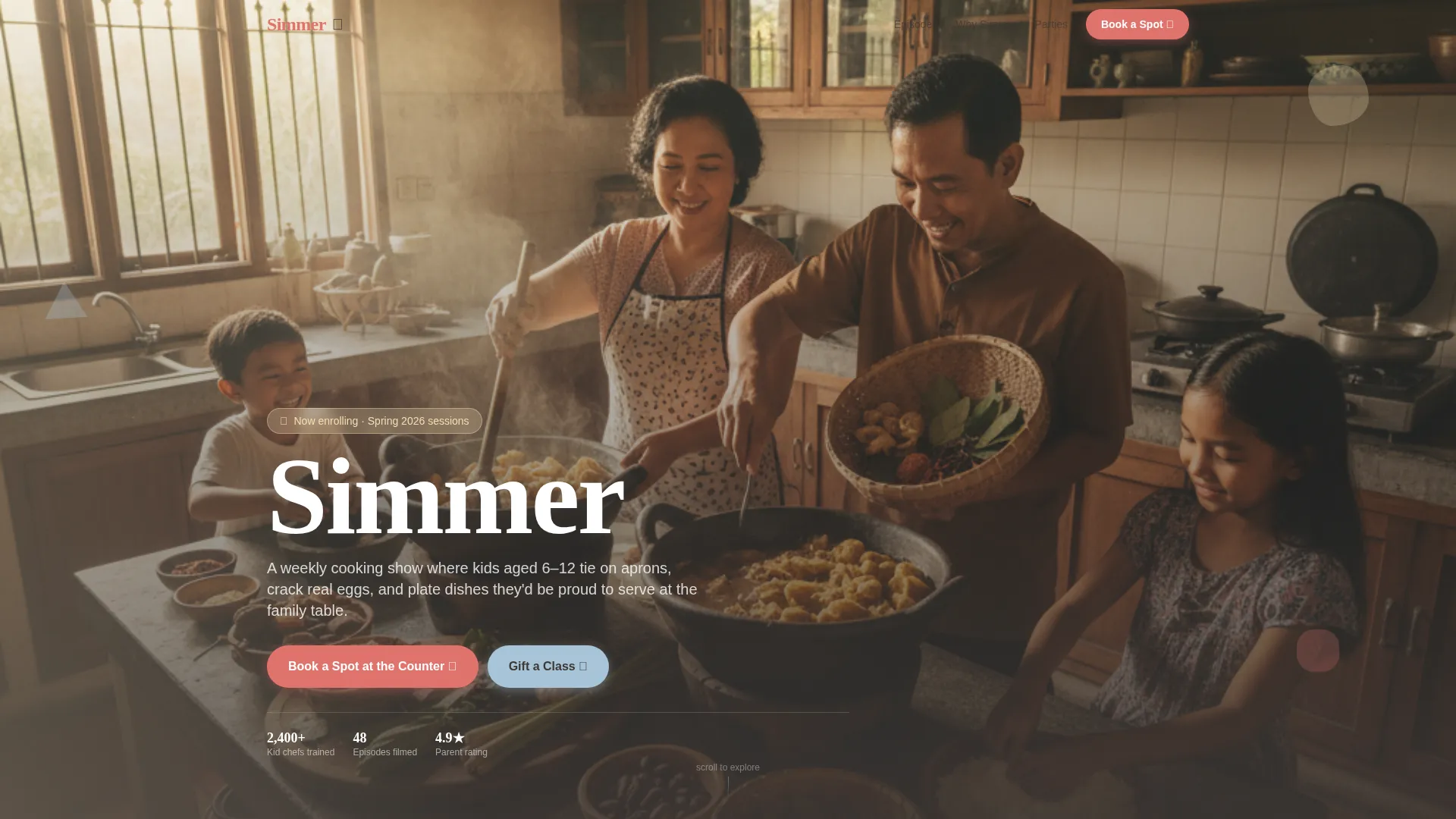
- A full-bleed header section with the show title and two distinct calls to action
- A scrolling episode gallery with dish photos, kid chef quotes, and short video loop placeholders
- An inline scheduling module that captures session type, child details, and preferred dates
Feature list
This template combines visual storytelling with a practical booking flow. Every section is built to hold attention and reduce friction for a parent deciding in real time.
Scroll-Reveal Gallery Walk
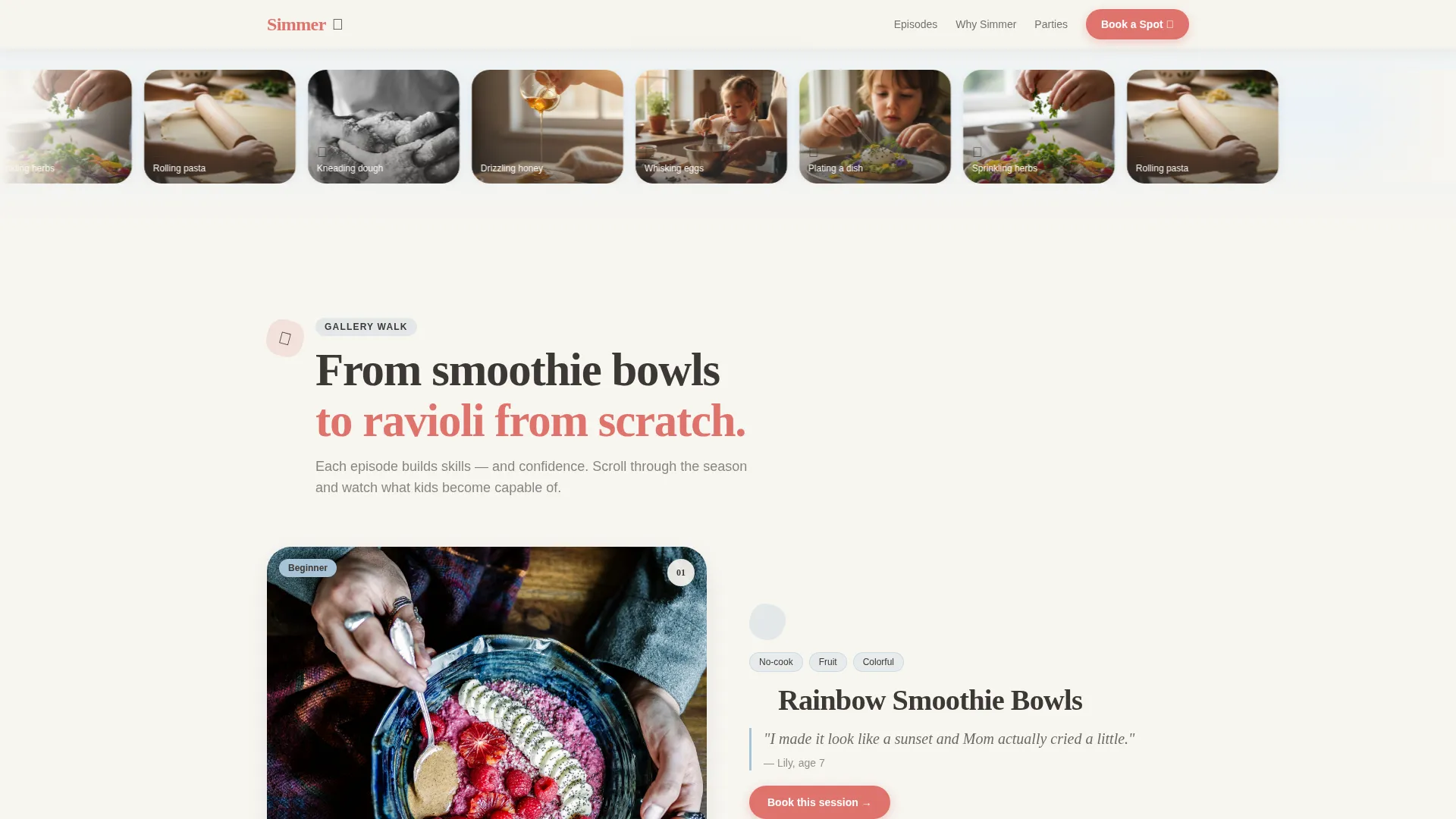
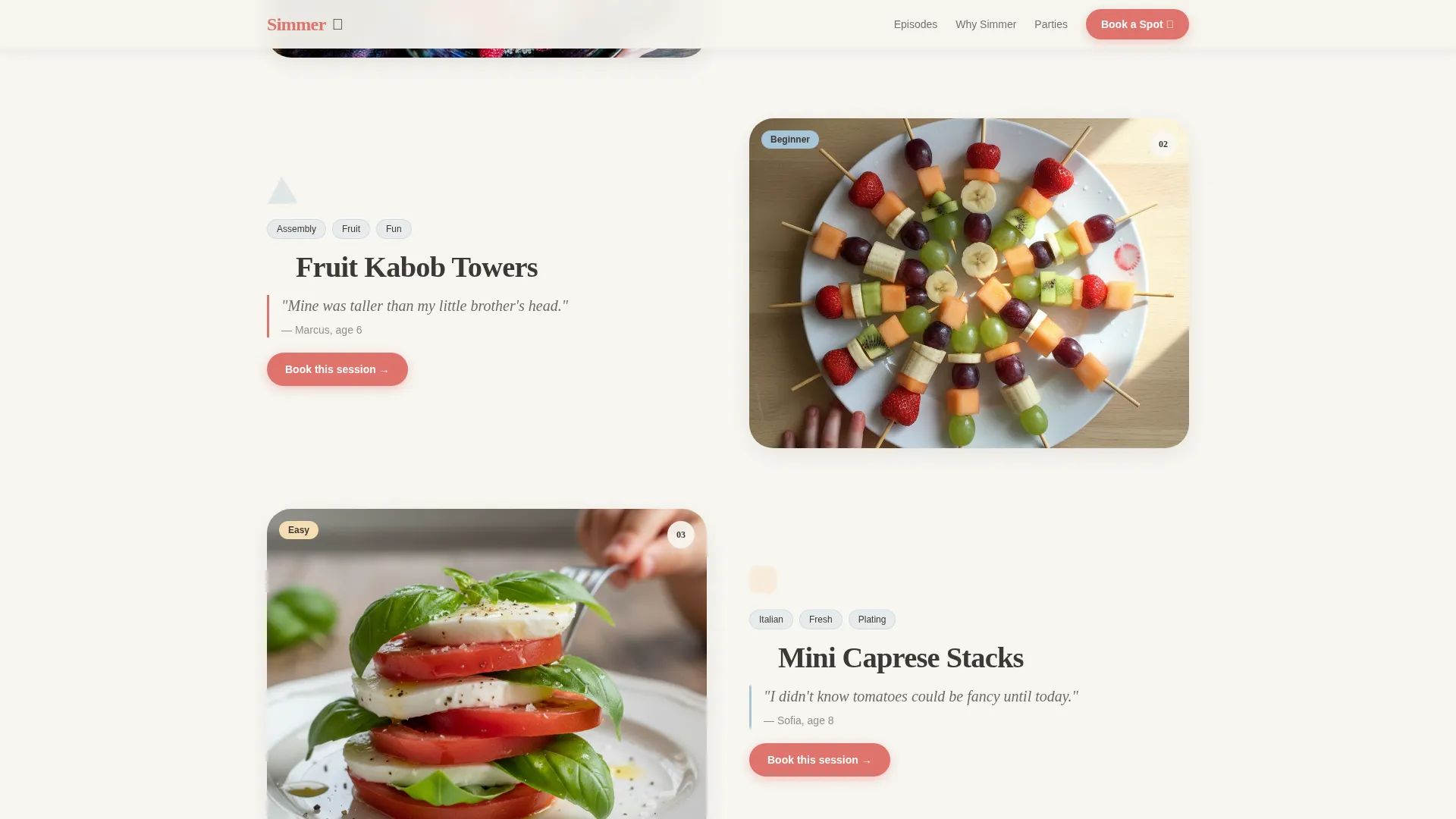
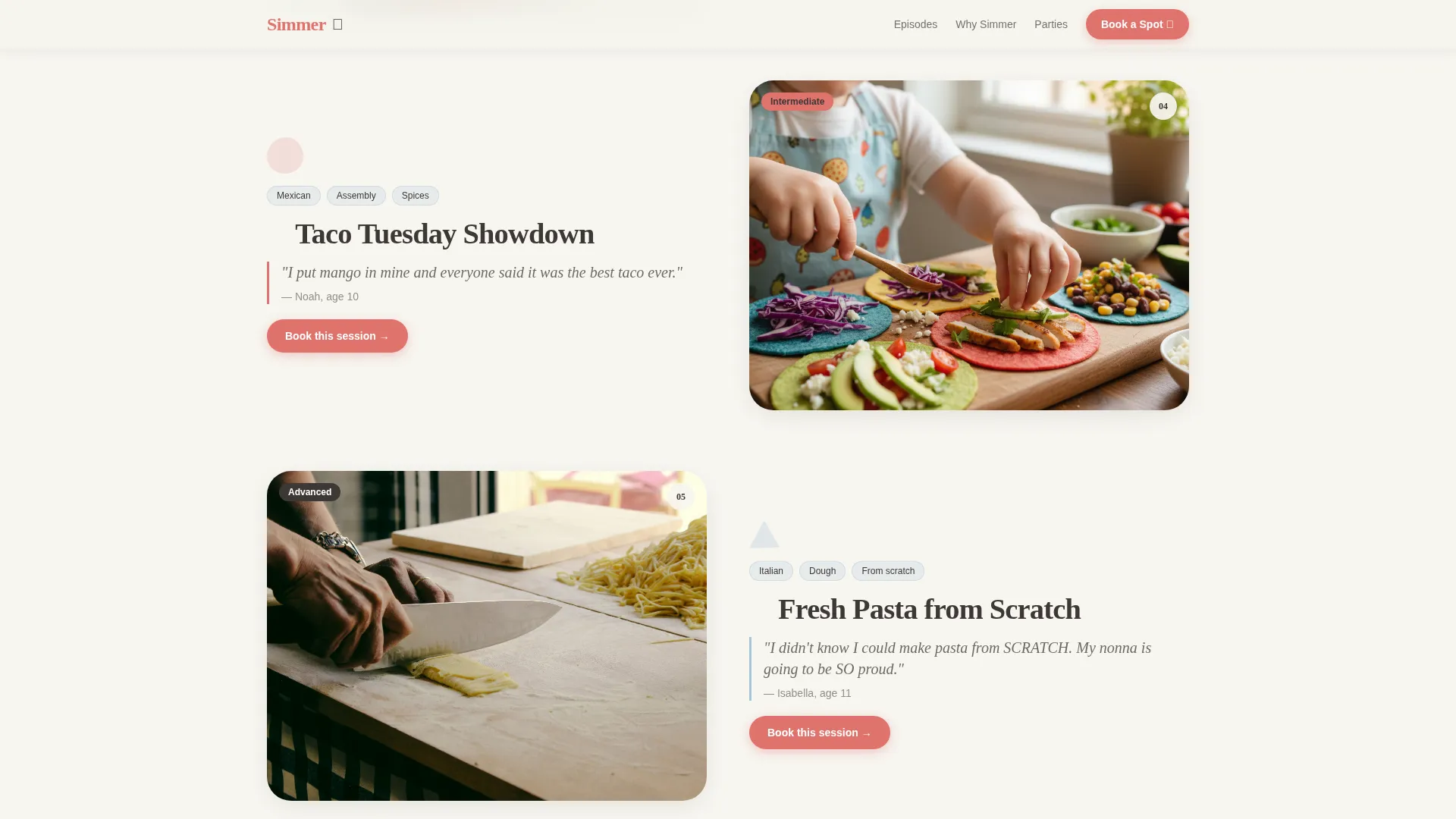
Each episode card slides into view as the visitor scrolls. Cards include a hero photo, a short dish description, and a quoted line from the kid chef. The progression moves from simple recipes at the top to ambitious dishes lower on the page, letting the scroll itself tell the story of what children become capable of.
Inline Booking and Scheduling Module
The booking section is embedded directly on the page, no redirect required. It collects the child's first name and age, a preferred session type from weekly class, birthday party, or private group, and a date picker showing available slots. A secondary "Gift a Class" button sits below in blueberry-cream styling for gift purchasers.
Sticky Mobile Call to Action
A persistent "Book a Spot at the Counter" button stays visible as mobile users scroll. This keeps the primary conversion path accessible at every point in the page without interrupting the gallery experience on larger screens.
Asymmetric Bento Grid
The "Why Simmer" section uses an asymmetric bento-style grid layout to present different value angles side by side. Parents, after-school coordinators, and birthday party planners each see messaging tailored to their own reason for being on the page.
Testimonial Scroll Rail
A horizontally scrolling rail carries parent and kid testimonials past the viewer. Social proof appears after the gallery, which means it reinforces a decision the visitor has already started forming rather than asking for trust upfront.
Floating Geometric Shape Animations
Rounded triangles, wobbly circles, and soft-cornered rectangles float behind content blocks throughout the page. Each section is introduced by a geometric shape that spins gently into place on scroll, giving the layout a handcrafted, playful energy without distracting from the content.
Page sections overview
| Section | Purpose |
|---|---|
| Hero Header | Full-bleed kitchen photo with show title, primary booking call to action, and gift class button |
| Episode Gallery Walk | Staggered episode cards with dish photos, kid quotes, and six-second video loop placeholders |
| Why Simmer Grid | Asymmetric bento grid addressing parents, coordinators, and party planners separately |
| Testimonials Rail | Horizontally scrolling parent and kid testimonial strip with social proof metrics |
| Booking Module | Inline scheduling form with session type selector, child details fields, and date picker |
| Page Footer | Horizontal flow footer with navigation links and contact information |
Design & branding system
The visual identity follows a Playful Geometric theme built around a Soft Mist color system. The palette is warm and appetizing without feeling loud, and the typography pairs a hand-drawn display face with a clean body font for easy reading at any size.
- Colors: powdered-sugar white (#F7F5F0) backgrounds, whipped-butter yellow (#F5DEB3) highlights, blueberry cream (#A8C4D8) accents, strawberry jam red (#E0736D) for buttons and badges, and warm charcoal (#3D3835) for body text
- Typography: Fraunces as the display typeface for headings and the show name, DM Sans as the body typeface for descriptions and form labels
- Geometric shapes in rounded and soft-cornered forms float behind content, alternating section backgrounds between white and a faint blueberry-cream wash
Mobile & speed optimization
The template is built mobile-first, which matters because the primary audience of parents is most likely browsing during a lunch break or school pickup. Desktop layout enhances what mobile already does well.
- Server components handle all static sections including the hero, gallery, and grid to keep initial load light
- Client components are scoped to the booking form and interactive episode card hover states
- The sticky mobile call to action and the inline booking module reduce the number of taps needed to complete a booking
How this template helps you convert
The page is structured so that the gallery does the convincing before the booking form ever appears. By the time a visitor reaches the scheduling module, they have already seen kids grinning over dishes they made themselves.
- The hero section opens with immediate visual energy and places both calls to action above the fold, so visitors know what to do from the first second
- The episode gallery builds desire progressively, moving from approachable smoothie bowls to impressive handmade ravioli, so parents feel the arc of what their child could accomplish
- The inline booking module removes friction by keeping everything on one page, and the soft secondary "Gift a Class" path captures gift buyers without competing with the primary conversion
Other information about this template
This template is part of a broader set of enrichment and family-activity landing page designs. It is worth knowing a few practical details before you customize it.
- The template is built for English-language audiences with United States date formatting and USD pricing in mind
- Animation intensity is set to high by default, covering scroll reveals, floating shape motion, staggered gallery reveals, and a marquee element
- Episode card hover interactions and the booking form are handled by client-side components, keeping the interactive layer separate from the static content layer
- The footer follows a horizontal flow pattern with space for navigation links, social handles, and contact details
Theme
Playful Geometric
Creative direction
Gallery Walk
Color system
Soft Mist
Style
Scroll Reveal (Progressive)
Direction
Booking/Scheduling
Page Sections
Scroll-reveal Episode Gallery
Inline Booking and Scheduling Module
Sticky Mobile Call to Action
Asymmetric Bento Grid Section
Floating Geometric Shape Animations
Testimonial Scroll Rail
Related questions
Can I change the session types in the booking form?
Does the template work for a single class offering, not a full show?
How does the Gift a Class path work?
Is the template suitable for after-school programs and coordinators?
Can I replace the episode cards with my own content?



