Clinical Research & Trial FAQ Website Template
Siteflow is a split-screen landing page template built for construction site management organizations. It pairs an SVG line-art hero with a scroll-driven FAQ layout and a five-question assessment quiz. Designed for general contractors, property developers, and municipal project managers, the template turns coordination pain points into a personalized Site Health Scorecard that drives qualified lead capture.
by Rocket studio
Quick summary
Siteflow is a single-page template purpose-built for construction site management firms. It opens with an animated line-art hero, flows through a FAQ-driven split-screen layout that names real scheduling pain, and closes with a five-step assessment quiz gated by email capture. The template is designed desktop-first, with a mobile fallback, and uses an earthy organic palette to feel authoritative and grounded.
Who this template is for
This template is built for firms that manage the operational complexity of active construction projects. If your business keeps sites moving safely and on schedule, this layout gives you a credible, conversion-focused front door.
- General contractors managing three or more active pads at the same time
- Property developers who have experienced costly missed handover dates
- Municipal project managers where public delays attract media scrutiny
What problem this template solves
Most construction coordination firms lose leads because their web presence does not reflect the operational sophistication they actually deliver. Prospects arrive, see generic copy, and move on without understanding the real value on offer.
- Visitors cannot quickly see how the firm handles zone conflicts, crane scheduling, or subcontractor rotations
- There is no structured path from "I recognize this problem" to "I want a diagnosis"
- Lead capture forms feel cold and transactional rather than consultative
What you get with this template
You get a fully structured, single-page layout ready to present Siteflow's site management capabilities with editorial confidence. Every section is mapped to a real buyer concern, and the visual system keeps attention moving downward toward the assessment quiz.
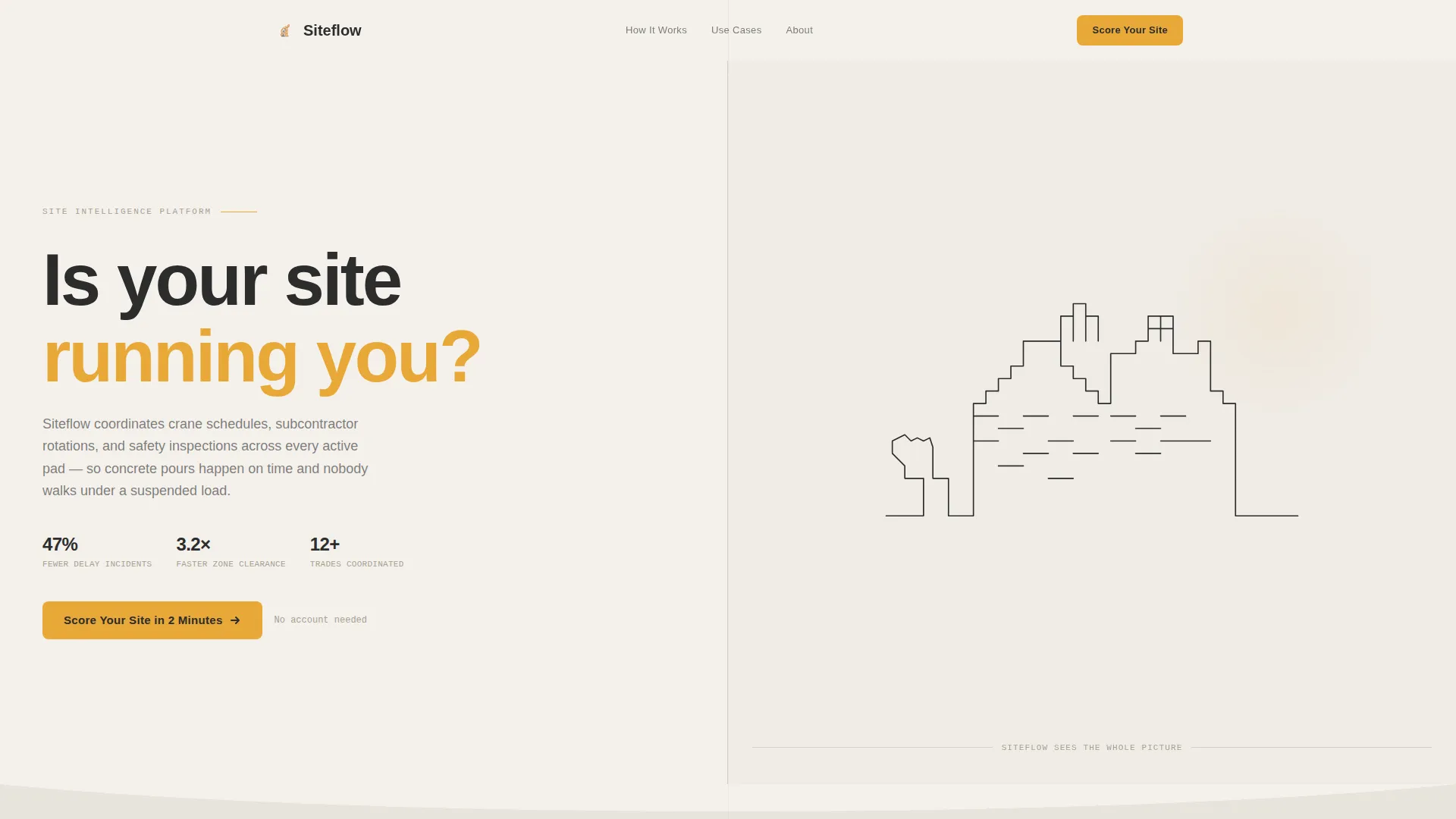
- A hero section with an SVG scroll-triggered line-art illustration and a headline embedded in the building outline
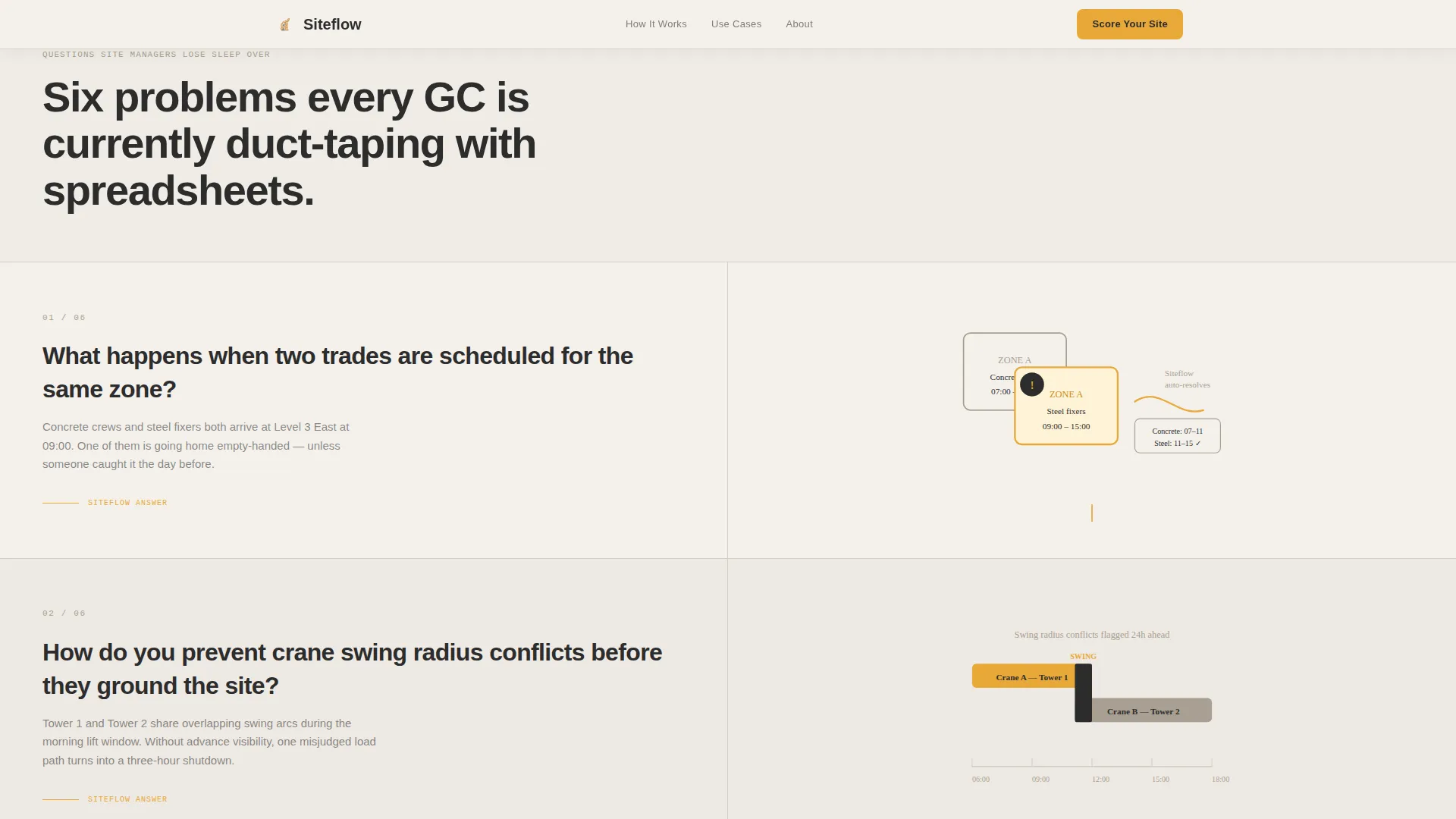
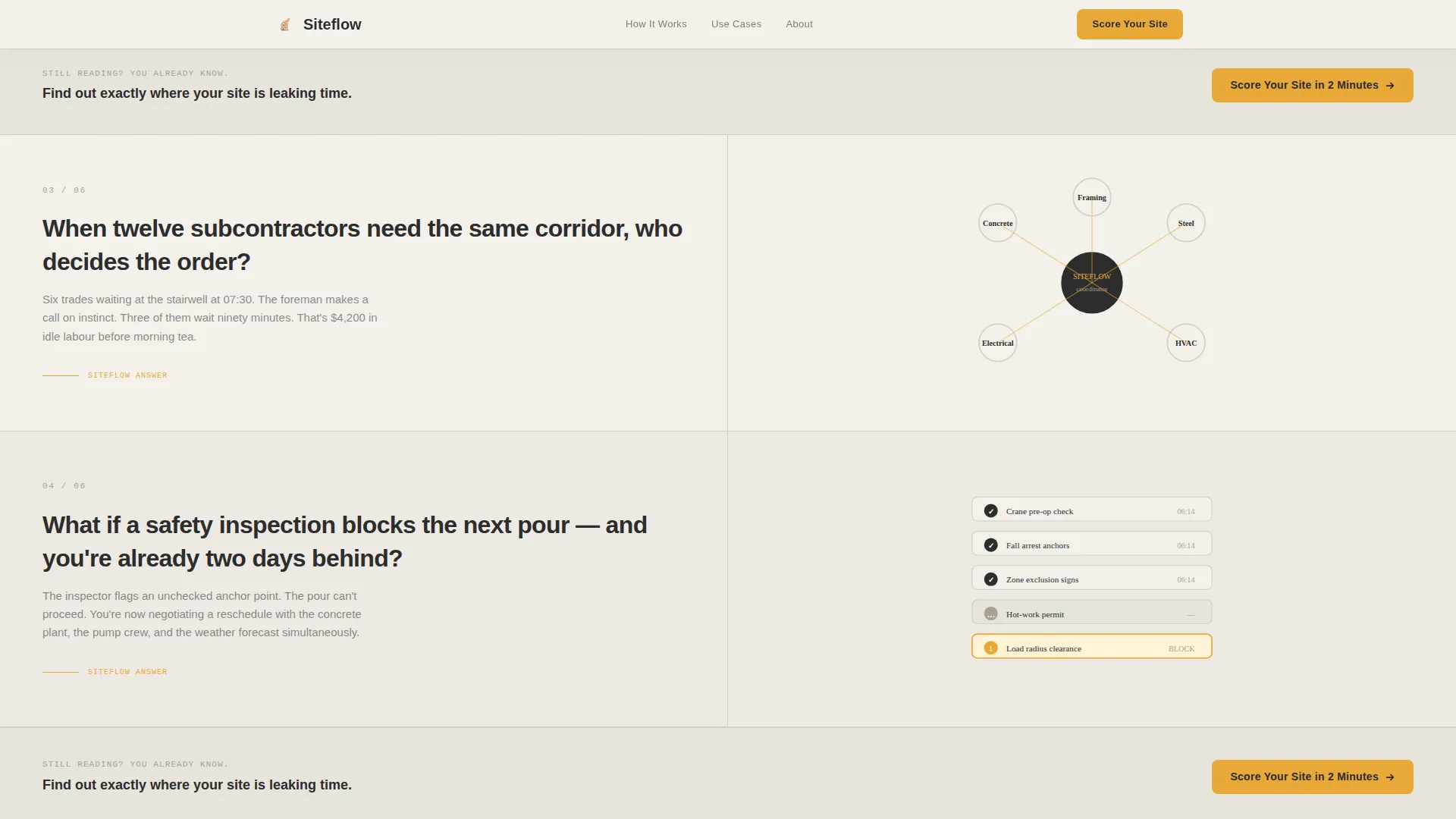
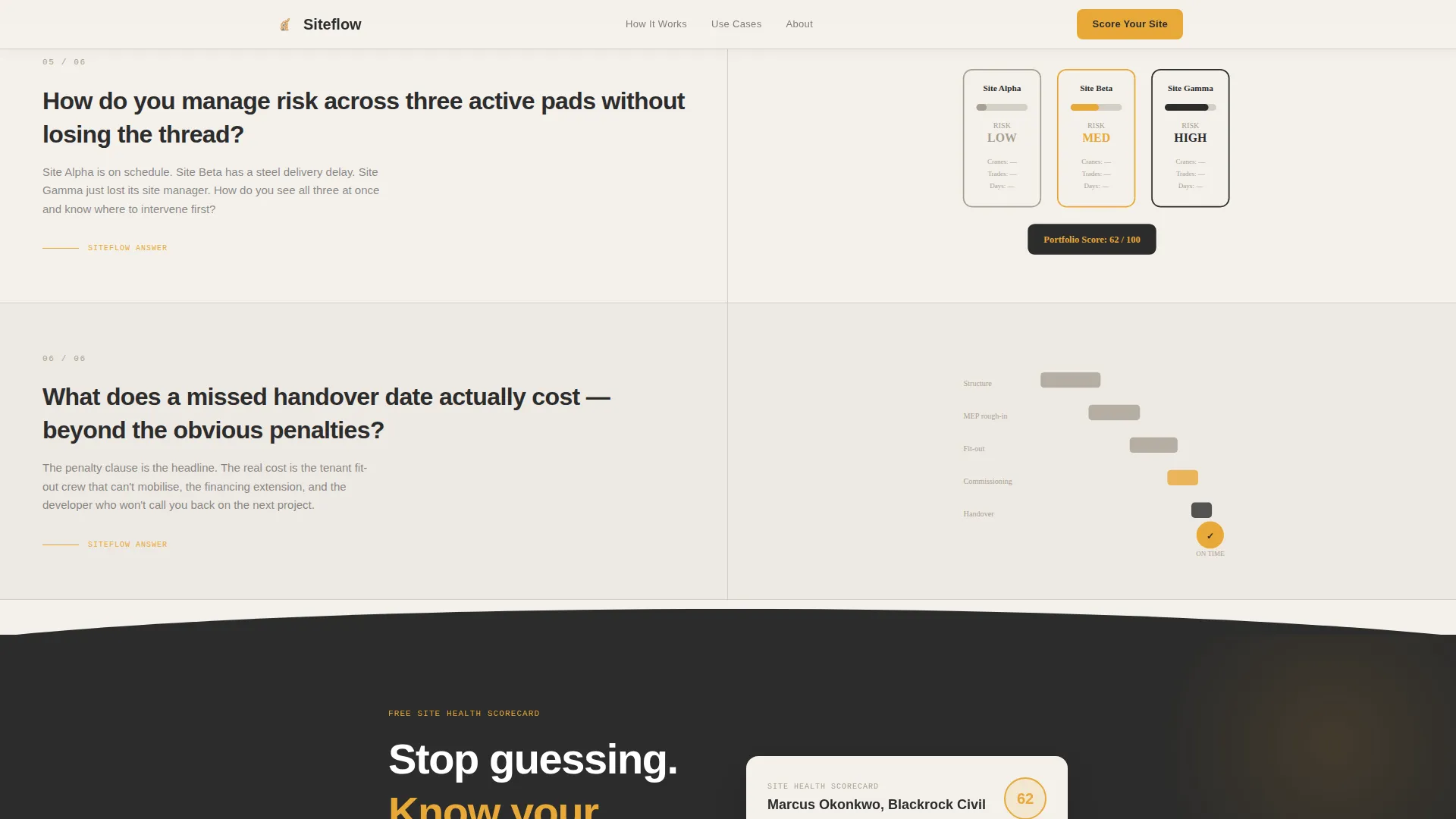
- Three FAQ split-panel sections, each pairing a site manager's real question with an organic diagram on the opposite panel
- A five-question assessment quiz with an email gate that promises a personalized Site Health Scorecard PDF within 24 hours
Feature list
This section covers the core built-in components that make the Siteflow template work as both a design and conversion tool.
SVG Line-Art Hero with Scroll Animation
The header features a single continuous line-art illustration of a construction site, drawn in asphalt ink over a cloud-white background. The path animates left to right on scroll, completing the drawing before the headline materializes inside the building's negative space.
FAQ-Driven Split-Screen Layout
Each scroll section divides the viewport 50/50. The left panel poses a question that site managers genuinely lose sleep over. The right panel answers with an organic, flowing diagram that unfolds on scroll, connecting answers visually with amber thread-lines.
Five-Step Assessment Quiz
A progressive, five-question scorecard asks about active site count, subcontractor volume, current scheduling method, recent delay causes, and a free-text Monday-morning scenario. An email gate holds the personalized PDF result, making lead capture feel like a service rather than a barrier.
Amber call to action Resurface Pattern
The primary call-to-action button, "Score Your Site in 2 Minutes," appears below the hero and then resurfaces automatically after every third FAQ section. This keeps the conversion path visible without interrupting the reading flow.
Organic Flow Dividers and Thread-Lines
Curved section dividers and amber thread-lines connect content blocks without hard cuts. Content breathes into the next section, guiding the reader's eye through escalating question complexity from daily logistics to multi-site portfolio risk.
Desktop-First Responsive Structure
The template is built with desktop priority, reflecting how general contractors and site managers typically work from site offices and tablets. A mobile fallback layout is included so the page remains functional across devices.
Page sections overview
| Section | Purpose |
|---|---|
| Hero with SVG | Opens with animated line-art and headline |
| FAQ Split Panel 1 | Addresses daily logistics questions |
| FAQ Split Panel 2 | Covers subcontractor and safety questions |
| Quiz call to action Resurface | Reintroduces assessment after third FAQ |
| FAQ Split Panel 3 | Tackles multi-site portfolio risk |
| Assessment Quiz | Five-step scorecard with email gate |
| Footer | Linear single-row links and branding |
Design & branding system
The visual identity follows an Organic Flow theme using a Cloud Canvas color system. The palette feels like weather passing over an open construction lot: soft and muted, then punctuated by a high-visibility amber that pulls the eye where it needs to go.
- Colors: overcast sky white (#F4F1EC) for backgrounds, dried-mud warm gray (#A89F91) for alternating sections, site-vest amber (#E8A838) for buttons and progress indicators, deep asphalt (#2C2C2C) for all body text and anchor elements
- Typography: DM Sans for headings and body, JetBrains Mono for labels and monospaced detail elements
- Amber lands only on interactive and progress elements; all other color zones stay earthy and restrained
Mobile & speed optimization
The template is designed desktop-first because general contractors and project managers typically work from site offices, laptops, and tablets. A responsive mobile fallback ensures the page loads and reads correctly on smaller screens.
- Static sections use server-rendered components for fast initial load
- Quiz interactions and scroll animations run as client-side components, keeping static content delivery efficient
- SVG path animations and scroll-triggered reveals are scoped to client components only
How this template helps you convert
The FAQ scroll does the selling before the quiz ever appears. By the time a visitor reaches the assessment, they have already identified their own coordination gaps through the question-and-answer format. The template removes friction at every stage.
- The "Is your site running you?" headline creates immediate recognition for overextended site managers, making them feel seen before they read a single feature claim
- The "Score Your Site in 2 Minutes" button resurfaces after every third FAQ, catching visitors at peak recognition moments when they are most ready to act
- The email-gated PDF scorecard reframes lead capture as a professional deliverable, increasing submission willingness among buyers who are researching real solutions
Other information about this template
This template is designed for a business-to-business audience in the construction operations space. It combines high interactivity with editorial restraint, letting the content do the qualifying work before any form appears.
- The footer follows a linear single-row pattern suitable for minimal navigation links and a brand mark
- Social proof placeholders support specific metrics such as days saved, subcontractor count handled, and delay reduction percentages
- The template uses English copy with United States date formatting and USD context throughout
Theme
Organic Flow
Creative direction
FAQ-Driven
Color system
Cloud Canvas
Style
Split Screen (50/50)
Direction
Quiz/Assessment
Page Sections
SVG Line-art Hero Animation
Faq-driven Split-screen Sections
Five-step Assessment Quiz
Repeating Amber Call to Action Pattern
Organic Flow Dividers
Desktop-first Responsive Layout
Related questions
Can I edit the FAQ questions and diagram content to match my firm's services?
Does the quiz actually send a PDF scorecard automatically?
Is this template suitable for a firm that manages clinical trial sites rather than construction sites?
What makes the split-screen layout effective for a site management service?
How many times does the primary call to action button appear on the page?



