Consulting & Advisory Professional Website Template
Sitestory is a single-page environmental consulting landing page built for firms that guide landowners, developers, and municipalities through complex permitting. It pairs a commanding navy-and-khaki visual identity with a zigzag case study layout, stat callout bars, and two lead-capture paths, a site assessment form and a downloadable Phase I ESA checklist.
by Rocket studio
Quick summary
Sitestory is an authoritative environmental consulting landing page designed for firms that handle wetland delineations, Phase I and Phase II Environmental Site Assessments (ESAs), and National Environmental Policy Act (NEPA) compliance. The zigzag case study layout walks site visitors through real project crises and resolutions. Two conversion paths capture both ready-to-engage prospects and early-stage researchers.
Who this template is for
This template is built for environmental consulting firms that serve clients facing regulatory complexity before construction can begin. It fits practices that work directly on permitting, site assessment, and agency negotiation.
- Firms offering wetland delineation, Phase I/II ESAs, or NEPA documentation services
- Consultants whose clients include civil engineers, real estate developers, and municipal planners
- Environmental practices that want a lead-generation landing page with proof-based credibility
What problem this template solves
Permitting delays cost clients real money, yet most environmental consulting websites feel generic and slow to build trust. Visitors arrive with an urgent, specific problem and they need immediate reassurance that the firm has solved it before.
- The template reframes the firm's expertise through case studies rather than abstract service lists
- It captures leads at two stages: visitors ready to engage and those still researching their options
- The layout converts complex regulatory work into a clear, skimmable narrative that non-specialist clients can follow
What you get with this template
You get a fully structured single-page layout that communicates authority, specificity, and calm confidence. Every section has a clear job, from the headline through the final call to action.
- A giant centered headline section, three zigzag case study panels, and anchored stat callout bars
- A lead generation form collecting project location, project type, and a free-text permitting challenge description
- A secondary conversion path: a gated downloadable PDF checklist catching visitors not yet ready to call
Feature list
This landing page template includes the following built-in components and layout features.
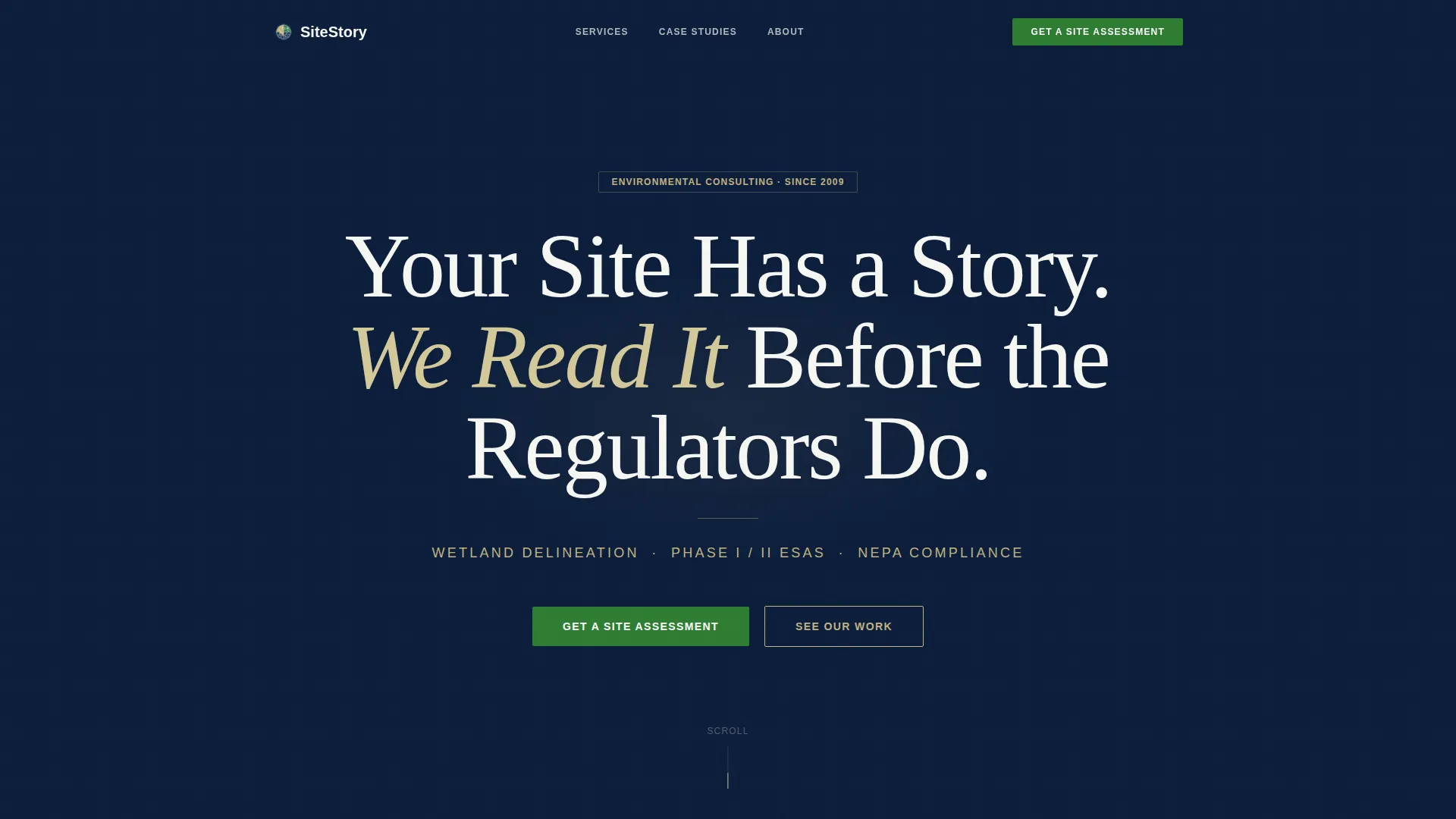
Giant Centered Hero Headline
The hero section places a single commanding headline on a full-width navy field. No competing images crowd the viewport. A khaki subline beneath names the three core services directly: wetland delineation, Phase I and Phase II ESAs, and NEPA compliance.
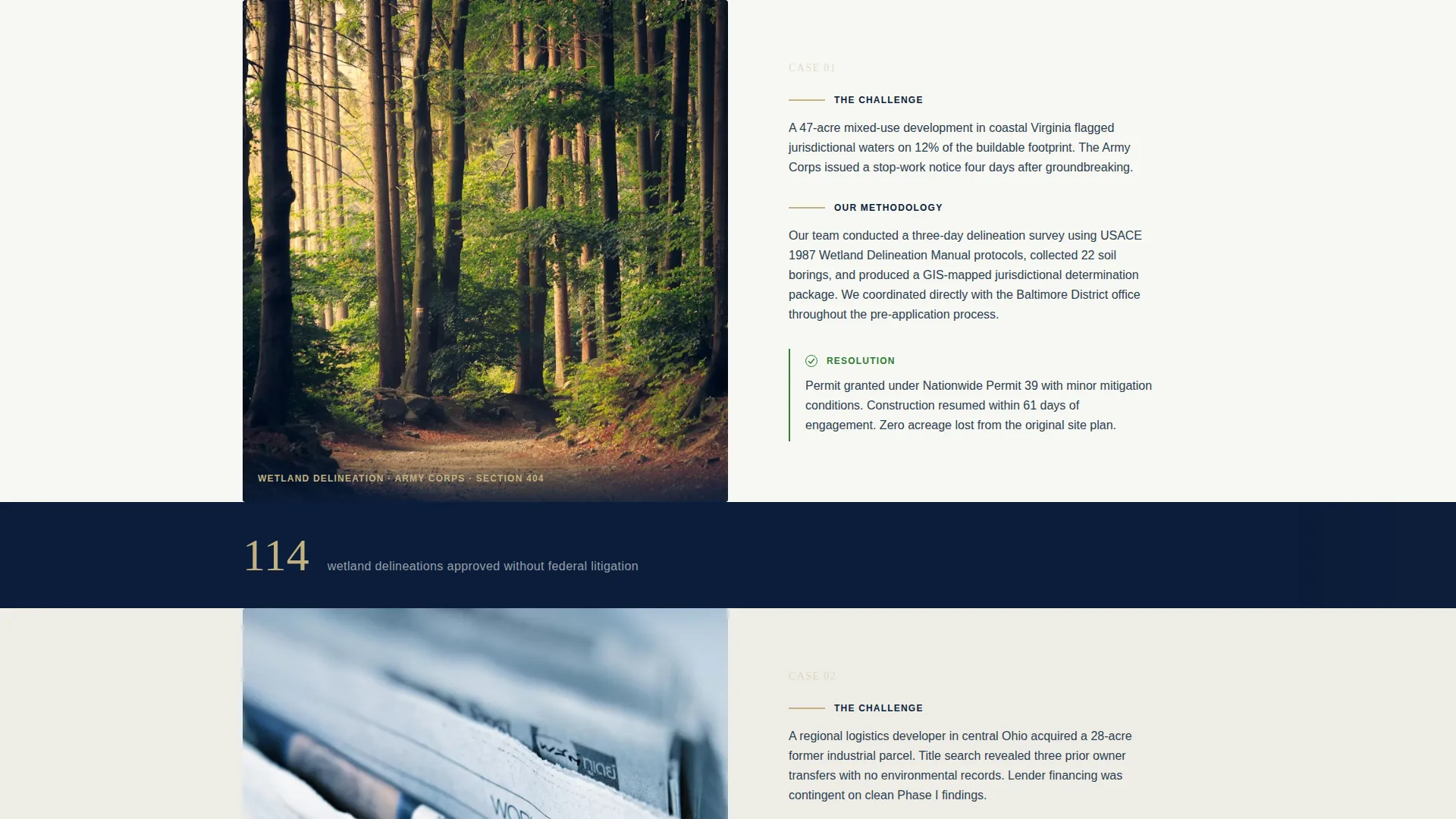
Zigzag Case Study Panels
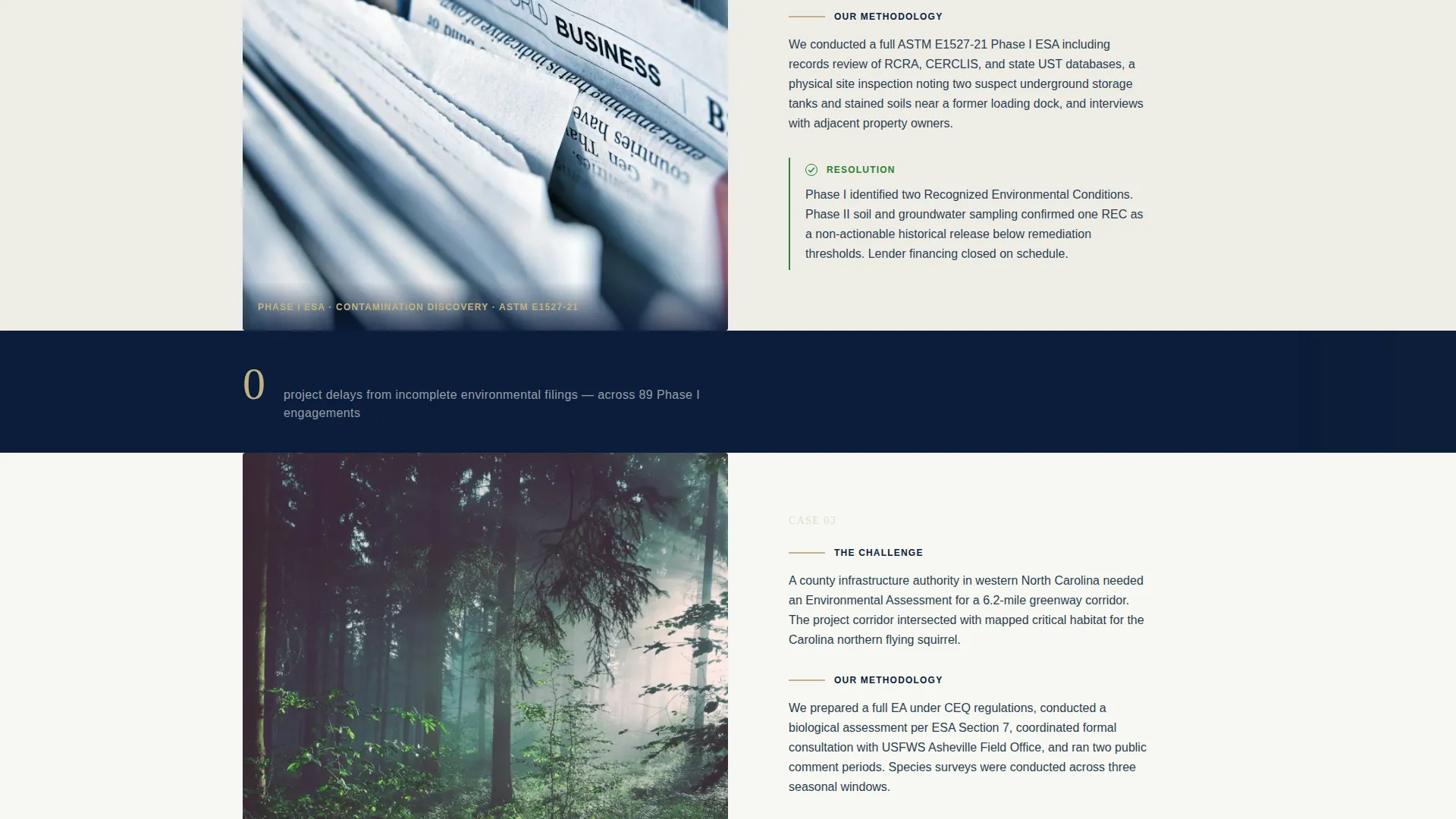
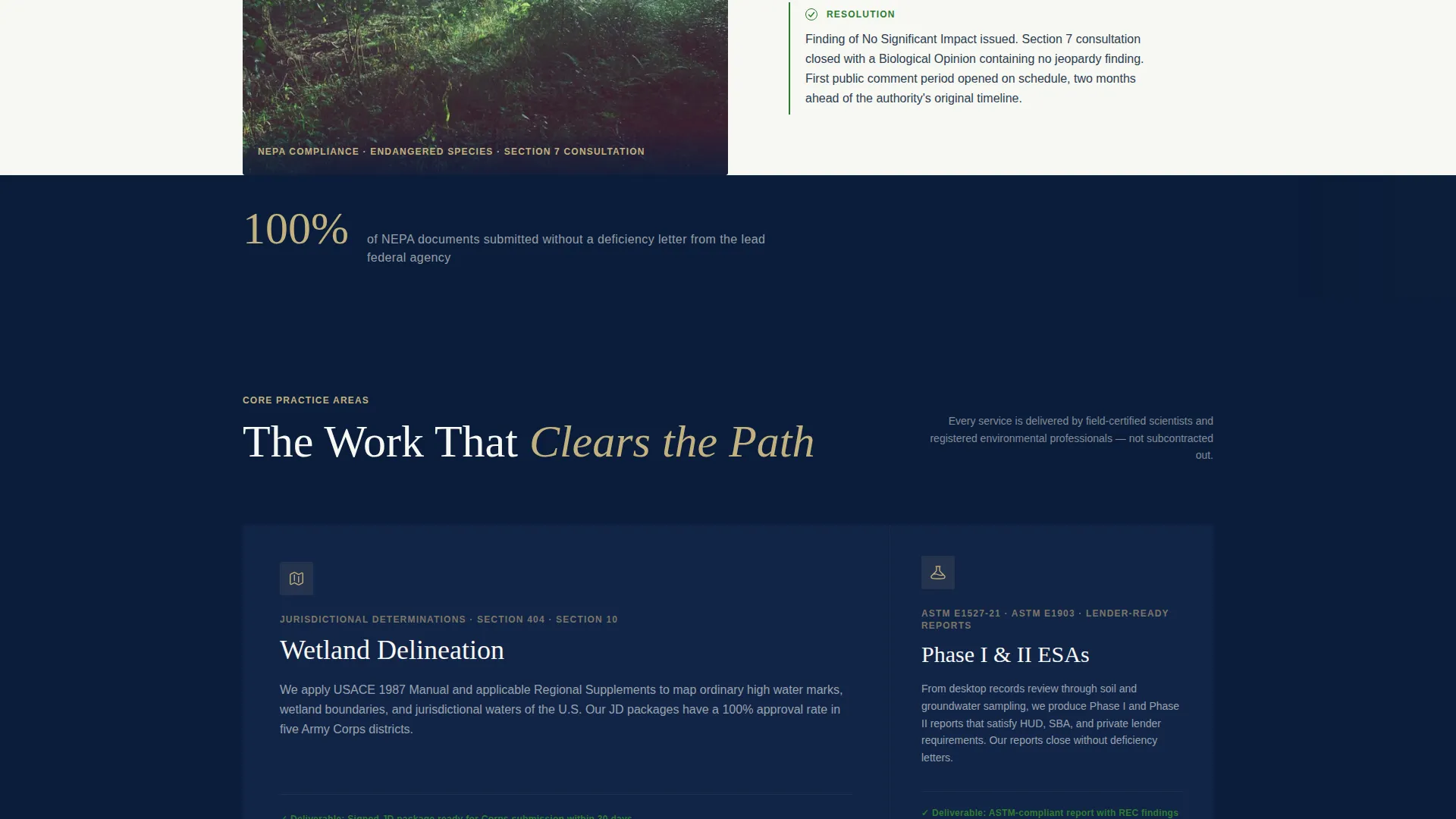
Three alternating case study panels move left-text/right-image then reverse. Each panel opens with the client crisis, walks through the methodology used, and closes on the resolution achieved. The alternating rhythm mirrors the back-and-forth nature of regulatory dialogue.
Stat Callout Bars
Single-statistic bars sit between case study panels. Examples include figures like "114 wetland delineations approved" and "Zero project delays from incomplete filings." They build cumulative authority as the visitor scrolls without interrupting the narrative.
Primary Lead Generation Form
A structured intake form collects project location via state and county dropdowns, project type via a selector, and a free-text field where prospects describe their permitting challenge. The primary call to action reads "Get a Site Assessment."
Gated PDF Secondary Conversion
A secondary offer presents a downloadable Phase I ESA Checklist titled "What to Prepare Before You Call." It is gated behind a name and email field, designed to capture visitors in early research mode before they are ready for a direct consultation.
Navy Authority Color System
The color palette uses deep regulatory navy for headers and section dividers, field-survey khaki for case study panel backgrounds, clean report white for body text areas, and compliance green exclusively for calls to action, checkmarks, and approval-state indicators.
Page sections overview
| Section | Purpose |
|---|---|
| Hero Headline | Establish authority and name core services |
| Core Services Subline | Ground the headline in specific offerings |
| Case Study One | Present first real-world project engagement |
| First Stat Bar | Reinforce credibility between case studies |
| Case Study Two | Present second project crisis and resolution |
| Second Stat Bar | Continue building cumulative proof |
| Case Study Three | Present third engagement with methodology detail |
| Primary call to action Form | Capture ready-to-engage project leads |
| Gated PDF Offer | Convert researchers with a preparatory resource |
| Anchor call to action Section | Close the page with a second assessment prompt |
Design & branding system
The visual identity follows an Educational Guide theme anchored by the Navy Authority color system. The palette carries the institutional weight of a bound environmental impact statement while retaining the texture of active fieldwork.
- Navy (#0B1D3A) dominates headers and section dividers; khaki (#C2B280) warms case study panel backgrounds; report white (#F7F7F2) carries body text
- Compliance green (#2E7D32) appears only on calls to action, checkmarks, and approval-state indicators, never as a decorative color
- Typography uses a tall authoritative serif for headlines, signaling regulatory confidence rather than promotional energy
Mobile & speed optimization
The zigzag layout stacks cleanly on smaller screens, preserving the case study narrative flow without losing the alternating visual rhythm. Each section is built to remain readable and functional at any viewport width.
- Case study panels reflow to single-column stacks on mobile without sacrificing the crisis-methodology-resolution sequence
- Stat callout bars condense to full-width blocks, keeping impact figures prominent even on narrow viewports
- Both conversion forms remain fully accessible and usable on touch devices
How this template helps you convert
Every section is sequenced to move a skeptical, time-pressured visitor from recognition to action. The page educates as it persuades, so visitors arrive at the form already convinced.
- The hero headline immediately signals the firm understands the visitor's regulatory situation, reducing bounce before a single case study loads
- The zigzag case study sequence proves the firm has solved comparable problems, lowering the risk perception of engaging
- The dual conversion paths ensure both ready-to-engage clients and early-stage researchers leave with a next step, whether that is submitting a project or downloading the Phase I ESA Checklist
Other information about this template
This template is part of the Sitestory collection and is designed specifically for the environmental consulting niche within professional services. A few additional details worth noting for teams evaluating it.
- The template style is Zigzag/Alternating, a layout choice that visually reinforces the regulatory back-and-forth central to the firm's actual work
- The creative direction follows a Case Study Narrative approach, which is especially effective for consulting firms where proof of past performance drives new client trust
- The header concept uses a Giant Headline Centered format, a deliberate choice that signals confidence and avoids visual clutter common in service-firm websites
- The landing page direction is Lead Generation, meaning every section is sequenced toward form submission or gated content download rather than passive brand awareness
Theme
Educational Guide
Creative direction
Case Study Narrative
Color system
Navy Authority
Style
Zigzag/Alternating
Direction
Lead Generation
Page Sections
Zigzag Case Study Layout
Giant Centered Hero Section
Stat Callout Bars
Primary Lead Generation Form
Gated PDF Checklist Offer
Navy Authority Color System
Related questions
Can I customize the case study content for my firm's actual projects?
What does the lead generation form collect from visitors?
How does the gated PDF checklist work?
Is this template suitable if my firm offers only one or two of the listed services?
Can the stat callout bars be updated with our own project figures?



