Elite House Sitter Booking Landing Page Template
Sitter is a concierge-level house sitting landing page built for premium residential care providers. It stacks trust signals from the first scroll, guides visitors through a curated mosaic of real client stories, and drives bookings through a persistent, inline scheduling form. The design feels polished and calm, like a boutique hotel lobby, not a typical service directory.
by Rocket studio
Quick summary
Sitter is a single-column booking landing page for elite house sitting professionals. It opens with authority badges, flows through a testimonial mosaic, and closes every scroll session with a clear booking form. The Executive Suite visual theme keeps the experience understated and trustworthy from the first pixel to the final call to action.
Who this template is for
This template is built for house sitting professionals and placement services who work with discerning, high-trust clients. If your clients hand over alarm codes and wine cellars, your landing page needs to match that level of confidence.
- Vetted house sitters offering concierge-tier residential care
- House sitting agencies managing a network of professional sitters
- Independent sitters targeting dual-income couples, retirees, and traveling professionals
What problem this template solves
Most house sitter pages look like classified ads. They list services but never earn trust. Sitter solves that by front-loading credibility so the booking form feels like a natural next step, not a risk.
- Visitors arrive skeptical and leave reassured, because proof comes before the pitch
- Clients who need to trust someone with their home need more than a price list
- The persistent booking call to action removes friction at every decision point
What you get with this template
You get a fully structured single-column landing page designed specifically for house sitter bookings. Every section serves a purpose, and every visual choice reinforces professionalism.
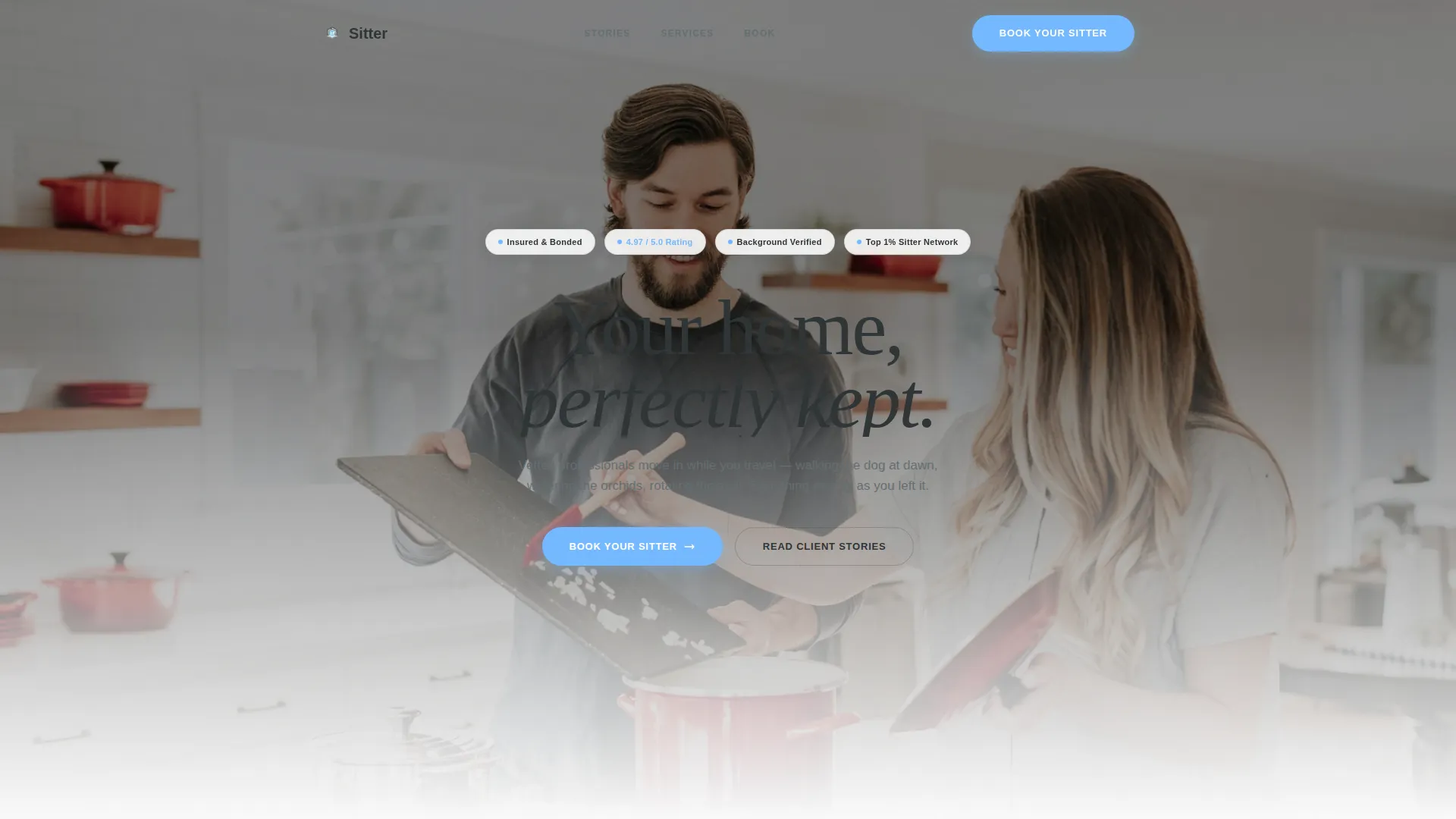
- A header trust-badge row with credentials like "Insured and Bonded," "Background Verified," and rating seals
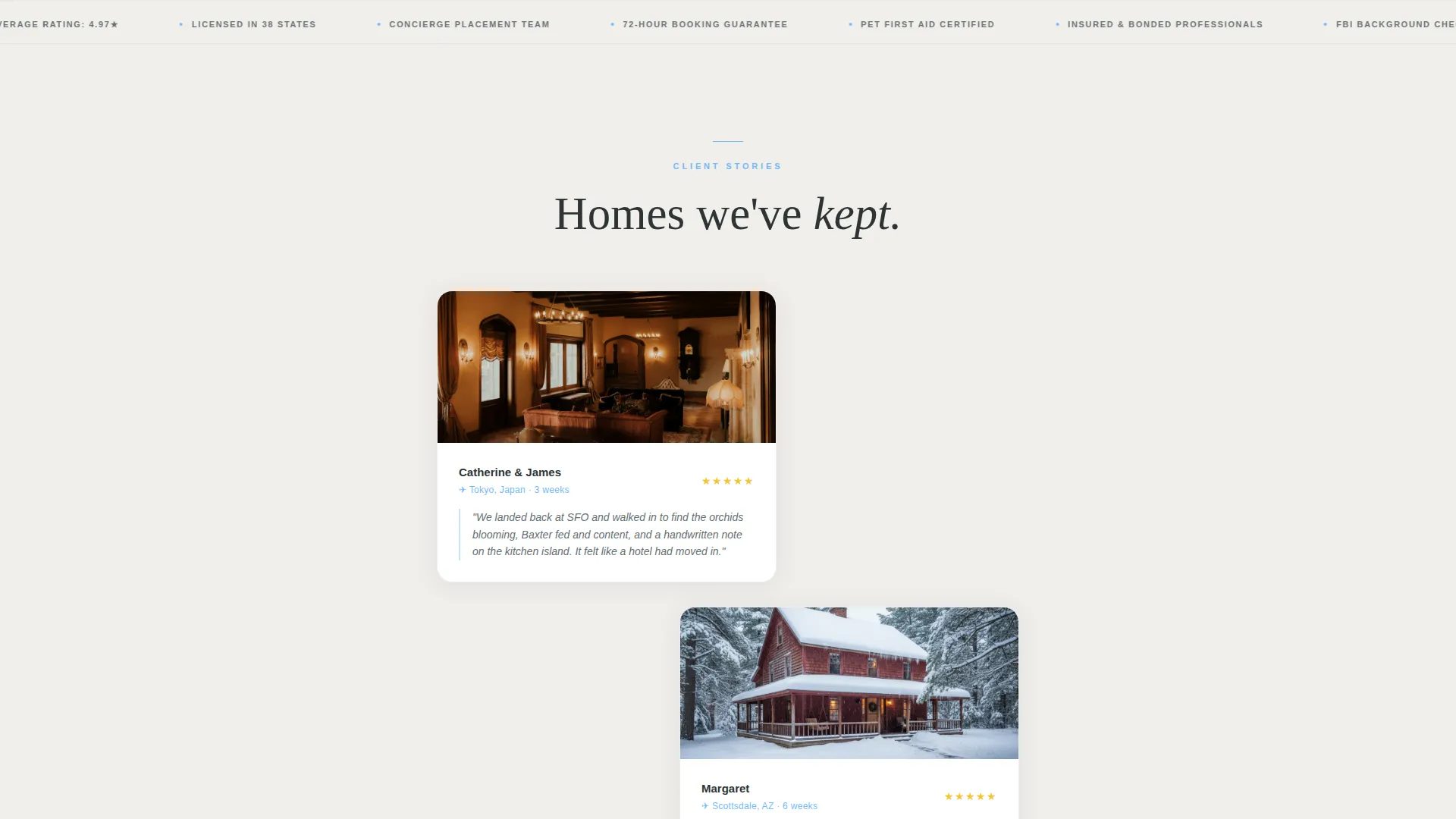
- A staggered testimonial mosaic with client photos, destinations, durations, and two-sentence quotes
- An inline scheduling form with date picker, property type selector, pet count with species dropdown, and a special instructions field
- A persistent mobile bottom bar and desktop repeat placements for the primary "Book Your Sitter" call to action
- A secondary "Request a Call" path for high-value clients who prefer to speak with a placement coordinator first
Feature list
This section covers the core built-in components that define how Sitter works and what makes it effective for house sitter bookings.
Trust Badge Header Row
The page opens with a clean row of authority signals: "Insured and Bonded," a five-star aggregate rating with real review count, "Background Verified," and a "Top 1% Sitter Network" badge. All badges render in deep charcoal slate with open-sky blue accents against a softly blurred golden-hour hero photograph.
Staggered Testimonial Mosaic
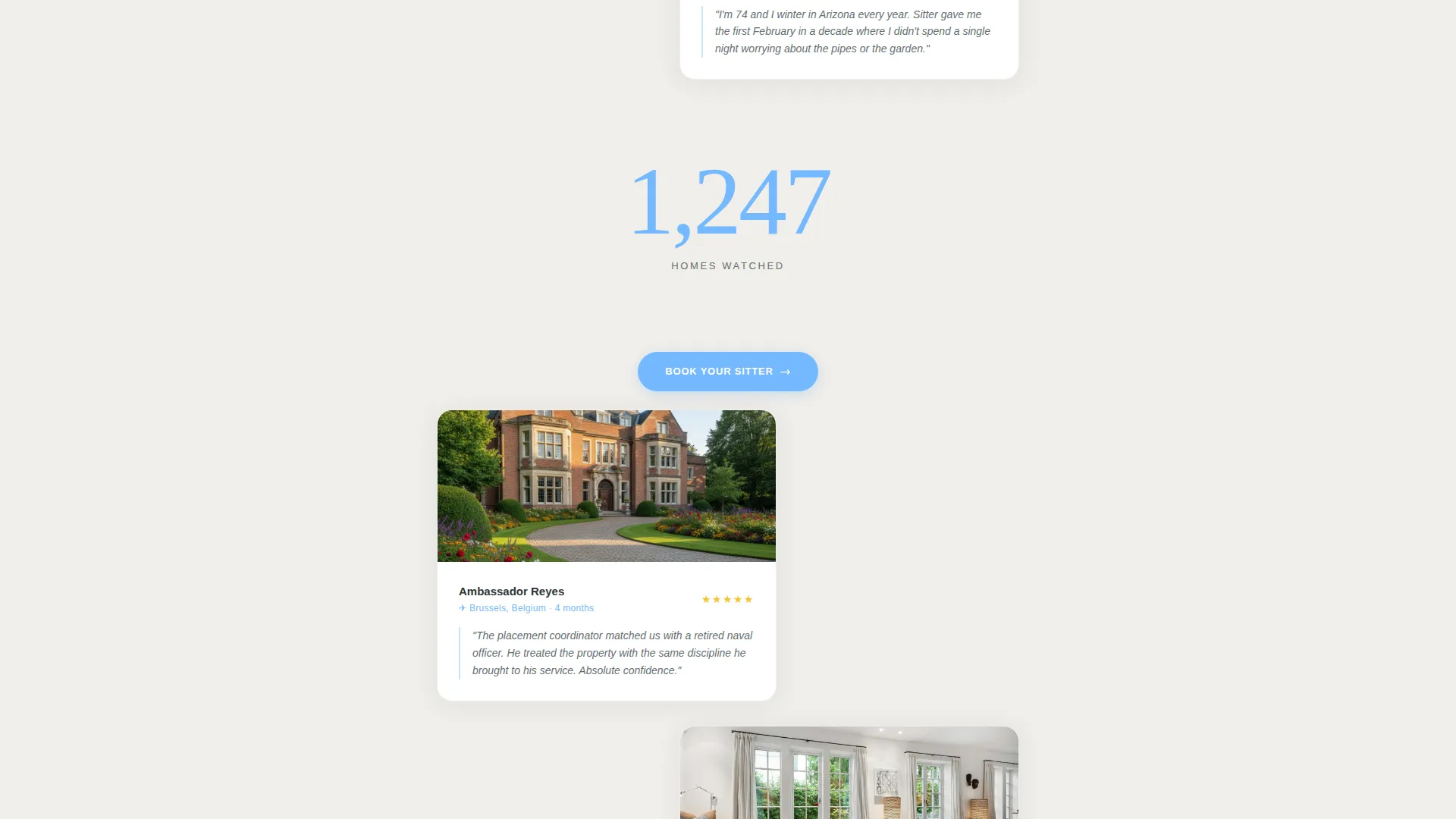
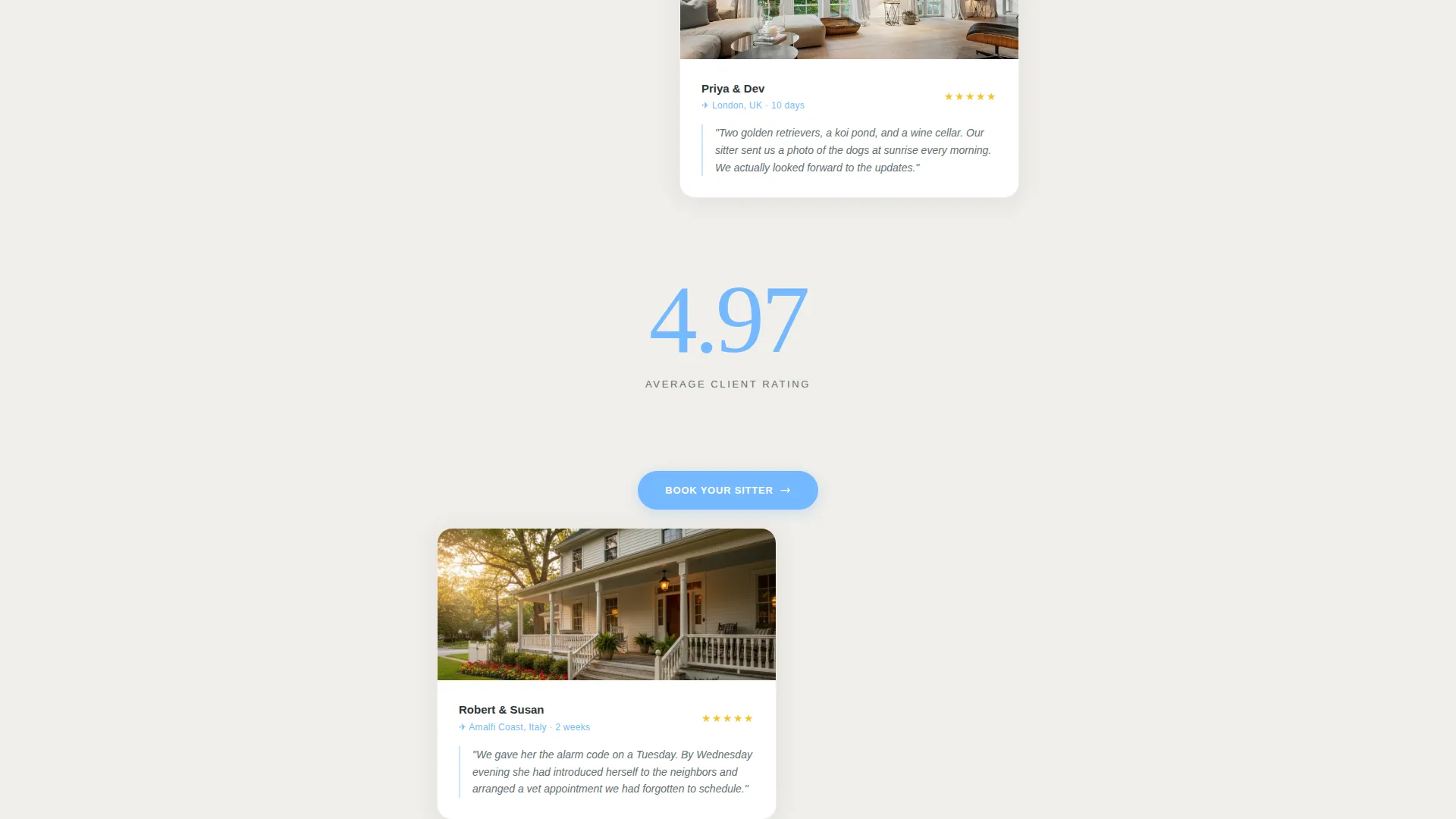
Client story cards alternate left and right as the visitor scrolls, each showing a home photo, the client's first name and destination, the length of the sit, and a two-sentence quote. Between card clusters, oversized sky-blue statistics like "1,247 homes watched" or "Average client rating: 4.97" provide structural rhythm and reinforce cumulative social proof.
Inline Booking Scheduling Form
The primary conversion element is a fully structured inline form covering travel dates via date picker, property type selection (house, condominium, or estate), number of pets with a species dropdown, and a free-text special instructions field. The form appears after the social proof sequence so the visitor is already confident before they fill in a single field.
Persistent Mobile Booking Bar
On mobile, the "Book Your Sitter" call to action is pinned as a persistent bottom bar so it stays accessible no matter how far the visitor scrolls. On desktop, the same button repeats after every third testimonial card to keep the conversion path visible throughout the experience.
Secondary Coordinator Call Path
Below the inline form, a "Request a Call" option offers a softer conversion route for clients who prefer a personal conversation. This secondary path accommodates high-value placements where a coordinator call is part of the expected service experience.
Executive Suite Visual Theme
The entire page uses the Slate and Sky color system: deep charcoal slate for primary text and dividers, brushed pewter for secondary copy, open-sky blue for buttons and trust indicators, and crisp linen white for backgrounds. Sky blue appears sparingly, only where the eye should land next, creating a calm and intentional visual hierarchy.
Page sections overview
| Section | Purpose |
|---|---|
| Trust Badge Header | Establish credentials before copy loads |
| Hero Photograph | Set a calm, home-like atmosphere |
| Testimonial Card Mosaic | Stack social proof through real client stories |
| Statistic Punctuation Blocks | Reinforce trust with aggregate performance data |
| Inline Booking Form | Capture travel dates, property type, pets, and notes |
| Request a Call Path | Offer a personal route for high-value clients |
| Persistent Mobile call to action Bar | Keep booking action accessible throughout scroll |
Design & branding system
The Slate and Sky color system is built to feel like a boutique hotel lobby: refined, climate-controlled, and confident without being flashy. Every color has an assigned role, and sky blue appears only where action is required.
- Deep charcoal slate (#2D3436) for primary text and section dividers; brushed pewter (#636E72) for supporting copy
- Open-sky blue (#74B9FF) reserved for buttons, trust indicators, and oversized statistic callouts
- Crisp linen white (#FAFAFA) across all backgrounds to keep the layout open and uncluttered
Mobile & speed optimization
The layout is a single-column flow, which means it adapts naturally to smaller screens without restructuring. The persistent bottom bar keeps the booking action present on mobile at all times.
- Single-column structure scales cleanly from desktop to mobile without horizontal scrolling
- Persistent "Book Your Sitter" bottom bar on mobile ensures the call to action is never buried
- Staggered card layout adjusts to a vertical scroll rhythm on narrower viewports
How this template helps you convert
Sitter is engineered around a simple idea: earn the click before you ask for it. The page stacks proof so deliberately that by the time a visitor reaches the booking form, hesitation has already been replaced by confidence.
- Trust badges in the header resolve the single biggest objection (can I trust this person?) before the visitor reads a word of copy
- The testimonial mosaic builds cumulative confidence through real names, real homes, and real durations, making the service feel familiar rather than abstract
- The persistent call-to-action placement and two-path conversion structure (book now or request a call) capture both ready-to-book visitors and those who need one more reassurance
Other information about this template
This template is a strong fit for house sitter booking pages that need to project authority and warmth at the same time. It works equally well for solo practitioners and small placement networks.
- The template style is Single Column Flow, which keeps the visitor focused on one narrative path without distraction
- The creative direction, Testimonial Mosaic, is a deliberate choice for a trust-dependent niche where peer proof outperforms feature lists
- The header concept, Award Badges, is well suited to professional services where certifications and ratings are the first question any careful client asks
- The landing page direction is Booking and Scheduling, so every design decision points toward a completed reservation
Theme
Executive Suite
Creative direction
Testimonial Mosaic
Color system
Slate & Sky
Style
Single Column Flow
Direction
Booking/Scheduling
Page Sections
Trust Badge Header Row
Staggered Testimonial Mosaic
Inline Booking and Scheduling Form
Persistent Mobile Booking Bar
Secondary Coordinator Call Path
Executive Suite Visual System
Related questions
Can I customize the trust badges to match my own credentials?
How does the testimonial mosaic work?
What does the inline booking form collect?
Is the 'Request a Call' option separate from the booking form?
Who is this landing page template best suited for?



