Babysitter Booking Website Template
Sitter is a warm, editorial-style babysitter landing page template built for lead generation. It uses a zigzag layout to pair practical FAQ answers with parent testimonial cards, guiding anxious first-time parents from curiosity to booking. The Cloud Canvas color system and giant serif headline create a calm, magazine-quality feel that earns trust before asking for a commitment.
by Rocket studio
Quick summary
Sitter is a single-page babysitter resource and FAQ landing page template. It blends editorial design with a lead-capture flow, helping parents find answers and take action in the same visit. The layout alternates between informational answer blocks and parent testimonial clusters, building trust at every scroll point before guiding visitors toward a "Find Your Sitter" form.
Who this template is for
This template is designed for babysitter services, childcare platforms, and independent sitters who want to attract and convert parents through honest, well-structured information. It speaks directly to parents who research carefully before trusting someone with their child.
- First-time parents building a shortlist ahead of a date night or short trip
- Working parents vetting overnight or recurring childcare options
- Families new to a neighborhood who do not yet have a trusted sitter contact
What problem this template solves
Parents searching for childcare late at night need more than a booking form. They need answers. Most babysitter pages focus only on profiles or pricing, leaving anxious parents to search elsewhere for guidance on safety, rates, and vetting.
- No central resource exists to answer safety, cost, and care-type questions in one place
- Parents abandon booking flows when trust has not been established first
- Generic childcare pages feel transactional rather than reassuring and informative
What you get with this template
You get a fully structured, single-page landing page built around an editorial FAQ experience. The layout is designed to move a parent from first question to form submission without ever feeling pushed.
- A zigzag alternating layout pairing editorial answer blocks with parent testimonial card clusters
- A lead capture form collecting child age range, zip code, care type, and email
- A secondary conversion path offering a downloadable "Babysitter Interview Checklist" PDF in exchange for an email
Feature list
This template is built around a clear set of design and content features drawn directly from its editorial magazine concept and lead generation purpose.
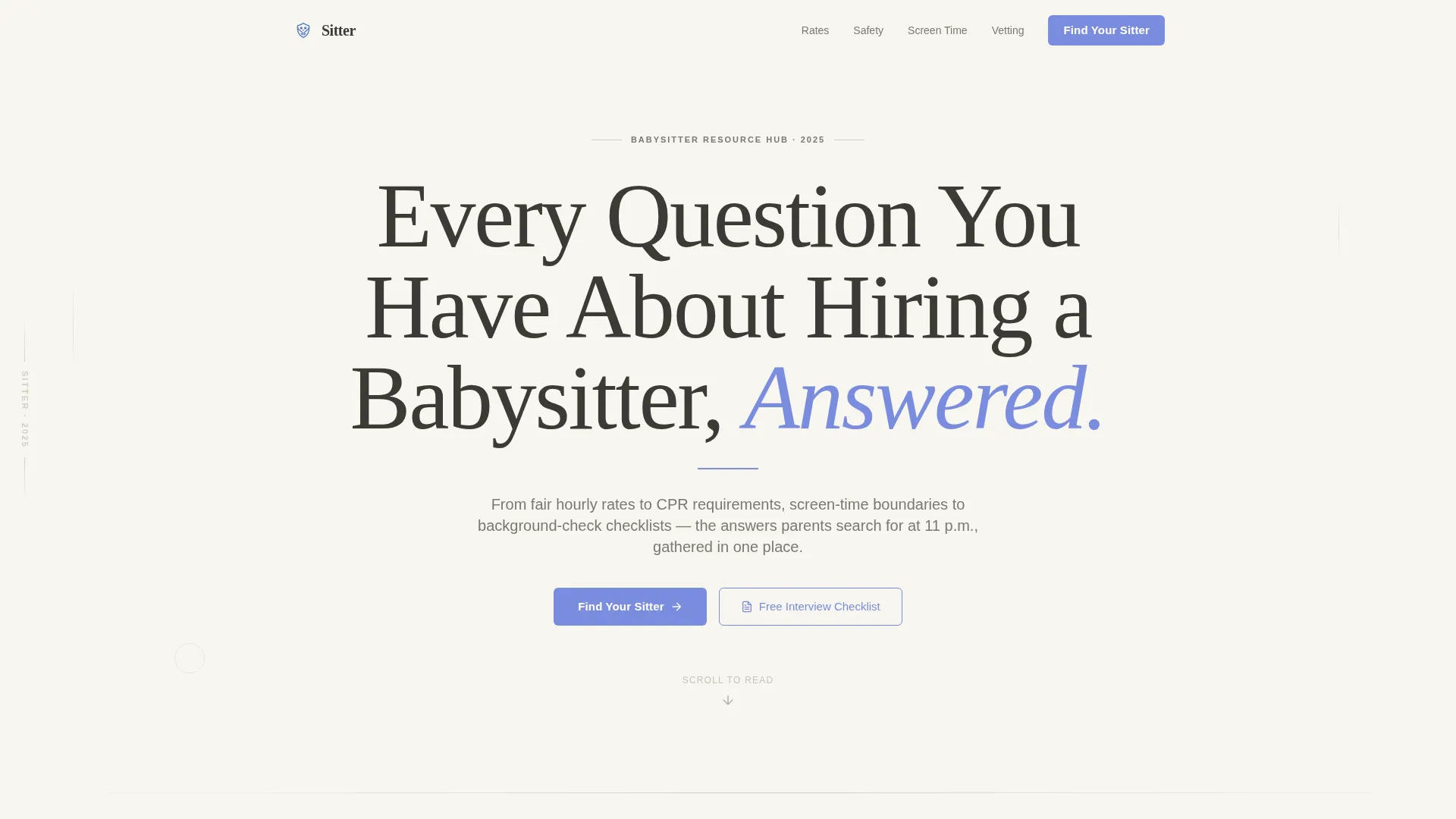
Giant Headline Centered Header
The page opens with an enormous serif headline set against cloud white. A single-line subhead in pencil charcoal sits below it, separated by a thin periwinkle rule. There is no image or illustration. The whitespace and typography alone establish authority, the way a magazine cover story announces itself.
Zigzag Alternating Layout
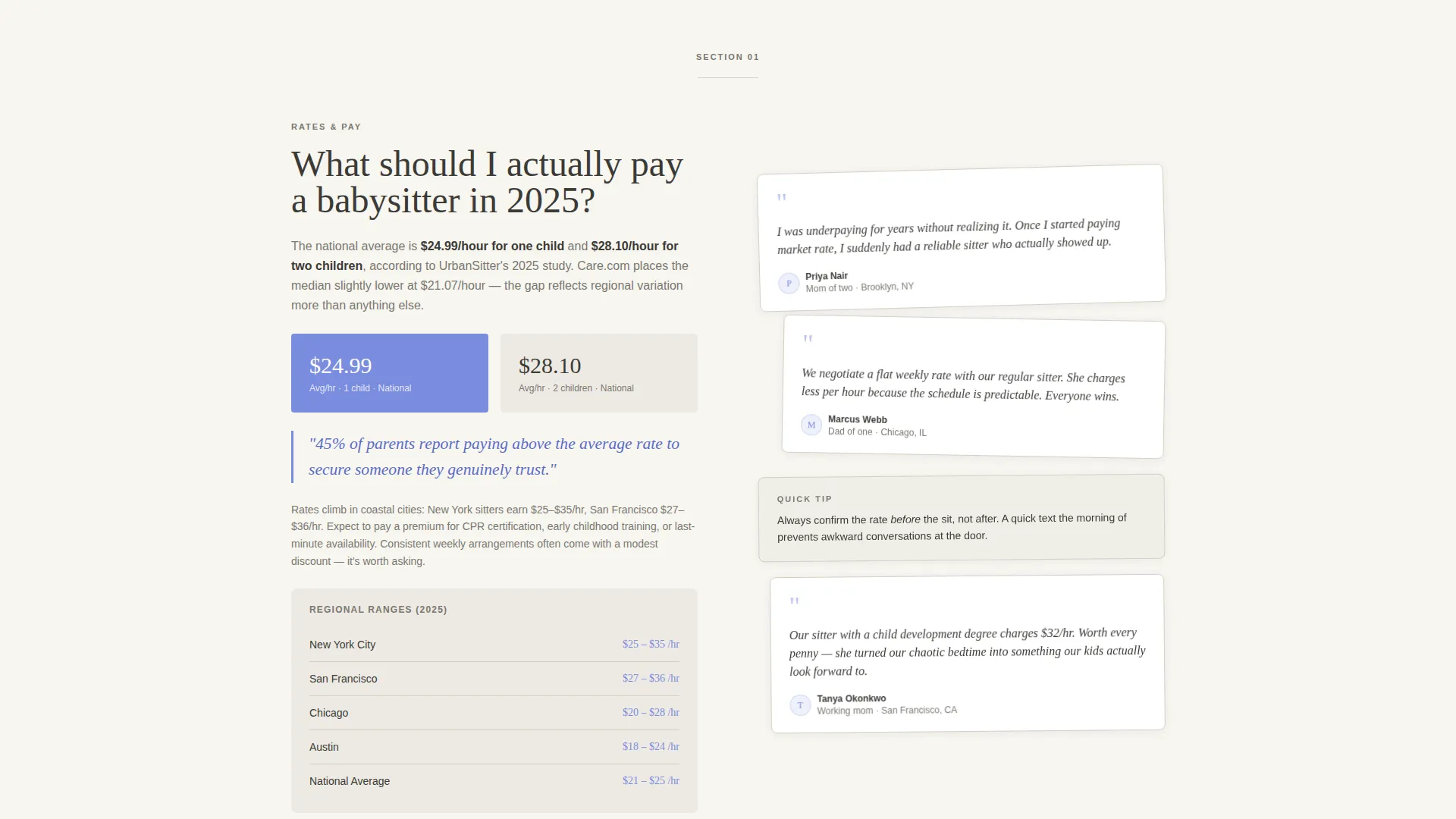
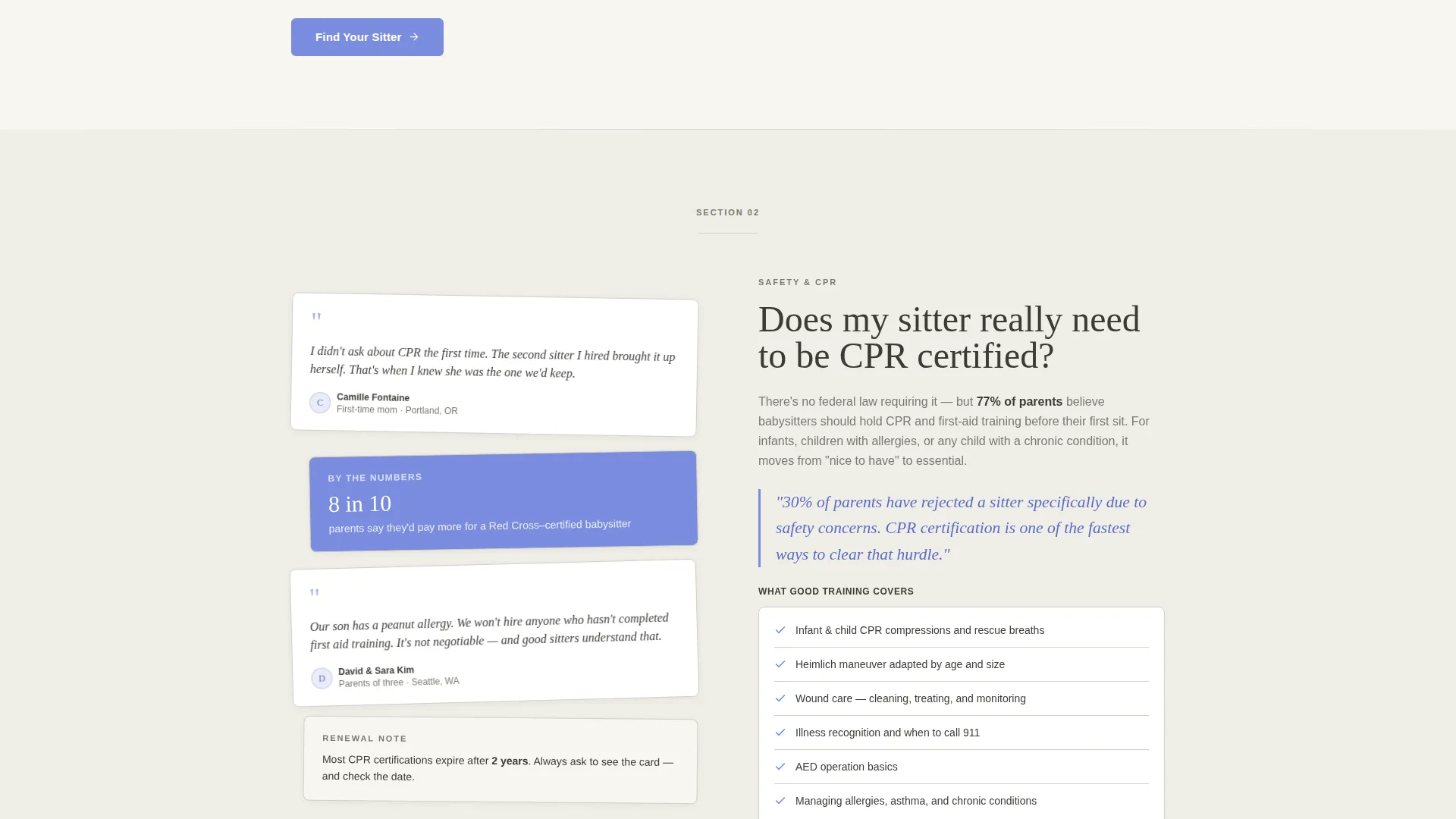
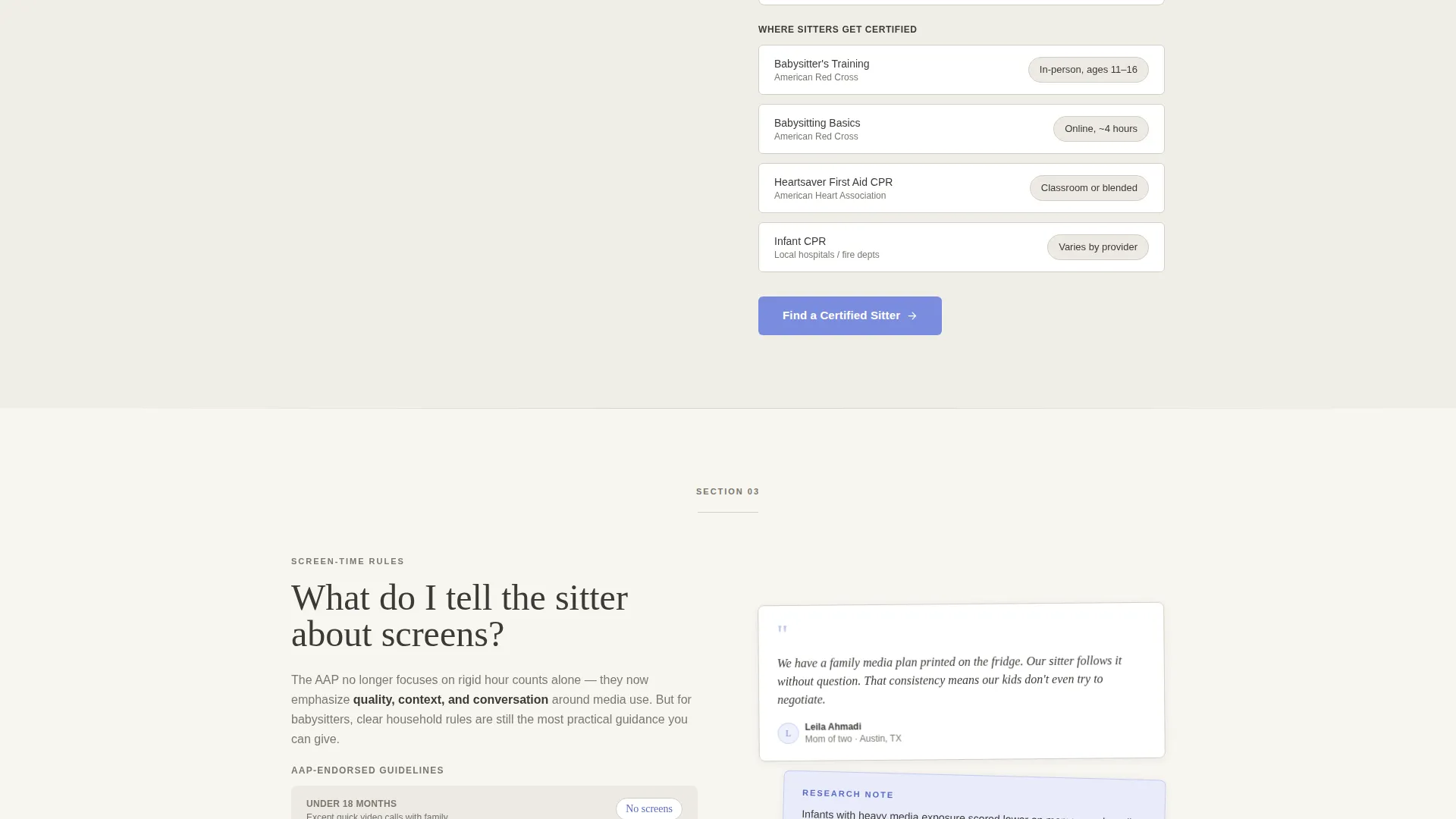
Each section of the page alternates between a clean editorial answer block on one side and a mosaic cluster of short testimonial cards on the other. The rhythm creates a natural reading flow that feels like a researched article rather than a sales page.
Testimonial Mosaic Cards
Parent voices appear throughout the page as styled short-quote cards, designed to look like handwritten margin notes and sticky-tab annotations. As the visitor scrolls, testimonials shift from casual recommendations to more personal trust stories, mirroring the emotional escalation of the FAQ content.
Escalating FAQ Structure
Questions are ordered intentionally, starting with practical topics like hourly rates and moving toward emotional concerns about child safety. This structure matches how a parent's thinking actually progresses during a research session.
Lead Generation Form
The primary form collects information in a low-commitment order: child age range first, then zip code, then care type (date night, recurring, or overnight), and finally email. A fixed slim bottom bar on mobile keeps the "Find Your Sitter" call to action always visible while scrolling.
Checklist Secondary Path
A secondary conversion option offers a downloadable "Babysitter Interview Checklist" PDF in exchange for just an email address. This path captures parents who are still in research mode and not yet ready to book.
Page sections overview
| Section | Purpose |
|---|---|
| Giant Headline Header | Establishes editorial tone and page topic instantly |
| FAQ Answer Block 1 | Covers practical topics like pay rates and care types |
| Testimonial Mosaic 1 | Builds early trust with casual parent recommendations |
| FAQ Answer Block 2 | Addresses qualifications, CPR certification, and vetting |
| Testimonial Mosaic 2 | Shifts tone toward personal safety and care stories |
| FAQ Answer Block 3 | Explores screen-time, routines, and overnight care norms |
| Testimonial Mosaic 3 | Features deeply personal trust and reliability stories |
| Lead Capture Form | Collects age range, zip code, care type, and email |
| Checklist Download Block | Secondary path for research-stage visitors via email |
| Mobile Bottom Bar | Keeps "Find Your Sitter" call to action fixed during scroll |
Design & branding system
The visual identity follows an Editorial Magazine theme using the Cloud Canvas color system. Every color choice and typographic decision is made to calm anxious parents while maintaining the authority of a well-researched publication.
- Soft cloud white (#F7F5F0), warm newsprint gray (#D4CFC4), and gentle pencil charcoal (#3B3A36) form the neutral base palette
- Reassuring periwinkle (#7B8CDE) is used for links, pull-quotes, interactive elements, and the thin header rule
- Large serif typography anchors the editorial tone, while generous whitespace replaces decorative imagery throughout
Mobile & speed optimization
The template is designed with mobile parents in mind, particularly those searching for childcare answers late at night on a phone. The layout adapts cleanly to smaller screens without losing its editorial character.
- The zigzag alternating sections stack vertically on mobile for a smooth single-column reading experience
- A slim fixed bottom bar keeps the "Find Your Sitter" call to action visible at all times on mobile screens
- The form is structured with a low-friction first step (child age range) to reduce drop-off on small screens
How this template helps you convert
This template is built around a lead generation goal from the first scroll to the final form field. Every design and content decision is made to reduce friction and build enough trust that a parent feels ready to share their email.
- The escalating FAQ structure mirrors real parent thinking, answering the most practical questions first and the most emotional ones last, so trust is built gradually before any ask is made.
- The testimonial mosaic woven into every section provides social proof at the exact moment a reader might hesitate, replacing doubt with a real parent's voice.
- Two separate conversion paths (the booking form and the checklist download) mean the page captures both parents who are ready to book and those still doing research.
Other information about this template
This template sits at the intersection of professional services and babysitter online presence, making it suitable for both individual sitters and small childcare service providers who want a resource-first approach to attracting clients.
- The template is built in a single-page format with a section-led flow, not a multi-page site structure
- The "Babysitter Interview Checklist" PDF lead magnet is a built-in secondary conversion asset described in the template's content direction
- The Cloud Canvas palette and Editorial Magazine theme are defined design system choices, not custom overrides requiring design tools
- Content topics covered by the FAQ structure include CPR certification, screen-time boundaries, fair hourly rates, overnight care norms, and sitter vetting questions
Theme
Editorial Magazine
Creative direction
Testimonial Mosaic
Color system
Cloud Canvas
Style
Zigzag/Alternating
Direction
Lead Generation
Page Sections
Giant Headline Centered Header
Zigzag Alternating Layout
Testimonial Mosaic Cards
Escalating FAQ Structure
Dual Lead Capture Paths
Fixed Mobile Call to Action Bar
Related questions
What type of business is this landing page template designed for?
Can I use this template to capture leads before parents are ready to book?
What information does the lead capture form collect?
Does the template include the testimonial content and FAQ copy?
Is this a single page or a multi-page website template?



