Specialist Nanny & Au Pair Professional Website Template
Sitter is a babysitting landing page template built for family-sitter matchmaking platforms. It features a 3-step zigzag layout, an inline 90-second quiz, animated geometric icons, and a coral-and-teal Playful Geometric design. It guides parents from anxiety to a personalized care profile match, all without leaving the page.
by Rocket studio
Quick summary
Sitter is a single-page babysitting platform template designed to match families with vetted neighborhood sitters. It uses an animated Icon Grid header, a scroll-triggered zigzag how-it-works section, and an inline quiz that reveals a personalized care profile. The whole experience moves a stressed parent from first impression to email capture in under two minutes.
Who this template is for
This template fits founders, product teams, or solo builders launching a childcare matchmaking platform. It speaks directly to the families those platforms serve, so your landing page earns trust before it asks for anything.
- Babysitting platform and nanny service startups targeting US families
- Indie builders or agencies building a consumer marketplace in the childcare space
- Teams who want a polished, high-interactivity landing page without building from scratch
What problem this template solves
Parents searching for childcare feel a specific kind of anxiety. They do not want to scroll through a list of strangers. They want a system that already understands their household before showing them a single name. Most landing pages ask for a signup before proving any value. This template flips that sequence.
- Converts vague parental anxiety into a clear, three-step matching sequence
- Delivers value first through a quiz result card before gating any contact information
- Removes the need for stock photography or face-based trust signals by using geometric abstraction
What you get with this template
You get a complete, single-page layout with every section pre-built and ready to customize. The design system, interactivity, and conversion flow all come wired in.
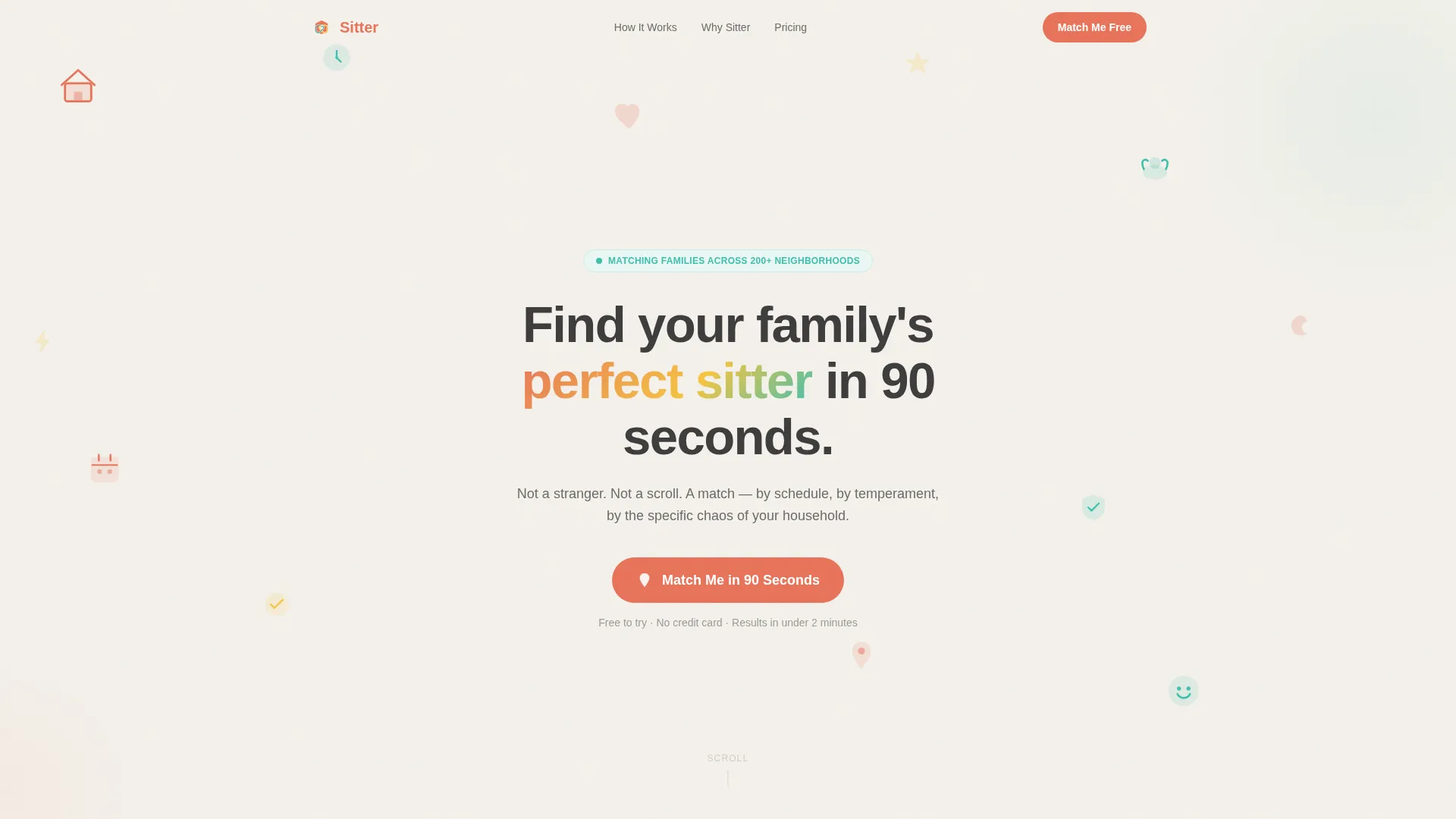
- An animated Icon Grid hero with a pulsing coral call-to-action button
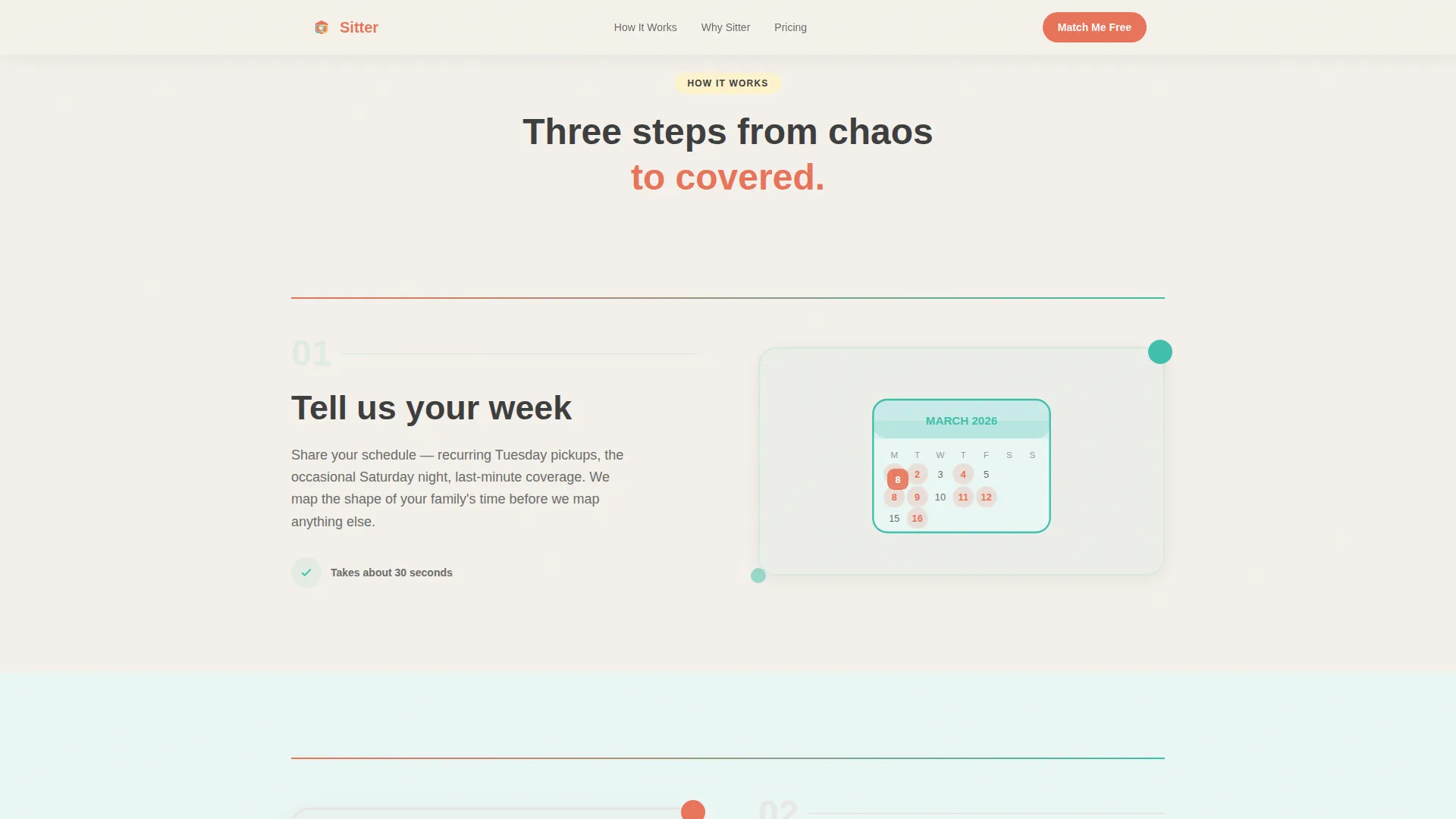
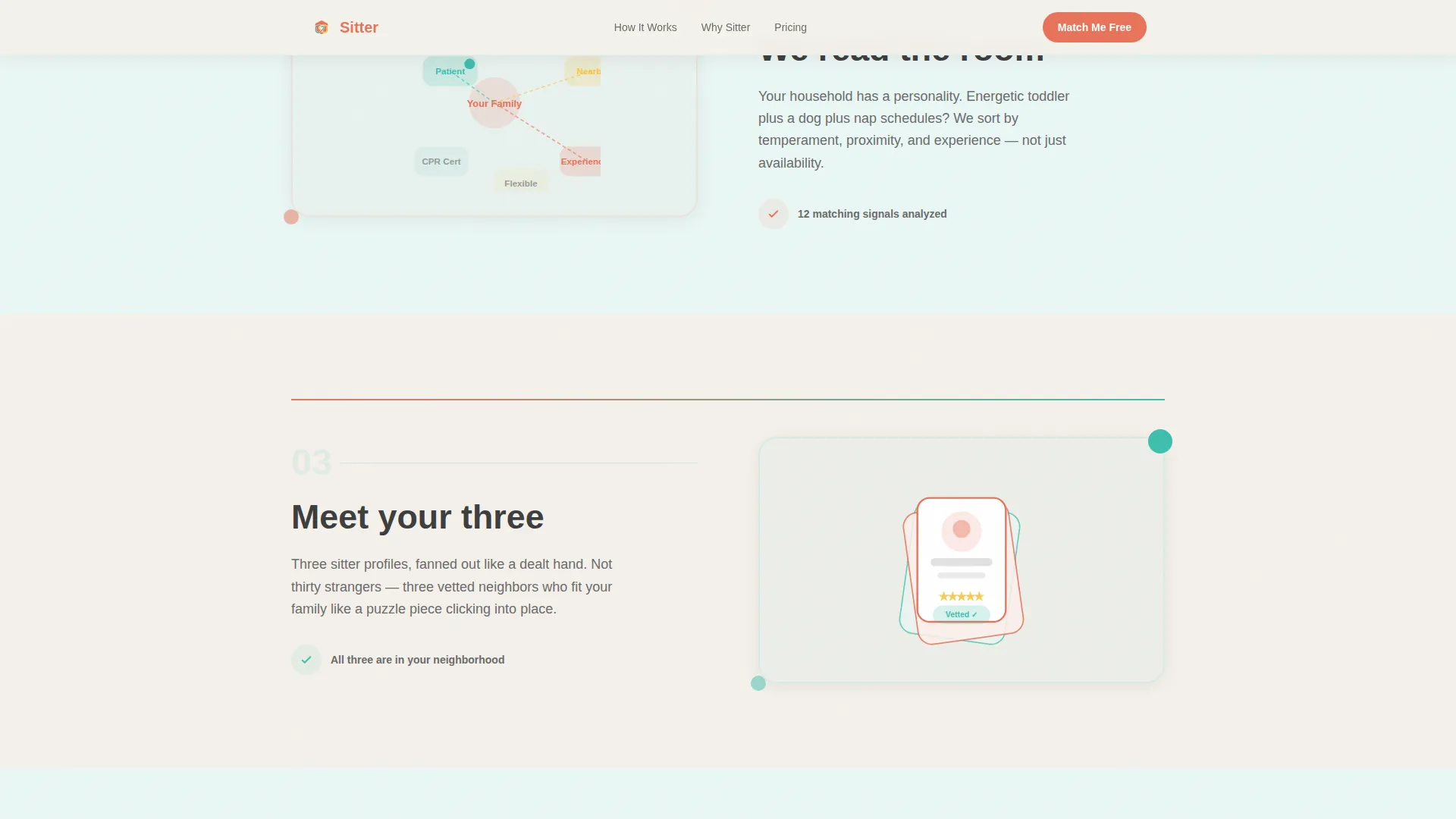
- A zigzag three-step how-it-works section with scroll-triggered micro-animations
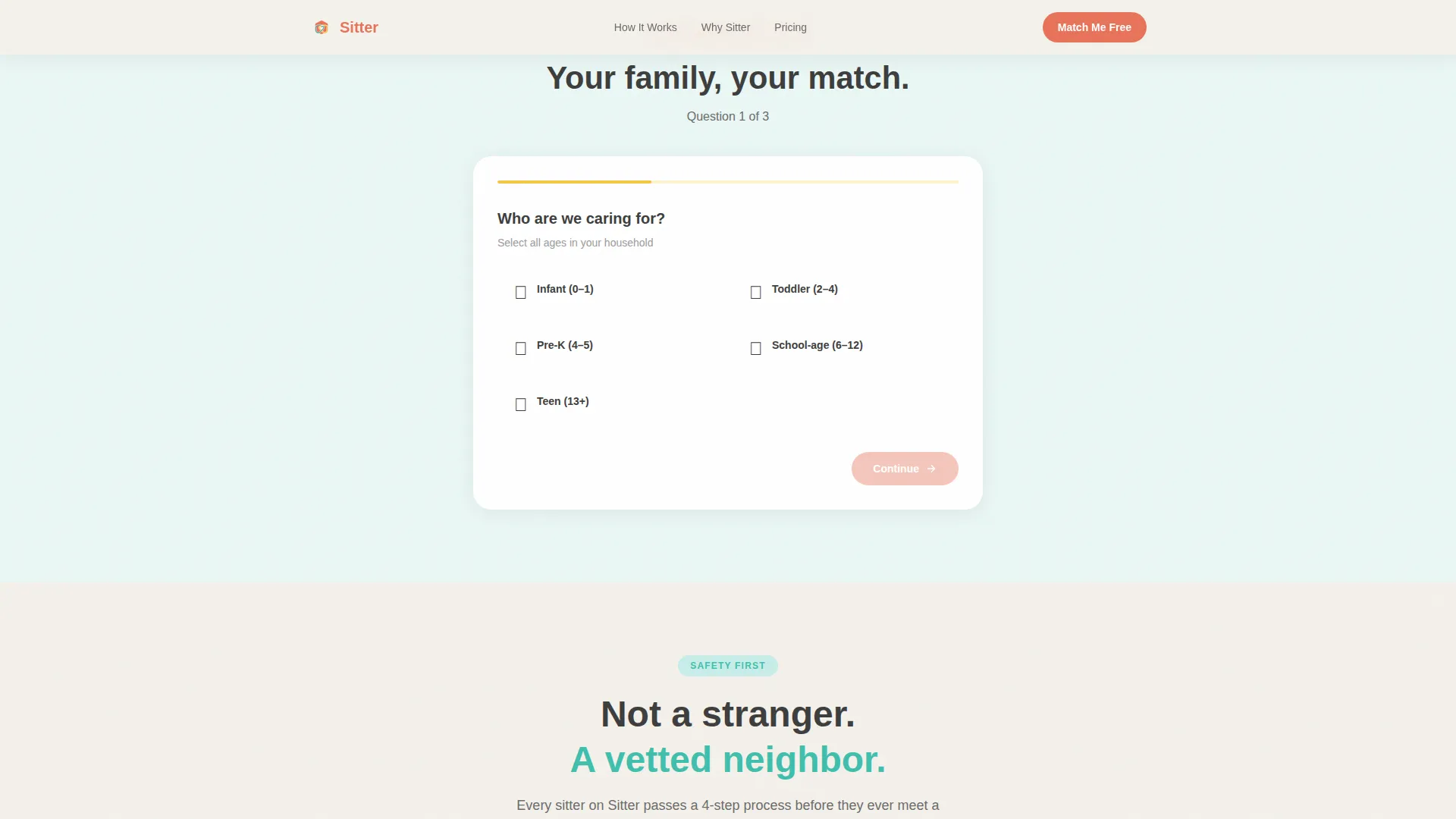
- An inline three-question quiz with a dandelion yellow progress bar and a result card reveal
Feature list
This template is built around five core capabilities that work together to guide a parent from landing to matched in under two minutes.
Animated Icon Grid Header
The hero section displays a mosaic of simple geometric illustrations including a house, clock, heart, star, pair of hands, and calendar. Each icon bounces in on load, mimicking alphabet magnets landing on a fridge. No stock photography is used. The abstraction communicates system-level trust rather than relying on individual faces.
Zigzag Step-by-Step Layout
Three alternating left-right sections walk the parent through the matching process one step at a time. Each section reveals on scroll with stagger animations: blocks stack, lines connect, checkmarks appear. The rhythm turns a vague question into a concrete three-step sequence that feels inevitable rather than intimidating.
Inline 90-Second Quiz
The primary call to action launches a three-question quiz that never leaves the page. Parents select the number and ages of their children, their typical booking pattern, and their top priority. A dandelion yellow progress bar fills across the top. The quiz is built with Client Components for interactive state while static sections use Server Components.
Personalized Care Profile Result Card
On quiz completion, the page reveals a care profile type and a teaser of three anonymized sitter matches. The result card gives families a clear picture of their care style before any gate. A secondary call to action then prompts email and zip code entry to unlock full matches, earning the click by delivering value first.
Trust and Vetting Section
A dedicated section covers the sitter vetting process and displays parent testimonials labeled with care profile types. Aggregate social proof stats such as sitters vetted, families matched, and average response time are included. This section builds confidence without relying on photography or unverifiable claims.
Page sections overview
| Section | Purpose |
|---|---|
| Hero Icon Grid | Animated geometric mosaic with headline and pulsing coral call to action |
| How It Works | Zigzag three-step process with scroll-triggered reveals |
| Quiz and Assessment | Inline three-question quiz with progress bar and result card |
| Trust and Vetting | Vetting process details and parent testimonials |
| Final Call to Action | Care profile types and email capture with zip code gate |
| Footer | Horizontal flow footer pattern |
Design & branding system
The visual identity follows a Playful Geometric theme inspired by a Scandinavian playroom at ten in the morning. Sunlit, calm, and alive with color in the right corners. Typography uses Plus Jakarta Sans for headings and DM Sans for body text.
- Color palette: cloud white (#F4F1EB) as the dominant background, coral (#E8735A) for all buttons and interactive elements, teal (#3FBFAD) as an accent with pale tint alternating backgrounds, graphite (#3D3D3D) for body text, and dandelion yellow (#F5C542) on hover states and the quiz progress bar
- Backgrounds alternate between cloud white and the palest tint of teal to create a soft, rhythmic scroll experience
- All interactive moments use coral as the primary signal, with dandelion yellow reserved for progress and hover feedback
Mobile & speed optimization
The template is built mobile-first because the target parent is most likely searching on a phone during school pickup. Every interactive element is sized and spaced for thumb navigation.
- Tap-to-select quiz bubbles replace click-based inputs for a thumb-friendly quiz experience
- Server Components handle all static sections for fast initial load; Client Components are scoped to the quiz only
- The zigzag layout reflows cleanly for narrow screens without breaking the step-by-step reading rhythm
How this template helps you convert
The conversion strategy is built around earning trust before asking for anything. The template uses a give-first sequence that parents find genuinely useful rather than intrusive.
- The animated Icon Grid hero establishes a visual identity in the first two seconds, communicating that this is a system, not a directory of strangers, which lowers initial resistance.
- The inline quiz delivers a personalized care profile result before any email gate, so parents feel seen and understood before they hand over contact information.
- The "Unlock Your Matches" secondary call to action arrives only after the result card reveals value, making the email and zip code request feel like a natural next step rather than a barrier.
Other information about this template
This template is built for the babysitting platform niche inside the broader Kids and Family category, specifically targeting the nanny and au pair service subcategory. It is classified as a consumer marketplace landing page for a childcare or family services business operating in a business-to-consumer model.
- The layout direction is Quiz and Assessment, pairing a Step-by-Step Guide creative direction with a Zigzag alternating template style
- The header concept is an Icon Grid, and the color system is labeled Cloud Canvas across the design tokens
- Localization is set to English, United States dollar pricing, United States date format, and neighborhood-level geographic specificity for sitter matching
- Animation fidelity is set to high across the template, including bounce-in icons on load, scroll-triggered zigzag reveals, quiz progress bar animation, and staggered card reveals
Theme
Playful Geometric
Creative direction
Step-by-Step Guide
Color system
Cloud Canvas
Style
Zigzag/Alternating
Direction
Quiz/Assessment
Page Sections
Animated Icon Grid Hero
Zigzag Step-by-step Sections
Inline 90-second Quiz
Care Profile Result Card
Trust and Vetting Section
Related questions
Can I customize the quiz questions for my own platform?
Does the quiz result card show real sitter data?
Is this template suitable for a mobile audience?
What sections does this landing page include?
Can I replace the quiz with a simple sign-up form?



