Trusted House Sitter Landing Page Template
Sitter is a sidebar companion landing page template built for professional house-sitting businesses. It leads with a stats dashboard, builds trust through three escalating case study narratives, and routes visitors to a scheduling page via a fixed brass call-to-action button. The design follows a Corporate Precision theme in a deep Navy Authority color system.
by Rocket studio
Quick summary
Sitter is a single-page, sidebar companion layout designed for bonded house-sitting businesses. It opens with a metrics dashboard that anchors credibility before a word is read, then builds trust through three mini case study dossiers. The primary call-to-action routes visitors to a scheduling page with near-zero friction.
Who this template is for
This template is built for professional house-sitting operators who serve clients with high-stakes property needs. It suits businesses that rely on evidence and documentation rather than personality-forward marketing.
- Bonded house-sitting companies serving dual-income families, snowbirds, and estate attorneys
- House-sitting professionals managing vacant inherited properties or pet-inclusive stays
- Operators whose trust model depends on vetted credentials, documentation, and proof of service
What problem this template solves
Most service-based landing pages ask visitors to trust a claim before they have seen any evidence. For a house-sitting business, that gap is costly. Clients are handing over keys, alarm codes, and pets.
- Visitors leave before absorbing the full capability set because bullet lists feel thin for high-stakes services
- The connection between credentials and confidence is never made visual or sequential
- There is no clear, low-friction path from interest to booking that feels earned
What you get with this template
You get a complete, ready-to-customize sidebar companion landing page that presents your operation with the gravity it deserves. Every section is intentional, from the header numbers to the final call-to-action placement.
- A stats dashboard header with four brass-on-navy credential figures
- Three structured case study panels that escalate in complexity and build cumulative trust
- A fixed sidebar with a primary scheduling call-to-action and a secondary PDF download link
Feature list
This template packs its value into a precise sequence of components. Each one earns the next click.
Stats Dashboard Header Panel
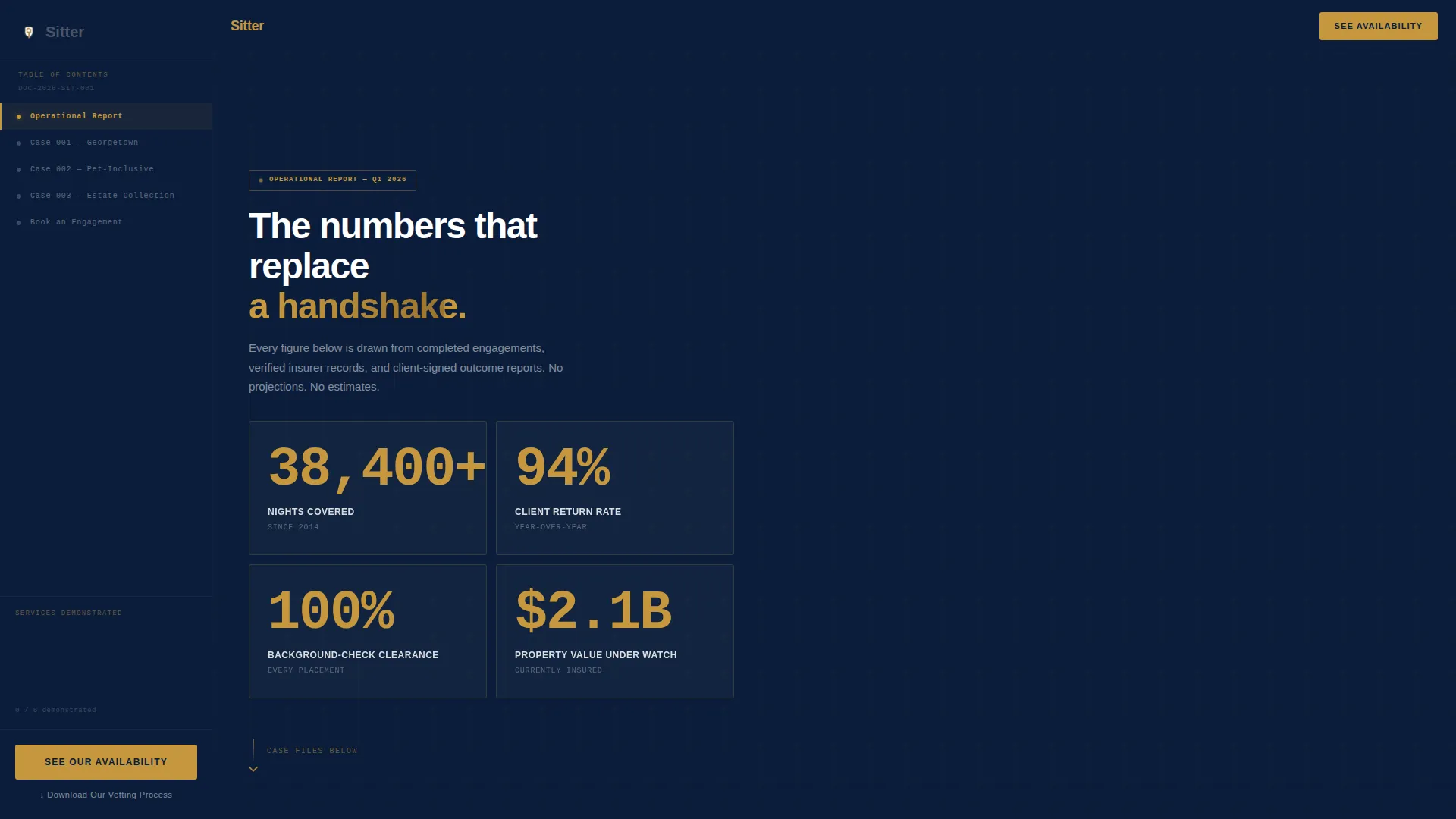
The header displays four live-formatted metrics: total nights covered, average client return rate, background-check clearance rate, and insured property value under watch. Each figure is typeset large in brass on navy with micro-labels in gunmetal beneath. No photography is used; the numbers hold the screen as the opening statement.
Three-Dossier Case Study Column
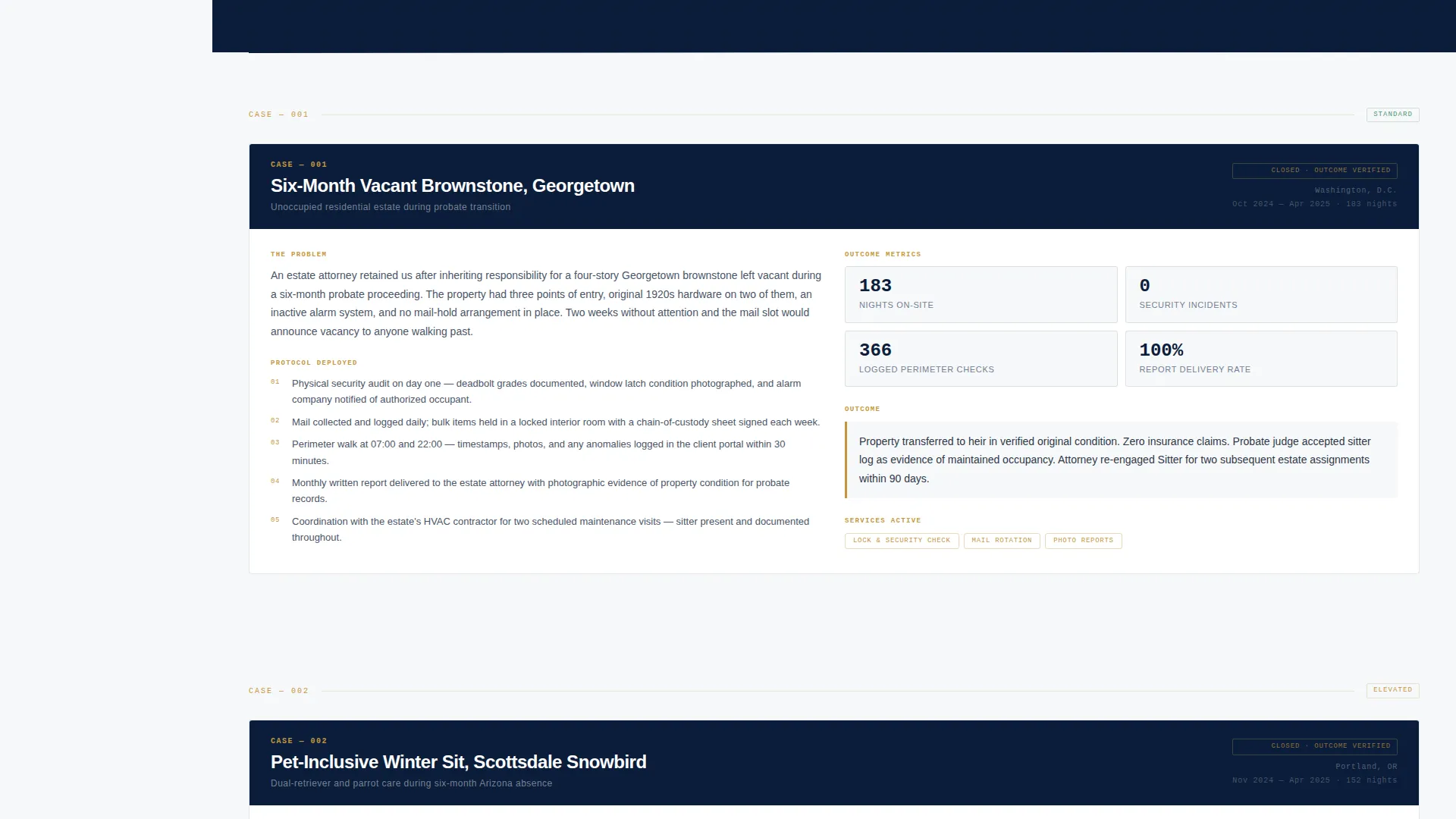
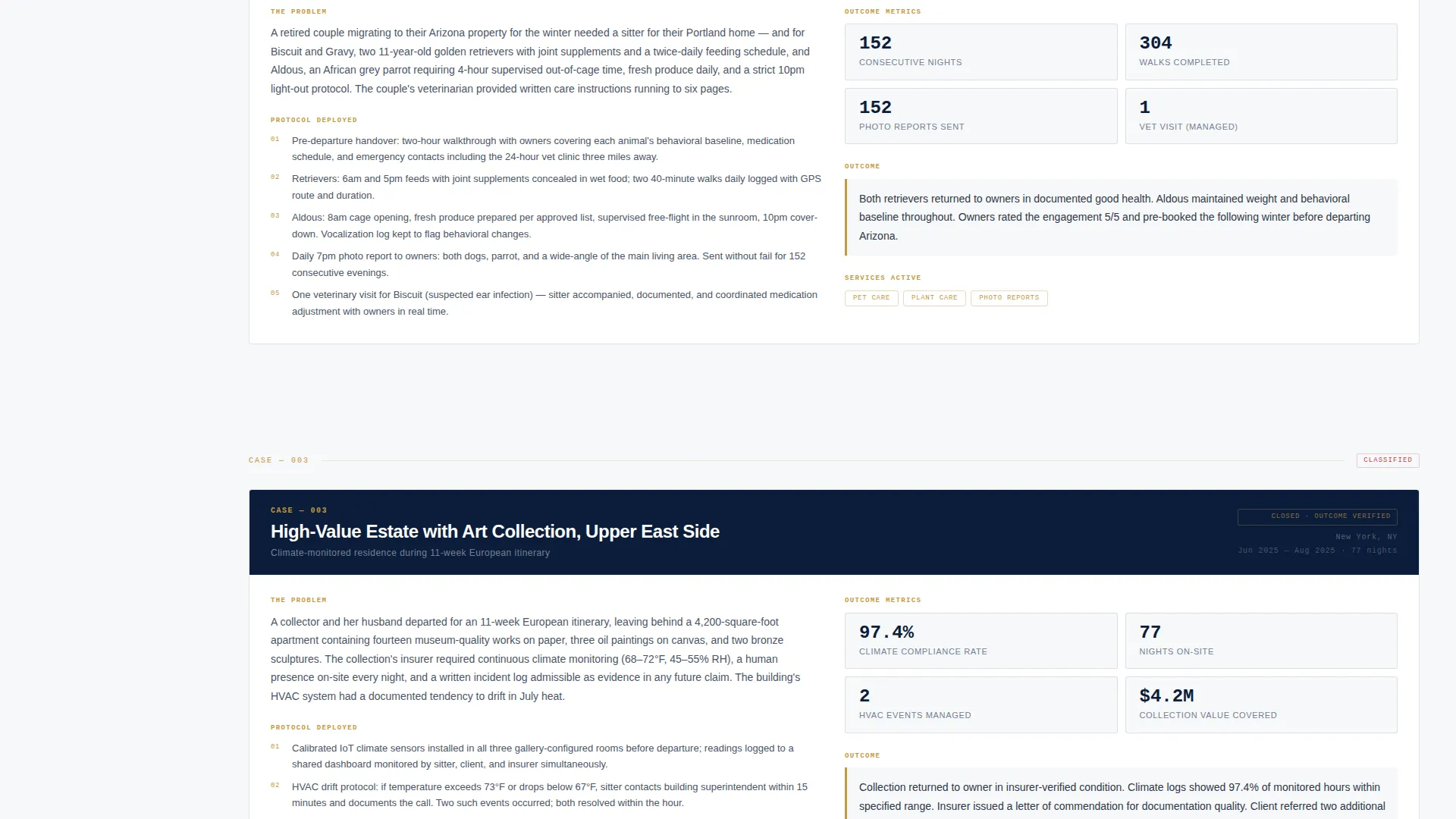
The main content column presents three real-engagement mini dossiers in sequence. Case one covers a six-month vacant brownstone. Case two adds pet-inclusive complexity with elderly dogs and a parrot. Case three introduces a high-value art estate requiring climate monitoring. Each case escalates in scope so the visitor absorbs the full service range naturally.
Progress-Tracking Sidebar
The sidebar functions as a live table of contents that tracks scroll progress through the three case studies. As each dossier is passed, the sidebar quietly updates a running tally of services demonstrated. By the final case, the visitor has a complete picture of capability without reading a single standalone bullet list.
Fixed Primary Call-to-Action
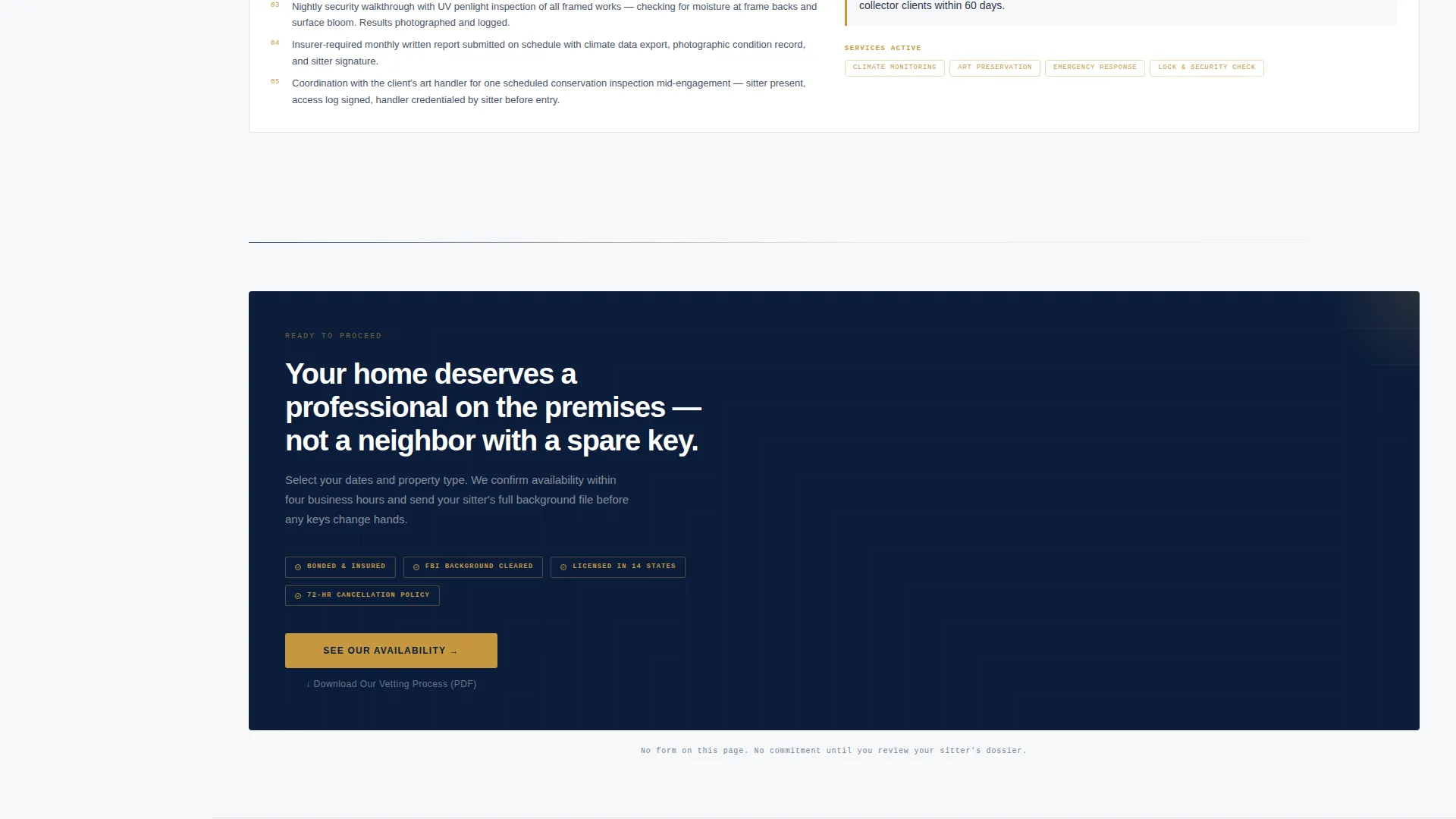
A brass-on-navy "See Our Availability" button sits fixed at the base of the sidebar and persists through scroll. It routes directly to a scheduling page where visitors select dates and property type. No form appears on the landing page itself, keeping friction near zero.
Secondary PDF Download Link
A text link labeled "Download Our Vetting Process" sits beneath the primary call-to-action. It offers a downloadable PDF that captures an email address at the scheduling-page stage. This gives the business a secondary conversion path for visitors who are not yet ready to book.
Corporate Precision Visual System
The entire layout is governed by a Navy Authority color palette and a Corporate Precision theme. Deep command navy anchors the sidebar and section headers. Pressed-shirt white fills content panels. Brass is reserved exclusively for calls-to-action, stat highlights, and trust-badge borders, so every accent element carries intentional weight.
Page sections overview
| Section | Purpose |
|---|---|
| Stats Dashboard Header | Opens with four credential metrics to establish authority before the scroll begins |
| Case Study One | Presents a six-month vacant brownstone engagement as the first trust anchor |
| Case Study Two | Adds pet-inclusive complexity with elderly retrievers and a parrot |
| Case Study Three | Escalates to a high-value art estate with climate monitoring requirements |
| Progress Sidebar | Tracks scroll through dossiers and displays a running service tally |
| Fixed call to action Base | Holds the primary scheduling button and secondary PDF download link in persistent view |
Design & branding system
The template follows a Corporate Precision theme built entirely around the Navy Authority color system. Every color choice is deliberate and tied to a specific content role.
- Deep command navy (#0B1D3A) anchors the sidebar, section headers, and stat panel backgrounds
- Pressed-shirt white (#F7F8FA) fills content panels for clean readability; gunmetal gray (#4A5568) is used for all body text
- Brass (#C5973E) appears exclusively on calls-to-action, stat figures, and trust-badge borders to preserve its signal weight
Mobile & speed optimization
The sidebar companion layout is structured to reflow cleanly on smaller screens. The fixed call-to-action and case study column are designed with a mobile reading experience in mind.
- The sidebar progress tracker and fixed call-to-action adapt to narrower viewports without losing context
- The stats dashboard header is built without photography, keeping the opening panel lightweight and fast to load
- Case study dossiers use compact, text-led formatting that remains readable at any screen width
How this template helps you convert
This template earns the click rather than demanding it. The conversion path is built into the structure of the page, not bolted on at the end.
- The stats dashboard opens with four documented credential figures, establishing authority in the first visible section before a single word of body copy is read.
- Three sequential case study dossiers accumulate evidence by escalating in complexity, so by the final panel the visitor feels informed rather than sold to.
- The fixed brass call-to-action button is always visible during scroll, and the near-zero friction path routes directly to date and property selection with no form on the landing page itself.
Other information about this template
This template is part of a broader set of professionally themed landing page templates suited to service businesses that require credibility-first design. A few additional details worth noting:
- The template style is classified as a Sidebar Companion, meaning a persistent sidebar column runs alongside the main content column throughout the page
- The header concept is Stats/Metrics, which means the hero section is designed around formatted numbers rather than imagery or headlines
- The creative direction is Case Study Narrative, a structure well suited to house-sitting businesses, property management firms, and similar professional services where outcome documentation carries more weight than promotional language
- The click-through funnel direction means no contact form lives on the page; the only conversion actions are the scheduling link and the PDF download text link
- Customization scope includes the four stat figures, the three case study narratives, the color values, the call-to-action label, and the PDF download destination
Theme
Corporate Precision
Creative direction
Case Study Narrative
Color system
Navy Authority
Style
Sidebar Companion
Direction
Click-Through
Page Sections
Stats Dashboard Header Panel
Three-dossier Case Study Column
Progress-tracking Sidebar
Fixed Primary Call-to-action Button
Secondary PDF Download Link
Corporate Precision Visual System
Related questions
Does this template include a contact form?
Can I update the statistics shown in the header?
Is this template suitable for a solo house sitter or only for a larger company?
What pages does this template include?
Can I change the color palette if my brand uses different colors?



