Trusted Housesitting Landing Page Template
Sitter is a split-screen landing page template built for professional house-sitting services. It leads with live-style data storytelling, a postcode-level service map, and animated statistics that earn visitor trust before asking for contact details. The design follows a Corporate Precision theme with a Navy Authority color system, making every section feel authoritative, calm, and conversion-ready.
by Rocket studio
Quick summary
Sitter is a single-page landing page template designed for vetted, insured house-sitting services. It opens with an interactive service-area map and animated coverage statistics, then builds credibility section by section through sitter counts, response time data, and insurance figures. The entire page converts through a postcode-entry field and a gated area security report download.
Who this template is for
This template is built for house-sitting businesses that operate across defined service zones and need to win over cautious, detail-oriented homeowners. It suits operators who serve clients such as frequent-travelling professionals, retirees who spend winters abroad, and military families needing dependable home coverage.
- House-sitting service providers covering specific postcode areas
- Professional home-watch operators who lead with verified credentials
- Local or regional services targeting homeowners who need someone present overnight
What problem this template solves
Most house-sitting service pages bury the details that matter most: coverage area, sitter vetting, insurance figures, and response times. That gap creates doubt right when a visitor is about to make a decision they care deeply about.
- Visitors leave without understanding which postcodes are covered or how quickly a sitter can respond
- No clear proof of sitter quality, insurance coverage, or local availability stalls conversions
- Generic service pages fail to answer the next question before the visitor thinks to ask it
What you get with this template
You get a fully structured, data-led single-page layout that proves competence through local specifics before it ever asks for a name or email. Every section is purpose-built to dissolve a different layer of homeowner doubt.
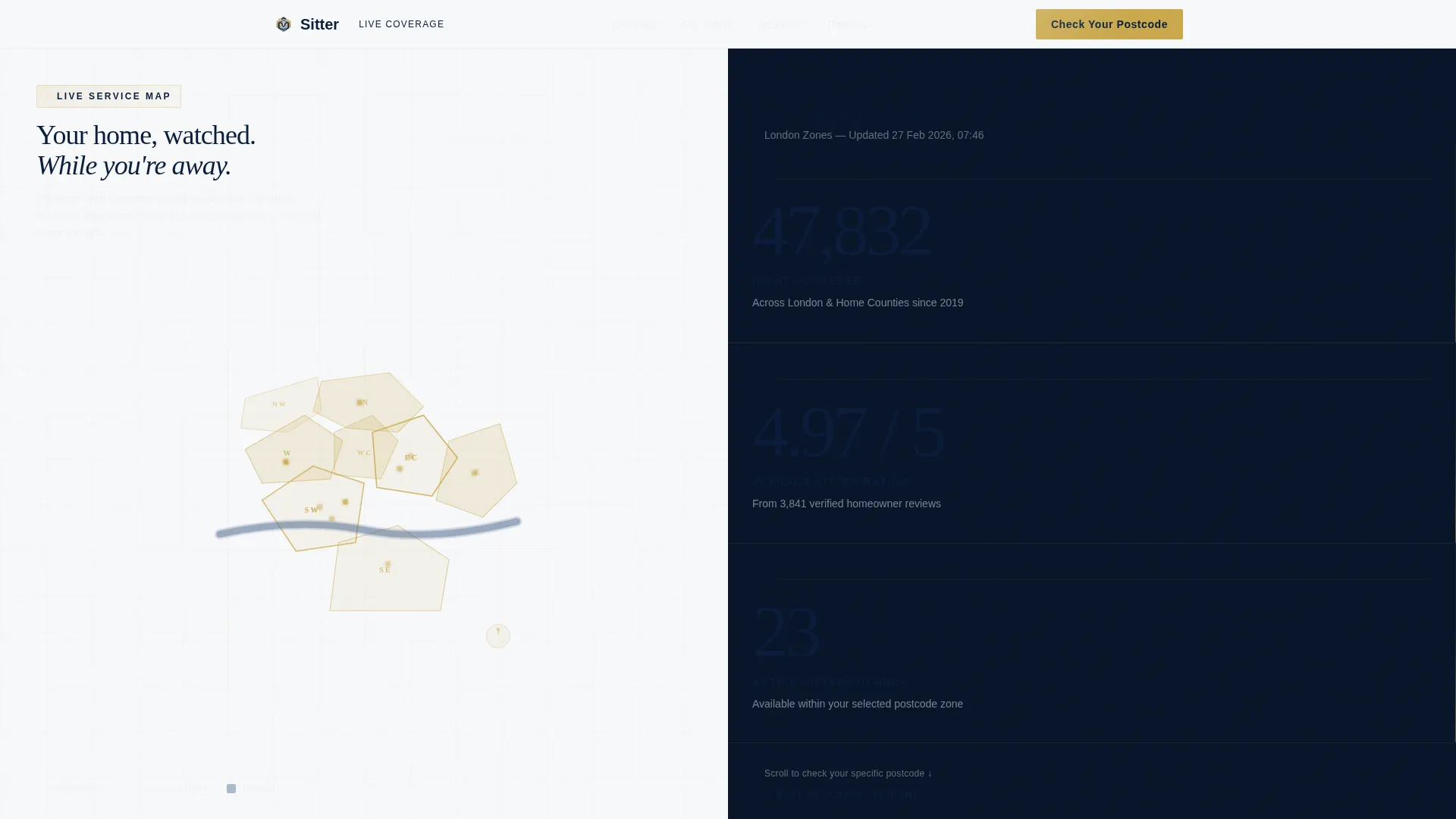
- A split-screen (50/50) layout with an interactive postcode map on one side and animated live-style statistics on the other
- Four scroll-driven content sections, each pairing a number with the narrative behind it
- A postcode-validation input field and a gated PDF download path for qualified lead capture
Feature list
This template includes six purpose-built features grounded in the source brief.
Interactive Postcode Coverage Map
The left half of the header viewport displays a stylised service-area map. Postcode boundaries are drawn in thin brass lines against a deep navy background, with each zone rendered to communicate real coverage boundaries at a glance.
Animated Statistics Header
Three oversized statistics sit stacked on the right half of the header: total nights covered, average sitter rating, and active sitters in the area. Each number animates upward from zero on page load, giving the header the momentum of a live data dashboard.
Stats-First Scroll Sections
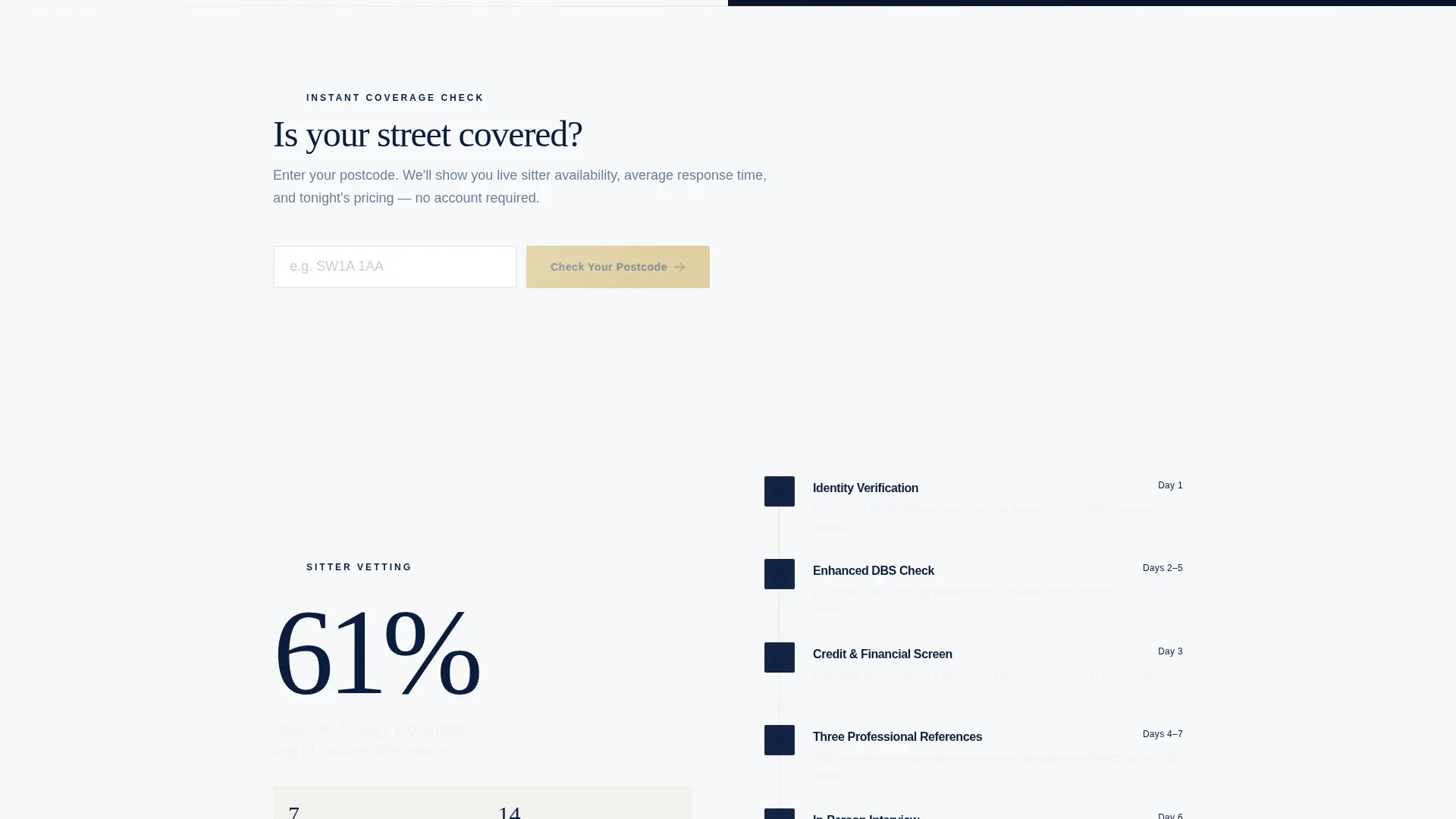
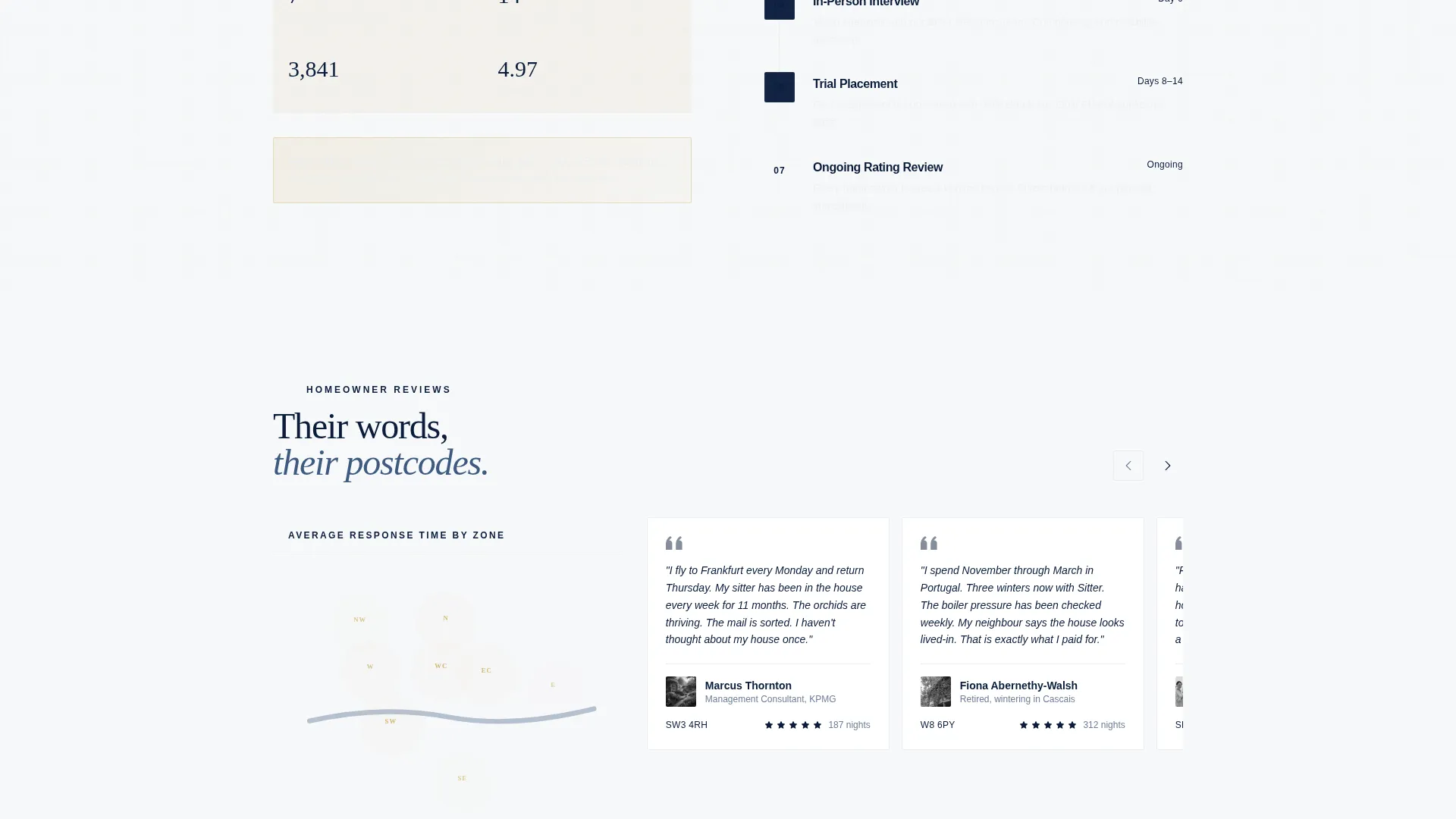
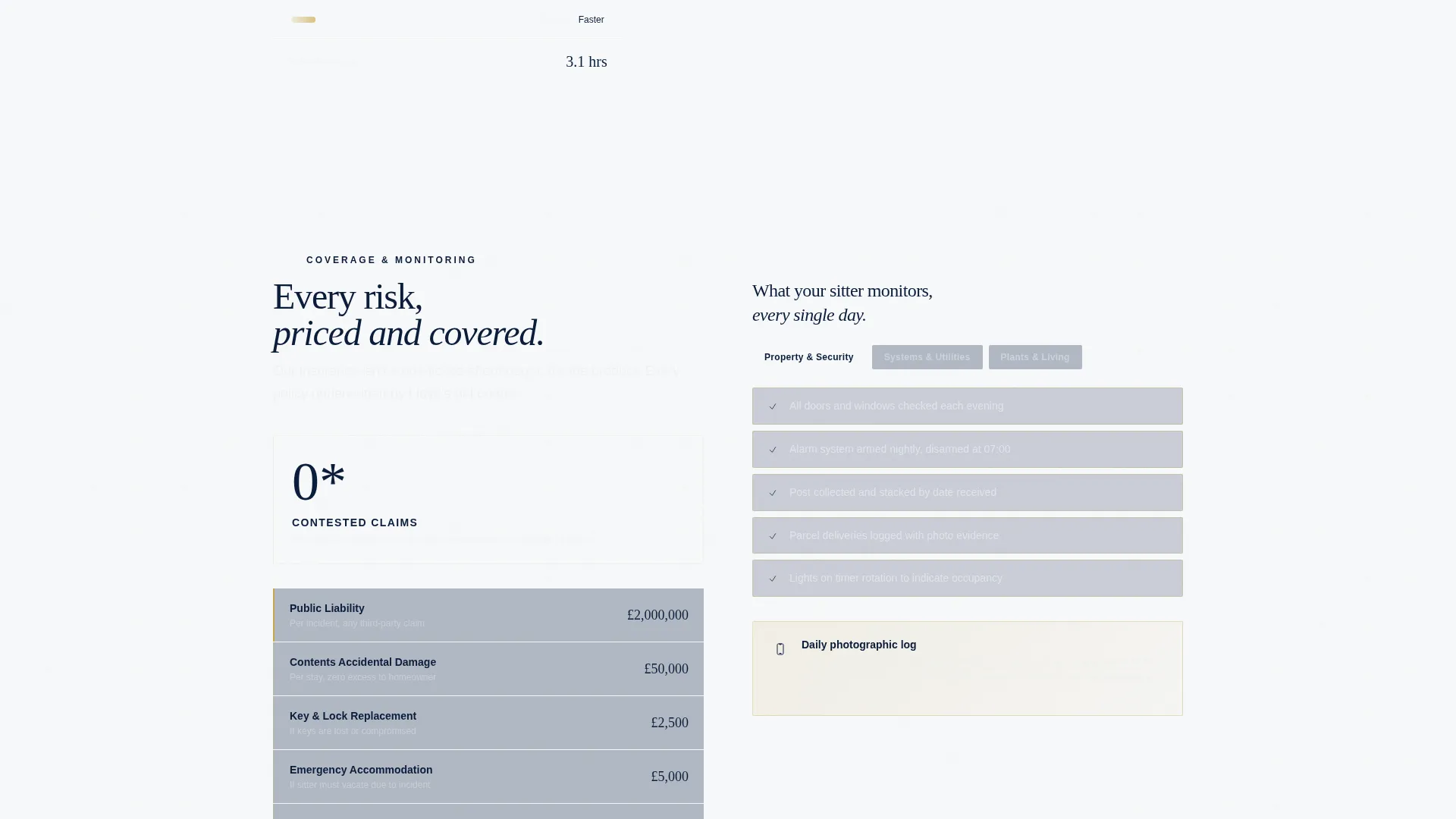
Every scroll transition leads with a number before revealing the story behind it. Section two pairs a verified-sitter count with a vetting process timeline. Section three places a map heat-view of response times beside local postcode testimonials. Section four contrasts insurance coverage figures with a visual sitter monitoring checklist.
Postcode Validation Input
The primary call to action is a single input field labelled "Check Your Postcode." On entry, it surfaces local sitter availability, response time, and pricing band without sending the visitor to a new page. This keeps qualified visitors engaged at the moment of highest intent.
Gated Area Security Report Download
A secondary conversion path offers a downloadable portable document format report titled "Download Your Area's Home Security Report." Access is gated behind an email field, converting curious browsers into contactable leads while delivering immediate perceived value.
Corporate Precision Visual Layout
The Navy Authority palette and Corporate Precision theme give every section a structured, trustworthy feel. Pressed-shirt slate panels separate content zones, polished brass highlights draw the eye to interactive elements, and starched white surfaces keep body copy highly readable.
Page sections overview
| Section | Purpose |
|---|---|
| Split-screen header | Map and animated stats introduce coverage and credibility instantly |
| Sitter count panel | Verified sitter figures paired with the vetting process timeline |
| Response time map | Heat-view of postcode response times alongside homeowner testimonials |
| Insurance and checklist | Coverage figures on the left, sitter monitoring checklist on the right |
| Postcode input call to action | Primary conversion field revealing availability, timing, and pricing |
| Security report download | Email-gated PDF lead capture with local area home security content |
Design & branding system
The template follows a Corporate Precision theme built around the Navy Authority color system. The palette is deliberately restrained, projecting the quiet confidence of a private insurance firm rather than a consumer app.
- Deep command navy (#0B1D3A) for primary backgrounds, pressed-shirt slate (#3D5A80) for secondary panels, starched white (#F7F8FA) for content surfaces, and polished brass (#C9A84C) for interactive elements and data highlights
- Brass-line postcode boundaries and brass-toned call-to-action elements create visual consistency between the map and the conversion layer
- Every section edge is squared, every surface is clean, and scroll transitions are controlled to maintain the measured, due-diligence tone throughout
Mobile & speed optimization
The split-screen layout is structured to reflow gracefully on smaller screens, keeping the data-first experience intact across devices.
- The 50/50 viewport stacks vertically on mobile so the map and statistics remain fully legible without horizontal scrolling
- Animated statistics and interactive map elements are designed to load as focal points, keeping the most trust-building content visible first
- The postcode input field and gated download form remain prominent and usable at all screen sizes
How this template helps you convert
The page is built as a content and resource destination, which means it earns the click rather than demanding it. Visitors receive clear, specific local data before they are ever asked for contact details.
- The postcode input field delivers instant, personalised results covering local sitter availability, estimated response time, and pricing band, removing the need for a follow-up call to get basic information.
- The gated security report download converts information-seekers into leads by offering a tangible, locally relevant document in exchange for an email address.
- Each scroll section answers the homeowner's next likely objection with a specific number, which steadily replaces doubt with confidence and moves the visitor naturally toward the primary call to action.
Other information about this template
This template is designed specifically for the house sitter service area and location page use case, where hyperlocal detail is the primary trust signal. It fits within a broader house sitter online presence strategy.
- The Corporate Precision theme and Navy Authority palette make it suitable for positioning a house-sitting service at the professional end of the market, distinct from casual peer-to-peer platforms
- The stats-first creative direction and data storytelling header concept align with how detail-oriented homeowners, such as those relocating for military assignments or wintering abroad, research and evaluate service providers
- The template can support customisation of postcode zones, statistics, sitter counts, insurance figures, and testimonial content to reflect real local data for any coverage area
- It is structured as a single landing page, making it straightforward to deploy as a standalone area page or as part of a larger multi-location web presence
Theme
Corporate Precision
Creative direction
Stats-First Impact
Color system
Navy Authority
Style
Split Screen (50/50)
Direction
Content/Resource
Page Sections
Interactive Postcode Coverage Map
Animated Statistics Header
Stats-first Scroll Sections
Postcode Validation Input
Gated Area Security Report Download
Corporate Precision Visual Layout
Related questions
What type of business is this template designed for?
Can I customise the postcode map and statistics for my own coverage area?
Why does the template lead with data instead of a hero photograph?
What are the two conversion paths built into this template?
Is this template suitable as a standalone area page or part of a larger site?



