Tween (10-13) Products & Reviews Website Template
Sketch is a vibrant tween art class landing page built for creative studios enrolling kids aged 10 to 13. It pairs an interactive hero canvas with a warm, painterly visual identity to turn curious parents into confident registrants. A three-step sign-up flow, animated flip cards, and handwritten testimonials make every scroll feel like an invitation rather than a sales pitch.
by Rocket studio
Quick summary
Sketch is a hero-dominant landing page template designed for tween art and creativity class providers. It guides parents of 10-to-13-year-olds from first impression to completed registration through rich animation, tactile design, and a three-step enrollment form. The Warm Artisan visual style makes the page feel as inviting as a Saturday morning studio session.
Who this template is for
This template is built for art studio owners, independent art educators, and creative enrichment programs that teach kids aged 10 to 13. It speaks directly to the adults who make enrollment decisions for them.
- Parents of tweens who stumbled on the page mid-scroll and need to feel the value quickly
- Grandparents and relatives looking for a meaningful, gift-worthy class experience
- Studio operators who want registrations, not just inquiries, from a single page
What problem this template solves
Most class registration pages list curriculum facts but fail to create emotional buy-in. Parents need to feel that their child belongs in the room before they hand over their card details. Sketch solves this by replacing dry bullet points with creative evidence and sensory storytelling.
- A static page cannot show what a class feels like; Sketch uses animation and interaction to recreate that feeling
- Multi-step forms feel like paperwork; the three-step flow here feels like a quick, friendly conversation
- Generic gift-giving paths lose relatives at checkout; a dedicated "Gift a Class" secondary flow keeps them moving
What you get with this template
Sketch delivers a fully designed, single-page registration experience with every section built and ready to customize. The layout leads with a cinematic hero and carries that momentum through every scroll stop.
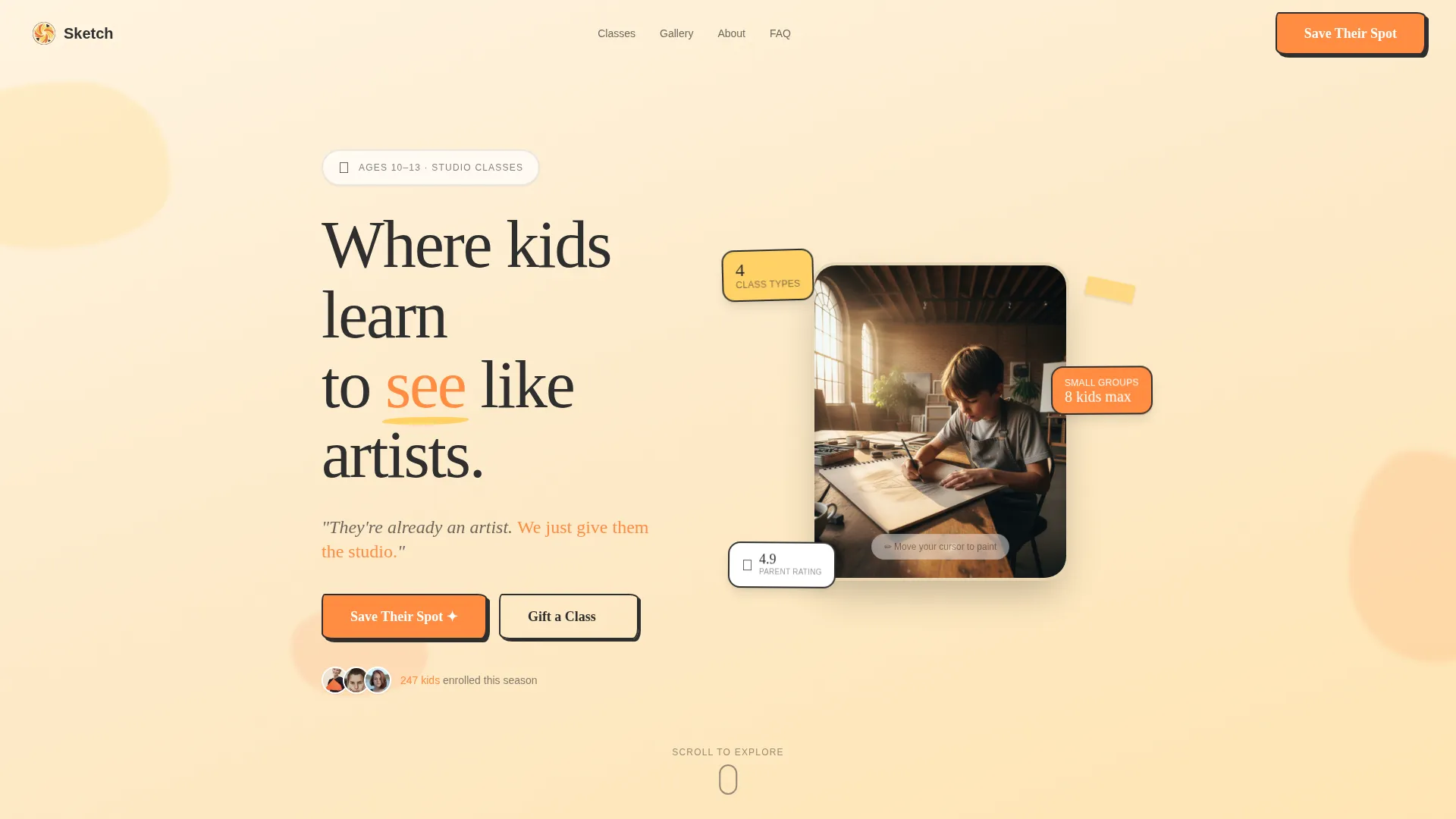
- An interactive hero canvas where cursor movement leaves brushstroke trails and a hand-lettered headline animates in after five seconds
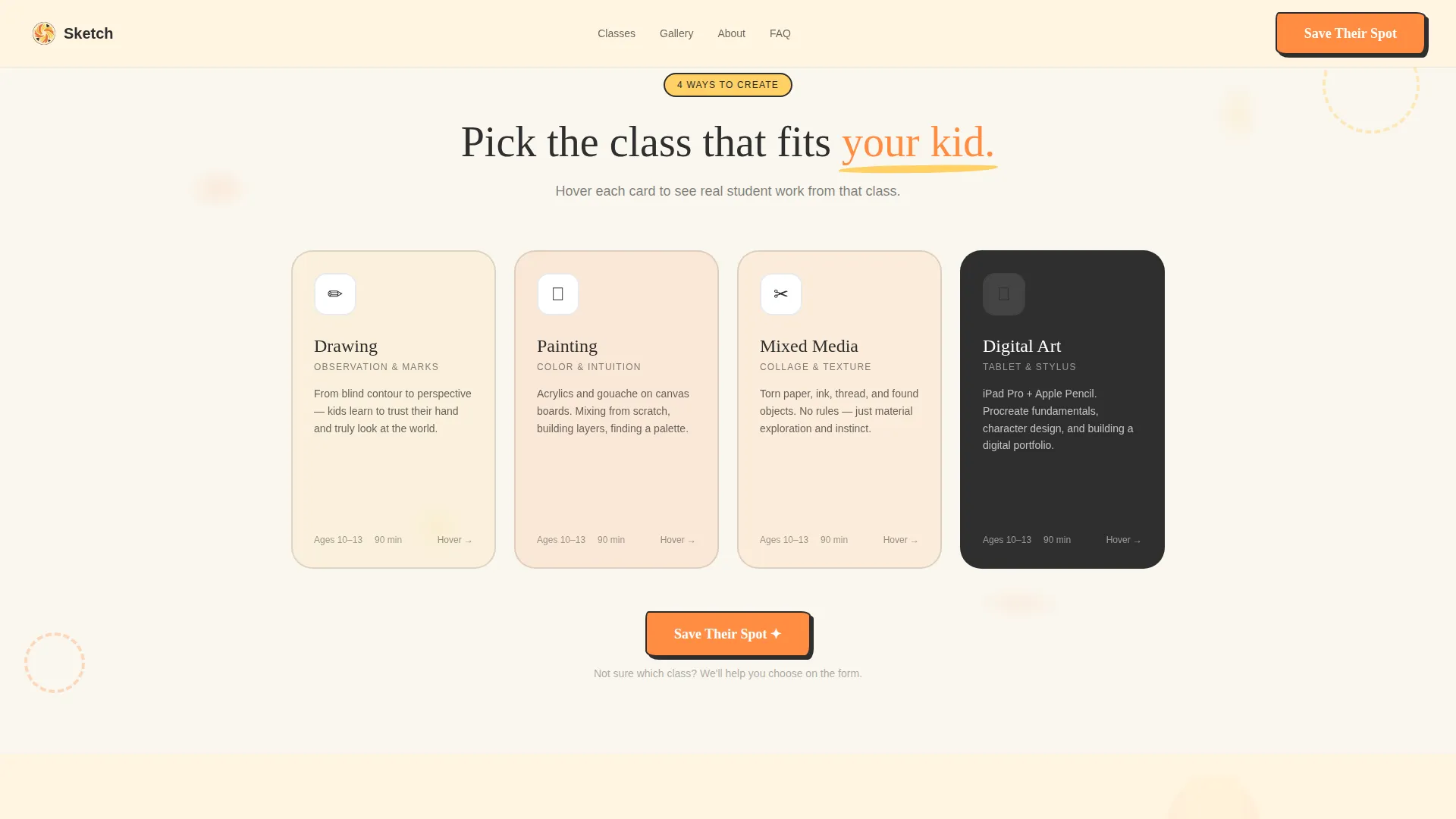
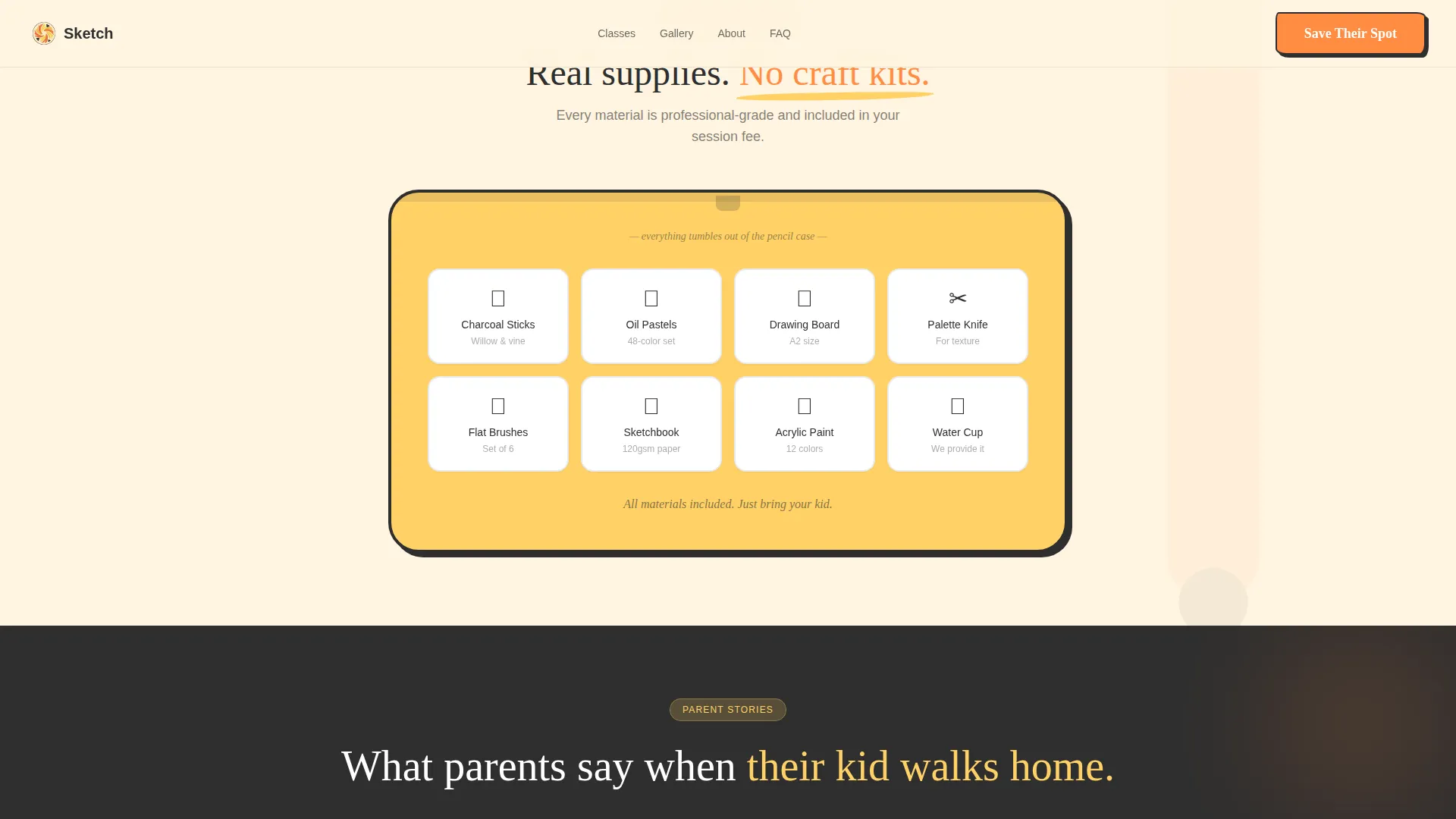
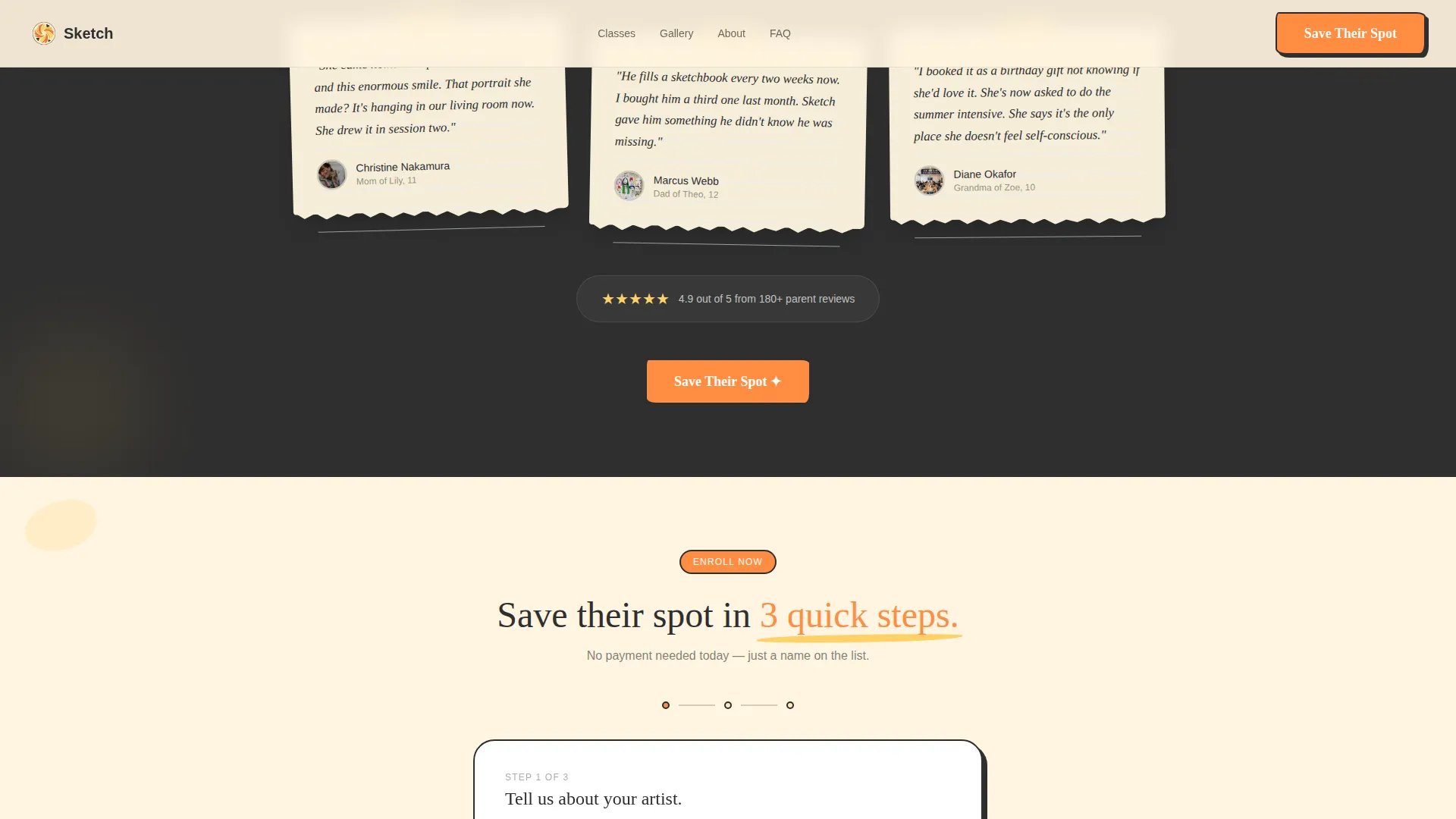
- Four flip cards showing class types on the front and real student work on the back, plus an animated supply list and handwritten testimonial blocks
- A three-step registration form covering child details, a visual class-type picker, and a color-coded session calendar, plus a separate "Gift a Class" path
Feature list
This section covers the core interactive and structural capabilities built into the Sketch template.
Interactive Hero Canvas
The hero section uses a canvas-style viewport where cursor movement leaves trails of tangerine and lemon color. A half-finished tween portrait sits at the center, and each hover interaction adds a new mark to it. After five seconds, hand-lettered type animates in with the studio's headline message.
Class Type Flip Cards
Four cards represent Drawing, Painting, Mixed Media, and Digital class types. Hovering or tapping each card flips it over to reveal actual student work on the reverse side. This gives parents a preview of creative output before they read a single line of curriculum text.
Animated Supply List
A pencil-case tumble animation reveals art supplies one by one as the visitor scrolls into that section. The motion adds a playful, tactile quality that reinforces the studio's hands-on promise without requiring extra copy.
Handwritten Testimonial Block
Parent quotes are styled as handwritten text on torn sketchbook paper. The visual treatment makes social proof feel personal and earned rather than formatted and clinical.
Three-Step Registration Form
The enrollment form is broken into three short steps: child name and age, a visual class-type picker, and a color-coded studio calendar for session selection. The pacing reduces form fatigue and makes completing the sign-up feel natural.
Gift a Class Secondary Flow
A secondary call-to-action opens a simplified enrollment path for grandparents and relatives. It ends with a printable enrollment card, making it a complete gifting solution within the same page.
Page sections overview
| Section | Purpose |
|---|---|
| Hero Canvas | Immersive interactive entry point with cursor trails, tween portrait, and animated headline |
| Class Types | Flip cards revealing four class formats and student work on reverse |
| Supply List | Animated pencil-case reveal showing materials included in the class |
| Parent Testimonials | Handwritten-style quotes on torn sketchbook paper for authentic social proof |
| Registration Form | Three-step enrollment flow covering child info, class picker, and calendar |
| Footer | Minimal horizontal layout with essential studio links |
Design & branding system
The Warm Artisan theme drives every visual decision. The palette is built around warm citrus tones that feel like a paint-splattered wooden table after a productive morning workshop.
- Sun-soaked tangerine (#FF8C42) anchors primary accents and every call-to-action button; crushed lemon peel (#FFD166) handles highlights and hover states; soft clementine cream (#FFF4E0) fills backgrounds
- Brushstroke charcoal (#2E2E2E) grounds body text and structural elements, keeping the warm palette readable and focused
- Fraunces serif handles display headings for an editorial warmth, while DM Sans carries body text cleanly; hand-lettered CSS styling adds a tactile, unpolished personality throughout
Mobile & speed optimization
The template is built mobile-first, reflecting the reality that many parents will land on this page mid-scroll on a phone. Every interactive element is designed to work with touch as naturally as it does with a cursor.
- The hero canvas, flip cards, and registration form all respond to touch input, so the experience is not degraded on smaller screens
- Scroll-triggered animations use Intersection Observer to fire only when elements enter the viewport, keeping the page responsive as content loads
- The canvas cursor trail system uses the Canvas API for lightweight rendering, and GSAP drives scroll animations with smooth, controlled timing
How this template helps you convert
Sketch is engineered so that the emotional case for enrolling is made before the parent reaches the form. By the time the "Save Their Spot" button appears, it feels like a natural next step.
- The interactive hero creates immediate emotional investment. Parents do not just read about the class; they interact with a student's artwork before a single word of copy appears, building curiosity that carries them forward.
- Student work on the back of each flip card provides creative evidence at the exact moment parents are evaluating class options. Seeing real output reduces hesitation far more effectively than a list of learning outcomes.
- The three-step form and the "Gift a Class" path remove friction for two distinct buyer types. Primary registrants move through a guided flow; gift-givers get a simplified path with a printable card, so neither group hits a dead end.
Other information about this template
Sketch is a strong fit for any tween art and creativity class program that wants to move beyond a standard booking page. A few additional details worth noting before you build:
- The "Save Their Spot" call-to-action button appears in three locations: pinned after the hero, repeated after the class showcase, and again after the final testimonial block
- An enrollment count badge is included as a social proof element alongside testimonials, supporting urgency without manufactured pressure
- The page is localized for English-language audiences using United States dollar pricing and United States date formatting throughout the registration calendar
- GSAP powers the scroll-reveal and animation system; the Canvas API handles the hero cursor trail; Intersection Observer manages scroll-triggered section reveals
Theme
Warm Artisan
Creative direction
Surprise & Delight
Color system
Citrus Burst
Style
Hero-Dominant (90/10)
Direction
Event Registration
Page Sections
Interactive Hero Canvas with Brushstroke Trails
Class Type Flip Cards with Student Work
Animated Pencil-case Supply List
Handwritten Parent Testimonials
Three-step Enrollment Form
Gift a Class Secondary Path
Related questions
Can I change the class types shown on the flip cards?
How does the Gift a Class flow work?
Is the registration form connected to a booking system?
Does the interactive hero work on mobile devices?
Where does the Save Their Spot button appear on the page?



