Manufactured Home Inspection Landing Page Template
Skirting is a single-page landing page template built for mobile and manufactured home inspectors. It uses an asymmetric 60/40 grid, a Before/After Reveal scroll experience, and a Pastoral Calm visual identity to build trust with first-time buyers, park managers, and families who need to know what is truly underneath their home before they commit.
by Rocket studio
Quick summary
Skirting is a lead-generation landing page template designed for manufactured and mobile home inspection services. It pairs a Photo Grid Mosaic header with a scrolling Before/After Reveal layout on an asymmetric 60/40 grid. The dark emerald, fog white, and goldenrod color system creates quiet authority. Every section is built to earn the visitor's trust before asking for the appointment.
Who this template is for
This template is made for inspection professionals who work specifically with mobile, manufactured, and modular homes. It speaks directly to the people those inspectors serve every day.
- Mobile and manufactured home inspectors building an independent client pipeline
- Real estate professionals who refer clients for pre-purchase inspections on manufactured properties
- Park managers and housing coordinators who need a credible contact point for code-compliance inspections
What problem this template solves
Buyers and families dealing with manufactured homes often have no easy way to find a trustworthy inspector. A generic inspection website does not speak to their specific worries. This template closes that gap.
- First-time buyers on dealer lots feel rushed and need proof of thoroughness before they book
- Families noticing floor flex or moisture problems need a page that names their exact concern
- Inspectors with real expertise lose leads to bland sites that fail to show what they actually find
What you get with this template
You get a complete, single-page layout ready to be customized with your own photos, findings, and contact details. Every section is purposefully sequenced to move a skeptical visitor toward a booked inspection.
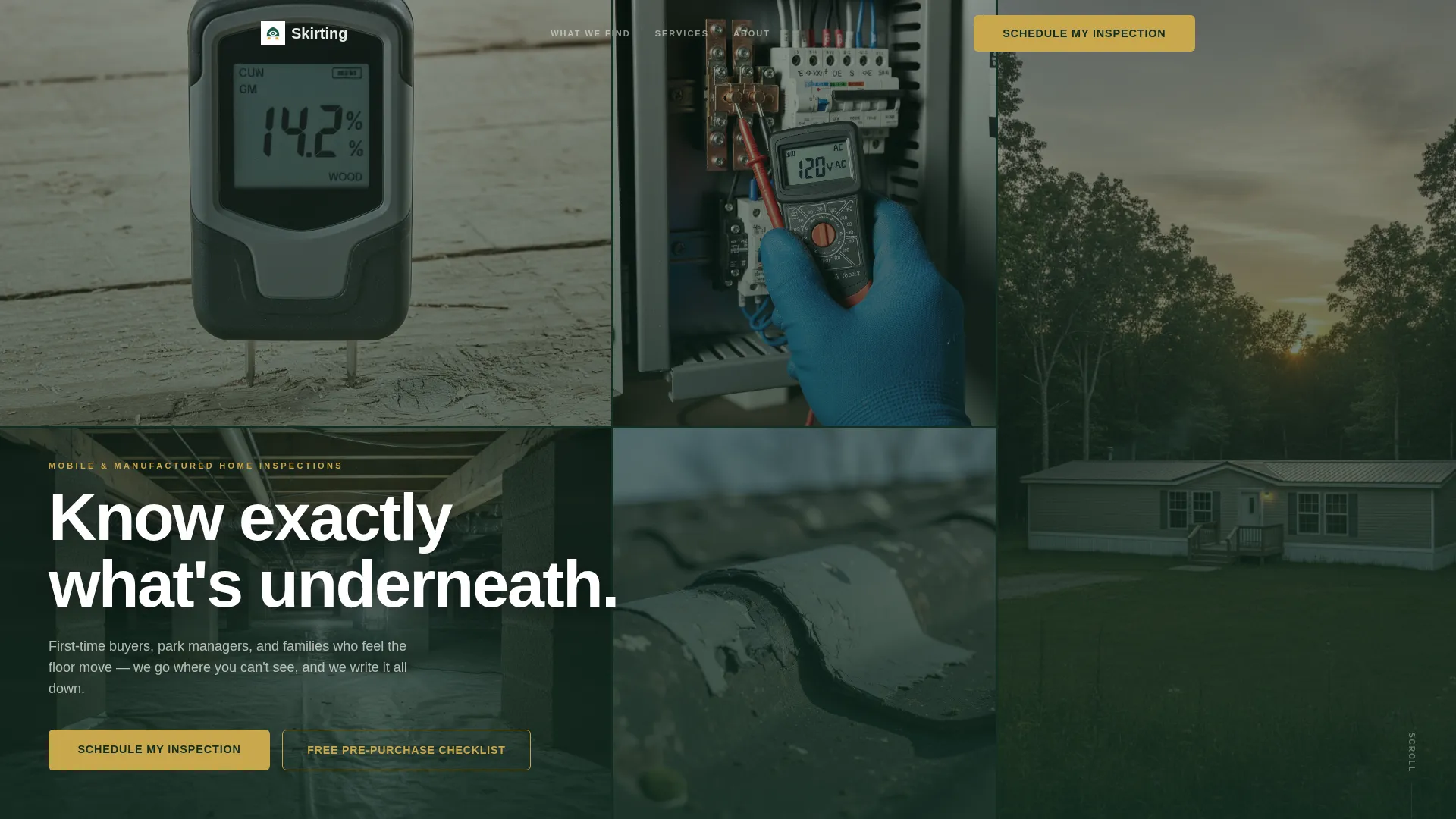
- A six-image Photo Grid Mosaic header with a headline overlay and fade-in animation
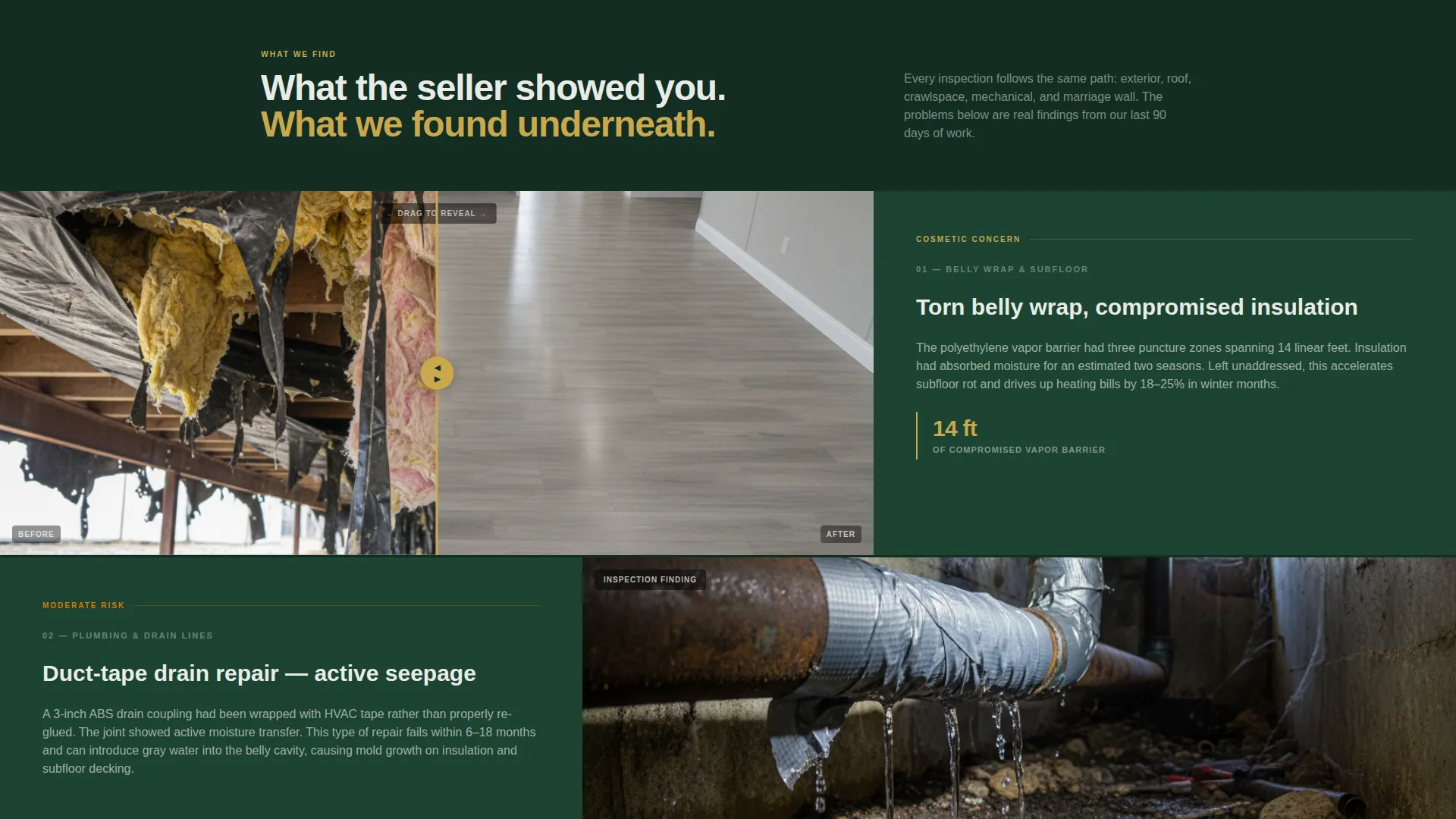
- A scrolling Before/After Reveal layout with a draggable image slider on select panels
- Two conversion paths: a primary inspection scheduling form and a secondary checklist download capture
Feature list
A paragraph introduces this section: each feature below comes directly from the template brief and represents a built-in layout or interaction component you can populate with your own content.
Six-Image Photo Grid Mosaic Header
Six tightly cropped inspection photos fill the viewport in an uneven grid arrangement. No single image takes over. Together they communicate hands-on, detail-level expertise before the visitor reads a word. The headline "Know exactly what's underneath." fades in over the mosaic.
Asymmetric 60/40 Before/After Grid
Each scrolling section pairs a full problem photograph on the wider 60% panel with the inspection finding and repair recommendation on the narrower 40% panel. The layout keeps visual evidence dominant while giving the text room to explain what was found.
Draggable Reveal Slider
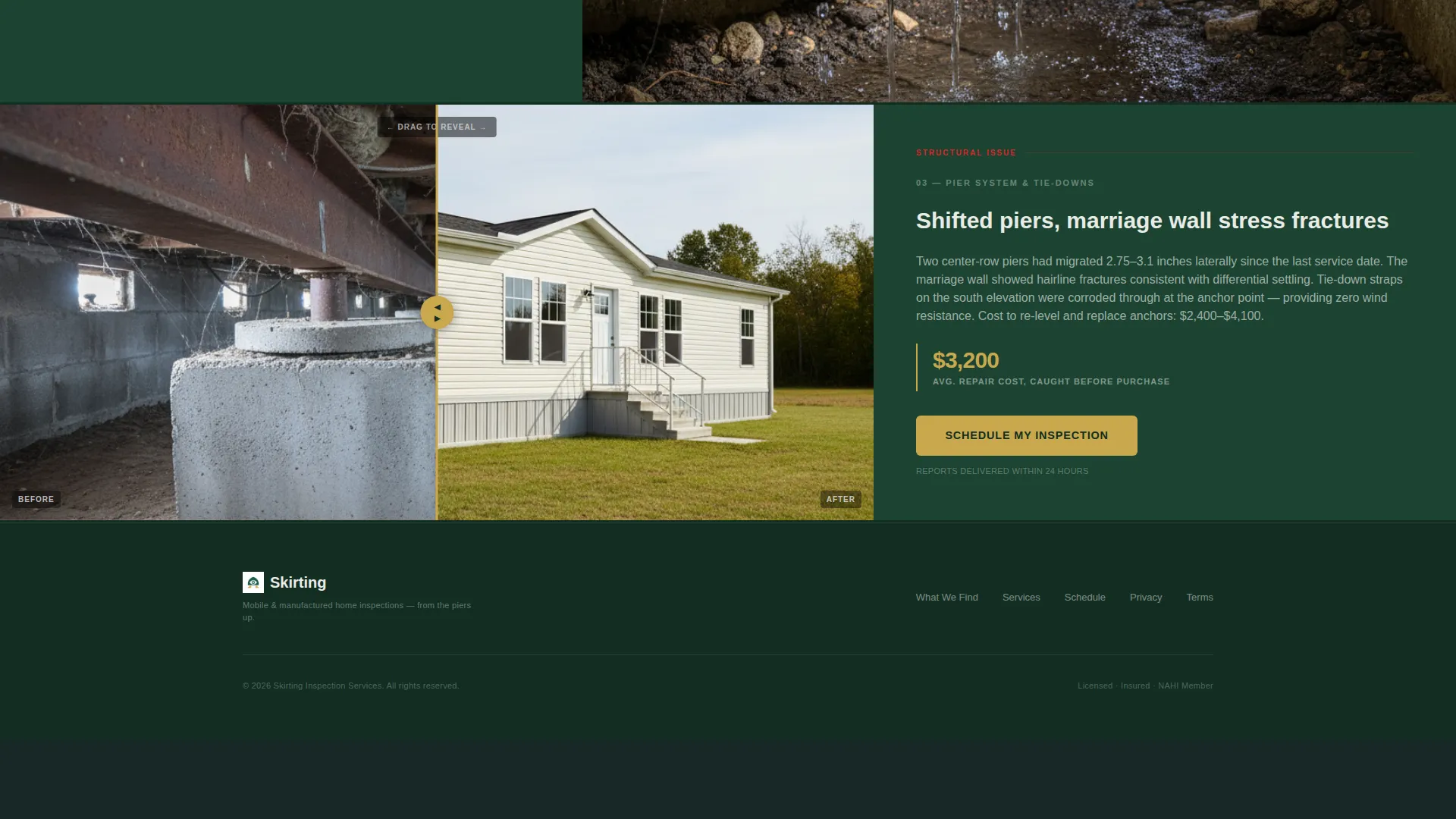
Select image panels include a draggable slider that lets visitors pull between "what the seller showed you" and "what we found underneath." The interaction makes the inspection value tangible without requiring any explanation.
Escalating Narrative Scroll Structure
The page builds its case in a deliberate order, starting with cosmetic issues such as belly wrap tears and duct-taped plumbing, then moving to structural concerns like cracked I-beams, shifted piers, and compromised tie-downs. Short text-only blocks set against deep emerald break the scroll rhythm with a statistic or client quote.
Lead Capture Inspection Form
The primary form appears after the third Before/After section. It collects home type, address or lot number, inspection reason, and preferred date range. Placement is intentional: the visitor has already seen enough evidence to understand why the inspection matters.
Secondary Checklist Download Path
A lighter conversion option captures name and email in exchange for a pre-purchase checklist. This path serves earlier-stage visitors who are not yet ready to book but are willing to share contact details for a useful resource.
Page sections overview
| Section | Purpose |
|---|---|
| Photo Grid Mosaic | Opens with six inspection images and a fade-in headline to establish credibility immediately |
| Before/After Reveal 1 | Pairs a cosmetic problem photo with the inspection finding on the 40% panel |
| Before/After Reveal 2 | Escalates to plumbing and mechanical concerns with draggable slider |
| Stat or Quote Block | Breaks scroll rhythm with a single statistic or client quote on deep emerald |
| Before/After Reveal 3 | Presents structural findings: piers, I-beams, and tie-down conditions |
| Primary Lead Form | Collects home type, address, inspection reason, and preferred date range |
| Checklist Download | Secondary capture form for name and email in exchange for pre-purchase resource |
Design & branding system
The Pastoral Calm theme draws on a four-color palette that evokes a rural property at early morning. Every color has a specific role, and none of them compete with each other.
- Deep field green (#1B4332) anchors backgrounds, section dividers, and the stat or quote blocks
- Soft morning fog (#E9ECE6) carries body text areas and form backgrounds for easy reading
- Muted goldenrod (#C9A84C) is reserved strictly for buttons and callout borders, directing the eye only where action is needed
Mobile & speed optimization
The asymmetric grid and image-heavy layout are structured to reflow cleanly on smaller screens. The 60/40 column split stacks vertically on mobile so the image evidence remains full-width and the finding text reads below it without crowding.
- The draggable slider interaction is touch-friendly for mobile visitors browsing on a phone at the dealer lot
- Short text-only stat blocks reduce visual weight between image-heavy sections, keeping the page comfortable to scroll on any device
How this template helps you convert
The page is built around a deliberate trust sequence. Each element earns the visitor's confidence before the booking form appears.
- The mosaic header and escalating Before/After sections establish expertise visually, so visitors arrive at the form already convinced the inspector finds what others miss.
- The two-path conversion structure serves both ready-to-book visitors with the scheduling form and earlier-stage visitors with the checklist download, capturing leads at two different points in the decision process.
Other information about this template
This template is categorized under Real Estate and Property, specifically within the Mobile and Manufactured Home Real Estate subcategory. It is designed to serve the inspection niche within that market.
- The template style follows a Gallery and Detail approach, keeping visual evidence dominant throughout the page
- The creative direction is Before/After Reveal, a format well suited to inspection and property condition work
- The page direction is lead generation, with both a primary scheduling form and a secondary email capture supporting that goal
- The weathered fence post tone (#3D3B30) is available within the palette as a neutral for secondary text or borders
- This template is a single landing page, not a multi-page website, and is best suited for inspectors who want one focused conversion destination

Theme
Dark Immersive
Creative direction
Before/After Reveal
Color system
Charcoal & Amber
Style
Gallery + Detail
Direction
Click-Through
Page Sections
Photo Grid Mosaic Header
Asymmetric 60/40 Reveal Layout
Draggable Before/after Slider
Escalating Scroll Narrative
Two-path Lead Capture System
Pastoral Calm Color System
Related questions
Can I use this template for a doublewide or modular home inspection service?
How does the draggable Before/After slider work?
Do I need a large photo library to use this template?
Can the checklist download form be connected to an email service?
Is this template a single page or a full website?



