Garage Flooring Installer Landing Page Template
Slab is a single-column landing page template built for garage flooring installers. It guides visitors through a Problem-to-Solution scroll journey, showcasing cracked concrete before revealing your coating process. A charcoal-and-amber visual identity, layered floor cross-section header illustration, and a structured booking form make it easy for homeowners, car enthusiasts, and property flippers to schedule their floor estimate.
by Rocket studio
Quick summary
Slab is a precision-crafted landing page template for garage flooring professionals. It opens with a technical line-art cross-section of a layered floor system, then scrolls through the problem, the process, and a booking form. The charcoal-and-amber color system gives the page a clean, shop-floor authority that converts curious visitors into booked estimates.
Who this template is for
This template is designed for garage flooring installers who want a landing page that does real sales work. It speaks directly to the buyers who are already motivated and just need the right nudge.
- Homeowners who have finished a garage cleanout and want a coated floor that no longer shows oil stains or wear
- Car enthusiasts who treat their garage as a detailing space and want the floor to match the standard of the cars parked on it
- Property flippers and renovators who understand that a finished floor photographs better and adds perceived value quickly
What problem this template solves
Most garage flooring installers rely on generic contractor websites that fail to communicate the craft or the process. Visitors land, see a phone number, and leave without booking anything.
- There is no visual narrative that takes the visitor from a painful problem to a satisfying solution
- Booking friction is high when the only option is a contact form with no context around pricing or process
- The template removes both problems by pairing a scroll-driven story arc with a structured estimate booking form
What you get with this template
You get a fully structured single-column landing page that handles the whole visitor journey from first impression to scheduled appointment. Every section is purposeful, and the layout is ready to be filled with your own photography and copy.
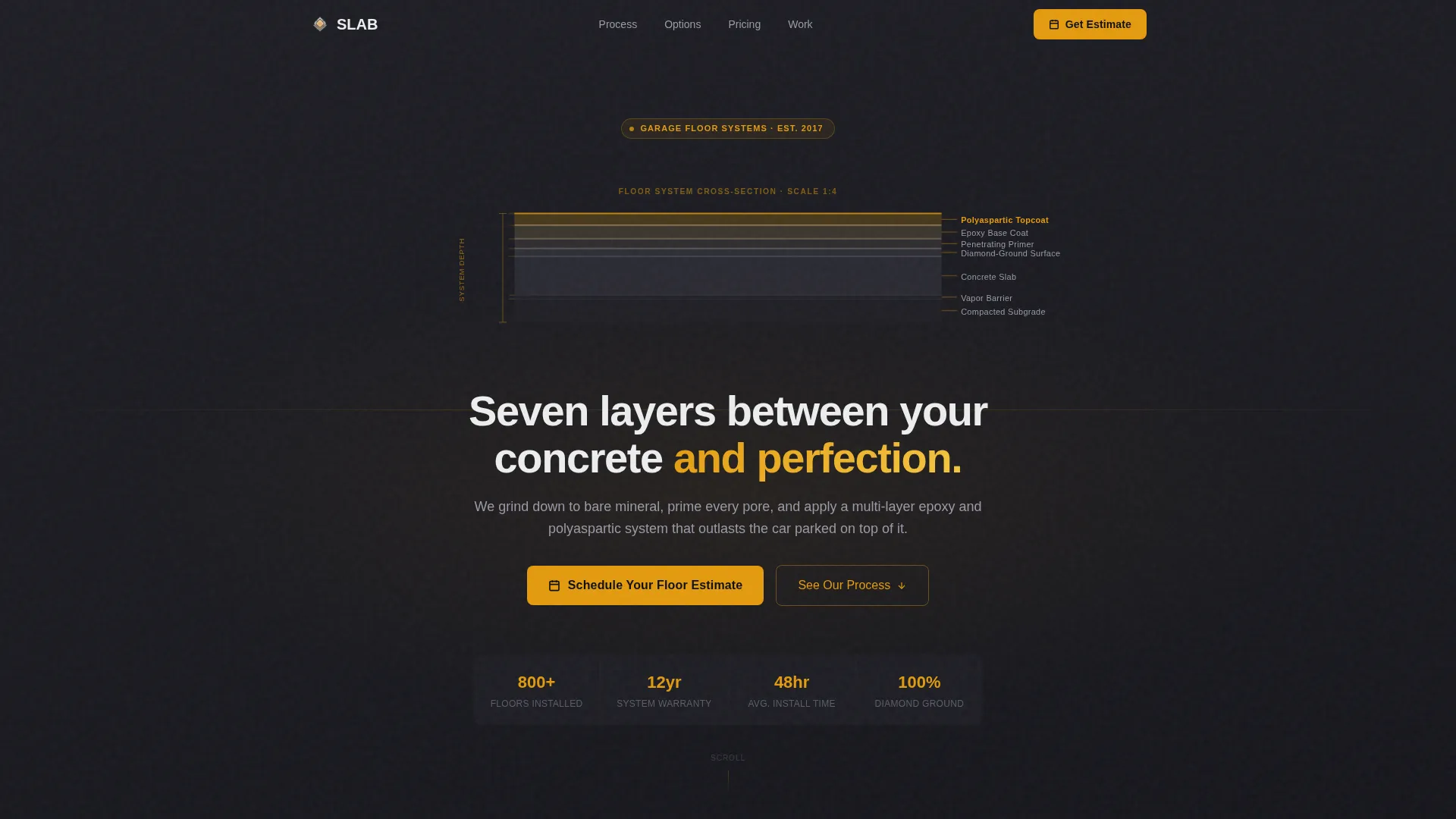
- A dramatic header featuring a line-art architectural cross-section of a garage floor, built in amber on charcoal, with each layer labeled in clean sans-serif type
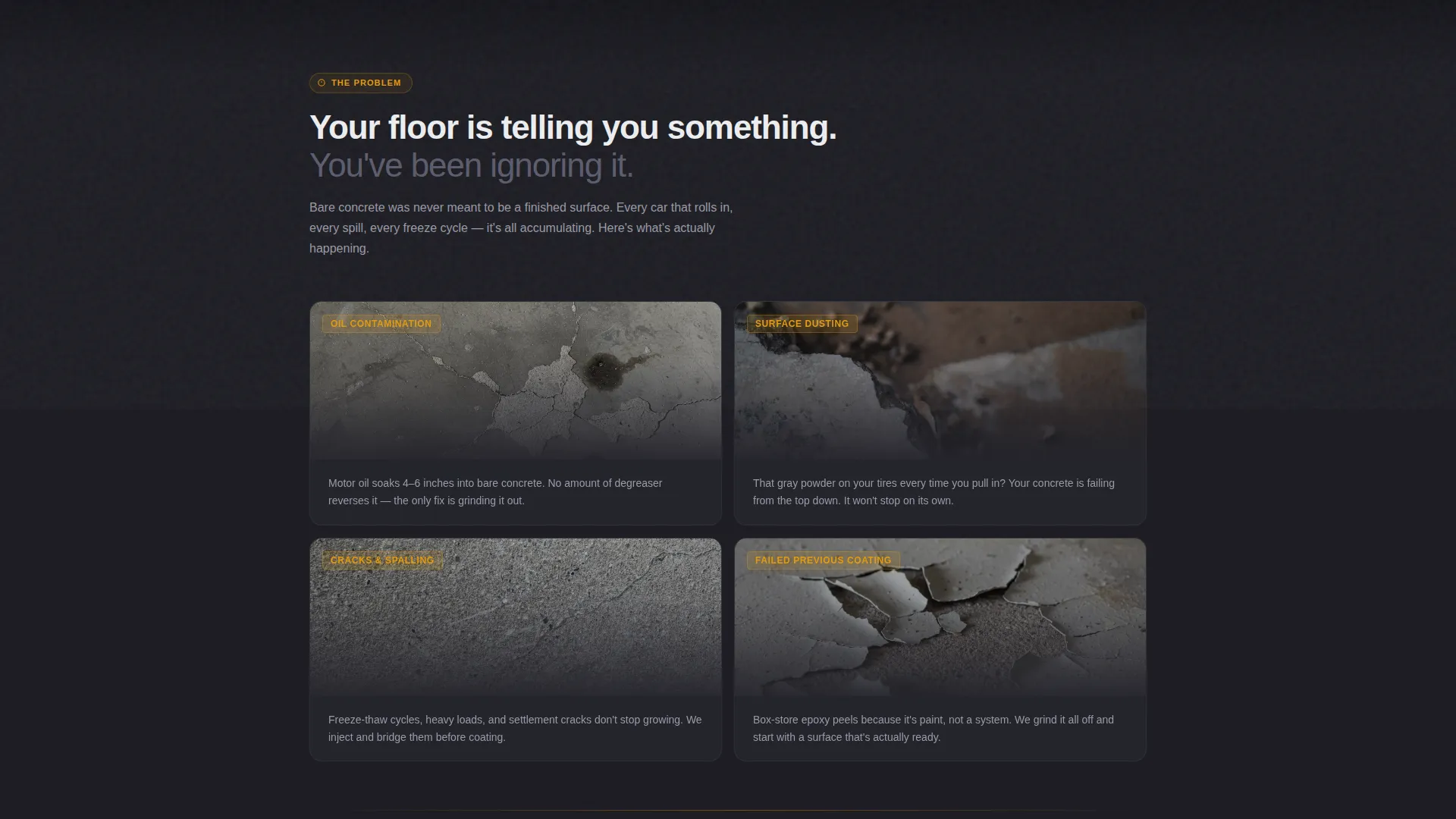
- A scroll-driven Problem-to-Solution arc that shifts from dark, gritty problem photography toward a bright, clean finish as the visitor scrolls
- A booking form with garage-size selector, floor condition dropdown, coating type selector, and a calendar date picker for the on-site measure
Feature list
This section covers the specific built-in components and design features included in the Slab template.
Animated Line-Art Header
The header features a precise architectural cross-section of a garage floor rendered in single-weight amber lines on deep charcoal. Each layer, from subgrade gravel through polyaspartic topcoat, ticks into view like a technical drawing being plotted in real time. The headline fades in below the illustration.
Problem-to-Solution Scroll Arc
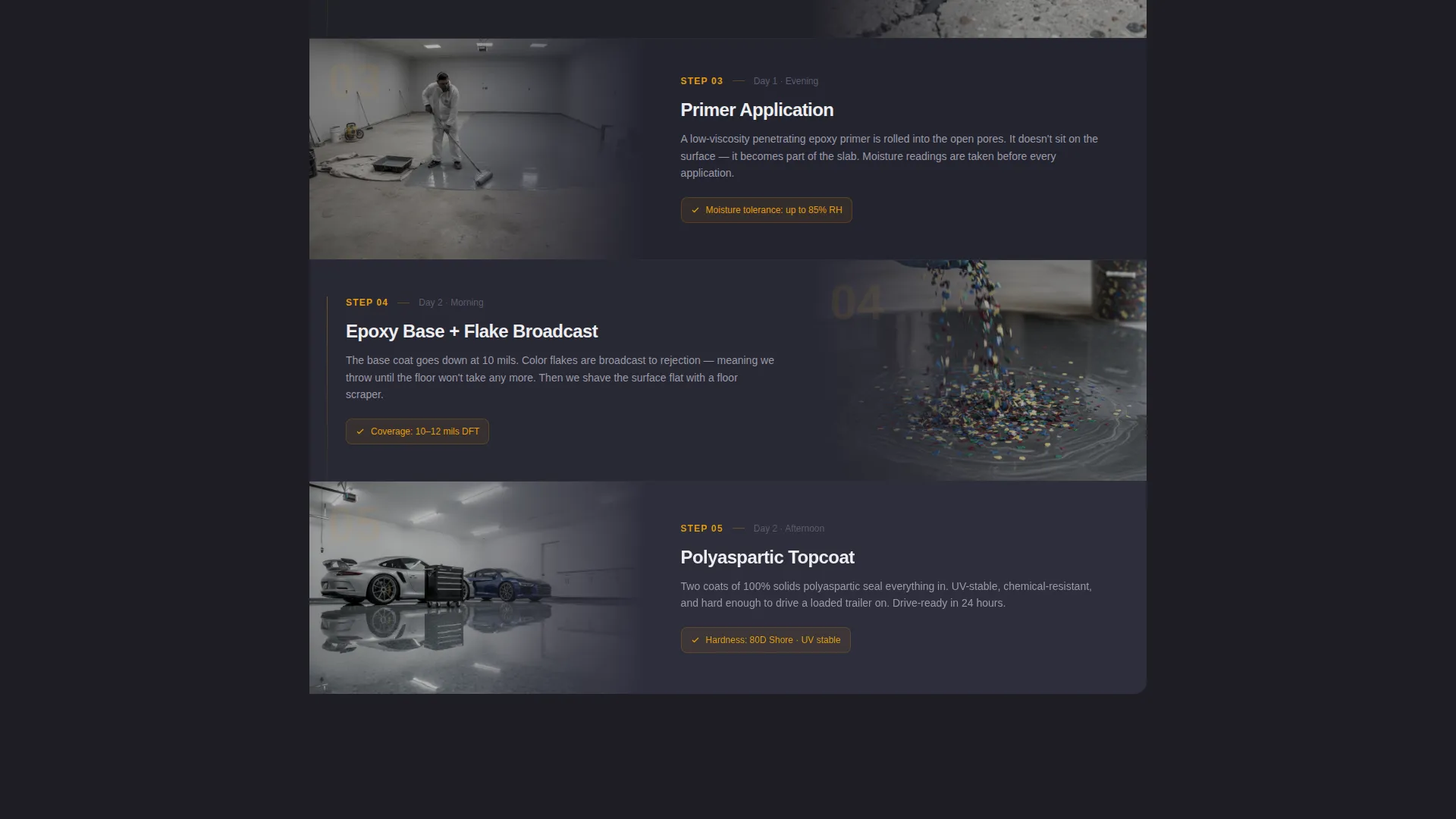
The page opens in the problem, with close-up photography of cracked and stained concrete paired with short, direct copy naming each failure. As the visitor scrolls, the content transitions through the preparation and coating process. The background gradually shifts from deep charcoal toward cured white, so the page itself undergoes the same visual transformation as the floor.
Garage-Size Booking Form
The primary booking form includes a visual garage-size selector covering one-car, two-car, and three-car options. It also includes a floor condition dropdown, a preferred coating type selector, and a calendar date picker for scheduling the on-site measurement visit.
Inline Cost Calculator
A secondary conversion path labeled "See Pricing Ranges" expands an inline cost calculator based on the selected garage size. This builds pricing confidence before the visitor commits to booking an appointment.
Color Flake Selection Display
A section of the page fans out color flake options in a paint-chip style layout, giving visitors a tangible sense of the finish choices available before they book.
Time-Lapse Process Section
A dedicated section compresses a full installation into a single scroll gesture, using a time-lapse visual format. This communicates speed, process, and professionalism without requiring the visitor to watch a full video.
Page sections overview
| Section | Purpose |
|---|---|
| Header illustration | Introduce brand with layered floor cross-section |
| Problem photography | Surface the pain of cracked, stained concrete |
| Process transition | Show grinding, prepping, and coating steps |
| Color flake selector | Display available finish and coating options |
| Time-lapse scroll | Compress a full install into one scroll gesture |
| Primary booking form | Capture estimate requests with structured inputs |
| Inline cost calculator | Build pricing trust before the appointment ask |
| Anchored bottom call to action | Reinforce the estimate booking call to action |
Design & branding system
The visual identity follows a Corporate Precision theme built around a Charcoal and Amber color system. The palette feels like a freshly organized tool wall, where every element has a clear place and the amber reads like the stripe on a torque wrench handle that your eye finds instantly.
- Core background tones use deep shop-floor charcoal (#1E1E24) and tool-steel gray (#3A3A42), while text and surfaces use cured epoxy white (#EDEEF0)
- Caution-stripe amber (#E49B0F) is reserved for buttons, progress indicators, and key callouts, keeping high-attention elements visually distinct
- Typography uses clean sans-serif type throughout, consistent with the architectural precision of the header illustration
Mobile & speed optimization
The single-column flow layout is inherently well-suited to mobile viewing. The scroll-driven structure works with natural thumb scrolling, and the form inputs are sized for touch interaction.
- The garage-size selector uses a visual tile layout that works cleanly on small screens without requiring pinch-to-zoom
- The single-column format eliminates horizontal layout complexity, so the Problem-to-Solution arc reads clearly from top to bottom on any screen size
How this template helps you convert
Slab is designed around a booking outcome from the first scroll to the final section. Every design and copy decision pushes toward one action: scheduling the estimate.
- The Problem-to-Solution arc creates emotional momentum by starting where the visitor already is, frustrated with their floor, and walking them toward the resolution your service provides
- The inline cost calculator reduces the most common objection, pricing uncertainty, before the visitor ever reaches the booking form, making the commitment feel smaller and better informed
Other information about this template
This template is part of the Construction and Home category, filed under the Garage Renovation subcategory. It is built specifically for the garage flooring installer niche and carries an intersection match score of 13, indicating a strong alignment between template design and niche intent.
- The template style is Single Column Flow, making it straightforward to customize section by section without restructuring the layout
- The creative direction is a Problem-to-Solution Arc, a proven structure for service businesses where the visitor's pain point is the most effective opening hook
- The header concept is Line Art, giving the page a technical, professional character that sets it apart from generic contractor landing pages
- The landing page direction is Booking and Scheduling, meaning every section is oriented toward getting a visitor to complete the estimate request form

Theme
Corporate Precision
Creative direction
Problem→Solution Arc
Color system
Charcoal & Amber
Style
Single Column Flow
Direction
Booking/Scheduling
Page Sections
Animated Line-art Header Illustration
Problem-to-solution Scroll Arc
Structured Estimate Booking Form
Inline Cost Calculator
Color Flake Selection Display
Time-lapse Process Section
Related questions
Can I use this template without professional photography?
How does the inline cost calculator work?
Is the booking form connected to a calendar tool?
Can I edit the coating types listed in the booking form?
What is the page layout style for this template?



