Precision Stone Installer Landing Page Template
Slab is a precision stone installation landing page template built for professional stone crews. It opens with a bold metrics bar, walks visitors through a five-stage installation process with gallery photography and detail panels, and converts interest with an interactive stone-matching assessment. The result is a single-page experience that builds authority before asking for a booking.
by Rocket studio
Quick summary
Slab is a gallery-and-detail landing page template for stone installation professionals. It combines a metrics-driven header, a scroll-based step-by-step installation guide, and an interactive quiz that recommends a stone type and captures project bookings. The design uses a monochrome steel palette with laser-red accents, giving every section the precision feel of a fabrication shop floor.
Who this template is for
This template is built for stone installation crews that work with natural and engineered stone across residential and commercial projects. It speaks directly to businesses that compete on precision, scheduling reliability, and visible craftsmanship.
- Stone installation contractors serving homeowners, general contractors, and architects
- Fabrication-focused businesses offering countertop, patio, facade, and fireplace installation
- Stone professionals who want their portfolio to reflect the technical standard of their work
What problem this template solves
Most stone installers lose potential clients before the first phone call because their web presence looks generic. A homeowner standing in a slab yard cannot tell a precision installer from an average one based on a basic website alone.
- Visitors cannot evaluate installation quality without context or a visual teaching framework
- General contractors and architects need confidence signals, not just a photo gallery
- There is no guided path to help clients identify what stone they want or what a project will cost
What you get with this template
You get a complete single-page layout that handles awareness, education, and lead capture without a visitor needing to click to another page. Every section connects to the next in a logical flow that mirrors the actual stone installation process.
- A stats metrics bar with four key performance figures rendered in monospaced type
- A five-stage scrollable gallery guide covering Template, Fabricate, Dry-Fit, Set, and Seal
- A five-question interactive stone-matching assessment with a personalized recommendation and a follow-up booking form
Feature list
This template includes purpose-built components designed for the stone installation niche. Each feature addresses a specific moment in the buyer journey.
Metrics Header Bar
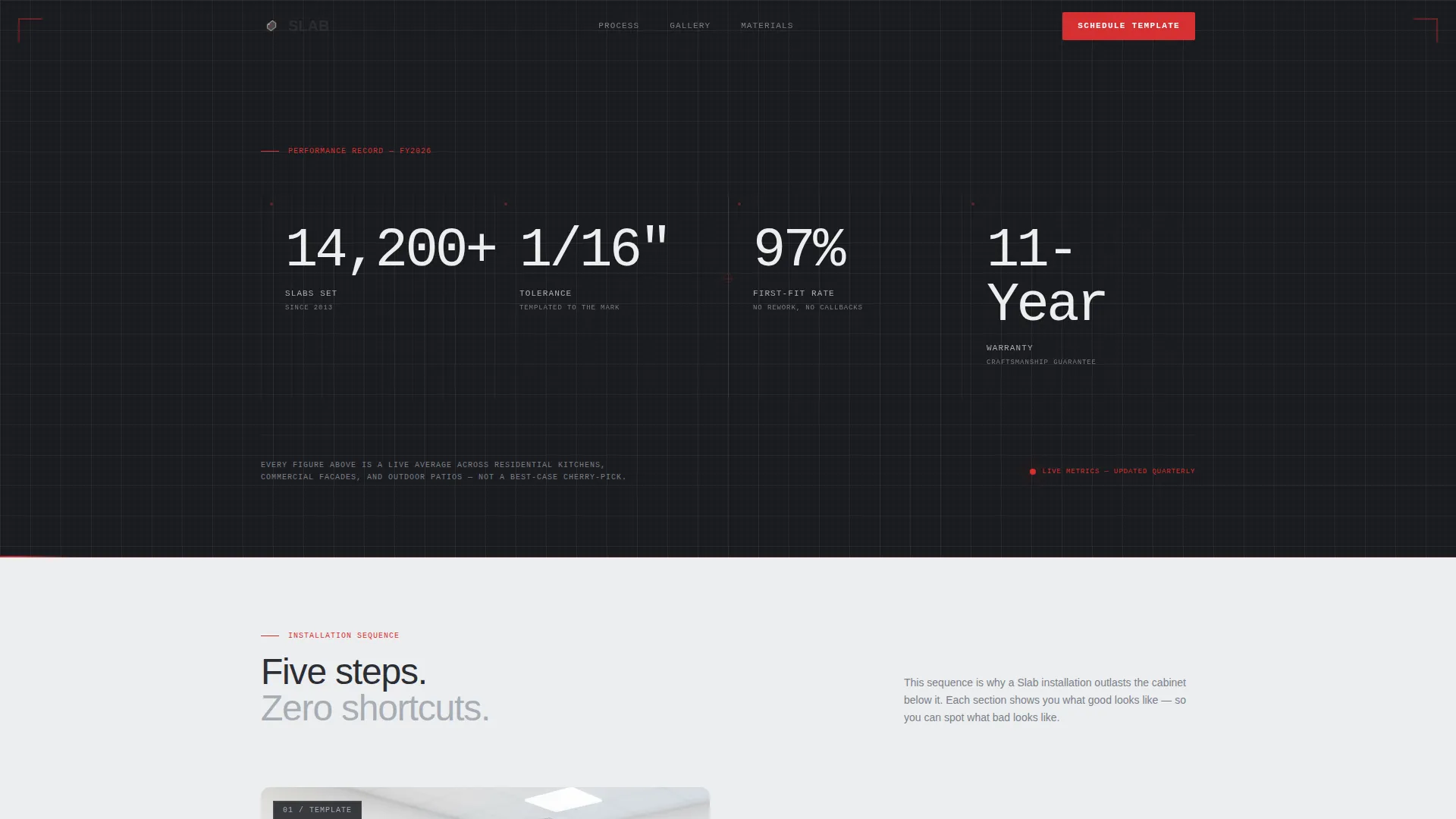
Four oversized performance figures occupy the full header strip: slabs set, tolerance standard, first-fit rate, and warranty length. The numbers render in thin monospaced type against structural charcoal. A subtle animated red laser line sweeps left to right beneath them, referencing a CNC bridge saw in motion.
Step-by-Step Gallery Sections
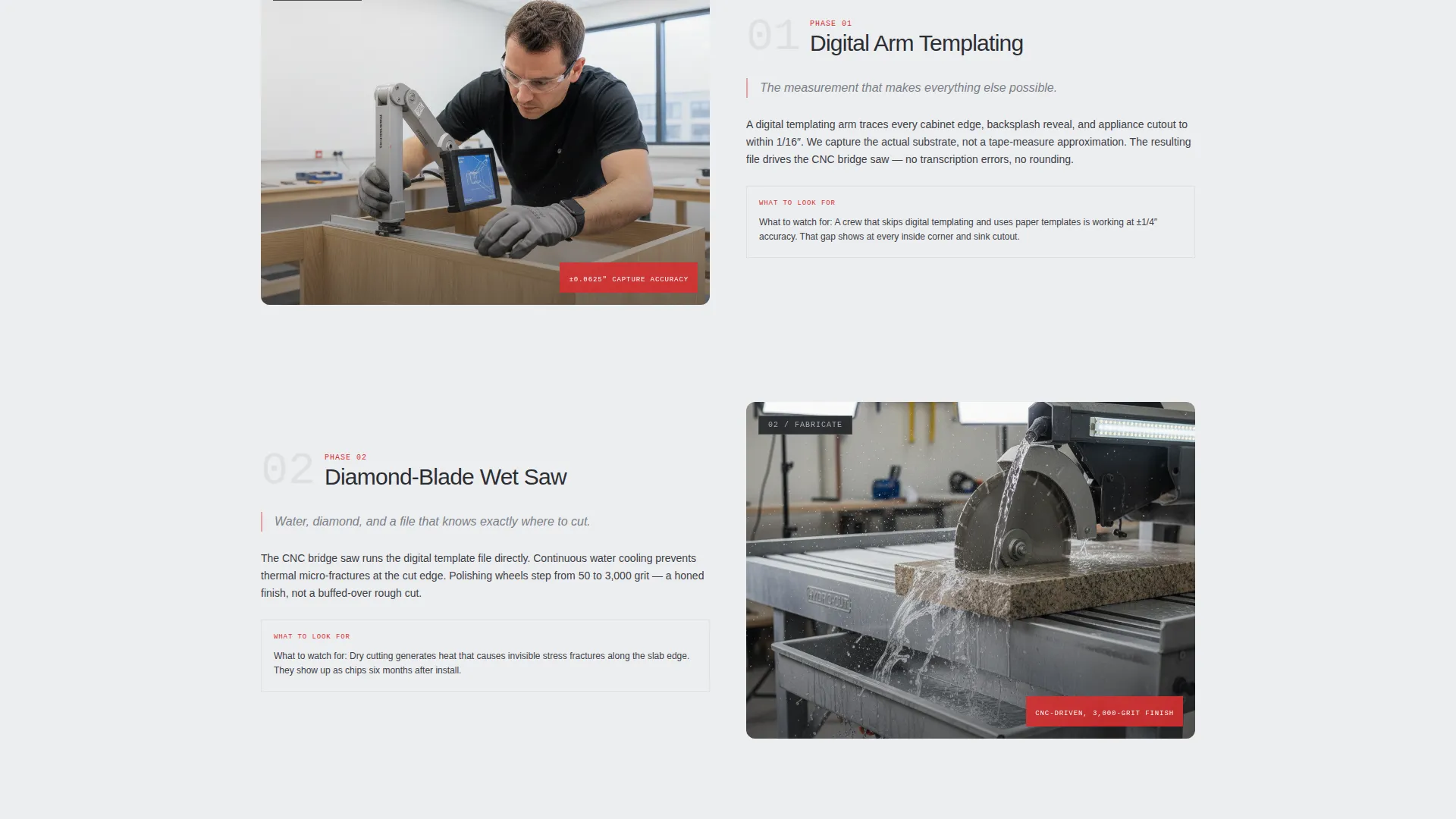
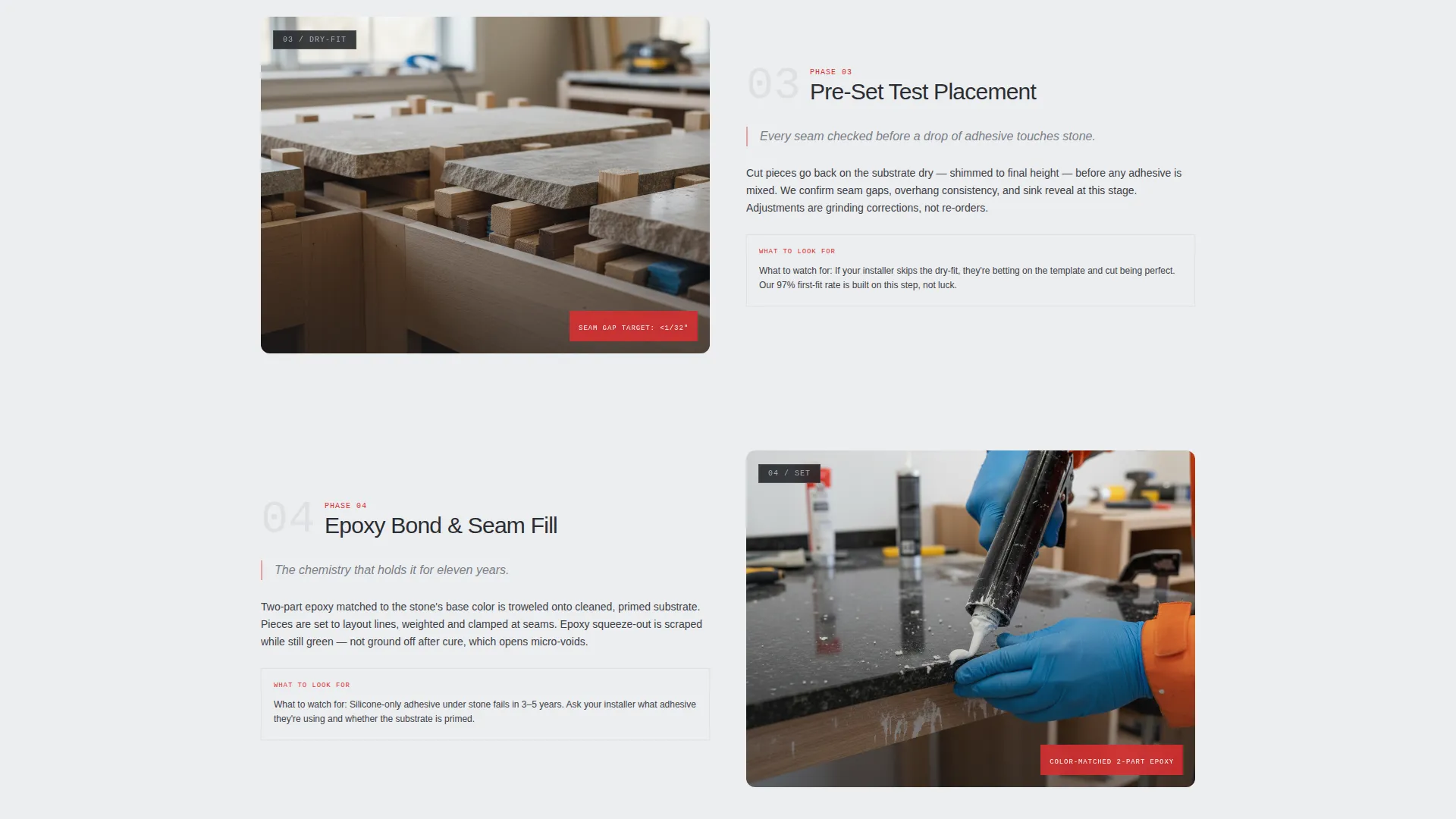
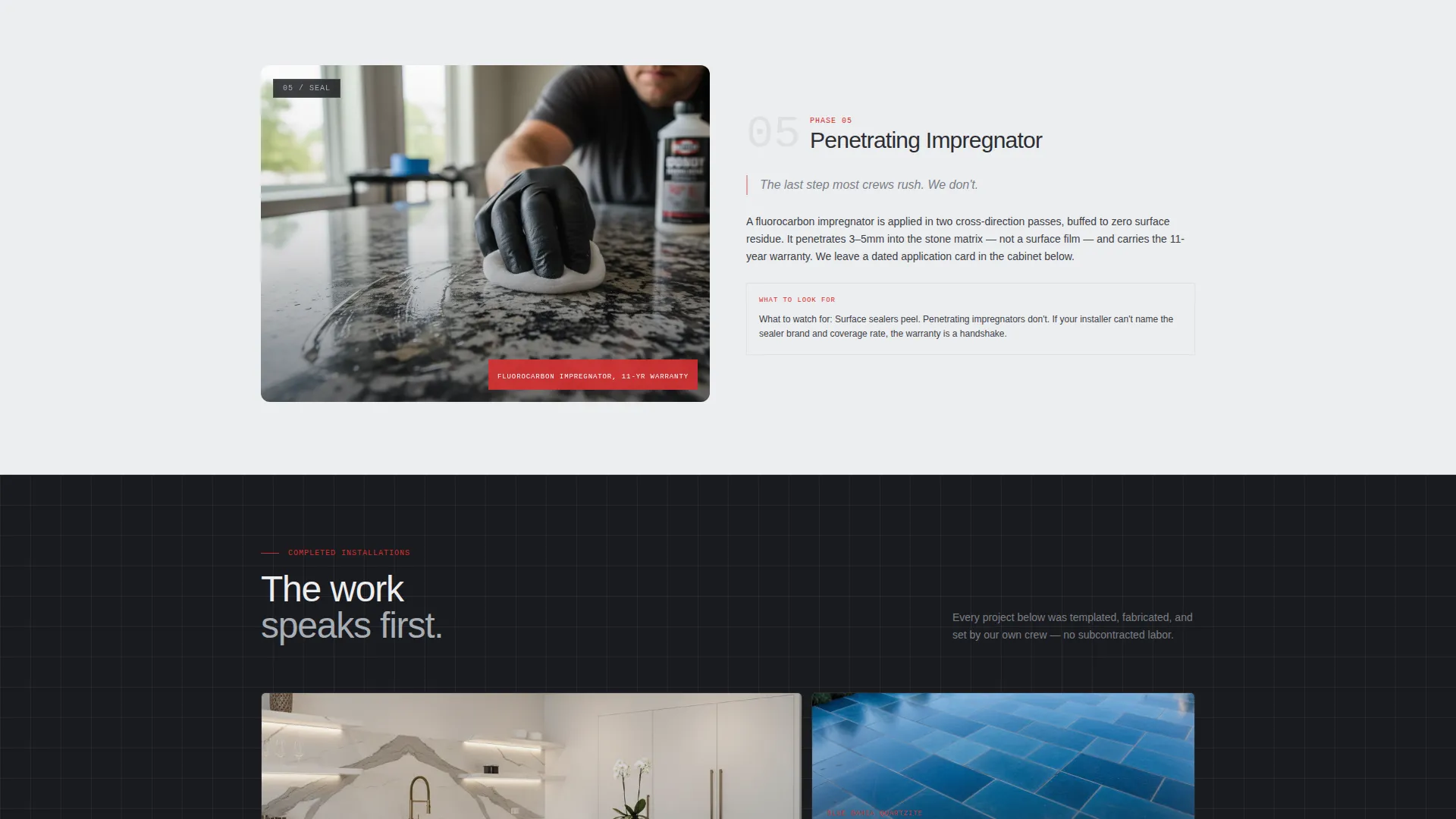
Five scroll sections mirror the real installation sequence from digital templating through final sealing. Each section pairs a close-up jobsite photography gallery with a detail panel that explains the step's significance. Visitors leave each section with a clearer understanding of what separates precise work from poor work.
Interactive Stone-Match Quiz
A five-question assessment lets visitors identify their preferred stone type, application area, edge profile, budget range, and project timeline. The results panel delivers a personalized stone recommendation with a photo example and an estimated cost per square foot.
Personalized Results and Booking Flow
After the quiz, the results screen shows a matched stone recommendation and transitions directly into a secondary call to action. Visitors can schedule an on-site laser measure by submitting their name, zip code, and project address without leaving the page.
Blueprint Grid Visual System
Every section uses a faint engineering blueprint grid as a background texture. The grid reinforces the precision narrative without competing with photography or type. Measurement callouts and interactive hotspots use the laser-red accent to draw the eye to key details.
Page sections overview
| Section | Purpose |
|---|---|
| Metrics header bar | Establish credibility with four key performance figures |
| Template stage gallery | Show digital templating process with detail panel |
| Fabricate stage gallery | Explain diamond-blade cutting with jobsite photography |
| Dry-Fit stage gallery | Show test placement and shim stacks before adhesive |
| Set stage gallery | Document the precision setting and alignment process |
| Seal stage gallery | Close the installation sequence with finishing detail |
| Stone-match quiz | Guide visitors to a personalized stone recommendation |
| Results and recommendation | Deliver stone match with photo and cost estimate |
| Schedule your template | Capture name, zip code, and address for site booking |
Design & branding system
The template uses an Engineering Blueprint theme built around a four-color Monochrome Steel system. The palette is intentionally restrained so that project photography and red accent elements carry maximum visual weight.
- Structural charcoal (#2B2D33) for backgrounds, type blocks, and section anchors
- Machined aluminum (#A8ADB5) and layout-line white (#EDEEF0) for body text, dividers, and grid lines
- Laser-red (#D63031) reserved exclusively for call-to-action buttons, interactive hotspots, and measurement callouts
Mobile & speed optimization
The layout is structured to scale cleanly from desktop to mobile without losing the gallery-and-detail rhythm. Scroll sections stack vertically on smaller screens so the photography and detail panels remain readable and distinct.
- Gallery panels reflow into single-column stacks on tablet and mobile viewports
- The quiz assessment and booking form are sized for thumb-friendly interaction on touch devices
- Blueprint grid textures and the laser sweep animation are lightweight so they do not delay content rendering
How this template helps you convert
The page is engineered around a single conversion path that moves a skeptical visitor from first impression to booked appointment.
- The metrics bar immediately answers the credibility question with hard numbers before any project photo loads, replacing generic claims with specific performance data.
- The step-by-step gallery builds authority by teaching visitors what good installation looks like, making them more likely to recognize the value of a precision crew and act on it.
- The stone-match quiz turns passive browsing into active engagement, and the personalized results create natural momentum toward the "Schedule Your Template" booking form.
Other information about this template
This template is category-matched to the Construction and Home market, specifically the Stone Products and Services subcategory for stone installer businesses. It is a single-page layout, not a multi-page website, so all content and conversion logic lives within one scrollable experience.
- The template style is Gallery and Detail, meaning photography and explanatory copy are always paired rather than presented as standalone image grids
- The primary call to action, "Find Your Stone Match," is a quiz-led entry point rather than a direct contact form, which lowers friction for early-stage visitors
- The secondary call to action, "Schedule Your Template," is the committed-buyer conversion point and captures the minimum information needed to book an on-site laser measure
- The Intersection Match Score for this template is 13, reflecting strong alignment between the Engineering Blueprint theme, Step-by-Step Guide creative direction, Stats/Metrics header concept, and the stone installer niche
Theme
Engineering Blueprint
Creative direction
Step-by-Step Guide
Color system
Monochrome Steel
Style
Gallery + Detail
Direction
Quiz/Assessment
Page Sections
Animated Metrics Header Bar
Five-stage Scroll Gallery
Interactive Stone-match Quiz
Personalized Recommendation Panel
Blueprint Grid Visual Theme
On-site Booking Capture Form
Related questions
Can I update the metrics in the header bar with my own numbers?
How does the stone-match quiz work for my clients?
Is this template suitable for commercial stone projects, not just residential?
What information does the booking form collect?
Do I need professional photography to use this template?



