Pathologist Virtual Consultation Landing Page Template
Slide is a single-page landing page template built for pathologist virtual consultation services. It leads with three vital-sign metrics, then walks visitors through a four-step case workflow using a zigzag alternating layout. The design uses a clinical Soft Mist palette, and the page drives toward a gated Integration Guide download and an ungated sample report lightbox.
by Rocket studio
Quick summary
Slide is a precision-built landing page template for digital telepathology consultation services. It opens with oversized credibility metrics, moves through a four-step case process in a zigzag layout, and closes with a dual call-to-action section. The template is designed for desktop-first clinical audiences and uses a cool, distraction-free Soft Mist color system.
Who this template is for
This template is built for clinical and laboratory professionals who need to communicate the speed, rigor, and reach of a remote pathology consultation service. It speaks directly to the people making institutional decisions about subspecialty reads.
- Rural hospital pathologists and lab directors seeking subspecialty second opinions
- Oncologists who need confirmed reads before a scheduled tumor board
- Community hospital administrators evaluating laboratory information system (LIS) integration options
What problem this template solves
Community and rural hospitals often lack fellowship-trained subspecialists in areas like dermatopathology or hematopathology. Communicating that gap and offering a credible remote solution requires more than a generic medical website. This template structures that argument clearly and efficiently.
- Visitors arrive skeptical; the stats wall earns authority before a single sentence is read
- The step-by-step layout removes ambiguity about how a remote consultation actually works
- The gated download and sample report lightbox give different visitor types a natural next step
What you get with this template
You get a complete, single-page layout built around a clinical service workflow. Every section has a defined purpose, and the visual hierarchy is set up so that trust builds progressively as the visitor scrolls.
- A stats wall header with three oversized metrics and scroll-triggered violet pulse animations
- Four zigzag alternating sections, each covering one step of the case submission process
- A dual call-to-action section with a gated PDF form and an ungated sample report lightbox
Feature list
This template packs several carefully considered components into one focused landing page.
Vital-Sign Stats Wall Header
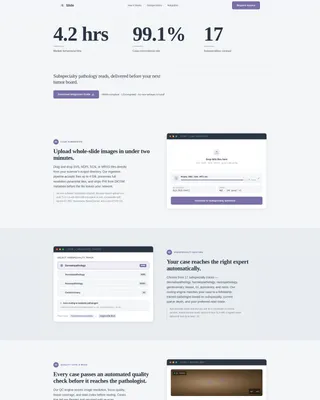
Three oversized figures, median turnaround time, case concordance rate, and subspecialties covered, are typeset in diagnostic charcoal on fog white. A thin histological violet underline pulses once on load. Below the numbers, a single authority line anchors the headline. No photography, no illustration; the data does the work.
Zigzag Four-Step Workflow Layout
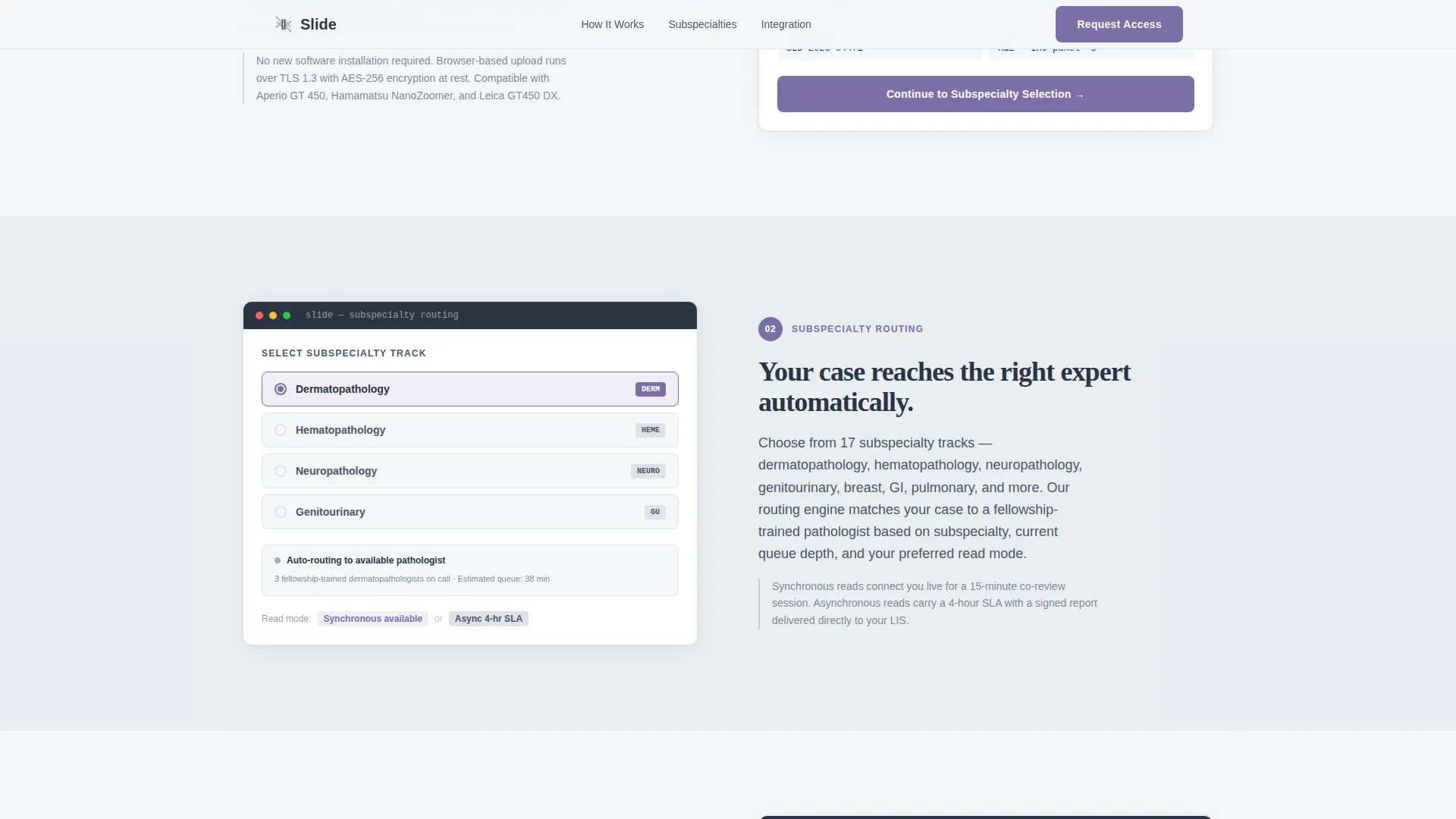
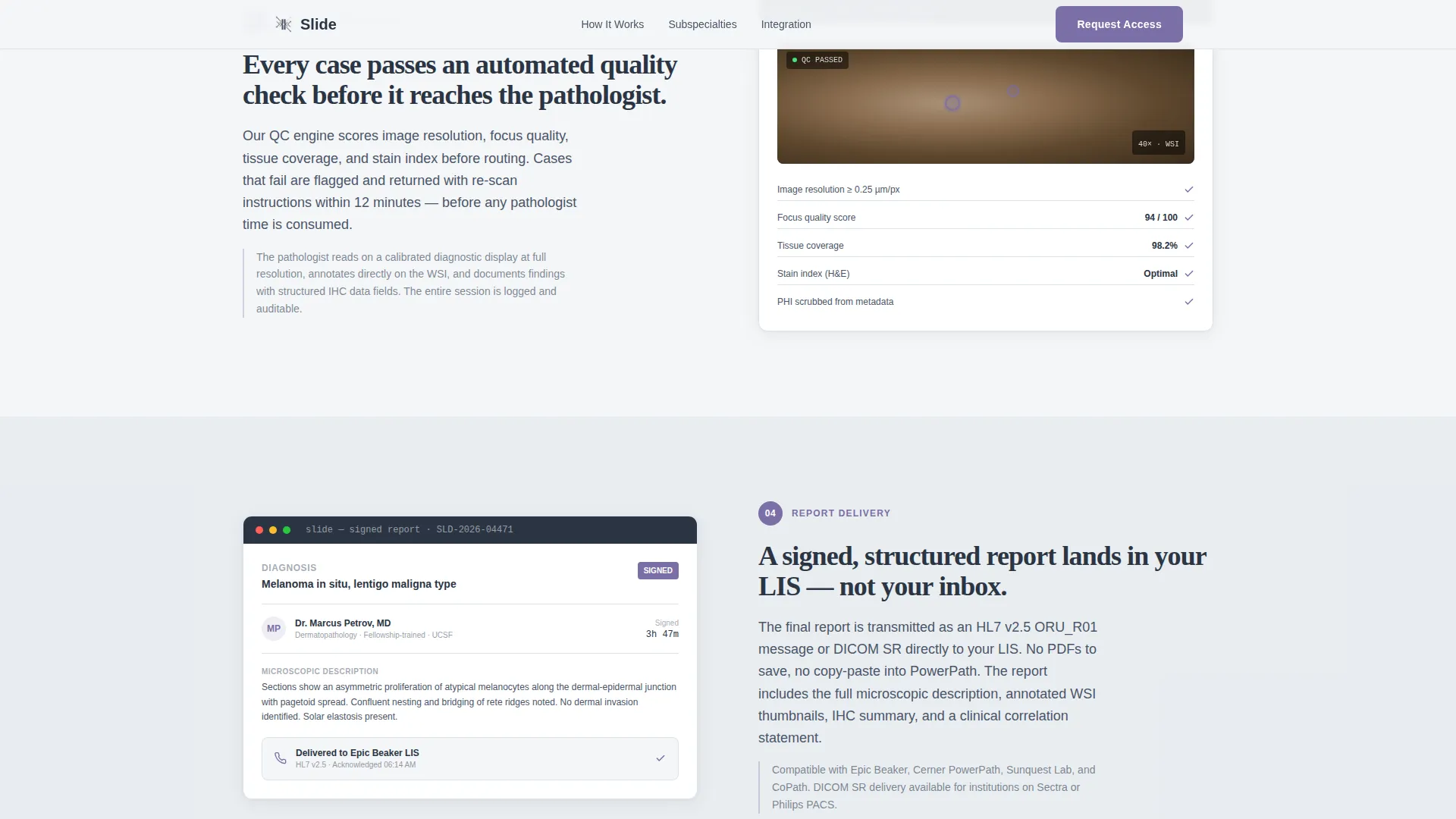
Each of the four process steps occupies its own alternating panel. Left-right section rhythm mirrors the methodical feel of a laboratory protocol. Each panel pairs a short procedural paragraph with a user interface screenshot or annotated slide thumbnail, so visitors can see exactly what each hand-off looks like.
Gated Integration Guide Form
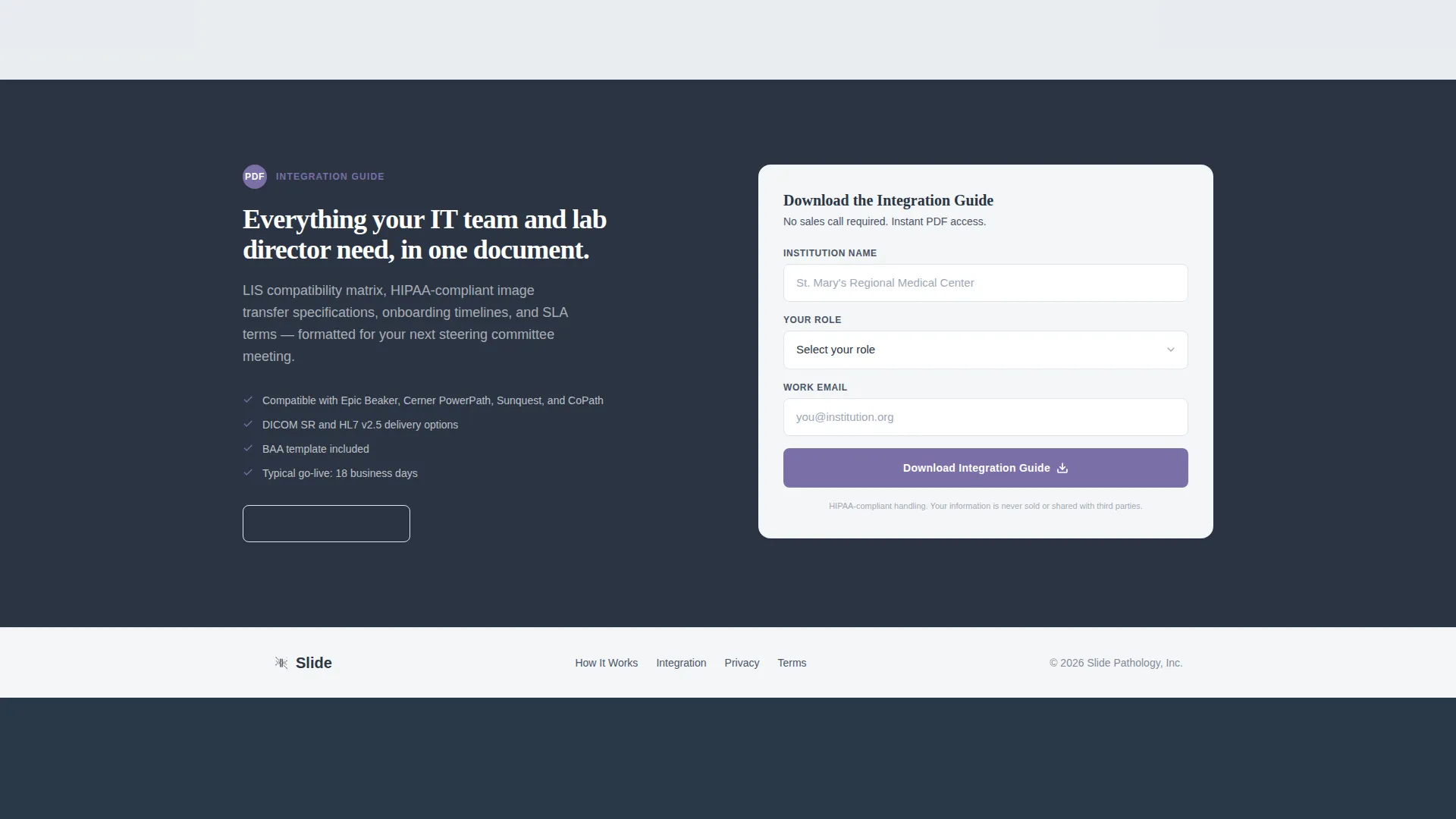
The call-to-action section includes a structured download form that asks for institution name, role, and work email in that order. The field sequence is intentionally professional, filtering for qualified institutional contacts. On submission, visitors receive the Integration Guide covering LIS compatibility, image transfer specifications, and onboarding timelines.
Sample Report Lightbox
A secondary call-to-action button opens an ungated annotated example report inside a lightbox modal. Visitors get immediate proof of output quality without filling in any form. This reduces friction for early-stage evaluators and builds confidence before the gated ask.
Scroll-Triggered Zigzag Reveals
Each alternating section animates into view as the visitor scrolls. The reveal timing is metronomic, reinforcing the sense that the process is orderly and well-managed. Animations are medium in intensity and do not interfere with content legibility.
Clinical Typography Pairing
Display numbers and headlines use a serif display typeface for weight and authority. Body text uses a clean geometric sans-serif for readability at workstation screen sizes. The combination feels calibrated, not decorative, which suits a clinical reading-room context.
Page sections overview
| Section | Purpose |
|---|---|
| Stats Wall Header | Establish authority with three key performance metrics |
| Step 1: Upload | Show the whole-slide image upload and case submission interface |
| Step 2: Subspecialty Selection | Explain track routing and queue logic for subspecialty assignment |
| Step 3: Quality Check and Read | Detail internal quality control and synchronous or asynchronous read options |
| Step 4: Integrated Report | Demonstrate LIS delivery and the final signed report output |
| Call-to-Action Section | Present the gated Integration Guide form and sample report lightbox |
| Footer | Single-row linear footer with essential navigation and contact links |
Design & branding system
The Soft Mist color system is built around a clinical reading-room aesthetic. Every color choice serves a functional role rather than a decorative one.
- Backgrounds alternate between fog white (#F4F6F8) and specimen-slide frost (#DDE3EA) across sections
- Deep diagnostic charcoal (#2B3544) carries all body text and display numerals for sharp on-screen legibility
- Histological violet (#7B6FA6) appears exclusively on interactive elements, stat underlines, step indicators, and call-to-action buttons
Mobile & speed optimization
The template is designed desktop-first, reflecting the primary context of pathologists reading at workstations. Responsive behavior scales the layout down to tablet viewports without breaking the zigzag rhythm.
- Zigzag panels reflow to a single-column stacked layout on tablet and smaller screens
- Scroll-triggered animations rely on minimal JavaScript to keep interactions lightweight
- Server components handle static content sections, reducing unnecessary client-side rendering
How this template helps you convert
The page is structured as a progressive trust sequence. By the time a visitor reaches the form, the only open question is logistics.
- The stats wall answers the credibility question immediately at the top of the page, so visitors do not have to search for proof.
- The four-step zigzag layout resolves process uncertainty, showing exactly how a case moves from submission to signed report before any commitment is asked.
- The sample report lightbox removes the final hesitation by showing output quality upfront, making the gated Integration Guide download a low-risk next step.
Other information about this template
This template is part of the Slide template collection, designed for healthcare business-to-business (B2B) service pages that need to communicate clinical precision to professional audiences.
- Built for the Health and Medical category with a focus on pathologist website and virtual consultation use cases
- The Corporate Precision theme and Soft Mist palette are intentional choices for clinical contexts where visual noise reduces trust
- The template supports inline testimonial placement within each step panel, allowing teams to add case-specific social proof at a per-step level
- Typography uses DM Sans for body text and Fraunces for display numbers and headlines, both selected for clinical readability at large monitor sizes
Theme
Corporate Precision
Creative direction
Step-by-Step Guide
Color system
Soft Mist
Style
Zigzag/Alternating
Direction
Content/Resource
Page Sections
Vital-sign Stats Wall Header
Zigzag Four-step Workflow Layout
Gated Integration Guide Form
Sample Report Lightbox
Scroll-triggered Section Reveals
Clinical Typography Pairing
Related questions
Who is this landing page template designed for?
Can I customize the metrics shown in the stats wall?
Does the sample report lightbox require a form submission?
What does the gated Integration Guide form collect?
Is this template suitable for a service covering multiple subspecialties?



