Electronics E-Commerce Portfolio Website Template
Solder is a single-page landing page template for a custom electronics workshop. It blends a patent-filing aesthetic with a maker's energy to showcase modded keyboards, speakers, and other rebuilt devices. A Before/After header slider, layered discovery cards, and a five-step quiz guide visitors from curiosity to a personalized build recommendation.
by Rocket studio
Quick summary
Solder is built for an electronics customization workshop that transforms off-the-shelf gadgets into one-of-a-kind pieces. The template uses overlapping cards, a Before/After slider, and a guided quiz to move three distinct visitor types from browsing to booking a custom build.
Who this template is for
This template is designed for makers and workshop owners who sell craftsmanship, not commodity products. It speaks to visitors who want to understand the transformation process before committing.
- Custom electronics builders offering firmware mods, chassis engraving, and component upgrades
- Gift-givers and enthusiasts searching for unique, handcrafted tech pieces
- Small-business owners who need branded devices that stand out from generic conference-room hardware
What problem this template solves
Most electronics storefronts show products. This one shows transformation. Visitors who arrive skeptical about customization need to see before-and-after evidence and a clear path to their own build before they trust an unfamiliar workshop.
- Generic product grids fail to communicate the craft behind each modification
- Visitors leave without booking because there is no guided entry point for the undecided
- The gap between "I want something custom" and "here is exactly what I should order" causes drop-off
What you get with this template
You get a fully structured single-page landing page built around discovery, proof, and action. Every layout decision reinforces the transformation story from the first scroll to the final call to action.
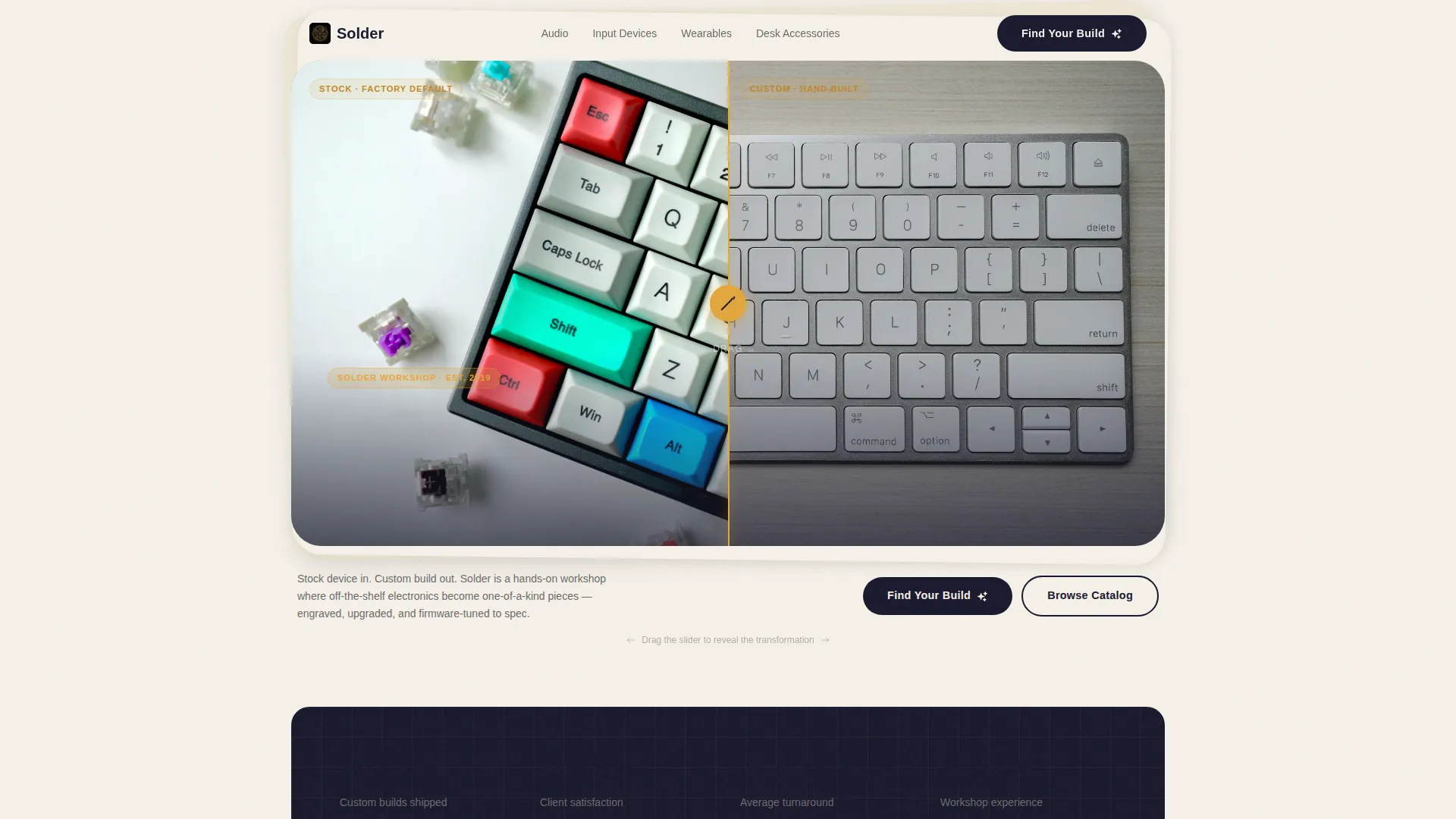
- A Before/After hero slider with a soldering-iron handle icon and a reveal headline
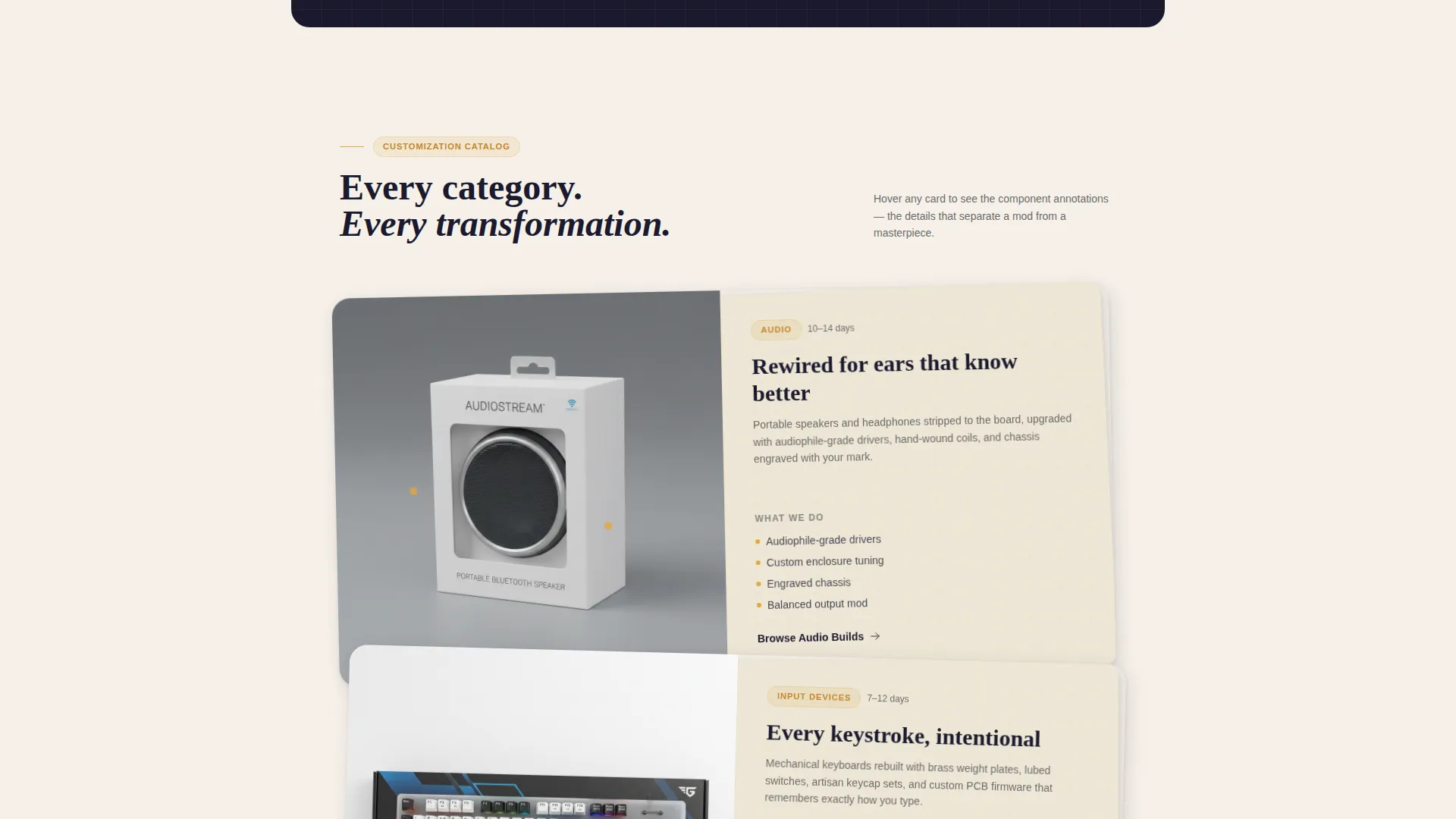
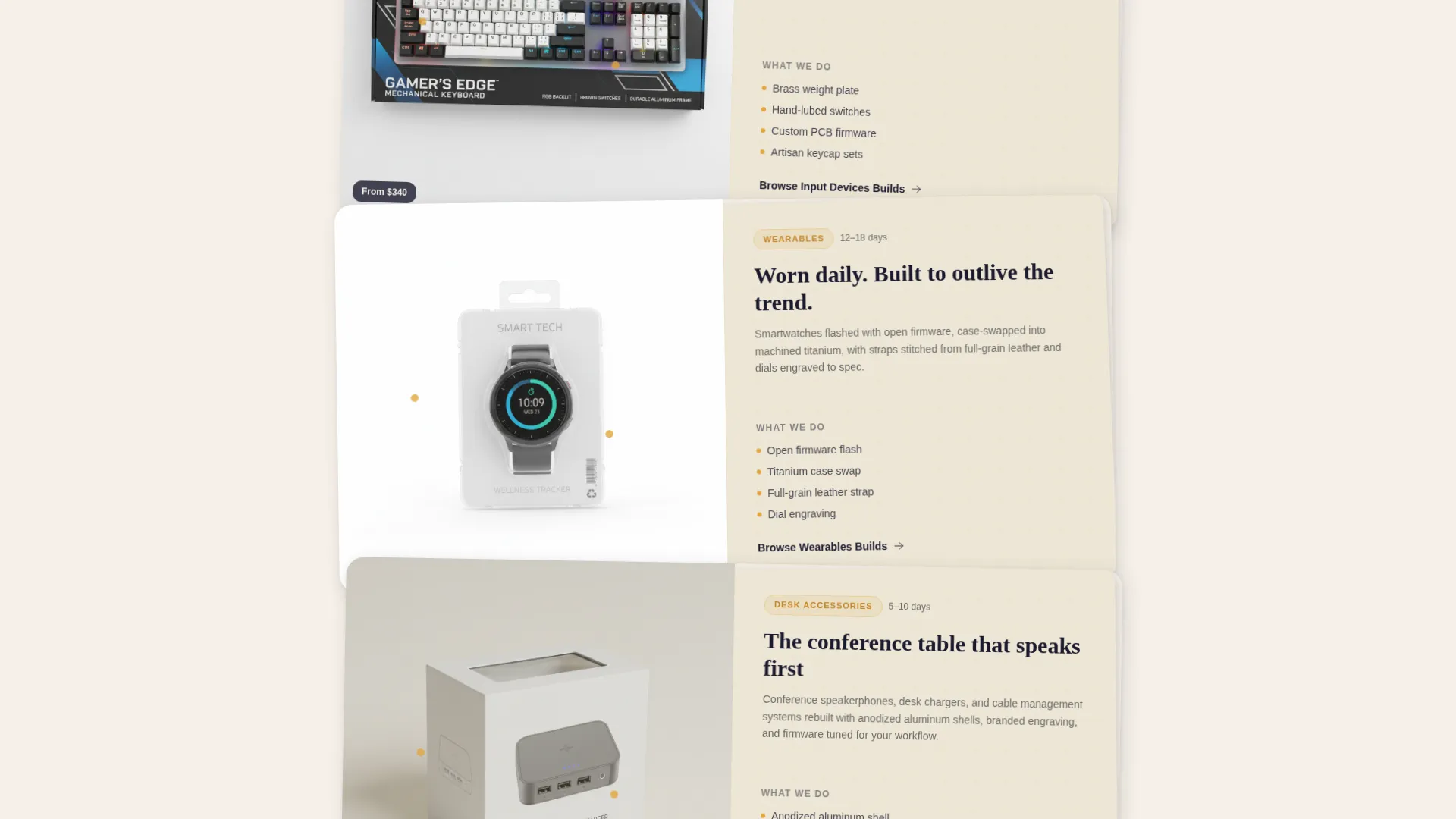
- Layered product category cards with ghost-image overlays and hover lift interactions
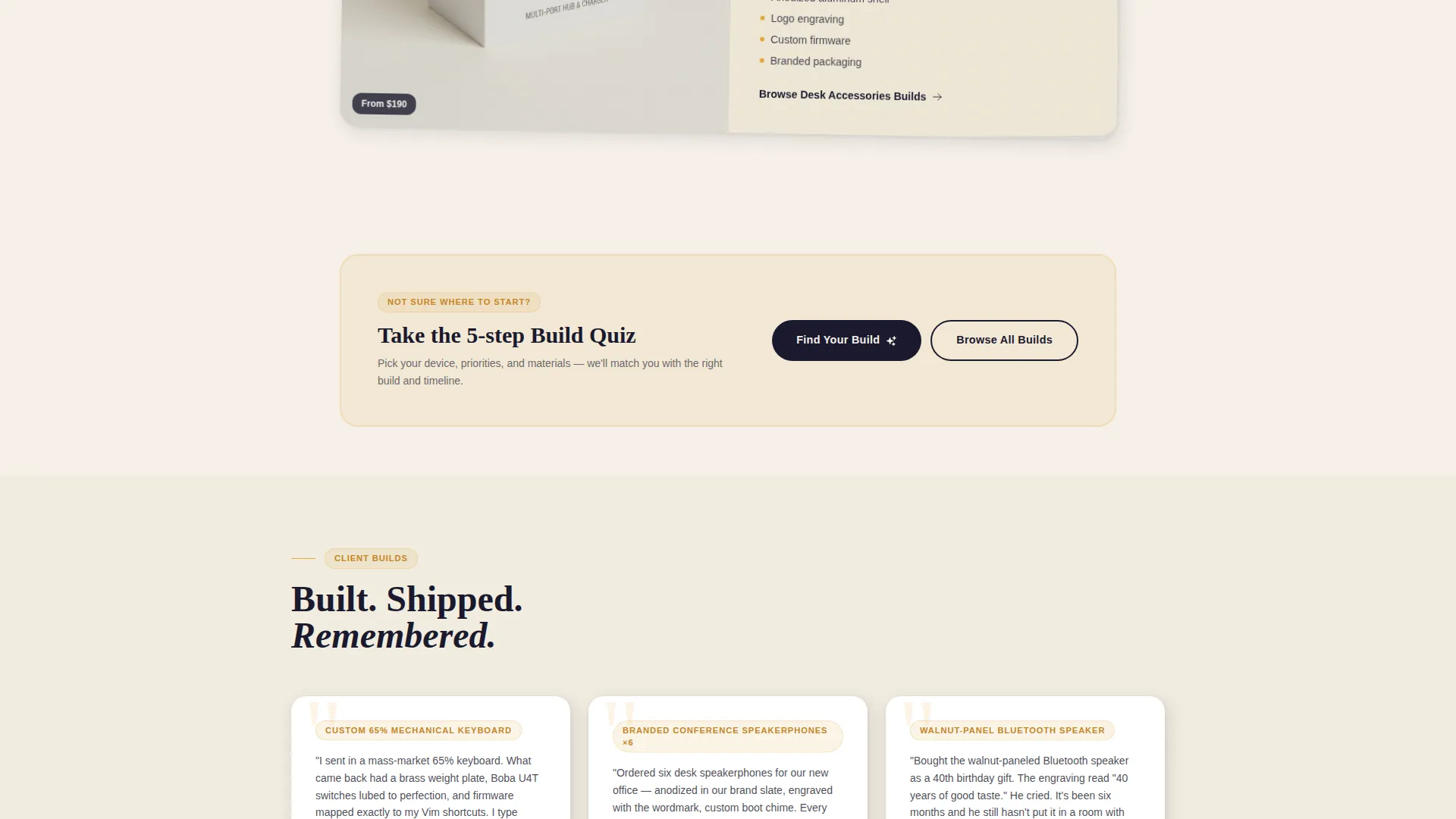
- A five-step visual quiz anchored at three points on the page to capture undecided visitors
Feature list
This template packs several purpose-built components that reflect the workshop's identity and guide visitors toward a conversion.
Before/After Hero Slider
The header opens with a split-view slider. The left side shows a factory-sealed device under flat retail lighting. The right side reveals the finished custom piece, engraved and glowing, resting on kraft paper with its tools. Dragging the soldering-iron handle icon triggers the headline "What Should Yours Become?" to develop across the seam like a Polaroid.
Layered Customization Category Cards
Below the header, four categories scroll as a vertical catalog: Audio, Input Devices, Wearables, and Desk Accessories. Each card uses a faded ghost image of the stock device beneath the finished custom piece. Cards lift on hover and component diagrams annotate themselves to reward curiosity.
Five-Step Visual Quiz
The primary call to action "Find Your Build" launches a guided quiz. Visitors pick a device category using icon tiles, choose a priority (performance, aesthetics, or both), select materials from options like anodized aluminum, walnut, and acrylic, set a budget with a draggable slider, and enter an email to receive a curated shortlist with estimated build timelines.
Multi-Anchor Quiz Placement
The "Find Your Build" quiz entry point is embedded at the header, mid-scroll, and footer. This three-point anchoring ensures undecided visitors encounter the quiz regardless of how far they scroll before deciding.
Secondary Browse Path
A "Browse All Builds" link sits beneath the primary quiz call to action. It gives returning visitors or confident buyers a direct route to the full catalog without forcing them through the quiz flow.
Ink and Paper Visual System
The color palette uses deep manuscript black, warm parchment, pencil-graphite gray, and solder-tip amber reserved for hover states, active toggles, and call-to-action pulses. Every layer of the page sits on slightly offset cards that cast soft shadows, as if blueprints and product photos were physically stacked on a drafting table.
Page sections overview
| Section | Purpose |
|---|---|
| Before/After Hero | Visualize device transformation and trigger headline reveal |
| Category Card Catalog | Browse Audio, Input Devices, Wearables, and Desk Accessories |
| Mid-Scroll Quiz Anchor | Re-engage scrollers with the "Find Your Build" entry point |
| Materials and Budget | Communicate customization options and pricing range |
| Build Shortlist Email | Collect visitor email and deliver curated build recommendations |
| Footer Quiz Anchor | Capture undecided visitors at the end of the page |
Design & branding system
The visual identity is grounded in a patent-filing meets maker-workbench aesthetic. Overlapping card layers and soft drop shadows create the physical sensation of flipping through a real inventor's notebook.
- Color system: deep manuscript black (#1A1A2E), warm parchment (#F5F0E8), pencil-graphite gray (#6B6B6B), and solder-tip amber (#E2A63D) for interactive states
- Layout style: offset layered cards with soft shadows, ghost image overlays on product cards, and a Directory and Discovery theme that feels curated rather than commercial
- Micro-interactions: card hover lifts, self-annotating component diagrams, and a Polaroid-style headline reveal on the hero slider
Mobile & speed optimization
The template is structured for clean rendering across screen sizes. Its layered card layout and interactive components are designed to stay functional and visually coherent on smaller viewports.
- Overlapping card layout adapts to vertical stacking on mobile without losing the depth effect
- The quiz slider and icon-tile step inputs are touch-friendly and sized for thumb navigation
- Ghost image overlays and soft shadow layers are lightweight visual treatments that avoid heavy asset loading
How this template helps you convert
Every structural decision in Solder is aimed at reducing hesitation and moving visitors toward a build request or email submission.
- The Before/After hero slider creates immediate proof of transformation, answering the first visitor question before they scroll
- The three-anchor quiz placement keeps the "Find Your Build" path visible at every stage of the visitor journey, so no scroll depth goes unconverted
- The five-step quiz ends with an email capture tied to a personalized shortlist, which gives visitors a concrete reason to share their contact details
Other information about this template
Solder is a single-page template built within the Retail and E-Commerce category, specifically for the Electronics E-Commerce subcategory. It aligns with a Curated Collection creative direction and a Directory and Discovery theme, making it well suited for workshop-storefront businesses that lead with craft over catalog volume.
- The template style follows a layered Bento Grid approach, with cards that overlap and cast shadows to reinforce the handmade, drafting-table feel
- The landing page direction supports an upsell and upgrade path, nudging visitors from browsing a single build toward exploring premium materials and higher-tier customization options
- The header concept uses a Full-Bleed Photo treatment adapted into the Before/After slider, ensuring the visual impact is immediate on arrival
Theme
Directory & Discovery
Creative direction
Curated Collection
Color system
Dopamine Pop
Style
Bento Grid
Direction
Upsell/Upgrade
Page Sections
Before/after Hero Slider
Layered Customization Category Cards
Five-step Visual Quiz Flow
Three-anchor Quiz Placement
Ink and Paper Color System
Secondary Browse Path
Related questions
Who is this landing page template designed for?
Can I change the product categories shown in the card catalog?
How does the five-step quiz work for visitors?
Do I need to use the quiz as the primary call to action?
Is this template suitable for a small workshop with a limited product range?



