Precision Handyman | Free Website Template | Rocket
Sorted is a single-column flow landing page built for a London handyman service. It combines a bold navy-and-yellow visual identity with a FAQ-driven scroll that answers real client hesitations before they reach the booking form. The result is a clean, trust-building page that converts letting agents, office managers, and homeowners into booked jobs.
by Rocket studio
Quick summary
Sorted is a precision-crafted landing page template for a London handyman service. The layout runs as a single-column flow, opening with a half-page photo-and-text header and then guiding visitors through a series of honest, FAQ-anchored sections. Every design choice, from the navy palette to the action-yellow call-to-action button, is built to earn trust and capture leads.
Who this template is for
This template suits businesses that offer local trade or maintenance services and need a page that builds confidence quickly. It is particularly well matched to operators serving professional property clients in London.
- Letting agents managing maintenance requests across multiple tenancies
- Office managers who need fast, reliable tradesmen before a deadline
- Independent handyman services targeting homeowners in urban London boroughs
What problem this template solves
Most trade service pages either undersell the business or overwhelm visitors with generic claims. This template solves the trust gap that stops potential clients from picking up the phone or clicking a booking form.
- Visitors leave without booking because their objections go unanswered
- Generic layouts make skilled tradesmen look interchangeable with any local odd-job service
- Long contact forms create friction for busy property managers and letting agents
What you get with this template
You get a fully structured, single-page layout designed specifically for a London handyman lead-generation service. Every section has a clear job to do, and nothing is included without purpose.
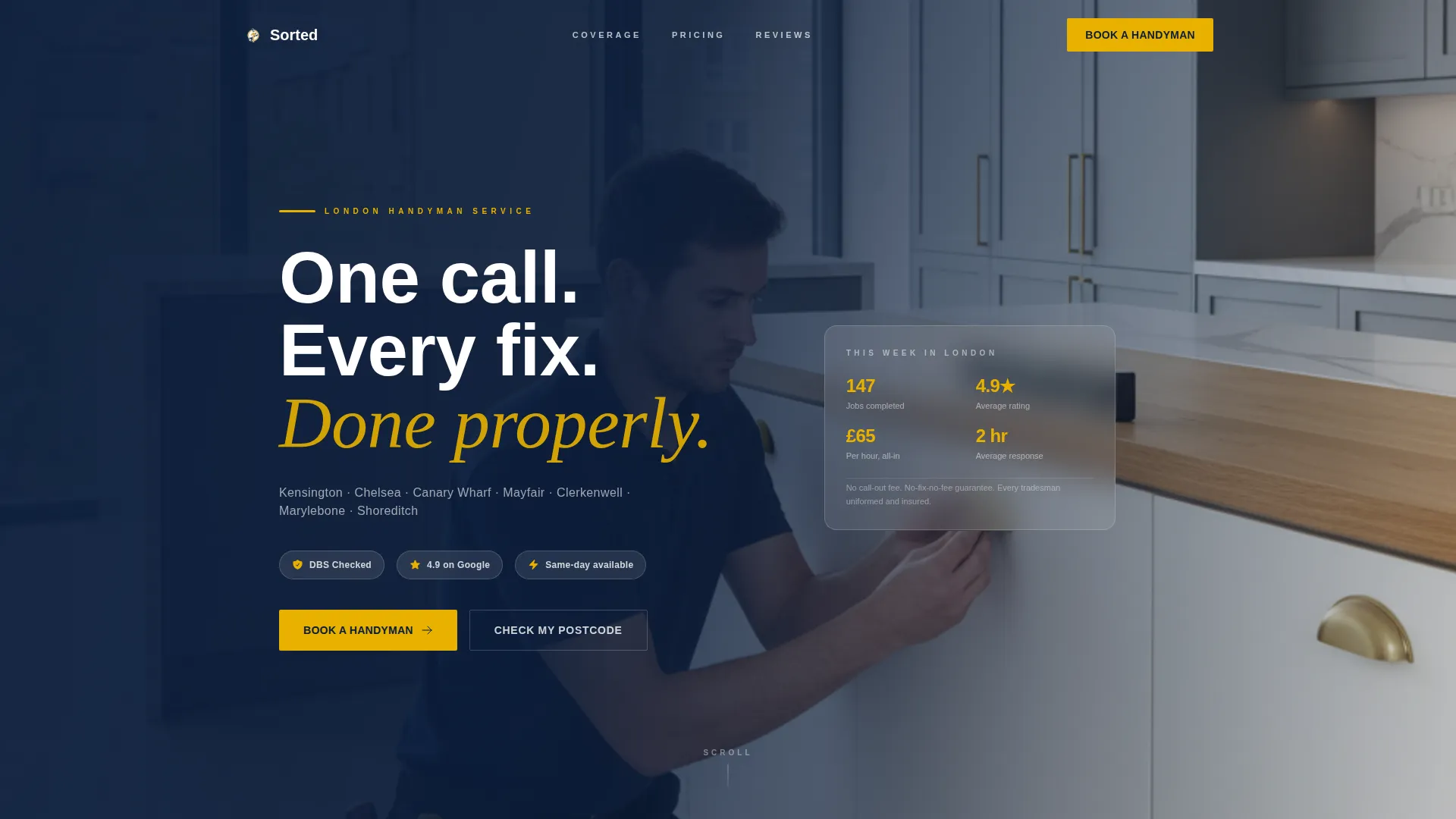
- A half-page header with bold headline text and a real-work photography composition
- A FAQ-driven scroll that addresses specific client objections with honest, plain-language answers
- A lead capture form with postcode, job type, preferred date, and a photo upload option
Feature list
This template includes a focused set of built-in components, each matched to the real needs of a professional handyman service.
Half-Page Photo and Text Header
The header divides into left-weighted headline copy and a right-bleeding photograph. The headline reads "One call. Every fix. Done properly." in bold white over a deep navy wash. A single-line subhead names the London boroughs served, giving local visitors immediate confirmation they are in the right place.
FAQ-Driven Scroll Sections
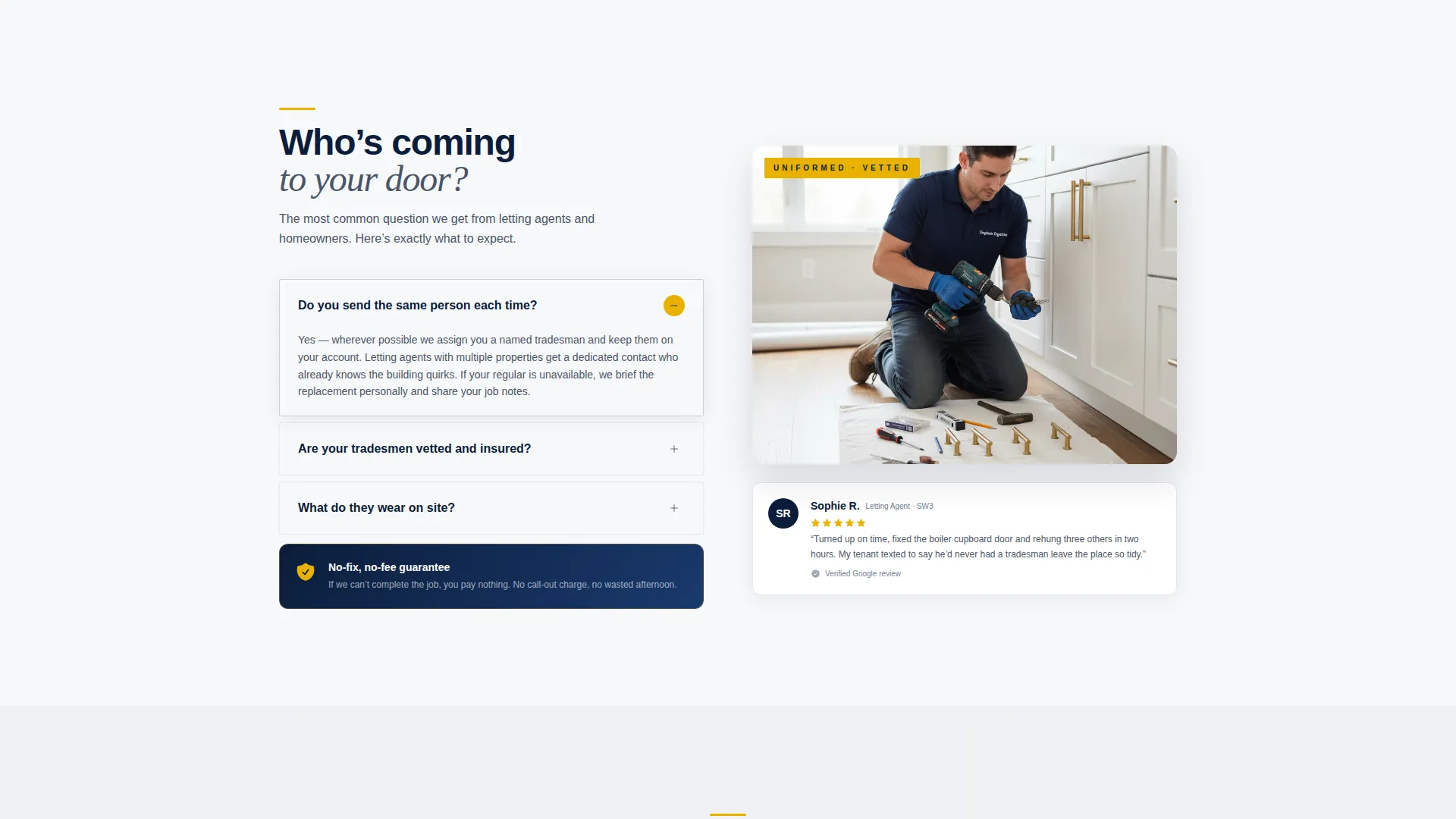
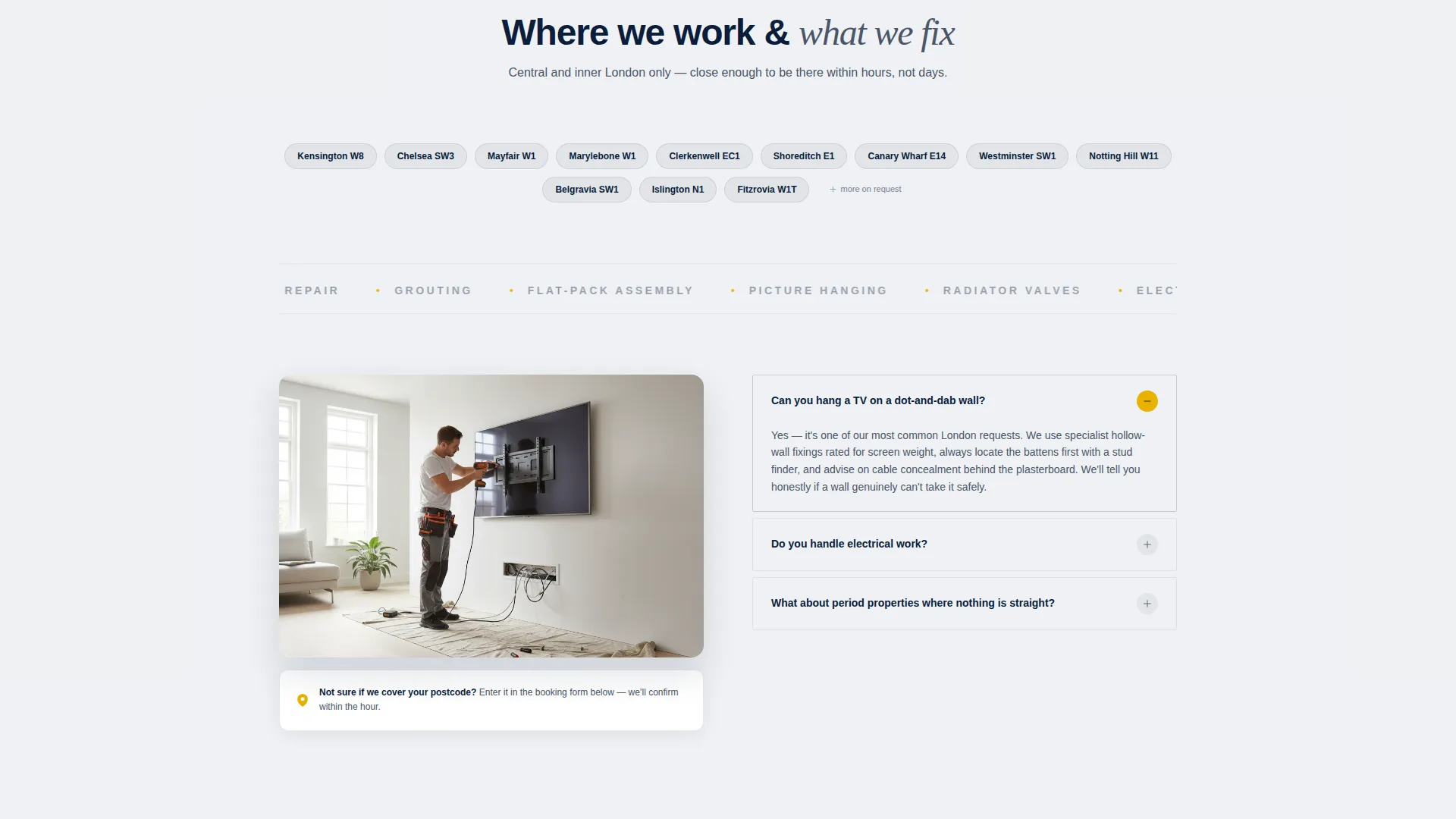
After the header, the page builds trust through a rhythm of real client questions. Each question anchors its own section and is answered in two to three plain sentences. Supporting details, such as a five-star review snippet, a policy guarantee, or a photograph of finished work, sit alongside each answer to reinforce credibility.
Lead Generation Booking Form
The primary booking form asks for three things in sequence: postcode to confirm coverage, job type from a dropdown list, and preferred date. This keeps the form short and reduces drop-off. A secondary path lets clients upload photos of the job for situations where showing is easier than describing.
Sticky Mobile Call-to-Action Bar
On mobile, the "Book a Handyman" call-to-action button reappears as a sticky bar at the bottom of the screen. This means the booking entry point is always visible as a visitor scrolls through the FAQ sections, without interrupting the reading experience on larger screens.
Trust Signal Integration Points
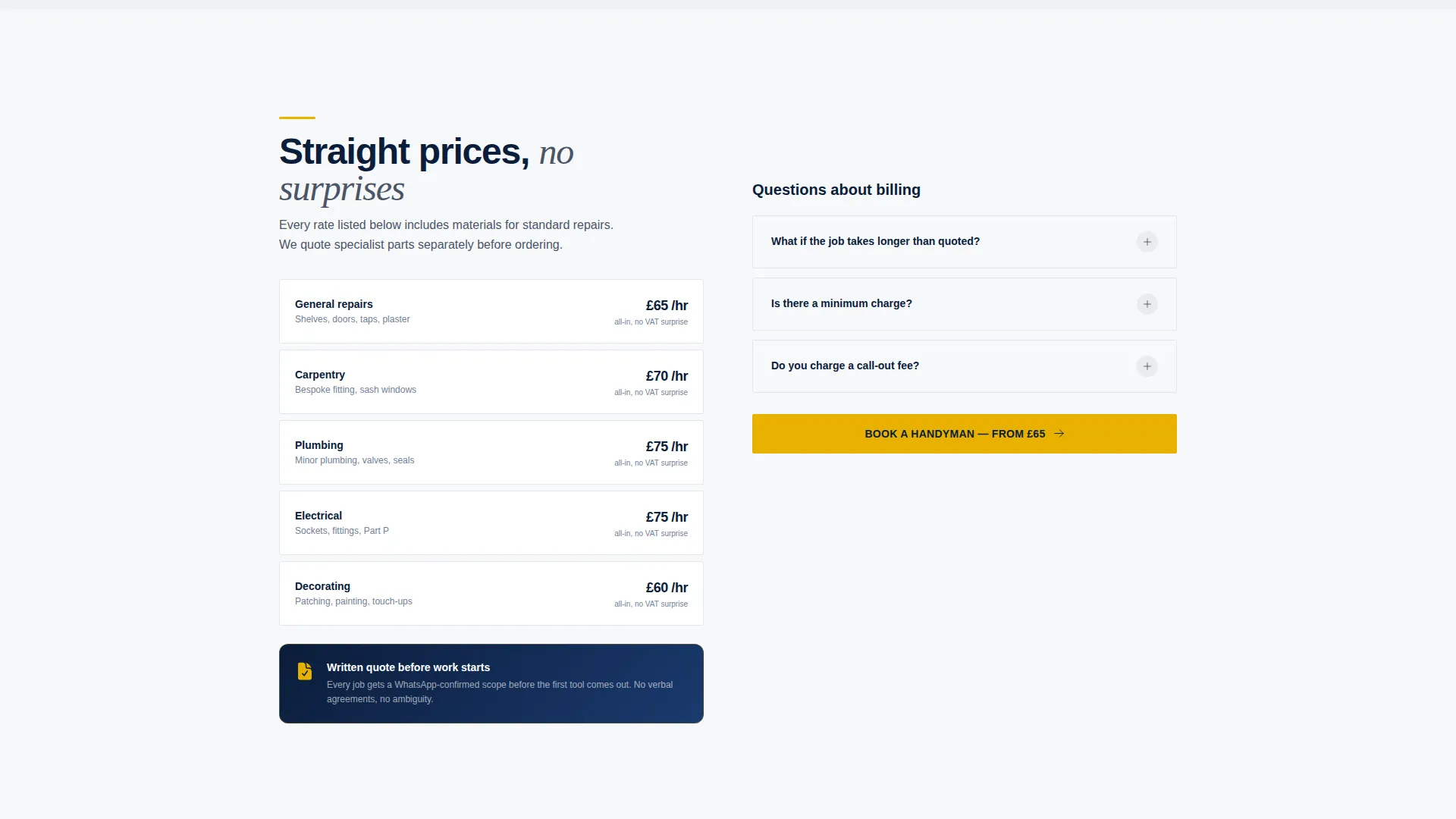
The template includes designed placements for DBS-checked tradesman notices, a no-fix-no-fee guarantee statement, and pricing transparency copy. These are woven into the FAQ scroll naturally so they surface as answers rather than as promotional banners.
Repeating Call-to-Action Placement
The action-yellow "Book a Handyman" button appears first beneath the header and is positioned to repeat at natural breakpoints through the page. This gives visitors multiple low-friction entry points to the form without cluttering the layout.
Page sections overview
| Section | Purpose |
|---|---|
| Hero Header Block | Establish brand, headline, and borough coverage |
| Primary call to action Row | Drive immediate bookings above the fold |
| FAQ Scroll Sections | Answer objections and build trust through the scroll |
| Trust Signal Points | Surface DBS checks, guarantee, and pricing transparency |
| Lead Capture Form | Collect postcode, job type, date, and optional photos |
| Sticky Mobile Bar | Keep booking call to action accessible throughout mobile scroll |
Design & branding system
The Corporate Precision theme uses a Navy Authority color system that feels controlled and professional without being cold. Every color in the palette has a defined role and nothing competes for attention unnecessarily.
- Deep service navy (#0B1D3A) anchors the header and footer blocks
- Pressed-shirt white (#F7F8FA) keeps content backgrounds clean and easy to read
- Gunmetal gray (#4A5568) is reserved for body text, and high-visibility action yellow (#E8B100) appears only on call-to-action buttons and key accent lines
Mobile & speed optimization
The single-column flow layout is well-suited to mobile viewing because the content stacks naturally without requiring horizontal reflow. The sticky mobile call-to-action bar keeps the booking entry point in reach at all times.
- Single-column structure eliminates horizontal scroll and layout complexity on small screens
- Sticky bottom bar on mobile ensures the booking button is always one tap away
- Concise form fields reduce input friction for visitors on touch devices
How this template helps you convert
The page is structured to move a hesitant visitor toward a booking by resolving doubt at every stage of the scroll.
- The header establishes immediate credibility with a real-work photograph and a direct, confident headline before the visitor reads a single word of body copy.
- The FAQ scroll dismantles common objections, covering pricing transparency, tradesman vetting, and the no-fix-no-fee guarantee, so that by the time a visitor reaches the form they have already had their questions answered.
- The short, three-field booking form with an optional photo upload lowers the barrier to submission, making it easy for busy letting agents and office managers to take action in under a minute.
Other information about this template
This template was designed with London's professional property market in mind. It reflects the expectations of clients who manage multiple properties or facilities and who value clarity, punctuality, and accountability from a trades service.
- The FAQ creative direction is built around search queries that London clients realistically use when looking for a reliable handyman service
- The photo upload option on the form is designed to serve clients who manage remote properties or who find it easier to document a problem than to describe it
- The borough-specific subhead in the header is an editable text element, making it straightforward to tailor coverage details for different service areas
- This template suits operators working across central London locations such as Kensington and Canary Wharf, where clients expect a polished, professional service experience
Theme
Corporate Precision
Creative direction
FAQ-Driven
Color system
Navy Authority
Style
Single Column Flow
Direction
Lead Generation
Page Sections
Half-page Photo and Text Header
Faq-driven Scroll Layout
Lead Generation Booking Form
Sticky Mobile Call-to-action Bar
Built-in Trust Signal Placements
Repeating Call-to-action Anchors
Related questions
What type of business is this landing page designed for?
Can I edit the borough names and coverage details in the header?
Does the booking form support photo uploads from clients?
How does the FAQ scroll section work in practice?
Is the sticky call-to-action bar only shown on mobile?



