Public Works Government Professional Website Template
Sovereign is a single-column landing page template built for tribal public works departments. It presents infrastructure status, water quality results, and project timelines in plain, honest language. Chapter house officials, community health representatives, and residents can check statuses, report issues, and download the quarterly infrastructure report without a single phone call.
by Rocket studio
Quick summary
Sovereign is a civic-grade landing page template designed for a tribal public works authority. It opens with a functional vector map of service districts, moves through a transparent infrastructure audit checklist, and closes with a resource hub for document downloads and issue reporting. Everything is written in plain language, visible without a login, and built for trust.
Who this template is for
This template serves tribal government departments responsible for maintaining roads, waterlines, solid waste systems, and public facilities across reservation lands. It is shaped for teams that owe their community clear answers, not vague status updates.
- Chapter house officials filing seasonal road reports or checking project timelines
- Community health representatives tracking water quality test results
- Field workers and residents needing a fast way to report a road or water issue
What problem this template solves
Decades of deferred maintenance on reservation infrastructure create a communication problem as much as a physical one. Residents and officials often cannot find current project status without calling the department directly, and documents like capital improvement plans sit buried in filing cabinets rather than available to the public.
- No central place to see which projects are on track, delayed, or awaiting funding
- Water quality results and inspection records are not easily accessible to the community
- Issue reporting requires phone calls instead of a structured, trackable form
What you get with this template
This template gives a tribal public works department a single-page accountability hub. Every section is honest, structured, and readable under real working conditions, whether that means a chapter house desktop or a field worker's mobile screen.
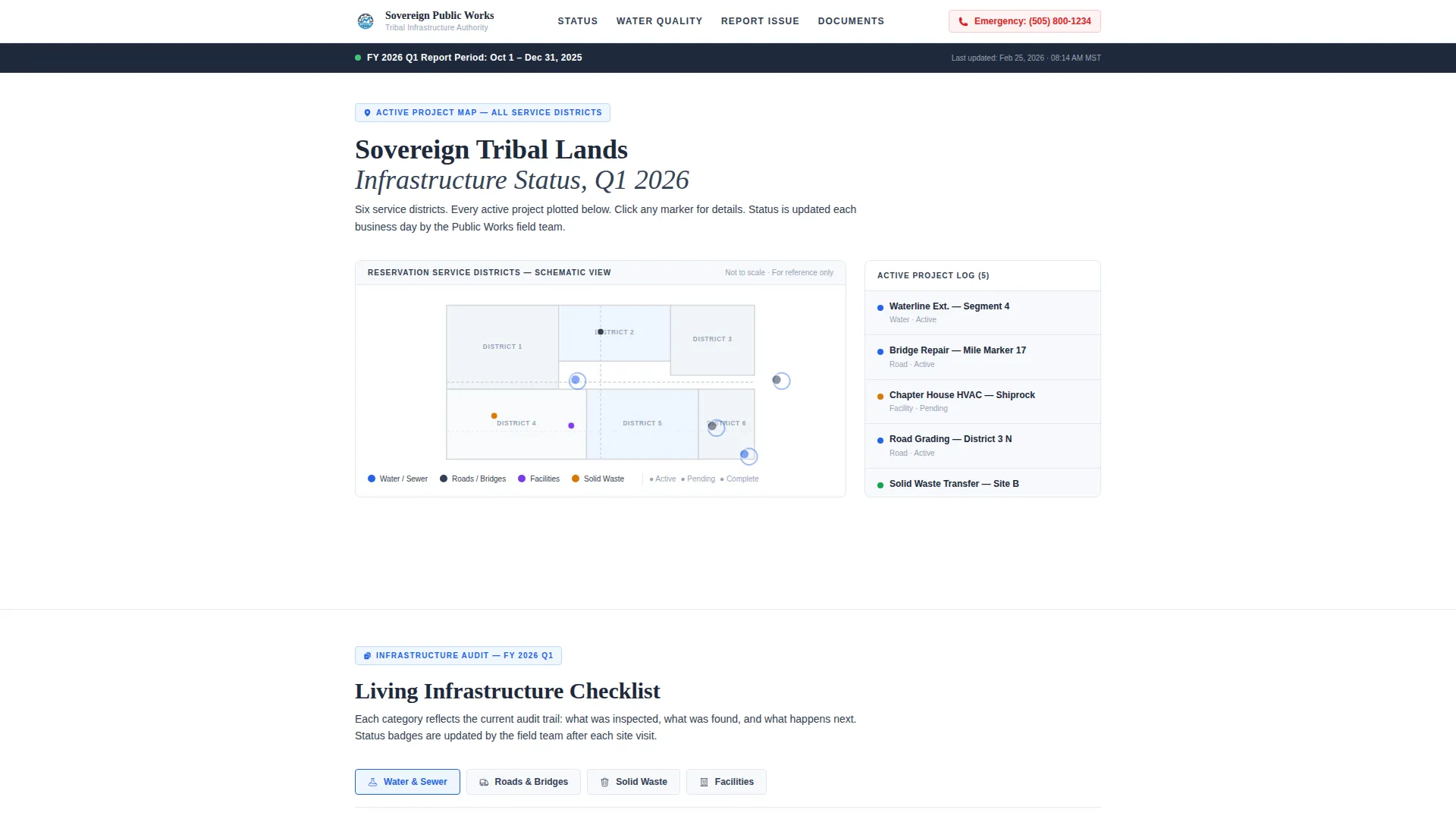
- A hero section with a functional vector map showing active project sites by district
- An expandable infrastructure audit checklist covering Water and Sewer, Roads and Bridges, Solid Waste, and Facilities
- A water quality results table with coliform test data and status badges
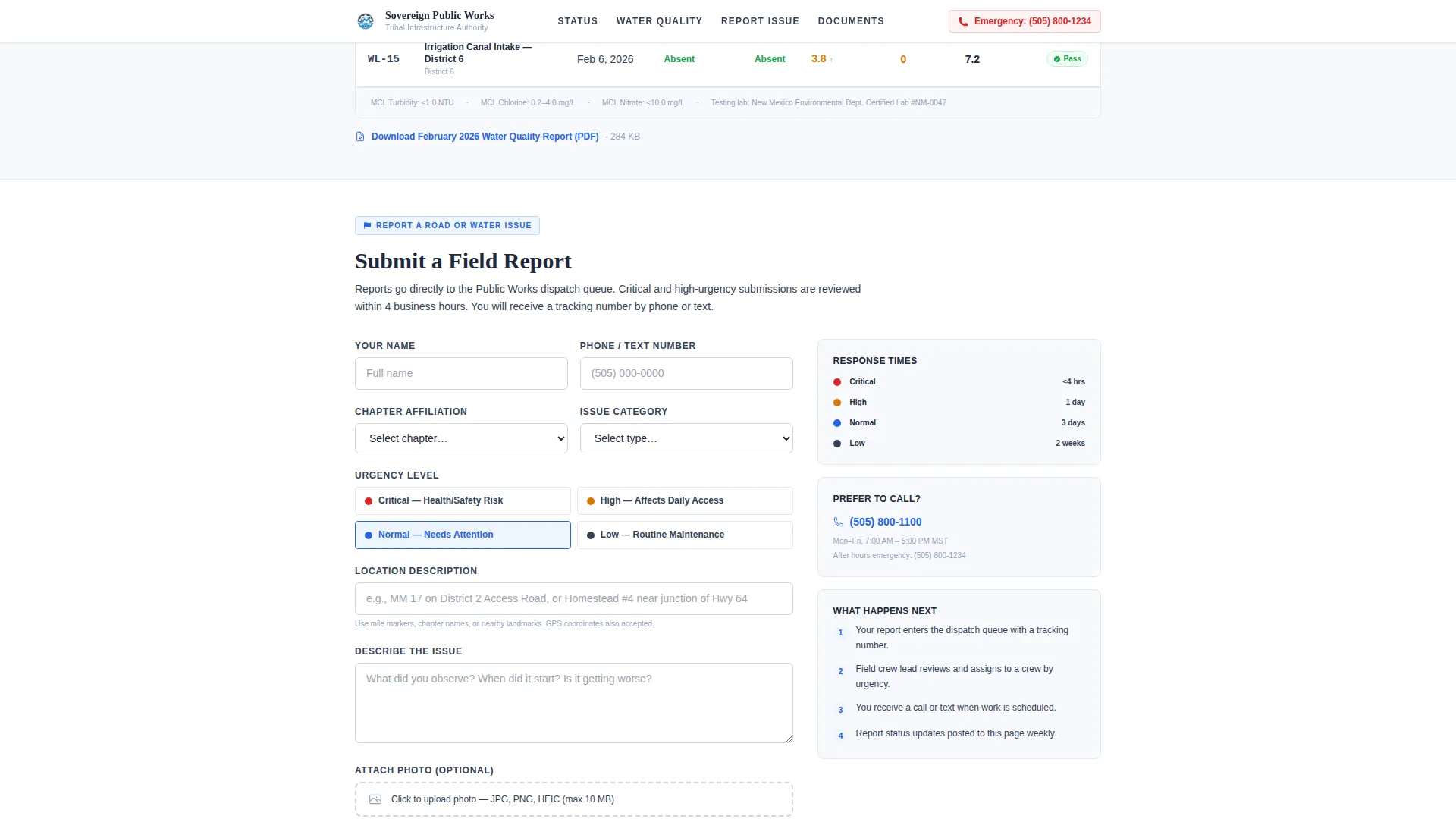
- An issue-reporting form with location, photo upload, and urgency selector
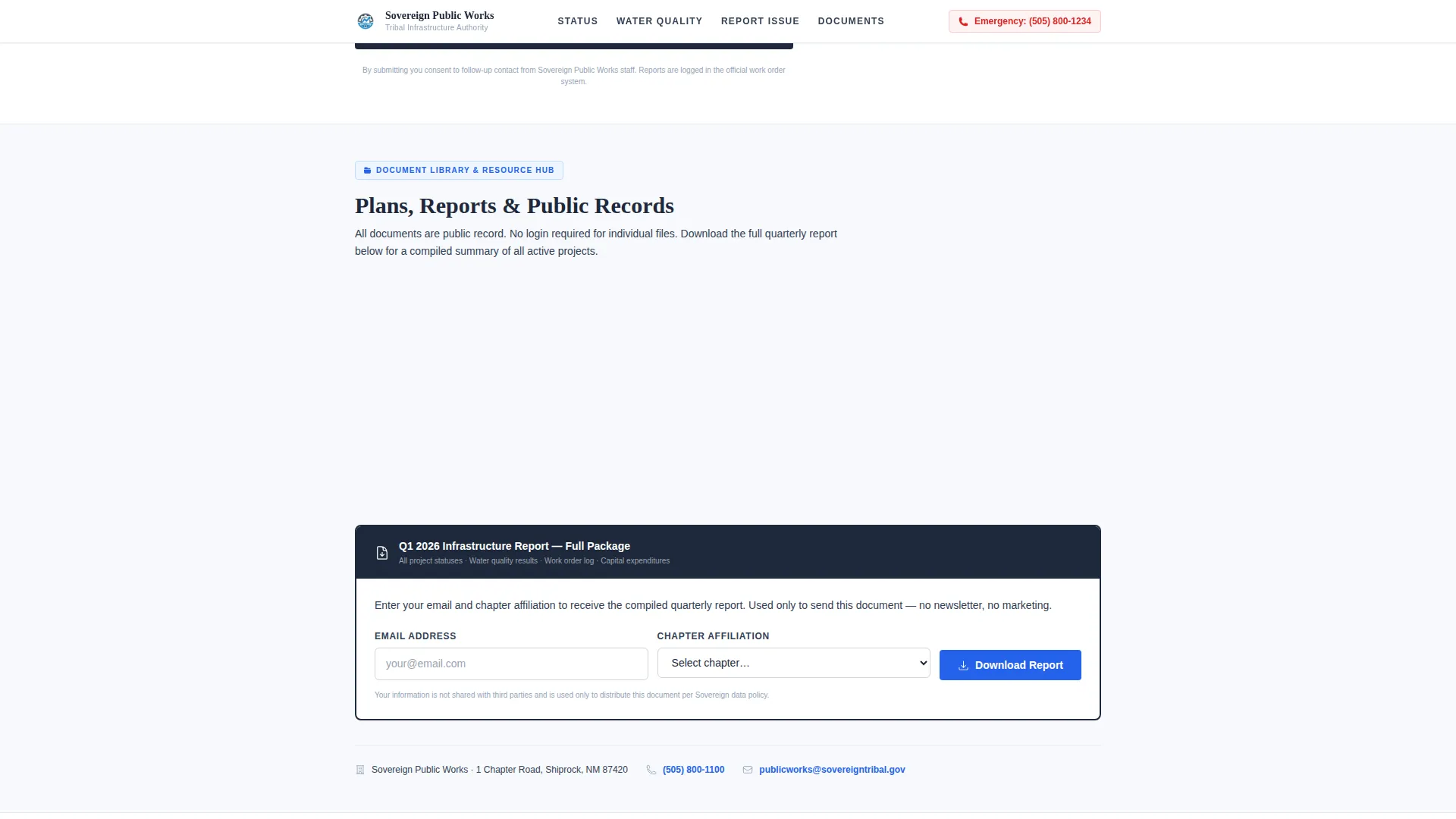
- A resource hub with direct PDF links and a quarterly report download prompt
Feature list
This template is built around five functional design decisions, each grounded in the needs of a public-facing government department.
Pulsing Vector Map Header
The hero section displays a simplified vector map of the reservation's service districts. Utility blue dots pulse gently at active project sites, each labeled with a project name and location reference such as a mile marker or segment number. No satellite imagery is used, keeping the design fast and readable on rural broadband connections.
Expandable Infrastructure Audit Checklist
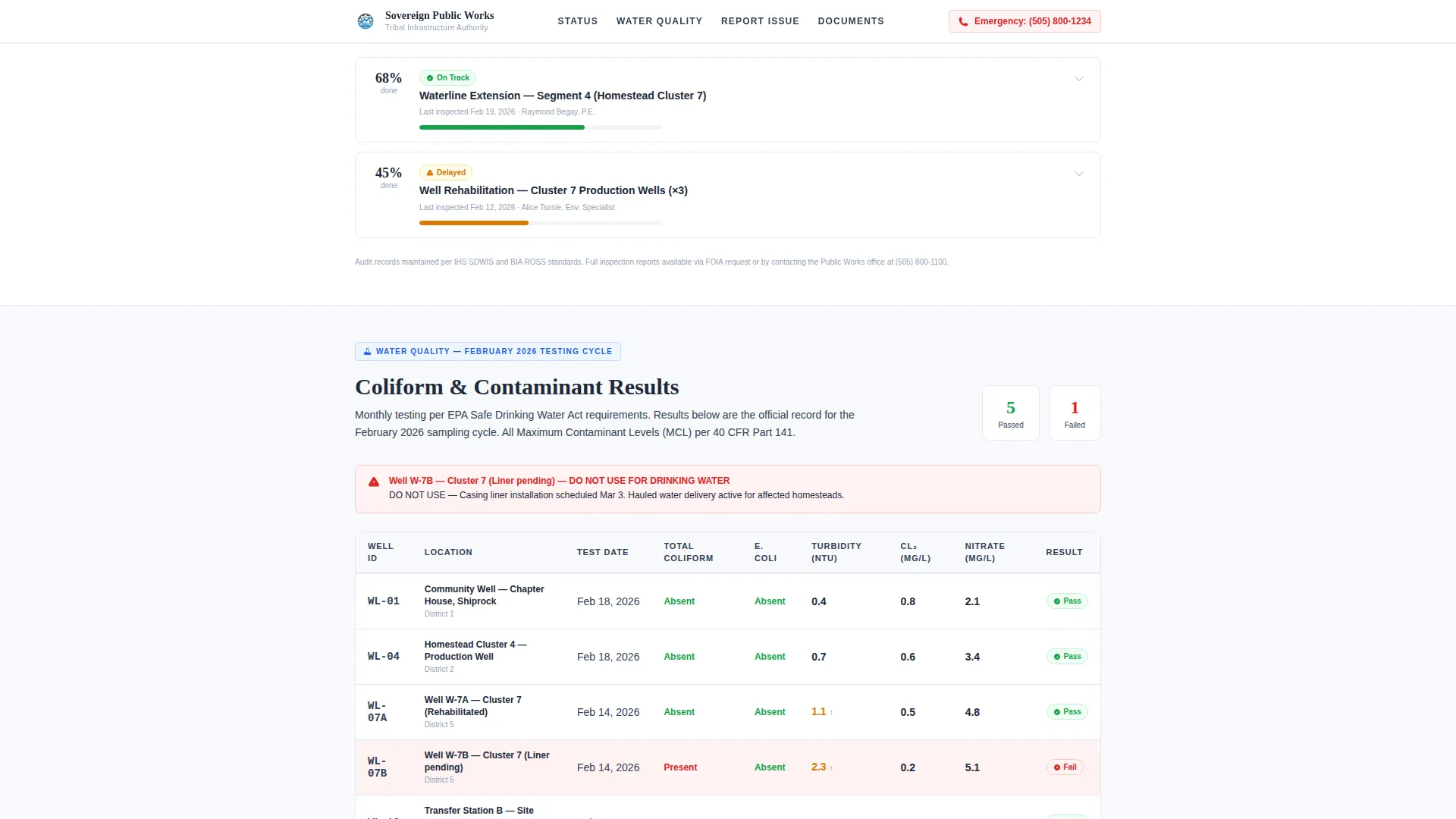
Four infrastructure categories, Water and Sewer, Roads and Bridges, Solid Waste, and Facilities, are each presented as a living checklist. Each row shows a completion percentage, a last-inspection date, and a status badge reading "On Track," "Delayed," or "Awaiting Funding." Expanding a row reveals the audit trail, including who inspected, what was found, and the next scheduled action.
Water Quality Results Table
A dedicated section displays recent coliform test results in a clear table format. Each row carries a status badge so community health representatives and residents can read results at a glance without interpreting raw data.
Issue Reporting Form
Residents and field workers can submit a road or water issue directly from the page. The form includes a location pin-drop, a photo upload field, and an urgency selector, giving the department structured, actionable information from each submission.
Quarterly Report Download Hub
The primary call to action asks visitors to download the current quarter's infrastructure report. The prompt requires only an email address and a chapter affiliation selected from a dropdown menu. Secondary resource links include direct PDF downloads for capital improvement plans, water quality summaries, and project timelines.
Page sections overview
| Section | Purpose |
|---|---|
| Hero Vector Map | Show active project sites across service districts |
| Infrastructure Audit Checklist | Display status, inspection dates, and audit trails by category |
| Water Quality Results | Present recent coliform test results with status badges |
| Report an Issue | Collect structured issue reports from residents and field workers |
| Resource Hub | Provide PDF downloads and the quarterly report call to action |
| Footer | Single-row linear layout with department contact and links |
Design & branding system
The visual style follows a Civic Service theme. The palette reads like a freshly printed government report: clean, unadorned, and built for clarity rather than decoration.
- Snow-field white (#F7F9FC) backgrounds, permafrost gray (#D1D5DB) for dividers and secondary text, deep basalt (#1E293B) for all headings and body copy
- Utility blue (#2563EB) applied to active status indicators, interactive links, pulsing map dots, and call-to-action elements
- Fraunces serif typeface for headings paired with DM Sans for body copy and interface labels
Mobile & speed optimization
The template is designed with equal weight given to desktop use at chapter house offices and mobile use by field workers on reservation roads. Layout choices and asset decisions reflect the reality of rural broadband conditions.
- Single-column flow keeps the reading and scrolling experience consistent across screen sizes
- Vector-based map graphics and no heavy image assets keep initial load light for slower connections
- Low-to-medium animation level, covering pulsing map dots, scroll reveals, and accordion expansion, avoids unnecessary resource overhead
How this template helps you convert
Sovereign earns engagement before it asks for anything. Every status is visible, every document is linked, and the report download feels like a natural next step rather than a barrier.
- The infrastructure audit checklist and water quality table deliver immediate value to officials and residents, building trust before any form appears.
- The issue-reporting form gives field workers and community members a direct, structured action, making participation simple and specific.
- The quarterly report download requires only an email address and chapter affiliation, keeping friction low while creating a useful record of community engagement.
Other information about this template
Sovereign is part of a broader library of civic and government-focused landing page templates designed for public-sector use cases. A few practical notes for teams evaluating this template:
- The template is built for US tribal government contexts, with support for federal fiscal year date formats and mile marker location references
- Typography uses Fraunces for headings and DM Sans for body and interface text, both chosen for legibility in institutional settings
- The footer follows a linear single-row pattern, keeping the page clean and the department's contact information easy to find
- This template can support localization in English and is structured for plain-language civic communication standards
- The Checklist and Audit creative direction means the page functions as a transparency ledger, not a marketing brochure
Theme
Civic Service
Creative direction
Checklist & Audit
Color system
Arctic White
Style
Single Column Flow
Direction
Content/Resource
Page Sections
Pulsing Vector Map Header
Expandable Infrastructure Audit Checklist
Water Quality Results Table
Structured Issue Reporting Form
Resource Hub and Report Download
Related questions
Who is this landing page template designed for?
What sections are included in this template?
Can the infrastructure checklist show different project statuses?
What does the quarterly report download require from visitors?
Is this template suitable for mobile use in the field?



