Civil Engineer Profile Portfolio & Case Study Website Template
Span is a full-page civil engineer portfolio landing page built for licensed professional engineers with two decades of project depth. It opens with a draggable before-and-after site transformation, walks visitors through escalating project sheets, and closes with a targeted lead generation form, designed to turn land developers, general contractors, and municipal reviewers into qualified project inquiries.
by Rocket studio
Quick summary
Span is a storybook-style civil engineer portfolio landing page. It presents twenty years of structural problem-solving through full-page project sheets, technical plan overlays, and a before-and-after header slider. The lead generation form anchors the page, capturing project details from developers and contractors who are ready to move.
Who this template is for
This template is built for licensed civil engineers and professional engineering (PE) firms who need a portfolio that communicates technical authority quickly. It works especially well for sole practitioners and small firms whose work spans grading, utilities, and site permitting.
- Land developers scouting for a reliable PE stamp on residential or commercial parcels
- General contractors who need permitted site plans turned around without delays
- Municipal reviewers and planning staff evaluating submittal-ready engineering firms
What problem this template solves
Most civil engineer portfolio pages read like resumes. They list credentials but never show the work in enough depth to build real trust. Developers and contractors are busy people who need to assess range and reliability fast.
- A flat portfolio fails to convey technical complexity or project escalation
- Generic contact forms don't qualify leads or capture the right project details upfront
- Visual-only galleries miss the chance to demonstrate the engineering logic behind each project
What you get with this template
Span delivers a complete single-page portfolio experience structured around project depth and lead capture. Every design decision reinforces credibility before the visitor reaches the contact form.
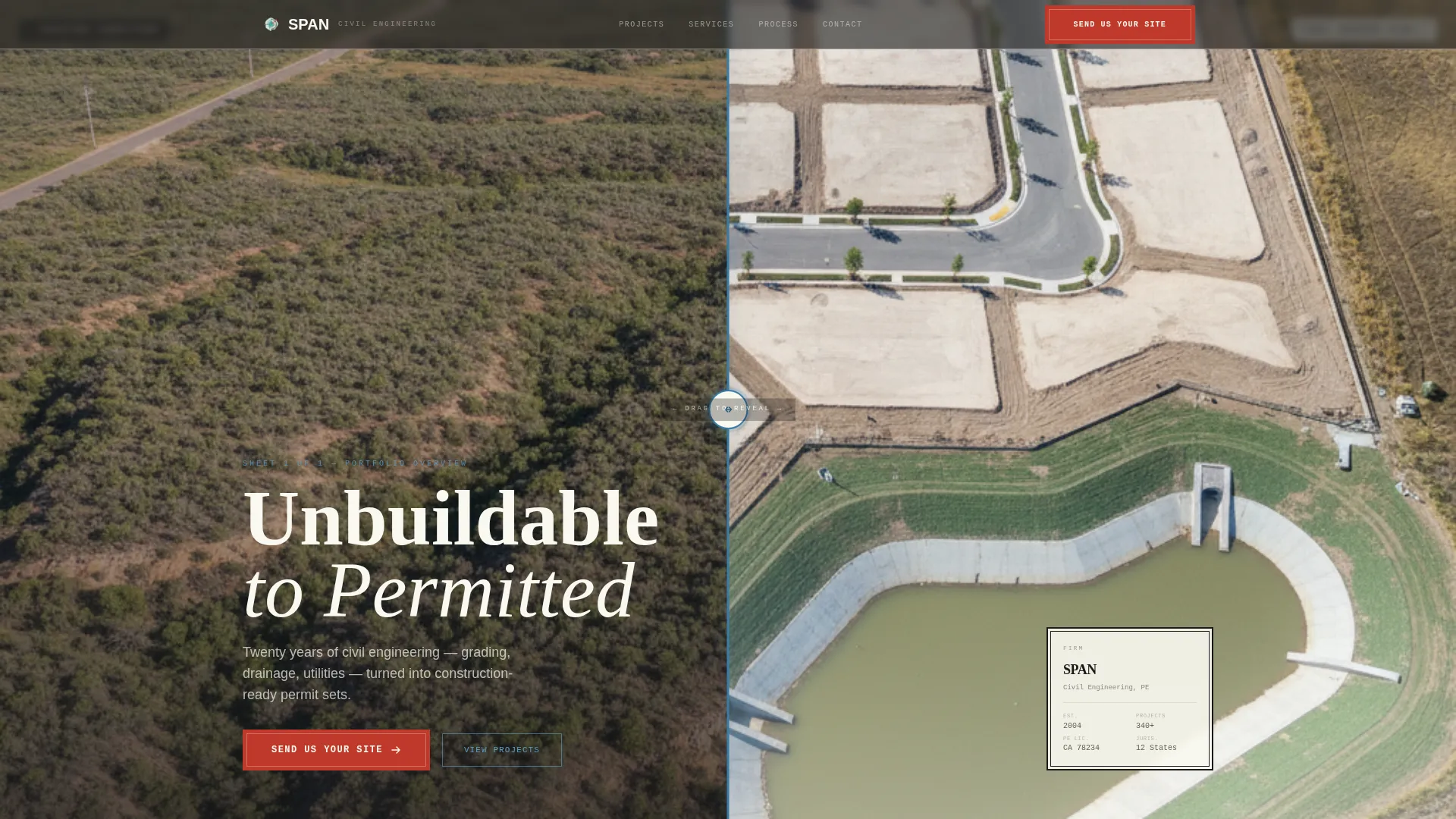
- A viewport-filling before-and-after slider header with a draggable divider and PE seal placement
- Full-page project sheets with hero site photos, plan overlay animations, and construction-note captions
- A scoped lead generation form with project address, scope dropdown, file upload, and timeline selector
Feature list
This template ships with a tightly designed set of components. Each one serves the core goal of converting technically minded visitors into qualified leads.
Before and After Header Slider
The header fills the entire viewport with a side-by-side site transformation. Visitors drag a divider to reveal the before state, raw terrain, survey stakes, uneven scrub, and the after state of graded pads, curbed streets, and a stormwater detention basin. A blue-line glow highlights the divider handle. The engineer's PE seal and firm name sit in the lower-right corner, styled as a title block.
Gallery Walk Project Sheets
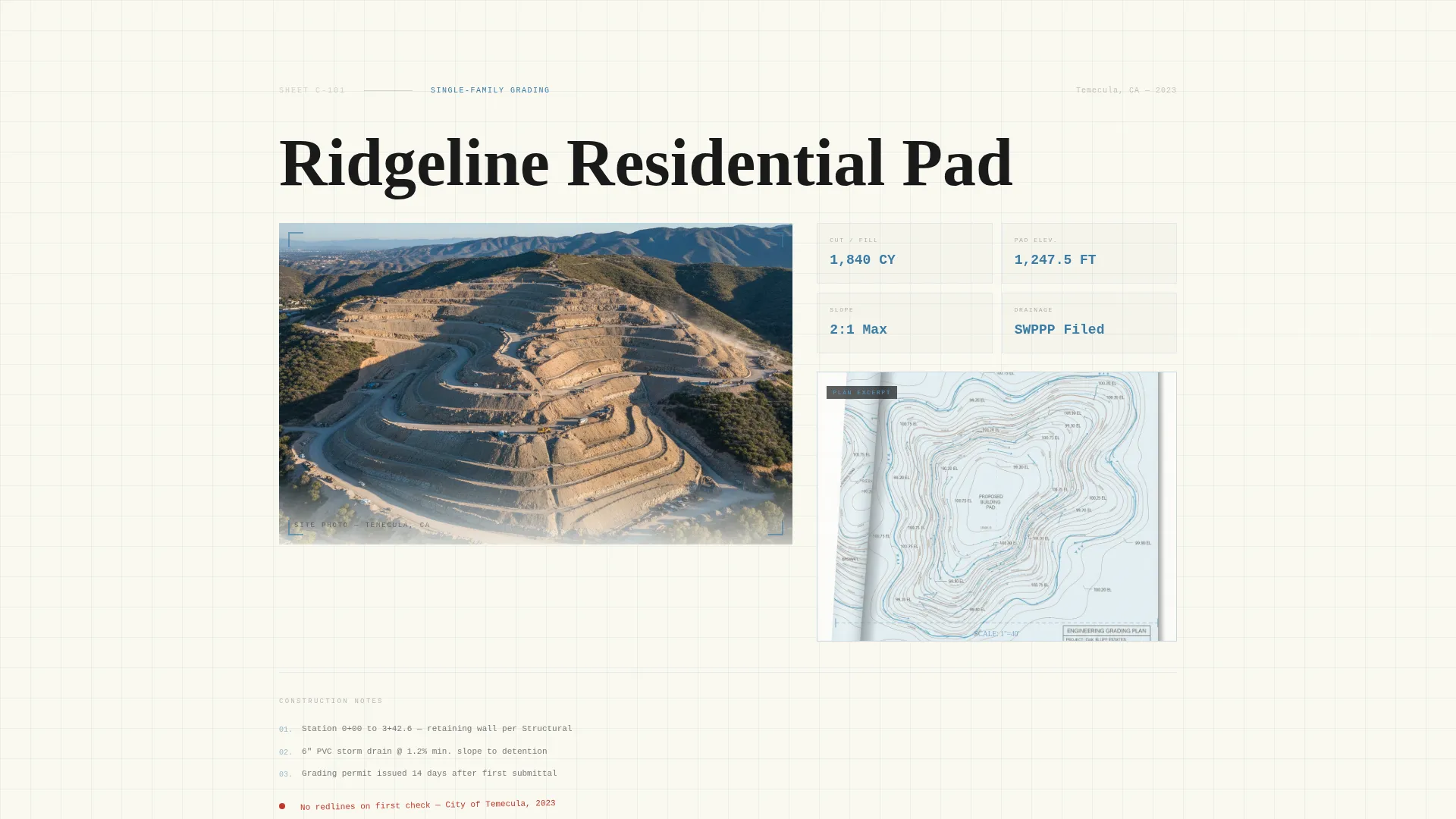
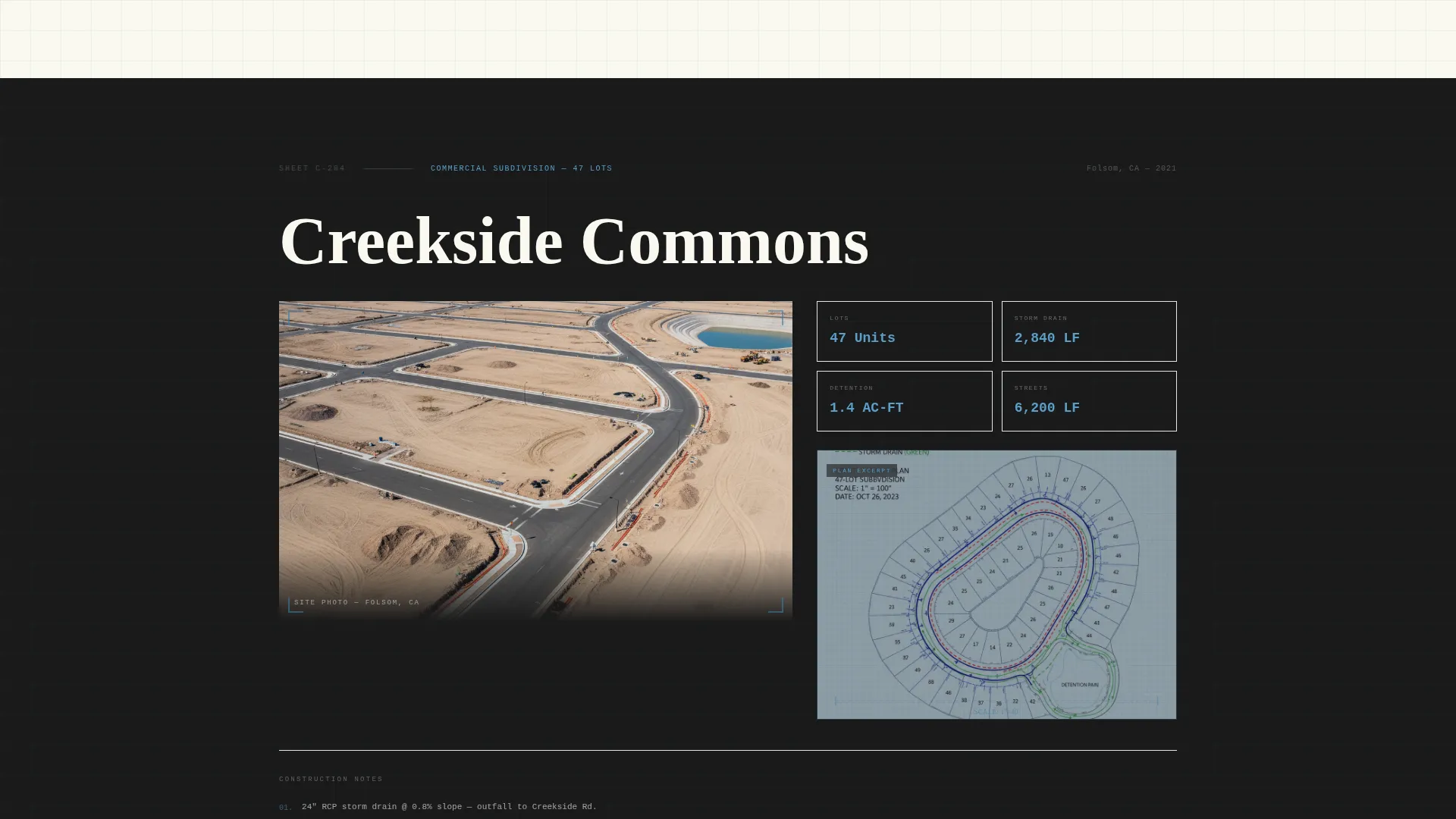
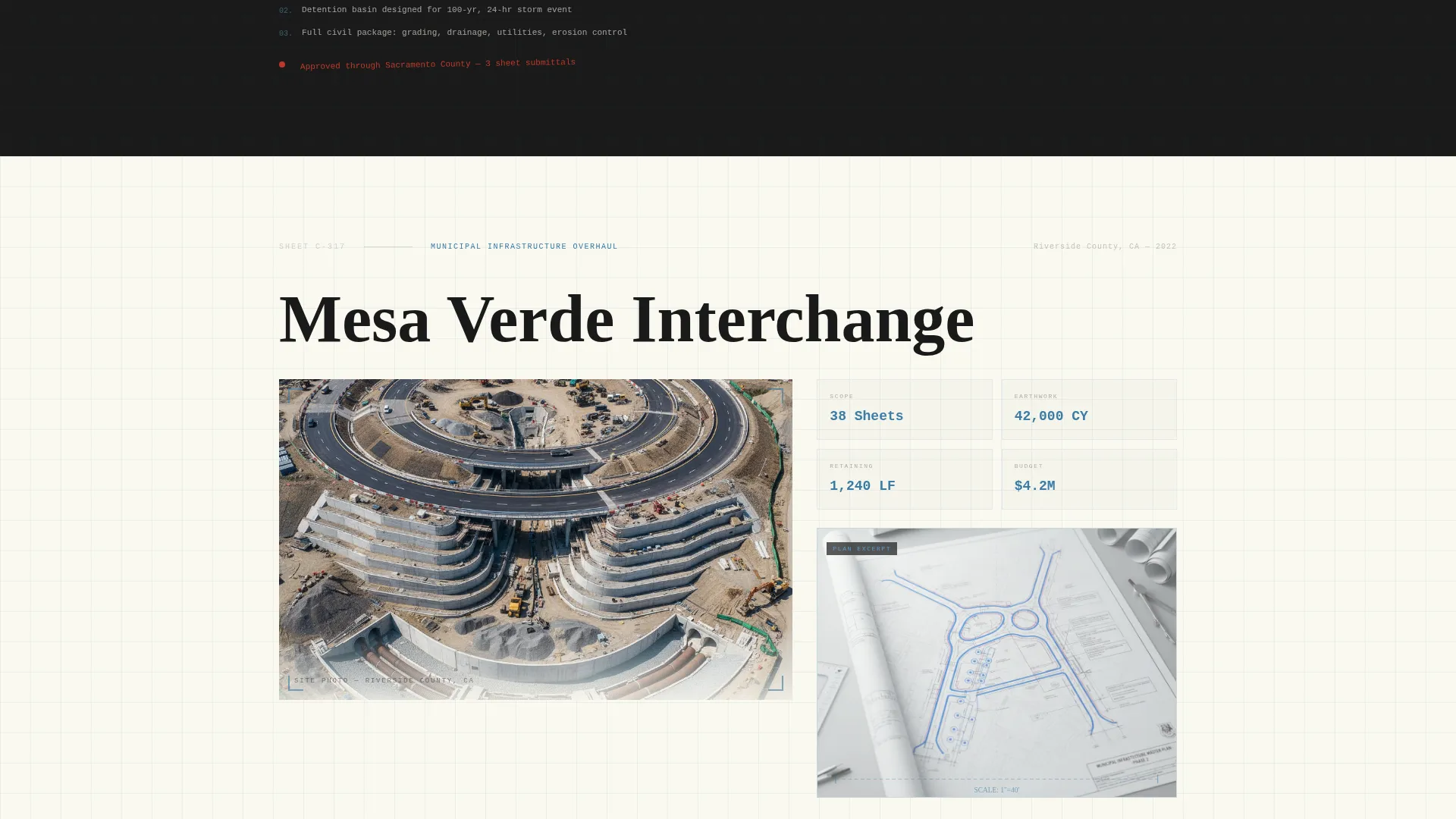
Each full-page scroll section opens with a hero site photo. Plan excerpts, grading plans, utility layouts, and erosion control details, animate onto the page like overlays being placed on a light table. Captions use construction-note language: station numbers, pipe sizes, and slope ratios. Project complexity escalates from a simple residential pad to a commercial subdivision to a municipal infrastructure overhaul.
Scoped Lead Generation Form
The primary call to action reads "Send Us Your Site." The form collects a project address first, then offers a scope dropdown covering grading, utilities, full civil, and permit support. Visitors can upload a plat or survey PDF and select a project timeline from pre-entitlement, ready to submit, or under review. This structure pre-qualifies every inquiry.
Secondary Email Capture Path
A secondary conversion option, "Download Our Submittal Checklist", sits alongside the primary form. It captures email addresses from early-stage visitors who are still assembling their project team. This path qualifies leads who are not yet ready to engage directly but are researching their options.
Alternating Full-Page Sheet Layout
The page is structured as a series of full-page "sheets." Backgrounds alternate between drafting-sheet cream and title-block black. This rhythm creates a sense of flipping through a set of engineered plans. Each sheet feels deliberate and contained, reinforcing the precision identity of the firm.
Page sections overview
| Section | Purpose |
|---|---|
| Before/After Header | Reveals site transformation with draggable slider and PE seal |
| Residential Project Sheet | Opens portfolio with a straightforward grading project |
| Commercial Subdivision Sheet | Escalates complexity with full civil scope and plan overlays |
| Municipal Infrastructure Sheet | Demonstrates range with a large-scale public works project |
| Lead Generation Form | Captures scoped project inquiries with address, scope, and timeline |
| Submittal Checklist call to action | Converts early-stage visitors via email with a downloadable resource |
Design & branding system
The visual identity uses a Tech Glass theme expressed through an Ink and Paper color system. Every color choice references the physical language of engineered construction documents.
- Drafting-sheet cream (#FAF8F0) and title-block black (#1A1A1A) form the base, alternating across full-page sections
- Blue-line cyan (#3A7CA5) handles interactive highlights, hover states, and the divider glow in the header slider
- Red-pen markup (#C0392B) is reserved exclusively for calls to action and urgent annotations, keeping its visual weight precise and meaningful
Mobile & speed optimization
The storybook layout is designed to translate across screen sizes without losing its document-like authority. Full-page sections restack cleanly at smaller viewports.
- Hero slider, plan overlay animations, and project sheet layouts adapt to portrait and landscape orientations
- Form fields, file upload, scope dropdown, and timeline selector remain fully usable on touch devices
- The alternating cream and black sheet rhythm is preserved on mobile, maintaining the visual identity at every breakpoint
How this template helps you convert
Span is not a passive portfolio. It is structured as a progressive credibility sequence that ends in a targeted ask.
- The before-and-after slider creates an immediate, visceral proof of transformation before any copy is read, establishing competence in seconds.
- Escalating project sheets build trust across audience types, residential developers see early sections, municipal clients see depth by the third sheet, so every visitor arrives at the form already convinced.
- The dual conversion paths capture both ready-to-hire leads through the scoped form and early-stage researchers through the submittal checklist, maximizing the value of every visit.
Other information about this template
Span is categorized under Personal and Resume templates, specifically within the Civil Engineer Profile subcategory. It is purpose-built for the civil engineer portfolio website niche and is not a general professional services template.
- The template style is Storybook and Full-Page, meaning every scroll reveals a new complete visual section rather than a continuous scroll feed
- The header concept is a Before and After Slider, a format well suited to site development work where transformation is the core proof point
- The creative direction is Gallery Walk, using scroll-triggered plan overlays to demonstrate engineering logic rather than relying on marketing language
- The lead generation direction means the page is optimized around inquiry capture, not passive brand awareness
Theme
Tech Glass
Creative direction
Gallery Walk
Color system
Ink & Paper
Style
Storybook/Full-Page
Direction
Lead Generation
Page Sections
Before and After Header Slider
Gallery Walk Project Sheets
Escalating Project Complexity
Scoped Lead Generation Form
Secondary Submittal Checklist Capture
Alternating Full-page Sheet Layout
Related questions
Who is this landing page template designed for?
Can I customize the project sheets for my own work?
What does the lead generation form collect?
Is the submittal checklist document included?
Does this template work for a firm with fewer than twenty years of experience?



