Kids Entertainment & Media Complete Booking Website Template
Spark is a masonry-style landing page template built for a traveling children's science show. It combines an interactive quiz header, a scrapbook-inspired Day-in-the-Life grid, and a clear booking flow to move school event coordinators from curious visitor to confirmed booking. The warm Soft Mist color system and high-energy animations make the page feel as alive as the show itself.
by Rocket studio
Quick summary
Spark is a single-page landing page template for a live, traveling children's science show. It opens with a participatory quiz, flows through a masonry grid of real show moments, and closes with a direct path to a booking calendar. Every section earns trust before asking for a commitment.
Who this template is for
This template is designed for anyone who books or promotes a live children's science show for school-age audiences. It speaks directly to the people who organize events, not the kids attending them.
- PTA presidents and school event coordinators planning end-of-year assemblies or special programs
- After-school program coordinators filling scheduled slots with engaging, self-contained entertainment
- Library directors planning summer reading kickoffs or community events for children ages five through twelve
What problem this template solves
Event organizers need more than a description. They need to feel the show's energy before they fill out a form. Most booking pages are flat, text-heavy, and forgettable. Spark solves that by letting the page do the convincing.
- Coordinators can't gauge energy or crowd reaction from a text bio, so the template leads with a live quiz and video reveal
- Organizers worry about logistics and cleanup, so the template addresses that objection directly with a specific visual moment
- Busy decision-makers need a fast, clear path to booking without hunting for contact details
What you get with this template
You get a fully structured, single-page landing page template with five defined content sections, interactive components, and a scrapbook-style masonry grid. Every section has a purpose, and every design decision reinforces the show's energy.
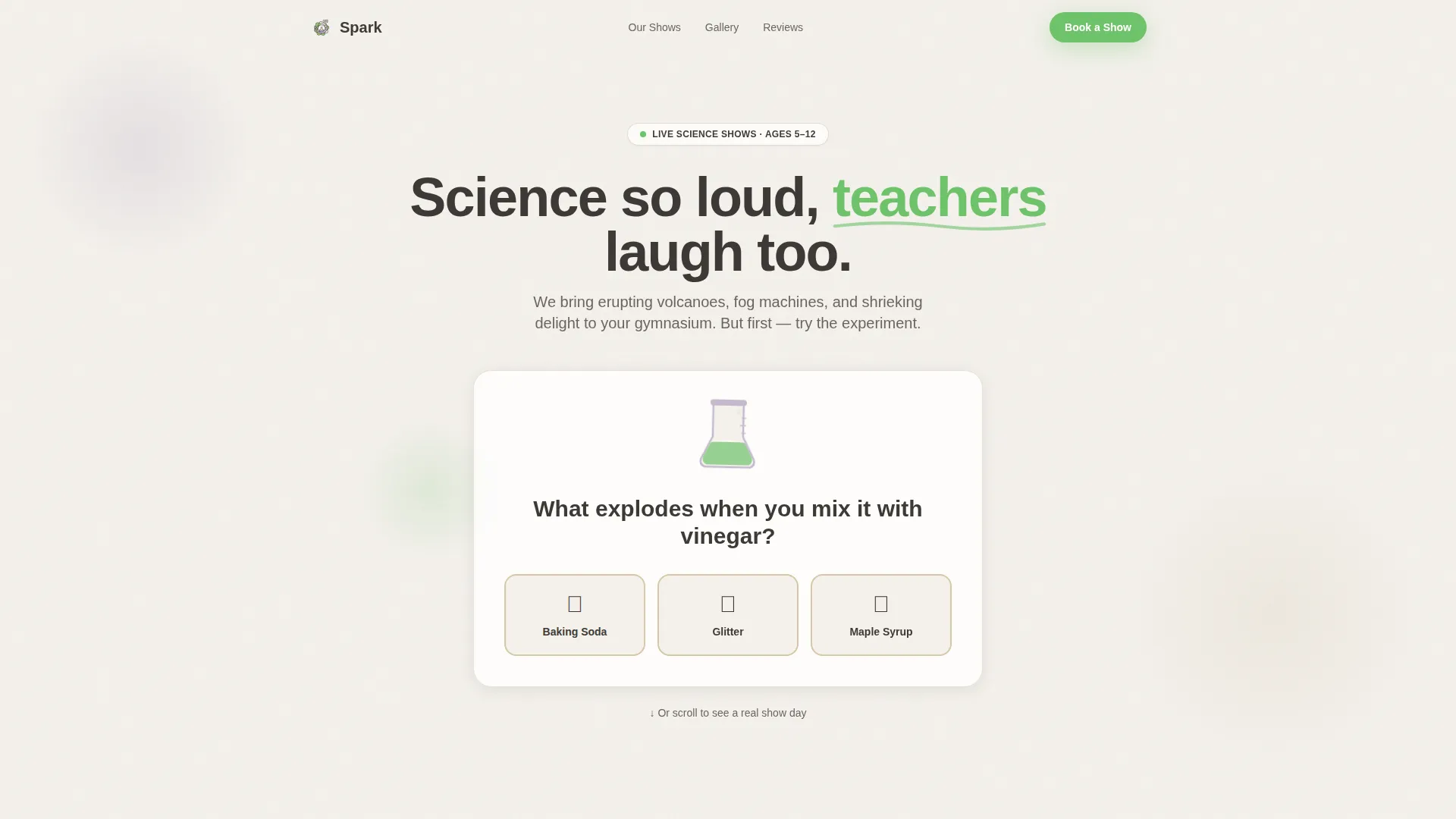
- An interactive Quiz Starter hero with a fizzy animation and a short video reveal triggered by the visitor's answer
- A Day-in-the-Life masonry grid with mixed-format tiles including photos, short video clips, pull-quotes, and hand-drawn doodle elements
- A Stats and Trust Bar, a sticky-note Testimonials section, and a Booking call-to-action section with a date availability tile
Feature list
This template includes a focused set of interactive and visual features, each grounded in the show's booking-conversion goal.
Interactive Quiz Starter Hero
The header opens with an illustrated beaker and a single question. Three oversized answer buttons wobble on hover. Any answer triggers a fizzy animation and reveals a short video clip of real kids reacting to a volcano overflow. Visitors do science before they've scrolled once.
Day-in-the-Life Masonry Grid
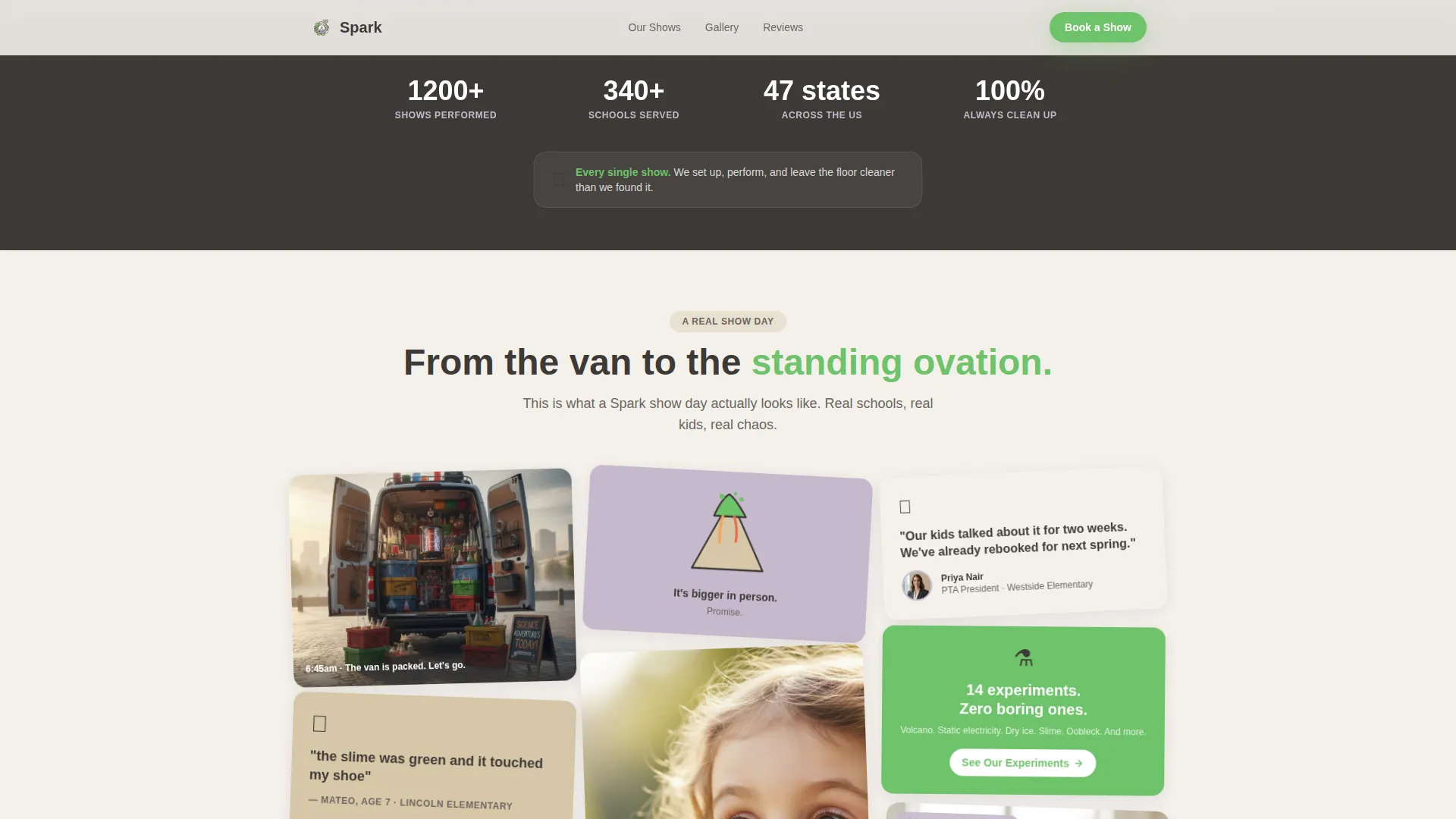
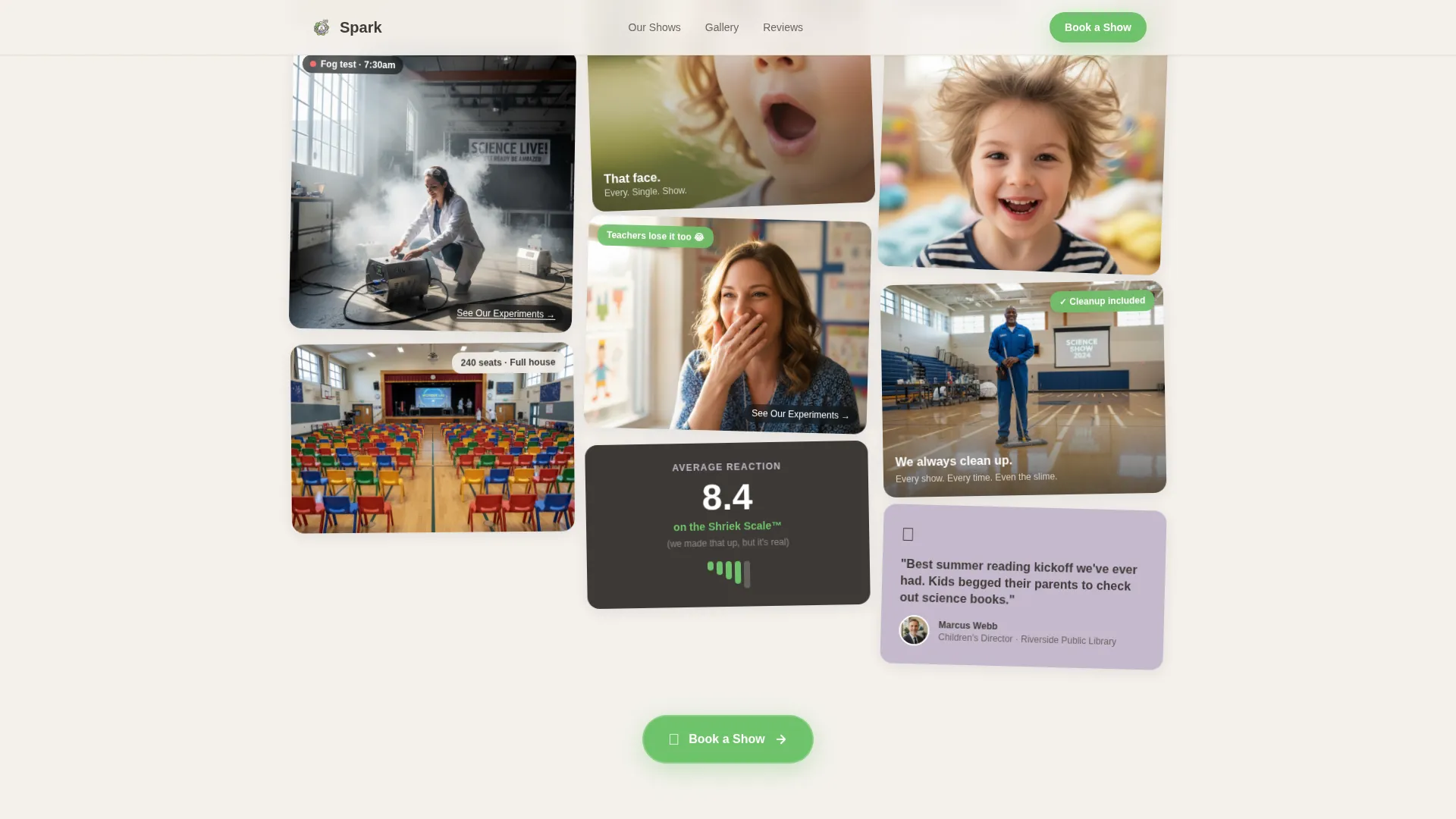
A scrapbook-style Pinterest grid carries the page from morning van-loading through showtime to the cleanup moment. Tiles vary in size and format, mixing photos, short video clips, pull-quotes, and illustrated doodle accents. The rhythm builds naturally from setup to celebration.
Floating and Inline Booking Calls to Action
The primary "Book a Show" button appears in experiment-green after the quiz interaction, again at the grid's midpoint, and once more at the bottom of the page. Each instance links to a dedicated scheduling page. A secondary "See Our Experiments" text link threads through individual grid tiles toward a show packages menu.
Sticky-Note Testimonials Section
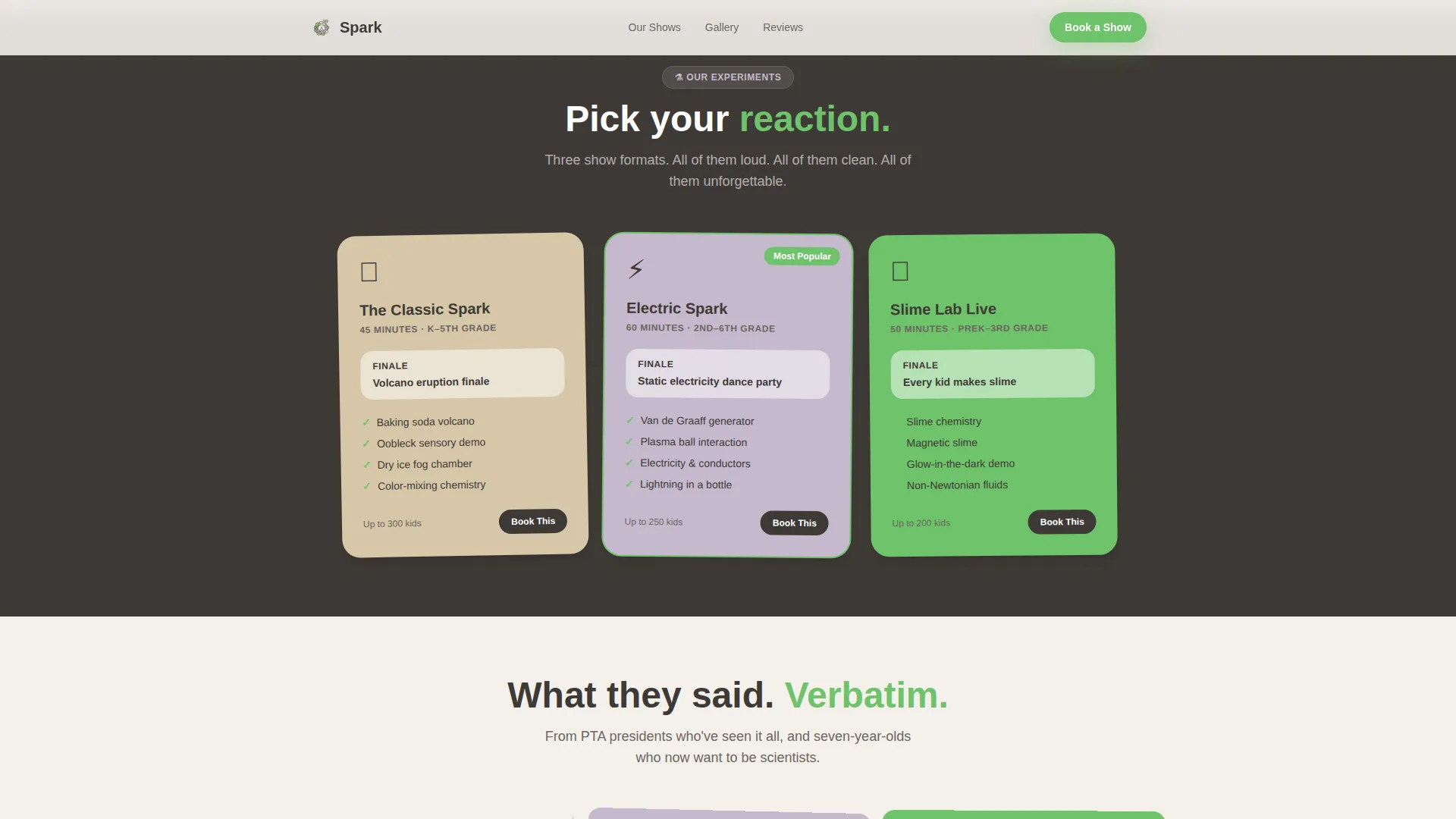
Social proof arrives in a masonry-style testimonials block styled like physical sticky notes. Quotes come from teachers, coordinators, and kids, including a specific seven-year-old's note about green slime. The format feels personal and handcrafted rather than corporate.
Stats and Trust Bar
A dedicated trust bar displays key show metrics at a glance. The cleanup promise is surfaced here visually, addressing the objection every coordinator privately carries before they ever ask the question.
Community Hearth Visual Theme
The entire page follows a Soft Mist color system with fog white and kraft backgrounds, chalk-dust lavender accents, charcoal body text, and experiment-green reserved exclusively for interactive elements. Typography uses Plus Jakarta Sans for headers and DM Sans for body copy. The palette feels like a beloved elementary school hallway.
Page sections overview
| Section | Purpose |
|---|---|
| Quiz Starter Hero | Opens with an interactive beaker quiz, fizzy animation, and a short video reveal to engage visitors immediately |
| Day-in-the-Life Grid | Scrapbook masonry tiles show the full arc of a show day, from van loading to cleanup |
| Stats and Trust Bar | Displays show count, schools served, age range, and the cleanup promise in a scannable row |
| Sticky-Note Testimonials | Masonry-style social proof from teachers, coordinators, and kids in a handcrafted sticky-note format |
| Booking Call to Action | Final conversion section with a date availability tile and a direct link to the scheduling calendar |
| Footer | Horizontal flow footer pattern with navigation and contact details |
Design & branding system
The visual identity follows a Community Hearth theme built on the Soft Mist color system. Every color choice is intentional: backgrounds stay warm and soft, text stays readable, and green appears only where action is possible.
- Color palette: fog white (#F4F1EC) and worn-notebook kraft (#D6C7A8) for backgrounds, chalk-dust lavender (#C5B9CD) for accents, muted charcoal (#3E3A36) for body text, and experiment-green (#6EC26A) reserved for buttons and interactive elements only
- Typography: Plus Jakarta Sans for all headings, DM Sans for all body copy, giving the page a clean, school-stationery warmth
- Visual style: scrapbook construction-paper energy with hand-drawn doodle accents, mixed-format masonry tiles, and high-animation interactivity including quiz wobble, fizzy reveal, masonry stagger, and floating calls to action
Mobile & speed optimization
The template is built desktop-first, matching how most school coordinators browse, with a strong mobile fallback so the page works on any device.
- CSS animations and Intersection Observer-driven stagger effects keep the masonry grid performant as tiles load into view
- Optimized image handling across the masonry grid ensures the mixed-format tiles load cleanly without blocking the interactive quiz at the top
- The floating "Book a Show" button remains accessible at every scroll depth on both desktop and mobile viewports
How this template helps you convert
Every section of this landing page is sequenced to build trust before it asks for anything. The result is a page that feels generous rather than pushy.
- The quiz hero makes visitors active participants immediately, so they arrive at the booking section already invested in the show's energy rather than simply reading about it
- The masonry grid proves the show is real, joyful, and logistically clean through specific visual moments, ending on the janitor tile that pre-answers the cleanup question every coordinator silently carries
- Three strategically placed "Book a Show" buttons at the quiz section, grid midpoint, and page footer ensure the path to the scheduling calendar is always one click away
Other information about this template
This template is categorized under Kids and Family, specifically within the Kids Entertainment and Media subcategory, targeting the children's science show niche. It is designed as a click-through landing page, meaning its singular goal is to move the visitor to an external booking calendar or show packages page rather than capturing a form submission inline.
- The template style is Masonry and Pinterest layout, with the Day-in-the-Life creative direction giving the grid its scrapbook narrative arc
- The header concept is a Quiz Starter, an interactive entry point that sets the participatory tone before any sales copy appears
- The landing page is built for a United States audience using English copy, USD pricing references, and US date formatting for the availability tile
- The theme is Community Hearth, a design philosophy that favors warmth, tactile familiarity, and the gentle chaos of elementary school creative spaces over polished corporate aesthetics
Theme
Community Hearth
Creative direction
Day-in-the-Life
Color system
Soft Mist
Style
Masonry/Pinterest
Direction
Click-Through
Page Sections
Interactive Quiz Starter Hero
Day-in-the-life Masonry Grid
Floating Multi-point Booking Ctas
Sticky-note Testimonials Block
Stats and Trust Bar
Community Hearth Visual System
Related questions
Who is this landing page template designed for?
What makes the quiz hero different from a standard video header?
Does the template address the cleanup concern for event coordinators?
Can the 'Book a Show' button link to any external scheduling tool?
Is this template suitable for library or after-school program bookings?



