Playful Kids Educational App Landing Page Template
Spark is a single-column educational landing page template built for children's learning apps targeting kids aged three to eight. It features a photo mosaic hero, a four-question progressive quiz engine, and a personalized results section that assembles a custom learning path before asking for an email. The warm watercolor visual style feels handmade, friendly, and parent-approved.
by Rocket studio
Quick summary
Spark is a playful, single-column landing page template designed for kids educational apps. It walks parents through a short personalization quiz, then reveals a custom learning path built around their child's age, interests, and learning style. The quiz drives conversion before any email is requested, making every tap feel purposeful and personal.
Who this template is for
This template is built for founders, indie developers, and small teams launching a children's educational app. It speaks directly to the parents and caregivers who make the download decision, not the children themselves.
- Parents of children aged three to eight who want a learning tool that feels personal, not generic
- Homeschool parents looking for structured phonics and activity-based learning support
- Grandparents searching for a thoughtful digital gift with real educational value
What problem this template solves
Most educational app landing pages look like every other app store listing. They list features, show screenshots, and ask for an email before proving any value. Parents scroll past them in seconds.
- Generic landing pages fail to differentiate one kids learning app from another
- Asking for an email before showing value creates friction that kills conversions
- Parents cannot easily assess whether an app fits their specific child's learning needs
What you get with this template
Spark delivers a fully structured landing page flow with a built-in quiz conversion engine at its core. Every section is designed to move a hesitant parent from curious to committed.
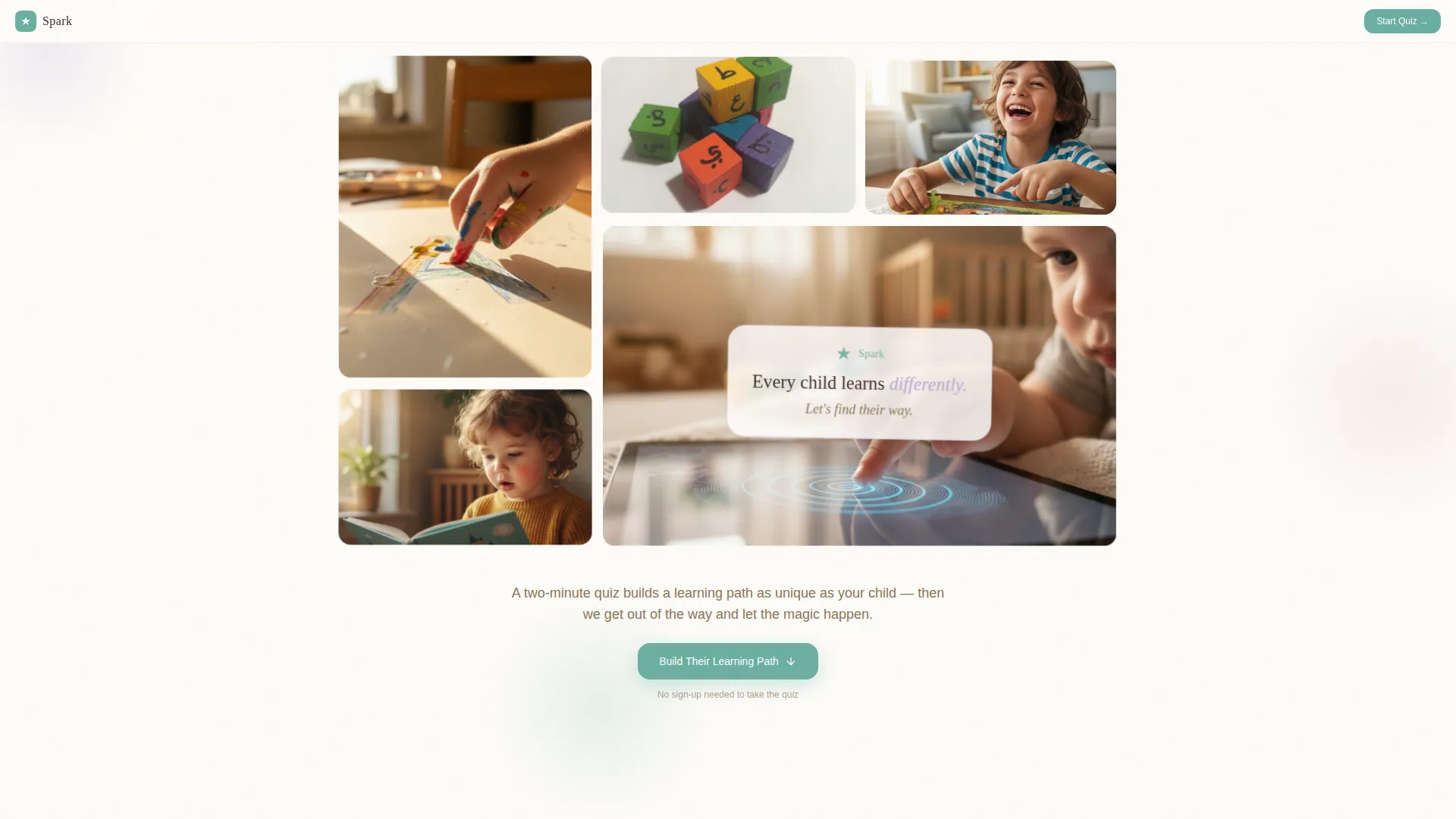
- A photo grid mosaic hero section with a parallax drift effect and a central floating headline
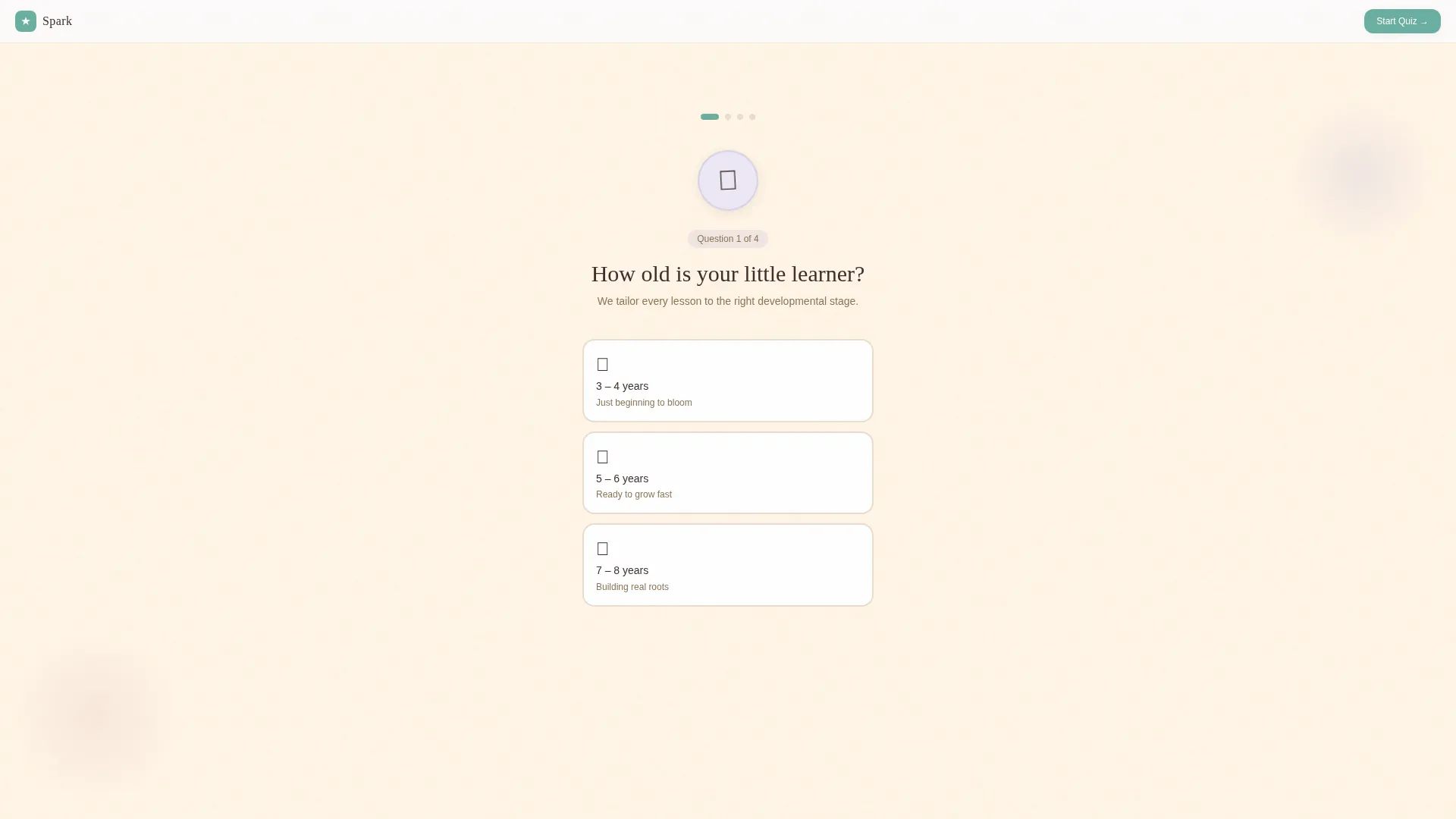
- A four-question progressive quiz that builds a personalized learning profile step by step
- A results section that assembles recommended modules, a sample weekly schedule, and an animated lesson preview
- A low-friction email capture that appears only after the personalized results are revealed
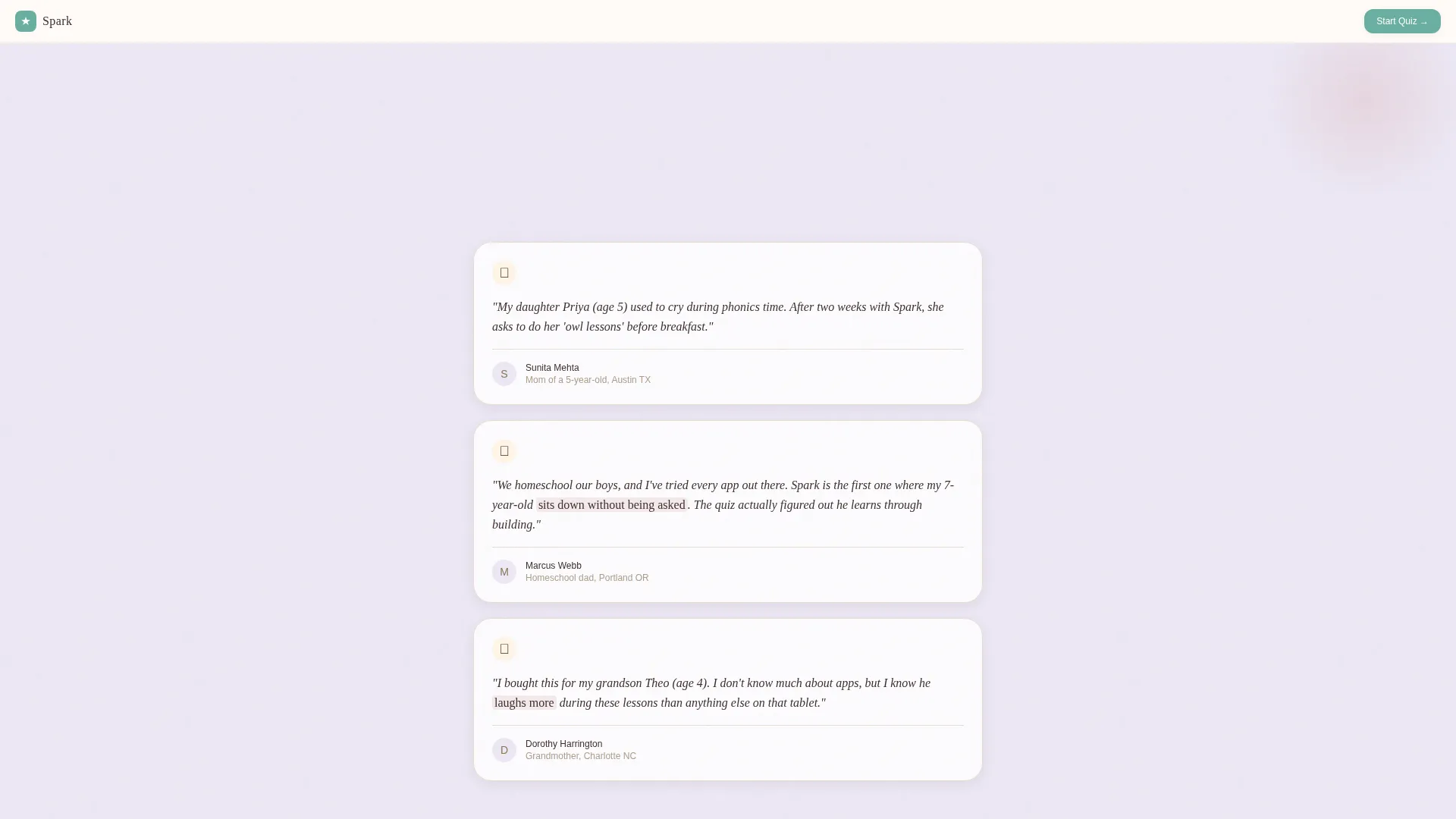
- A social proof section with three parent testimonials that include child age and outcome details
- A warm artisan visual design built on a watercolor-inspired color palette
Feature list
This template is built around one core insight: the quiz is the product demo. Every element supports that idea.
Progressive Quiz Engine
A four-question personalization flow asks about the child's age, favorite activities, attention span, and learning frustrations. Each answer gently scrolls to the next question, and the background shifts from cream to pale lavender as the quiz deepens, giving the experience a calm, storybook rhythm.
Personalized Results Assembly
After the final quiz answer, the results section builds itself in view. It presents recommended learning modules, a sample weekly schedule, and a short animated preview of the child's custom starting lesson, all assembled from the quiz responses.
Photo Grid Mosaic Hero
The header uses a bento-style quilt of rounded-corner image tiles. Tiles show real children's hands painting letters, stacking blocks, and tracing shapes. The layout mimics a handmade collage with a slow parallax drift and a soft serif headline floating over the center tile.
Deferred Email Capture
No email is required to take the quiz. The email prompt appears only after results are shown, asking for a parent's email and child's first name to save the profile and unlock a free seven-day trial. This sequence delivers value before requesting anything in return.
Parent Testimonial Section
Three testimonials are included, each written with child-specific age and learning outcome detail. This specificity builds trust with parents who are evaluating whether the app is right for their particular child.
Warm Artisan Visual System
The full page uses Fraunces for serif display text and DM Sans for body copy. Color, spacing, and illustration style are calibrated to feel handmade and warm, not polished or corporate.
Page sections overview
| Section | Purpose |
|---|---|
| Hero Mosaic Grid | Establish emotional tone and capture attention with a warm collage of real learning moments |
| Quiz Opening Question | Begin the personalization conversation with the child's age |
| Quiz Follow-up Questions | Gather activity preference, attention span, and learning frustration data |
| Personalized Results | Assemble and display the custom learning path, modules, and sample lesson |
| Email Capture Prompt | Invite parents to save their profile and start a free seven-day trial |
| Parent Testimonials | Reinforce trust with age-specific and outcome-specific parent stories |
| Footer | Provide navigation and brand closure in a horizontal flow layout |
Design & branding system
The visual identity follows a Warm Artisan theme. Every color, font, and layout decision is designed to feel like a handmade picture book rather than a digital product page.
- Color palette: soft lavender (#B8A9D4) for section washes, sun-warmed cream (#FFF5E6) for backgrounds, dusty rose (#D4A0A0) for highlights and progress, and hand-painted teal (#6BAFA0) reserved for interactive elements, all on cotton white (#FEFCF9)
- Typography pairing: Fraunces serif for display headings and emotional moments, DM Sans for all body text and user interface labels
- Illustration and photography style: slightly imperfect, warm golden-hour light, off-center crops, and watercolor-toned color treatment throughout
Mobile & speed optimization
This template is built mobile-first. The primary audience is parents scrolling on a phone during a child's naptime, so the experience is designed for one thumb and a small screen.
- Single-column flow means no layout shifts or horizontal scrolling on any screen size
- The quiz engine uses a client component for interactivity while static sections use server components, keeping the initial page load light
- Parallax drift and quiz scroll transitions are calibrated for medium-high animation without sacrificing scroll smoothness on mobile devices
How this template helps you convert
Spark uses a quiz-first conversion model. Parents invest in the experience before they are ever asked to sign up, which makes the eventual call to action feel like saving something already earned.
- The quiz builds progressive commitment with every tap. By question four, parents have mentally personalized the app for their child, making it harder to leave without completing the flow.
- The personalized results section creates a concrete, visible deliverable. Parents can see recommended modules and a sample schedule before the email prompt appears, giving the call to action real context and weight.
Other information about this template
Spark is a strong starting point for any children's educational app that wants to stand out in the kids entertainment and media space. It is designed to be adapted for different learning focuses, age bands, or curriculum styles.
- The template is built in a single-column flow layout, making it straightforward to customize section content, quiz questions, and color values
- Quiz questions are fully editable, so the personalization engine can be tuned for phonics apps, math tools, creative arts platforms, or mixed learning companions
- The footer follows a horizontal flow pattern suitable for lightweight navigation links and brand information
- The free seven-day trial unlock mechanic is built into the email capture section and can be updated to match any trial or onboarding offer
- This template fits neatly into the kids and family category and is particularly suited to the kids educational app niche within the broader kids entertainment and media subcategory
Theme
Warm Artisan
Creative direction
Quiz & Personalize
Color system
Lavender Dream
Style
Single Column Flow
Direction
Quiz/Assessment
Page Sections
Progressive Personalization Quiz
Assembled Learning Path Results
Photo Grid Mosaic Hero
Deferred Low-friction Email Capture
Warm Artisan Visual Identity
Social Proof with Outcome Specificity
Related questions
Do I need coding skills to customize this template?
Can I change the quiz questions to fit a different learning focus?
Is the email capture section required?
Does this template work for children outside the three-to-eight age range?
How many pages does this template include?



