Complete Manufacturing Processes Comparison Website Template
Spark is a dashboard-style landing page template built for wire EDM service providers. It leads with a bold tolerance headline, a client-industry logo bar, and a twelve-row process comparison grid. Three expandable case-study cards and a sticky quote form round out the page, turning serious buyers into qualified leads fast.
by Rocket studio
Quick summary
Spark is a single-page template designed for wire EDM shops that compete on precision. The layout opens with a headline claim backed by industry logos, then scrolls through an honest comparison grid, real part case studies, and a streamlined quote form, all wrapped in a warm, inspection-room color palette that signals confidence before a word is read.
Who this template is for
This template is built for machine shops that offer wire electrical discharge machining (EDM) as a core service. It speaks directly to buyers who already understand process trade-offs and need fast, credible answers.
- Wire EDM shops quoting moldmakers, aerospace engineers, and die shops
- Service bureaus that need to differentiate on tolerance and surface finish
- Precision machining operations replacing generic contact pages with a focused lead tool
What problem this template solves
Most wire EDM shops lose qualified leads because their web presence cannot communicate precision credibly. A generic page with stock photos does not answer the questions a moldmaker or aerospace buyer actually asks.
- Buyers cannot quickly compare wire EDM against milling, laser, or sinker EDM
- There is no clear evidence of real-world part accuracy before a buyer commits to quoting
- Conversion paths are buried or require too many steps for a busy engineer to bother
What you get with this template
The template delivers a complete, scroll-driven landing page structured around proof and conversion. Every section is pre-built and ready to populate with your shop's real data.
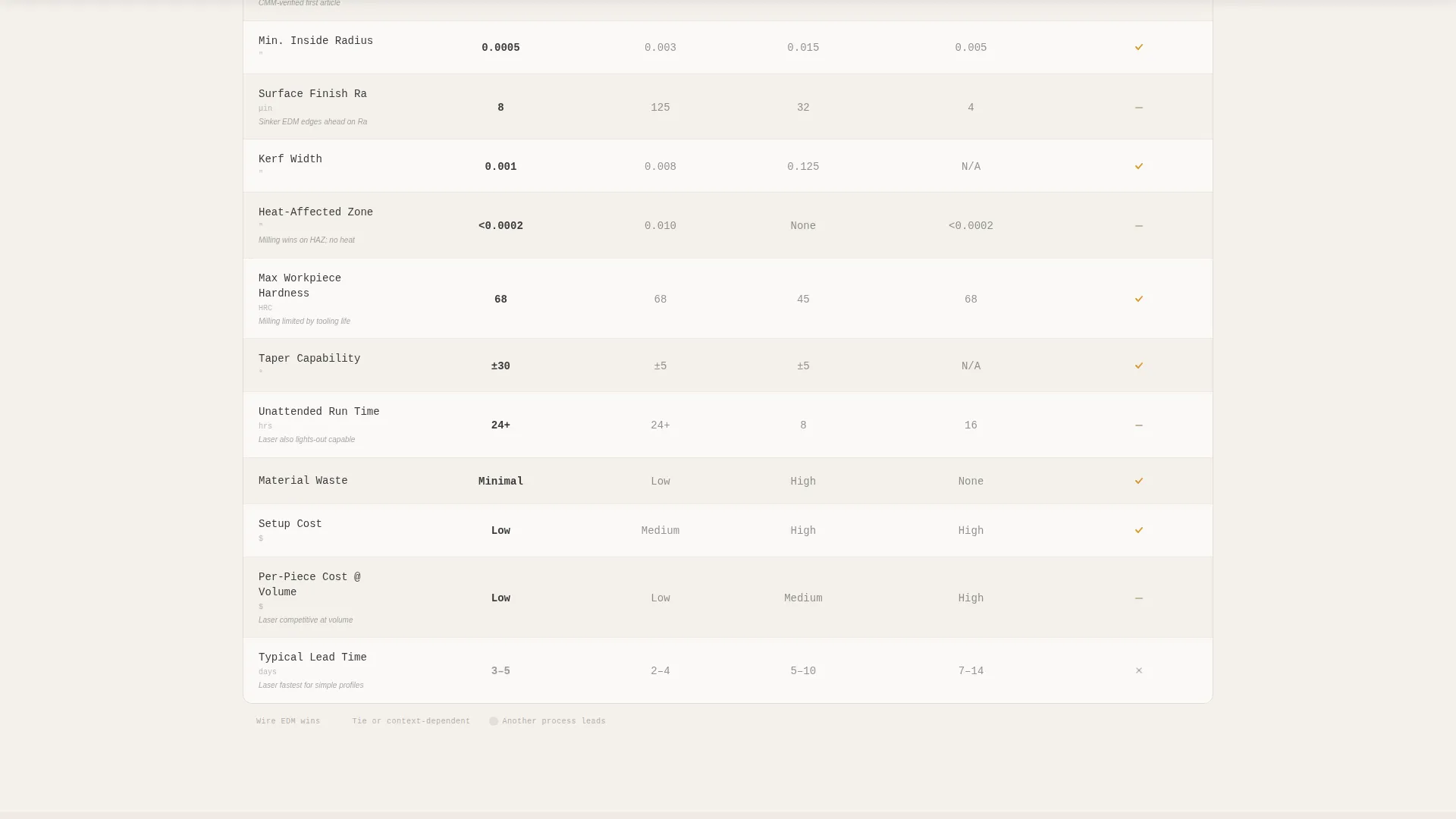
- A twelve-row process comparison grid with amber win indicators, neutral ties, and honest loss markers
- Three expandable case-study cards showing before-spec and after-inspection data for real part types
- A sticky quote form with material, thickness, and file-upload fields, plus a secondary PDF lead-capture path
Feature list
This section breaks down the major built-in components that make Spark work as a precision sales tool.
Tolerance Headline Hero
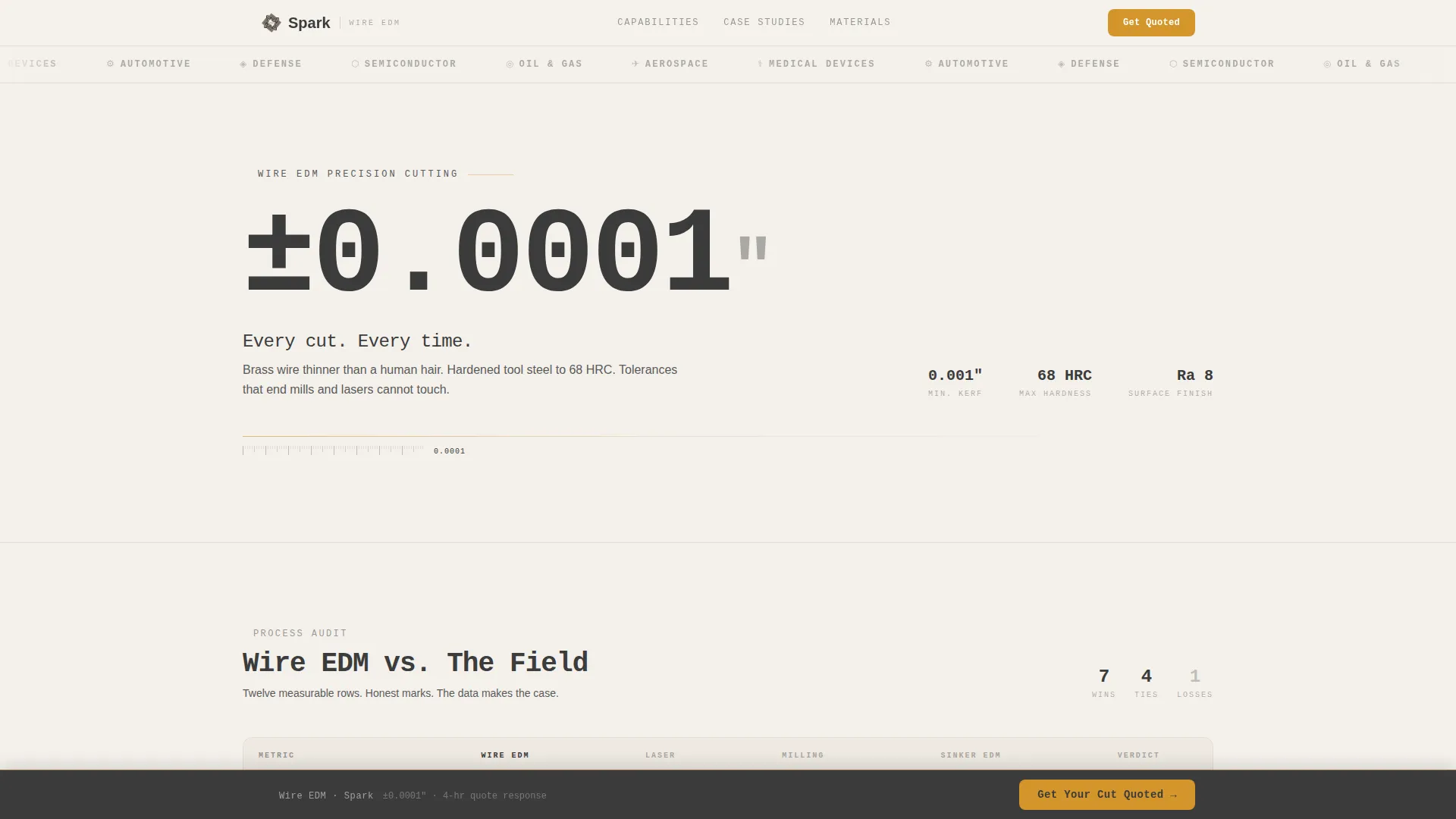
The header opens with a monospaced engineering font displaying "±0.0001″. Every cut. Every time." No competing hero image is needed. The claim itself is the visual, and the logo bar directly behind it provides the proof. This combination sets buying intent before the visitor scrolls.
Client Industry Logo Bar
A horizontal strip displays client-sector logos across aerospace, medical, automotive, and defense industries. Each logo renders in monochrome graphite against coolant-mist white, separated by thin amber keylines. The bar signals market credibility immediately.
Twelve-Row Process Comparison Grid
Wire EDM is audited side by side against laser cutting, conventional milling, and sinker EDM. The twelve rows cover minimum inside radius, surface finish Ra, kerf width, heat-affected zone, maximum workpiece hardness, taper capability, unattended run time, material waste, setup cost, per-piece cost at volume, lead time, and achievable tolerance. Each row reveals an amber check for a win, a neutral dash for a tie, or a graphite mark where another process leads. The honesty of the grid builds trust; the tally builds the case.
Expandable Case-Study Cards
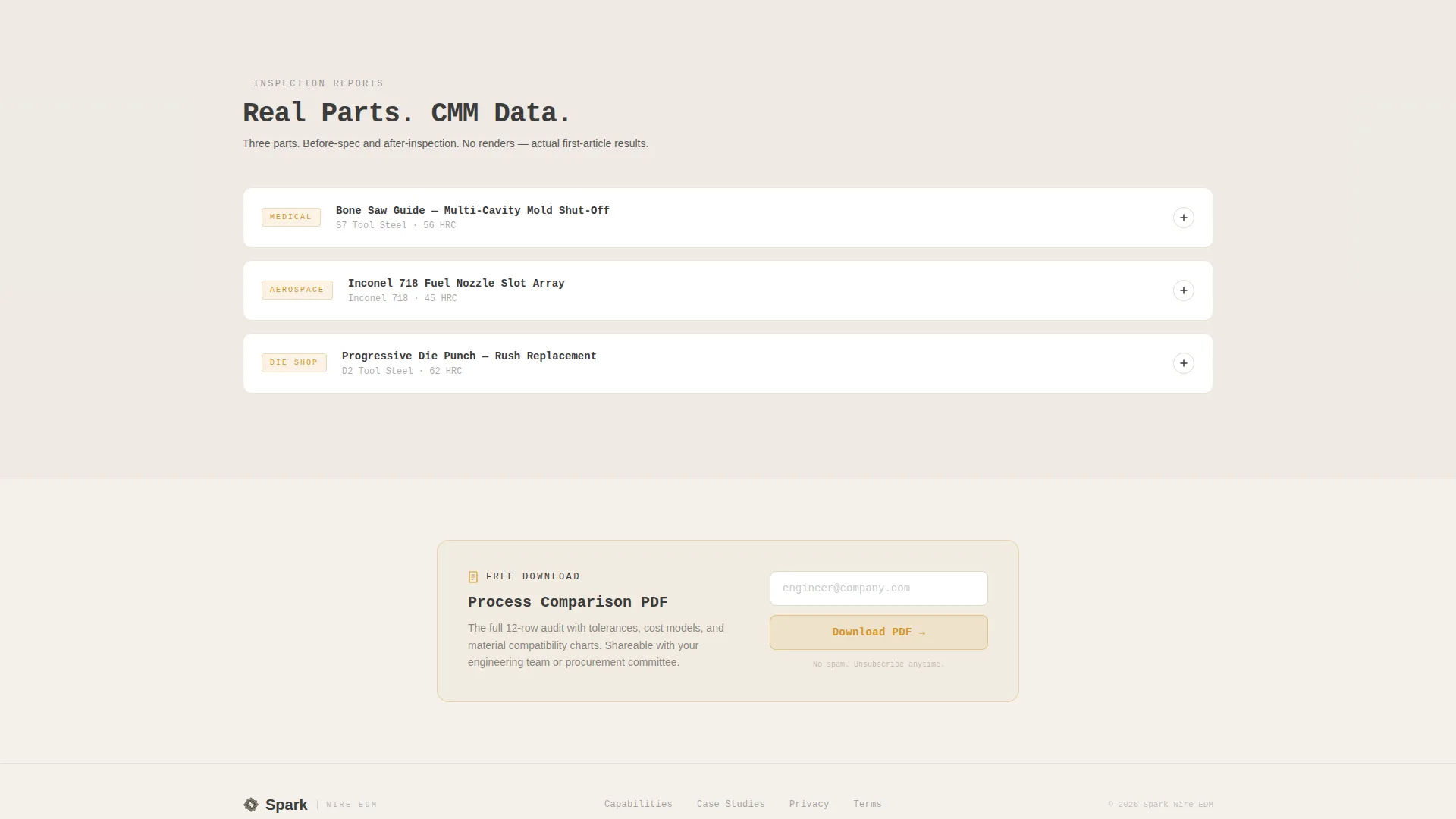
Three cards showcase a medical bone saw guide, an aerospace fuel nozzle slot, and a progressive die punch. Each card expands to reveal before-spec and after-inspection data displayed in dashboard-style tiles. Real part data replaces marketing claims.
Sticky Quote call to action Bar
A bottom bar reading "Get Your Cut Quoted" activates after the visitor scrolls past the comparison grid. The form collects material and hardness via dropdown, part thickness with a unit toggle, and a DXF or DWG file upload. The bar stays anchored so the conversion path is never more than one scroll away.
Secondary PDF Lead Capture
Visitors not yet ready to quote can access a downloadable process comparison PDF gated behind a single email field. This captures top-of-funnel leads who have seen the grid data and are still evaluating their process options.
Page sections overview
| Section | Purpose |
|---|---|
| Logo Bar Header | Establish industry credibility instantly |
| Tolerance Headline | Anchor the precision promise visually |
| Comparison Grid | Audit wire EDM against competing processes |
| Case Study Cards | Show real part accuracy with inspection data |
| Sticky Quote Form | Convert ready buyers with minimal friction |
| PDF Lead Capture | Capture evaluating visitors via email gate |
Design & branding system
The visual identity follows a Dashboard Pro theme built on the Warm Stone color system. The palette feels like a climate-controlled inspection room: warm enough to trust, precise enough to measure against.
- Core colors: quarry sandstone (#C2B49A), machined graphite (#3B3B3B), coolant-mist white (#F4F1EC), and spark-flash amber (#D4952A) reserved for tolerance callouts and call to action states
- Typography uses a monospaced engineering font for the headline, reinforcing the technical precision of the service
- Amber keylines, graphite win/loss markers, and dashboard-style data tiles create a consistent visual language across the grid and case-study sections
Mobile & speed optimization
The dashboard layout is structured to stay readable and functional on smaller screens without sacrificing the data density that technical buyers expect.
- The comparison grid collapses cleanly for vertical scrolling on mobile devices
- The sticky quote bar remains accessible at the bottom of the viewport across screen sizes
- Case-study cards maintain their expandable tile structure on touch interfaces
How this template helps you convert
The page is engineered around a Comparison/Versus conversion strategy. Every design decision moves a skeptical technical buyer closer to submitting a quote.
- The comparison grid does the selling before any copy asks for anything, so the buyer arrives at the call to action already convinced by data rather than persuaded by claims.
- The sticky quote bar activates only after the grid is passed, catching buyers at peak intent with a three-field form that takes under a minute to complete.
- The gated PDF path ensures that visitors who are not yet ready to quote still enter the funnel with a real email address tied to a demonstrated interest in process comparison.
Other information about this template
Spark is categorized under Manufacturing and Industrial, specifically within Manufacturing Processes, and is purpose-built for the Wire EDM Service Provider niche. The template style is Dashboard/Data Grid, and the creative direction is Checklist and Audit, making it a natural fit for shops that compete on measurable performance rather than brand storytelling.
- The Intersection Match Score for this niche, subcategory, and template configuration is 13, indicating a strong alignment between the visual approach and buyer expectations in this market
- The template supports DXF and DWG file upload directly in the quote form, which matches the file formats most wire EDM buyers already work with
- The comparison grid is designed to be honest: it includes rows where wire EDM does not lead, which is a deliberate credibility choice that makes the wins more convincing to technical evaluators

Theme
Dashboard Pro
Creative direction
Checklist & Audit
Color system
Warm Stone
Style
Dashboard/Data Grid
Direction
Comparison/Versus
Page Sections
Tolerance Headline Hero
Client Industry Logo Bar
Twelve-row Process Comparison Grid
Expandable Case-study Cards
Sticky Quote Call to Action Bar
Secondary PDF Lead Capture
Related questions
Who is the Spark template designed for?
What makes the comparison grid different from a standard feature table?
Can I launch the template with only one or two case studies ready?
What file types does the built-in quote form accept?
How does the secondary PDF lead-capture path work?



