Fitness Studio Advanced Booking Website Template
Pulse is a split-screen fitness studio thank you landing page built around a Dynamic Motion visual identity and Acid Digital color system. It greets new members with oversized type, class spec cards, and a pinned booking call to action. The design is dark, charged, and purposeful, built to turn post-signup excitement into a confirmed first class.
by Rocket studio
Quick summary
Pulse is a single-page thank you experience for fitness studios. It greets new members the moment they sign up and drives them straight to booking their first class. The layout uses a bold 50/50 split-screen structure, neon lime highlights, and scrollable class spec cards that make every session look too precisely designed to skip.
Who this template is for
This template is designed for fitness studio owners and operators who want their thank you page to do real work. If your members sign up and then hesitate, this page closes that gap immediately.
- Fitness studios running structured class programs such as HIIT, strength, mobility, and recovery sessions
- Studio operators who want new members to book their first class before the excitement fades
- Gym brands that invest in visual identity and want their digital touchpoints to match the energy of their physical space
What problem this template solves
Most thank you pages waste the most motivated moment in a new member's journey. They show a generic confirmation message and nothing more. Pulse replaces that dead end with a high-energy, action-driving experience.
- New members arrive charged with commitment but have no clear next step to take
- Generic confirmation pages erode trust and let momentum slip before the first visit
- Studios lose bookings simply because the post-signup experience feels disconnected from the brand promise
What you get with this template
You get a fully structured, single-page thank you layout designed specifically for fitness studios. Every section has a defined job and a clear visual hierarchy.
- A dark full-bleed header with dynamic member name insertion and oversized titanium type
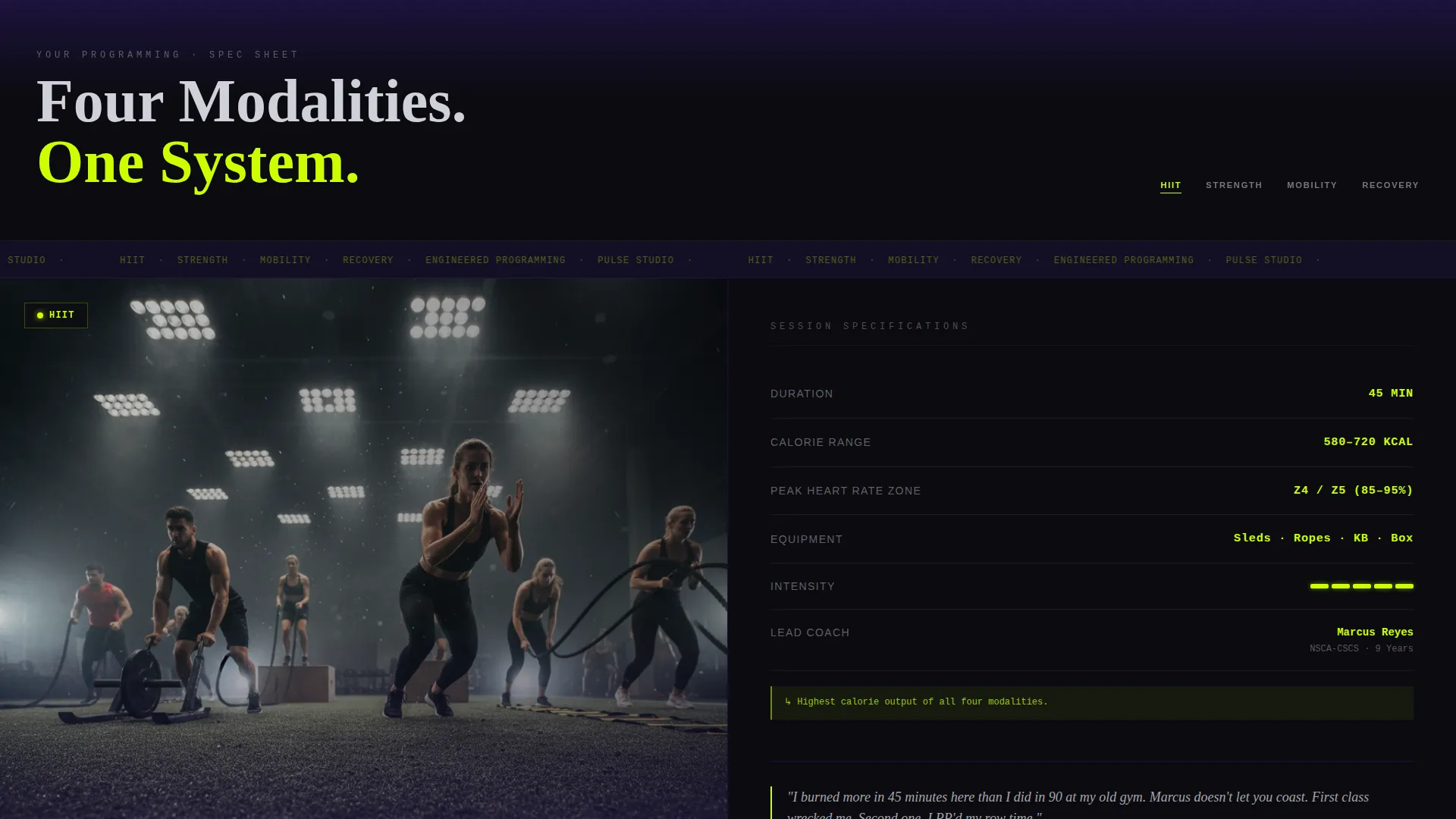
- Scrollable split-screen class spec cards covering session duration, calorie range, peak heart rate zone, equipment, coach credentials, and a real member testimonial per class
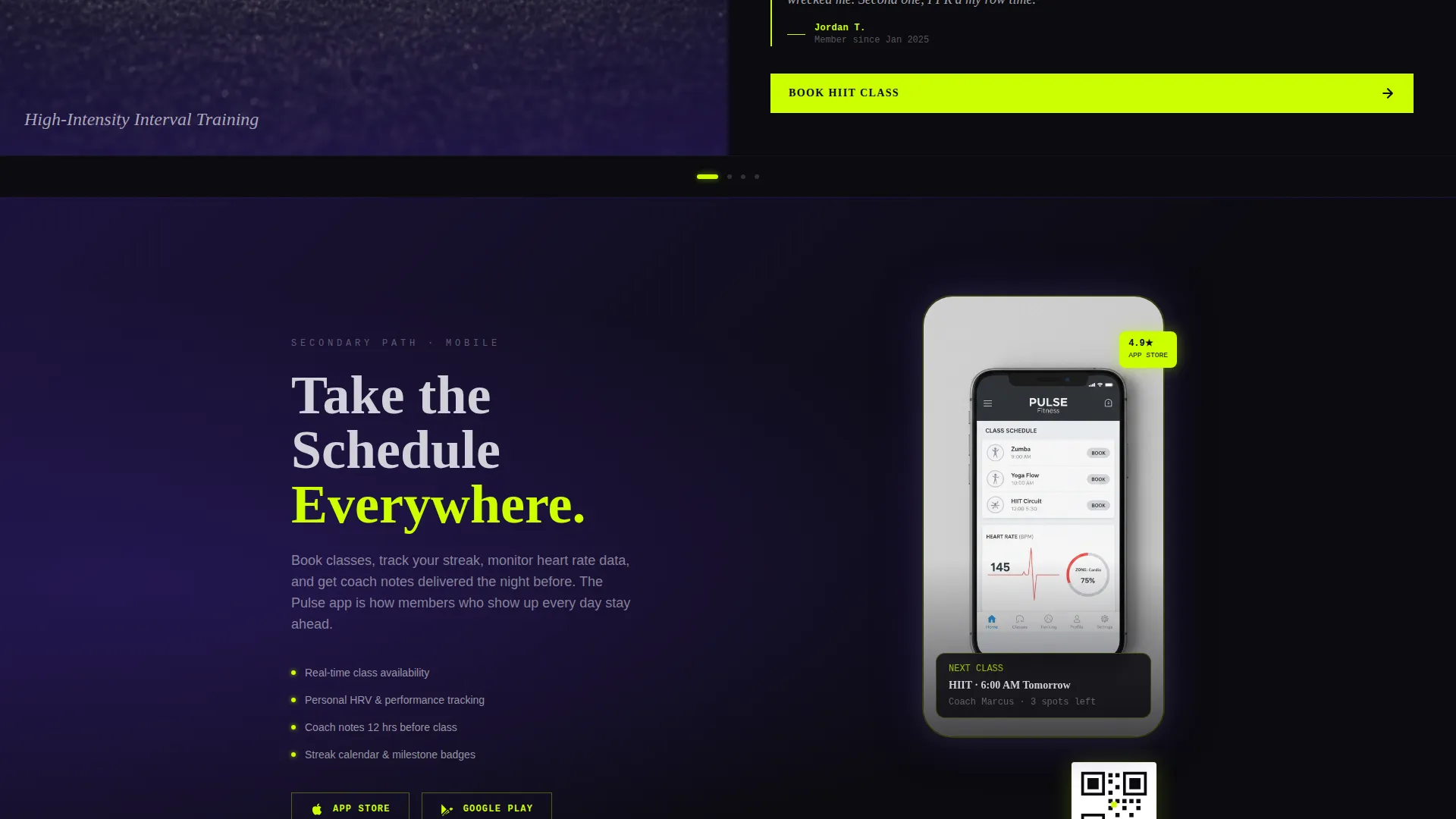
- A pinned primary call-to-action button and a secondary app download path with a QR code and device mockup
Feature list
This template is built from a specific set of visual and structural components drawn directly from the design brief.
Dynamic Name Insertion Header
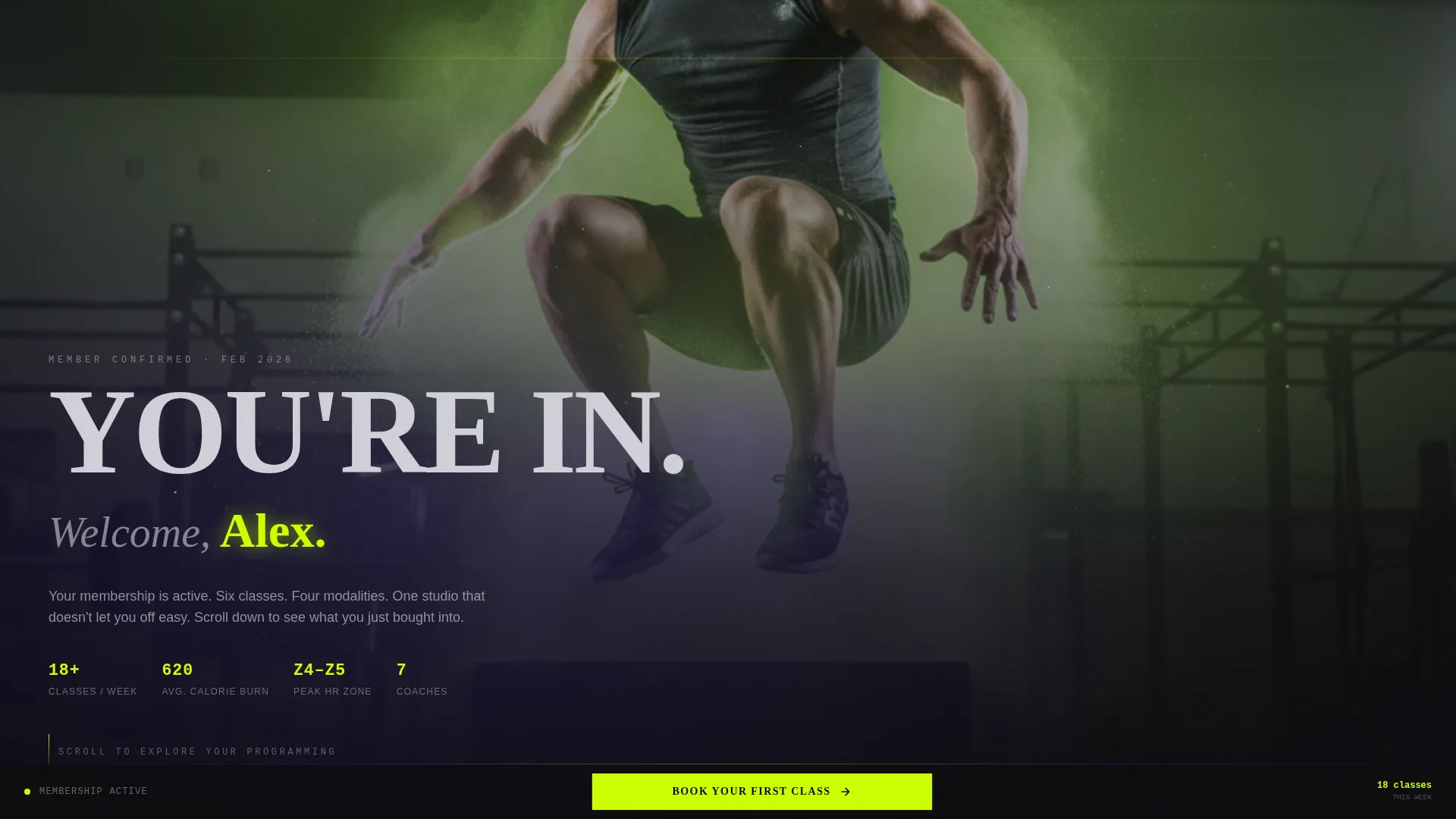
The header displays the member's first name in glowing lime type against a dark full-bleed photograph. The shot is taken from floor level, showing a figure mid-box-jump at peak height. Chalk particles hang in a halo of lime studio lighting, creating an immediate sense of belonging and arrival.
Split-Screen Class Spec Cards
Each scroll snap reveals a new class in a 50/50 split layout. The left panel holds a static class image. The right panel displays session specs: duration, calorie range, peak heart rate zone, equipment used, coach name and credential, and one testimonial from a member who took that exact class.
Pinned Booking Call to Action
The primary call to action reads "Book Your First Class" in lime on black. It stays pinned to the bottom of the viewport and pulses subtly when the page comes to rest on scroll stop. The click routes directly to the scheduling platform with the member's profile pre-authenticated, so there is no form to fill.
App Download Secondary Path
Below the class spec cards, a secondary section offers a QR code and device mockup for downloading the studio app. This gives members a secondary conversion path without distracting from the primary booking action.
Acid Digital Color System
The color palette uses void black as the base, electric lime for calls to action and data highlights, deep ultraviolet for section transitions and card backgrounds, and cool titanium for body text. The result is a visual system that feels synthetic, charged, and consistent with a premium fitness brand.
Scroll-Snap Class Navigation
Classes load in sequence as the member scrolls, each one snapping into place like a new product card. The rhythm is clinical and precise, reinforcing the idea that the studio's programming is engineered, not improvised.
Page sections overview
| Section | Purpose |
|---|---|
| Full-Bleed Header | Greets new member with dynamic name and peak-effort imagery |
| HIIT Spec Card | Showcases high-intensity session details and a real testimonial |
| Strength Spec Card | Presents barbell programming specs with coach credentials |
| Mobility Spec Card | Highlights recovery-adjacent session structure and equipment |
| Recovery Spec Card | Closes the class stack with low-intensity session data |
| App Download Section | Offers QR code and device mockup for secondary conversion |
| Pinned Booking call to action | Stays fixed at viewport bottom to capture booking intent |
Design & branding system
The visual identity follows a Dynamic Motion theme expressed through the Acid Digital color system. Every color choice has a functional role, and the palette creates a consistent atmosphere from top to bottom of the page.
- Void black (#0B0B0F) covers the background, creating a dark canvas that makes every lit element feel charged
- Electric lime (#CCFF00) is reserved for calls to action, data highlights, and the member's name, ensuring the eye always knows where to go
- Deep ultraviolet (#2D1B69) pools behind cards and section transitions, giving depth without breaking the dark mood
- Cool titanium (#D0D0D8) carries all body text, floating clean and legible against the dark ground
Mobile & speed optimization
The template is structured to translate its split-screen desktop layout into a clean vertical stack on smaller screens. The scroll-snap behavior and pinned call to action are designed to remain functional across device sizes.
- The 50/50 split-screen stacks vertically on mobile so class spec content remains fully readable without horizontal scrolling
- The pinned booking button stays visible at the bottom of the screen on all device sizes, keeping the conversion path accessible throughout the scroll
- The QR code section adapts to show a direct app download link on mobile, where a QR code scan would be redundant
How this template helps you convert
The entire page is structured around a single conversion goal: getting a new member to book their first class before they close the tab.
- The header lands with immediate emotional confirmation, using the member's name and a peak-effort image to validate the decision they just made
- The class spec cards create desire and specificity, making each session feel too precisely designed to skip rather than a generic gym offering
- The pinned call to action removes friction at every scroll position, ensuring the booking option is always one tap away without requiring the member to hunt for it
Other information about this template
Pulse is part of a broader set of fitness studio website templates built for studios that take brand identity seriously. It is a strong fit for operators exploring modern fitness studio landing page design that matches the energy of their physical space.
- The template style is classified as Split Screen (50/50) and is suited for studios that want a structured, editorial feel
- The creative direction is Spec Sheet, meaning the page treats the member's upcoming experience like a product teardown rather than a soft welcome
- The header concept is Dark Full-Bleed with Glow, which sets a distinct visual tone that separates this template from standard thank you page designs
- The landing page direction is Click-Through, meaning every design decision points toward a single outbound action with no form fields to complete
- This template is categorized under fitness studio website templates within the Technology category on the marketplace
Theme
Dynamic Motion
Creative direction
Spec Sheet
Color system
Acid Digital
Style
Split Screen (50/50)
Direction
Click-Through
Page Sections
Dynamic Name Insertion Header
Split-screen Class Spec Cards
Pinned Booking Call to Action
App Download Secondary Path
Acid Digital Color System
Scroll-snap Class Navigation
Related questions
Can I change the class types shown in the spec cards?
Does this template include any form fields?
How does the member's name appear dynamically in the header?
Is the pinned booking button always visible while scrolling?
Can I replace the QR code with a direct app store link?