Telecommunications Consulting Specialist Privacy Policy Website Template
Spectrum is an editorial-style landing page template built for telecommunications compliance consultants. It combines a credentials-first header, named expert practice area sections, and a progressive lead-generation form to position a regulatory advisory firm as the authoritative voice between carriers and the Federal Communications Commission. The result reads less like a website and more like a briefing document people actually want to finish.
by Rocket studio
Quick summary
Spectrum is a single-page landing page template designed for telecom regulatory consultants. It opens with a press-mentions credentials wall, moves through four expert-led practice area sections, and closes with a two-path conversion system: a three-step consultation request form and a gated compliance checklist download. The tone and layout deliberately mimic a long-form industry white paper.
Who this template is for
This template serves firms that advise telecom operators on regulatory and compliance matters. It is built for consultants whose clients are sophisticated professionals, not casual web browsers, and who need a page that immediately signals deep subject-matter authority.
- Telecommunications compliance consultants advising regional carriers, mobile virtual network operators (MVNOs), and tower companies
- Regulatory strategy firms helping clients navigate Federal Communications Commission (FCC) rulings, spectrum auctions, and infrastructure mandates
- In-house legal and policy teams at consultancies that need a credentialed, editorial-quality public presence
What problem this template solves
Most consulting firm pages feel generic. A page built for a telecom regulatory practice needs to communicate institutional credibility within the first scroll, or technical buyers like chief technology officers and compliance officers will leave. The Spectrum template solves the problem of looking indistinguishable from any other professional services firm.
- Telecom clients are specialized and skeptical; the page must prove expertise through credentials, case outcomes, and named consultants before asking for anything
- Generic templates bury the most trust-building content below the fold and lead with vague mission statements instead of demonstrated authority
- The absence of a structured lead-capture flow means most consulting pages lose warm visitors who are not yet ready to book a call but would trade an email for practical value
What you get with this template
The template delivers a fully structured single-page layout organized around editorial authority and deliberate conversion flow. Every section earns its place, from the credentials header to the final sticky call-to-action bar.
- A typographic credentials header featuring press mentions, FCC docket citations, and conference keynote attributions presented as a curated masthead wall
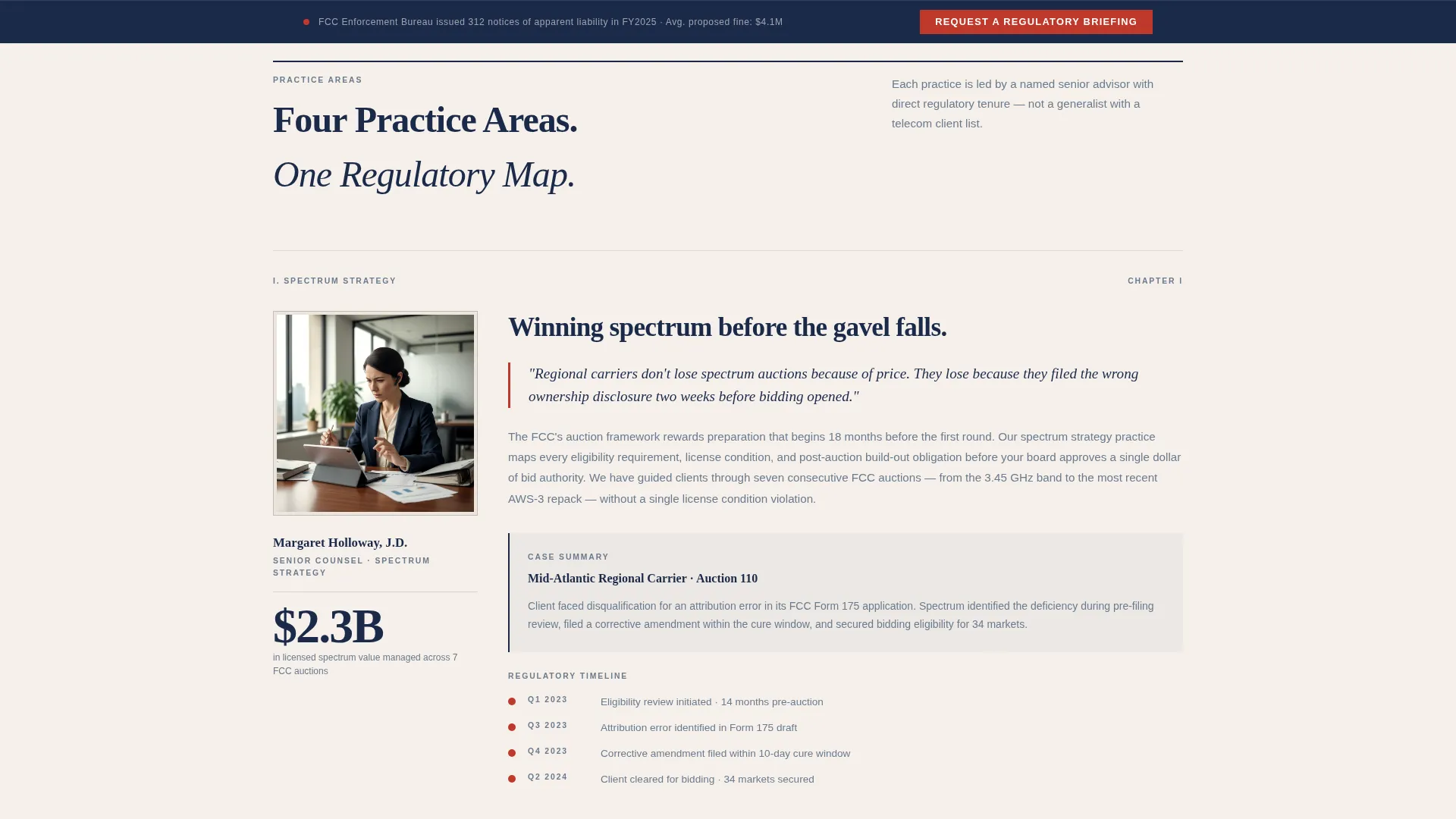
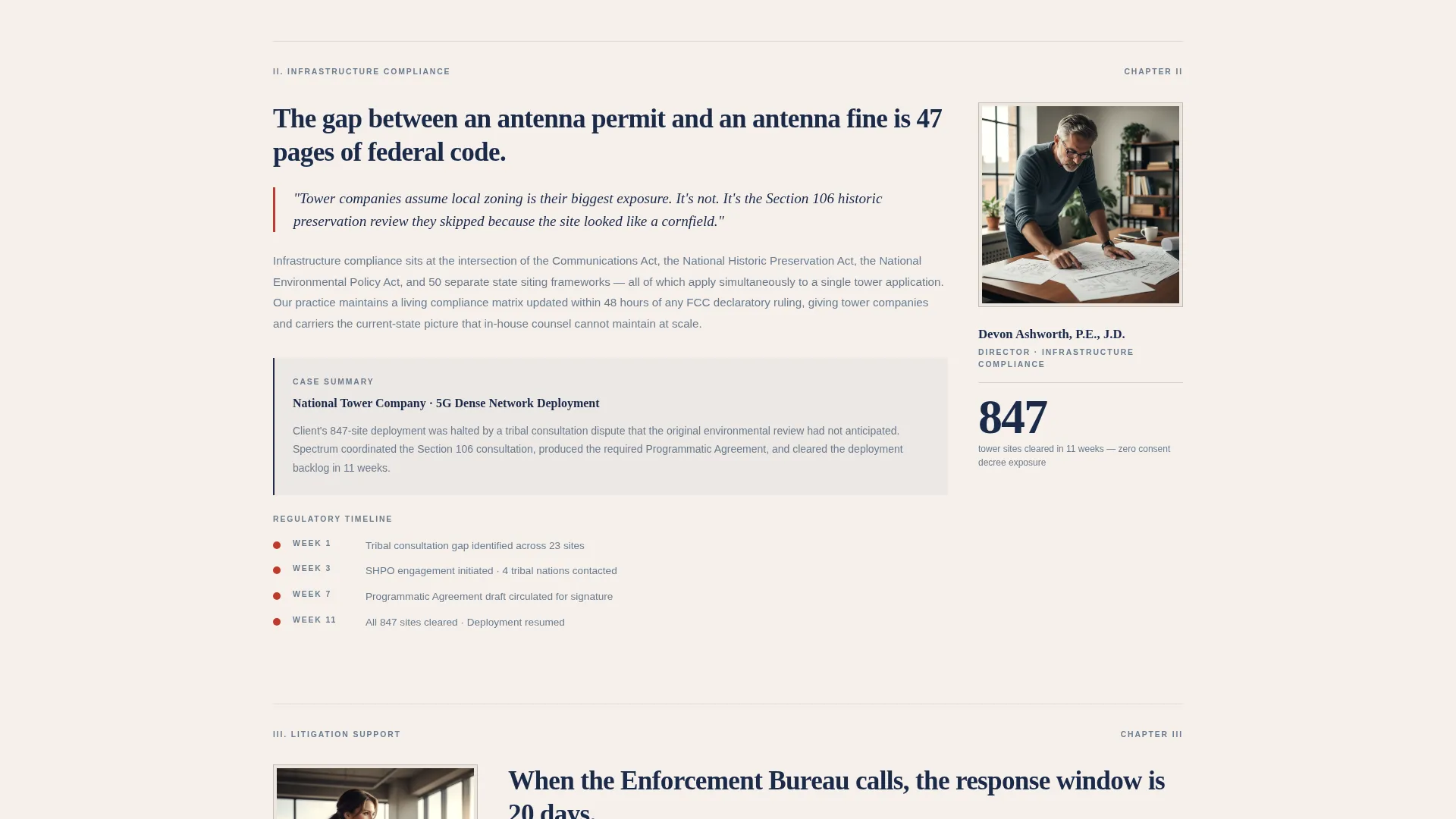
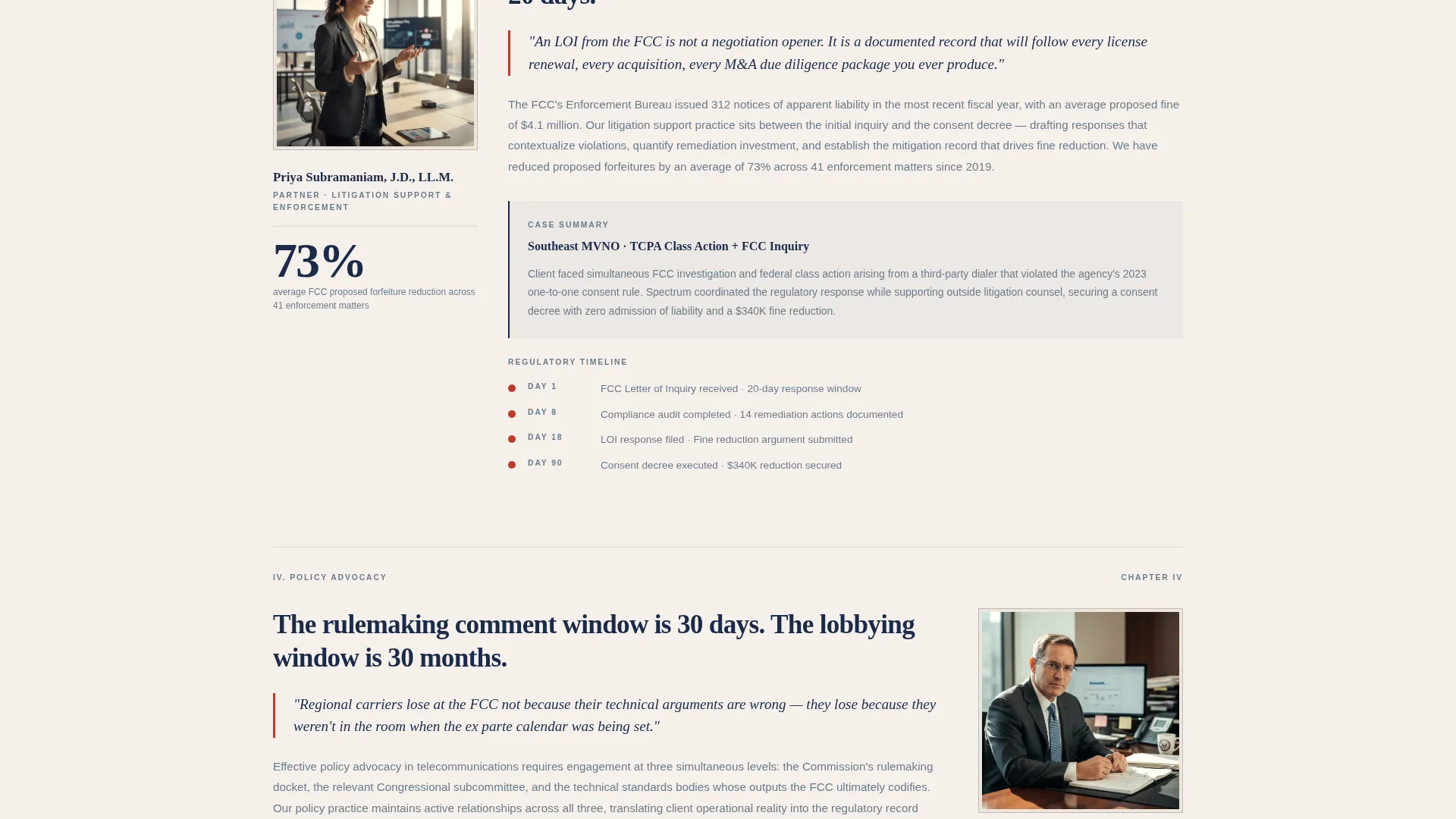
- Four named expert practice area sections covering spectrum strategy, infrastructure compliance, litigation support, and policy advocacy, each formatted as a magazine profile with pull-quotes, case summaries, and regulatory timelines
- A progressive three-step lead form and a secondary gated PDF download path, both anchored in a sticky bottom bar that appears after the second section scroll
Feature list
The sections below describe the specific built-in components and design decisions that make Spectrum work as a high-credibility, lead-generating landing page.
Typographic Authority Header
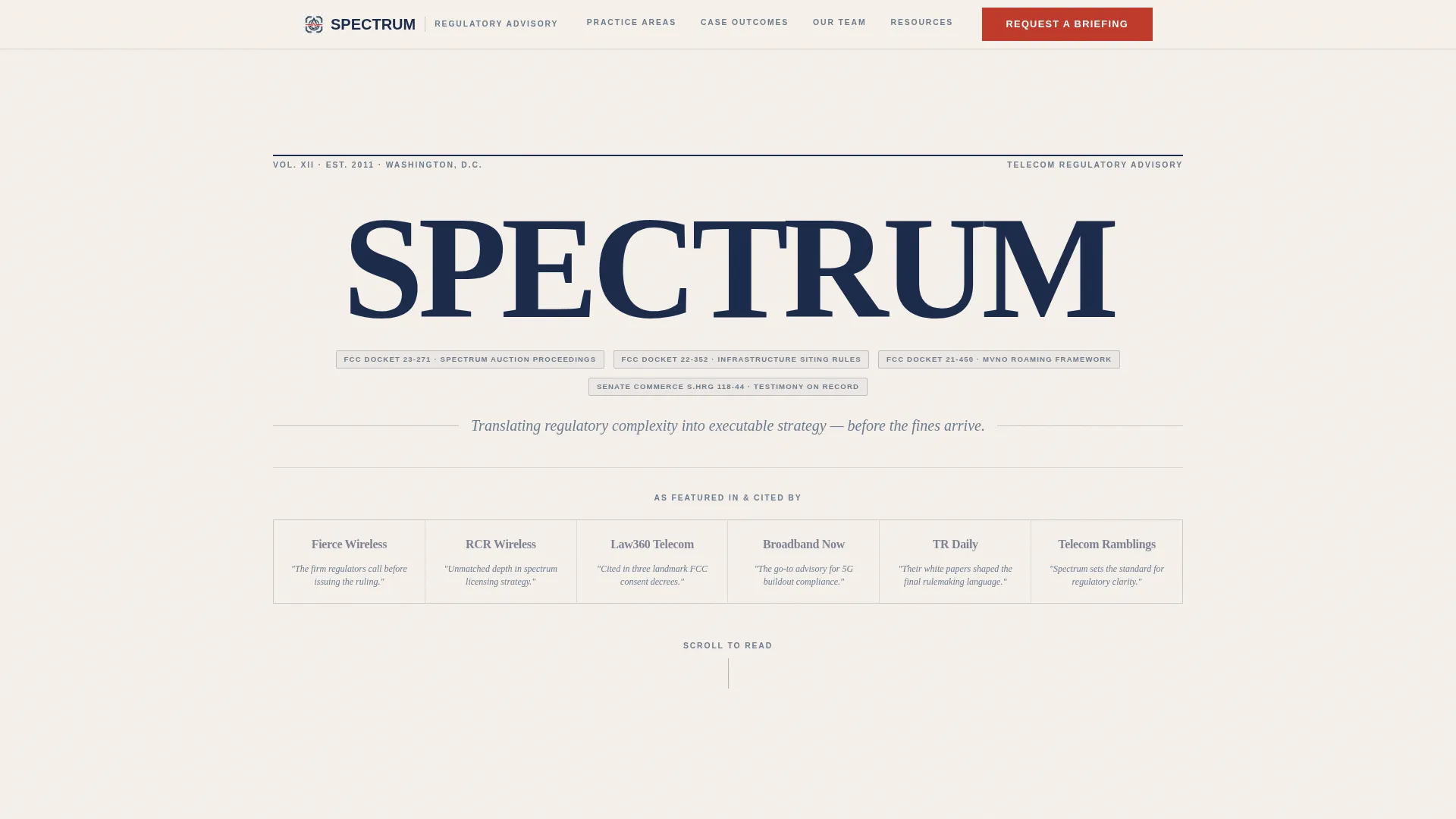
Instead of a hero image, the header uses large serif typography to set the firm name. Attribution lines citing FCC dockets, trade publications, and Senate subcommittee testimony surround the name. The effect is a credentials page that reads like a prestigious journal's front matter.
Press Mentions Credentials Wall
The header section is structured as a curated grid of masthead logos and pull-quotes from industry publications and regulatory proceedings. This arrangement signals institutional recognition before a visitor reads a single line of body copy.
Named Expert Practice Area Sections
Each of four practice areas is introduced through the voice of a named senior consultant, presented as a magazine profile. Each section includes a pull-quote, a case summary, and a regulatory timeline with a specific outcome metric.
Progressive Three-Step Lead Form
The primary conversion form collects information in three stages. Step one captures company name and role title. Step two presents a checkbox grid of regulatory concerns including spectrum licensing, tower siting, TCPA (Telephone Consumer Protection Act) compliance, and USF (Universal Service Fund) contribution. Step three offers a free-text field for describing the visitor's most urgent regulatory exposure.
Sticky Bottom Conversion Bar
After the visitor scrolls past the second section, a sticky bottom bar appears anchoring the primary call-to-action: "Request a Regulatory Briefing." This bar stays visible throughout the remainder of the page scroll, keeping the conversion path accessible without interrupting reading.
Gated Compliance Checklist Download
A secondary conversion path offers a downloadable PDF labeled "Download Our 2024 Telecom Compliance Checklist." It is gated behind email address and company name only, designed to capture visitors who are not yet ready for a consultation but are willing to exchange contact information for immediate practical value.
Page sections overview
| Section | Purpose |
|---|---|
| Credentials header wall | Establishes authority through press citations and typographic firm identity |
| Spectrum strategy section | Introduces practice area via named consultant profile and case summary |
| Infrastructure compliance section | Covers buildout mandates with regulatory timeline and outcome metric |
| Litigation support section | Presents dispute resolution expertise through pull-quote and case detail |
| Policy advocacy section | Communicates regulatory influence work and escalating stakes |
| Sticky call to action bar | Keeps "Request a Regulatory Briefing" accessible after second scroll |
| Progressive lead form | Captures consultation requests across three structured steps |
| Checklist download gate | Offers PDF resource in exchange for email and company name |
Design & branding system
The visual identity follows a Legal Shield theme built on a restrained four-color palette. Every color choice is deliberate, evoking the feel of a freshly printed legal memorandum rather than a typical agency website.
- Core palette: matte parchment white (#F5F0EB) as the background, regulatory navy (#1B2A4A) for headings and structural elements, briefing gray (#6B7B8D) for body text and secondary labels, and redline red (#C0392B) reserved exclusively for alerts and calls to action
- Typography centers on a serif face for headings and the firm name, reinforcing the editorial white-paper aesthetic throughout
- The overall composition evokes a cloth-spine briefing document with tabbed sections: dense analytical paragraphs alternate with large-type callout statistics, mimicking the pacing of a long-form investigative feature
Mobile & speed optimization
The template is structured for responsive display across screen sizes, ensuring the editorial pacing and conversion components work as intended on smaller devices.
- The sticky bottom bar and progressive form are sized and spaced for comfortable tap interaction on mobile screens
- The typographic-first header avoids heavy image assets, keeping the initial view fast to render on mobile connections
- Practice area sections are built in a linear scroll structure that translates naturally from desktop reading order to mobile single-column flow
How this template helps you convert
The Spectrum template treats conversion as a layered process, not a single ask. It builds trust first, then offers two distinct paths for visitors at different stages of the buying decision.
- The sticky "Request a Regulatory Briefing" bar activates after the second section scroll, reaching visitors once they have read enough to have genuine interest, and the three-step form structure reduces friction by breaking a detailed intake into manageable stages.
- The gated checklist download catches visitors who are still in research mode, converting them to a named contact without requiring a consultation commitment, while delivering immediate practical value that reinforces the firm's expertise.
Other information about this template
The Spectrum template is purpose-built for the telecommunications regulatory consulting niche and carries design and structural decisions that reflect the specific expectations of that audience.
- The editorial magazine layout and white-paper pacing make this template well suited for firms that publish thought leadership, file regulatory comments, or appear in industry proceedings
- The template can support a firm that works across multiple regulatory domains, with practice area sections adaptable to areas like spectrum licensing strategy, tower siting compliance, TCPA guidance, or USF contribution analysis
- The cloud canvas color system and corporate precision theme give the page a consistent, institutional feel that distinguishes a boutique regulatory practice from generalist consulting firms
Theme
Corporate Precision
Creative direction
Logo Wall Authority
Color system
Plum Executive
Style
Sidebar Companion
Direction
Content/Resource
Page Sections
Typographic Credentials Header
Press Mentions Masthead Wall
Named Expert Practice Sections
Progressive Three-step Lead Form
Sticky Conversion Bar with Dual Call to Action Paths
Gated Compliance Checklist Download
Related questions
Who is this landing page template designed for?
Can I adapt the practice area sections to match my firm's actual services?
What information does the three-step lead form collect?
How does the template capture visitors who are not ready to book a consultation?
What visual style does the Spectrum template use?



