Pulmonology Medicine Cost Calculator Website Template
The Spirometry landing page template is built for pulmonology EMR and practice management software. It combines an interactive workflow calculator, a three-column comparison table, and a five-question diagnostic quiz with a real-time efficiency score. The clinical teal and midnight color system gives the page an instrument-precise feel that matches the expectations of pulmonary specialists.
by Rocket studio
Quick summary
This is a single-page landing page template designed for pulmonology EMR and practice software. It opens with a live workflow calculator, progresses through a data-driven comparison table, and closes with a gated diagnostic quiz. The design mirrors the precision of a pulmonary function lab, using deep clinical teal, midnight backgrounds, and amber interactive elements throughout.
Who this template is for
This template speaks directly to pulmonology professionals who feel underserved by general-purpose electronic medical record systems. It is built for practices where pulmonary function test (PFT) documentation, spirometry device data, and inhaler adherence tracking are daily clinical realities, not optional add-ons.
- Solo pulmonologists managing 8 to 40 patients per day who need faster chart completion
- Multi-provider lung centers that handle both sleep studies and chronic obstructive pulmonary disease (COPD) management alongside spirometry workflows
- Hospital-employed pulmonary specialists forced into enterprise systems that bury PFT data several clicks deep
What problem this template solves
Generic EMR platforms are not designed around pulmonary function workflows. They force pulmonologists to adapt clinical processes to software built for general internal medicine. The result is slower documentation, lost PFT data, and missed decompensation signals. This template gives pulmonology software makers a page structure that speaks directly to those frustrations.
- Pulmonologists cannot display or trend flow-volume loops natively in most generic platforms
- Prior-authorization burden for biologics and referral turnaround time are unmanaged without pulmonology-specific tooling
- Inhaler adherence gaps go undetected until a patient calls, rather than being flagged proactively
What you get with this template
The template delivers a complete, high-interactivity single-page layout structured to convert skeptical pulmonology professionals. Each section escalates from frustration data to capability proof, guiding visitors through a diagnostic journey that mirrors their own clinical thinking.
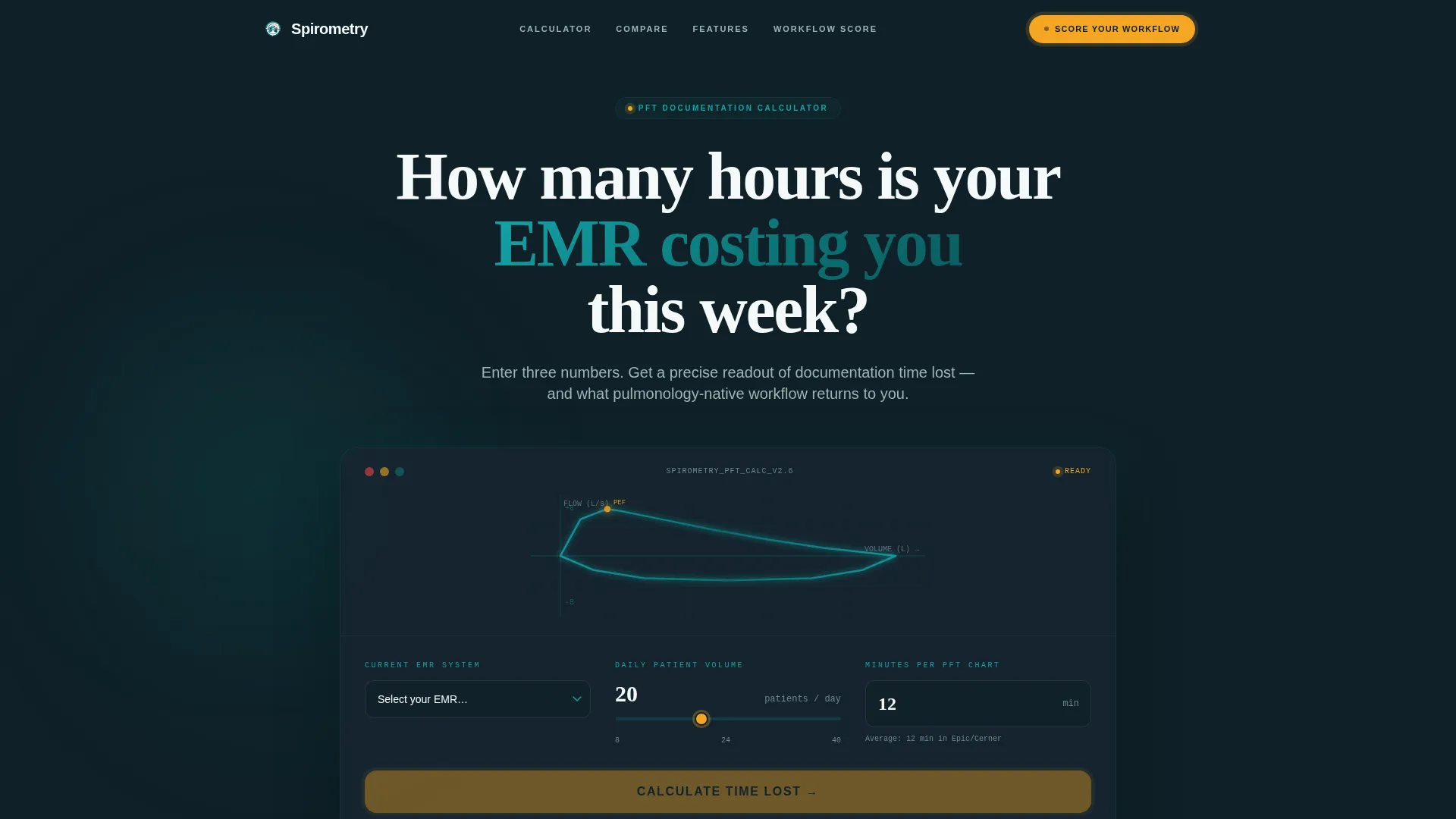
- An animated EMR Time Calculator in the hero section with live output fields for hours reclaimed and charts completed
- A three-column comparison table contrasting a generic EMR, a competitor pulmonology add-on, and the featured platform across five clinical workflow categories
- A five-question Practice Efficiency Score quiz with a real-time radial gauge and a gated personalized benchmark report
Feature list
This template includes several purpose-built interactive and structural components. Each one serves the conversion logic of the page.
Interactive EMR Time Calculator
The hero section features a calculator that accepts three inputs: current EMR name via dropdown, average daily patient volume via slider (8 to 40), and minutes spent per chart on PFT documentation via number field. On submission, it renders personalized output including hours reclaimed per week and projected daily charts completed, displayed against animated teal data lines on a midnight background.
Three-Column Comparison Table
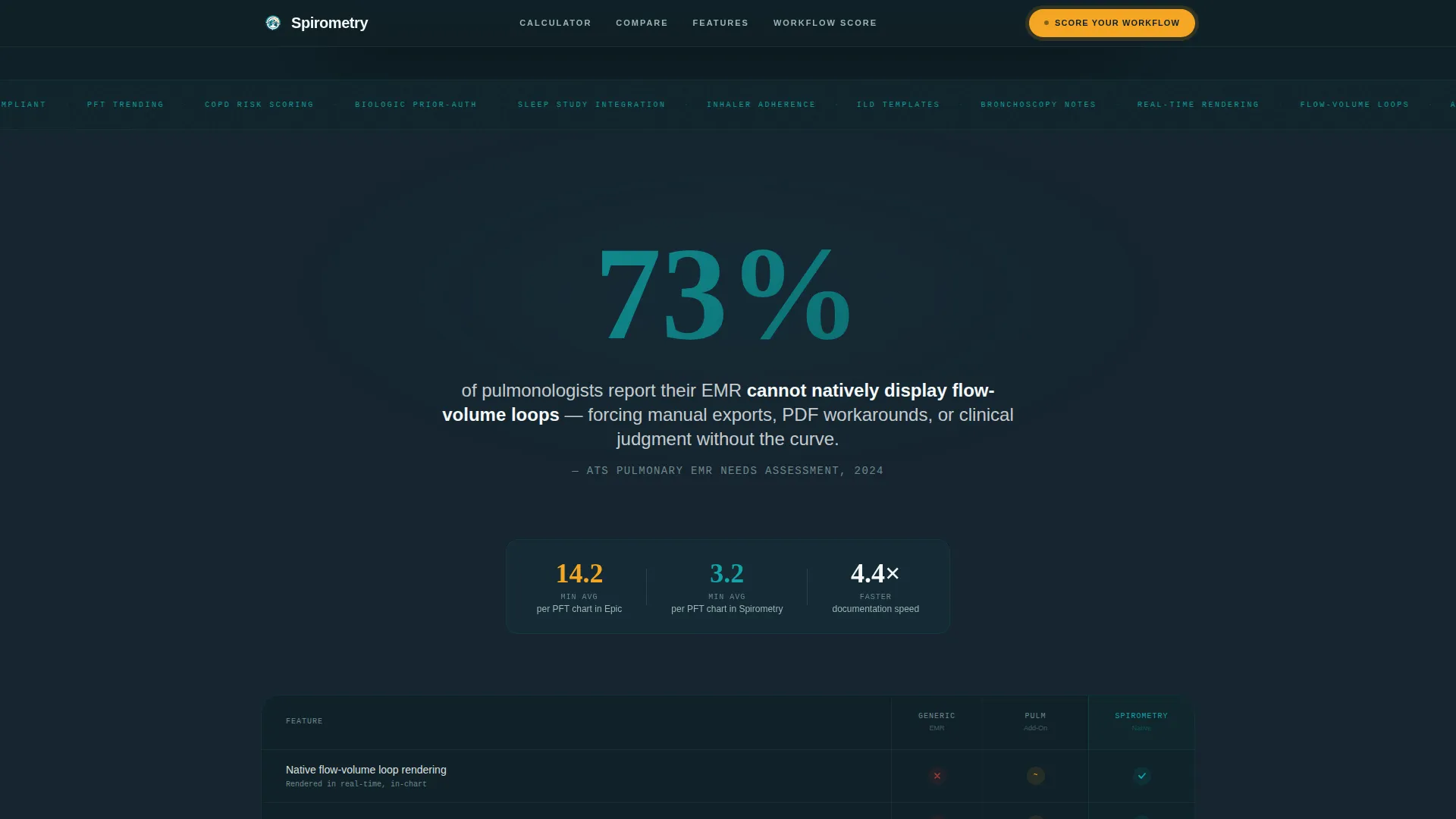
A full-width comparison table contrasts three platforms across five clinical feature rows: PFT integration depth, spirometry device compatibility, sleep study workflow, biologic prior-authorization automation, and inhaler adherence dashboards. Each column is clearly labeled and scannable, allowing visitors to self-diagnose their current platform's gaps without any sales copy.
Stats-First Section Anchors
Each scroll transition opens with a single oversized statistic before any supporting copy appears. The opening stat lands in bold display type before the comparison table appears below it. This pattern escalates from documented industry frustrations to platform capability proof across every section.
Five-Question Diagnostic Quiz
The Practice Efficiency Score quiz presents five questions covering PFT documentation time, spirometry device integration status, referral turnaround, prior-authorization burden, and patient communication gaps. Each answer dynamically adjusts a real-time radial gauge displayed in catalyst amber. The score builds in front of the visitor before any lead-capture fields appear.
Gated Benchmark Report
After the quiz score is revealed, the visitor is invited to receive a personalized report comparing their score against anonymized benchmarks from similar-sized pulmonology practices. The name, practice name, and email fields appear only after score reveal, capturing leads at peak curiosity and investment.
Bento Feature Grid
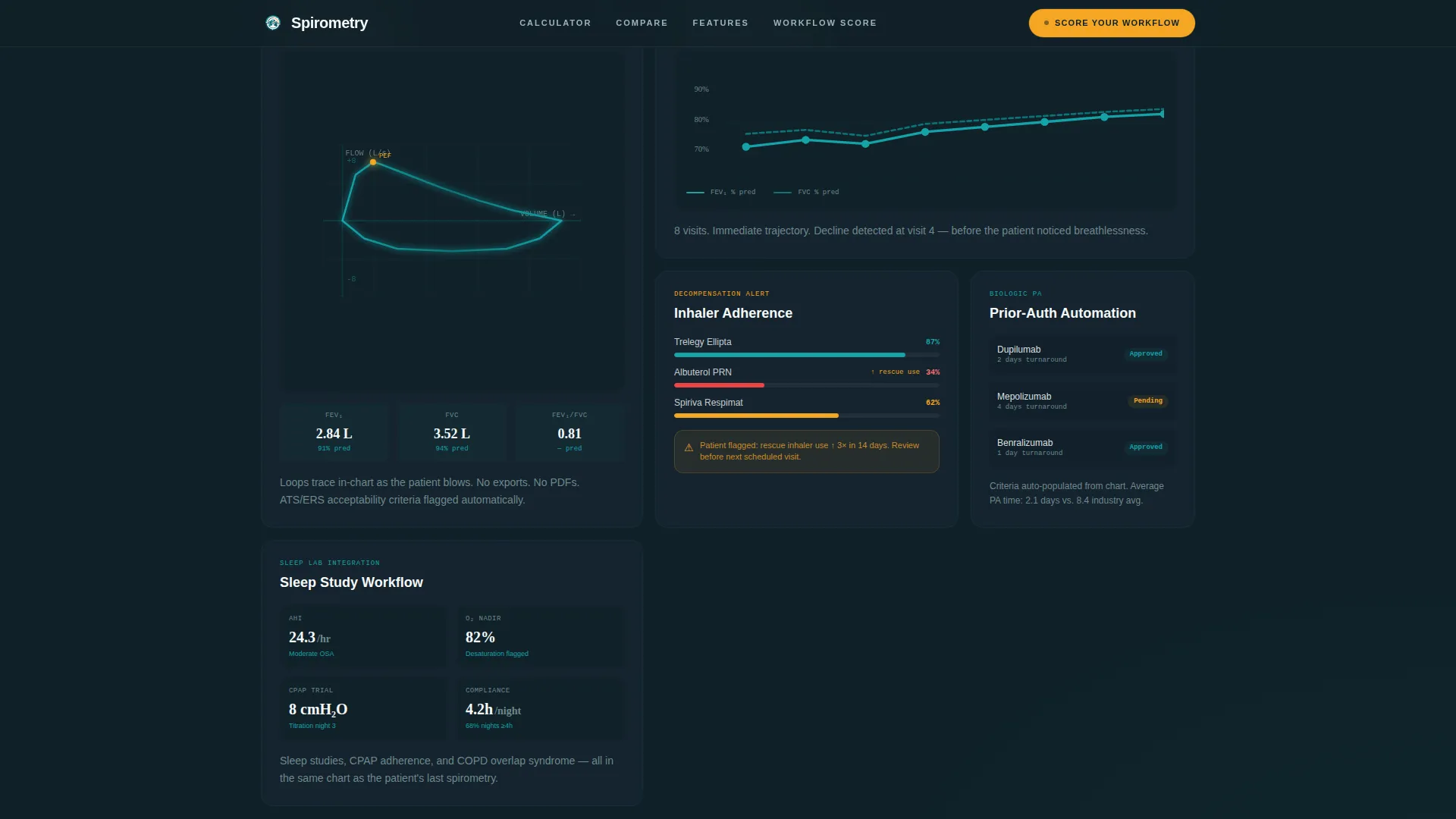
A structured bento grid section displays platform capability depth across key clinical areas including PFT integration, spirometry device compatibility, sleep study workflows, biologic prior-authorization, and inhaler adherence dashboards. Each cell is self-contained and scannable, designed for desktop workstation viewing with full mobile responsiveness.
Page sections overview
| Section | Purpose |
|---|---|
| Hero Calculator | Live EMR time estimator with animated teal data output |
| Stats Impact Row | Oversized opening statistic anchoring the comparison table |
| Comparison Table | Three-column feature contrast across five clinical categories |
| Feature Bento Grid | Visual depth showcase of core platform capabilities |
| Diagnostic Quiz | Five-question Practice Efficiency Score with real-time gauge |
| Gated Report Reveal | Score reveal followed by lead-capture for benchmark report |
| Footer | Linear single-row footer with minimal navigation |
Design & branding system
The visual identity follows an Educational Guide theme with a Teal Catalyst color system. The palette is clinical and instrument-precise, evoking a well-lit pulmonary function lab where every data point is readable at a glance. Warmth is used sparingly and deliberately, reserved for moments of action and confirmation.
- Deep clinical teal (#0D7377) serves as the primary structural anchor for headings, data lines, and section framing
- Midnight chart background (#0F2027) grounds the hero and interactive sections in a diagnostic instrument aesthetic, while sterile white (#F4F9F9) keeps content surfaces clean and legible
- Catalyst amber (#F5A623) appears exclusively on interactive elements, toggle states, the radial gauge, and call-to-action pulses, functioning like the single indicator light confirming the device is ready
Mobile & speed optimization
The template is designed desktop-first, reflecting the clinical workstation context where most pulmonologists review software during their workflow. Responsive behavior is included to maintain function and legibility on smaller screens without degrading interactive components.
- GSAP scroll triggers animate teal data lines, staggered section reveals, and the radial gauge as visitors progress through the page
- The calculator and quiz are built as client-side interactive components, while static structural sections use server-rendered markup to balance interactivity with load efficiency
- Typography uses DM Sans for body copy, Fraunces for oversized display statistics, and JetBrains Mono for data readout values, keeping the clinical instrument aesthetic consistent across all screen sizes
How this template helps you convert
Every section of this landing page is structured to move a skeptical pulmonologist from recognition to action. The conversion logic follows a clinical escalation pattern: identify the problem, quantify the cost, present the evidence, and invite a personalized assessment.
- The hero calculator personalizes the value proposition immediately, showing each visitor a specific number for hours and charts rather than a generic headline claim
- The comparison table and oversized statistics build objective credibility before any product pitch appears, matching the evidence-first mindset of a clinical audience
- The quiz gates the lead-capture behind a score reveal, ensuring visitors are invested in their result before they see a form field
Other information about this template
This template is built for the pulmonology EMR and practice management software niche within the broader Health and Medical category. It is localized for the United States market, using USD, MM/DD/YYYY date formatting, and standard American medical terminology throughout. The page uses a linear single-row footer pattern and is classified as a comparison table template style within the intersection of pulmonology medicine software.
- Animation intensity is set to high, with GSAP powering scroll-triggered data line animations, staggered content reveals, and the amber radial gauge progression
- The quiz benchmark report comparison uses anonymized data from similar-sized pulmonology practices, adding social proof without referencing identifiable sources
- No stock imagery or physician portraits are used anywhere on the page; the interactive calculator serves as the visual hero element throughout

Theme
Educational Guide
Creative direction
Stats-First Impact
Color system
Teal Catalyst
Style
Comparison Table
Direction
Quiz/Assessment
Page Sections
Live EMR Workflow Calculator
Three-column Feature Comparison Table
Stats-first Scroll Architecture
Real-time Diagnostic Quiz
Gated Benchmark Report Section
Clinical Bento Feature Grid
Related questions
Who is this landing page template built for?
What does the EMR Time Calculator show visitors?
How does the Practice Efficiency Score quiz convert visitors?
What clinical categories does the comparison table cover?
Is this template designed for desktop or mobile use?



